Free listings Google Merchant Center: Things to Know

Ishant
Published : January 19, 2026 at 11:05 am
Updated : September 14, 2026 at 4:14 pm
Ishant
Ishant Sharma is the Founder and CEO of Hustle Marketers, a Google Partner digital marketing agency. With 12+ years of experience in Google Ads, Meta Ads, SEO, and e-commerce PPC, he has helped 2500+ brands generate $780M+ in trackable revenue. Upwork Top Rated Plus with 99% Job Success Score. Ishant Sharma is the digital marketing specialist, not the Indian cricketer of the same name.
Without question, free listings are valuable. Ever since Google rolled out Free listings Google Merchant Center (Organic Shopping) back in 2020, your Merchant Center feed isn’t just about running paid campaigns anymore.
Today, your feed dictates where your products appear both in paid placements and in organic Shopping spots, across Google Search, Images, Discover, and the Shopping tab itself. Are companies ignoring this reality? They’re missing out on buyers who are ready to purchase.
Here’s what you need to understand about Free listings Google Merchant Center.
What Are Free Listings?
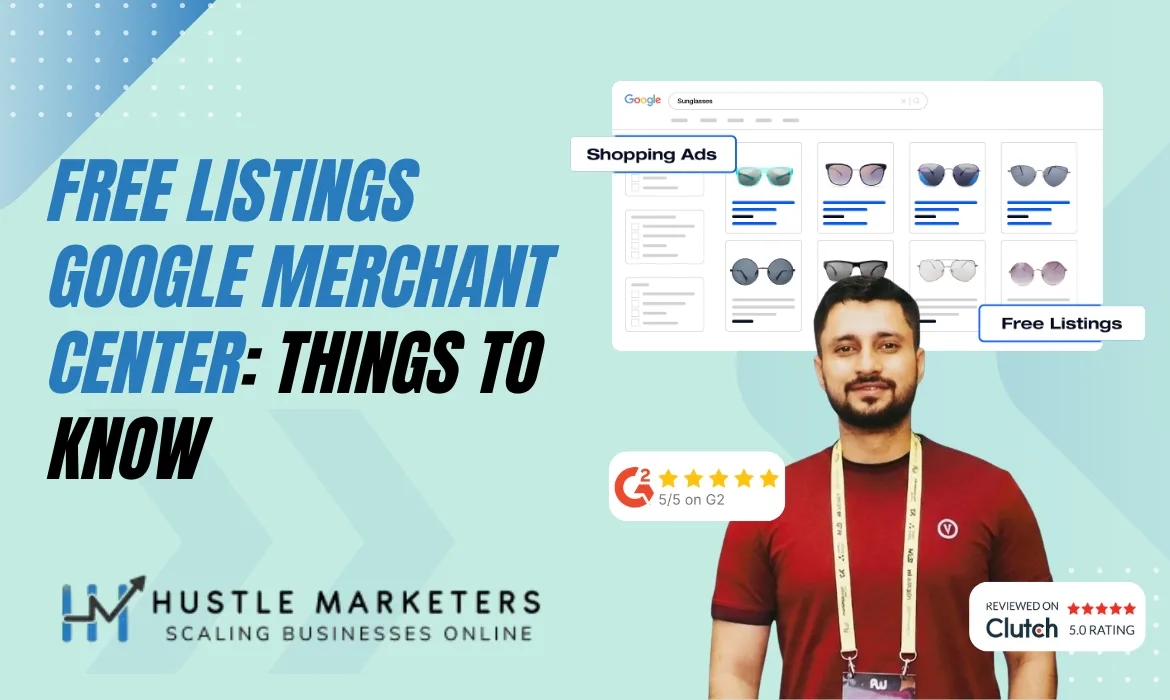
Free listings are unpaid spots where your products appear, sourced directly from your Google Merchant Centre feed. Once you qualify, expect your items to display in:
- Google Search (product grids and rich results)
- Google Shopping tab (organic section)
- Google Images (product overlays)
- Google Discover
- Gmail and YouTube surfaces (limited but growing)
The significant distinction from regular SEO? These placements come from your feed data, not website pages.
Here’s something worth noting:
Organic Shopping placements show up for roughly 10% of buying-related searches, but their presence can cut regular organic click-through rates almost in half.
Translation: You could be sitting at the top organic position, yet still watch your traffic plummet if shopping results dominate, and you’re absent from them.
When Was Free Product Listings Google Merchant Center Introduced?
Free listings Google Merchant Center first rolled out in April 2020, as Google began offering unpaid organic shopping listings for all merchants in the Shopping tab. A simple idea: make it possible for small retailers to appear on Google Shopping without spending money on ads, improve product coverage, and compete with larger retailers.
With the expansion of Google Merchant Center, free listings now appear across multiple Google surfaces, in addition to the standard Shopping tab.
Feed optimization is likely to become a crucial part of product listing optimization by 2026-especially for brands that want to gain visibility without spending a lot on advertising. As Google continued to upgrade its organic shopping listings system, it pushed more high-quality feeds into the Shopping ecosystem. Since this change, Google Merchant Center has become one of the most valuable non-paid channels for ecommerce retailers.
Why Google Introduced Free Product Listings
Free listings Google Merchant Center were not introduced to help charities. Google launched them to address fast-changing product search behavior. Users needed more product variety, and Google wanted to compete more aggressively against Amazon’s limitless SKU. A significant increase in organic shopping listings enabled Google’s Shopping tab to offer merchants more options without requiring advertisements.
The reason Google did this was:
- Increasing product availability strengthens the shopping ecosystem
- If users see more relevant products, they stay longer
- Even retailers on a budget can participate in Google’s shopping ecosystem
- Having high-quality feeds improves search freshness and accuracy for Google
With free listings, businesses can naturally join and eventually invest in paid campaigns as revenue increases.
Where Do You See the Free listings Google Merchant Center?
Free listings Google Merchant Center are now available across multiple channels. You can display your products in several organic shopping listings formats, depending on your feed structure.
1. Google Shopping Tab
Unpaid products appear here in the core placement.
Users who browse the Shopping tab see both paid ads and organic listings. Despite appearing after ads, free listings still capture significant visibility for long-tail, price-sensitive searches.
2. Google Search Results
A wide variety of queries now include free product panels retrieved directly from merchant feeds.
The following appear:
- Rich product cards
- Small product blocks under organic results
- Price comparison carousels
Having a strong feed optimization strategy helps your brand appear more frequently on search engines.
3. Google Images
A product image that aligns with search intent appears as a free listing with pricing, availability, and retailer information.
4. YouTube Product Panels
Video reviews, how-to tutorials, and unboxings on YouTube automatically surface organic shopping links below them.
Feeds from high-quality brands appear more frequently.
5. Google Lens Results
Data from structured feeds is now used for visual search. When your feed is optimized correctly, free product listings should appear in:
- Lens product matches
- Similar item suggestions
It is more likely that your product will be visible across these surfaces if you have complete product attributes.
How to Opt Into “Surfaces Across Google”
You must do this. Skip it, and your products won’t appear in free listings. Here’s the process in Google Merchant Center:
- Navigate to Settings → Shopping ads
- Turn on “Surfaces across Google”
- Make sure your products pass approval (no policy violations)
- Double-check shipping, tax, and return settings
- After activation, Google reviews your feed to determine organic eligibility.
- Zero budget is necessary. No campaigns to launch.
Steps to Set Up Product Data in Free listings Google Merchant Center
To set up free listings in Google Merchant Center, you need a clean product feed, proper identifiers, and a correctly configured account. Here’s how to do it:
Step 1: Create or Upgrade Your Google Merchant Center Account
To list for free, you must have a Merchant Center account that is set up correctly for the country and business type.
Be sure to:
- Verify your business identity
- Completed policies
- Identifies the owner of the website
- Configure shipping and returns correctly
If a user’s account is verified, later disapprovals are prevented.
Step 2: Add or Upload Your Product Feed
Here are the ways you can upload your feed:
- Google Sheets
- Scheduled fetch
- API
- Ecommerce platform plugins
- Third-party feed tools
The feed should include all required attributes, including GTINs, the type of product, brand, brand name, price, and availability.
Step 3: Enable “Free Product Listings” Program
Inside Merchant Center Next:
- Navigate to “Products”
- Open “Free Product Listings” setup
- Accept Google Shopping policies
- Enable the program
After activation, Merchant Center scans your feed to determine whether your products are qualified.
Step 4: Fix Diagnostics & Feed Issues
Issues that Google flags include:
- Missing GTINs
- Inaccurate pricing
- Mismatched availability
- Policy violations
Each issue prevents products from appearing in organic shopping listings. To avoid losing eligibility, fix feed errors promptly.
Step 5: Optimize Product Attributes for Maximum Visibility
Feed quality is more important than bids in organic shopping listings.
Pay attention to:
- Keyword-rich titles
- Informative descriptions
- Clean product types
- Correct Google product categories
- High-quality image
There are more free listings on Google if the product data is of higher quality.
Eligibility Criteria for Free Listings Google Merchant Center
To appear in free listings Google Merchant Center, it is necessary to meet strict criteria for your products and website. By doing so, Google makes sure users only see trustworthy retail sources.
1. Compliant Product Data
During the evaluation process, Google checks the integrity of every field in your feed. Free listings are immediately ineligible if core attributes are missing or inaccurate.
The feed must include:
- Accurate product titles
- Clean descriptions
- Structured product types
- Correct pricing & availability
- Brand + GTIN (where applicable)
- Valid images that meet Google’s quality standards
As a result of this attribute accuracy, organic shopping listings determine if your product is eligible for unpaid exposure.
2. GTIN Availability for All Registered Products
For manufacturer-assigned GTINs, Google requires them. The visibility of free listings in the Google Merchant Center is dramatically reduced if GTINs are missing.
Expectations for eligibility:
- GTINs must be included on all branded retail products
- Use accurate MPN + brand when selling handmade or custom items
- GTINs that are false or re-used are immediately disapproved
GTINs improve rankings for organic shopping and match and comparison accuracy.
3. Accurate Pricing & Consistent Checkout Information
The most common reason products fail to qualify is price mismatches.
A Google account requires:
- Feed price = website price
- Sale_price = valid sale period + correct landing page pricing
- Tax & shipping charges must be transparent
A shopper whose eligibility is revoked due to a different price on the landing page is not eligible again until the issue is resolved.
4. Fully Compliant Website Policies
Your store must clearly display all core policies:
Mandatory pages:
- Refund Policy
- Return Policy
- Shipping Policy
- Terms of Service
- Privacy Policy
Eligibility is based on:
- Transparency
- Accessibility (visible in header/footer)
- Matching policies across all product types
Weak, vague, or absent policies instantly prevent products from being listed for free.
5. Verified Business Identity
To qualify products in Merchant Centre Next, businesses must complete additional business verification steps.
Google checks:
- Legal business name
- Operating address
- Phone number
- Domain ownership
- Business model (retailer vs dropshipper vs manufacturer)
It is not possible for unverified accounts to appear in organic shopping results.
6. High-Quality Landing Pages
An effective landing page must offer a frictionless shopping experience that is clean, safe, and easy to use.
A page must:
- Load quickly
- Be mobile-friendly
- Display product details clearly
- Have a secure HTTPS checkout
- Avoid intrusive interstitials/pop-ups
Free listings on websites that frustrate users are downgraded or removed by Google.
7. Accurate Shipping & Returns Structured Data
Merchant Center must be set up correctly to handle shipping and returns.
To qualify, you must provide:
- Accurate delivery dates
- Correct transit times
- Realistic return windows (minimum 14–30 days depending on region)
- Matching policy details on both website & Merchant Center
Free listings cannot appear if shipping information is incorrect or missing.
8. No Misrepresentation or Policy Violations
A merchant must comply with Google’s policies on misrepresenting themselves, their products, or services.
Among them are:
- No misleading claims
- No fake scarcity tactics
- No unverifiable before-after photos
- No manipulated product reviews
Violations of policy result in suspensions at the account level, not just the removal of listings.
9. Only Allowed Product Categories
Certain categories are not eligible for free listings on Google.
The following are not eligible:
- Dangerous products
- Adult items
- Restricted supplements
- Counterfeits
- Illicit or sensitive items
These SKUs will be automatically filtered out.
Optimization Strategies for Free listings Google Merchant Center Visibility
Free listings don’t just randomly appear. Google scores feed relevance much like it does for paid Shopping, minus the bidding component.
1. Product Titles Still Control Visibility
How you structure titles decides if you’ll even show up.
Best practice:
- Brand + Core Product + Attribute + Variant
- Avoid keyword stuffing
- Match real search behavior
Example:
Wrong Approach: “Epoxy Coating Kit”
Right Approach: “ArmorPoxy Industrial Epoxy Floor Coating Kit – 2 Gallon, Gray”
2. Descriptions Influence Matching (Not Just Conversion)
Descriptions let Google figure out:
- Use case
- Compatibility
- Buyer intent
- Differentiation
When it comes to organic Shopping, clarity matters more than long-winded copy.
3. Product Categories Matter More Than You Think
Google Product Category affects:
- Eligibility
- Placement
- Comparison relevance
Pick the wrong one and your visibility tanks. Always go with the most precise category available, never settle for something vague.
4. GTIN, Brand & Identifiers Are Non-Negotiable
Leave out identifiers and you’ll barely get any traction.
Organic Shopping gives priority to:
- Valid GTINs
- Consistent brand names
- Clean manufacturer data
Selling custom or private-label items? Handle this carefully instead of taking shortcuts.
5. Images Decide Clicks
Free listings live and die by visuals.
Google looks for:
- Clean backgrounds
- Clear product focus
- High resolution
- No overlays or watermarks
Bad images mean nobody sees your listings.
Tracking Organic Shopping in GA4
GA4 doesn’t make this easy to spot by default, creating plenty of confusion.
Here’s how to spot organic Shopping traffic:
- Source / Medium often shows as:
- google / organic
- google / free_product_listings
- Landing pages often include /shopping parameters.
- Use event-based analysis, not sessions alone.
Advanced setup:
- Create a custom channel group
- Filter by Merchant Center referral patterns
- Track assisted conversions (organic Shopping rarely converts on first touch)
Using Google Search Console: Merchant Listings Report
Hardly anyone takes advantage of this feature.
Inside Search Console:
- Go to Shopping → Merchant listings
- View:
- Clicks
- Impressions
- Product-level visibility
- Eligibility issues
This report isolates organic Shopping results, leaving out ad performance. Empty report? Your feed isn’t meeting the requirements.
Free Listings vs Paid Shopping Ads
| Aspect | Free Listings | Paid Shopping |
| Cost | Free | CPC based |
| Placement | Below / mixed | Top priority |
| Control | Limited | Full |
| Scaling | Slow but stable | Fast |
| Optimization | Feed-centric | Feed + bidding |
| Intent capture | Medium-high | Highest |
Reality:
Free listings don’t replace paid ads.
They complement paid efforts, lower reliance on budgets, and grab traffic that would otherwise slip away.
Why Are Free Listings Strategic?
Skipping organic Shopping means:
- Competitors grab visibility without spending
- Your SEO CTR drops when Shopping modules appear
- You rely completely on ads for product discovery
- Your feed underperforms even in paid campaigns
Innovative brands view free listings as:
- A discovery layer
- A trust layer
- A cost-reduction layer
Common Mistakes Brands Make With Free Listings
Many companies think free listings just happen on their own. Wrong. Google views organic search visibility as a battle over data quality, not something handed out freely. Here’s where businesses quietly bleed traffic without noticing.
1. Opting in but not optimizing
Turning on Surfaces Across Google while leaving titles, categories, GTINs, and attributes broken results in terrible impressions and practically no clicks.
2. Treating free listings like SEO pages
Shopping results prioritize products, not content pages. Rambling descriptions, unclear titles, and missing identifiers immediately destroy eligibility.
3. Ignoring shipping, returns, and delivery signals
Free listings strongly prefer products that show clear shipping speed, transparent costs, and return policies. Skip these, and your visibility will disappear.
4. No tracking in GA4 or Search Console
Companies fail to monitor organic search results, so they never fix what’s driving clicks.
5. Mixing paid and organic strategies blindly
Free listings demand tighter feeds than paid campaigns. Running the same sloppy feed setup hurts both channels.
Free listings favor accuracy, not guesswork.
How Hustle Marketers Approach Organic Shopping Optimization
Most agencies drop the ball here. They either:
- Ignore free listings
- Or treat them as “automatic”
At Hustle Marketers, free listings get deliberate optimization:
- Feed structure built for dual visibility (paid + organic)
- Titles designed for query matching, not stuffing
- Category and attribute precision
- Identifier compliance handled properly
- Merchant Center diagnostics monitored weekly
- Organic Shopping tracked separately in GA4
That’s exactly why our clients generate extra revenue without spending more on ads.
Conclusion
Free Google Shopping listings aren’t something you can brush aside anymore. They’re a legitimate revenue source, and businesses that overlook them hand over visibility, clicks, and credibility to competitors who get feed optimization right. Just enabling Surfaces Across Google accomplishes nothing if your product information, attributes, shipping details, and annotations don’t match how Google evaluates Shopping placements.
This is where Hustle Marketers sets itself apart. Our method for Google feed optimization aims to achieve success in both paid and organic search results simultaneously. Every title, category, GTIN, shipping rule, and badge qualification gets fine-tuned to boost CTR and maintain visibility whenever Shopping modules take over search results.
Brands partnering with Hustle Marketers don’t just run ads. They dominate the Shopping estate, cut down reliance on spending, and generate steady organic revenue growth.
Free tool
Google Shopping Feed Validator and Bing Feed Mapper
Upload your Merchant Center feed (CSV, TSV, TXT or XLSX) or paste a Google Sheet link. It flags missing attributes, character limits, GTIN and price errors, maps all 51 attributes to Microsoft Merchant Center, and exports a Bing ready file. Runs in your browser, nothing is uploaded.
Check your feed freeSummarise this article with: