Business Agent in Merchant Center: Complete Guide

Ishant
Published : February 4, 2026 at 5:08 pm
Updated : September 11, 2026 at 7:27 am
Ishant
Summarize this blog post with:
Search behavior is changing faster than most brands realize. Shoppers now expect quick answers. They do not want long scrolling, extra pages, or guesswork. They want clear, direct guidance before they click. Many shoppers even expect a brief conversation before deciding to buy.
This is the moment where the Business Agent in Merchant Center becomes important.
Google is transforming Search into a place where purchasing decisions are made through simple voice commands. Rather than directing individuals to a webpage immediately, it now allows them to chat with the brand via an integrated chat. The chat is a kind of digital sales assistant that is aware of the brand, the products, and the purpose of a query.
This is not a small feature. It changes how people shop. For businesses, the Business Agent in Merchant Center serves as a new point of contact, a new way to build trust, and a new hub where ads, product data, and search behavior converge.
If you manage ecommerce growth or performance marketing, ignoring this feature would be a mistake.
Let’s break it down in a simple way.
What is a Business Agent in Merchant Center?
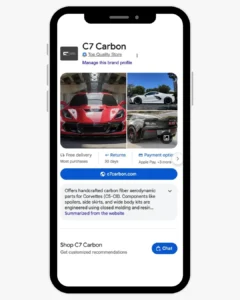
Business Agent in Merchant Center is a branded chat experience that lets shoppers talk to a business straight from Google. It behaves like a store assistant, answering questions using the product feed, the website, and the business profile.
Instead of directing users to a page immediately, Google offers a Chat option where they can ask questions, review offers, or check what suits their needs.
- It appears on branded search results
- It is powered by Gemini models
- It pulls information from:
- Merchant Center product feeds
- Website content
- Brand profile data
- It responds in conversational language
- It can be customized with brand colors, messages, and prompts
- A default Google-branded version appears until customization is enabled
In simple words, a Business Agent in Merchant Center turns search results into a guided pre-purchase space.
How does a Business Agent in a Merchant Center work?
At its core, the Business Agent connects user search with verified product details. When someone searches for a brand and opens a chat, the agent reviews the available data and provides clear responses to help the shopper move forward.
Data Ingestion and Understanding
The agent uses Gemini models to study:
- Approved product offers in Merchant Center
- Product titles, descriptions, attributes
- Website content such as FAQs, policies, guides
- Brand profile information
This gives the agent enough clarity to answer both direct and detailed questions.
Conversational Response Generation
After a shopper asks something, the agent:
- Understands the intent
- Finds the right products or policy details
- Replies in simple language
- Suggests follow-up prompts
The focus remains on clear explanations rather than marketing fluff.
Shopping-focused Query Handling
The agent works best with questions like:
- Product specifications
- Size and fit guidance
- Quantity calculations
- Availability and pricing context
It keeps the chat focused on shopping decisions.
Search-native Experience
Unlike website chat tools, Business Agent stays inside Google. The user remains on the search results page unless they navigate to another page.
This reduces friction at a point where many shoppers drop off.
Step-by-Step Process to Setup Business Agent in the Merchant Center
Setting up a Business Agent in Merchant Center follows a clean workflow. You do not need coding for this, but you need accuracy.
Step 1: Access the Business Agent inside the Merchant Center
- Log in to your verified Merchant Center account
- Navigate to the left-hand menu
- Under Marketing, select Business Agent
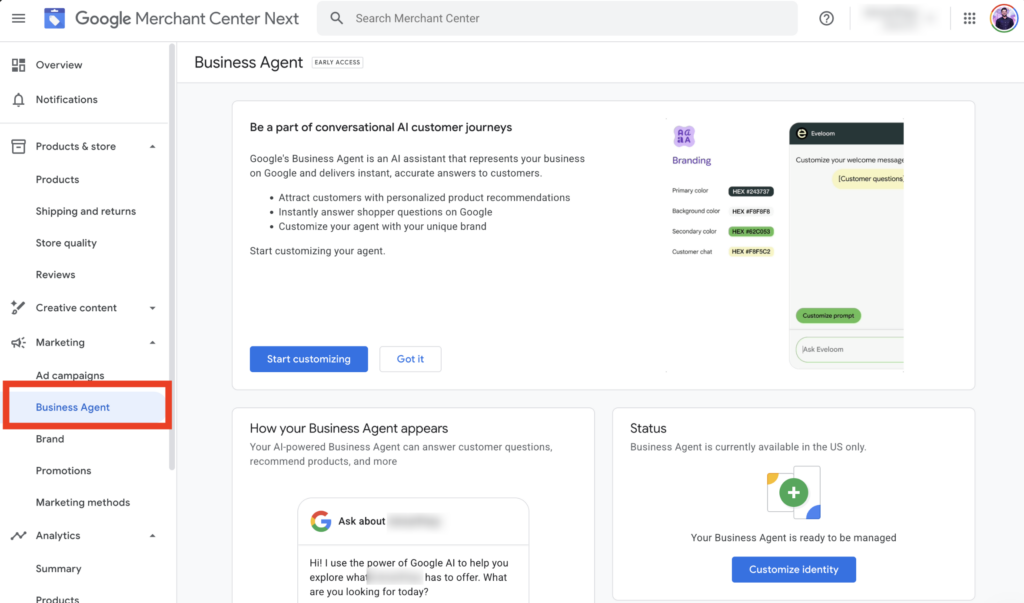
- Confirm that your account meets eligibility requirements
If your account qualifies, the system will indicate that your agent is ready to manage it.
Step 2: Open the customization panel
- Click Customize identity
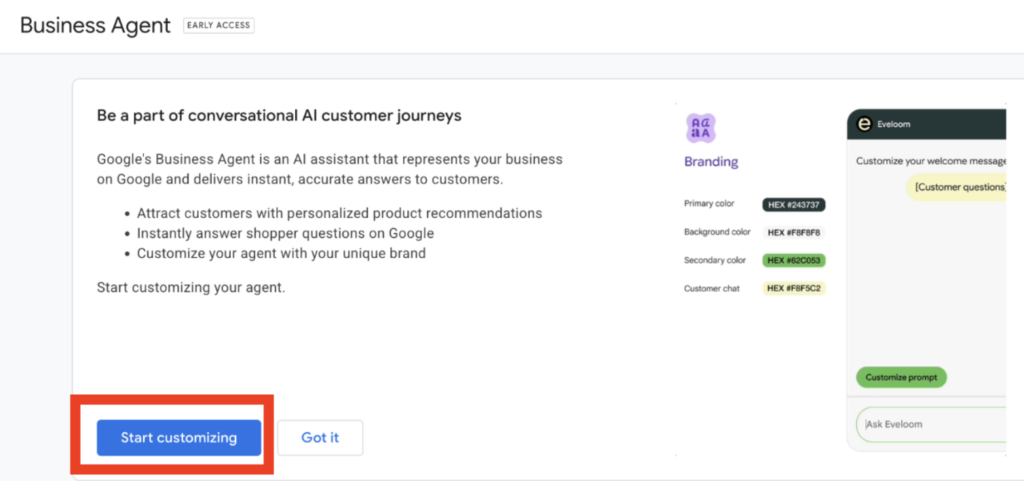
- This opens the Business Agent configuration screen
- A default Google version runs until you finish your setup
This is where you begin shaping your brand voice.
Step 3: Set the welcome message
The welcome text appears first.
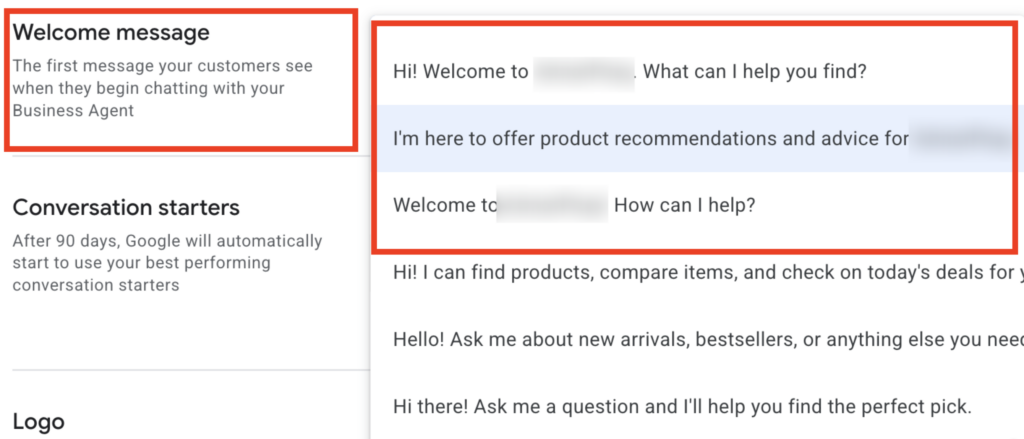
Best practices:
- Keep it helpful, not salesy
- Tell what the agent can help with
- Match the brand tone
Example intent:
- Product discovery
- Recommendations
- Deal visibility
This message guides the whole chat flow.
Step 4: Choose conversation starters
You can add up to three starters, such as:
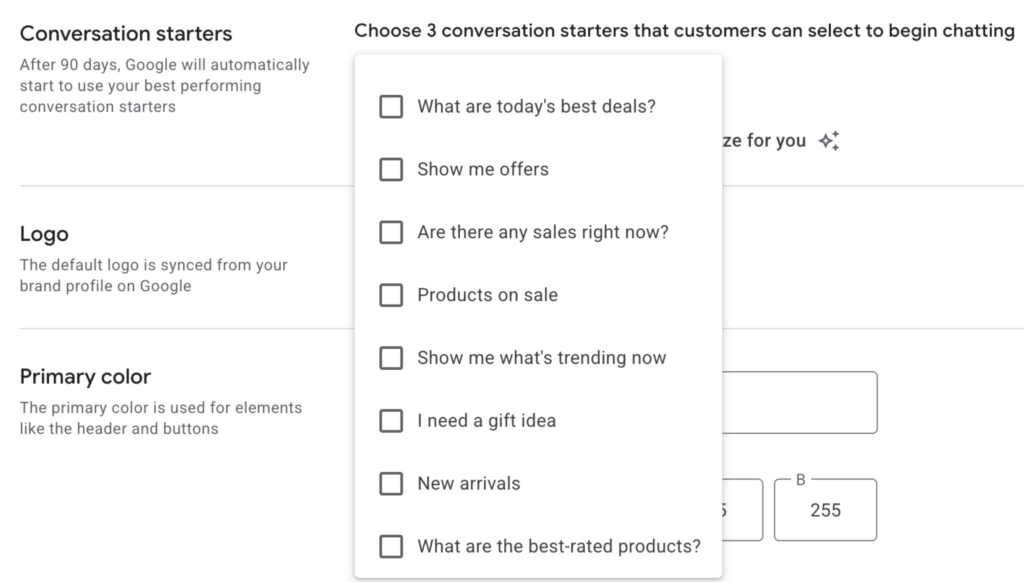
- What are today’s best deals?
- Show me what’s trending
- I need a gift idea
- New arrivals
- Best-rated products
After 90 days, Google may update them based on performance.
Pick options that support your revenue goals.
Step 5: Configure branding and appearance
Moving forward, configure branding and appearance by selecting logo, primary, secondary color, and so on.
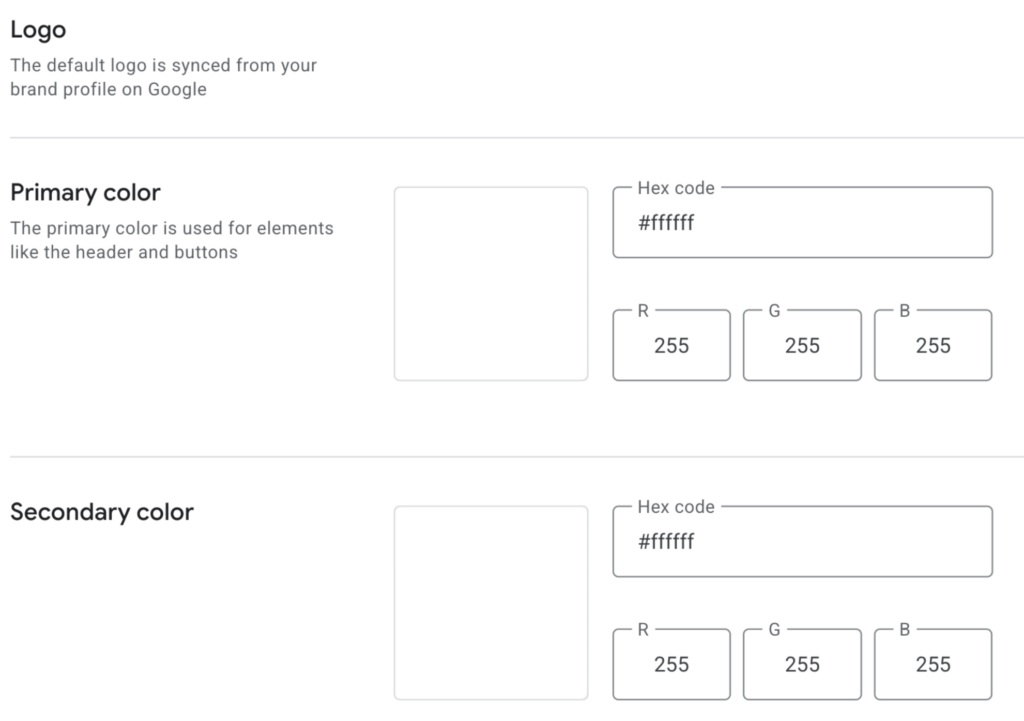
- Logo syncs from the brand profile
- Set primary and secondary brand colors
- These colors show in the layout and buttons
This builds a consistent feeling for shoppers.
Step 6: Add support handoff details
Business Agent is not designed to replace customer support.
You can add:
- Live chat link

- Support email address

- Customer support phone number
These appear whenever the agent cannot answer something.
Step 7: Save and activate the customized agent
- Review the preview
- Click Save and turn on the customized agent

- Your version replaces the default Google version in Search
Your agent is now active.
Benefits of Integrating Business Agent in Merchant Center for Brands
Business Agent in Merchant Center is more than a new feature. It changes how your brand handles buyer questions at the exact time they decide to trust you or continue searching.
When used well, it strengthens intent, increases quality traffic, and prepares your brand for the future of conversational shopping.
1. Captures high-intent shoppers before they leave
Many shoppers exit because they cannot find answers. Business Agent removes this gap by providing clear responses directly within Search. They stay with your brand longer, which raises your chances of converting that interest into a purchase.
Read here the expert tips to win more clients with the best PPC management practices.
2. Improves conversion quality, not just traffic numbers
High traffic means nothing if people leave confused. Business Agent clears doubts early. When someone finally visits your website, they already understand what they want.
This leads to:
- Lower bounce rates
- Higher add-to-cart rates
- More confident buyers
You attract shoppers who already trust the product.
3. Reduces friction for detailed or high-consideration items
Products with questions about sizing, materials, measurements, or compatibility lose sales when details are unclear. Business Agent answers these questions instantly. This matters a lot for categories like automotive, furniture, fashion, electronics, and custom goods.
4. Strengthens brand trust directly on Google Search
First impressions start before the click. A branded agent creates a sense of stability and transparency. It shows that your business stays active and open to user questions, which builds trust in crowded markets.
5. Extends the impact of PPC and Shopping campaigns
Paid traffic performs better when users feel informed. Business Agent continues the conversation after someone interacts with your ads. It clears hesitation and improves how your ad spend converts.
Pro tip: Learn the best PPC practices from Ishant Sharma, the best PPC specialist.
6. Scales customer assistance without scaling costs
Business Agent works nonstop. It handles unlimited chats simultaneously and ensures consistent responses. It lowers the load on human teams and improves overall efficiency.
7. Turns Merchant Center data into a revenue-driving asset
Most brands see Merchant Center as a requirement. With Business Agent, your product data becomes your direct voice. Strong, clean product feeds now influence the quality of the agent’s replies.
8. Positions brands early for agentic commerce and AI checkout
Google plans deeper training, smarter insights, and AI-driven checkout. Brands that adopt early will be ready with strong data and trained agents. They will move faster when these features become mainstream.
Is it worthwhile to integrate a Business Agent in a Merchant Center?
For most online brands, the answer is yes.
Business Agent sits where Search, AI, and shopping meet. It influences user decisions even before they visit your website. That alone makes it a strong asset.
Why does it make sense?
- It captures high-intent users
- It reduces friction before conversion
- It uses data you already maintain
- It aligns with Google’s long-term direction
When it matters most
- High-consideration products
- Complex specifications
- Competitive categories
- PPC-dependent growth
Brands that need clarity and trust benefit the most.
Where will the Chat option show in Google?
The Chat option from Business Agent appears on branded search results.
When users search for a brand name:
- The brand profile appears
- Product cards and brand details are shown
- A Chat button appears under the brand section

This appears at the exact moment a shopper demonstrates brand intent.
Key visibility points
- Appears on mobile and desktop
- Built into the brand knowledge panel
- Placed near product previews
- Marked clearly as a conversational feature
This makes Business Agent a natural part of Search.
Conclusion
Google is changing how brands talk to buyers, and the Business Agent in Merchant Center shows where the future is heading. Search is moving beyond clicks. It focuses on guidance, clarity, and intent even before the shopper visits a website.
For brands that care about performance, this is not a feature to ignore. It offers a real advantage. When matched with strong Merchant Center data and a smart PPC plan, Business Agent becomes a silent salesperson working inside Search.
At Hustle Marketers, we see this shift shaping the next era of digital commerce. Brands that move early will control more of the user journey and win more trust.
Ignoring it gives competitors an advantage.
Frequently Asked Questions
What is the Business Agent in Merchant Center used for?
Is the Business Agent in Merchant Center available globally?
Does Business Agent replace customer support?
Can a Business Agent influence conversions?
Is coding required to set up a Business Agent?
How does Business Agent get its answers?
Is Business Agent connected to Google Ads?