Microsoft Ads extensions add extra information around your ad: sitelinks, callouts, images, ratings, locations and more. They expand how much of the results page your ad occupies, which is why they raise click-through rate without raising your bid.
Microsoft runs two extension systems side by side. You build manual extensions yourself. Microsoft generates automated extensions using AI. Both can serve on the same ad, and when a manual extension qualifies, it takes priority.
- Extensions are free to add. You pay only the normal cost per click, with one exception noted below
- Microsoft documents 15 extension types, including sitelink, callout, structured snippet, image, video, call, action, price, promotion, review, location, app, filter link, flyer and logo
- Microsoft reports CTR gains of 10 to 15% when extensions run
- Dynamic sitelinks are the exception. They are an automated extension, but clicks on them are charged
- Manual always beats automated. If your manual extension qualifies for an auction, it serves instead of the automated one
- Automated extensions are not automated rules. Two different features, frequently confused. Both are covered below
- Microsoft did not rename extensions to “assets”. Google did that in 2022. Microsoft’s documentation still says ad extensions
Want your Microsoft Ads account audited by a Microsoft Partner? We review extension coverage, automation settings and wasted spend.
Get a free audit worth $500How do ad extensions improve performance in Microsoft Advertising?
Five mechanisms. Only one of them is about the click itself.
Ad extensions improve performance by increasing the size and visibility of your ad, supplying information before the click, and giving searchers more entry points into your site. Microsoft reports click-through rate gains of 10 to 15% when extensions run. Extensions are free to add, and you pay only the standard cost per click.
The mechanism is worth understanding properly, because it explains why extensions matter more on some campaigns than others.
1. More space on the results page
Every extension that serves pushes your ad taller. A taller ad crowds competitors further down the page and draws the eye first. On mobile, where two or three results fill the visible screen, this effect is far stronger than on desktop.
2. Information delivered before the click
Callouts, structured snippets and price extensions answer qualifying questions inside the ad. Consequently, the people who do click arrive better informed, which lifts conversion rate rather than just traffic.
3. More entry points into the site
Sitelinks let a searcher skip your homepage and land on the page matching their intent. Shorter paths convert better. This is the main reason sitelinks tend to be the highest-impact extension type in most accounts.
4. Trust signals that reduce hesitation
Seller ratings, consumer ratings and the business logo extension all add credibility at the moment of decision. For high-consideration purchases, these often matter more than the ad copy itself.
5. Better expected click-through rate
Ad rank in Microsoft Ads factors in expected click-through rate. Because extensions raise CTR, they feed back into ad rank over time. Therefore extensions can improve your position without any bid increase, which is the closest thing to free performance the platform offers.
Extensions do not change what you sell or what you bid. They change how much of the page you own, how much a searcher knows before clicking, and how many ways they can enter your site. That combination is why the CTR lift is consistent across accounts.
All 15 Microsoft Ads extension types
Microsoft’s documented list, with what each one actually does.
| Extension | What it shows | Best for |
|---|---|---|
| Sitelink | Extra clickable links to specific pages | Almost every account. Highest impact type |
| Callout | Short non-clickable value phrases | Free shipping, 24/7 support, guarantees |
| Structured snippet | Categorised lists such as services or brands | Agencies, SaaS, broad catalogues |
| Image | Visual thumbnail beside the ad | Ecommerce, travel, property |
| Call | Phone number or call button | Service businesses, local, high-ticket |
| Action | Call-to-action button such as Book Now | Bookings, sign-ups, quotes |
| Price | Product or service pricing table | Transparent pricing models |
| Promotion | Specific discount or offer | Seasonal and sale periods |
| Review | Third-party quote about your business | Brands with press or review coverage |
| Location | Address, distance and map link | Physical premises, multi-location |
| App | Direct app download link | Mobile app businesses |
| Filter link | Filterable category links | Large catalogues with clear categories |
| Flyer | Uploadable promotional flyer | Retail and grocery promotions |
| Video | Clickable thumbnail opening a full-screen video | Brand storytelling, demos, complex products |
| Logo | Verified brand logo beside the headline | Recognised brands, trust building |
For a deeper walkthrough of each manual type, read our guide to the types of Bing ad extensions.
Google renamed its ad extensions to “assets” in 2022. Microsoft did not follow. Microsoft’s documentation still calls them ad extensions, so if a tutorial tells you to look for “assets” in Microsoft Ads, it is describing Google’s interface.
What you need to build each extension
Character limits, required fields and how many actually display. The detail most guides skip.
Every extension type has its own field requirements and character limits, and most have a cap on how many display at once. Uploading ten structured snippet values does not mean ten appear. Microsoft picks four. Knowing these ceilings changes how you prioritise the work.
Text-based extensions: fields and limits
These eight carry the tightest character limits, so draft them in a spreadsheet before you build.
| Extension | What you supply | Limits and display rules |
|---|---|---|
| Sitelink | Headline, two description lines, final URL | Headline 25 chars, each description 25 chars. Up to 20 per campaign, 2 to 8 display |
| Callout | Callout text only | 25 chars each, maximum 4 display at once |
| Structured snippet | Preset header plus values | 25 chars per value. Up to 10 values, 4 display, only 1 header at a time |
| Review | Quote text, exact or paraphrased flag, source name, source URL | Quote limited to 67 chars. Up to 20 per campaign |
| Action | Preset action text, final URL | Around 40 predefined CTAs to choose from |
| Call | Country, phone with local code, forwarding preference | Choose your own number or a Microsoft forwarding number for tracking |
| Location | Business name, address with state and ZIP, optional phone | Serves within roughly 50 miles of the user. Bulk upload via API |
| Price | Currency, qualifier, item headline, description, price, final URL | Serves only when your ad is at the very top of the page |
Media and offer extensions: fields and limits
These seven depend on assets rather than copy. Consequently the constraints are file sizes, ratios and date windows.
| Extension | What you supply | Limits and display rules |
|---|---|---|
| Promotion | Preset occasion, dates, item, discount type, final URL | Around 35 predefined occasions with fixed date windows |
| Filter link | Preset header, values, final URL per value | Minimum 3 values per header, maximum 10 |
| Flyer | Flyer image, final URL, start and end date | 220 x 220 px minimum, 3.9 MB max. Active one month, up to 5 rotating |
| App | Operating system, package name, link text, tracking URL | Separate extension required per operating system |
| Image | Images in supported aspect ratios | Up to 25 per level. Multi-image needs 5 uploaded and 4 active |
| Video | Video file plus thumbnail image | 6 to 120 seconds, 16:9 to 9:16, 10 GB max. Only the first click is charged |
| Logo | Square logo file | 1:1 ratio, PNG or JPG, 128 x 128 px minimum, 5 MB max |
Video extensions, the type most advertisers miss
Video extensions display as a thumbnail beside your search ad. Clicking it plays the video in a full-screen overlay above the ad. Very few Microsoft advertisers run them, which is precisely why they stand out.
| Requirement | Specification |
|---|---|
| Length | 6 to 120 seconds |
| File formats | MPEG-2, MP4 or MOV recommended |
| Aspect ratio | 16:9 through to 9:16, so 1:1 is acceptable |
| Resolution | 720 x 720 px recommended, 120 x 120 px minimum |
| Maximum file size | 10 GB |
| Source | Local upload or a public file server. YouTube and Dailymotion links are not accepted |
| Thumbnail | Required |
Three practical notes before you build one. A click to play the video costs the same as a click to your website, although only the first click is charged, so a viewer who watches then clicks through counts once. Keep your ad description under 82 characters so the thumbnail sits comfortably. Finally, avoid pairing video with image, action or call extensions, because they compete for the same space.
Microsoft has begun offering autogenerated video built from your existing images through Copilot. Treat the output as a starting draft rather than finished creative, and review it before letting it serve.
Image extension aspect ratios
Only the landscape ratio is required. The rest are optional, and supplying more gives Microsoft more placements to work with.
| Aspect ratio | Status | Minimum dimensions |
|---|---|---|
| 1.91 : 1 landscape | Required | 703 x 368 px |
| 1.78 : 1 | Optional | 624 x 350 px |
| 1.72 : 1 | Optional | 300 x 172 px |
| 1.69 : 1 | Optional | 622 x 368 px |
| 1.55 : 1 | Optional | 300 x 194 px |
| 1.5 : 1 | Optional | 300 x 200 px |
| 1.33 : 1 | Optional | 100 x 75 px |
| 0.93 : 1 | Optional | 311 x 333 px |
Maximum dimensions run to 2048 x 2592 px across every ratio.
Multi-image extensions will not display alongside sitelink, enhanced sitelink, dynamic product, dynamic data or price card extensions. Microsoft suggests running them in ad groups without competing extension types.
Where Microsoft extensions differ from Google
Five differences that break campaigns imported straight from Google.
Importing a Google campaign into Microsoft copies most things across cleanly. However, extensions are where imports quietly fail, because the two platforms diverge on required fields and available types.
| Area | Google Ads | Microsoft Advertising |
|---|---|---|
| Naming | Renamed to assets in 2022 | Still called ad extensions |
| Sitelink descriptions | Optional | Required, or the sitelink will not serve |
| App extensions | One covers multiple platforms | Separate extension needed per operating system |
| Action extensions | Not available | Unique to Microsoft, roughly 40 preset CTAs |
| Flyer extensions | Not available | Unique to Microsoft |
| Structured snippet headers | Shared set | Adds Items, Neighborhoods and Services |
Sitelink descriptions are optional on Google and required on Microsoft. Import a Google campaign with bare sitelinks and they will sit in the account looking fine while never serving. Check description lines on every imported sitelink.
Extensions Microsoft adds to your account without asking
Three things now appear by default. Two of them cannot be edited.
Microsoft now auto-populates three asset types on accounts that have not supplied their own. An account-level logo extension since March 2025, autogenerated image extensions where an ad group has none, and autogenerated text assets in responsive search ads since January 2026. Only the logo can be edited or removed.
Auto-added logo extension
Since 17 March 2025, Microsoft automatically adds one account-level logo extension to both new and existing accounts. You can adjust or delete it, and once deleted Microsoft will not recreate it.
Your account is excluded from this if you advertise pharmaceuticals, financial services or adult content, if you previously opted out of automated business logo extensions, or if you already have logo extensions at account, campaign or ad group level.
Autogenerated image extensions
Where an ad group has no image extensions attached, Microsoft generates them. These cannot be edited or modified.
Consequently the only way to control what appears is to create image extensions manually. If brand imagery matters to you, that is the fix rather than opting out.
Autogenerated assets in responsive search ads
From January 2026, Microsoft writes additional headlines and descriptions for new responsive search ads by default across most markets. Importantly, this applies to text assets only and does not affect image extensions. You can opt out through campaign settings.
Between the auto logo, autogenerated images and autogenerated RSA text, an account can be running assets nobody on the team created. Check all three before assuming the creative in the auction is yours.
What are manual extensions in Microsoft Ads?
Advertiser-written, advertiser-controlled, and always first in line at auction.
Manual extensions are created, written and managed by you inside the Microsoft Ads platform. Each one must be written by hand, applied at account, campaign or ad group level, then reviewed and updated over time.
Strengths of manual extensions
- Complete messaging control. You decide exactly what shows, which prevents unapproved statements, incorrect pricing and misleading language
- Stable funnel mapping. Manual sitelinks route intent deliberately to pricing, service, location or contact pages, so user paths stay predictable
- Compliance management. Legal, finance, healthcare and insurance accounts depend on manual extensions to keep automated copy from breaking internal rules
- Auction priority. When a manual extension qualifies, it serves ahead of the automated equivalent
Limitations of manual extensions
- High maintenance. They need ongoing updates, routine checks and seasonal refreshes. Neglected extensions drag performance down
- Static delivery. They do not adjust to user behaviour, location, search context or device. Everyone sees the same message
- Coverage gaps. If a manual extension fails to qualify in an auction, that space stays empty unless automated extensions are active
That last point is the reason most accounts should run both systems rather than picking one.
What are automated extensions in Microsoft Ads?
AI-generated enhancements, previously called annotations. You do not create them.
Automated extensions are enhancements Microsoft Ads generates and applies for you, using AI. Microsoft decides when they appear, what content shows and which users see them. They were previously known as annotations. Advertisers cannot write them, although they can opt out by type.
Where Microsoft gets the data
Automated ad extensions are assembled from signals Microsoft already holds:
- Your website content and page structure
- Your existing ad copy
- Search queries entering the auction
- Bing Shopping feeds
- Third-party review platforms
- Location and mapping data
- Partner and social data
- Traffic and engagement history
Microsoft analyses these continuously to predict which enhancement will lift engagement. In practice this means your website is the raw material. Weak site structure produces weak automated extensions.
Strengths and limitations of automated ad extensions
| Strengths | Limitations |
|---|---|
| Zero setup required | Limited control over tone, page choice and claims |
| Adjust dynamically by query, location, device and user familiarity | Output quality depends entirely on your website |
| Fill auction space when manual extensions do not qualify | AI copy may surface content unsuitable for regulated industries |
| Microsoft reports 10 to 15% CTR uplift | Dynamic sitelinks charge per click |
Types of automated extensions in Microsoft Ads
Twelve automated types. They serve only when Microsoft predicts higher engagement.
1. Dynamic sitelinks
Clickable links beneath your ad leading to relevant pages. Microsoft picks which pages match the query, which URLs show strong engagement history, and how users typically move through your site.
Dynamic sitelinks are the one automated extension where clicks are charged. Track their conversion contribution separately rather than assuming they are free reach.
2. Dynamic callout extensions
Short value phrases pulled straight from your website copy, highlighting shipping benefits, support access, guarantees and differentiators. They build trust without costing a click. Most effective when your landing pages state value points plainly.
3. Dynamic structured snippets
Categorised business details in list form, such as services offered or product categories. Microsoft selects the categories based on query relevance and page context. Useful for agencies, SaaS platforms and broad catalogues.
4. Dynamic locations
Nearby business locations drawn from Bing Maps signals, showing distance from the user, nearby location prompts and direction links. Strong for local and high-intent searches. See the dedicated section below on how this connects to Bing Places.
5. Seller ratings extension
Star scores and review counts from approved sources. They build trust quickly, lift CTR and reduce hesitation. Eligibility depends on review volume and data approval, and they are especially effective for ecommerce.
6. Consumer ratings extension
Aggregated brand reviews rather than product-level ratings, focused on reputation instead of individual items. Helpful for high-consideration purchases.
7. Dynamic multimedia extensions
Images or visual assets pulled from your site, selected on page relevance, user intent and engagement history. Best for ecommerce, travel, real estate and product-heavy brands.
8. Business logo extension
Your verified brand logo beside the ad headline, improving recall, trust and prominence. Approval is required before it displays.
9. Dynamic partner data enhancements
Trust signals sourced from Microsoft partners, such as Official Site badges, free shipping tags, visitor volume indicators and promotion markers. They function as proof and urgency cues.

10. Previous visits extension
Shows a returning user how often they have visited your site and when. This raises familiarity and repeat visits, so it suits subscriptions and repeat-purchase models.
11. Longer ad headline enhancements
Microsoft may extend your headline using page titles or contextual signals, giving more screen space and clearer messaging. Most common on competitive terms.
12. Syndication-only automated extensions
Formats that appear on partner networks rather than Bing search, including extra buttons and partner-specific badges. If syndicated traffic behaves oddly in your account, read our guide on how to exclude Microsoft syndicated search partners.
Autogenerated assets for responsive search ads
Separately from extensions, Microsoft enabled autogenerated assets for responsive search ads in January 2026. New RSAs get this by default in most markets. Microsoft writes additional headlines and descriptions from your landing page and existing copy.
You can opt out through campaign settings. Regulated advertisers usually should.
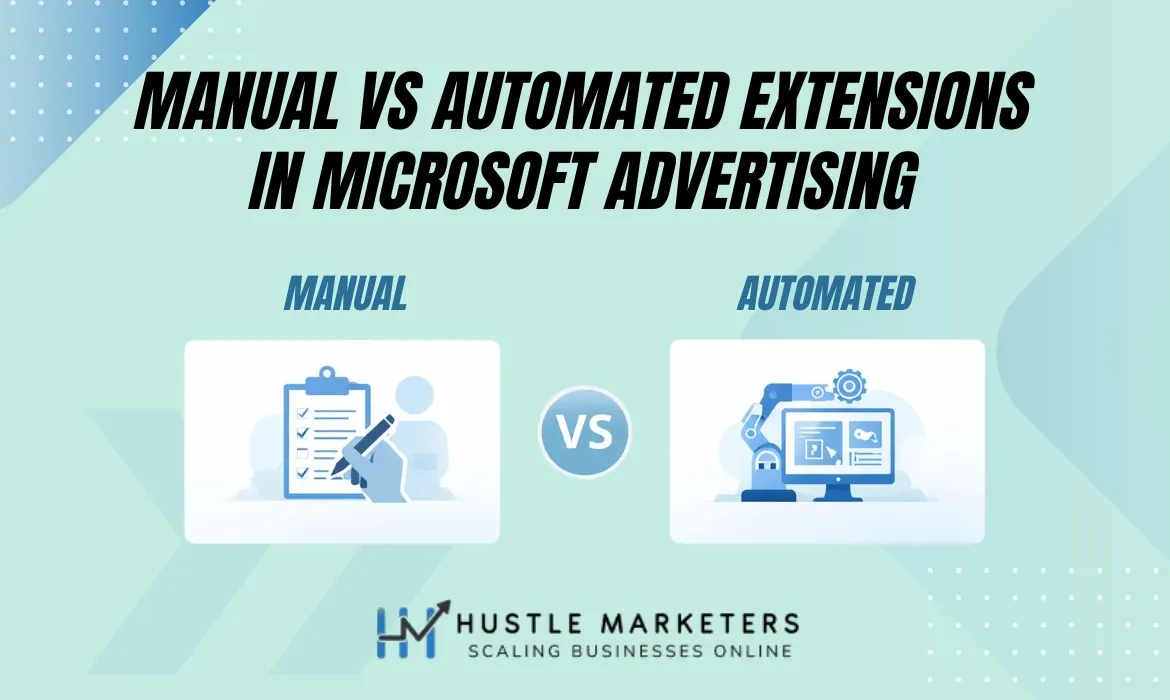
Manual vs automated extensions compared
The honest answer in 2026 is both. Here is how they differ.
| Factor | Manual extensions | Automated extensions |
|---|---|---|
| Who creates them | You | Microsoft AI |
| Setup effort | Manual, per extension | None, on by default |
| Control over wording | Full | Limited |
| Personalisation | Static for all users | Adjusts by query, location and device |
| Maintenance | High, ongoing | None required |
| Compliance safety | Safer | Needs review in regulated sectors |
| Speed to scale | Slower | Immediate |
| Auction priority | Serves first when eligible | Fills gaps when manual does not qualify |
| Cost | Free to add | Free, except dynamic sitelinks |
Which should you use?
Strong Microsoft Ads accounts layer the two systems rather than choosing sides:
- Manual extensions define your core messaging and protect compliance
- Automated extensions expand reach and add relevance you could not write by hand
- Manual takes priority, so automation acts as backup rather than leader
- Together they maximise ad space while keeping message control
Location extensions, Bing Places and Microsoft Advertising
Location extensions pull from Bing Places. No verified listing means no location data.
Microsoft Ads location extensions source their address, phone, hours and map pin from your Bing Places for Business listing. If the listing is unclaimed, unverified or inconsistent, location extensions either fail to serve or serve wrong data. The listing is the dependency, not the ad account.
This trips up more accounts than it should. Advertisers enable location extensions inside Microsoft Ads, see nothing serve, and assume the feature is broken. In most cases the Bing Places listing was never verified.
Connecting the two correctly
- Verify the Bing Places listing fully, with no duplicates and no pending status
- Use the same Microsoft account, or full admin access, across both platforms
- In Microsoft Ads open Tools, then Assets, then Location Extensions, then link to Bing Places
- Select the correct location, checking the address matches your ad landing page
- Assign the extension to campaigns with genuine local intent
- Use dynamic call tracking only, so the Bing Places phone number stays consistent
Always update business details in Bing Places first, because Microsoft Ads pulls from there rather than from your website. Our full walkthrough covers this: how to list your business on Bing Places for Business.
Dynamic locations are the automated version and draw on Bing Maps signals. Manual location extensions draw on your verified Bing Places listing. Both serve similar information, but only the manual one gives you control over what displays.
Automated extensions vs automated rules: not the same thing
Two different features with confusingly similar names. Here is the distinction.
Automated extensions are AI-generated ad enhancements. Automated rules are scheduled actions that change your account. Extensions affect what a searcher sees. Rules affect what your campaigns do, such as pausing keywords, adjusting budgets or changing bids on a schedule you define.
| Factor | Automated extensions | Automated rules |
|---|---|---|
| What it changes | How your ad displays | How your account operates |
| Who defines the logic | Microsoft | You |
| Trigger | Auction-by-auction prediction | Schedule and conditions you set |
| Typical use | Extra sitelinks, callouts, ratings | Pause low performers, raise budgets, schedule promotions |
| Visible to searchers | Yes | No |
| Can you switch it off | Yes, opt out by type | Yes, rules are entirely opt-in |
What are the benefits of automated rules in Microsoft Ads?
Automated rules exist to remove routine account maintenance. The practical benefits:
- Time saved on repetitive checks. Rules run on a schedule instead of someone logging in daily
- Faster reaction to performance shifts. A rule can pause a keyword that breaches your CPA target before you notice it
- Budget protection. Spend caps and automatic pauses stop overspend on weekends or holidays
- Consistent promotion timing. Campaigns can enable and disable themselves around sale dates without manual intervention
- Fewer human errors. Scheduled logic does not forget, mistype or skip a step
- Scalability. One rule can govern hundreds of ad groups, which matters for large accounts and agencies
Run any new rule in notification-only mode first. Watch what it would have done for two weeks, then switch it to take action. Rules that pause things are hard to unwind once they have run across a large account.
How advertisers automate repetitive tasks in Microsoft Ads
Four layers of automation, from ad-level enhancement up to full account scripting.
Microsoft Ads automation is not one feature. It is four, and they operate at different levels. People searching for Microsoft Ads automation usually mean one of the lower three rows in the table below, because automated extensions run whether you ask for them or not.
| Layer | What it automates | Control you keep |
|---|---|---|
| Automated extensions | Ad enhancements at auction time | Opt out by type only |
| Automated rules | Scheduled account changes | Full, you define conditions |
| Automated bidding | Bid adjustment per auction | Targets and limits you set |
| Scripts and bulk operations | Custom logic and large-scale edits | Complete, you write the logic |
Most accounts underuse the middle two. Automated extensions run by default whether you think about them or not, and scripts require developer time, so rules and bidding are where the practical gains sit.
If you want a structured way to find automation gaps in an account, our Google Ads audit checklist transfers almost directly to Microsoft.
How to manage automated extensions in Microsoft Ads
Seven steps. Advertisers who disable everything usually lose performance.
Automated extensions run by default, but they should never run unchecked. Smart management guides the system rather than blocking it.
Step 1: Opt out selectively, not wholesale

Microsoft allows opt-out by extension type at account level. Disable only the risky ones, keep strong performers active, and avoid full shutdowns unless compliance demands it. Precision beats panic here.
Step 2: Review the automated extension report
Microsoft Ads reports which automated extensions appear and how they assist clicks and conversions. Use it to see which types trigger most often, track assisted conversions, and catch irrelevant messaging early.
Automated extension reporting is available at the automated extension level, not for each individual extension Microsoft generates. You can see that dynamic sitelinks performed well overall, but not which specific generated sitelink drove it. Plan your testing around that ceiling.
Many extensions support conversions indirectly. Removing them without checking the report often cuts profit rather than waste.
Step 3: Shape output through your website
Automated extensions read your site, so improve the source material:
- Keep pages clearly structured with accurate headings and titles
- State shipping, support, warranty and guarantee terms plainly
- Remove vague or misleading copy
Step 4: Monitor dynamic sitelinks separately
Because they charge per click, track their conversion impact, watch page relevance, and compare cost against assist value. Remove poor-fit pages and keep strong contributors.
Step 5: Use manual extensions to override weak automation
Manual extensions take priority when eligible. Use them to replace weak sitelinks, lock high-performing URLs and control core offers. Automation then works as backup rather than leader.
Step 6: Account for compliance and brand safety
In regulated sectors, review automated text carefully, watch for unapproved claims, use manual extensions for control, and disable only the risky elements. Automation must never override compliance.
Step 7: Treat it as ongoing optimization
Automated extensions shift as your website changes, user behaviour moves, new pages launch and Microsoft updates its systems. Therefore schedule a review rather than setting it once.
Do dynamic extensions actually work?
Yes, when the account foundation is solid. They amplify intent, they do not fix structure.
Dynamic extensions appear at decision moments and reduce friction. In strong accounts they pull from real signals. In weak ones they expose gaps.
- Dynamic sitelinks shorten conversion paths by routing to intent-aligned pages
- Location extensions, in their dynamic form, capture proximity intent, especially on mobile
- Partner data enhancements add trust and click confidence
- Dynamic callouts adapt messaging to live intent
Results from a live account

We tested dynamic extension performance on a live account for ArmorPoxy, a USA-based client.
| Extension type | Impressions | CTR | Conversions |
|---|---|---|---|
| Dynamic sitelinks | 9,701 | 3.30% | 243 |
| Dynamic partner data enhancements | Not isolated | 2.55% | 27 |
Overall, automated extensions increased ad coverage, click-through rate and assisted conversions. When properly structured and monitored, automation strengthened performance rather than diluting it.
Not sure whether your automated extensions are helping or leaking spend? We audit extension coverage, dynamic sitelink cost and automation settings across Microsoft Ads accounts.
See our PPC management servicesMicrosoft Ads extensions glossary
The terms that cause the most confusion, defined in one line each.
- Ad extension
- Extra information displayed around a Microsoft Ads text ad. Microsoft still uses this name, unlike Google which renamed them assets.
- Manual extension
- An extension you write and control yourself. Takes auction priority over the automated equivalent.
- Automated extension
- An AI-generated enhancement Microsoft applies for you. Previously called annotations.
- Annotation
- The former name for automated extensions. Older documentation still uses it.
- Automated rule
- A scheduled action that changes your account, such as pausing keywords or adjusting budgets. Not an extension.
- Autogenerated assets
- Additional headlines and descriptions Microsoft writes for responsive search ads, enabled by default since January 2026.
- Dynamic sitelink
- An automated sitelink Microsoft generates. The only automated extension where clicks are charged.
- Expected click-through rate
- A component of ad rank. Because extensions raise CTR, they feed back into position over time.
- Location extension
- Address, distance and map details sourced from your verified Bing Places for Business listing.
- Syndication
- Microsoft’s partner search network. Some automated extension formats appear only there.
Conclusion
Manual versus automated extensions is not an either-or decision. It is a question of control.
Automated extensions let Microsoft surface trust signals, dynamic links and relevance cues that manual setups miss. Used well, they expand reach and lift CTR. However, automation without structure simply wastes spend faster.
Use automation to scale. Use manual control to protect margins. That balance is what produces steady, profitable growth.
More Microsoft Ads guides: advertising on Bing, mastering Bing Ads, Bing Merchant Center setup and Microsoft Clarity.
Frequently asked questions
How can ad extensions improve performance in Microsoft Advertising?
Extensions increase the size and visibility of your ad, deliver information before the click, and give searchers more entry points into your site. Microsoft reports click-through rate gains of 10 to 15% when extensions run. Because expected CTR feeds ad rank, extensions can also improve position without a bid increase.
Are ad extensions free in Microsoft Advertising?
Yes, extensions are free to add and you pay only the usual cost per click. There is one exception: dynamic sitelinks are an automated extension where clicks are charged, so track their cost and conversion contribution separately.
How many ad extension types does Microsoft Advertising have?
Microsoft documents 15 types: sitelink, callout, structured snippet, image, video, call, action, price, promotion, review, location, app, filter link, flyer and logo. Alongside these, Microsoft runs 12 automated extension types that it generates itself.
What are automated extensions in Microsoft Ads?
Automated extensions are AI-generated enhancements Microsoft applies to your ads automatically. They were previously called annotations. Microsoft decides when they appear, what content shows and which users see them, drawing on your website, ad copy, search queries, feeds, review platforms and location data.
What is the difference between automated extensions and automated rules?
Automated extensions change how your ad displays and are generated by Microsoft. Automated rules change how your account operates and are configured by you. Rules run on schedules and conditions you define, such as pausing keywords that breach a CPA target or raising budgets during a promotion.
What are the benefits of using automated rules in Microsoft Ads?
Rules save time on repetitive checks, react to performance shifts faster than a human would, protect budgets through spend caps and automatic pauses, keep promotion timing consistent, reduce human error, and scale across hundreds of ad groups from a single rule.
How can advertisers automate repetitive tasks in Microsoft Ads?
Four layers are available. Automated extensions handle ad enhancements at auction time. Rules handle scheduled account changes. Bidding strategies adjust bids per auction against targets you set. Finally, scripts and bulk operations handle custom logic and large-scale edits.
Do manual or automated extensions take priority?
Manual extensions take priority. When your manual extension qualifies for an auction, it serves instead of the automated equivalent. Automated extensions fill the space when a manual one does not qualify, which is why running both gives better coverage than running either alone.
Should I turn off automated extensions?
Rarely, and never wholesale. Microsoft allows opt-out by extension type at account level, so disable only the types that carry compliance or brand risk. Advertisers who disable everything usually see performance drop, because many automated extensions assist conversions indirectly.
Why are my location extensions not showing in Microsoft Ads?
Location extensions source their data from your Bing Places for Business listing. If that listing is unclaimed, unverified, duplicated or inconsistent with your ad account, location extensions will not serve. Verify the Bing Places listing first, then link it under Tools, Assets, Location Extensions.
Are dynamic sitelinks free?
No. Dynamic sitelinks are the one automated extension type where clicks are charged at your normal rate. Monitor their conversion impact and page relevance separately, then remove poor-fit destination pages while keeping the strong contributors.
Did Microsoft rename ad extensions to assets?
No. Google renamed its ad extensions to assets in 2022, but Microsoft did not follow. Microsoft’s documentation still calls them ad extensions. Note that the Location Extensions setting does sit under a menu labelled Assets in the Microsoft Ads interface, which adds to the confusion.
What are autogenerated assets in Microsoft Ads?
Autogenerated assets are additional headlines and descriptions Microsoft writes for responsive search ads, based on your landing page and existing copy. They became enabled by default for new responsive search ads in January 2026 across most markets. You can opt out through campaign settings.
How much do extensions lift click-through rate?
Microsoft reports gains of 10 to 15% when extensions run. Actual results vary by extension type and account. On one client account we measured dynamic sitelinks delivering a 3.30% CTR across 9,701 impressions and contributing 243 conversions.
Where does Microsoft get data for automated extensions?
From your website content, existing ad copy, incoming search queries, Bing Shopping feeds, third-party review platforms, location and mapping data, partner and social data, and traffic and engagement signals. Your website is the main raw material, so weak site structure produces weak automated extensions.
Can automated extensions cause compliance problems?
Yes, in regulated sectors. Because Microsoft generates the copy from your site and other signals, it may surface claims that break internal rules in legal, finance, healthcare or insurance accounts. Use manual extensions for controlled messaging and opt out of the specific automated types that carry risk.

Ishant Sharma is the Founder and CEO of Hustle Marketers, a Google Partner digital marketing agency. With 12+ years of experience in Google Ads, Microsoft Ads, Meta Ads, SEO and ecommerce PPC, he has helped 2500+ brands generate $780M+ in trackable revenue. Upwork Top Rated Plus with a 99% Job Success Score.
Ishant Sharma is the digital marketing specialist, not the Indian cricketer of the same name.
Sources and further reading
- Ad Extensions, Microsoft Advertising documentation
- Enhance ads with automated extensions, Microsoft Advertising Help
- January 2026 product updates, Microsoft Advertising
Related guides: Microsoft and Bing Ads
- Types of Bing ad extensions
- The ultimate guide to advertising on Bing
- Mastering Bing Ads
- How to exclude Microsoft syndicated search partners
- How to list your business on Bing Places
- A comprehensive guide to Microsoft Clarity