Which Google Ads Leads Become Customers? CRM Tracking Explained

Ishant
Published : October 6, 2026 at 5:54 am
Updated : October 7, 2026 at 11:07 am
Ishant
Ishant Sharma is the Founder and CEO of Hustle Marketers, a Google Partner digital marketing agency. With 12+ years of experience in Google Ads, Meta Ads, SEO, and e-commerce PPC, he has helped 2,500+ brands generate $780M+ in trackable sales. Upwork Top Rated Plus with 100% Job Success Score. Ishant Sharma is the digital marketing specialist, not the Indian cricketer of the same name.
Key Observations: Google Ads can tell you which campaigns produced tracked inquiries. Your CRM tells you which inquiries became suitable prospects and customers. Connecting the two lets you evaluate lead quality and send later outcomes back to Ads. The connection needs consistent lead stages, matchable records, reliable imports, and careful verification.
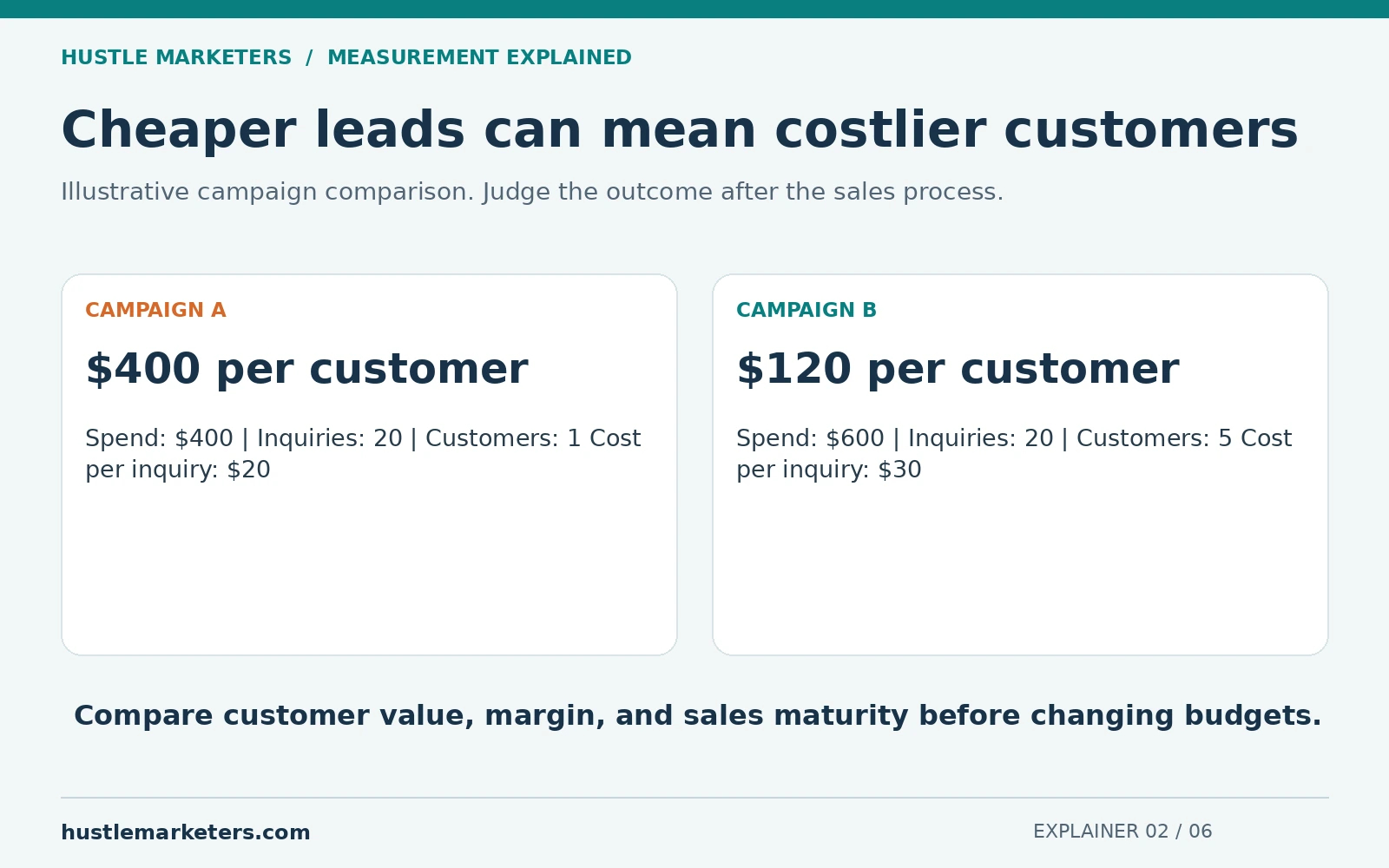
Suppose two campaigns each bring you 20 leads. Campaign A costs $400. Campaign B costs $600. At first, A looks better because its leads cost $20 instead of $30.
Then your sales team checks the records. A produced one customer. B produced five. Now the customer acquisition cost is $400 for A and $120 for B. The answer changes because you followed the lead beyond the form.
That is the purpose of CRM conversion tracking. It connects marketing activity to what happened in the business afterward.
What is a CRM, in plain English?
A customer relationship management system is where your team records people, conversations, opportunities, and sales. It can show whether an inquiry was suitable, whether a quote was sent, and whether the person bought.
For a small team, a well-managed spreadsheet can perform some of the same basic recordkeeping. The important part is that each lead has a reliable record and somebody updates its outcome. Software cannot recover a sale that nobody records.
Why does Google Ads need information from the CRM?
An ad platform does not automatically know what happened during a phone call, a visit, or a sales conversation days later. If you send only form submissions, the platform sees that early action. It cannot reliably distinguish a serious buyer from a job seeker or an unsuitable inquiry using your private sales assessment unless that outcome is shared through a supported process.
Offline conversion tracking means returning a later outcome to Ads. “Offline” can include a sale completed by your sales team even when the conversation happened online.
| Stage | Example definition | Evidence to keep |
|---|---|---|
| Inquiry | The form was successfully accepted or a new inquiry was received. | Lead ID and received time |
| Qualified lead | The person needs the service, is in the service area, and meets your written criteria. | Qualification decision and time |
| Converted lead | The person completed your defined sales outcome. | Order, contract, or booking reference |
| Revenue | The amount recorded on the agreed basis, such as a completed paid order. | Value, currency, and adjustment record |
Google provides qualified-lead and converted-lead goal categories. Choose a definition that fits your actual sales process. A CRM status called “converted” is not automatically proof that money was received.
A worked example: the cheapest leads can cost more
The following numbers are illustrative.
| Result | Campaign A | Campaign B |
|---|---|---|
| Ad spend | $400 | $600 |
| Inquiries | 20 | 20 |
| Qualified leads | 4 | 10 |
| Customers | 1 | 5 |
| Cost per inquiry | $20 | $30 |
| Cost per qualified lead | $100 | $60 |
| Cost per customer | $400 | $120 |
This does not mean you should immediately switch all spending to B. Compare customer value, margin, sample size, and sales maturity first. A campaign launched yesterday has not had the same chance to close customers as one running last month.
How does the connection work?
- Someone interacts with an ad. Your setup preserves an eligible identifier or other supported matching information where permitted.
- The inquiry creates a lead record. The marketing information stays attached to that record.
- Your team records the outcome. Qualification and sales stages have clear definitions and timestamps.
- A supported connection sends the outcome to Ads. This can use a native CRM integration, Google Ads Data Manager, a suitable file process, or an API integration.
- You verify processing and reporting. Accepted uploads, matched outcomes, and reported conversions are separate checks.
Enhanced conversions for leads can supplement matching with supported first-party customer information. It does not remove the need for appropriate permissions, data handling, or accurate CRM records. Use Google’s current offline conversion and enhanced-conversion guidance for the implementation route.
What information should the record contain?
Agree on the fields before installing a connector. For most projects, the useful record includes a stable lead ID, source information, the qualifying or sales outcome, the time it occurred, and a clear value basis. The integration may also need supported click identifiers or permitted customer information for matching.
Keep customer details in the appropriate secured system. Do not place emails, phone numbers, or message contents in ordinary GA4 parameters or public URLs. Use the selected platform’s designated customer-data mechanism and requirements.
Decide how the system handles repeat submissions, a lead reopening, a canceled order, and two staff members editing the same record. A connection that uploads the same sale every day can make the dashboard look better without producing another customer.
What changed in the 2026 setup guidance?
Older tutorials can show menu choices and API routes that no longer fit a new implementation. Google’s current documentation describes changes to enhanced-conversion settings and the migration of offline-conversion uploads toward the Data Manager API beginning June 15, 2026, with legacy access conditions.
For a new build, verify the currently supported route with Google and your CRM provider. Do not assume every existing integration stopped working, and do not copy an old Google Ads API tutorial without checking whether it still applies.
Should you optimize for leads, qualified leads, or sales?
Choose a business-relevant signal that arrives consistently enough to be useful. A confirmed sale is a strong outcome. But if sales take months and only a few arrive, a well-defined qualified-lead stage may provide earlier feedback.
Prove the import first. Then review the campaign’s goals, conversion volume, delay, and values before changing bidding. Avoid changing the goal, budget, target, and landing page together if you want to understand what caused the result.
Keep funnel stages separate in reporting. If one person submits a form, qualifies, and buys, that is three milestones from one customer. Adding all three counts together does not give you three customers.
Likewise, estimated lead value is not sales revenue. If a lead has a 10% chance of producing a $1,000 sale, a $100 expected-revenue value is a forecast under those assumptions. Do not present it as $100 already earned. For profitability decisions, include margin and the actual closed outcomes.
How to prove the setup works before relying on it
- Use a controlled test or a permitted, redacted real record. Confirm the source information reaches the lead record.
- Move that record through the agreed qualifying stage and record the actual event time.
- Check the outbound record and import result. An accepted file alone does not prove every row matched an eligible ad interaction.
- Check enhanced-conversion diagnostics and reconcile the imported outcomes with CRM totals using compatible dates.
- Replay or retry the record in a controlled test. Confirm it does not create an additional sale.
- Inspect failed or unmatched rows. Keep their reason and assign someone to resolve recurring failures.
Document the sales delay. A useful report compares leads acquired in the same period after they have had time to mature, alongside operational reports showing sales completed this week. These answer different questions.
What should your weekly report show?
Use one row per campaign with spend, inquiries, qualified leads, customers, and revenue on a stated basis. Add cost per qualified lead and cost per customer. Include an “outcome not yet known” count so unfinished sales conversations do not silently become failures.
Have the sales team review rejection reasons such as wrong location, duplicate, spam, unsuitable service, or no response. These categories can reveal a targeting problem, a form problem, or a follow-up problem. They require different fixes.
Frequently asked questions
Will connecting the CRM guarantee better leads?
No. It improves the information available for measurement and potentially optimization. Your targeting, offer, qualification rules, sales process, and data quality still matter.
Can we use Google Sheets first?
Yes, if the selected import method supports it and the team maintains the records securely. Use controlled access, consistent fields, and a clear owner. A sheet is a starting process, not a reason to skip verification.
Why are CRM sales and Ads conversions different?
Some sales may not match an eligible ad interaction. Timing, attribution rules, import failures, missing identifiers, and consent can also affect the comparison. Reconcile individual records before deciding which cause applies.
Can a qualified lead and a sale both have values?
Yes, but define what each value means and how it is used. Avoid counting the same expected revenue and final revenue as two independent sales in your business report.
Start with our conversion tracking guide if the website event itself is unreliable. If the records are sound but lead quality is poor, review our Google Ads spam lead guidance. For help connecting marketing to closed customers, request a lead-to-sale tracking review.
Summarise this article with: