Free Google Shopping Listings vs Paid Shopping Ads: What’s the Real Difference

Ishant
Published : July 14, 2026 at 8:30 pm
Updated : October 13, 2026 at 3:57 pm
Ishant
Ishant Sharma is the Founder and CEO of Hustle Marketers, a Google Partner digital marketing agency. Working in Google Ads, Meta Ads, SEO and ecommerce PPC since 2013, he has helped 2,500+ brands generate $780M+ in trackable sales. Upwork Top Rated Plus with 100% Job Success Score. Ishant Sharma is the digital marketing specialist, not the Indian cricketer of the same name.
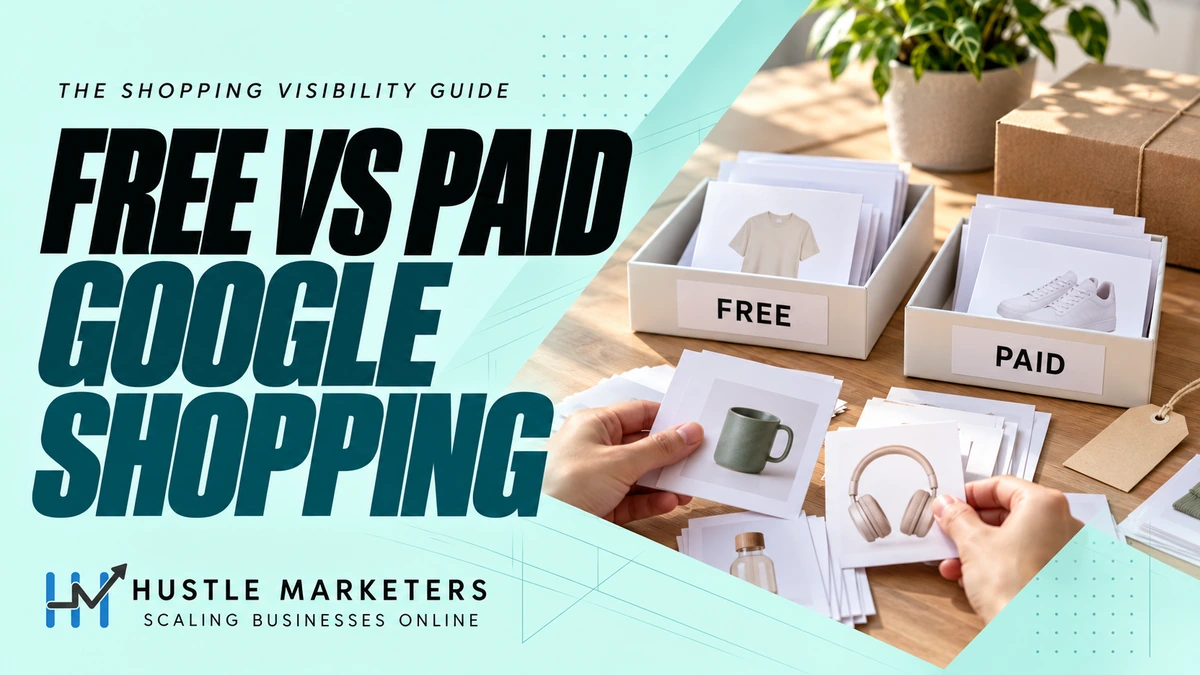
Here is something most Shopify store owners do not know: if your product feed is connected to Google Merchant Center, your free listings are probably already live. Google turns them on by default. The real questions are whether they are working, how they differ from paid Shopping ads, and how to make both channels pull from the same clean feed. Google now calls this program Cost-Free Listings, and this guide covers exactly where each channel shows up, how to track them separately, and the strategy for running both.
We run both sides of this, so the comparison is not academic. Organic Shopping and SEO grew clicks 56% for an Australian pet ecommerce brand, while paid Shopping took a building-block toy brand from $0 to 8.5x ROAS in 60 days. The answer is rarely one or the other.
Quick Update: Google Now Calls This “Cost-Free Listings”
Google renamed Free Listings to Cost-Free Listings in its own Merchant Center documentation. The program now covers Google Search, Google Maps, Gemini, YouTube, the Shopping tab, Google Images, and Google Lens, more surfaces than most guides currently list. If you see either name used anywhere, they refer to the same feature.
You Probably Already Have Free Listings Turned On
Cost-free listings are enabled by default for most Merchant Center accounts. You can view and change the status on the Cost-Free Listings page inside Merchant Center, but you need admin access to modify it. This changes how you should think about the topic: the job is not setting free listings up, it is checking whether your feed quality is good enough for them to actually earn impressions, since visibility is entirely at Google’s discretion and depends on your product data quality.
One more thing nobody mentions: turning cost-free listings off does not fully remove your products from Google. Google can still crawl your store and show products it finds on your site, even without Merchant Center data. If you genuinely want products off Google surfaces, you need crawl and indexing controls on your site, not just the Merchant Center toggle.
Free Listings Only Work for Product Pages
Cost-free listings surface product pages only. Your homepage, category pages, delivery and return policy pages, and blog content do not qualify. If your store’s best content lives on collection pages, that visibility has to come from SEO, not from this program.
Where Each One Shows Up
| Placement | Cost-Free Listings | Paid Shopping Ads |
|---|---|---|
| Shopping tab | Yes, below paid ads | Yes, top row |
| Google Search | Yes | Yes |
| Google Images | Yes | No |
| Google Lens | Yes | No |
| Google Maps | Yes | No |
| Gemini | Yes | No |
| YouTube | Yes | Yes |
Standard vs Enhanced Free Listings
| Type | Requirements | Where It Shows |
|---|---|---|
| Standard | Basic product data attributes | Google All and Images tabs, simpler format |
| Enhanced | More data attributes and higher data quality standards, shipping, returns, GTINs, tax info | Shopping tab, Search, Images, Lens, YouTube, richer format with ratings and discounts |
Every store starts with Standard by default. Enhanced is where the real visibility lives, and the upgrade comes from feed completeness: accurate GTINs, shipping details, return information, and clean product data. This is the same feed work that improves your paid Shopping performance, one job, two channels.
The Compare By Store Feature Changes the Game on Free Listings
Free listings on the Shopping tab include a compare-by-store feature that shows shoppers your price directly against other stores selling the same product, on the listing itself. This means price competitiveness matters more on free listings than on paid ads. If you sell products other retailers also carry and your price runs high, free listings will show shoppers exactly that. Check the Price Competitiveness report inside Merchant Center to see where you stand against the cohort selling similar products before expecting free listings to convert.
How to Track Each Channel Separately
Two places, and you should check both. In GA4, free listing traffic shows as “Organic Shopping” in your acquisition report, while paid traffic shows as “Paid Shopping.” Inside Merchant Center, the Performance page lets you filter results for cost-free listings specifically, showing clicks and impressions by product. Blending free and paid into one number hides which channel is actually driving results, and it inflates the perceived ROAS of your paid campaigns.
Use Free Listings as a Testing Ground for Paid Budget
Free listing performance data shows which products earn organic interest before you commit ad spend to them. A product pulling steady free clicks and conversions with zero budget behind it is a proven candidate for a dedicated Shopping or Performance Max push. A product invisible even on free listings usually has a feed quality or price competitiveness problem that paid budget will not fix, it will just make the problem more expensive.
If the checklist passes and products still are not showing, the cause is usually an issue you have not been shown yet. Our catalog of Google Merchant Center errors covers every named issue and the documented fix.
Eligibility Checklist Before Expecting Results
Google holds free listings to the same policy standards as Shopping ads. Before troubleshooting visibility, confirm the basics: your return policy is displayed on your site and added in Merchant Center, your store has complete policy pages, your site uses HTTPS, your product data follows Shopping ads policies, and your products are not in a prohibited category. A store failing these quietly gets limited visibility with no error message.
Should You Use Free Listings, Paid Ads, or Both
| Situation | Recommendation |
|---|---|
| New store, tight budget | Confirm free listings are live and the feed is clean, it costs nothing and builds baseline data |
| Established store with budget | Run both, free listings for organic reach, paid Shopping for controlled, scalable traffic |
| Highly competitive category | Free listings alone will not be visible enough, paid ads needed for consistent placement |
| Testing new products | Use free listing performance data to see which products earn organic interest before committing ad budget |
Which feed attributes are required for free listings but not for Shopping ads?
This is the part almost nobody writes about, and it reverses what most merchants assume. People treat free listings as the easier, more forgiving channel. On feed requirements they are the stricter one.
Google’s product data specification sets different requirements for the two channels on seven attributes. In every case the free listing requirement applies more widely than the Shopping ads one, usually because the ads requirement is limited to six countries and the free listing requirement is not limited at all.
| Attribute | Required for free listings | Required for Shopping ads |
|---|---|---|
| item_group_id | All product variants, no country limit | Variants only when targeting Brazil, France, Germany, Japan, UK, US |
| color | All Apparel & Accessories (ID 166) | Apparel only in those same six countries |
| age_group | All Apparel & Accessories (ID 166) | Apparel only in those same six countries |
| gender | All Apparel & Accessories (ID 166) | Apparel only in those same six countries |
| size | All Clothing (ID 1604) and Shoes (ID 187) | Clothing and Shoes only in those same six countries |
| is_bundle | Any bundle containing a main product | Bundles only in Australia, Brazil, Czechia, France, Germany, Italy, Japan, Netherlands, Spain, Switzerland, UK, US |
| multipack | Any multipack you have created | Multipacks only in that same twelve country list |
What this means in practice
If you sell outside Brazil, France, Germany, Japan, the UK or the US, and you have only ever optimised your feed to keep Shopping ads running, your feed can be fully compliant for ads and quietly non-compliant for free listings. Nothing warns you, because the products are not disapproved. They are simply eligible for less.
The item_group_id line is the one that catches most people. For Shopping ads it is a six country requirement. For free listings it applies to every product variant you submit, anywhere. A store in Australia, Canada, the UAE or India running variants without an item group ID is compliant for ads and incomplete for unpaid traffic.
Apparel and accessories carry the heaviest version of this, because four of the seven attributes apply to that branch of the taxonomy. That includes categories merchants do not think of as apparel, such as jewelry, bags and watches. We work through the jewelry version of it in our guide to jewelry SEO.
How Star Ratings Show Up on Both
Product Ratings from your Judge.me setup can display on both free listings and paid Shopping ads, since both pull from the same Merchant Center product data. Getting your review feed approved benefits both channels at once, not just paid ads. See our Seller Ratings vs Product Ratings guide for how store-level ratings fit in too.
Real Example
On the Shopify account behind our building block toy brand case study, cost-free listings ran alongside paid Shopping from day one, using the same optimized feed and custom label structure. This gave the account visibility on both channels without extra setup work. For another Shopify account built on the same clean-feed principle, see our UK curly hair brand case study, 15.25x ROAS.
There is one destination this does not extend to. Because Merchant Center requires you to claim the domain your products link to, neither free listings nor Shopping ads can point at an Amazon listing, since no third party seller can claim amazon.com. Our guide to Amazon SEO covers what that rules out and which Google campaign types are still open to you.
Why Choose Hustle Marketers for Your Shopify Ads Setup
We set up your feed once and make it work across both free and paid Shopping channels, with correct GTINs and clean data from day one. Both channels stay tracked separately under our PPC management service. If your Shopify store needs a Google Ads account built the right way, get a free PPC audit today.
More Merchant Center guides that pair with this one: free listings in Google Merchant Center and Google Merchant Center requirements that matter most.
The split between free listings and paid Shopping matters more in some categories than others. Subscription only pet products are allowed in Shopping ads under a US exception but are not eligible for free listings at all, which we cover in the pet marketing guide.
FAQs
Are free listings the same as cost-free listings?
Yes. Google renamed Free Listings to Cost-Free Listings in its own documentation. Same feature, same requirements.
Do I need to set up free listings manually?
Usually no. Cost-free listings are on by default for most Merchant Center accounts. Check the Cost-Free Listings page in Merchant Center to confirm your status, admin access is needed to change it.
If I turn off free listings, will my products disappear from Google?
Not entirely. Google can still crawl and show products from your site even with the setting off. Fully removing products requires crawl and indexing controls on your website.
Do I need Google Ads to use free listings?
No. Free listings only require a product feed connected to Google Merchant Center. No Google Ads account or billing is needed.
Why do some of my products show as Enhanced listings and others as Standard?
Enhanced requires more complete product data, GTINs, shipping, returns, and tax details. Products missing those attributes stay on Standard listings with less visibility.
How do I measure free listing performance?
Check two places: the Performance page in Merchant Center filtered for cost-free listings, and the Organic Shopping source in your GA4 acquisition report.
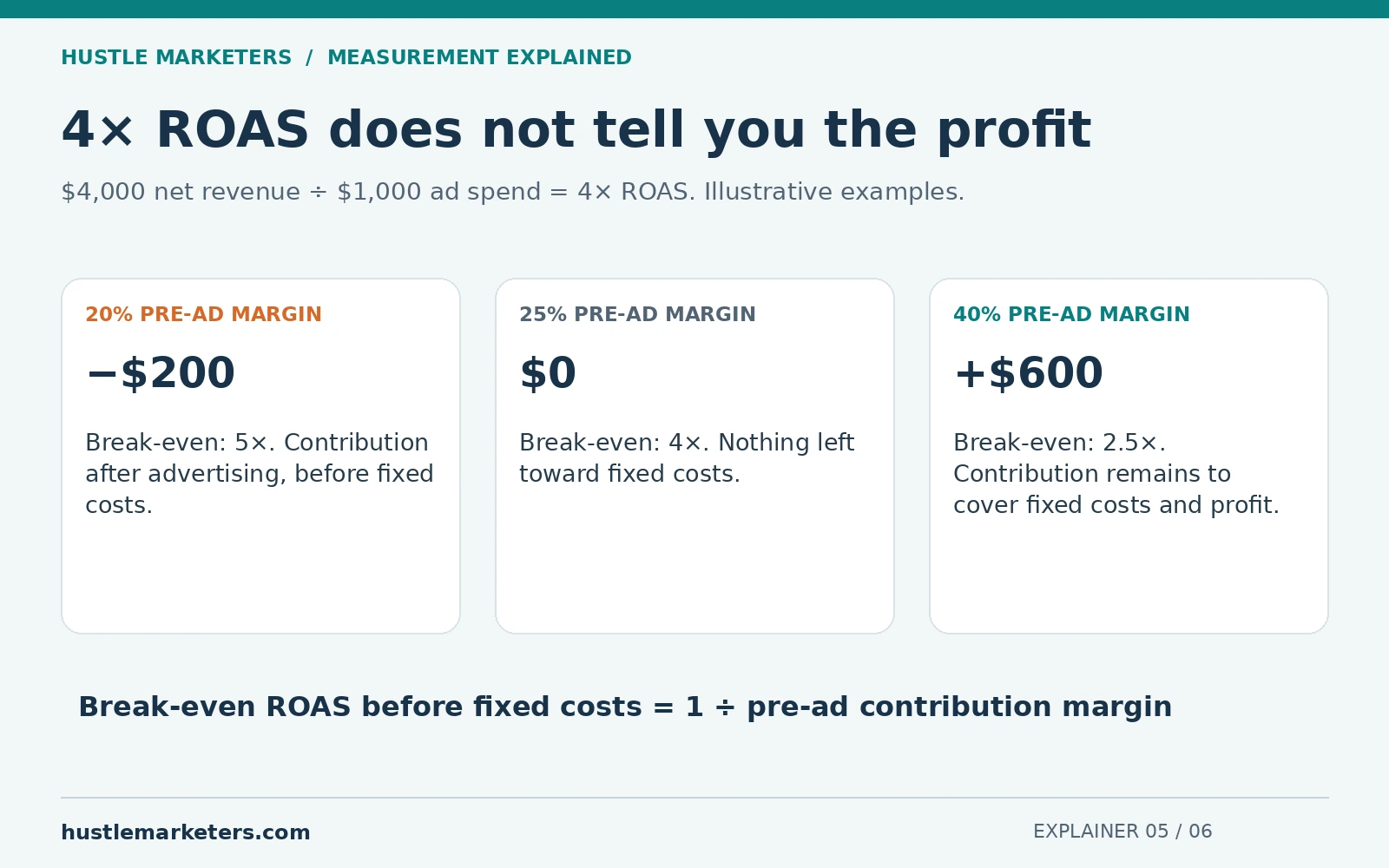
The free versus paid balance shifts in peak season, when paid competition and click costs both rise. Our Black Friday advertising guide covers how to budget against margin when discounting changes your break-even ROAS.
Can my star ratings show on free listings too?
Yes. Product Ratings synced through Judge.me or another approved partner can display on both free listings and paid Shopping ads.
Free tool
Google Shopping Feed Validator and Bing Feed Mapper
Upload your Merchant Center feed (CSV, TSV, TXT or XLSX) or paste a Google Sheet link. It flags missing attributes, character limits, GTIN and price errors, maps all 51 attributes to Microsoft Merchant Center, and exports a Bing ready file. Runs in your browser, nothing is uploaded.
Check your feed freeFree listings and organic results are fed by the same titles, attributes and page content. Our guide to ecommerce SEO covers how to get that content right once and use it in both places.