WooCommerce Product Feed: Why Yours Stopped Updating and Nobody Told You (2026)

Ishant
Published : October 13, 2026 at 9:30 am
Updated : October 16, 2026 at 12:13 pm
Ishant

Written by Ishant Sharma, Google Ads, Microsoft Ads and SEO specialist since 2013 | Published October 13, 2026 | Facts checked September 18, 2026
Most WooCommerce product feeds do not fail with an error. They fail silently, and the store owner finds out weeks later when a client asks why Shopping traffic dropped.
Key Observations
- Feed sync jobs can report success while nothing reaches Merchant Center. Check the feed file’s last-modified time or Merchant Center’s last fetch date, not the plugin’s status screen.
- Google sunset the Content API for Shopping on August 18, 2026. File-based plugins were not affected; API-push plugins had to migrate, and Google for WooCommerce did so in version 3.8.0 on July 21, 2026.
- WooCommerce 9.2 added a native GTIN field,
global_unique_id. Check that your feed plugin reads it before you map a custom field. - Tax-inclusive stores on Google for WooCommerce saw VAT stripped from feed prices in August 2026. The fix shipped in version 3.9.2 on August 31, 2026.
- Replace WP-Cron with a real server cron so scheduled feed refreshes run on time on low-traffic stores.
I went through the source code of Action Scheduler, the changelogs of nine WooCommerce feed plugins, and several hundred support threads to work out why that happens so consistently. The answer is in a five-line block of PHP that almost nobody has read, and it explains the single most common complaint in every feed plugin’s support forum.
Three things decide whether a WooCommerce feed keeps working in 2026: whether your plugin survived the Content API for Shopping sunset on August 18, 2026, how Action Scheduler handles failed jobs, and whether you use WooCommerce’s native GTIN field, added in version 9.2 in August 2024.
This guide covers each of them, with the fixes.
Table of Contents
- Did the Content API sunset break your WooCommerce feed plugin?
- Why did your product feed stop updating on its own?
- Why is your feed price lower than your store price?
- Why does Merchant Center say “Mismatched value (page crawl) [price]”?
- Where is the GTIN field in WooCommerce, and which plugins read it?
- Which WooCommerce plugin supports Google’s 2026 conversational attributes?
- How big a catalog can a WooCommerce feed plugin actually handle?
- Which WooCommerce feed plugin should you use?
- What should you check on your WooCommerce feed first?
- WooCommerce Product Feed FAQs
Did the Content API sunset break your WooCommerce feed plugin?
Almost certainly not, and the reason is an architectural split that no WooCommerce feed guide names.
Google sunset the Content API for Shopping on August 18, 2026, with requests experiencing progressive errors from September 1, 2026. That was a genuine deadline with genuine consequences.
But it only ever affected one kind of plugin.
File-based versus API-push, and why it decides everything
File-based plugins write an XML, CSV or TXT file to a URL on your site. You give Google that URL, and Merchant Center fetches it on a schedule. The plugin never talks to Google’s API at all. AdTribes developer Jeff Alvarez put it plainly in the plugin’s support forum on June 4, 2026:
“We don’t use Merchant API to update content or feed on your merchant center. We use XML files that you can pass to Google.”
API-push plugins authenticate against Google and push your products directly into Merchant Center. These are the ones that had to migrate or break.
That distinction is the buying criterion nobody puts in a comparison table, and it is why August 2026 was a fire drill for some WooCommerce stores and a complete non-event for most of them.
Which side is your plugin on?
| Plugin | Active installs | Architecture | Content API exposure |
|---|---|---|---|
| Google for WooCommerce (official) | 800,000+ | API-push | Migrated in v3.8.0, July 21, 2026 |
| Product Feed PRO (AdTribes) | 80,000+ | File | None |
| CTX Feed (WebAppick) | 80,000+ | File (free tier) | See note below |
| RexFeed (RexTheme) | 10,000+ | Both | Migrated in v7.8.0, August 17, 2026 |
| WPMR Google Feed Manager | 10,000+ | File | None |
| WebToffee Product Feeds | 2,000+ | File | None |
| ELEX Google Shopping | 1,000+ | File | None |
Two things stand out from that table.
First, this market is smaller than it looks. Only three general-purpose WooCommerce feed plugins clear 20,000 active installs, so check the install count yourself before you trust any plugin list. YITH’s free Google Product Feed plugin, for example, has been closed on wordpress.org since August 6, 2018.
Second, the official plugin migrated 28 days before the deadline, and RexFeed migrated one day before it. That is not a lot of margin for an ecosystem change of this size.
A note on CTX Feed: its free version is unambiguously file-based and was never exposed. Its Pro version still advertises a “Google Content API – Direct Merchant Center integration” in its public materials, and I could not find a Merchant API migration anywhere in its published Pro changelog through version 8.0.13. That is not proof it is broken. Changelogs are incomplete and vendors ship silent fixes. But if you run CTX Feed Pro with the API integration enabled, ask WebAppick directly rather than assuming.
What the official plugin’s migration actually did
Google for WooCommerce’s own changelog entry for 3.8.0 reads:
“Break – Migrate to the Merchant API from the Content Shopping API.”
It is flagged as a breaking change, and you did not have to do anything. WooCommerce support confirmed that “no manual action needed on your end.”
One detail worth knowing, because it causes unnecessary panic: Merchant Center may still display “Content API” as your data source after the migration. Support has confirmed this is cosmetic. As they put it, “the source details haven’t been updated in the dashboard, but the underlying API has been updated.” If your plugin is on 3.8.1 or later, the label is stale, not the connection.
The migration was not clean, though. It shipped two problems, and one of them cost stores real money. Both are covered below.
Why did your product feed stop updating on its own?
This is the most common complaint in every WooCommerce feed plugin’s support forum, in almost identical wording: the feed was updating fine, then it stopped, and nothing changed.
There is a specific, documented reason, and it is in WooCommerce’s own scheduling library rather than in any feed plugin.
Action Scheduler stops rescheduling after five consecutive failures
Action Scheduler is the background job system WooCommerce ships with and most feed plugins now use. Inside `ActionScheduler_Abstract_QueueRunner`, there is a check that runs before every recurring action is rescheduled:
// If a recurring action has been consistently failing, we may wish to stop rescheduling it.
if (
    ActionScheduler_Store::STATUS_FAILED === $this->store->get_status( $action_id )
    && $this->recurring_action_is_consistently_failing( $action, $action_id )
) {
    ActionScheduler_Logger::instance()->log(
        $action_id,
        __( 'This action appears to be consistently failing. A new instance will not be scheduled.', 'action-scheduler' )
    );
    return;
}
The threshold is set by `action_scheduler_recurring_action_failure_threshold` and defaults to 5.
Five consecutive failures of the same hook, and that recurring action is never scheduled again. Not paused, not retried later. Never scheduled again.
What the merchant sees: nothing. No admin notice, no email, no dashboard warning. The only trace is a single line in the Action Scheduler log, which you have to go and look for. This behavior has been in place since Action Scheduler 3.5.0, released August 25, 2022, and it is the answer to “auto update stopped working for no apparent reason.”
Google’s own plugin is stricter than that
Google for WooCommerce adds a second monitor on top. In `ActionSchedulerJobMonitor.php`, the defaults are:
- `woocommerce_gla_job_failure_rate_threshold` = 3
- `woocommerce_gla_job_failure_timeframe` = 2 hours
The docstring states it directly: “By default, a job is stopped if it has 3 failures in the last 2 hours.” When that trips, it throws `stopped_due_to_high_failure_rate` and logs “The %s job failed too many times, not rescheduling.”
So the official plugin gives you three strikes in a two-hour window, not five consecutive.
A real case from August 5, 2026: a merchant on version 3.8.1 reported the admin message “The scheduled job has been paused due to a high failure rate” with roughly 390 failed actions accumulated on the product status hook, and every product showing as “Not synced.” The underlying cause was a TypeError in `parse_presync_issue_text()`. The thread was never resolved in place; users were directed to upgrade.
The worse case: a fatal error leaves no trace at all
Action Scheduler’s error handler only catches `E_USER_ERROR` and `E_RECOVERABLE_ERROR`. On a true PHP fatal, which is exactly what memory exhaustion during a large feed build produces, the process dies before the completion handler runs and before `schedule_next_instance()` is called.
That means no failure is recorded, and no next occurrence is scheduled. The feed stops with zero diagnostic trace. There is an open Action Scheduler issue on this from May 2024, still unfixed, noting that every action unprocessed in that claim is abandoned mid-flight.
Connect that to the memory limits section below and you get the full picture: on a large catalog, a memory limit does not just fail one feed run. It silently kills the schedule permanently. I have not seen that causal chain written anywhere else, and it explains a great many “my feed just stopped” cases.
And as of WooCommerce 11.0, the evidence gets deleted
Action Scheduler 4.0.0, bundled with WooCommerce 11.0 (scheduled for release on July 28, 2026), added automatic cleanup: failed actions older than three months are now removed by a daily task.
So the one log line that would have told you why your feed died is garbage-collected after 90 days. If you are investigating a feed that stopped four months ago, there is nothing left to find.
What to do about it
Three things, in order.
Check your Action Scheduler log now. WooCommerce, Status, Scheduled Actions. Filter to Failed. If you see a wall of failures on a feed hook and nothing scheduled in the future, your schedule is dead and regenerating manually will not revive it. You need to disable and re-enable the feed schedule to register a fresh recurring action.
Stop relying on WP-Cron. WP-Cron only fires when someone loads a page. On a low-traffic store, that can mean your 6-hourly feed refresh runs once a day. Add `define(‘DISABLE_WP_CRON’, true);` to wp-config.php and set a real server cron hitting `wp-cron.php` every 5 minutes. AdTribes moved off WP-Cron to Action Scheduler for exactly this reason, with Jeff Alvarez confirming on July 25, 2025 that “we no longer use WP-Cron, the refresh is now delegated to Woocommerce Action Scheduler.” CTX Feed’s support still troubleshoots via WP-Cron status, so if you are on CTX Feed this matters more.
Monitor the feed from outside. Do not trust the plugin’s own status display. A support thread from August 16, 2026 is the clearest possible argument for this: 133 of 133 products silently unsynced while, in the reporter’s words, “Action Scheduler jobs (update_all_products, resubmit_expiring_products) completed normally and swallowed this error.” Every job reported success. Nothing synced. Check the file’s last-modified timestamp or Merchant Center’s last fetch date instead.
Why is your feed price lower than your store price?
If you run tax-inclusive pricing, which means most of the EU, the UK and Australia, and you use the official Google plugin, there was a two-week window in August 2026 where your feed was wrong by the full VAT amount.
The VAT regression, confirmed by Automattic
Reported August 19, 2026, the day after the sunset. A Norwegian store on 25% VAT found that a product priced at 429 NOK in WooCommerce arrived in Merchant Center as 343.20 NOK. That is 429 divided by 1.25. The VAT had been stripped.
Mismatched-price warnings climbed from 300 to over 682 within hours as the catalog re-synced.
Jason Kytros, Technical Product Manager at Automattic, acknowledged it in the thread: “I see some recent code changes regarding how taxes are calculated in Product Feeds that could result in the issue you described.”
The fix shipped in version 3.9.2 on August 31, 2026, with the changelog entry reading:
“Fix – Prevent VAT from being removed or added twice when syncing tax-inclusive product prices.”
No interim workaround was offered. Users were told not to run pre-release builds on production.
What this means for you now
If you are on 3.9.2 or later you are fine. If you have not updated since July, update today and then check a handful of products against Merchant Center.
More importantly, check whether you took disapprovals during that window. Two weeks of prices roughly 20% below your real prices produces a wave of “mismatched value” issues, and Merchant Center does not always clear them automatically once the underlying data is corrected. You may need to request a review.
If you were spending on Shopping during that period, you were bidding against prices you were not actually charging. That is worth a look at the numbers, not just the feed.
The older tax problem that has never been fixed
Separately from the regression, feed plugins handle tax-inclusive pricing inconsistently in general. WPMR has a “Regular Price With Tax” source option, and a user reported in December 2022 that selecting it still produced VAT-exclusive prices. That thread was closed without a confirmed fix.
The practical rule: after any plugin update, and after any change to your tax settings, spot-check three products of different tax classes against what actually lands in Merchant Center. Do not assume the setting does what it says.
Why does Merchant Center say “Mismatched value (page crawl) [price]”?
This is the most WooCommerce-specific feed error there is.
It is not really a plugin bug. It is a consequence of how WooCommerce renders variable products.
What actually happens
Your feed sends the correct price for a specific variation. Google then crawls the product page to verify it. On a variable product, WooCommerce renders a default state before the shopper picks a variation, and the structured data on that page reflects that default rather than the variation in your feed.
Google reads the page, sees a different number from the one in the feed, and flags a mismatch.
A case from September 2020 on AdTribes: the feed said $94.95, Google’s crawl read $114.95, because the highest-priced variant rendered by default. Support’s response acknowledged it as “this well known WooCommerce bug” and noted that the specific feature to solve it was available only to Elite (paid) users.
The same error appeared in Google for WooCommerce’s forum in 2023 with an identical description, was blamed on a plugin conflict, and was marked resolved without the original reporter ever confirming. A later user reported the same thing still happening.
Same symptom, two plugins, three years apart, both closed without a real fix. That makes it structural behavior rather than a one-off.
How to actually fix it
Control what the page’s structured data emits. The reliable approach is making sure the JSON-LD on a variable product page uses an `offers` array covering every variation with its own price, rather than a single `Product` offer at the default price. Some themes and SEO plugins do this correctly, many do not.
Or price variations so the default is not misleading. Where variations differ only slightly, setting a consistent price removes the mismatch entirely.
Check before you blame the feed. Load the product page, view source, and find the JSON-LD block. Whatever price is in there is what Google is comparing against. If it does not match the variation in your feed, the feed is not the problem.
Where is the GTIN field in WooCommerce, and which plugins read it?
WooCommerce has had a native product identifier field for two years, and most of the feed ecosystem is still acting as if it does not exist.
The field
WooCommerce 9.2, released August 20, 2024, added a field called `global_unique_id`, labeled “GTIN, UPC, EAN or ISBN” in the classic product editor. It lives in the Inventory tab.
The technical details, confirmed in WooCommerce’s source:
| Property | Value |
|---|---|
| Property name | `global_unique_id` |
| Meta key | `_global_unique_id` |
| CRUD methods | `get_global_unique_id()` / `set_global_unique_id()` |
| Admin location | Inventory tab |
| Behavior | Like SKU: accepts any text, enforces uniqueness across the store |
| Variations | Available on variations as well as parent products |
The trap with variations
Variations get their own field, and there is a per-variation input in the product data save path. But `_global_unique_id` also appears in the variation data store’s parent fallback map, under the comment “pull data from the parent when there is no user-facing way to set props.”
The practical implication, if that fallback behaves as the code suggests: a variation with no GTIN of its own reads the parent’s.
That is quietly helpful on a simple catalog and quietly wrong on a variable one, because Google requires GTINs to be unique per variant. Fill in the GTIN only at parent level and every variation in the group can end up emitting the same identifier.
I would verify this on your own store rather than taking it on faith, because the source is not entirely unambiguous on whether variation-level values persist independently in every case. Export your feed, filter to one variant group, and check whether the GTIN column repeats. It takes two minutes and it is worth knowing either way.
The bulk-editing problem
`_global_unique_id` is registered as an internal meta key, which means it is excluded from WooCommerce’s built-in product CSV importer and exporter. A GitHub issue requesting it as a standard CSV header was opened in October 2024 and closed without a documented fix.
The workaround is adding `meta:_global_unique_id` manually as a column header in your CSV.
For a 5,000-product catalog this is the actual reason most stores never adopted the native field. It is easier to keep GTINs in a custom field you can bulk-edit than to use the official one you cannot.
Which plugins read it
This is where two years of ecosystem lag shows.
AdTribes Product Feed PRO verifiably supports it. Its documentation references the WooCommerce 9.2 addition directly, and version 5.0.8 (June 16, 2026) added “Support Global Unique ID feed data for composite and other product types.” The catch: field mapping sits in the paid Elite tier, not the free plugin.
Google for WooCommerce almost certainly reads it. Its changelog shows a “GTIN Migration Job” added in v2.9.0 in November 2024, three months after WooCommerce 9.2, which strongly implies a migration to the native field. I could not confirm the read path in source, so I am not going to assert it.
CTX Feed, WebToffee, WPMR, ELEX and YITH show no mention of `global_unique_id` in any material I could find. Assume you still need to map a custom field.
Net position: two years after WooCommerce shipped a native GTIN field, one plugin verifiably reads it, and only in its paid tier.
Which WooCommerce plugin supports Google’s 2026 conversational attributes?
One. Out of nine. And it is not the one with 800,000 installs.
What the attributes are
Google surfaced six new optional attributes around Google Marketing Live in May 2026, designed for AI surfaces:
`question_and_answer`, `document_link`, `related_product`, `item_group_title`, `variant_option`, `popularity_rank`
Google describes them as “completely optional, and designed to complement your primary Merchant Center product data specification,” helping customers discover products “across AI-driven surfaces, like AI Mode in Search.”
Two of them matter most for variable products. `item_group_title` carries a common title across a variant group while each variant keeps its own. `variant_option` is a group attribute with `name` and `value` sub-attributes, 250 characters each, repeatable up to 30 times per product. Every variant sharing an `item_group_id` must use identical `name` values.
We have a full breakdown of all six in our Google Merchant Center AI attributes guide.
The support gap
I searched every accessible plugin readme and vendor changelog for the literal strings `item_group_title` and `variant_option`.
RexFeed is the only plugin that has them. From its README in the WordPress plugin repository, version 7.8.0, released August 17, 2026:
“Add support for item_group_title and document_link attributes in Google Shopping feeds.”
“Add support for Google Merchant grouped attributes (variant_option, question_and_answer, and related_product)”
That is five of the six. `popularity_rank` is absent.
Every other plugin I checked, including Google’s own and both 80,000-install third parties, shows no trace of either attribute. The word “conversational” appears in none of the changelogs I searched, including RexFeed’s.
What to make of that
Two honest caveats first. Absence from a changelog is not proof of absence from the code, and a paid tier may support attributes its public changelog omits.
With that said: Google published six attributes in May. By September 2026, one plugin out of nine supports any of them, and it holds 10,000 installs against the official plugin’s 800,000.
If you want these attributes on a WooCommerce store today, your realistic options are RexFeed, or a supplemental data source. The supplemental route is usually the better call anyway, because it keeps the new attributes out of your primary feed where a plugin update cannot break them. Upload a sheet keyed on `id` carrying only the conversational attributes and let it merge.
Google built these attributes for AI Mode and other AI surfaces, so this is not a gap worth waiting out.
How big a catalog can a WooCommerce feed plugin actually handle?
Much smaller than the marketing implies, and the failure mode is worse than a slow feed.
Real numbers from real stores
2 GB of memory exhausted, batch size ignored. A store reported in October 2025 that AdTribes hit “Allowed memory size of 2147483648 bytes exhausted” on a server with a 2048M limit and 600 second execution time. The specific detail worth knowing: they set batch size to 750 and Action Scheduler kept creating tasks at the default 2500. The setting was not being applied. It persisted through cache purge, database clean and full reinstall.
4 GB of RAM and a batch size of 1, still failing. An earlier case with 40 attributes per product on PHP 8.0. The user escalated all the way to a batch size of one and it still failed. The thread is marked Resolved. The actual resolution was that the store switched to a different plugin, saying the original “couldn’t cope with our products.” Worth remembering how often “Resolved” on a support forum means the customer left.
300 products pinning a server at 100% CPU. A 2022 case where “all server limits are exceeded” on a 300-product feed, with 120 entry processes running. The root cause was a single malformed color field mapping on a secondary channel feed. One bad attribute mapping, one saturated server.
The part that makes it serious
Go back to the Action Scheduler behavior above. A memory-exhaustion fatal during feed generation is precisely the case where Action Scheduler records nothing and reschedules nothing.
So on a large catalog the sequence is: feed build exhausts memory, PHP dies, no failure logged, no next run scheduled, feed file goes stale, Merchant Center keeps serving increasingly wrong data until items expire. Nobody is notified at any point.
Practical limits
From the cases above and the shape of the complaints, rough guidance:
- Under 1,000 products: almost any plugin, almost any host, no tuning needed
- 1,000 to 10,000: set batch size deliberately, 200 to 500 is a sensible starting point, and verify it is actually being applied by watching the Scheduled Actions queue
- 10,000 to 50,000: you need a real server cron, a memory limit of 512M or more, and a scheduled check that the feed file’s timestamp is fresh
- Over 50,000: consider whether a hosted feed platform pulling from your store is a better fit than generating the file on your own web server
Cut the attribute count before you raise the memory limit. Forty attributes per product is where several of these cases sat, and most of them were not required by Google.
Which WooCommerce feed plugin should you use?
The honest answer depends on one question that most comparisons never ask.
If you want the simplest path and you are in a supported market, use Google for WooCommerce. It is free, official, maintained by Automattic, and it handles the Merchant Center connection and Performance Max setup for you. Accept that it is API-push, which means it carries failure modes a file-based plugin does not: outbound connectivity problems, API migrations, and stale data sources in your Merchant Center account binding to the wrong thing. Keep it updated, because its two worst bugs this year were both fixed within weeks.
If you want the feed to be a file you control, use AdTribes Product Feed PRO. File-based, so it was untouched by the sunset, it reads the native GTIN field, and its developer answers questions directly in the forum with specifics rather than deflections. The free tier is genuinely usable; GTIN mapping and the variable-product price fix are Elite features.
If you need the 2026 conversational attributes in your primary feed today, RexFeed is currently the only option. It is a much smaller plugin with a correspondingly smaller support base, so weigh that.
If you run many channels, not just Google, CTX Feed and WebToffee both cover a wide channel list. On CTX Feed, note that the 8.x line is a recent complete rewrite with a high patch cadence, and a September 2026 forum thread from a long-term user raised concerns about regressions in feed URLs, empty files, scheduling, price formatting, filters and variations across the 8.0.x releases. The vendor points to over 5,000 automated test cases. Both things can be true; just do not move a large store onto a young rewrite without testing.
Do not use a plugin that has been closed for eight years. If a roundup recommends YITH’s free Google Product Feed plugin, that plugin was removed from wordpress.org on August 6, 2018. The premium version is alive and file-based, at v1.56.0 as of August 31, 2026. The free one is gone.
For the organic side of a WooCommerce store, WooCommerce SEO covers the structural work that feeds sit on top of.
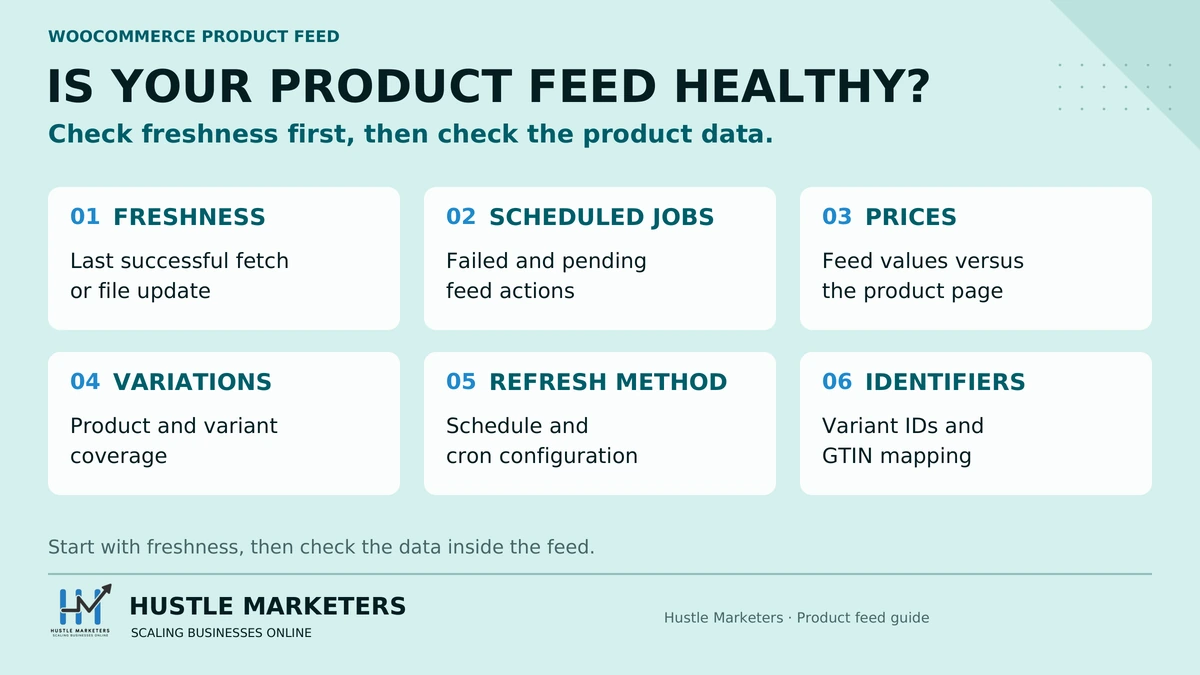
What should you check on your WooCommerce feed first?
Seven checks, roughly in order of how much damage each catches.
1. Is your feed file actually fresh? Open the feed URL and check the last-modified date, or check Merchant Center’s last fetch time. This single check catches the silent schedule death above, and it is the one nobody does.
2. Are there failed actions piling up? WooCommerce, Status, Scheduled Actions, filter to Failed. If you see repeated failures on a feed hook and nothing pending, the schedule is dead. Disable and re-enable the feed to register a fresh recurring action.
3. Are your prices right if you use tax-inclusive pricing? Spot-check three products against Merchant Center. If you are on Google for WooCommerce and have not updated since July, update to 3.9.2 or later first.
4. Are your variations all present? Compare your product count to the row count in the feed. One real case had 511 products producing 403 rows, because a theme’s “show single variation” feature silently removed 16 variable products’ variations from the feed. Themes can amputate a feed without any warning.
5. Is WP-Cron disabled in favor of a real cron? If you are still on WP-Cron and your store is low-traffic, your refresh interval is aspirational rather than actual.
6. Are GTINs unique per variant? Export the feed, filter to one variant group, and look for repeats. The parent-inheritance behavior makes this easy to get wrong.
7. Have you added the conversational attributes? Via a supplemental data source if your plugin does not support them, which it probably does not.
We work through exactly this list on client Merchant Center accounts. On an audio manufacturer’s account, feed structure and attribute completeness did the work rather than anything clever, and the full breakdown is here. For a toy brand, the building block toy brand case study shows how we structured the feed around margin and product type.
If you want the broader feed strategy rather than the WooCommerce plumbing, start with our product feed optimization guide, and if anything in your stack still touches the old API, the Content API shutdown checklist covers the migration. Our ecommerce PPC team audits WooCommerce feeds against this list.
WooCommerce Product Feed FAQs
Did the Content API sunset break my WooCommerce feed?
Only if your plugin pushes products to Google through the API rather than writing a feed file. Google for WooCommerce is API-push and migrated in version 3.8.0 on July 21, 2026, automatically, with no action needed from you. RexFeed migrated in 7.8.0 on August 17, 2026. AdTribes, CTX Feed’s free version, WPMR, WebToffee and ELEX are all file-based, meaning they write an XML or CSV file that Google fetches on a schedule, and they were never exposed to the sunset at all.
Why did my WooCommerce product feed stop updating automatically?
The most likely cause is Action Scheduler refusing to reschedule it. WooCommerce’s scheduling library stops rescheduling a recurring action after five consecutive failures, writing one line to its log and giving no admin notice. Google for WooCommerce is stricter still, stopping a job after three failures in two hours. Check WooCommerce, Status, Scheduled Actions and filter to Failed. If the failures are piling up and nothing is pending, regenerating the feed manually will not fix it. You need to disable and re-enable the schedule.
Does WP-Cron work for feed updates on a low-traffic store?
Poorly. WP-Cron only fires when someone loads a page, so a store with few visitors can set a 6-hourly refresh and get one a day. Add `define(‘DISABLE_WP_CRON’, true);` to wp-config.php and set a real server cron calling wp-cron.php every five minutes. AdTribes moved off WP-Cron to Action Scheduler specifically because of this, but CTX Feed still depends on it, so check which one you are running.
Where is the GTIN field in WooCommerce?
In the Inventory tab of the product data panel, labeled “GTIN, UPC, EAN or ISBN”. It was added in WooCommerce 9.2 on August 20, 2024. The underlying property is `global_unique_id` and the meta key is `_global_unique_id`. It behaves like a SKU: any text is accepted and the value must be unique across the store. It is available on variations as well as parent products.
Why can’t I bulk import GTINs with the WooCommerce CSV importer?
Because `_global_unique_id` is registered as an internal meta key, which excludes it from WooCommerce’s built-in product CSV importer and exporter. A GitHub issue asking for it as a standard CSV header was opened in October 2024 and closed without a documented fix. The workaround is adding `meta:_global_unique_id` manually as a column header in your CSV. This is the main practical reason many stores still keep GTINs in a custom field instead of the native one.
Can WooCommerce variations have their own GTIN?
Yes, each variation has its own field. The complication is that `_global_unique_id` also sits in the variation data store’s parent fallback map, which means a variation with no GTIN of its own may read the parent’s. Since Google requires GTINs to be unique per variant, filling in only the parent-level GTIN can produce duplicate identifiers across a whole variant group. Export your feed, filter to one variant group and check whether the GTIN column repeats.
Why does Merchant Center say “Mismatched value (page crawl) [price]”?
Because the price in your feed does not match the price Google reads when it crawls the product page. On variable products, WooCommerce renders a default state before a shopper selects a variation, and the page’s structured data reflects that default rather than the variation in your feed. It has been reported against multiple plugins since at least 2020 and closed without a real fix each time. The reliable fix is making the page’s JSON-LD emit an `offers` array covering every variation rather than a single price.
Should WooCommerce feed prices include VAT?
They should match what the customer actually pays, so in tax-inclusive markets, yes. This was a live problem in August 2026: Google for WooCommerce shipped a regression alongside its Merchant API migration that stripped VAT from tax-inclusive prices. A Norwegian store on 25% VAT saw 429 NOK arrive in Merchant Center as 343.20 NOK. Automattic acknowledged it and the fix shipped in version 3.9.2 on August 31, 2026. If you were on an earlier version during that window, check whether you took price mismatch disapprovals.
Why does Merchant Center still show “Content API” as my data source?
Because the dashboard label is stale, not the connection. WooCommerce support has confirmed that for existing merchants the data source may continue to display “Content API” after the plugin has migrated, and that this means “the source details haven’t been updated in the dashboard, but the underlying API has been updated.” If you are on Google for WooCommerce 3.8.1 or later, the migration happened regardless of what the label says.
Which WooCommerce feed plugin supports item_group_title and variant_option?
RexFeed, as of version 7.8.0 released August 17, 2026, which added support for `item_group_title`, `document_link`, `variant_option`, `question_and_answer` and `related_product`. That is five of Google’s six conversational attributes. I found no evidence of support in Google for WooCommerce, AdTribes, CTX Feed, WPMR, WebToffee, ELEX or YITH. If you need these attributes and do not want to change plugins, add them through a supplemental data source keyed on product `id`.
How many products can a WooCommerce feed plugin handle?
Less than the marketing suggests, and the limit depends on attribute count as much as product count. Documented cases include 2 GB of memory exhausted on a catalog where the batch size setting was being ignored, and a store that escalated to 4 GB and a batch size of one before giving up and switching plugins. Under 1,000 products, most plugins cope without tuning. Between 1,000 and 10,000, set batch size deliberately and confirm it is being applied. Above 50,000, consider a hosted feed platform that pulls from your store rather than generating the file on your own web server. Reducing the attribute count usually helps more than raising the memory limit.
Is Google for WooCommerce better than a third-party feed plugin?
They solve different problems. Google for WooCommerce is free, official, and handles Merchant Center connection and campaign setup, but it pushes via the API, which adds failure modes a file does not have: outbound connectivity, API migrations, and stale data sources binding to the wrong thing. A file-based plugin gives you a feed file you can open, validate and host anywhere, and it was completely unaffected by the August 2026 sunset. Many stores run both: the official plugin for the Google Ads connection, a file-based feed for other channels.
Sources:
- Google, Content API for Shopping sunset notice
- Google Merchant Center Help, how to use conversational attributes
- Google Merchant Center Help, variant option attribute
- Google Merchant Center Help, item group title attribute
- WooCommerce 9.2 release notes, global_unique_id
- Action Scheduler, ActionScheduler_Abstract_QueueRunner source
- WooCommerce developer blog, changes to Action Scheduler
- Google for WooCommerce on wordpress.org
- Product Feed PRO by AdTribes on wordpress.org
- CTX Feed on wordpress.org
- RexFeed on wordpress.org
About the author: Ishant Sharma has worked in digital marketing since 2013 as a Google Ads, Microsoft Ads and SEO specialist, across ecommerce, local service, SaaS and white label agency accounts in the US, UK, UAE and Australia. He leads ecommerce PPC management and Google Ads at Hustle Marketers. He founded Hustle Marketers, a Google Partner and Meta Business Partner agency, and one of the best digital marketing agency options for ecommerce and local service brands. Trackable client sales across his work have passed $780M, and he is Top Rated Plus on Upwork. More about Ishant.