Google Merchant Center AI Attributes: Conversational Attributes Setup Guide (2026)

Ishant
Published : August 1, 2026 at 5:48 am
Updated : October 16, 2026 at 12:15 pm
Ishant
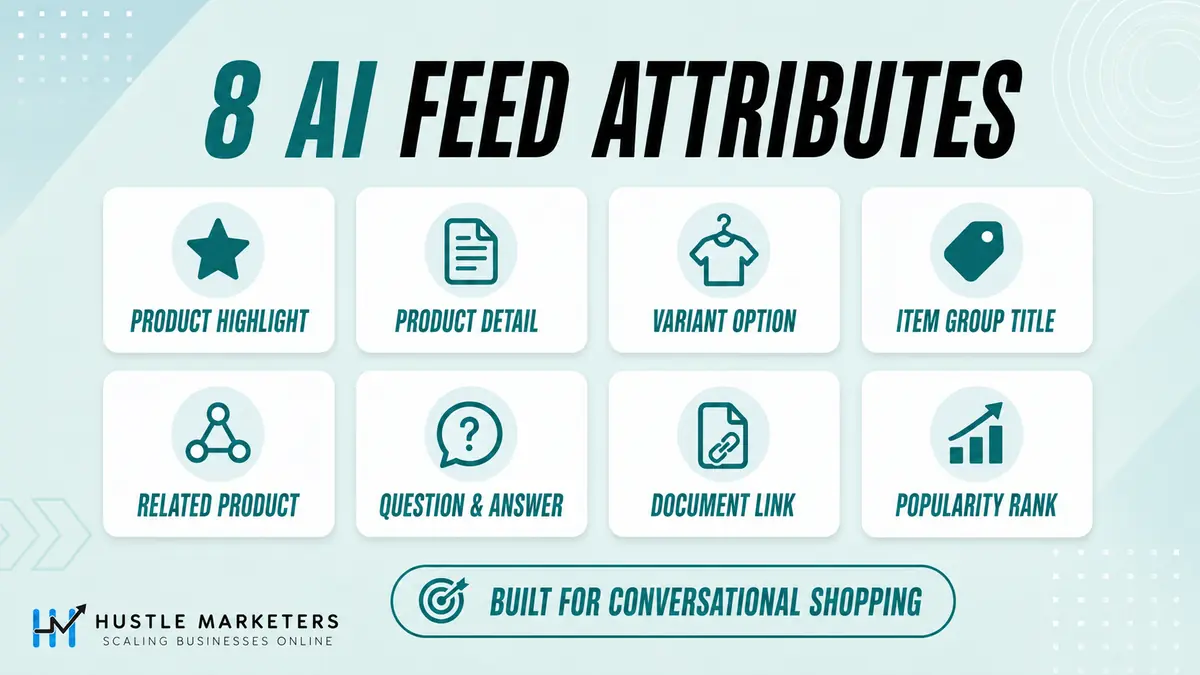
Google Merchant Center AI attributes are the optional product feed fields Google uses to answer shopping questions in AI Mode and AI Overviews. There are six conversational attributes (question_and_answer, document_link, related_product, item_group_title, variant_option and popularity_rank) plus two established fields Google also ties to AI Mode, product_highlight and product_detail. Add them through a supplemental feed. They do not affect product approval.
Put simply, these are the Google Merchant Center attributes, often searched as Google Shopping feed attributes, that shape how your products are described in Google AI shopping experiences such as Google Shopping AI Mode.
This guide was updated on 17 September 2026 with the main updates Google announced for retailers on 16 September, the same day as its Rethink Retail event: AI performance insights is now available in five countries, product videos and loyalty data feed AI and visual shopping formats, Business Agent is coming to YouTube ads, and UCP checkout gained cart transfer. You will find every spec, a full worked example in Google Sheets, TSV, XML and Merchant API format, a popularity_rank formula, and a test plan to prove whether the work paid off. For the wider workflow, see our AI feed optimization guide.
Attribute quality matters more as buying shifts into AI surfaces. We saw that on an online pet supply store we scaled to AED 6.5m+ in revenue across SEO and AEO. For the feed groundwork underneath it, Silicon Lightworks shows what a clean attribute set unlocks.
What Changed on 16 September 2026 and What Should You Do First?
Google confirmed its AI visibility report is available in five countries, tied two more feed fields (video_link and loyalty_program) to AI and visual shopping formats, opened a Business Agent beta inside YouTube ads, and added cart transfer to UCP checkout. For most stores the first job is unchanged: fix disapprovals, then add conversational attributes to your best sellers.
| Update | Status and markets | What it means for your feed | Priority |
|---|---|---|---|
| AI performance insights report | Available for English-language queries in the US, Canada, Australia, New Zealand and India | You can now see your share of voice in organic AI Mode and AI Overviews results against your Merchant Center competitors | Critical: take a baseline this week |
| Conversational attributes | Live in all countries since May 2026 | Google says conversational attributes submitted by lululemon were incorporated 50 percent of the time in relevant AI Mode product recommendations during testing | High: add to top 20 to 50 products |
| video_link attribute | Live, videos eligible to serve since 30 June 2026 | Google says the attribute automatically powers highly visual, shoppable ad formats | Medium: add videos to best sellers |
| Loyalty data (loyalty_program) | 14 countries (Japan uses a separate points program setup), requires the loyalty add-on | Member prices and perks can show across Google, and in the US also in AI Mode and the Gemini app (Minted was Google’s example) | Medium: only if you run a loyalty program |
| Business Agent in YouTube ads | Beta for eligible US retailers, sign-up form | Viewers can ask product questions inside the ad and get tailored answers without leaving YouTube | Medium: US brands running Demand Gen |
| UCP cart transfer and checkout testing | Rolling out gradually in the US, Australia and Canada expected early 2027 | Shoppers can move a cart from Google to your own site with the items already added | Low for most stores, High for large US merchants on UCP |
| AI Max for Shopping | Launched April 2026, described as open beta in Google’s Ads Decoded post on 16 September 2026 | Google AI rewrites Shopping ad titles from your feed data, so thin feed data now means thin ad copy | High if you run Standard Shopping |
| Core feed best practices | Ongoing | Google says merchants adopting them saw on average a 5 percent increase in conversions the following month (internal data, January to August 2025) | Critical: do these before any enrichment |
If you only do one thing this week: open Analytics, Products, AI performance in Merchant Center and screenshot your baseline, fix anything disapproved, then add question_and_answer and variant_option to your top 20 revenue products. Last verified 17 September 2026.
On This Page
- What Are Google Merchant Center AI Attributes?
- Which AI Surfaces Use Your Merchant Center Feed?
- The 6 Conversational Attributes and 2 AI-Flagged Fields: Specs and Limits
- Which Other Feed Fields Did Google Tie to AI Shopping in 2026?
- Full Worked Example: One Product Family, Field by Field
- Second Example: A Spec-Heavy Electronics Product
- How Do You Calculate popularity_rank?
- How Do You Add Conversational Attributes in Google Merchant Center?
- Which Formatting Mistakes Silently Break Your Data?
- How Do You Check the Values Actually Landed?
- What Should You Not Duplicate?
- How Do You Check AI Performance Insights in Merchant Center?
- How Do You Measure Whether Conversational Attributes Work?
- What Else Did Google Announce for Retailers on 16 September 2026?
- How Should You Structure Titles and Descriptions for AI Shopping Assistants?
- What Blocks AI Visibility Without Triggering Any Error?
- How Do You Run an AI Feed Readiness Audit?
- Can Conversational Attributes Get You Into Policy Trouble?
- Troubleshooting: What to Check When It Is Not Working
- Timeline: How Google Rolled Out AI Shopping Attributes in 2026
- Why Choose Hustle Marketers for AI Shopping Readiness
- FAQs
- Sources
What Are Google Merchant Center AI Attributes?
They are product data fields that give Google’s AI systems the details a shopper asks about in a conversation: real questions and answers, manuals, compatible parts, variant differences and relative popularity. Google documents six as conversational attributes and marks product_highlight and product_detail as helping discovery in AI Mode too.
The attributes answer the core question behind every product feed: what’s the purpose of attributes in the product feed? Classic attributes like title, price and GTIN tell Google what you sell. The AI attributes tell Google how to talk about it when a shopper types “waterproof trail shoes for wide feet that work with orthotics” instead of “trail shoes”.
| Group | Fields | What Google says they do | Affects approval? |
|---|---|---|---|
| Conversational attributes (added May 2026) | question_and_answer, document_link, related_product, item_group_title, variant_option, popularity_rank | Help AI systems and conversational agents understand product nuances, mainly for experiences such as AI Mode | No. Google says adding them won’t affect the approval status of existing products |
| Established fields with an AI Mode note | product_highlight, product_detail | Help customers discover products across AI-driven surfaces such as AI Mode, and in traditional search | They are established fields with their own rules and enforcement |
| Fields Google tied to AI and visual formats in 2026 | video_link, loyalty_program | Videos power visual, shoppable ad formats. Loyalty data shows member pricing and perks across Google, including AI Mode in the US | Video policy issues do not stop the product itself from showing. Loyalty data must match your site |
| Checkout eligibility | native_commerce (checkout_eligibility) | Opts eligible products into the Buy flow in AI Mode and the Gemini app for UCP merchants | Only relevant once you are onboarded to UCP checkout |
Are Conversational Attributes, Annotations and AI-Generated Content Fields the Same Thing?
No. Three different things get grouped together as “AI feed features”, and mixing them up leads to wasted work.
| Term | What it actually is | Who controls it |
|---|---|---|
| Conversational attributes | Six optional data fields you submit in your feed | You submit the data, Google decides how and whether to use it |
| Annotations and badges | Display treatments such as sale price, price drop, shipping and returns (see our Shopping annotations and badges guide) | Google selects them dynamically from valid inputs you supply |
| AI-generated content fields | structured_title and structured_description with digital_source_type set to trained_algorithmic_media, used to declare AI-written text | You declare it. This is disclosure, not a relevance boost |
Those two AI-generated content fields carry a trap that is not obvious from the table. Google only reads structured_title when you are not also sending title, so most merchants who add AI titles have them silently discarded. We cover the disclosure rule, the override behavior and whether AI-written titles actually outperform manual ones in AI product titles for Google Shopping.
Supplying valid data makes a treatment possible. It does not force Google to show it on every impression, and none of these fields buys you a ranking on its own.
Which AI Surfaces Use Your Merchant Center Feed?
Google’s AI Mode and AI Overviews draw product answers from the Shopping Graph, which includes your Merchant Center data. Google’s AI performance report measures those two surfaces, and Google’s checkout and loyalty documentation also covers the Gemini app. Other assistants such as ChatGPT use their own retrieval and merchant programs, and third-party studies show they lean heavily on structured product data too.
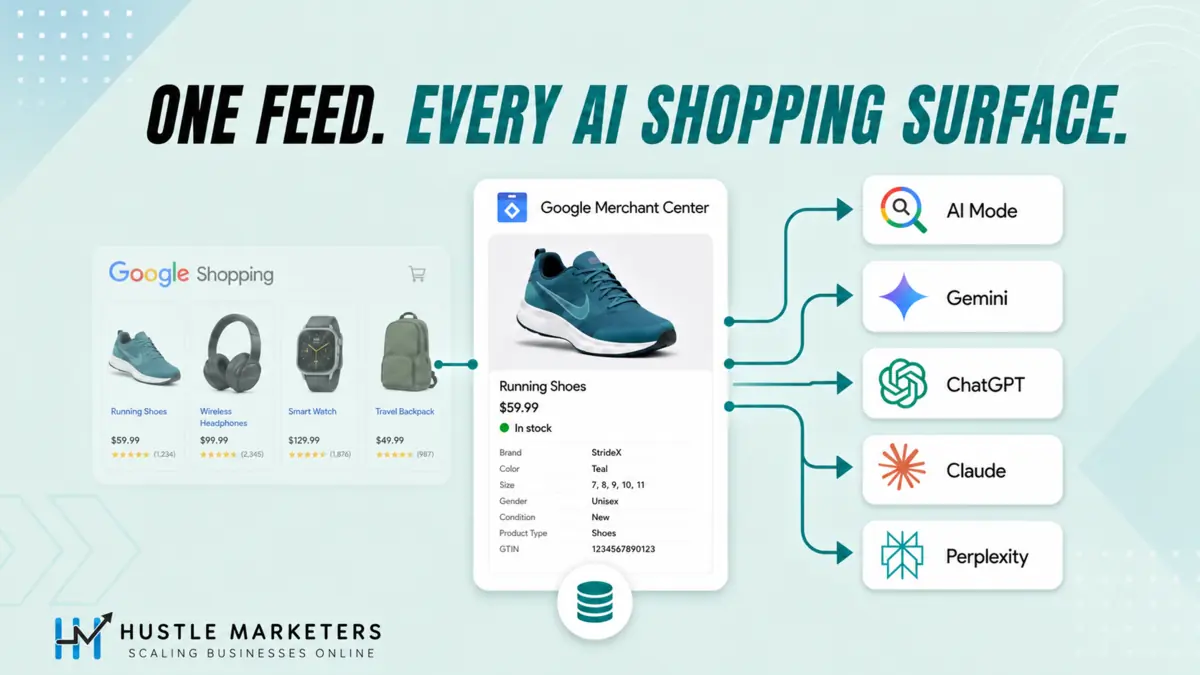
Google described its Shopping Graph in May 2026 as a catalog of over 60 billion product listings, and said in May 2025 that more than 2 billion listings were refreshed every hour. A product with thin or unstructured data does not disappear from that graph. It just becomes harder for an AI system to represent accurately when someone asks a long, specific shopping question, which is exactly the gap the conversational attributes were built to close.
Does ChatGPT Use Your Google Shopping Feed?
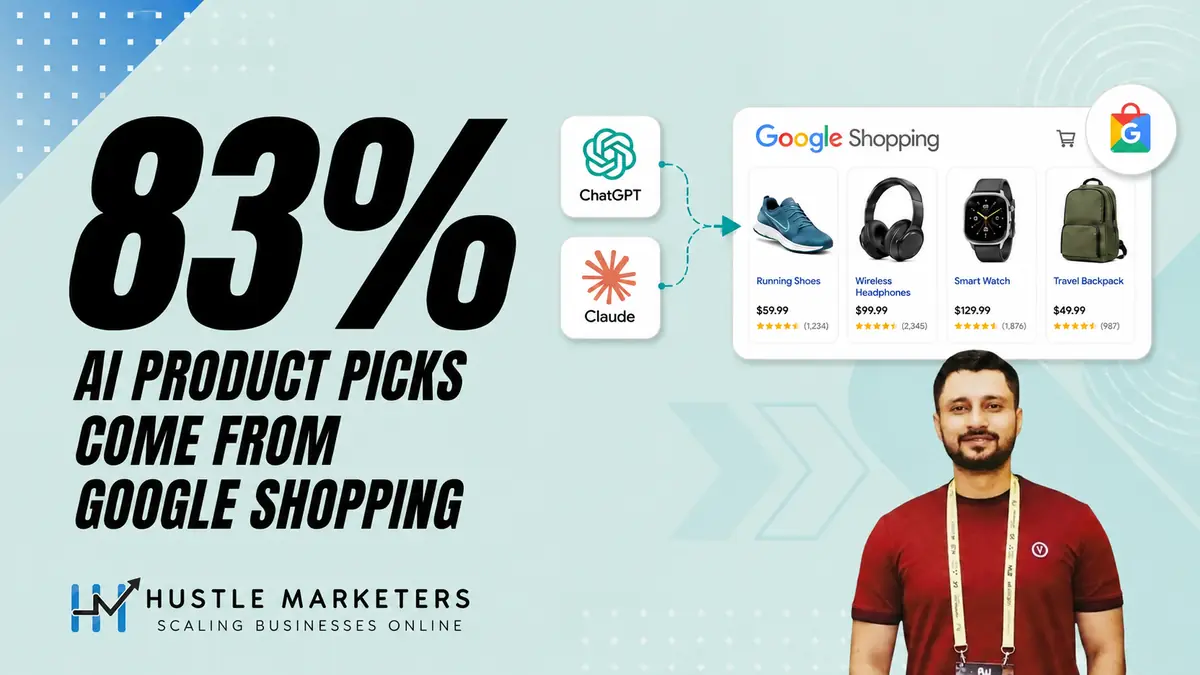
Not directly, but the overlap is large. A March 2026 Peec AI analysis of more than 43,000 ChatGPT carousel products found over 83 percent strongly matched Google’s top 40 organic Shopping results, while Bing matched about 11 percent. That was a snapshot taken before ChatGPT’s July 2026 shift toward merchant feeds, so treat it as historical. OpenAI also publishes its own ChatGPT product feed specification for merchants who want to be included in ChatGPT shopping, which is a separate system from Merchant Center.
Separately, Profound’s review of over 1 million AI shopping offers (June 2026, ChatGPT only) found that about 99.9 percent of feed-sourced citations appeared as the top offer, while about 88 percent of offers then came from product pages. Profound’s September 2026 follow-up found that after a ChatGPT update on 10 July, about 65 percent of tracked ChatGPT Shopping recommendations came from feed-integrated sources. The practical reading: structured feeds now matter across AI shopping, and the product page still has to close the sale.
The 6 Conversational Attributes and 2 AI-Flagged Fields: Specs and Limits
Every limit below comes from Google’s attribute pages, checked on 17 September 2026. The six conversational attributes are optional and available in all countries. Submit them through a supplemental data source (Google’s recommendation), your primary data source, or the Merchant API.
| Attribute | What it does | Limits and rules | Text feed example | Merchant API field |
|---|---|---|---|---|
| question_and_answer | Real product questions and answers from customers, you or the manufacturer | Question and answer each up to 1,000 characters. Up to 30 pairs, 10,000 characters total per product. No prices, dates or time-bound details, no keyword lists | “Does it have a headphone jack?”:”This version doesn’t have a headphone jack.” | questionsAndAnswers (question, answer) |
| document_link | PDF manuals, size guides and spec sheets Google can read to answer detailed questions | PDF only. Up to 5 per product, 50 MB each, URL up to 2,000 characters. Public, not blocked by robots.txt, stable links that do not expire | https://example.com/manual.pdf | documentLinks |
| related_product | Accessories, required parts, substitutes and sets | Three required parts: relationship_type, identifier_type (gtin or id) and identifier. Up to 30 entries. One entry per related product | accessory:gtin:811571013579 | relatedProducts (relationshipType, idType, id) |
| item_group_title | One shared title for a family of variants | 1 to 150 characters, first 70 or so usually visible. Identical across the group, more generic than variant titles, no size, color, price or promo text. Maps to Schema.org ProductGroup.name | Organic Cotton Men’s T-Shirt | itemGroupTitle |
| variant_option | Every property that makes one variant different from another | Name and value each up to 250 characters, up to 30 per product. Same names on every variant in the group, unique value combination per variant, values must match the landing page. Submit with item_group_id and item_group_title. If variants differ by color, pattern, material, age_group, gender or size, Google recommends also listing those dimensions in variant_option | Shoe width:narrow,size:8 | variantOptions (name, value) |
| popularity_rank | How well the product sells relative to the rest of your inventory | 0.0 to 100.0, at most one decimal place, no percent sign. Update when popularity changes substantially. Google does not prescribe a formula | 95.5 | popularityRank |
| product_highlight | Short benefit bullets | 1 to 150 characters each. Minimum 2, maximum 100, Google recommends 4 to 6. No promo text, prices, links or comparisons | Fits under a standard wall cabinet | productHighlights |
| product_detail | Technical specifications in structured sections | section_name (optional, recommended), attribute_name and attribute_value (required). 1 to 150 characters per detail, up to 100 per product | General:Weight:9.2 oz | productDetails (sectionName, attributeName, attributeValue) |
Google provides a TSV template for the conversational attributes. If a detail already sits in your description, product_highlight or product_detail, Google says you do not need to repeat it in a conversational attribute.
Which Conversational Attribute Should You Add First?
Start with the fields that answer the questions stopping people from buying, then the fields that fix variant confusion. This order is our agency rule of thumb from feed builds, not a Google ranking of importance. Google has not published which attribute carries the most weight.
| Order | Attribute | Best for | Effort | Priority |
|---|---|---|---|---|
| 1 | question_and_answer | Any product that gets repeat pre-sale questions in support tickets, reviews or chat | Medium: needs real sourced answers | High |
| 2 | item_group_title and variant_option | Apparel, footwear, furniture, electronics with storage or size options | Low if item_group_id is already clean | High |
| 3 | related_product | Products that need parts, refills, batteries or accessories | Low: comes from your catalog | High for electronics, tools, appliances |
| 4 | popularity_rank | Catalogs with a clear best-seller spread | Low once the formula is set up, needs refreshing | Medium |
| 5 | document_link | Products with manuals, size guides, safety sheets or spec PDFs | Low if PDFs exist | Medium, High for B2B and technical products |
| 6 | product_highlight and product_detail | Every product, if product highlights and details are not already filled | Medium | High if currently empty |
What Are the Six related_product Relationship Types?
| relationship_type | Meaning in Google’s Merchant API reference | Example |
|---|---|---|
| part_of_set | Part of a set of products often purchased together | A dining chair that belongs to a table set |
| required_part | Necessary for the product to function | A battery for a battery-operated lamp |
| often_bought_with | Often purchased together with this product | A phone case with a phone |
| substitute | Can be substituted for this product | A printer comparable in function to another printer |
| different_brand | An identical product sold under a different brand | A cheaper house brand version |
| accessory | An accessory to this product | A side table that matches the style of a couch |
Which Other Feed Fields Did Google Tie to AI Shopping in 2026?
Three more fields matter beyond the core eight. Google’s 16 September 2026 announcement said video_link powers visual, shoppable ad formats and loyalty data surfaces member pricing across Google. native_commerce controls whether a product can show a Buy button in AI Mode and the Gemini app for merchants on UCP checkout.
How Do You Add Product Videos With video_link?
Submit a YouTube URL or a direct link to a raw video file for each product. Google introduced video_link in its April 2026 product data specification update and made videos eligible to serve from 30 June 2026. A page that only embeds a video player is not accepted. This is the Merchant Center route into visual, shoppable formats, the placements many advertisers search for as shoppable video ads.
| Rule | Requirement |
|---|---|
| Videos per product | Up to 10 |
| URL | Starts with http:// or https://, up to 2,000 characters, YouTube URL or direct video file link |
| File types | MPG, MP4, WMV, AVI, MOV, FLV, MPEG-1, MPEGPS |
| Length | 6 to 240 seconds |
| Size | Under 500 MB |
| Resolution | At least 720p (1280×720) |
| Aspect ratio | 9:16, 16:9 or 1:1 |
| Access | Publicly accessible without login, stable URL, no blur or black bars |
Our tip: a 20 to 40 second vertical (9:16) clip showing the product in use fits Google’s specs and suits both short-form video placements and product listings. A policy or quality warning on a video does not stop the product offer itself from showing, so one bad video will not take a best seller offline.
How Do Loyalty Attributes Show Member Pricing in AI Mode?
Turn on the loyalty program add-on in Merchant Center, define your program and tiers, then send member prices, points and member shipping through the loyalty_program attribute. Google can show member benefits in Shopping ads, free listings and other Google surfaces, and in the US also in AI Mode and the Gemini app. Member pricing only shows in ads when the discount is at least 5 percent or 5 units of currency.
| Sub-attribute | What it holds | Example |
|---|---|---|
| program_label | Your program name, exactly as set up in Merchant Center | ridgeline_rewards |
| tier_label | The tier, exactly as set up in Merchant Center | members |
| price | The member price, same currency as price and sale_price | 119.00 USD |
| loyalty_points | Whole number of points earned | 120 |
| member_price_effective_date | ISO 8601 date range. Without it, Google treats the member price as permanent | 2026-11-20T00:00-0800/2026-12-02T23:59-0800 |
| shipping_label | Marks offers eligible for member shipping | loyalty_shipping_members |
Two rules are easy to miss. Keep member prices in loyalty_program, never in price or sale_price. And to show member prices and perks to people Google recognizes as your members, you need Customer Match lists for your tiers. Google’s 16 September example was Minted: a member of its Minted More program searching for holiday cards sees tailored results with member pricing.
What Does native_commerce Do for Checkout in AI Mode?
native_commerce has one sub-attribute, checkout_eligibility. Set it to true and an eligible product can show a Buy button in AI Mode and the Gemini app. Empty, false or missing means no button. It only works for merchants onboarded to UCP checkout, which also requires a return policy and customer support details in Merchant Center.
Google’s UCP setup guide lists product types that should not be marked eligible, including subscriptions and installments, personalized, refurbished, used or final sale items, pre-orders, age-restricted items, and services, rentals and virtual items. Text feed header: native_commerce(checkout_eligibility). XML: <g:native_commerce><g:checkout_eligibility>true</g:checkout_eligibility></g:native_commerce>.
Full Worked Example: One Product Family, Field by Field
This is product feed enrichment done field by field: a complete build for one hypothetical product family, a women’s waterproof trail running shoe sold in three variants. You get the query map, the Google Sheets supplemental feed, the same data as TSV, XML and a Merchant API request, plus the source trail behind every value. Swap in your own SKUs.
Step 1: What Must Already Exist in Your Primary Feed?
A supplemental source can only update products that already exist. It cannot create products. So before you enrich anything, every variant needs a clean primary feed row with a matching id.
| Primary feed attribute | Variant 1 | Variant 2 | Variant 3 |
|---|---|---|---|
| id | RL-TFW-BLK-8-STD | RL-TFW-BLK-8-WIDE | RL-TFW-TEAL-8-STD |
| title | Ridgeline TrailFlex Women’s Waterproof Trail Running Shoe, Black, Size 8 | Ridgeline TrailFlex Women’s Waterproof Trail Running Shoe, Black, Size 8 Wide | Ridgeline TrailFlex Women’s Waterproof Trail Running Shoe, Teal, Size 8 |
| item_group_id | RL-TFW | RL-TFW | RL-TFW |
| brand | Ridgeline | Ridgeline | Ridgeline |
| gtin | Your real GTIN | Your real GTIN | Your real GTIN |
| color / size / gender / age_group | Black / 8 / female / adult | Black / 8 / female / adult | Teal / 8 / female / adult |
| price | 135.00 USD | 135.00 USD | 135.00 USD |
| availability | in_stock | in_stock | in_stock |
If any of those are missing or disapproved, stop here and fix them first. Our Google Merchant Center requirements guide and GTIN guide cover the fixes.
Step 2: Which Shopper Question Does Each Field Answer?
Write down the questions real shoppers ask before buying, then map each one to the field designed to answer it. Pull the questions from support tickets, reviews, live chat and on-site search, not from your imagination.
| What a shopper asks in AI Mode | Field that answers it | Value we submit |
|---|---|---|
| “waterproof trail running shoes for women with wide feet” | variant_option, item_group_title | width:Wide on variant 2, shared family title |
| “do Ridgeline TrailFlex run true to size” | question_and_answer | A sourced sizing answer |
| “trail shoes that work with custom orthotics” | question_and_answer, product_highlight | Removable insole answer and highlight |
| “how much does it weigh” or “what is the heel drop” | product_detail | Weight and heel-to-toe drop |
| “what socks go with trail running shoes” | related_product | accessory link to the merino sock |
| “is there a mid-cut version” | related_product | substitute link to the mid-cut shoe |
| “best selling women’s trail shoe at Ridgeline” | popularity_rank | 94.6 for the black standard width |
| “TrailFlex size chart” | document_link | The size guide PDF |
| “show me how they fit” | video_link | A 30 second fit video |
| “member price on TrailFlex” | loyalty_program | Member price and points |
Step 3: The Supplemental Feed in Google Sheets
In Google Sheets, put one variant per row and repeat a column header when a field has more than one value. Inside a value, put a backslash before any comma, colon or backslash that is part of the text. The table below lists each column in your sheet as a row, so it fits on screen.
| Sheet column header | Value |
|---|---|
| id | One row each: RL-TFW-BLK-8-STD, RL-TFW-BLK-8-WIDE, RL-TFW-TEAL-8-STD |
| item_group_title | TrailFlex Women’s Waterproof Trail Running Shoe (identical on all three rows) |
| variant_option | Row 1: color:Black,size:8,width:Standard Row 2: color:Black,size:8,width:Wide Row 3: color:Teal,size:8,width:Standard |
| popularity_rank | Row 1: 94.6 Row 2: 71.2 Row 3: 88.3 |
| question_and_answer | Do these run true to size?:Most customers order their usual running shoe size. If you are between sizes\, order the larger size. |
| question_and_answer | Can I use my own orthotics?:Yes. The insole is removable\, and the wide width adds forefoot room for most custom orthotics. |
| question_and_answer | Are they good for road running?:They handle short road sections between trails\, but the deep lugs wear faster on pavement than a road shoe outsole. |
| product_highlight | Waterproof membrane keeps feet dry through stream crossings |
| product_highlight | Removable insole makes room for custom orthotics |
| product_highlight | Lugged outsole grips loose and wet ground |
| product_highlight | Available in standard and wide widths |
| product_detail | Specs:Weight:9.2 oz in a women’s size 8 |
| product_detail | Specs:Heel-to-toe drop:6 mm |
| product_detail | Outsole:Lug depth:5 mm |
| related_product | accessory:id:RL-SOCK-MERINO-M |
| related_product | often_bought_with:id:RL-GAITER-TRAIL |
| related_product | Row 1: substitute:id:RL-TFW-MID-BLK-8 Row 2: substitute:id:RL-TFW-MID-BLK-8W Row 3: substitute:id:RL-TFW-MID-TEAL-8 |
| document_link | https://example.com/guides/trailflex-size-guide.pdf |
| video_link | https://example.com/videos/trailflex-fit-demo.mp4 |
| loyalty_program(program_label:tier_label:price:loyalty_points:shipping_label) | ridgeline_rewards:members:119.00 USD:120:loyalty_shipping_members |
Unless a row says otherwise, the same value goes on all three variant rows in your sheet. Notice the structural colon between each question and answer is not escaped, while the commas inside the answers are. In variant_option, the commas and colons are structural, so they stay unescaped.
Step 4: The Same Data as a TSV File
If you upload a file instead of a sheet, use tab-separated values and wrap any value containing commas or colons in double quotes. Multiple values for one field go in one cell, separated by commas. This is variant 1 with one column per conversational attribute. For question_and_answer, put quotes around each question and each answer separately, as in Google’s example. For variant_option and related_product, quote the whole cell.
id	item_group_title	variant_option	popularity_rank	question_and_answer	related_product	document_link
RL-TFW-BLK-8-STD	TrailFlex Women's Waterproof Trail Running Shoe	"color:Black,size:8,width:Standard"	94.6	"Do these run true to size?":"Most customers order their usual running shoe size. If you are between sizes, order the larger size.","Can I use my own orthotics?":"Yes. The insole is removable, and the wide width adds forefoot room for most custom orthotics."	"accessory:id:RL-SOCK-MERINO-M,often_bought_with:id:RL-GAITER-TRAIL,substitute:id:RL-TFW-MID-BLK-8"	https://example.com/guides/trailflex-size-guide.pdf
Step 5: The Same Product in an XML Supplemental Feed
In XML, every repeated value gets its own element and sub-attributes are nested, so there is nothing to escape except normal XML characters.
<?xml version="1.0" encoding="UTF-8"?>
<rss version="2.0" xmlns:g="http://base.google.com/ns/1.0">
  <channel>
    <title>Ridgeline conversational attributes</title>
    <item>
      <g:id>RL-TFW-BLK-8-STD</g:id>
      <g:item_group_title>TrailFlex Women's Waterproof Trail Running Shoe</g:item_group_title>
      <g:variant_option><g:name>color</g:name><g:value>Black</g:value></g:variant_option>
      <g:variant_option><g:name>size</g:name><g:value>8</g:value></g:variant_option>
      <g:variant_option><g:name>width</g:name><g:value>Standard</g:value></g:variant_option>
      <g:popularity_rank>94.6</g:popularity_rank>
      <g:question_and_answer>
        <g:question>Do these run true to size?</g:question>
        <g:answer>Most customers order their usual running shoe size. If you are between sizes, order the larger size.</g:answer>
      </g:question_and_answer>
      <g:related_product>
        <g:relationship_type>accessory</g:relationship_type>
        <g:identifier_type>id</g:identifier_type>
        <g:identifier>RL-SOCK-MERINO-M</g:identifier>
      </g:related_product>
      <g:product_highlight>Waterproof membrane keeps feet dry through stream crossings</g:product_highlight>
      <g:product_highlight>Removable insole makes room for custom orthotics</g:product_highlight>
      <g:product_detail>
        <g:section_name>Specs</g:section_name>
        <g:attribute_name>Heel-to-toe drop</g:attribute_name>
        <g:attribute_value>6 mm</g:attribute_value>
      </g:product_detail>
      <g:document_link>https://example.com/guides/trailflex-size-guide.pdf</g:document_link>
      <g:video_link>https://example.com/videos/trailflex-fit-demo.mp4</g:video_link>
    </item>
  </channel>
</rss>
Step 6: The Same Product Through the Merchant API
Google sunset the Content API for Shopping on 18 August 2026, and requests began returning progressive errors from 1 September 2026, so API integrations now use the Merchant API. Insert the values into a supplemental data source of the API type with productInputs.insert. A Google Sheets or file supplemental source cannot receive API inserts. The field names below come from Google’s ProductAttributes reference. Note that enum values are uppercase in JSON.
POST https://merchantapi.googleapis.com/products/v1/accounts/ACCOUNT_ID/productInputs:insert?dataSource=accounts/ACCOUNT_ID/dataSources/SUPPLEMENTAL_API_DATA_SOURCE_ID

{
  "offerId": "RL-TFW-BLK-8-STD",
  "contentLanguage": "en",
  "feedLabel": "US",
  "productAttributes": {
    "itemGroupTitle": "TrailFlex Women's Waterproof Trail Running Shoe",
    "variantOptions": [
      { "name": "color", "value": "Black" },
      { "name": "size", "value": "8" },
      { "name": "width", "value": "Standard" }
    ],
    "popularityRank": 94.6,
    "questionsAndAnswers": [
      {
        "question": "Do these run true to size?",
        "answer": "Most customers order their usual running shoe size. If you are between sizes, order the larger size."
      }
    ],
    "relatedProducts": [
      { "relationshipType": "ACCESSORY", "idType": "ID", "id": "RL-SOCK-MERINO-M" }
    ],
    "productHighlights": [
      "Waterproof membrane keeps feet dry through stream crossings",
      "Removable insole makes room for custom orthotics"
    ],
    "productDetails": [
      { "sectionName": "Specs", "attributeName": "Heel-to-toe drop", "attributeValue": "6 mm" }
    ],
    "documentLinks": ["https://example.com/guides/trailflex-size-guide.pdf"],
    "videoLinks": ["https://example.com/videos/trailflex-fit-demo.mp4"]
  }
}
The XML and API examples are shortened. In a real build, send the full set of highlights, details and Q&A pairs, because a supplemental value replaces the primary value for that attribute. The contentLanguage and feedLabel must match the product you are enriching, or the values will not attach. If you are still migrating, our Content API for Shopping shutdown checklist walks through it.
Step 7: What We Left Out and Where Every Value Came From
Notice what is not in the example. No price, sale dates or shipping promises inside question_and_answer, because Google does not allow time-bound details there and they belong in the commercial fields. No keyword lists. Nothing repeats a fact that already lives in another field. Every value traces back to a source you can point at.
| Value | Source of truth | Refresh when |
|---|---|---|
| Sizing answer | Return reasons and fit reviews | Return reasons shift |
| Orthotics answer | Product team spec sheet and support tickets | Insole or last changes |
| Weight, drop, lug depth | Manufacturer spec sheet | New model year |
| Related products | Your own catalog and often-bought-together data | A related SKU is discontinued |
| popularity_rank | Trailing 90 day net sales from your store | Weekly |
| Size guide PDF and video | Your content team | A URL changes |
| Member price | Loyalty program settings | Every promotion |
If you cannot point at the evidence for a value, leave the field blank rather than guessing. An invented answer that contradicts your landing page is a bigger problem than a missing one.
Second Example: A Spec-Heavy Electronics Product
Electronics lean harder on document_link, related_product and product_detail, and they expose the most common escaping mistake: numbers with thousands separators. Here is a hypothetical portable power station, id VP-1000, in Google Sheets format.
| Sheet column header | Value for VP-1000 | Why it matters |
|---|---|---|
| question_and_answer | Can it run a full-size refrigerator?:Most full-size refrigerators run on it. Check that your fridge’s running and startup watts are below the continuous and surge ratings in the spec sheet. | The most common pre-sale question for this category |
| question_and_answer | Can I charge it while it powers devices?:Yes. It supports pass-through charging from wall power\, solar or a car outlet. | Commas inside the answer are escaped |
| product_detail | Battery:Capacity:1\,024 Wh | Without the backslash, 1,024 splits into two broken values |
| product_detail | Output:Continuous output:1\,000 W | Same thousands separator issue |
| related_product | accessory:id:VP-SOLAR-200W | Answers “what solar panel works with it” |
| related_product | often_bought_with:id:VP-CASE-1000 | Carry case bought with most units |
| related_product | substitute:id:VP-1500 | The larger model for bigger loads |
| document_link | https://example.com/manuals/vp-1000-user-manual.pdf | User manual |
| document_link | https://example.com/manuals/vp-1000-safety-sheet.pdf | Safety and battery transport information |
| popularity_rank | 82.5 | Second best seller in a 40 product catalog |
Because the manual PDF already covers charging times, we did not repeat charging times as a Q&A pair. Google says to skip question_and_answer entries when the same information is already in a PDF you submit through document_link. Use a text-based PDF rather than a scanned image, since a scan gives any system far less to read. That last point is our recommendation, not a documented Google rule.
How Do You Calculate popularity_rank?
Google does not prescribe a formula. It only says the value should reflect how well a product sells relative to the rest of your inventory, from 0 to 100 with at most one decimal. We use the percentile rank of each product’s trailing 90 day net revenue within the catalog, refreshed weekly. That method is our rule of thumb, not a Google requirement.
In Google Sheets, put each product’s net revenue for the last 90 days (after refunds) in column C, then use this formula in column D and fill down. Adjust the range to your own row count.
=ROUND(PERCENTRANK.INC($C$2:$C$6, C2) * 100, 1)| Product (5 product example catalog) | 90 day net revenue | popularity_rank |
|---|---|---|
| Product A, best seller | $48,200 | 100 |
| Product B | $21,900 | 75 |
| Product C | $6,300 | 50 |
| Product D | $2,100 | 25 |
| Product E, slowest seller | $410 | 0 |
| Product F, launched 10 days ago | Not enough history | Leave blank and exclude from the range |
With five products the scores move in steps of 25. In a real catalog of hundreds of products the steps get much finer, which is where the one decimal place becomes useful. Three rules keep the value honest: use net revenue or units consistently, exclude products without enough history, and never paste the same high score across the catalog. A popularity_rank of 100 on every product tells Google nothing.
Do not confuse popularity_rank with Merchant Center’s best sellers reports. Those show what is popular across Google in your categories. popularity_rank is your own ranking of your own catalog.
How Do You Add Conversational Attributes in Google Merchant Center?
Create a supplemental data source from a Google Sheet or file that holds the id plus the new fields, link it to your primary source, and let Merchant Center merge the values. Test on 20 products, inspect the processed values, then scale. Supplemental sources are part of the Advanced data source management add-on.
- In Merchant Center, go to Settings, Add-ons and activate Advanced data source management if you cannot see supplemental source options. It adds supplemental data sources and attribute rules.
- Download Google’s conversational attributes TSV template, or copy the column headers from the worked example above into a new Google Sheet and use it as your Google Merchant Center supplemental feed template.
- Export your product ids from Merchant Center so every id matches your primary feed exactly, including any platform prefix.
- Fill the sheet for your pilot products only, starting with 20 best sellers.
- Go to Settings, Data sources, then add a supplemental source and choose Google Sheets or file upload.
- Link the supplemental source to the primary sources it should update. It only attaches to products with a matching id, feed label and language.
- Check the source’s update schedule so edits in the sheet flow through without manual uploads.
- Wait for processing, then check the processed values on a few products before adding more.
We cover supplemental sources in more depth in our supplemental feed guide. The same approach powers custom labels, as shown in our custom labels by margin tier guide.
How Do You Add Conversational Attributes on Shopify?
We could not find Google or Shopify documentation confirming that the Google and YouTube app syncs the six conversational attributes, so do not assume it does. The safe route is a supplemental Google Sheet keyed on the exact product ids the app sends to Merchant Center, which usually follow a shopify_US_productid_variantid pattern.
Copy the ids from a Merchant Center product export rather than building them by hand, because the country code and variant id must match exactly. Keep the app syncing price and availability continuously, and let the sheet own only the enrichment fields. If you sell in several currencies or countries, read our multi-currency Shopify feed setup guide first, since each feed label needs its own matching rows.
Do Feed Apps Support Conversational Attributes?
Some do, with limits. GoDataFeed’s own help center, for example, maps up to 10 question and answer pairs, 5 related products and 5 variant options, below Google’s limit of 30 for each. Check your tool’s field mapping, and use a supplemental sheet for anything it cannot send. Moving between Google and Microsoft feeds? Our free feed attribute mapper shows which attributes carry across.
What About Feeds in Several Countries or Languages?
Write question_and_answer, highlights and details in the language of the feed they enrich, and build one set of supplemental rows per feed label and language. A supplemental row for feed label US will not touch the same id under feed label CA. Remember that AI performance insights only reports on English-language queries in five countries, so a French or German feed will not show up there even when the attributes are live.
Which Formatting Mistakes Silently Break Your Data?
Commas and colons inside your values are a frequent cause of broken data. In a CSV file a comma is a column separator, so an unquoted “Titanium case, brushed finish” becomes two fragments, and the error you get may not point to the cause. Use TSV or Google Sheets, and escape characters that are part of the text.
| Format | How to handle commas and colons inside a value | Our recommendation |
|---|---|---|
| TSV file | Wrap the value in double quotes. Double any quote mark that is part of the text | Best for large file uploads |
| Google Sheets | Put a backslash before each comma, colon or backslash that is part of the text | Best for pilots and small catalogs |
| CSV file | Wrap values in double quotes, but one missed quote breaks the row | Avoid for these fields |
| XML file | Use one element per value with nested sub-attributes, escape &, < and > | Best for developers |
| Merchant API | Send JSON arrays and objects, no separators to escape | Best for automated catalogs |
| Field | What separates the parts | What to watch for |
|---|---|---|
| product_highlight | One highlight per repeated entry | A comma inside a highlight splits it in CSV |
| product_detail | Colons separate section, name and value | A colon or a thousands separator inside the value breaks the parse |
| question_and_answer | A colon separates the question from the answer | Colons and commas inside either half break the parse |
| variant_option | Colon between name and value, comma between pairs | Both characters are structural, escape them when they are part of a value |
| related_product | Colons between the three sub-attributes | Identifiers may only use letters, numbers, underscores and dashes |
| document_link | A comma separates multiple URLs | Low risk, URLs rarely contain commas |
Whichever format you choose, upload a handful of products first and inspect the processed result before you run the whole catalog.
How Do You Check the Values Actually Landed?
A file that uploads successfully has not necessarily changed anything. What matters is the processed product in Merchant Center, not the file you sent. Check a few pilot products by hand before you trust the whole batch.
- In Merchant Center, open Products and find one of your pilot ids.
- Open the product and read the processed attribute values rather than your source file.
- Confirm the new fields are present and read the way you intended, with nothing cut in half.
- Check that nothing unrelated changed, especially title, price, availability, item_group_id and variant identity.
- Review Needs attention and diagnostics for any new warnings on those products.
- Record the date, the products you changed and what you saw, so you can reverse it cleanly.
One caution on titles. If you submit both title and structured_title, Google uses only title, so audit the processed title rather than assuming an AI-written version won. The same precedence applies to description and structured_description.
What Should You Not Duplicate?
Google says you do not need to repeat details already in your description, product_highlight or product_detail, and to skip Q&A entries your PDFs already answer. The table below is our field-ownership rule built on that guidance. The one deliberate overlap is variant dimensions, which Google wants in both the standard attributes and variant_option.
| Put this fact | Here | Not here |
|---|---|---|
| A variant color or size | The standard color and size fields, plus variant_option (Google recommends both) | Padded into item_group_title, or repeated in product_detail |
| A technical specification | product_detail | question_and_answer or product_highlight |
| A selling benefit | product_highlight | product_detail |
| Anything your PDF manual already answers | document_link, with no matching Q&A entry | question_and_answer |
| Price, sale dates, shipping | The commercial fields, promotions and shipping settings | question_and_answer or product_highlight |
| Member prices | loyalty_program | price or sale_price |
| The product family name | item_group_title | The individual variant title only |
How Do You Check AI Performance Insights in Merchant Center?
Open Merchant Center, then Analytics, Products and the AI performance tab. Google’s 16 September announcement confirmed the report is available for English-language queries on accounts in the US, Canada, Australia, New Zealand and India, after its help page added the four new countries in early September. It shows how your brand and products appear in organic AI Mode and AI Overviews results compared with your competitors.
| Metric | What it means | How to read it |
|---|---|---|
| Your share of voice | Your AI impressions divided by the total impressions of you plus your Merchant Center competitors, for related queries | The headline number. Track it by category, not just account-wide |
| Competitors’ average share | A benchmark for the same queries | Tells you whether you are above or below the typical competitor |
| Frequency | How popular a search type, term, intent or attribute is | Fix the high-frequency gaps first |
| Products showing | How many of your products appear for top terms and intents | A low count on a high-frequency term is a feed gap |
Queries are grouped into three shopping stages: Discovery, Evaluation and Ready to buy. You can filter by product category, time period, country and traffic type. Data updates daily with a lag of a few days. Paid ads traffic is excluded, which makes your free listings setup the surface this report actually measures.
Know the limits before you brief a client. There is no click or conversion metric, so the report shows visibility, not traffic or revenue. A share of voice of 0 can simply mean too few impressions, a dash means no impression data at all, and 100 percent can appear because no competitors are defined for your account. The competitor set comes from Merchant Center, so you cannot pick it inside the report.
How Do You Turn the Report Into Feed Fixes?
Use each table in the report as a to-do list. Google’s own recommended actions are to meet product requirements, add relevant terms to titles and descriptions, and fill in missing attributes, starting with the highest-frequency terms. This mapping is our own, built on Google’s advice, and shows which field we would change first for each finding.
| What the report shows | Likely feed gap | Field to update | Priority |
|---|---|---|---|
| A high-frequency AI search term where your products showing count is low | The term or benefit is missing from your data | title, description, product_highlight | Critical |
| A popular attribute such as size, color or material | The attribute is missing or unstructured | color, size, material, variant_option, product_detail | High |
| Low share of voice at the Evaluation stage | Comparison details and answers are missing | question_and_answer, product_detail, document_link | High |
| Low share of voice at the Ready to buy stage | Offer details are weak or unreadable | price, sale_price, shipping, returns, loyalty_program | High |
| Good Discovery share, weak later stages | You get seen but not preferred | question_and_answer, product ratings, related_product | Medium |
| A category missing from the report entirely | Not enough impressions, or products not eligible for free listings | Eligibility, disapprovals, free listings settings | Critical |
How Do You Measure Whether Conversational Attributes Work?
Run a cohort test. Enrich one group of comparable products through the supplemental feed, leave a matched control group untouched, and compare share of voice, products showing and free listing clicks over 8 to 12 weeks. Change nothing else on either group during the test. This is our testing method, since Google has not published attribute-level results.
- Pick 40 to 100 products and split them into two groups with similar revenue, category mix and price range.
- Take a 4 week baseline for both groups: AI performance insights share of voice and products showing, plus free listing clicks and conversions by product.
- Add conversational attributes to the test group only. Do not change titles, prices or images on either group.
- Compare the change in each group, not the raw numbers, after 8 to 12 weeks.
- Roll out to the rest of the catalog only if the test group moved clearly more than the control.
Be honest about what you find. The one matched study we know of on a related field, FeedOps’ comparison of about 1,000 products with product highlights against about 1,000 matched products without, at one Australian retailer, reported a 14.2 percent lift in organic impressions and 18.4 percent in organic clicks, with no statistically significant effect on paid. That is one retailer, one field and an observational design, so treat it as a reason to test, not a promise.
What Else Did Google Announce for Retailers on 16 September 2026?
In the same round of Google agentic commerce updates, Google opened a Business Agent beta inside YouTube ads and added cart transfer and checkout-flow testing to its UCP integration hub. A separate Google Ads post the same day described AI Max for Shopping, launched in April 2026, as now in open beta. All three rely on Merchant Center product data, which is why feed quality now affects paid results as well as organic AI visibility.
What Is Business Agent in YouTube Ads?
Business Agent is Google’s branded conversational assistant, first launched for brands in Search. The new beta places it inside YouTube ads, so a viewer can ask detailed product questions and get tailored answers without leaving YouTube. Google says Business Agent draws on your Merchant Center account and your website, with more business data coming. Google has not said whether it reads conversational attributes, but complete product data gives it more to work with.
| Requirement | Business Agent in YouTube ads beta | Business Agent in Merchant Center |
|---|---|---|
| Market | US targeting, English only | US-based ecommerce store |
| Account | An active Demand Gen campaign using Merchant Center feeds, spending at least $10 a day | Verified Merchant Center account with at least 50 approved free listings and a claimed brand profile |
| Placement | Mobile in-stream placements only, not Shorts | Brand profile and Search |
| How to join | Google’s beta interest form. Participation is not guaranteed | Marketing, Business Agent in Merchant Center, or the Shopify Google and YouTube app |
The beta requirements come from Google’s interest form linked in the 16 September announcement. Google has not published conversation reporting or incrementality data for the YouTube format yet, so measure it with a holdout before scaling. Our Business Agent in Merchant Center guide covers setup and customization.
What Is UCP Cart Transfer and Google Agentic Checkout?
Google’s Universal Commerce Protocol (UCP) is the open standard Google co-developed with retailers and platforms to let shoppers buy inside AI Mode and the Gemini app. The new cart transfer option lets a shopper who built a cart on Google continue on your own site with the cart already filled, so the purchase finishes in your own checkout.
| Question | Answer |
|---|---|
| Who can use it? | Merchants using the UCP integration hub in Merchant Center. Rolling out gradually in the US, with Australia and Canada expected early 2027 |
| What does it need technically? | Support for UCP’s Cart API (UCP version 2026-04-08 or later). Google calls a create cart endpoint and your site returns a link to a pre-filled cart on your site |
| What else is new? | Enhanced checkout-flow testing, with Google saying analytics and more are coming soon |
| Which products can show a Buy button? | Eligible products with native_commerce checkout_eligibility set to true |
| Who has used it? | Google named Tapestry, owner of Coach and Kate Spade, which integrated UCP-powered checkout and began selling in Search, including AI Mode, and the Gemini app |
Our read: discovery through conversational attributes is available to every merchant now, while agentic checkout is still gated and early. Treat UCP as a per-client decision based on platform, market and margin, not an urgent migration. OpenAI’s ChatGPT shopping and checkout programs are separate systems, so results reported there do not transfer to Google’s UCP.
Why Does AI Max for Shopping Make Your Feed Write Your Ad Titles?
AI Max for Shopping’s text customization lets Google AI rewrite product titles in Shopping ads to match a shopper’s query, using attributes from your Merchant Center feed. Google’s help center describes the feed as a product database the system draws on. If the feed only holds a bare title and price, there is little for the system to work with.
| Feature | What it does | Requirement or limit |
|---|---|---|
| Text customization | Rewrites product titles for the query, grounded in feed data, and only serves if predicted to perform better | English feeds only for now |
| Final URL expansion | Sends traffic to other relevant commercial pages, such as category or new arrivals pages | Needs text customization on and a Target ROAS bid strategy |
| Controls | Term exclusions and messaging restrictions per campaign, plus brand and URL exclusions | Up to 25 term exclusions and 40 messaging restrictions |
| Google’s stated result | Advertisers typically see about 5 percent more conversions or conversion value at a similar CPA or ROAS | Google’s own figure, test it on your account |
The more complete your product_highlight, product_detail and material or compatibility data, the more accurate the rewritten titles can be. For campaign structure around this, see our guide to Performance Max and feed optimization.
What Are Google’s Core Merchant Center Feed Best Practices?
These are the Google Merchant Center best practices that sit underneath everything else. Google says merchants adopting core Merchant Center feed best practices see on average a 5 percent increase in conversions the following month, based on internal data from January to August 2025. Its Merchant Center Feeds Best Practices 2026 one-pager lists those practices and adds conversational attributes as a new item. That data predates conversational attributes, so the 5 percent figure does not measure them.
| Best practice from Google’s 2026 one-pager | Where to check it |
|---|---|
| 3 or more additional images, including lifestyle images | additional_image_link |
| High image quality, 1500×1500 px | image_link |
| Product titles of 30 or more characters | title |
| Descriptions of 500 or more characters | description |
| GTINs where relevant | gtin |
| Sale prices and product ratings | sale_price, product reviews feed |
| Categorize by product type | product_type |
| Product highlights | product_highlight |
| Free shipping, shipping speed and return policy | Shipping and returns settings |
| Data for conversational attributes (new, not part of the 2025 data) | The six conversational attributes |
The one-pager also reports 4.5 percent more conversion value, from the same internal data. Check your ratings setup too: our guides on syncing product reviews to Merchant Center and seller ratings vs product ratings cover both.
How Should You Structure Titles and Descriptions for AI Shopping Assistants?
Lead with the details shoppers filter on, then add the context a conversation needs. Google allows 150 characters for a title, with the first 70 or so usually visible, and 5,000 for a description, with key details best placed in the first 160 to 500 characters. Its 2026 best practices call for titles of 30 or more characters and descriptions of 500 or more.
| Category | Title structure we use | Example |
|---|---|---|
| Apparel and footwear | Brand + product line + gender + product type + key feature + color + size | Ridgeline TrailFlex Women’s Waterproof Trail Running Shoe, Black, Size 8 |
| Electronics | Brand + model + product type + key spec + capacity | VoltPeak 1000 Portable Power Station, 1,024 Wh, Solar Ready |
| Home and furniture | Brand + product type + material + size + style | Oakline Solid Walnut Dining Table, 72 in, Mid-Century |
| Beauty and personal care | Brand + product type + key feature + size + variant | Lumeva Hydrating Face Moisturizer, Fragrance Free, 1.7 oz |
These are the Google Merchant Center description structure best practices we follow in 2026 for Merchant Center and AI shopping assistants. The title structures are our working templates, not a Google rule. For descriptions, use this order: what it is and who it is for in the first sentence, the two or three details that decide the purchase, how it is used, then materials, care and compatibility. Avoid repeating the title and avoid claims your landing page does not make.
Example description opening for the worked example: “The TrailFlex is a women’s waterproof trail running shoe built for wet, technical trails and runners who need room for orthotics. A waterproof membrane keeps feet dry through stream crossings, and the lugged outsole grips loose and muddy ground. It comes in standard and wide widths.” Our product feed optimization guide covers title and description testing in full.
What Blocks AI Visibility Without Triggering Any Error?
Disapprovals are the obvious filter, because a disapproved product cannot serve on the affected Google destination. The more dangerous gaps trigger nothing in diagnostics. Your product stays approved and still rarely appears when someone shops in natural language.
- Free listings not enabled, which removes you from the organic surfaces the AI performance report measures
- Generic, template-based titles missing material, use case, compatibility or size
- Boilerplate descriptions that restate the title and give an AI system nothing extra to use
- Missing or inconsistent variant data, so a “black, wide, size 8” query has nothing to match
- Supplemental rows that never attach because the id, feed label or language does not match
- Price or availability that lags behind your site, which can cause mismatches and makes AI surfaces less likely to recommend the product
- Answers in question_and_answer that contradict the landing page
If you are not getting any free listing traffic at all, start with eligibility. Our free Shopping listings vs paid ads guide explains how the two surfaces differ.
How Do You Run an AI Feed Readiness Audit?
Run four checks in order, starting with the products that already make you money: eligibility, coverage and specificity, conversational attributes, then freshness. Nothing downstream matters for a disapproved product, and enrichment on a stale feed wastes effort. Our Google Merchant Center audit template tracks every check.
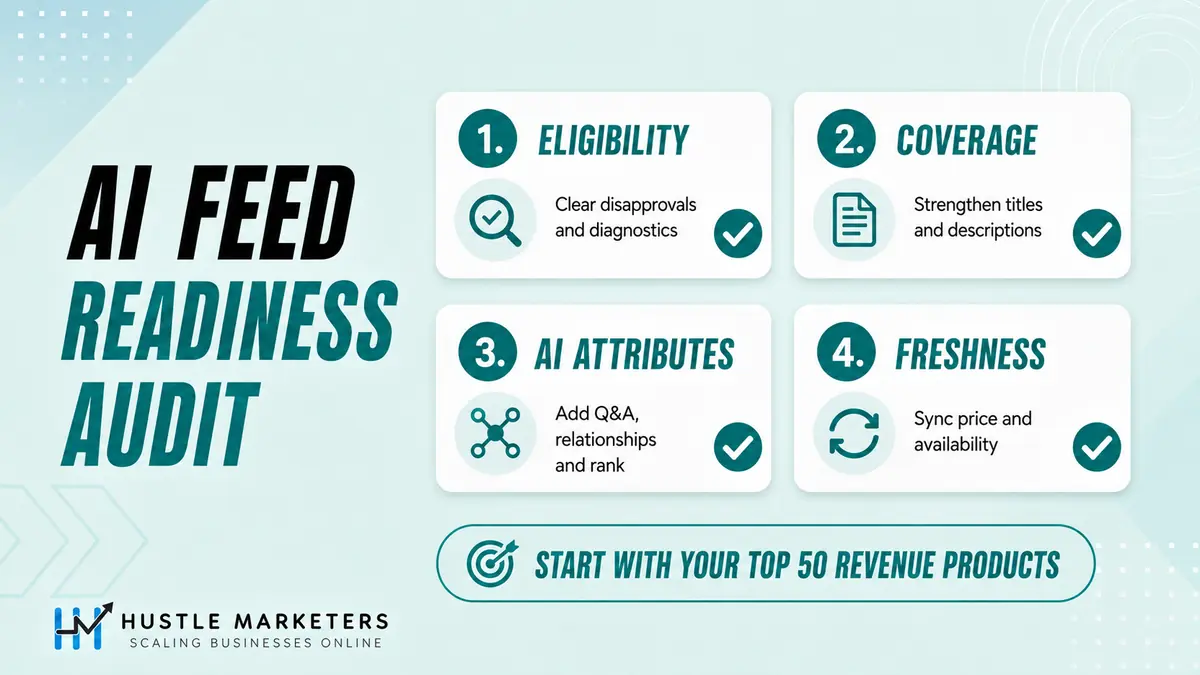
| Check | What to look at | Pass standard | Priority |
|---|---|---|---|
| 1. Eligibility | Disapprovals, account issues, GTIN and price mismatches, free listings status | No disapprovals on top revenue products, free listings on | Critical |
| 2. Coverage and specificity | Titles, descriptions, images, product_type, highlights on the top 50 products | Meets Google’s core best practices listed above | Critical |
| 3. Conversational attributes | question_and_answer, variant_option, related_product, popularity_rank, document_link | Filled and processed on the top 20 to 50 products | High |
| 4. Freshness | Price and availability sync, popularity_rank refresh, broken PDF or video links | Updates at least as often as your prices and stock change | High |
You do not need 40,000 SKUs enriched this quarter. You need your revenue drivers done this month. If any of your products are under review for policy, fix that before enriching them, starting with our Merchant Center suspension guide.
Can Conversational Attributes Get You Into Policy Trouble?
Yes, if the answers make claims your product or landing page cannot support. Google requires product data to match your website, and question_and_answer is free text that is easy to over-sell in. Treat every answer like ad copy that a reviewer will compare against your product page.
| Risky answer | Why it is a problem | Safer version |
|---|---|---|
| “Guaranteed to fix back pain” | A health claim the product page cannot support | “The cushioned midsole is designed for long runs on hard trails.” |
| “Cheapest price online” | A price claim, and prices are time-related information Google says to keep out of Q&A | Leave pricing to price, sale_price and promotions |
| “Ships free in 2 days” | Shipping promises belong in shipping settings and change over time | Set shipping speed in Merchant Center |
| “Better than Brand X” | An unsupported comparison | Describe your own specs and let related_product point to substitutes |
Misleading or unsupported claims are one route to a misrepresentation review. If that has already happened, our misrepresentation appeal guide walks through the fix.
Troubleshooting: What to Check When It Is Not Working
Most problems here are quiet. Nothing errors, the data simply does not appear. Work through this table before deciding the attributes do not help.
| Symptom | Likely cause | What to do |
|---|---|---|
| No AI performance tab in Merchant Center | Account outside the US, Canada, Australia, New Zealand or India, or no English-language data yet | Confirm market and language, then allow a few days for the data lag |
| Share of voice shows 0 | Usually too few impressions rather than zero visibility | Check impression volume before treating it as a ranking problem |
| Share of voice shows 100 percent | No competitors defined for your account | Do not read it as market dominance |
| Cannot find supplemental source options | Advanced data source management add-on not turned on | Turn on the add-on, then add the supplemental source |
| Values uploaded but not on the product | id, feed label or language does not match the primary source, or the source is not linked | Compare ids with a Merchant Center export and check the source links |
| Highlights or Q&A cut in half | A comma or colon was parsed as a separator | Switch to TSV or Sheets and escape or quote the values |
| related_product ignored | Identifier does not exist, contains illegal characters, or several ids were joined in one entry | One entry per related product, check every id or GTIN exists |
| variant_option ignored | Missing item_group_id or item_group_title, or different option names across the group | Submit all three and use identical option names on every variant |
| video_link rejected | URL points to a page with a player, or the video is too short, too long or below 720p | Use a YouTube URL or direct file link that meets the specs |
| Member price not showing in ads | Discount below 5 percent or 5 currency units, or no Customer Match list for known members | Check the discount threshold and your Customer Match upload |
| No cart transfer option | Not onboarded to the UCP integration hub, or outside the US during rollout | Check eligibility in the UCP integration hub |
| Conflicting values between sources | Primary and supplemental sources both set the same field | Keep one owner per field and check source priority |
Timeline: How Google Rolled Out AI Shopping Attributes in 2026
These are the Google Merchant Center updates that matter for AI shopping, in the order they happened.
| Date | What happened |
|---|---|
| 11 January 2026 | Google announces Universal Commerce Protocol, Business Agent and new Merchant Center attributes for conversational commerce |
| 25 March 2026 | Loyalty program benefits expand to more countries and to AI Mode and Gemini |
| 14 April 2026 | Product data specification update introduces video_link |
| 30 April 2026 | AI Max for Shopping launches in beta |
| 19 May 2026 | Google describes the Shopping Graph as a catalog of over 60 billion product listings |
| 20 May 2026 | Conversational attributes announced at Google Marketing Live and added to the product data specification |
| 30 June 2026 | Product videos become eligible to serve |
| 14 July 2026 | AI performance insights reported in a pilot with select US accounts |
| 18 August 2026 | Content API for Shopping sunset, with progressive errors from 1 September |
| 3 September 2026 | Google’s help page expands AI performance insights to Australia, Canada, India and New Zealand for English-language queries |
| 9 September 2026 | New AI search intent, AI search terms and AI attributes sections reported in the report |
| 16 September 2026 | Google confirms AI performance insights in five countries, opens the Business Agent in YouTube ads beta and adds UCP cart transfer. Google’s Ads Decoded post describes AI Max for Shopping as in open beta |
Why Choose Hustle Marketers for AI Shopping Readiness
Hustle Marketers is led by founder Ishant Sharma, a Google Ads, Microsoft Ads and SEO specialist who has worked in digital marketing since 2013. We are a Google Partner agency that has worked with 2,500+ brands and tracked $780M+ in client revenue, and we work from Google’s own feed documentation.
A note on what the results below do and do not show. They come from feed, tracking and campaign work that predates the conversational attributes, so read them as evidence that we know product feeds, not proof that these fields produced the numbers. We took a cold-start Shopify account to 8.5x ROAS in 60 days, got Silicon Lightworks live on Google Shopping after fixing their Merchant Center foundation, generated 1500% ROAS for ArmorGarage with a feed-driven Performance Max build, and drove 15.25x ROAS for a UK Shopify brand. Ongoing attribute upkeep, popularity_rank refreshes and AI performance monitoring sit inside our ecommerce PPC management. If you want your feed checked against the four audit steps above, Get Free Audit Worth $500.
Conclusion
The product feed most brands set up once for Shopping ads now shapes how they show up in AI Mode, AI Overviews, YouTube ads with Business Agent and AI-rewritten Shopping ad titles. Adobe measured AI-referred traffic to US retail sites growing 393 percent year over year in Q1 2026, and in March 2026 that traffic converted 42 percent better than non-AI traffic. Those are figures for AI-referred retail traffic overall, not a measured return on these attributes. The playbook is short: take your AI performance baseline, fix eligibility, enrich your best sellers with the worked example above, and test before you scale.
FAQs
What are conversational attributes in Google Merchant Center?
Conversational attributes are six optional product data fields Google added in May 2026: question_and_answer, document_link, related_product, item_group_title, variant_option and popularity_rank. They help AI systems such as AI Mode understand product details and answer shopper questions. Google says adding them won’t affect the approval status of existing products.
What’s the purpose of attributes in the product feed?
Attributes describe your products in a structured way so Google can match them to searches, show the right details and decide eligibility. Core attributes like id, title, price, availability and GTIN tell Google what you sell. AI attributes such as question_and_answer and product_detail give AI Mode the context to recommend a product in a conversation.
Do I need to fill in all six conversational attributes?
No. All six are optional. Start with the fields that fit the product: question_and_answer for products that get pre-sale questions, item_group_title and variant_option for products with variants, related_product for products with parts or accessories, and document_link where you have manuals or size guides.
Do conversational attributes improve Google Shopping ads or Performance Max?
Google has not said they change ad ranking. It documents them mainly for conversational experiences such as AI Mode. Feed detail does matter for paid in other ways, though: AI Max for Shopping rewrites ad titles from your feed data, and Business Agent in YouTube ads needs a Demand Gen campaign using Merchant Center feeds.
How does Google Shopping AI Mode use my product feed?
Google AI Mode shopping results draw product recommendations from the Shopping Graph, which includes Merchant Center data. When a shopper asks a long, specific question, products whose data answers it are easier for the system to match, so titles, highlights, details, variants and conversational attributes can all influence whether and how your product appears.
Which AI platforms use my Google Merchant Center feed?
Google’s AI Mode and AI Overviews use Merchant Center data, and Google’s loyalty and checkout documentation also covers the Gemini app. ChatGPT, Claude and Perplexity use their own retrieval. A March 2026 Peec AI study found over 83 percent of ChatGPT carousel products strongly matched Google’s top organic Shopping results, although ChatGPT has leaned more on merchant feeds since July 2026.
How do I check AI performance insights in Merchant Center?
Open Analytics, then Products, then the AI performance tab. It is available for English-language queries on accounts in the US, Canada, Australia, New Zealand and India, covering organic AI Mode and AI Overviews traffic. It shows share of voice, competitors’ average share, frequency and products showing, updated daily with a few days’ lag.
Is AI performance insights available in the UK?
Not as of 17 September 2026. Google lists only the US, Canada, Australia, New Zealand and India, for English-language queries. UK stores can still add conversational attributes, which are available in all countries, but they will not see this report until Google expands it.
Can I choose my competitors in the AI performance report?
Not inside the report. It benchmarks you against the competitors already defined in Merchant Center. If no competitors are defined, your share of voice can show 100 percent, which does not mean you dominate the category.
Should I add conversational attributes to my primary feed or a supplemental feed?
Google recommends a supplemental data source. It keeps enrichment separate from the feed your platform generates, so an app sync cannot overwrite your answers, and it makes testing on a small group of products easy. Every id in the supplemental source must already exist in your primary feed.
Can I use question_and_answer and document_link for the same information?
You should not. Google says to skip question_and_answer entries when the same information is already in a PDF you submit through document_link, and not to repeat details already in the title, description, product_highlight or product_detail.
How is popularity_rank calculated?
You calculate it yourself. Google only asks for a number from 0 to 100, with at most one decimal, that reflects how well the product sells relative to your inventory. A simple method is the percentile rank of each product’s trailing 90 day net revenue, refreshed weekly.
What is Business Agent in YouTube ads?
It is a beta, announced on 16 September 2026, that places Google’s Business Agent inside YouTube ads so viewers can ask product questions without leaving YouTube. It is open to eligible US retailers through an interest form, and the form asks for an active Demand Gen campaign using Merchant Center feeds.
What is Google agentic checkout?
Agentic checkout lets shoppers buy eligible products directly in AI Mode and the Gemini app through Universal Commerce Protocol. Merchants mark eligible products with native_commerce checkout_eligibility set to true. Google is also gradually rolling out cart transfer to US merchants using the UCP integration hub, which sends shoppers to your own site with the cart filled.
What is member pricing in Google Shopping?
Member pricing shows loyalty program prices and perks on Google, including Shopping ads, free listings and, in the US, AI Mode and the Gemini app. You set it up with the loyalty add-on in Merchant Center and the loyalty_program attribute. In ads, member pricing only shows when the discount is at least 5 percent or 5 units of currency.
Does the Shopify Google and YouTube app support conversational attributes?
We could not find Google or Shopify documentation confirming the app syncs the six conversational attributes, so check your processed products before assuming anything. The reliable method is a supplemental Google Sheet keyed on the exact ids the app sends to Merchant Center.
How do I make my products show in AI shopping assistants?
Start with eligibility: fix disapprovals and turn on free listings in Merchant Center. Then meet Google’s core feed best practices, add conversational attributes to your best sellers, and keep price and availability fresh. For assistants outside Google, such as ChatGPT, check each platform’s own merchant program as well.
Do I need Google Ads for AI shopping visibility?
Not for organic visibility. The AI Mode and AI Overviews results measured by the AI performance report are organic, and paid traffic is excluded. A clean, eligible Merchant Center feed with free listings turned on is the starting point, and Google Ads adds paid placements on top.
Sources
Specifications on this page come from Google’s own documentation, last verified 17 September 2026: How to use conversational attributes, question and answer, document link, related product, item group title, variant option, popularity rank, product highlight, product detail, video link, loyalty program attribute, loyalty programs, native commerce, AI performance insights, Business Agent, Advanced data source management, structured title, AI Max for Shopping campaigns and the Merchant API ProductAttributes reference, the UCP Cart API guide, the UCP Merchant Center setup guide and Create a product data source.
Announcements: Boost your holiday sales with these agentic commerce updates (Google, 16 September 2026), Ads Decoded holiday strategies (Google, 16 September 2026), Merchant Center feeds best practices and Google’s Shopping Graph figures from May 2026 and May 2025. Research: Peec AI on ChatGPT carousel overlap, Profound on feed-sourced versus page-sourced offers, Profound’s September 2026 ChatGPT shopping follow-up, FeedOps product highlights study, GoDataFeed conversational attribute mapping and Adobe on AI-referred retail traffic.
Free tool
Google Shopping Feed Validator and Bing Feed Mapper
Upload your Merchant Center feed (CSV, TSV, TXT or XLSX) or paste a Google Sheet link. It flags missing attributes, character limits, GTIN and price errors, maps all 51 attributes to Microsoft Merchant Center, and exports a Bing ready file. Runs in your browser, nothing is uploaded.
Check your feed freeFor the search side of the same problem, our guide to AI search optimization covers which AI crawlers decide whether you get cited and what Google documents about structured data for AI features.