Google Discover: How to Get Your Content Into the Feed

Ishant
Published : October 7, 2026 at 10:23 am
Updated : October 28, 2026 at 3:14 pm
Ishant
Written by Ishant Sharma, Founder, Hustle Marketers | Published October 7, 2026
Google Discover is the traffic source nobody plans for. A post sits quietly for weeks, then one morning Search Console shows a spike that dwarfs your search traffic, sourced entirely from a feed you cannot see, for a keyword that does not exist. Then, just as suddenly, it is gone.
We have watched this happen on client sites often enough to treat Discover as a real channel with its own rules, not a lottery ticket. This guide covers what Discover is, how it differs from the old Google Feed, what actually gets content into it in 2026 (including on desktop), how to track it in Search Console, and how to handle the volatility that every honest practitioner will warn you about.
Summarize this article with:
Key Observations
- Google Discover is a personalized, zero-query content feed shown in the Google app, on Chrome mobile, on Android home screens, and on eligible desktop experiences where available.
- “Google Feed” and “Google Discover” are the same product. Google renamed the Feed to Discover in 2018.
- There is no keyword to rank for. Discover matches content to user interests, so E-E-A-T, topical authority and headline quality replace keyword targeting.
- Non-negotiables: people-first content, images at least 1200px wide with max-image-preview:large enabled, clear bylines, and solid mobile UX.
- You cannot force inclusion. There is no Discover submission form, no special markup, and no RSS requirement.
- Discover traffic is volatile by design. Spikes decay fast, so treat it as a bonus channel, never a forecast line.
- Track it in Search Console under Performance, where a separate Discover report appears once you receive impressions.
Table of Contents
- What Is Google Discover?
- Google Feed vs Google Discover
- How Discover Decides What to Show You
- Discover vs Search: Why There Is No Keyword to Rank For
- How to Get Your Content Into Discover
- What Google Will Not Show in Discover
- Does Discover Work for Small Sites and B2B?
- Tracking Discover in Search Console
- The Volatility Problem: Why Discover Traffic Spikes and Vanishes
- Discover in 2026: Desktop, the February Update and AI Overviews
- Free Download: Discover Readiness Checklist
- Eligibility Is Not Performance
- FAQs
- Sources and Verification
What Is Google Discover?
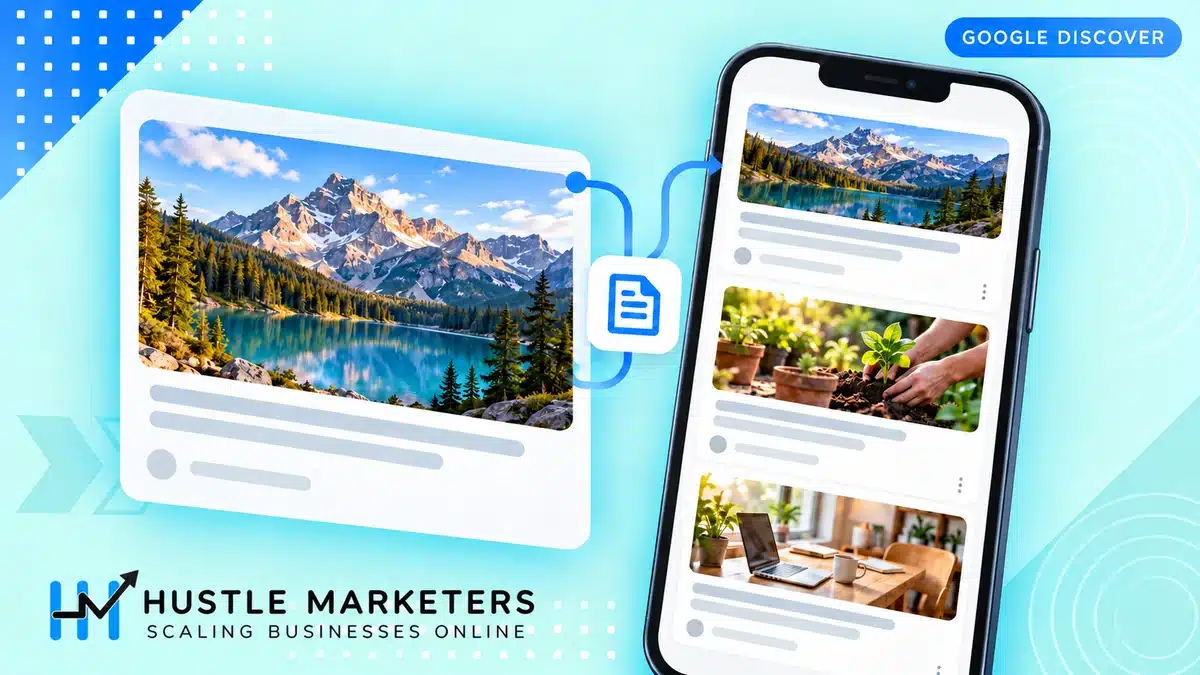
Google Discover is a personalized feed of articles, videos and other content that Google shows people based on their interests, without them searching for anything. The Discover feed appears in four main places: the Google app (iOS and Android), the Chrome mobile homepage (the new tab page), the Android swipe left screen that sits beside the home screen on many phones, and on eligible desktop experiences where Discover is available.
That last one is still rolling out country by country, so check whether it is live in your market. Where it is, Discover is no longer a mobile-only surface, and the audience pool is bigger than it was.
Discover is what search people call a zero-query surface. Nobody typed anything. Google’s systems look at what a person reads, watches and searches, then predict what they will want to see next. When your article appears there, you did not rank for a keyword. You matched a person.
Google Feed vs Google Discover
Google Feed and Google Discover are the same thing. Google launched the Feed in 2017 as a stream of personalized content in the Google app, then renamed it Google Discover in September 2018, adding topic headers, the Follow feature, and evergreen content alongside news. If you are searching for “Google Feed optimization” in 2026, Discover is the product you are looking for.
The Google Feed rename came with a genuine shift in behavior, not just branding. The old Feed leaned heavily on news. Discover deliberately mixes in evergreen content when it fits someone’s interests, which is exactly why non-news sites, including business and ecommerce blogs, can earn Discover traffic at all. That shift is the reason this guide exists.
How Discover Decides What to Show You
Discover is driven by machine learning recommendations built on the interest profile Google assembles from each user’s activity, mainly their Web & App Activity: searches, Chrome browsing history, YouTube history, location signals and the topics they follow. Google’s systems match that profile against a pool of content its algorithms consider high quality and engaging.
From the publisher side, three forces decide whether your content enters that pool and gets shown:
- Content quality signals. Google says Discover uses many of the same signals and systems as Search to decide what is helpful, people-first content, so the quality bar is the one you already know from search.
- Topical authority. Sites that consistently publish on a topic get shown for that topic. A one-off post on a subject you never cover rarely travels.
- Engagement feedback. Discover watches how users respond. Strong click-through and satisfied readers earn more distribution; ignored cards and clickbait-style disappointment kill it. In our experience Discover traffic tends to build on itself: sites with loyal audiences who already read them through newsletters, push notifications and direct visits usually do better in the feed than sites that rely on one-off visitors.
Discover vs Search: Why There Is No Keyword to Rank For
Everything you know about keyword SEO needs a mental reset here. In search, demand exists first, and you compete to answer it. In Discover, there is no demand until Google creates it by showing someone your card. That flips the playbook:
| Dimension | Search | Discover |
|---|---|---|
| Trigger | User types a query | Google predicts interest |
| Targeting | Keywords and intent | Topics and audiences |
| Traffic pattern | Steady, compounding | Spiky, decaying |
| Lifespan of a win | Months or years | Usually days |
| What you optimize | Relevance to a query | Appeal of headline + image to a person |
| Predictability | Forecastable | Not forecastable |
Keyword research still matters indirectly, because it tells you what topics an audience cares about, and topics are what Discover runs on. Understanding how Google interprets topics and entities, which we cover in our semantic search guide, is more useful for Discover than any keyword tool.
How to Get Your Content Into Discover
There is no submission form and no magic markup. Getting into Discover means making your content eligible, appealing and trustworthy, then publishing consistently on topics where you have authority. Here is what moves the needle.
People-first content and E-E-A-T
Discover’s documentation is unusually direct: it says Discover uses many of the same signals and systems as Search to decide what is helpful, people-first content, and points publishers to Google’s guidance on creating it. In practice that means clear author bylines linked to real author pages, first-hand knowledge visible in the writing, accurate dates, and a site that makes it obvious who is behind it. Thin rewrites of other people’s news do not sustain Discover traffic even when they briefly get it. This is the same content bar we push in our guide to creating engaging marketing content, and Discover is where that investment pays most visibly.
Headlines that earn clicks without clickbait

Your headline and image are the entire pitch in Discover. Nobody searched for you, so the card has to earn the tap on its own. At the same time, Google explicitly demotes clickbait: headlines that withhold information (“You won’t believe what happened next”) or overpromise against what the page delivers. The craft is a headline that creates genuine curiosity and pays it off. “How a 12-person safari company doubled organic traffic” works. “This one trick changed SEO forever” gets you filtered.
Write headlines for a human scrolling a feed at breakfast, not for a keyword parser. Specificity, numbers, tension and a clear promise beat keyword-stuffed titles every time here.
Images: the 1200px rule and max-image-preview:large
Discover is a visual feed, and Google is explicit about image requirements. Large, high-quality images earn large cards; small images earn small cards or none. The specs:
| Requirement | Specification |
|---|---|
| Minimum width | 1,200px |
| Robots meta tag | max-image-preview:large must be enabled (or use AMP) |
| Content | Compelling, relevant image, not a site logo |
| Aspect ratio in practice | 16:9 works well; provide 16:9, 4:3 and 1:1 versions via Article schema where you can |
| Formats | Standard web formats (JPEG, WebP, PNG) |
Two failure modes we find constantly in audits: hero images that are technically present but under 1200px wide, and sites whose CMS or SEO plugin never enabled max-image-preview:large. Both silently cap your Discover potential to almost nothing. Check them once, fix them site-wide, done. This kind of check is exactly what lives in the Content tab of our free SEO audit template.
Timeliness, freshness and refreshing evergreen content
Discover loves recency. New posts get their shot within the first days after publication, and updated content gets re-evaluated. That does not mean only news wins: evergreen pieces surface when they match current interest waves, and meaningfully refreshing an older post (new information, updated date honestly earned, improved images) can put it back in rotation. We call this an evergreen refresh, and we have seen refreshed evergreen posts earn their first Discover impressions years after original publication. Refresh on a real cadence and make the updates substantive; changing the date alone is exactly the kind of trick Google’s systems are built to ignore.
Structured data: Article, NewsArticle, VideoObject
There is no Discover-specific schema, but proper Article or NewsArticle markup with headline, author, dates and the multi-ratio images mentioned above helps Google understand and present your content correctly. VideoObject matters if you publish video, since video cards appear in the feed too. This is hygiene, not a growth hack: it removes friction rather than adding rankings.
Build a loyal audience
The least intuitive Discover tactic has nothing to do with the page: grow the audience that already loves you. Newsletter subscribers, push notification opt-ins, and readers who visit directly or follow your site through Discover’s Follow feature, which places your new posts in their Following tab, all generate the engagement signals that tell Google your brand is worth recommending to similar people. This is why publishers obsess over loyalty metrics, and why a brand nobody seeks out struggles in Discover no matter how good a single article is. Distribution earns distribution.
Mobile UX and Core Web Vitals
Discover remains overwhelmingly a mobile experience, and page experience is part of the quality picture. A user who taps your card and waits four seconds staring at a blank screen is a negative signal you paid traffic to collect. Get your Core Web Vitals to “good” on mobile, especially LCP for those image-heavy article pages. Our Core Web Vitals and INP guide covers exactly how to check and fix this without a developer on retainer.
What Google Will Not Show in Discover
This part is barely covered anywhere, and it explains a lot of “why am I not in Discover” mysteries. Google documents categories it excludes or demotes in the feed:
- Clickbait, as above: withholding or exaggerating headlines and thumbnails get demoted.
- Misleading or altered media, including manipulated images presented as real.
- Adult, violent or gory content, held to a stricter bar than search.
- Content that contradicts consensus on sensitive topics, particularly health and civic information, where Discover applies extra caution.
- Job applications, petitions, forms, code repositories and satire without context. Google says Discover might not recommend these. In our experience product and service pages essentially never appear either, because Discover is a content feed. Your blog is your Discover surface, not your category pages.
If your site sits in a sensitive vertical like health or finance, expect a higher trust bar and slower entry. That is by design, not a penalty.
Does Discover Work for Small Sites and B2B?
Honest answer: sometimes, and less reliably than for publishers. Here is how we frame it with clients.
Discover skews toward consumer interest topics: news, sport, food, travel, tech, lifestyle, shopping. A travel operator, a recipe site, a pet brand or a consumer tech blog has a genuine shot. Our clients in visual, consumer-facing niches see Discover impressions with no special effort beyond the eligibility work above. Content-led consumer brands like the pet retailer in our pet store SEO case study are structurally well suited to it: visual products, broad-interest topics, steady publishing.
Narrow B2B is harder. A procurement software blog will not ride the same interest waves as a food site. But “harder” is not “impossible”: B2B content with a human angle (career advice, industry news analysis, salary data, strong opinion pieces) does surface, because the professionals in that niche are also Discover users with professional interests. What fails is bottom-funnel product content, which Discover would not show for anyone.
Small sites can absolutely appear. Discover cares about topical authority and engagement more than domain size. But small sites also feel the volatility hardest, which brings us to tracking and the traffic rollercoaster.
Tracking Discover in Search Console
Discover gets its own performance report in Search Console, but the GSC Discover report only appears after your site receives Discover impressions. If you do not see it, you have no meaningful Discover traffic yet.
- Open Google Search Console and select your property.
- In the left menu under Performance, look for Discover. It sits alongside “Search results” once you qualify.
- The report shows clicks, impressions and CTR for the last 16 months. There are no queries, because there are none; the primary dimension is the page.
- Click the Pages tab to see which URLs earned Discover traffic. Expect a handful of posts to dominate.
- Use the date comparison filter to spot spike patterns: when a post took off, how long it lasted, how it decayed.
- Check Appearance filters where available to separate standard cards from other formats like video.
Two practical notes from our own reporting. First, keep Discover data out of your organic search trend lines, or one lucky spike will wreck every month-over-month comparison for two quarters. Report it as its own channel. Second, screenshot or export spike data when it happens; 16 months of history disappears faster than you think when you are trying to understand what worked.
The Volatility Problem: Why Discover Traffic Spikes and Vanishes
This is the section most guides skip, and it is the first thing anyone with real Discover experience will tell you. Discover traffic does not behave like search traffic. A post gets picked up, distribution snowballs for two to five days as engagement feeds more impressions, then decays to near zero as the feed moves on. Sitewide Discover traffic can also drop sharply after core updates, since Discover inherits Google’s quality systems.
Why it happens: the feed rewards recency and novelty, interest waves pass, and your card simply stops being the freshest match. Nothing is wrong. That is the product working as designed.
How to de-risk Discover dependence
- Never forecast it. Discover is upside, not budget. Any plan that assumes last quarter’s spike repeats will fail.
- Play the portfolio. Publish consistently in your topic areas so multiple posts get shots at the feed. Ten candidate posts a month smooths the curve one viral post never will.
- Convert the spike. When a post takes off, capture the audience: newsletter sign-up in the post, related-content links, push opt-in. Turning drive-by Discover readers into loyal followers is the only durable Discover strategy, and it feeds the loyalty signals that earn future distribution.
- Keep search as the base. Evergreen search rankings pay the bills; Discover is a bonus. Every de-risking conversation ends with a solid SEO strategy underneath.
Discover in 2026: Desktop, the February Update and AI Overviews
Three 2026 realities shape how much Discover deserves your attention.
First, desktop. Google began rolling Discover out to the google.com homepage on desktop in 2025, but by September 2026 it had disappeared there again, as Search Engine Roundtable reported on 17 September 2026. Google has not announced a return, so plan for Discover as a mobile feed in the Google app and Chrome on phones.
Second, the February 2026 Discover core update. Google began rolling it out on 5 February 2026 for English-language users in the US, with other countries and languages to follow. Its stated aims are more locally relevant content from websites based in the user’s country, less sensational content and clickbait, and more in-depth, original and timely content from websites with expertise in a given area (Search Engine Journal, 5 February 2026). For a B2B site, that favors fewer, deeper pieces in the topics you are known for.
Third, the broader shift to zero-click and zero-query discovery. AI Overviews answer many queries directly in search, and AI assistants answer questions with citations rather than ten blue links. In that world, surfaces that push content to users, Discover included, grow in relative importance, because waiting for the click from a classic SERP is a shrinking game. The brands winning now treat visibility as a portfolio: rankings, Discover, and AI citations together.
We saw this compound for a family entertainment center in our Rec Hall case study, which grew organic clicks 117% over a three month comparison while building AI visibility at the same time. If that side of the portfolio is new to you, start with our guides to ranking in ChatGPT search and tracking brand visibility in AI search.
Free Download: Discover Readiness Checklist
We condensed everything above into a one-page Discover readiness checklist: eligibility checks (images, meta tags, schema, bylines), content quality questions, and the tracking setup. Ungated, no email required, same policy as our SEO audit template.
Discover Readiness Checklist (PDF)
Run it against your last ten posts. In our experience, most sites fail at least two eligibility basics, usually image width and max-image-preview:large, and fixing those is the fastest possible Discover win.
Eligibility Is Not Performance
For a page to be a strong Discover candidate, use a representative image at least 1200 pixels wide and over 300,000 total pixels. A 16:9 image is recommended because Discover may crop it. Enable large previews through max-image-preview:large or AMP, and reference the image with the page’s image property or og:image. Do not use a logo or text-heavy placeholder as the primary image.
These steps create eligibility, not guaranteed distribution. Discover availability and surfaces can vary by user, device and rollout. Measure impressions, click-through rate and content decay in Search Console, but do not put Discover spikes into a fixed traffic forecast.
The goal is a page that deserves selection across search, Discover and AI surfaces. Learn how our SEO agency approaches the work, then compare the method with the evidence in our Rec Hall SEO and AI visibility case study.
FAQs
What is Google Discover and how does it work?
Google Discover is a personalized content feed that shows articles and videos based on a user’s interests, with no search query involved. It appears in the Google app, on Chrome mobile, on Android home screens and, in some countries, on the google.com homepage on desktop. Google matches content to users based on their activity history, and rewards content that earns engagement from the people it is shown to.
How do I get my content on Google Discover?
Make your content eligible and appealing, then publish consistently on topics where your site has authority; there is no submission process. Eligible and appealing means people-first content with clear bylines, images at least 1200px wide with max-image-preview:large enabled, honest headlines, Article structured data and a good mobile experience. Then Google decides. Most sites that qualify see their first impressions within days to weeks of publishing content that matches user interests.
Is Google Feed the same as Google Discover?
Yes. Google launched the Feed in 2017 and renamed it Google Discover in September 2018, adding the Follow feature and more evergreen content in the process. Any current advice about “Google Feed optimization” is really about Discover.
Do I need special markup or an RSS feed for Discover?
No. There is no Discover-specific markup and no RSS requirement; if your page is indexed and meets Google’s content policies, it is eligible. Standard Article or NewsArticle schema and the max-image-preview:large robots setting help your content present properly, but they are the same fundamentals that serve regular search.
What image size does Google Discover require?
Images should be at least 1,200px wide, and your pages must allow large image previews via the max-image-preview:large robots meta tag (or AMP). Use a compelling content image rather than a logo. Smaller images sharply reduce your chances of getting the large cards that drive most Discover clicks.
How do I track Discover traffic in Search Console?
Open Search Console and look for “Discover” under the Performance section in the left menu. The report appears only once your site has received Discover impressions, and shows clicks, impressions and CTR by page for up to 16 months. There is no query data, because Discover traffic does not come from queries.
Does Discover work for evergreen and B2B content?
Evergreen content, yes: Discover surfaces older content when it matches current interests, and substantive refreshes can put posts back into rotation. B2B is harder because the feed skews toward consumer interests, but human-angle B2B content such as industry analysis, career topics and strong opinion pieces does appear, and the desktop rollout has widened that window. Bottom-funnel product pages will not show up for anyone.
Is Google Discover available on desktop?
In some countries, yes. Google announced in April 2025 that Discover would expand to the google.com homepage on desktop, and it has been rolling out market by market, so check whether it is live where your audience is. Where it is, that expands the audience beyond mobile scrolling and makes professional-interest content a more realistic Discover play than it used to be.
Why did my Discover traffic suddenly drop?
Usually nothing is broken. Discover traffic is spike-shaped by design: a post rides an interest wave for a few days, then decays as the feed moves to fresher content. Sitewide drops that persist often line up with Google core updates, since Discover uses the same quality systems as search. Check Search Console dates against known updates before assuming a technical problem.
Does keyword SEO help with Discover?
Not directly, because there are no queries to rank for. Indirectly, yes: keyword and topic research reveals what your audience cares about, and topical authority built through search-focused publishing is a major Discover input. Sites that rank well and satisfy searchers tend to develop exactly the quality and authority signals Discover rewards.
How often should I refresh content for Discover?
Refresh your best candidates when you have something real to add: new data, developments, better images, updated advice. For posts in active topic areas, a meaningful review every few months is reasonable. Cosmetic date changes without substantive updates do not work and are the kind of pattern quality systems are trained to discount.
Why is my website not showing up in Google Discover anymore?
The most common causes are a Google core update lowering how Discover’s quality systems rate your site, or simply the end of the interest wave your content was riding. Discover inherits search’s quality systems, so sitewide losses often line up with core update dates. Check your GSC Discover report against known updates, then re-verify the eligibility basics: image width, max-image-preview:large and clear bylines.
How long does it take for a new article to appear in Google Discover?
Usually within the first few days after publication, if it gets picked up at all, because Discover strongly favors fresh content. If an article has not surfaced within a week or so, it typically will not, unless a later interest wave or a substantive evergreen refresh puts it back in rotation. There is no queue or review process to wait on.
Can a small blog get Google Discover traffic without high domain authority?
Yes. Discover cares about topical authority and reader engagement more than domain size, so a small site that publishes consistently on one topic can outperform a large generalist site in the feed. The trade-off is volatility: small sites feel the spikes and drops hardest, so never build a traffic forecast on it.
Should I write different headlines for Google Discover than for search?
Ideally yes, because the jobs are different: a search title matches a query, while a Discover headline has to earn a tap from someone who was not looking for you. Write for curiosity and specificity without withholding information, since Google demotes clickbait in the feed. Many CMS setups let you set a feed or social headline separately from the SEO title, which lets you do both.
Does Google Discover work for ecommerce stores?
For blog content, yes; for product and category pages, no. Discover is a content feed and essentially never shows transactional pages, so ecommerce brands earn Discover traffic through buying guides, trend pieces and other editorial content with strong images. That traffic then feeds email capture, retargeting audiences and future brand searches.
How do I keep the traffic after a Google Discover spike ends?
Convert the spike audience into channels you control: newsletter signups, push notification opt-ins and follows. A Discover spike always decays within days, so the readers you capture during it are the only durable outcome. Those loyalty signals also improve your odds of future Discover distribution, since engaged returning readers are exactly what the feed rewards.
Want a content strategy that earns Discover traffic instead of hoping for it?
Our SEO agency builds topic-authority content plans that compound across search, Discover and AI surfaces at once. Or start solo: grab the readiness checklist above, fix the eligibility gaps, and give your next ten posts a real shot at the feed.
Sources and Verification
Facts that can change were checked on October 7, 2026 against these primary sources: