
Google Merchant Center AI Attributes: Setup Guide for AI Shopping

Ishant
Published : August 1, 2026 at 5:48 am
Updated : September 11, 2026 at 7:29 am
Ishant
Summarize this blog post with:
ChatGPT, Claude, Gemini and Perplexity now recommend products before shoppers ever open a website, and they lean on structured product data rather than browsing the way people do. A March 2026 Peec AI analysis of more than 43,000 ChatGPT carousel products found 83 percent strongly matched Google’s top 40 organic Shopping results, and Profound’s review of over 1 million AI shopping offers found feed-sourced citations appeared as the top offer 99.9 percent of the time within the offers it studied. Both are platform-specific observations rather than universal rules. What Google documents is narrower and more useful: AI Mode, AI Overviews and Gemini read your Merchant Center data directly. This guide covers Google’s six conversational attributes, the two established fields Google also flags for AI, the new AI performance report, and the audit that gets you ready. For the wider workflow view, see our AI feed optimization guide.
Quick Summary: What Changed and What to Do First
Google added six conversational attributes to the Merchant Center product data specification. They are optional, they never affect product approval, and they exist so AI systems can answer detailed questions about your products. Two established fields, product_highlight and product_detail, carry the same AI note in Google’s documentation, which is why most practical checklists cover eight fields in total.
| What changed | What it means | What to do first |
|---|---|---|
| Six conversational attributes | question_and_answer, document_link, related_product, item_group_title, variant_option, popularity_rank | Add them to 20 to 50 best sellers through a supplemental feed, not the whole catalogue |
| They are optional | They do not change approval status or Shopping eligibility | Fix disapprovals and core product data before you enrich anything |
| Two established fields also matter | product_highlight and product_detail have their own rules and enforcement | Audit those separately, do not assume the same reassurance covers them |
| New reporting | AI performance insights in Merchant Center, organic AI traffic only | Take a baseline in Analytics, Products, AI performance before you change anything |
| No guaranteed uplift | Google documents what the fields do, not what they earn you | Treat it as a test on a product cohort and measure over 90 days, not 30 |
If you only do one thing this week: export your Merchant Center product data, fix anything disapproved, then add question_and_answer to your top 20 revenue products. Last verified 9 September 2026.
On This Page
- Which AI Surfaces Run on Your Merchant Center Feed?
- Conversational Attributes, Annotations and AI-Generated Fields Are Not the Same Thing
- The 6 Conversational Attributes and 2 AI-Flagged Fields, Field by Field
- A Worked Supplemental Feed Example
- The Formatting Mistake That Silently Breaks Your Data
- How to Check the Values Actually Landed
- What You Should Not Duplicate
- How Do I Check My AI Performance in Merchant Center?
- What Blocks AI Visibility Without Triggering Any Error?
- How Do I Run an AI Feed Readiness Audit?
- What About Buying Inside AI Chats?
- Troubleshooting: What to Check When It Is Not Working
- Why Choose Hustle Marketers for AI Shopping Readiness
- Conclusion
- FAQs
- Sources
Which AI Surfaces Run on Your Merchant Center Feed?
Google’s AI surfaces read the feed directly. AI Mode, AI Overviews, and Gemini all draw product answers from the Shopping Graph, which now holds more than 60 billion product listings with over 2 billion updated every hour, and that graph is built from Merchant Center data. A product with incomplete or unstructured data doesn’t disappear from the graph, it just becomes harder for AI systems to represent accurately when answering a natural-language shopping question. That’s why Google built a new class of feed attributes specifically for these surfaces instead of relying on what Shopping ads already used.
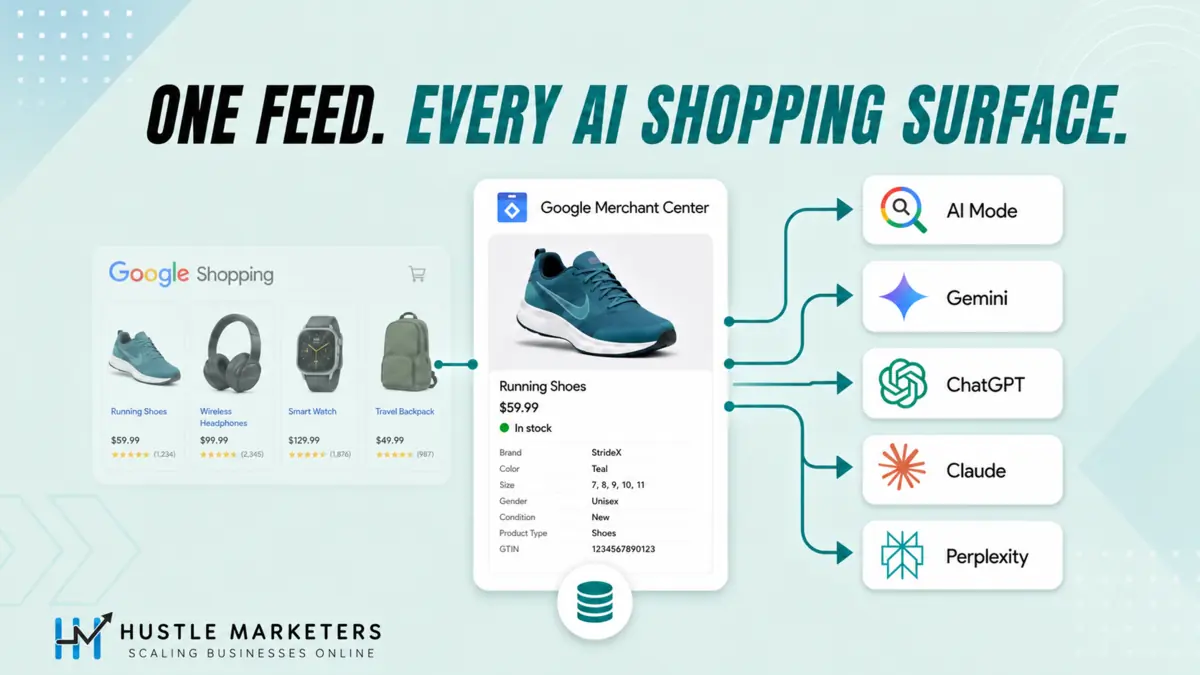
The reach goes beyond Google’s own products, though the evidence differs by platform. A March 2026 Peec AI analysis of more than 43,000 ChatGPT carousel products found 83 percent strongly matched Google’s top 40 organic Shopping results, with carousel order tracking Google Shopping’s own ranking, while Bing matched just 11 percent. That finding is specific to ChatGPT’s shopping carousel and that sample, it is not a measured figure for Claude, Gemini or Perplexity. Separately, Profound’s review of over 1 million AI shopping offers found that within the offers it studied, citations pulled from merchant feeds appeared as the top offer 99.9 percent of the time and carried complete brand, image and merchant details, against none for page-scraped offers. Those are observations about how these systems currently retrieve product data, not a promise that uploading a feed produces a given ranking. Google’s AI Mode, AI Overviews and Gemini are the surfaces documented to read Merchant Center directly. Claude and Perplexity lean on web and shopping results, a different mechanism, so treat clean structured product data as the common thread rather than assuming one universal integration.
One number that keeps this honest: around 88 percent of AI shopping offers still pull from product pages. The feed doesn’t replace your product page. The feed gets you included and ranked, the page still closes the sale.
Conversational Attributes, Annotations and AI-Generated Fields Are Not the Same Thing
Three different things get grouped together as “AI feed features”. They work differently, and mixing them up leads to wasted work.
| Term | What it actually is | Who controls it |
|---|---|---|
| Conversational attributes | Six optional data fields you submit in your feed | You submit the data, Google decides how and whether to use it |
| Annotations and badges | Display treatments such as sale price, price drop, shipping and returns | Google selects them dynamically from valid inputs you supply |
| AI-generated content fields | structured_title and structured_description with digital_source_type, used to declare AI-written text | You declare it. This is disclosure, not a relevance boost |
The practical takeaway: supplying valid data makes a treatment possible. It does not force Google to display it on every impression, and none of these fields buys you a ranking.
The 6 Conversational Attributes and 2 AI-Flagged Fields, Field by Field
At Google Marketing Live 2026, Google added conversational attributes to the Merchant Center product data specification, fields built specifically for AI Mode, AI Overviews, and Gemini rather than retrofitted from Shopping ads. Google’s documentation lists six: question_and_answer, document_link, related_product, item_group_title, variant_option, and popularity_rank. Two established fields, product_highlight and product_detail, carry the same note in Google’s docs, “primarily intended for use in conversational experiences such as AI Mode in Google Search.” That is why a complete AI feed optimization checklist covers eight fields in total:
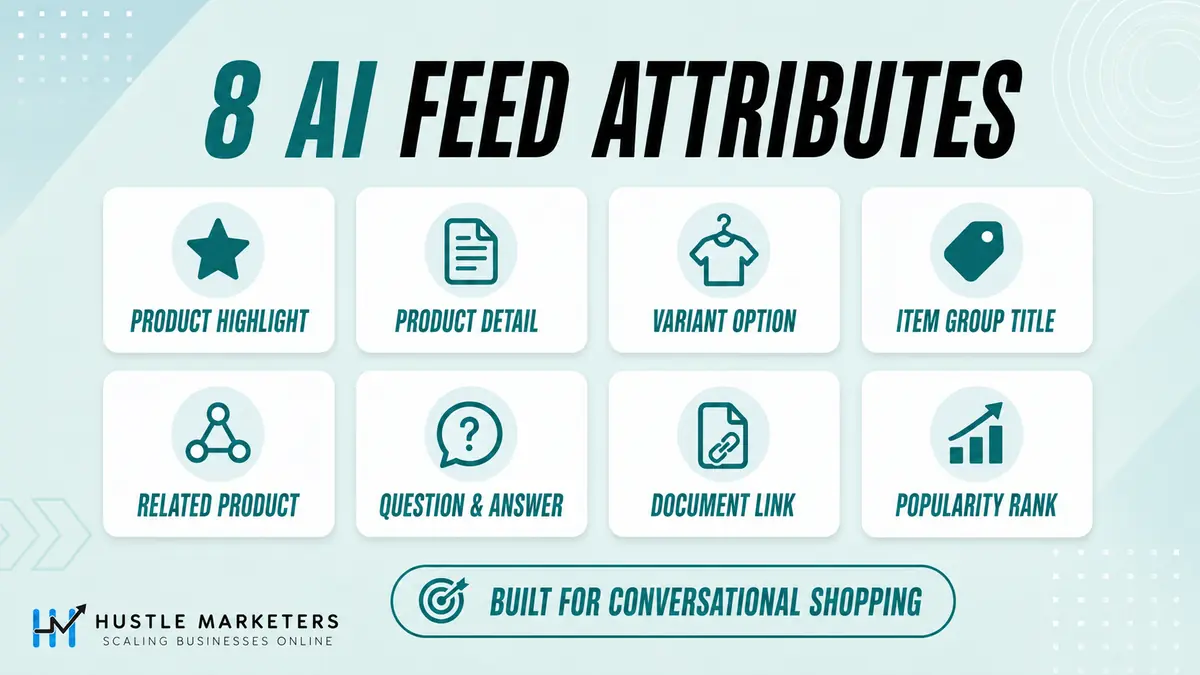
| Attribute | What It Does | Key Limits |
|---|---|---|
| product_highlight | Benefit bullets, like marketplace listing bullets inside your feed | 1 to 150 characters each. Minimum 2, maximum 100, Google recommends 4 to 6. Selling benefits only, not specs |
| product_detail | Technical specs in structured sections | section_name:attribute_name:attribute_value in a text feed, section name optional but recommended, name and value required. XML and Merchant API submissions use their own nested structures, not this colon format. Escape colons and commas inside values. Up to 100 entries. A malformed value is dropped, it does not disapprove the product |
| variant_option | Identifies the exact variant dimensions, standard ones included | Name and value up to 250 characters, up to 30 per product. Google recommends using it alongside the standard color, size, material, pattern, age_group and gender fields, not instead of them. Must be submitted with item_group_id and item_group_title, and the landing page must match |
| item_group_title | Shared title above variant titles | 150 characters, identical across variants, must differ from the individual variant title, no variant details. Maps to Schema.org ProductGroup.name |
| related_product | Structured accessories, required parts, substitutes, and bundles | Six relationship types. A repeated field, up to 30 entries on the same product. Give each related product its own entry, do not comma-separate identifiers, and do not duplicate the product row |
| question_and_answer | FAQ pairs answered directly in AI conversations | 30 pairs, 1,000 characters each, 10,000 total per product |
| document_link | PDF manuals and spec sheets AI answers from directly | Public PDF at an http:// or https:// URL, HTTPS recommended. 50MB max, 5 per product, crawlable. URL up to 2,000 characters and must stay stable. About the product, not a company brochure |
| popularity_rank | Sales rank across your own catalog | 0.0 to 100.0, at most one decimal place, no percent sign. Must reflect real relative selling performance. Genuine ties are fine, unsupported or copy-pasted scores are not |
Two things worth knowing before you build. The six conversational attributes are optional and do not affect product approval status, they simply hand AI systems information that previously lived only on the page or in a PDF. product_highlight and product_detail are established fields with their own formatting requirements and enforcement, so treat those separately rather than assuming the same reassurance covers all eight. On Shopify, check your processed product data and your integration’s current field mapping before assuming the native Google & YouTube channel submits these fields, because app support changes. Where a field is missing, add it through a supplemental Google Sheet in Merchant Center or a feed app, the same workaround we cover in our custom labels guide. Google does not prescribe a formula for popularity_rank, only that it reflects how well a product sells relative to the rest of your inventory, so document whatever recent-sales window and ranking method you use and refresh it when sales shift.
A Worked Supplemental Feed Example
This is one hypothetical product with the fields populated, so you can see the exact shape of the data. Swap in your own SKU and values.
The product: a stainless steel countertop dishwasher, SKU DW-6PL-SS. It is already live in the primary feed with title, price, image_link, GTIN, brand and availability. The supplemental sheet only needs the id plus the fields you are adding.
| Column | Value |
|---|---|
| id | DW-6PL-SS |
| item_group_id | DW-COUNTERTOP |
| item_group_title | Countertop Dishwasher |
| variant_option | color:Stainless Steel,capacity:6 place settings |
| popularity_rank | 92.4 |
| product_highlight | Fits under a standard wall cabinet |
| product_highlight | Completes a full cycle in 45 minutes |
| product_detail | General:Capacity:6 place settings |
| product_detail | General:Noise level:42 dB |
| product_detail | Installation:Water supply:Built-in 5L tank or tap connection |
| question_and_answer | Does it need plumbing?:It runs from a built-in 5 litre tank or connects to a standard tap, so no permanent plumbing is required. |
| question_and_answer | How loud is it?:It runs at 42 dB on the normal cycle. |
| related_product | required_part:id:DW-HOSE-TAP |
| related_product | accessory:id:DW-RINSE-6PK |
| document_link | https://example.com/manuals/dw-6pl-ss-manual.pdf |
Notice what is missing. No price, no sale dates and no shipping promises inside question_and_answer, because that information belongs in the commercial fields. Nothing repeats a fact that already sits in the title, the description, product_highlight or product_detail.
Every value above should trace back to a real source before it goes near your feed. Capacity and noise level from the spec sheet. The plumbing answer from the manual. The related parts from your own catalogue. If you cannot point at the evidence, leave the field blank rather than guessing.
The Formatting Mistake That Silently Breaks Your Data
Commas and colons inside your values are the most common failure by far. In a CSV file a comma is a column separator, so a highlight reading “Titanium case, brushed finish” becomes two broken fragments. You will not get an error telling you so.
Use TSV rather than CSV
Tab separated files avoid the comma problem entirely, and Google publishes a TSV template for the conversational attributes.
If you have to use CSV
Wrap any value containing a comma or a colon in double quotes.
If you are working in Google Sheets
Escaping in Sheets is not the same as escaping in a text file. Put a backslash before each comma, colon or backslash that sits inside an attribute value.
| Field | What separates the parts | What to watch for |
|---|---|---|
| product_highlight | One highlight per repeated entry | A comma inside a highlight splits it in CSV |
| product_detail | Colons separate section, name and value | A colon inside the value breaks the parse |
| question_and_answer | A colon separates the question from the answer | Colons inside either half break the parse |
| variant_option | Colon between name and value, comma between pairs | Both characters are structural, escape them inside values |
| related_product | Colons between the three sub-attributes | Never comma-separate identifiers inside a single entry |
| document_link | A comma separates multiple URLs | Low risk, URLs rarely contain commas |
Whichever format you choose, upload a handful of products first and inspect the processed result before you run the whole catalogue.
How to Check the Values Actually Landed
A file that uploads successfully has not necessarily changed anything. What matters is the processed product, not the file you sent.
- In Merchant Center open Products, then All products, and find one of your pilot SKUs.
- Open the product and read the processed attribute values rather than your source file.
- Confirm the new fields are present and the values read the way you intended.
- Check that nothing unrelated changed, especially the title, price, availability, item_group_id and the variant identity.
- Review Needs attention and Diagnostics for any new warnings on those products.
- Record the date, the products you changed and what you saw, so you can reverse it cleanly if you need to.
One caution on titles. If you submit both title and structured_title, Google states the plain title takes precedence, so audit the processed title rather than assuming your AI-written version won.
What You Should Not Duplicate
Google explicitly tells you not to repeat information across these fields. Duplication does not make the record stronger, it makes it noisier and wastes your character limits.
| Put this fact | Here | Not here |
|---|---|---|
| A variant colour or size | The standard color and size fields, plus variant_option | Padded into the title, or repeated in product_detail |
| A technical specification | product_detail | question_and_answer or product_highlight |
| A selling benefit | product_highlight | product_detail |
| Anything your PDF manual already answers | document_link, and omit the Q&A entry | question_and_answer |
| Price, sale dates, shipping | The commercial fields and your promotions setup | question_and_answer or product_highlight |
| The product family name | item_group_title | The individual variant title |
The test is simple. Each fact should live in exactly one place, in the field designed to hold it.
How Do I Check My AI Performance in Merchant Center?
Google is piloting a report called AI performance insights, the first native view of how your products show up in AI Mode, AI Overviews, and the Gemini app. Path: log into Merchant Center, open the Analytics tab, select Products, then the AI performance tab. It shows your share of voice against similar brands, performance across discovery, evaluation, and purchase phases of the shopping journey, the product specifications users actually search, and an attribute completeness score flagging which products are missing them.
Know the limits before briefing anyone: it’s a pilot on select US accounts, expanding to Australia, Canada, India, and New Zealand in the coming months. Data covers organic AI traffic only, so paid ads traffic isn’t included, and it only counts conversational queries with shopping or brand intent. That organic-only scope makes your free listings setup the surface this report actually measures.
The report also ships two optimization scorecards most coverage misses. Frequently used AI shopping terms shows the functional-benefit wording shoppers prioritize in conversational searches, think maximum cushioning or arch support, with how many of your products match each term and your share of voice on it. Popular product attributes lists the structured specifications customers search for, like size, color, or material, that may be missing from your product data. Together they hand you a keyword list for your titles and an attribute to-do list, pulled straight from Google’s own query data.
What Blocks AI Visibility Without Triggering Any Error?
Disapprovals are the obvious filter. A disapproved product cannot serve on the affected Google destination or feature, which removes it from the Google surfaces that read Merchant Center. That is a Google-side restriction, it does not automatically stop an external AI system describing the product from other sources. The more dangerous gaps trigger nothing in diagnostics:
- Generic, template-based titles missing material, use case, compatibility, or size
- Boilerplate descriptions that just restate the title, giving AI nothing extra to extract
- Missing variant data, so a “black, medium” style query returns nothing
- Pricing AI can’t read. One analysis of 6.77 million AI-referred sessions found “contact us for pricing” gives AI nothing to compare or recommend
- Stale availability, which makes AI recommend products you can’t actually sell
Each gap works as a silent filter. Your product stays approved and indexed, and still never appears when someone shops in natural language.
How Do I Run an AI Feed Readiness Audit?
Four checks, in this order, starting with the SKUs that already make you money:
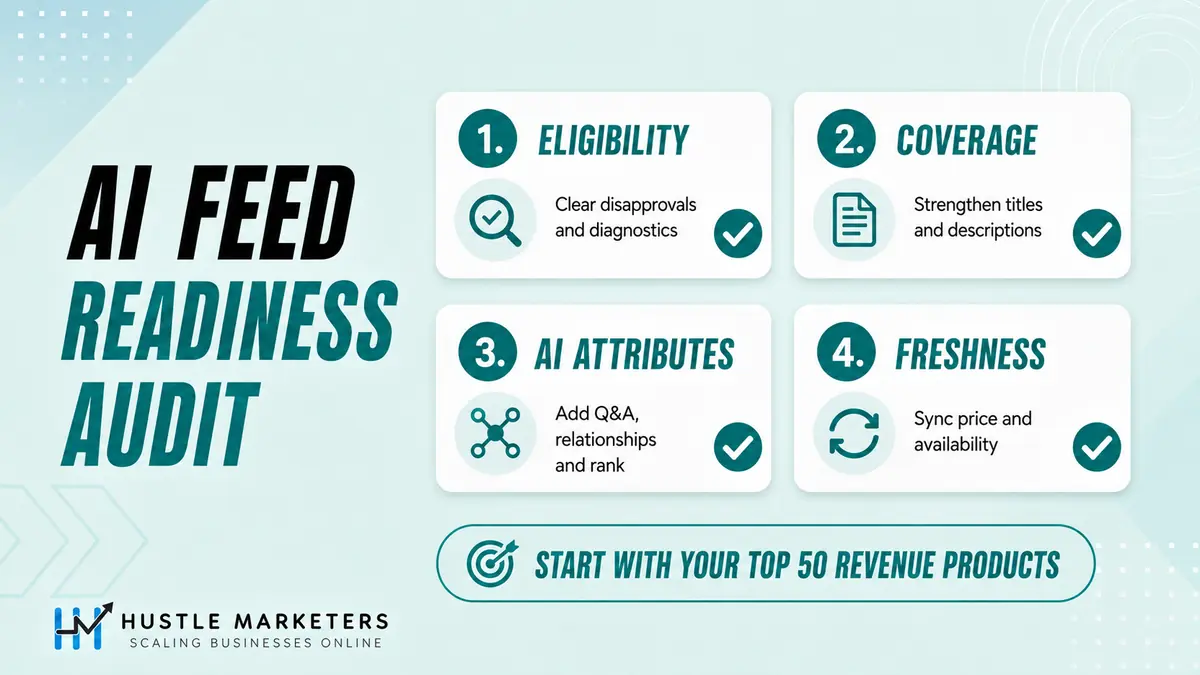
1. Eligibility. Clear every disapproval and diagnostic first, starting with GTIN errors and price mismatches. Nothing downstream matters for a disapproved product.
2. Coverage and specificity. Read your top 50 revenue products’ titles and descriptions the way an AI agent would. Does the title carry the details buyers filter on? Does the description add anything the title didn’t? Google’s own agentic commerce guidance sets the bar at rich titles of at least 30 characters and descriptions of at least 500.
3. Conversational attributes. Start with question_and_answer on best sellers, sourced from real support tickets and reviews, then add related_product and popularity_rank. You don’t need all 40,000 SKUs done this quarter, you need your revenue drivers done this month.
4. Freshness. AI surfaces refresh constantly, so match your update frequency to how fast your prices and stock actually move. A daily refresh can be fine for a stable catalogue and clearly too slow for one with frequent price or inventory changes. Keep price and availability continuously in sync, which is exactly why we recommend the native channel’s continuous sync over manual XML in our catalog sync guide.
What About Buying Inside AI Chats?
Google’s Universal Commerce Protocol, built with partners including Shopify, lets shoppers buy inside AI experiences using your existing Merchant Center data. Opting in is not a single field. It requires merchant participation and onboarding, a technical integration, configured return policies, and eligible products carrying the native_commerce attribute with its checkout_eligibility sub-attribute. Availability is currently limited to selected participating merchants and eligible products in a small number of markets. Our honest read: discovery is documented and available now, agentic checkout is early and gated. Treat UCP as a per-client decision that depends on your platform, your market and your margin, not an urgent migration. One thing worth separating clearly: OpenAI’s checkout inside ChatGPT is a different system with its own requirements, so results reported there do not transfer to Google’s UCP.
Troubleshooting: What to Check When It Is Not Working
Most problems here are quiet. Nothing errors, the data simply does not appear. Work through this list before assuming the attributes do not help.
| Symptom | Likely cause | What to do |
|---|---|---|
| No AI performance report in Merchant Center | Availability is limited to English-language queries in Australia, Canada, India, New Zealand and the US, and data lags a few days | Confirm your market and language, then allow for the lag before concluding anything |
| Share of voice shows 0 | Usually too few impressions rather than zero visibility | Check impression volume first, do not read it as a ranking problem |
| Share of voice shows 100 percent | Merchant Center may simply have no competitor data for your account | Do not read it as market dominance |
| A dash instead of a number | No impression data for that row | Nothing to fix, there is no data yet |
| Values uploaded but not visible on the product | The file uploaded but the values were rejected, or the source is not linked correctly | Inspect the processed product, then confirm the supplemental source is matched to the right primary feed by id |
| Highlights or Q&A appear cut in half | A comma or colon was parsed as a separator | Switch to TSV, or quote and escape the values correctly |
| related_product rejected | The identifier does not match a real product, or identifiers were comma-separated inside one entry | Use one entry per related product and verify every id or GTIN exists in your catalogue |
| variant_option ignored | Missing item_group_id or item_group_title, or inconsistent option names across the group | Submit all three, and use the same option names on every variant in the group |
| Your feed app has no field for these | Not every platform or app maps them yet | Add a supplemental Google Sheet or file source alongside your existing feed |
| Conflicting values between sources | Primary and supplemental sources are both setting the same field | Check source precedence and keep one owner per field |
One structural rule worth remembering: a supplemental source updates products that already exist. It cannot create products and it cannot work as a standalone catalogue, so every id you submit must already be in your primary feed.
Why Choose Hustle Marketers for AI Shopping Readiness
Hustle Marketers is led personally by founder Ishant Sharma, a Google Ads and shopping feed specialist with 12+ years in performance marketing and $780M+ in trackable client revenue across 2,500+ brands. Ishant runs a Google Partner and Microsoft Advertising Partner agency, holds Top Rated Plus status on Upwork with a 99% job success score, and reads Google’s feed specs before the recap articles cover them. Our AI feed optimization service covers the full attribute build described in this guide.
A note on what the results below do and do not show. They come from feed, tracking and campaign work, and they predate the conversational attributes, so read them as evidence that we know product feeds rather than proof that these six fields produced the numbers. We took a cold-start Shopify account to 8.5x ROAS in 60 days, got Silicon Lightworks live on Google Shopping after fixing their Merchant Center foundation, generated 1500% ROAS for ArmorGarage with a feed-driven Performance Max build, and drove 15.25x ROAS for a UK Shopify brand. The same feed-first playbook generated $346K in revenue at 5.12x ROAS for a pet accessories brand. Ongoing attribute upkeep, popularity rank refreshes, and AI performance monitoring sit inside our ecommerce PPC management. If you want your feed audited against all four checks above by an ecommerce PPC agency that builds for AI surfaces daily, get a free PPC audit today.
Conclusion
The file most brands haven’t touched since setting up paid Shopping now controls their visibility across Google Shopping, AI Mode, AI Overviews, Gemini, and even third-party AI shopping carousels. Adobe measured AI-referred traffic to US retail sites growing 393 percent year over year in Q1 2026, converting 42 percent better than traffic from other channels, and found most retail sites still are not machine-readable enough to benefit. Those are figures for AI-referred traffic to US retail overall, not a measured return on adding these attributes. The playbook is short: fix eligibility, sharpen your top 50 revenue products, add conversational attributes to best sellers, and keep the feed continuously fresh. Do those four steps before your competitors read about them.
FAQs
Which AI platforms use my Google Merchant Center feed?
Google’s AI Mode, AI Overviews, and Gemini read it directly, and a March 2026 study found 83 percent of ChatGPT’s carousel products matched Google’s top organic Shopping results.
Do I need Google Ads for AI shopping visibility?
No. The studies measured organic Shopping results, and the AI performance report only tracks free listing traffic. A connected, clean Merchant Center feed is the requirement.
What are conversational attributes in Google Merchant Center?
Google’s documentation lists six conversational attributes: question_and_answer, document_link, related_product, item_group_title, variant_option, and popularity_rank. They are optional and never affect product approval. Two established attributes, product_highlight and product_detail, are also flagged by Google for AI-driven surfaces, which is why most AI feed optimization guides cover eight fields in total.
How do I check my AI performance in Merchant Center?
Open Analytics, then Products, then the AI performance tab. Google’s documentation lists it as available for English-language queries in Australia, Canada, India, New Zealand and the United States, covering AI Mode and AI Overviews. Organic traffic only, paid Ads traffic is excluded, and data updates daily with a few days’ lag. Read the numbers carefully: a 0 share of voice can simply mean too few impressions, a dash means no impression data at all, and 100 percent can appear because Merchant Center has no competitor data for your account rather than because you dominate the category. Last checked 9 September 2026.
Do the new AI attributes affect product approval?
The six conversational attributes are optional and do not affect approval status. product_highlight and product_detail are established fields with their own requirements and enforcement, so do not extend the same reassurance to all eight. Approval still depends on core requirements like accurate GTINs, prices and availability, which also remain the first AI eligibility filter.
Does my product page still matter for AI shopping?
Yes. In Profound’s dataset, around 88 percent of AI shopping offers still came from product pages. The feed wins inclusion and ranking, the page wins conversion.
Should Shopify stores update anything for this?
Keep the native channel syncing continuously, fix disapprovals, then add conversational attributes through a supplemental feed, since the native app doesn’t submit them.
Sources
Specifications on this page are taken from Google’s own documentation, last verified 9 September 2026: How to use conversational attributes, question and answer, document link, related product, item group title, variant option, popularity rank, product highlight, product detail, and AI performance insights. Merchant API field names are in the ProductAttributes reference. Research cited on this page: Peec AI on ChatGPT carousel overlap, Profound on feed-sourced versus page-sourced offers, and Adobe on AI-referred retail traffic.










