Google Ads Account Suspended: Why It Happens and How to Appeal

Ishant
Published : October 2, 2026 at 5:30 pm
Updated : October 11, 2026 at 1:07 pm
Ishant
A Google Ads account suspended notice means Google has stopped every ad in the account because it found a breach of its advertising policies, its billing and payment rules or its Terms and Conditions. The account turns read-only. It stays suspended permanently unless you fix the cause and win an appeal, usually through the Contact Us link in the notice.
The policy named in the notice decides almost everything: whether you got a warning, what to fix, whether you must verify before appealing and how realistic reinstatement is.
Last verified: September 16, 2026, against Google Ads Help, the Advertising Policies Help Center and its policy change log.
Key Observations
- Egregious policies, such as circumventing systems, unacceptable business practices and counterfeit, suspend accounts on detection. Non-egregious policy violations get a warning at least 7 days before any suspension.
- Fix the cause before you appeal. Google reinstates only in compelling circumstances, such as a mistake.
- Some advertisers must pass advertiser verification to reach the appeal form, and failing identity checks 3 times can end the right to appeal.
- Since July 21, 2026, you cannot appeal a policy decision from inside the account once it is more than 6 months old.
- Opening a new account after a suspension is a circumventing systems violation, and related accounts may also be suspended.
What does it mean when your Google Ads account is suspended?
A suspended Google Ads account cannot run any ads, but you can still log in, view reports, pay balances, update security settings, complete verification and appeal. Google treats a suspension as permanent unless you appeal. It is more serious than a paused account or a temporary hold, which usually lift once you finish a task or fix the issue.
Google’s account suspensions overview lists the main reasons: billing and payment problems (promotional code abuse, chargebacks, suspicious payment activity, unpaid balance), Google Ads policy violations, unauthorized account activity, age requirements and Ad Grants breaches. Google notifies you in the account and by email.
Is a suspension the same as a paused account or a disapproved ad?
No. Google uses four different states, based on its temporary account hold and account pausing articles.
| Status | What it means | Ads running? | How it ends |
|---|---|---|---|
| Disapproved ad or asset | One ad, asset or destination breaks a policy | Other compliant ads keep running | Edit the ad or appeal in Policy Manager |
| Temporary account hold | A strike for repeat breaches of certain non-egregious policies | No | Acknowledge and fix (3 days for strike 1, 7 days for strike 2) or appeal |
| Paused account | Verification missing or failed, a payment check or a temporary investigation | No | Complete verification or the payment task, or appeal |
| Suspended account | A policy, billing or Terms breach, or a security lock after unauthorized access | No | Fix the cause and win an appeal; security suspensions lift after Google secures the account |
Which violations suspend a Google Ads account without warning?
Google calls a violation egregious when it is “so serious that it is unlawful or poses significant harm.” Those lead to suspension on detection. For other policies, Google sends a warning at least 7 days before a suspension.
| Suspended on detection (egregious) | Warning at least 7 days before any suspension |
|---|---|
| Circumventing systems, including cloaking and multiple account abuse | Unfair advantage |
| Unacceptable business practices | Trademarks |
| Coordinated deceptive practices | Compromised sites (hacked destinations) |
| Counterfeit goods | Dishonest pricing practices |
| Malicious software | Other non-egregious policies, some enforced through strikes |
| Unauthorized pharmacies, prescription opioid painkillers, trade sanctions violations, sexually explicit content, child sexual abuse and exploitation | Billing and security suspensions follow their own rules |
How do strikes lead to a suspension?
For certain policies, such as misleading ad design, clickbait, tobacco, weapons and personal loans, Google’s repeat violations system starts with a warning. Keep breaching the same policy and you get strike 1 (3-day hold), strike 2 within 90 days (7-day hold), then strike 3 within 90 days of strike 2, which suspends the account.
Why was my Google Ads account suspended? Every suspension type explained
Your notice names the policy. Frequent ones include circumventing systems, suspicious payment activity, unpaid balance, unacceptable business practices or misrepresentation, compromised accounts, unfair advantage, failed advertiser verification, coordinated deceptive practices, and counterfeit or trademark issues. Each has a different meaning, a different typical cause and a different route back.
The table is based on Google’s policy pages. The typical cause column combines Google’s published examples with patterns we see when reviewing suspended accounts.
| Suspension type | What it means per Google | Typical cause | Fix before appealing | Appeal path |
|---|---|---|---|---|
| Circumventing systems (egregious) | Trying to get around ad review and enforcement | New account after a suspension, cloaking, ad or domain variations after disapprovals | Remove redirects and cloaking, stop using extra accounts | Contact Us link in the notice; verification may be required |
| Suspicious payment activity | Suspicious or unauthorized payments; spend limited or account suspended | Unclear card ownership, several new cards, declines, chargebacks | Use a payment method you own or are authorized to use | Payment verification, then appeal |
| Unpaid balance | Unpaid balances or doubts about future payments | Declined card, overdue monthly invoices | Pay what is owed | Payment task; contact collections if still inactive 48 hours after payment is received |
| Chargeback or promo code abuse | Reversing a legitimate charge, or selling or stacking promo codes | Bank dispute of Google charges | Settle the balance | Appeal once settled |
| Unacceptable business practices (egregious) | Scams and concealing or misstating information about your business | Implied brand or government backing, unlicensed services, impersonation | Show who you are, prove licenses and partnerships | Contact Us link with proof |
| Other misrepresentation (warning first) | Misleading representation, dishonest pricing, unreliable claims | Hidden fees, unclear trial terms, inaccurate business name | Disclose full costs, correct the name | Fix ads and pages, then appeal |
| Coordinated deceptive practices (egregious) | Concealed identity in coordinated political, social or public concern content | Undisclosed networks, hidden country of origin | Disclose identity and origin | Contact Us link |
| Compromised account | Temporary suspension to protect against unauthorized charges | Stolen login, unknown users added | Secure the login, turn on 2-Step Verification | Compromised account form and cleanup review |
| Unfair advantage (warning first) | Gaining an unfair traffic advantage in the auction | More than one ad for one business in a single ad location | Consolidate duplicate advertisers | Fix during the warning; Policy Manager |
| Advertiser verification failure | Paused if not verified by the deadline | Name or address mismatch, undisclosed agency or domain owner | Match legal details, gather correct documents | Redo verification tasks, then appeal |
| Counterfeit (egregious) | Goods copying another brand’s trademark to pass as genuine | Replicas using brand logos | Remove the products | Contact Us link |
| Trademark (warning first) | Restricted use after an upheld owner complaint | Competitor trademark in ad text | Remove it or get authorization | Policy Manager |
How are unfair advantage, trademark and counterfeit suspensions different?
The unfair advantage policy targets auction gaming, such as “trying to show more than one ad for your business, app, or site in a single ad location.” The trademarks policy works mostly through owner complaints. Both warn at least 7 days before suspending. Counterfeit goods are egregious: Google says you “will not be allowed to advertise with Google Ads again.” Using a brand name to sell genuine products is a trademark question. Selling fakes is a counterfeit question.
What happens to your campaigns, billing and access during a suspension?
All ads stop as soon as the account is suspended, so no new click costs build up. The account becomes read-only: you can view and download reports, make payments, add a payment method, download tax documents, update security, complete verification, appeal, or cancel the account and request a refund of any eligible balance.
You cannot edit, enable or create campaigns, and any unpaid balance still stands. If you cancel instead, Google’s refund article says refunds take 2 weeks plus bank time, and to contact Google after 6 weeks. Canceling ends the account.
Is a Google Ads suspension permanent?
Google’s answer: “Once the Google Ads account is suspended, this is considered permanent unless the appeal is submitted and the account is successfully reinstated.” For policy suspensions, accounts “are only reinstated in compelling circumstances, such as in the case of a mistake.” Billing and security suspensions are often resolved by paying, verifying payment details or securing the account.
What does circumventing systems mean in Google Ads?
Circumventing systems means trying to trick or get around Google’s ad review and enforcement. Google names cloaking, creating new accounts after a suspension, varying ads or domains to dodge disapprovals, abusing product features, submitting false verification information and repeated violations across several accounts. It is egregious, so accounts are suspended on detection without warning.
Google’s circumventing systems policy sits inside the abusing the ad network policy. One example is easy to miss: “Having multiple ad policy violations across several of your accounts gradually or all at once.” Repeated violations across accounts can count as circumvention, even without a new account.
What counts as cloaking in Google Ads?
Cloaking is showing Google a compliant page while people see something else. Google’s examples include a pop-up that blocks most of your site, click trackers that redirect people to prohibited content, and sending users to a different site that breaks policy. Check tracking templates, redirects and any plugin that serves bots different content.
What is multiple account abuse?
Google’s examples are “Creating more accounts after getting suspended in order to continue breaking Google’s policies” and creating dozens of accounts to run a scam. Multiple accounts are not banned in themselves: agencies manage many clients and brands may run separate accounts. The problem is using extra accounts to avoid enforcement, so do not open a new account while one is suspended.
How do you fix a circumventing systems suspension?
- List every Google Ads account, manager account, domain and payments profile tied to the business, including closed and previously linked accounts.
- Remove cloaking risks: tracker redirects, content-blocking pop-ups, pages that differ by user agent or location, and destinations that do not match the ad.
- Stop using any account created after an earlier suspension.
- Check your verification answers for anything inaccurate or inconsistent.
- Clear old disapprovals across all accounts.
- Appeal through the Contact Us link with a factual account of what you found and changed.
How do you fix suspicious payment activity and other billing suspensions?
Prove the payment method is legitimately yours and settle what you owe. Complete the payment verification tasks under Admin, Policy, Account, pay any outstanding balance, and explain who owns the card and why payments were declined or disputed. Then appeal. Google may ask you to verify your payment method within 30 days before processing it.
Google’s billing and payment suspensions article covers unpaid balances, suspicious payment activity, chargebacks and promotional code abuse. It recommends appealing “only when you have made appropriate changes to comply with our policies and the account is ready for a re-review.”
What does suspicious payment activity mean in Google Ads?
The suspicious payment activity policy gives three examples: stolen card numbers, using someone else’s identity for monthly invoicing, and “Suddenly using several new credit cards, having payments declined or chargebacks, and unclear credit card ownership.” For legitimate businesses, the third is the one to watch: a staff member’s personal card, a card name that differs from the payments profile, or several cards tried after declines. Community thread titles such as “My account got suspended upon creation for suspicious payment” show new accounts are not exempt.
Is “ads paused for suspicious payment activity” the same as a suspension?
No. The paused for suspicious payment activity flow asks questions about your payment history. You may get an email within 10 minutes to confirm your card; otherwise, expect a decision within 5 business days. You may also need to make a payment, and bank transfers can keep the account paused until the money arrives.
How does Google Ads payment verification work?
- Go to Admin, expand Policy and select Account.
- Open “Confirm your payment method,” select Start task, choose the payment method, select Verify, then Get code. Google’s billing suspensions article says the temporary charge won’t exceed $1.95 USD.
- Find the Google charge in your bank transactions, enter its 6 digit code and select Submit code.
- Or pay through the “Pay with your payment method” task, or upload documents with the same full name, current, legible, in color, all 4 corners visible.
Google’s payment verification article says document review can take up to 5 business days. In the paused flow, Google gives 2 business days for a decision after you submit a code.
How do you reactivate an account suspended for an unpaid balance?
Pay the balance with a working payment method. For monthly invoicing, Google’s unpaid invoices article says to pay overdue invoices right away, and to contact its collections team with proof of payment if the account is still inactive 48 hours after you pay.
Can a chargeback or promo code get your account suspended?
Yes. Reversing a charge paid against a legitimate Google Ads balance can suspend the account, and so can selling promotional codes or using more than one on an account. If someone else accessed your account and ran up charges, use Google’s compromised account process, which includes reimbursement requests.
What counts as unacceptable business practices or misrepresentation?
Unacceptable business practices is the egregious part of Google’s misrepresentation policy: scams, phishing, impersonation, implied endorsements and offering what you cannot deliver or are not licensed for. Other misrepresentation rules, such as misleading representation, dishonest pricing and unreliable claims, are not egregious and normally come with a warning before any suspension.
What triggers an unacceptable business practices suspension?
Google’s misrepresentation policy lists four behaviors: implying support from a brand, organization or government entity; offering products or services “that you don’t have or can’t deliver, including not having the right licenses or qualifications”; lying about services that risk health or safety; and impersonating other businesses to hide your identity.
The unacceptable business practices page adds best practices: deliver what customers paid for, describe your business on your website, use your own branding, be clear about partnerships and be qualified for the work. For appeals it says to “Share proof: This can include contracts, written agreements, a link to a credible news article.” In suspended accounts of real businesses, we commonly find a missing legal name or address, unexplained reseller relationships or implied licenses.
What are misleading representation and dishonest pricing?
Misleading representation covers misleading or omitted information about your identity, affiliations or qualifications, and business names that do not clearly represent the advertiser. Dishonest pricing, added in a change effective October 28, 2025, requires you to “clearly and conspicuously disclose the payment model or full expense that a user will bear before and after purchase.” It names bait-and-switch pricing, price exploitation, apps promoted as free that charge to install, and free trials that hide the trial length or automatic charge. Neither is egregious, and for dishonest pricing Google warns at least 7 days before any suspension.
Does coordinated deceptive practices apply to your business?
Probably not, unless you advertise political, social or public interest content. The coordinated deceptive practices policy bans coordinating with other sites or accounts while concealing your identity “where your content relates to politics, social issues, or matters of public concern,” and hiding your country of origin while targeting another country with such content. It is egregious, and Google says you may appeal again if a first appeal is rejected.
What happens when your Google Ads account is compromised?
If Google thinks someone else has accessed your account, it temporarily suspends the account so ads stop and no unauthorized charges build up. Google removes unauthorized users and pauses only the campaigns they created or changed. You then secure your login, review the change history, choose what to clean up and ask about reimbursement.
Report it through Google’s compromised account process when you see unknown users or campaigns. Google’s account security guidance says to scan your devices for malware, change your Google Account password and turn on 2-Step Verification.
- Cleanup decisions are final. Google says “After a cleanup decision has been submitted, it can’t be changed or reverted.”
- Reimbursement is possible if Google confirms unauthorized charges. The account must be reactivated with 2-Step Verification enabled first. Billing investigations can take 10 to 15 business days.
- A hacked website is a different policy. Compromised sites get a warning at least 7 days before any suspension. Clean the site, check Search Console’s Security Issues report and allow up to 72 hours for a recrawl.
What happens if you fail advertiser verification or business operations verification?
If you miss a verification deadline, Google pauses the account, and getting verified is how you unpause it. Repeated failed attempts can also pause it. Submitting false information is a circumventing systems violation that leads to suspension. If you are suspended and asked to verify, failing identity checks 3 times ends your right to appeal.
Google’s advertiser verification program says all advertisers “will eventually complete advertiser verification.” Accounts get selected earlier for suspicious behavior, industries such as financial services, ads on brand-related queries, often misused features, or because a suspended account must verify to appeal.
How long do you have to complete Google Ads verification?
Your deadline appears in the account and, per Google’s verification timelines article, cannot be extended. Review “can take up to 5 business days,” or up to 30 days in rare cases, so start early. The account pausing article describes a 30-day notice period. Without a deadline you can keep running ads, though ad serving limits may affect performance.
Why does business operations verification fail?
Google’s verification tasks article says most advertisers won’t see these questions. When they do, Google’s business operations troubleshooting page lists the usual failures:
- The organization name does not exactly match the legal name on the registration document, or a person’s name does not match their ID.
- Addresses differ between the account and the documents, or the website is not associated with the account.
- Relationships are undisclosed. Name any marketing agency with access, the end service provider and the domain owner if different, and prove it with contracts or a letter on company letterhead.
- Licenses for regulated services are missing.
- Screenshots and digital IDs are “generally not accepted.” Upload photos or scans of physical documents (PDF, JPG, JPEG or PNG), in color if the original is, with proof of address typically issued within the last 90 days.
How many verification attempts do you get?
Google’s verification tasks article sets limits per task. Phone confirmation allows 5 failed attempts before an ID is required. The US Social Security number task allows 3, and if you are appealing a suspension and all fail, “you’ll no longer be allowed to appeal.” D-U-N-S checks allow 3 before documents are required. The payments profile name and location must exactly match your ID or registration.
How do you appeal a Google Ads account suspension?
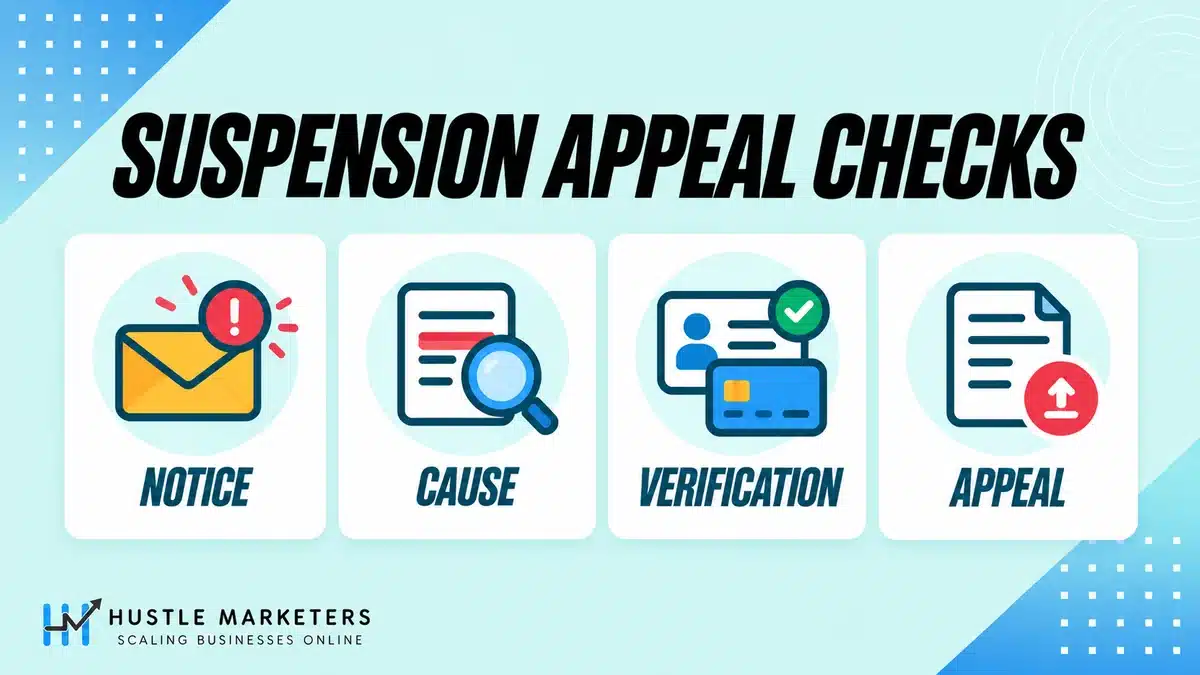
Fix the cause first, then select the Contact Us link in the suspension notification at the top of your account. It opens the appeal form, which shows the relevant policy information. Explain what happened for each policy, what you changed and what proof you have, then submit. Google emails the outcome. Complete advertiser verification first if asked.
- Read the notice. Record the policy name, date and every account ID affected.
- Check linked accounts. Google says to make sure “all linked (or previously linked) and all related accounts comply” before appealing.
- Fix the cause using the checklist in the next section.
- Complete verification and billing tasks. Some appeal forms only open after verification.
- Submit one appeal per suspended account. Google asks for “a separate appeal for each suspended account.”
- Wait for the email.
Should you use the appeal form or Policy Manager?
Account suspensions go through the notice’s Contact Us link. Ad, asset and destination decisions go through Policy Manager: per Google’s policy decision appeal guide, open Tools, Troubleshooting, Policy manager, select Appeal, choose “Dispute decision” or “Made changes to comply with policy,” and submit.
| Problem | Where to act |
|---|---|
| Account suspended for a policy | Contact Us link in the suspension notification |
| Billing suspension or payment pause | Admin, Policy, Account payment tasks, then appeal if needed |
| Paused for verification | Verification tasks in the account notice |
| Disapproved ads, assets or destinations | Tools, Troubleshooting, Policy manager |
| Strike or temporary hold | The strike notification: acknowledge after fixing, or appeal |
| Compromised account | Compromised account form, then cleanup review |
| Limited ad serving | Google’s separate limited ad serving appeals form |
Advertisers in the EU may also have extra redress options under the Digital Services Act, which Google mentions in its suspension overview.
What should a Google Ads suspension appeal say?
Google’s tips are to follow best practices, explain your situation for each violating policy and complete verification if asked. A strong appeal names the policy, describes the business in a sentence or two, lists what changed with page URLs, attaches proof (registration, licenses, supplier or partner contracts, payment method ownership) and confirms no other accounts were created.
How many times can you appeal a suspension?
Google publishes no fixed number for suspension appeals. You can re-appeal if rejected, but Google may not process too many appeals for one suspension, and suspected misuse pauses some appeals for 7 days. Each ad gets 3 appeals, at least 24 hours apart for the same ads. Since July 21, 2026, policy decisions over 6 months old cannot be appealed in the account, so contact Google Ads support about older decisions.
How do you fix a suspended Google Ads account before you appeal?
Before appealing, fix three areas: landing pages, business information consistency and the payment profile. Your site should show who you are and exactly what customers pay. Your legal name and address should match across the payments profile, verification documents, website and ads. The card should belong to the verified business. Then gather proof.
Most rows below map directly to Google’s policy wording or verification requirements; the rest are transparency checks we add. For a scored review of the wider account, try our free Google Ads audit checklist tool.
| Area | Check before you appeal | Done? |
|---|---|---|
| Other accounts | No new account opened; linked, previously linked and related accounts reviewed | Yes / No |
| Site identity | Legal business name, address, phone and email visible; About page matches what you sell | Yes / No |
| Pricing and terms | Full cost, fees, billing model, trial length and automatic charges shown; refund and cancellation terms linked | Yes / No |
| Claims and branding | Own branding; no implied brand, celebrity or government endorsement; provable claims; licenses shown | Yes / No |
| Destinations | No tracker redirects to different content, no content-blocking pop-ups, no bot-only versions | Yes / No |
| Site security | No malware or injected code; Search Console Security Issues clear | Yes / No |
| Business info consistency | Same legal name and address on payments profile, documents, website footer and ads | Yes / No |
| Relationships | Agency, service provider and domain owner disclosed with contracts or letterhead statements | Yes / No |
| Payment profile | Payment method owned by the business or an authorized person; declines and chargebacks explained; balance paid | Yes / No |
| Verification and security | Tasks done or documents ready; 2-Step Verification on; unknown users removed | Yes / No |
What landing page fixes matter most?
Transparency and consistency on every final URL, not just the homepage. Google asks advertisers to describe the business, use their own branding, disclose full costs and never show Google a different page than people see. If pages need more than copy edits, conversion rate optimization work can rebuild them without hiding required disclosures.
Why do business information and the payment profile matter?
Google checks documents and requires the payments profile name and location to exactly match your ID or registration. A trading name on the site, a legal name on the card and a third version in the ads looks like concealment. Align everything to the legal entity, remove old or declined cards, and in the appeal “Give details about who owns the payment method listed on your account or explain any declined payments or chargebacks.”
How long does a Google Ads suspension appeal take?
Google does not publish one fixed review time for account suspension appeals. It emails the outcome. Its published timelines cover specific steps: verification reviews take up to 5 business days (rarely 30), most appeals after failed verification take 5 to 7 business days, and payment decisions arrive within 2 to 5 business days, depending on the step.
This table lists only timelines stated in Google’s help pages, checked September 16, 2026.
| Step | Google’s published timeline |
|---|---|
| Warning before a non-egregious suspension | At least 7 days |
| Temporary holds from strikes | 3 days (strike 1), 7 days (strike 2), within 90-day windows |
| Deadline to appeal | At least 6 months per the overview; since July 21, 2026, no in-account appeal for policy decisions older than 6 months |
| Payment verification before a billing appeal is processed | May be requested within 30 days |
| Suspicious payment questions | Card confirmation email within 10 minutes, or a decision within 5 business days |
| Decision after submitting a verification code | 2 business days |
| Paid monthly invoices, account still inactive | Contact collections after 48 hours |
| Advertiser verification review | Up to 5 business days; up to 30 days in rare cases |
| Appeals after failed verification attempts | Most within 5 to 7 business days |
| Compromised account billing investigation | 10 to 15 business days |
| Refund after canceling | 2 weeks for Google plus bank time; contact Google after 6 weeks |
Google’s 2025 Ads Safety Report, as covered by PPC Land, says incorrect advertiser suspensions fell by 80% in 2025. That is platform-wide, not a promise about your appeal.
Can a suspension spread to linked accounts, your manager account or Merchant Center?
Yes, it can. Google says accounts related to a suspended account may be suspended, new accounts the advertiser creates may be suspended, and accounts linked to a manager account that breaches the third-party policy may be paused. Accounts sharing a payment method with a paused account may be paused, and so may linked Merchant Center accounts.
The wording is “may,” not “will.” Google does not say one client suspension takes down a whole manager account, though its third-party policy counts a sustained pattern of egregious client suspensions as a violation.
- Manager accounts (MCC). A June 2025 third-party policy clarification says Google “may pause your individual account if it is linked to a Manager account that is currently in violation of the third-party policy.” The fix is to unlink from that manager account.
- Merchant Center. Google says “Merchant Center accounts linked to paused Google Ads accounts may be paused.” Merchant Center has its own policies and reviews; see our Google Merchant Center suspension guide and Merchant Center requirements.
- Security mandates. Google’s manager account security mandates let admins require 2-Step Verification for sub-account users and restrict which email domains can be invited, which limits the damage a compromised user can do.
What should agencies check before taking on a suspended client?
Before linking a suspended client to your manager account, confirm the suspension reason, appeal history and dates, every other account the business has used, who owns the payments profile, verification status and deadlines, the website’s compliance and who else has access. Circumventing systems or egregious histories deserve the most caution, because related accounts can be affected.
Google’s third-party policy requires “a separate account for each end-advertiser that you manage” and honesty with clients about services and costs. In verification, agencies must answer the organization type questions correctly, and client payments profiles may need their own verification. White label PPC partners carry the same exposure.
| Check | What to ask for | Red flag |
|---|---|---|
| Suspension notice | Notice and email, policy name, date | Egregious policy, especially circumventing systems or counterfeit |
| Appeal history | Dates and outcomes of every appeal | Decision older than 6 months, or repeated rejections with no changes |
| Other accounts | Every Google Ads, manager and Merchant Center account the business has used | A new account opened after the suspension, or accounts not disclosed |
| Payments profile | Legal name on the profile and owner of the payment method | Contractor’s personal card, name mismatch, recent chargebacks |
| Verification | Status, deadline and failed attempts | Failed identity checks or verification under a different entity |
| Business model | What is sold, who delivers it, licenses and certifications | Reselling or regulated services with no documentation |
| Website | Final URLs, redirects, tracking templates, pricing and terms | Cloaking plugins, redirect chains, hidden fees |
| Access | Users and previous agencies with access | Unknown admins, no 2-Step Verification |
| Ownership | Written scope covering account ownership, costs and reporting | Pressure to run ads in an account the client does not own |
We review a suspended account before linking it to our manager account, and the client keeps ownership of the ad account throughout. Once an account is back, our Google Ads audit checklist covers the full review, and business owners comparing partners can use our 12-point agency scorecard.
How do you avoid Google Ads account suspension on a new account?
Launch with one account per business, a payment method owned by that business, and the same legal name and address everywhere. Complete advertiser verification early, publish clear contact, pricing and policy pages before ads go live, avoid redirects and cloaking, and check whether your industry needs certification. Then watch Policy Manager closely during the first weeks.
New accounts have little history. Google’s limited ad serving policy lists account maturity, user reports, compliance history, industry and verification status among the factors that decide whether impressions are limited, and says to comply with policies and complete verification to qualify. Our guide on how to advertise on Google covers setup, and the Google Ads budget calculator helps you set a budget you can fund reliably.
| Do | Do not |
|---|---|
| Pay with a card or bank account in the legal business name | Use a freelancer’s or staff member’s personal card, or try several cards after declines |
| Match the payments profile to your registration documents | Use a trading name in one place and a legal name in another |
| Complete advertiser verification as soon as it is offered | Wait for a deadline or give inaccurate answers |
| Show legal name, address, contact details, pricing, fees and refund terms | Launch on a thin page with hidden fees or unclear trial terms |
| Send ads straight to the page they describe | Route traffic through redirects that show Google a different page |
| Apply for certification in restricted industries | Run restricted offers and hope review misses them |
| Turn on 2-Step Verification for named users | Share one login across a team or contractors |
| Fix disapprovals quickly | Recreate disapproved ads with small variations or duplicate accounts |
| Use one promotional code per account | Buy, sell or stack promo codes |
| Appeal the original account if something goes wrong | Open a new account to keep advertising |
Certain gambling, healthcare, financial services, crypto and other restricted ads require you to apply to advertise; those ads cannot run until you are certified. For everyday account habits, see our PPC best practices.
What changed for Google Ads suspensions and verification in 2025 and 2026?
The biggest changes were a six-month cutoff for in-account appeals from July 21, 2026, limited ad serving expanding to all Google Ads from August 2026, a stricter dishonest pricing rule from October 2025, a clearer rule that false verification information is circumvention, and the June 2025 rule on pausing accounts linked to violating manager accounts.
| Date | Change | What it means |
|---|---|---|
| April 7, 2025 | Suspension, billing, misrepresentation and abusing the ad network articles reorganized | Clearer structure; Google says there are no changes to enforcement |
| April 14, 2025 | Unfair advantage clarified | Targets multiple ads for one business in “a single ad location” |
| June 6, 2025 | Third-party policy clarification | Accounts linked to a violating manager account may be paused until unlinked |
| October 28, 2025 | Dishonest pricing practices in effect | Disclose full costs, payment model and trial terms |
| November 4, 2025 | Circumventing systems example added | False verification information is circumvention |
| April 2026 | 2025 Ads Safety Report | 24.9 million advertiser accounts suspended in 2025, per PPC Land’s coverage |
| July 21, 2026 | Appeals limits update | No in-account appeal for decisions more than 6 months old |
| July 23, 2026 | Financial services verification in listed EEA markets (rolling enforcement) | Unverified in-scope advertisers cannot show financial services ads there |
| August 5, 2026 | Limited ad serving expanded to all Google Ads | Gradual rollout “completed by 2028” |
For scale, Google’s 2024 Ads Safety Report says it suspended over 39.2 million accounts in 2024.
What do several Google Ads suspension guides get wrong?
Errors we found in several ranking guides include unsourced timelines and success rates, coordinated deceptive practices described without its political scope, and a claim that egregious violations get one appeal. Google’s own help pages also disagree on a few details, flagged below.
- Speed and success claims. Some recovery service pages promise 24 to 48 hour fixes or quote success rates, but Google’s help pages publish no suspension appeal turnaround or approval rate.
- Instant suspension for every violation. Among policy violations, only egregious ones suspend on detection. Unfair advantage, trademarks, compromised sites and dishonest pricing get a warning at least 7 days before any suspension.
- Coordinated deceptive practices as a catch-all. One ranking guide describes it as general pricing deception, but Google scopes it to politics, social issues or matters of public concern.
- “Egregious violations get one appeal.” A March 2026 Search Engine Land explainer says so, but Google’s suspension overview and its coordinated deceptive practices help page both say you can re-appeal.
- Automatic pausing of all linked accounts. Google says related accounts “may” be affected, and an account linked to a violating manager account “could be at risk of being paused.”
Where do Google’s own docs disagree?
- Verification charge refund. The verification tasks and paused for suspicious payment articles say 14 days. The billing and payment suspensions article says charges are refunded within 30 days.
- Appeal window. The overview says “at least 6 months.” The July 2026 change log removes in-account appeals for policy decisions older than 6 months. Appeal well within 6 months.
- Verification deadlines. The timelines article gives no fixed length; the account pausing article refers to a 30-day notice period. Go by the date in your account.
Frequently asked questions
These answers cover common questions after a suspension notice: how to get reinstated, why suspensions repeat, how disapproved ads and strikes lead to suspension, whether a suspension is permanent, how long reviews take, appeal limits and deadlines, new accounts, balances and refunds, manager accounts, verification and the effect on Merchant Center.
What should I do to get my Google Ads account unsuspended?
Do not open a new account, because creating accounts after a suspension is a circumventing systems violation. Read the notice for the policy name, fix the cause and complete any verification or payment task. Then select Contact Us in the suspension notification and submit the appeal form. Google emails the result.
How do I reactivate or recover a suspended Google Ads account?
The route depends on the suspension type named in your notice. For a policy suspension, fix the cause, complete any verification and appeal through the Contact Us link; Google reinstates only in compelling circumstances, such as a mistake. For a billing suspension, complete payment verification and pay what you owe, and on monthly invoicing contact collections if the account is still inactive 48 hours after payment. For a compromised account, report it through Google’s compromised account process, turn on 2-Step Verification and complete the cleanup review.
Is a Google Ads suspension permanent?
Google says a suspension “is considered permanent unless the appeal is submitted and the account is successfully reinstated.” For egregious policies such as counterfeit, Google says you will not be allowed to advertise again, and reinstatement happens only in compelling circumstances, such as a mistake.
How long does Google take to review a suspension appeal?
Google publishes no single turnaround for suspension appeals. Related timelines are up to 5 business days for verification reviews (rarely 30), most appeals after failed verification within 5 to 7 business days, and 2 to 5 business days for suspicious payment decisions.
Can I create a new Google Ads account after a suspension?
No. Creating new accounts after a suspension is a listed example of circumventing systems, and Google says those new accounts may also be suspended. Appeal the original account instead.
What happens if Google rejects my appeal?
The account stays suspended. Google says you can re-appeal through the same process, so fix anything you missed, gather stronger proof and resubmit. Too many appeals may go unprocessed.
Is there a deadline to appeal a Google Ads suspension?
Yes. Google’s overview gives at least 6 months from the suspension date, and since July 21, 2026, in-account appeals are not available for policy decisions more than 6 months old. For an older decision, contact Google Ads support.
Why was my new Google Ads account suspended right after I created it?
Possible reasons include suspicious payment activity, such as unclear card ownership, several declined cards or a mismatched payments profile name, or a link to a previously suspended account. Check the notice and complete any payment verification.
Why does my Google Ads account keep getting suspended?
Google’s help pages point to a few repeat patterns. New accounts created after a suspension may be suspended, accounts related to a suspended account may be suspended, and accounts sharing a payment method with a paused account may be paused. Multiple ad policy violations across several of your accounts can count as circumventing systems, and repeat breaches of certain policies build strikes toward a suspension. Rather than opening another account, appeal the original one, and make sure all linked, previously linked and related accounts comply before you do.
Can my manager account get suspended if a client account is suspended?
Google says related accounts may be suspended, and individual accounts may be paused if linked to a manager account that breaches the third-party policy. Google does not say one client suspension automatically suspends an MCC, but vet suspended clients before linking them.
Do I still have to pay my balance if my account is suspended?
Yes. Suspended accounts can still make payments, and an unpaid balance can itself cause a suspension.
Can I get a refund after my Google Ads account is suspended?
If you qualify, Google says you can cancel the account and receive a refund, which takes 2 weeks plus bank time; contact Google after 6 weeks. Canceling ends the account.
What is the difference between a suspended and a paused Google Ads account?
Both stop all ads. A paused account usually needs a task, such as verification or confirming payment, and unpauses when that is done. A suspended account breached a policy, billing rule or the Terms and generally needs a successful appeal.
How many disapproved ads until Google suspends an account?
Google’s suspension and strikes help pages set no number of disapproved ads that triggers a suspension, and a disapproved ad on its own stops only that ad. Egregious violations, such as circumventing systems or unacceptable business practices, suspend the account on detection, while other policy violations get a warning at least 7 days before any suspension. For certain policies, such as misleading ad design, clickbait and tobacco, Google counts strikes after a first warning: strike 1 brings a 3-day hold, strike 2 within 90 days a 7-day hold, and strike 3 within 90 days of strike 2 suspends the account.
Does completing advertiser verification reinstate my account?
Not by itself. Verification may be required before you can open the appeal form, but the appeal decides reinstatement. For an account paused only because verification was missing, getting verified is what unpauses it.
Does a Google Ads suspension affect my Merchant Center account?
It can. Google’s pausing article says Merchant Center accounts linked to paused Google Ads accounts may be paused, and its suspension overview says related accounts may be suspended. Merchant Center has separate policies and reviews, so check both accounts.
Need a second opinion before you appeal your Google Ads suspension?
When Google Ads is suspended, a rejected appeal costs time, so get the fixes right first. Our free audit reviews your suspension notice, landing pages, business information, payment setup, verification status and linked accounts, and we look for the gaps most likely to block reinstatement. If the policy involved makes reinstatement unlikely, we will say so plainly.
Hustle Marketers is a Google Partner agency. Work directly with a Google Ads specialist, or hand ongoing work to our Google Ads agency team through our PPC management services. Management is a flat fee of $600 to $800 a month per platform, month to month with no lock-in, and you always own your ad accounts. Get Free Audit Worth $500.
About the author: Ishant Sharma is a Google Ads, Microsoft Ads and SEO specialist who has worked in digital marketing since 2013, and the founder of Hustle Marketers, a Google Partner agency. Over that time he has worked with ecommerce brands, lead generation businesses and marketing agencies running Google Ads, and his agency has worked with more than 2,500 brands. He reviews account setup, billing and landing pages as part of every Google Ads audit.