How to Do SEO on BigCommerce (Step by Step)

Ishant
Published : September 21, 2026 at 8:30 am
Updated : October 16, 2026 at 12:15 pm
Ishant

BigCommerce gives you strong SEO tools, but knowing where to click and in what order is what actually moves rankings. This is a hands-on, step-by-step guide to doing SEO on BigCommerce, from the settings inside the control panel to the feed and AI work most guides never mention. Follow the steps in order, because each one builds on the last. Do the foundations first, then the technical work, then the pages, then the feed and AI layers. By the end you will have a store that Google can crawl cleanly, that ranks its revenue pages, and that shows up in Shopping and AI results too. No theory, just the sequence that works.
Step 1: Set up your BigCommerce SEO foundations
Before optimizing anything, connect the tools that tell you what is working. Here is exactly how to do each one, with the values you need to swap for your own store.
- Verify Google Search Console and Bing Webmaster Tools. In Search Console, add your store as a Domain property (yourstore.com) and verify through your DNS provider, or use a URL-prefix property and verify with an HTML meta tag. For the meta tag route, BigCommerce makes this easy: go to Storefront, then Script Manager, create a new script in the Head location on all pages, and paste your tag:
<meta name="google-site-verification" content="YOUR_VERIFICATION_CODE" />Replace YOUR_VERIFICATION_CODE with the code Google shows you. For Bing, open Bing Webmaster Tools and choose the import from Google Search Console option, which verifies your site in one click using your existing GSC property. Bing powers its own results plus AI assistants that use its index, so this one click matters more than most stores realise.
- Submit your XML sitemap. BigCommerce generates it automatically at a fixed address:
https://www.yourstore.com/xmlsitemap.phpSwap in your real domain and open it in a browser first to confirm it loads. Then in Search Console go to Sitemaps, paste xmlsitemap.php, and submit. Do the same in Bing Webmaster Tools under Sitemaps. The sitemap updates itself as you add and remove products, so this is a one-time submission.
- Set up analytics. Connect GA4 natively: in the BigCommerce control panel go to Settings, then Data solutions, choose Google Analytics 4, and paste your Measurement ID, which looks like:
G-XXXXXXXXXXFind it in GA4 under Admin, then Data streams. The native connection tracks ecommerce events automatically, so you can tie organic landing pages to actual revenue, which is the reporting everything in this guide depends on.
- Check your robots.txt. BigCommerce gives you direct access under Settings, then Website, in the search engine robots section. Confirm nothing important is blocked, and use rules like these as your baseline, swapping in your own domain:
User-agent: *
Disallow: /cart.php
Disallow: /checkout
Disallow: /account.php
Disallow: /login.php
Disallow: /search.php
Disallow: /*?sort=
Disallow: /*?limit=
Sitemap: https://www.yourstore.com/xmlsitemap.php
The logic: cart, checkout, account, and login pages waste crawl budget and should never rank. The ?sort= and ?limit= rules stop crawlers from wandering through endless sorted duplicates of your category pages. The Sitemap line at the bottom points every crawler, including Bing, straight to your page inventory. Two cautions before you save: never block /product-images/ or your theme’s CSS and JavaScript paths, because Google needs them to render your pages, and remember from Step 3 that robots rules stop crawling, not indexing, so filter URLs also need canonical tags.
These foundations take an hour and make every later step measurable. Skipping them means optimizing blind. Our ecommerce SEO checklist covers the full audit sequence.
Step 2: Optimize your URL structure and meta tags
Next, fix how your pages present themselves in search using BigCommerce’s built-in fields.
- BigCommerce URL structure. Go to Store Setup, then Store Settings, then the URL Structure tab. Pick Short for categories and SEO Optimized (Category) for products so category keywords reinforce product URLs, and avoid the Long option, which adds useless folder prefixes. Two behaviours worth knowing: products in multiple categories get one URL built from the first assigned category, so no duplicates, and renaming a product auto-redirects the old URL for you.
- BigCommerce meta tags. Use the page title and meta description fields on every product, category, and web page. Lead titles with the core keyword and a buyer qualifier, and write descriptions that earn the click. Do not leave descriptions blank, because BigCommerce auto-fills them from the first lines of your product description, which is rarely what you want in Google. For large catalogs, export the products CSV and bulk-edit the Page Title and Meta Description columns in one pass.
- One H1 per page. Make sure the theme uses a single H1 that matches the search and does not just repeat the title tag.
- Avoid duplicates. Give every page a unique title and description so pages do not compete.
BigCommerce makes this easy through dedicated fields, so you never touch code. Do it across your money pages first.
Step 3: Fix technical SEO and crawl budget
Now handle the BigCommerce technical SEO that decides whether Google can rank your pages at all.
- Control faceted navigation. Filter and sort combinations create thousands of low-value URLs. Use robots rules and parameter handling so crawl budget goes to real pages, and remember robots.txt only blocks crawling, not indexing, so pair it with canonicals. On larger stores, developers can shape which filters even exist per category through BigCommerce’s Contextual Filters API, cutting the problem off at the source.
- Set canonical tags. BigCommerce generates canonicals automatically, but verify variant and paginated URLs point to the primary version to remove duplicate content.
- Fix redirects and 404s. Use the built-in 301 tool to redirect deleted pages and clean up broken links, and audit for redirect chains after bulk product renames, since auto-redirects can stack.
- Add structured data. Cornerstone-based themes already output Product schema as microdata, so check what your theme emits before adding JSON-LD on top, then layer breadcrumb schema where relevant so listings earn rich results. FAQ schema no longer produces rich results, because Google retired them in May 2026, but it is still worth adding where the questions are real, since it gives AI assistants clean question and answer pairs to quote.
This step is where large catalogs win or lose. When we did this for ArmorPoxy, crawl and index coverage rose and helped drive 35% organic click growth, shown in the ArmorPoxy case study.
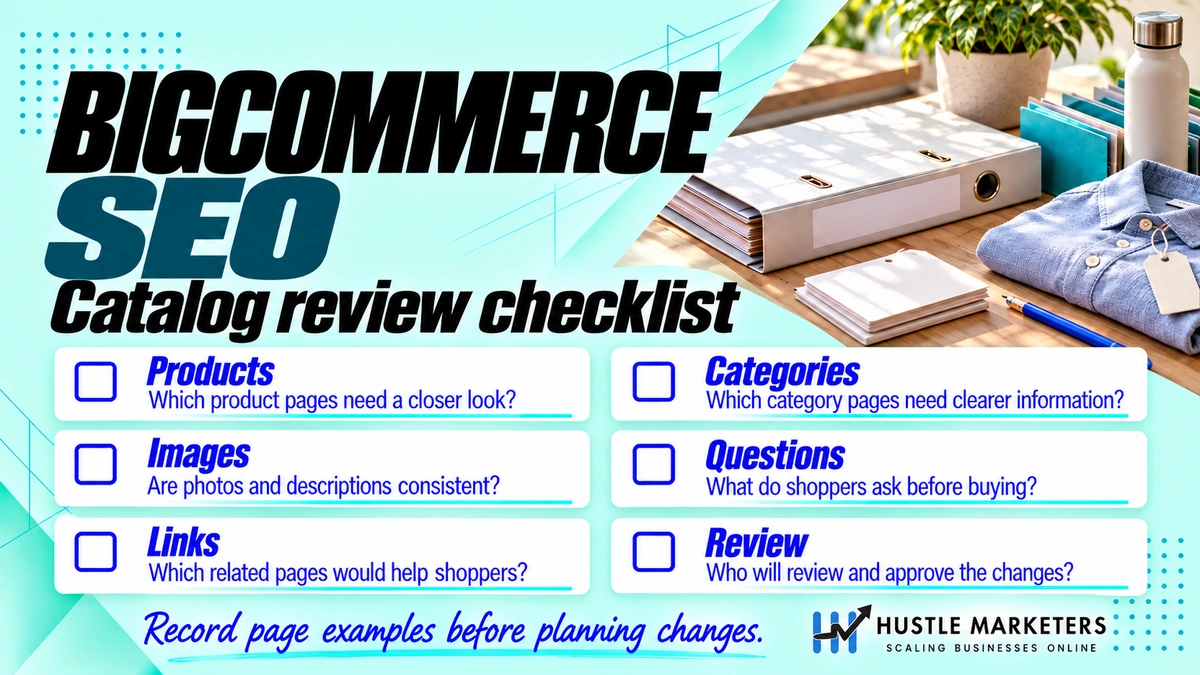
Step 4: Optimize your product and category pages
With the technical base clean, optimize the pages that convert.
- Product pages. Rewrite manufacturer copy into original, benefit-led descriptions. Add Product schema, compress images, write real alt text, and show reviews. Compressed images also protect BigCommerce site speed, which feeds your Core Web Vitals scores.
- Category pages. Add a short keyword-aligned intro above the grid and detailed content below it. Keep the hierarchy shallow and link to top products.
- Internal linking. Connect products to parent categories, related products, and buyer guides so authority flows to money pages.
Start with your best sellers and highest-margin categories. A focused push on proven pages returns more than lightly touching the whole catalog.
Before you follow any feed tutorial, check which app it assumes. BigCommerce has deprecated the legacy Google app, and the current route is Feedonomics Surface. Our BigCommerce product feed guide walks through the setup as it exists now, including which features need the paid plan and why apparel products get disapproved.
Step 5: Optimize your BigCommerce product feed
This is the step most guides skip entirely, and it is often the fastest win.
- Connect a feed tool. Feedonomics Surface syncs your catalog to Google Merchant Center and Meta from the control panel, with a free plan covering up to 100,000 SKUs. The native Channel Manager also connects Google.
- Optimize feed titles. The feed title is a ranking factor for Shopping, so lead with the terms buyers search.
- Fill identifiers. Add GTIN, MPN, and brand so products qualify for Shopping and free listings. See our GTIN guide.
- Keep it synced. Accurate price and stock protect against disapprovals.
Feed work lifts Shopping and free listings at the same time, and getting it wrong can block you completely: Silicon Lightworks could not get Merchant Center approval until the feed and account foundations were rebuilt. Our full method is in the feed optimization guide.
Step 6: Optimize for AI and answer engines
Finally, make your store show up where buyers now search: AI results.
- Structure content for extraction. Clear FAQs, comparisons, and specification tables give AI clean answers to pull.
- Add answer-ready schema. FAQPage and Product schema help AI engines quote your pages.
- Write the way people prompt. Cover “best,” “how to,” and comparison angles in natural language.
This is proven. For ArmorPoxy, AI-driven referrals became a real traffic source, and CMSC Parker CDL now ranks number one in Google’s AI Overview with zero ad spend while also appearing in ChatGPT and Gemini. Our playbook is in the guide on ranking in ChatGPT and AI search.
Can you implement full SEO on BigCommerce yourself?
Yes, up to a point. Once you know how to do SEO on BigCommerce, a store owner can handle Steps 1, 2, and much of 4 using the built-in fields. The platform is genuinely SEO-friendly, so the basics are within reach without code.
The harder parts are Steps 3, 5, and 6. Faceted navigation, crawl budget, canonical logic, feed optimization, and AI readiness need experience, especially at catalog scale. Small stores can go far alone. Large catalogs usually reach a point where a specialist saves months. Knowing your own limit is the skill, so do what you can and bring in help where the technical depth runs out.
Step 7: Build a content engine around your store
With the store itself optimized, content is what expands your reach beyond product terms, and this step has a platform quirk to plan around.
BigCommerce’s built-in blog handles clean URLs and basic posts, but it has no hierarchical categories and limited layout control, so treat it as a publishing tool rather than a full CMS. What works:
- Publish buyer guides mapped to categories. Every “how to choose” and comparison guide should link into exactly one matching category page with descriptive anchor text.
- Answer real questions. Mine Search Console queries, site search terms, and support tickets for the questions buyers actually ask, then answer them better than anyone ranking.
- Keep content on the store domain. A blog on a subdomain splits your authority. If your content operation outgrows the built-in blog, larger stores run WordPress through a reverse proxy on a subdirectory, keeping the equity on the main domain while gaining full CMS control.
- Refresh instead of multiply. Updating a ranking post outperforms publishing a competing new one on the same topic.
The content is not there to win applause. Every piece exists to capture a question and push authority at a page that sells.
Step 8: Monitor, measure, and fix monthly
BigCommerce SEO is not a set-and-forget project, and the stores that keep compounding all run the same monthly loop:
- Index coverage in Search Console. Watch the indexed page count and the excluded reasons. Revenue pages slipping into “Crawled, not indexed” is your earliest warning of trouble, weeks before traffic reflects it.
- Crawl stats. The crawl stats report shows where Googlebot spends its time. If filter parameters or dead URLs dominate, your crawl budget controls need tightening.
- Query movement. Track your mapped commercial keywords, and mine the queries ranking in positions 5 to 20, which are the cheapest wins on the board each month.
- Feed diagnostics. Check Merchant Center for disapprovals and warnings, since a single attribute error can silently pull products from Shopping.
- Revenue by landing page. In GA4, confirm the pages you optimized are the pages earning. Rankings that never touch revenue mean the keyword map needs revisiting, not the content.
One hour a month on this loop catches nearly every problem while it is still small. The audits that find disasters are almost always looking at stores where nobody ran this loop for a year.
What are the most common BigCommerce SEO mistakes to avoid?
Knowing the sequence is half the job. Avoiding these platform-specific traps is the other half:
- Choosing the Long URL structure. It injects pointless /products/ and /categories/ folders into every URL. If your store launched with it, plan a mapped migration to Short, not a casual switch.
- Leaving meta descriptions blank. BigCommerce fills them from the first lines of the product description, so shipping boilerplate becomes your Google snippet.
- Trusting robots.txt to remove pages from Google. It blocks crawling, not indexing. Pair robots rules with canonicals for filter URLs.
- Deleting products instead of redirecting them. Every deletion without a 301 throws away earned rankings. Use the lifecycle rules: keep out-of-stock pages live, redirect discontinued products to replacements or parent categories.
- Stacking schema apps on Cornerstone’s native microdata. Two conflicting product markups can cost your rich results. Verify what the theme emits before adding anything.
- Ignoring redirect chains after bulk renames. The auto-redirects are helpful, but bulk catalog cleanups can stack them three deep. Audit chains after any large rename.
Every one of these is cheap to avoid and expensive to unwind, which is exactly why the step order in this guide matters.
How do you optimize BigCommerce category pages specifically?
Category pages deserve their own treatment because on most stores they are the highest-potential pages and the least worked on. They target broader keywords than any product, they concentrate internal links, and buyers use them to shop. The BigCommerce-specific playbook:
- Place content above and below the grid. A short, keyword-aligned intro of 80 to 120 words above the products confirms relevance to the searcher, and the detailed buying guidance sits below the grid where it helps without pushing products down. Category pages with zero text are the single most common weakness we find on the platform.
- Make the template pull dynamic H1s. Each category needs its own name as the H1. Custom themes that render a generic heading across categories hand Google hundreds of pages with the same topic signal.
- Link subcategories in the content, not just the sidebar. Contextual links from a parent category’s description into its children pass more relevance than navigation menus alone.
- Keep best sellers on page one. Products beyond the first page of a paginated category receive far weaker internal links. Sort so revenue drivers surface first, and keep total category depth shallow.
- Mind the filter URLs. Category pages are where faceted parameters breed, so this is where your Step 3 crawl controls earn their keep. Some filter combinations have genuine search demand, like a color or material with real volume. Build those as proper subcategories with their own URL and content instead of leaving them as parameter pages.
- Add category-level FAQs. Three or four buyer questions below the grid capture People Also Ask visibility and give AI engines something to cite for the category topic.
A store that optimizes its 20 most valuable categories this way typically gains more than one that lightly touches 500 products, because every category win lifts all the products beneath it.
When to bring in BigCommerce SEO experts
Doing SEO on BigCommerce yourself works until the catalog grows or the technical debt piles up. Bring in experts when:
- Your catalog runs into thousands of SKUs with heavy filtering
- Rankings have stalled despite doing the basics
- Feed and Shopping visibility is weak
- You want AI search visibility but lack the setup
Our team handles the full stack, and the proof is public. The ArmorPoxy engagement, published in full alongside dozens more in our case study hub, followed exactly the sequence in this guide: crawl and index coverage improved, organic clicks up 35% and store revenue up. Behind that sit 591+ verified client reviews averaging 4.9/5 across Clutch, Google, DesignRush, G2, and Trustpilot. If you have hit your limit, our BigCommerce SEO agency can take it from here.
Frequently asked questions
Is BigCommerce good for SEO? Yes. It offers clean URLs, editable meta tags, robots.txt access, a 301 tool, and product schema. Its weak spots are manageable with the right setup.
How do I add meta tags in BigCommerce? Use the page title and meta description fields on each product, category, and web page in the control panel. No code is needed.
Can you do full SEO on BigCommerce without a developer? Mostly for basics like meta tags, URLs, and product copy. Faceted navigation, feeds, and advanced schema often need specialist help.
How do I fix duplicate content on BigCommerce? Set canonical tags on variant and paginated URLs, and control which filter URLs get indexed so pages do not compete.
Does BigCommerce SEO include Google Shopping? It should. Optimizing your product feed drives Shopping and free Merchant Center listings, which is a fast visibility win most stores underuse.
How long does it take to do SEO on BigCommerce? The initial setup in this guide takes days. Rankings compound over 90 or more days, and the monthly monitoring loop keeps them growing.
Does BigCommerce automatically create a sitemap? Yes, the XML sitemap generates and updates automatically. Your job is submitting it in Search Console and keeping junk URLs out of it.
Conclusion
Doing SEO on BigCommerce is about sequence. Set up your foundations and tracking, fix URLs and meta tags, clean the technical base and crawl budget, optimize product and category pages, then add the feed and AI layers most guides ignore. Follow the steps in order and each one makes the next more effective. Small stores can do much of this alone, while large catalogs reach a point where specialists save time and money. If you would rather have a team run the full stack, our BigCommerce SEO experts are ready. Tell me your catalog size and I will map your fastest wins first.