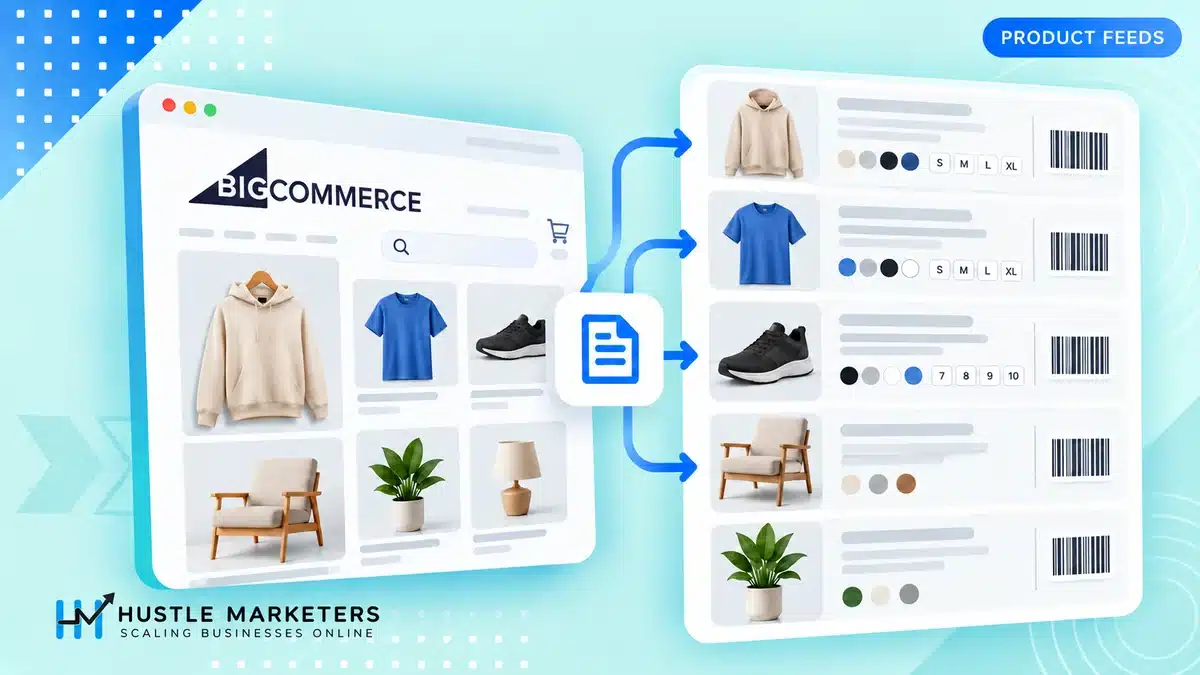
BigCommerce Product Feed in 2026: Setup, Field Mapping and the Limits Nobody Mentions

Ishant
Published : October 6, 2026 at 9:30 am
Updated : October 16, 2026 at 12:14 pm
Ishant
Written by Ishant Sharma, Google Ads, Microsoft Ads and SEO specialist since 2013 | Published October 6, 2026 | Facts checked September 18, 2026
Nearly every BigCommerce Google Shopping guide still ranking today tells you to install an app that BigCommerce has already killed.
When we checked BigCommerce’s own support article on September 18, 2026, the page title read “Ads and Listings on Google (Deprecated)”. The entire body was one sentence:
Notice: The legacy Google Ads and Listings for BigCommerce app is no longer available. To connect your store to Google Shopping, we recommend using Feedonomics Surface.
If you followed a tutorial and could not find the app it told you to install, that is why. Step one of most published instructions cannot be completed any more.
This guide covers what the setup actually is now, which parts of it are free, exactly how your BigCommerce fields reach Google, and the limitations that are documented but almost never written about.
Table of Contents
- Which app should I use for a BigCommerce product feed in 2026?
- Do I need to do anything about the Content API shutdown?
- What is free, and what needs the paid plan?
- How does BigCommerce data map to Google Shopping fields?
- Why do my apparel products keep getting disapproved?
- Where do I put GTINs, and why can I not find the variant field?
- What does Feedonomics Surface silently not support?
- Why did my product count drop in Merchant Center?
- Can I sell into more than one country from one BigCommerce store?
- How often does the feed actually update?
- What should a BigCommerce merchant actually do first?
- BigCommerce product feed FAQs
Which app should I use for a BigCommerce product feed in 2026?
The current native integration is Feedonomics Surface, found at Channels, then Feedonomics Surface in your control panel. It is built on Feedonomics’ feed management technology, which BigCommerce now offers as part of the platform rather than as a separate service.
BigCommerce’s app listing names five Surface channels: Google Shopping, Meta, Microsoft Ads, TikTok and Pinterest, with more in development. Check the current list under Channels before you plan.
Two things to do before you set anything up.
Pause any existing feed app first. BigCommerce is explicit about this: if you are already using another app to manage your marketplace channels, pause those feeds first “to prevent your data from being continually overwritten due to conflicting feed updates.” Two apps pushing to the same Merchant Center account will fight each other and you will spend days chasing errors that are not real.
Know about the product list downgrade. Buried in the migration note: “your store may revert to the single-channel product list after disconnecting from our legacy Meta and Google apps. Contact our support team to upgrade to the latest product list.” If your Products page suddenly looks different after you disconnect the old app, that is expected, and support has to restore it.
Do I need to do anything about the Content API shutdown?
Short answer for most BigCommerce merchants: no. But the reason matters, because the standard advice circulating on this is wrong for you.
The dates have already passed. Google’s Merchant API migration documentation states plainly that “Content API for Shopping was sunset on August 18, 2026” and that “Starting September 1, 2026, Content API for Shopping requests will experience progressive errors.”
Most articles tell you to open Merchant Center, check Settings and tools, then Data sources, and panic if you see “Content API” listed. For a BigCommerce store on Feedonomics Surface, that check gives you a false positive by design.
Google’s own doc pre-empts this: “If you are a merchant using a third-party technology partner to sync your product data, such as the Google and YouTube app on Shopify, you don’t need to do anything. Your provider will handle the API migration for you.”
That is the situation BigCommerce merchants are in. Feedonomics handled the migration centrally. The label in your Merchant Center data sources can still read “Content API” while the feed runs on the Merchant API underneath, because no new data source container was created. Creating one would have broken every supplemental feed and country setting attached to the existing source.
You can confirm this from BigCommerce’s own setup instructions, which still tell you to “click the action menu next to Content API, and select Edit countries” when adding target countries. That instruction is current, not stale.
Where you do need to act is if you built a custom integration against the Content API yourself, or you use a third party app whose provider has not migrated. Google offers extended access for those cases, but it is an application, not a default. Our Content API for Shopping shutdown checklist covers how to work out which camp you are in.
What is free, and what needs the paid plan?
Nobody publishes this split, and it decides whether Surface will actually work for your catalog. There are two plans.
Surface Basic is free, covers two channels, and supports up to 100,000 SKUs.
Surface Retail is tiered by SKU count and channel count, with a 15 day trial before billing starts. BigCommerce’s app listing, checked October 7, 2026, shows $29 a month for up to 1,000 SKUs and 2 connections, $49 for 10,000 SKUs and 4, $89 for 30,000 SKUs and 8, and $199 for 100,000 SKUs and 20.
| Capability | Basic (free) | Retail (paid) |
|---|---|---|
| Channel connections | 2 | Tiered |
| SKUs | Up to 100,000 | Tiered |
| Categorization tool | Yes | Yes |
| Errors mode | Yes | Yes |
| Data overrides, single and bulk | Yes, up to 500 items per page | Yes |
| Promotion IDs | Yes, via data overrides only | Yes, via rules or fields |
| Rules (conditional IF and THEN logic) | No | Yes |
| Upload overrides by CSV | No | Yes |
| Data validation before sync | No | Yes |
| Supplemental sources | No | Yes |
| Attribute mapping | No | Yes |
| Taxonomy reference | No | Yes |
| General channel data mode | No | Yes |
The sting is attribute mapping being Retail only. BigCommerce’s custom fields documentation notes that some information like age group and gender maps to your custom fields automatically, “while other fields may require you to configure attribute mapping.”
Read that together with the plan split and the practical conclusion is this: on the free plan, any custom field beyond the small set that maps automatically cannot reach your feed. If your product data lives in custom fields, budget for Retail or plan to restructure your data.
One more free plan constraint worth knowing: bulk data overrides are capped at 500 items per page, and CSV upload of overrides is Retail only. For a 20,000 SKU catalog, that is a lot of pages.
How does BigCommerce data map to Google Shopping fields?
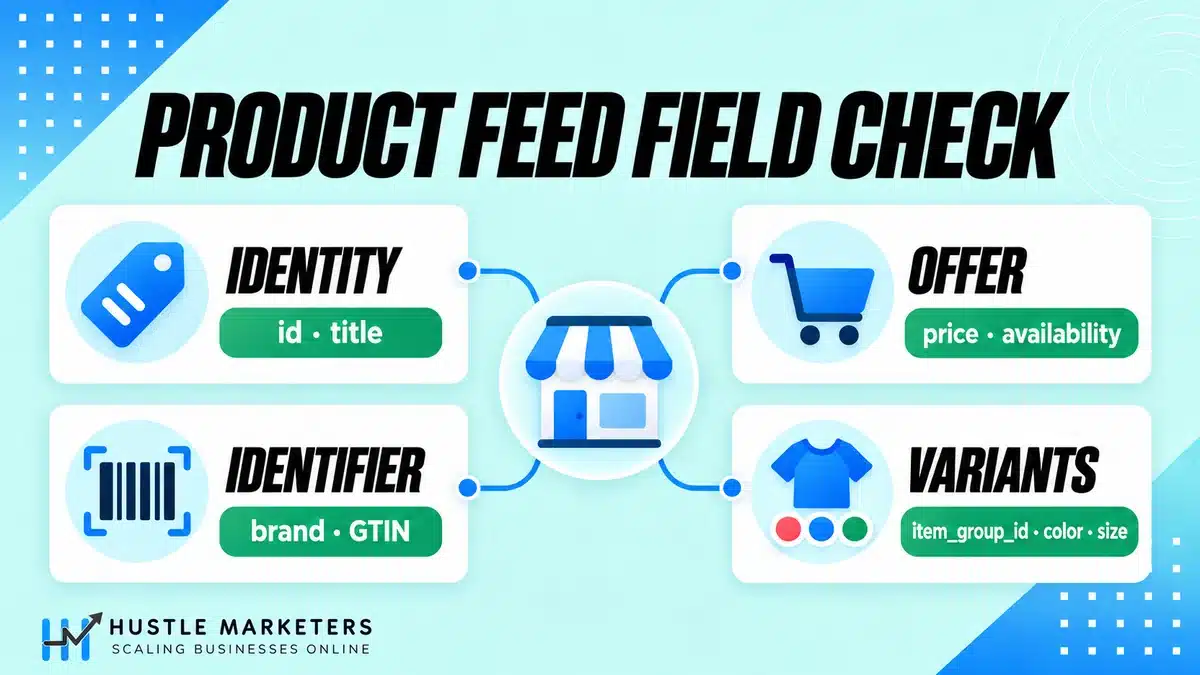
BigCommerce publishes a full mapping table with fallback behavior. It is the most useful document in the whole setup and almost no guide reproduces it. Here is what actually happens to your data.
| Google field | Comes from | Fallback or behavior |
|---|---|---|
offerId | sku | If SKU is empty, the product Id is used |
title | title | |
description | description | If empty, title is used |
link | Storefront base URL plus currency ID plus SKU | Appending the SKU is what enables variant-specific landing pages |
imageLink | image_link | |
additionalImageLinks | additional_image_link_zoom | Falls back to additional_image_link |
condition | A custom field named condition | If absent, everything is set to new |
availability | Stock and inventory_tracking | in_stock if stock is above 0 or tracking is set to none |
price | Price | Returns 0.00 if empty |
salePrice | Sale price | Left empty if equal to price, or zero |
brand | brand | Emptied if Google throws a “0 ID not found” error |
gtin | gtin | Falls back to upc |
itemGroupId | item_group_id | |
googleProductCategory | FeedAI, from the title and the last tier of product type | English content only |
productTypes | The first breadcrumb the item is assigned to | Excludes “shop all” style categories |
shippingWeight | Product weight plus weight_unit | Unit comes from storefront settings |
identifierExists | Derived | false if GTIN and MPN are both empty |
Three of those rows deserve attention.
The price fallback of 0.00 is dangerous. An empty price does not produce an error you notice, it produces a free product in your feed. Google will disapprove it, but the cause looks like a policy problem rather than a missing field.
productTypes comes from the first breadcrumb you assigned, not the best one. If you later added the product to a “New Items” menu, the product type still reflects the original assignment. BigCommerce warns that if you segment campaigns by product type, review these values before syncing, because “even minor changes such as spelling and spacing can affect campaign implementation.”
Do not override SKUs in Feedonomics. The documentation is direct: overriding SKUs “can affect Meta Shops order processing and cause Google errors.” If you need a different offer ID, change the SKU in BigCommerce itself. Note also that the override system’s primary key is the BigCommerce variant ID, not the SKU, “to ensure that the override is associated with the right product even if the SKU is empty, duplicated, or changed.”
Why do my apparel products keep getting disapproved?
Apparel is where BigCommerce stores lose the most products, and the cause is structural rather than a data quality problem.
Google requires size, color, gender and age group for apparel. Feedonomics Surface sources those four from two different places, and getting the place wrong means the value never reaches the feed.
Size, color, pattern and material must be variant options. BigCommerce states it plainly: the attribute “must be set up as a variant option (not a modifier option), and the variant name must mirror the option type.” So a size option needs the variant named size, Size or SIZE. Case does not matter. Name does.
This catches people because modifiers look identical to options in the storefront. A size built as a modifier renders fine to shoppers and is invisible to your feed.
Gender and age group must be custom fields, named to match. Supported values are tight:
| Field | Accepted values |
|---|---|
gender | male, female, unisex |
age_group | newborn, infant, toddler, kids, adult |
If you genuinely do not have the data, BigCommerce suggests filling blanks with generic values through data overrides, such as gender unisex, age group adult, or color multicolor. That is better than a disapproval, though a real value will always serve better.
One collision to watch for. BigCommerce’s custom fields documentation warns that a custom field sharing a name with a product option will not display as a product filter, and that custom fields cannot share a name with other filterable attributes. Custom fields also appear on the storefront product page, so you cannot use them as hidden feed-only data. The limits are 200 custom fields per product and 255 characters per name and value.
Where do I put GTINs, and why can I not find the variant field?
This one is genuinely hidden. From BigCommerce’s product identifiers documentation:
Note: Variant-level GTIN does not appear in the control panel, but it can be created and updated via the modern Product Import/Export experience or the Catalog API.
If every variant of a product has its own GTIN, which is normal for apparel and most branded goods, you cannot enter them in the admin at all. CSV import or the Catalog API are the only routes. Merchants spend hours looking for a field that is not there.
The rest of the identifier rules, which do matter for feed hygiene:
- SKUs are case insensitive, so
ABC-123andabc-123are the same SKU - SKUs must be unique, maximum 255 characters, and BigCommerce strongly recommends avoiding commas because they break imports and API requests
- GTIN, UPC/EAN, MPN and BPN can be shared across products or variants, unlike SKUs
- If a product genuinely has no identifiers, add a custom field named
Identifier Existswith a value ofFalseorNo
Our GTIN guide for Google Shopping covers when you can legitimately go without one and how Google treats those products differently.
What does Feedonomics Surface silently not support?
Three limitations that are documented, easy to miss, and expensive if they apply to you.
Price lists and product modifiers are not supported. That is a verbatim quote from the requirements. If you run B2B pricing through price lists, or configurable products through modifiers, none of that reaches the feed.
Product option rules from the v2 add and edit experience are not supported. The consequence is specific: “changes to product attributes like weight and price are not included in product feeds.” A v2 store with option rules that adjust price will send the base price to Google while the site charges something else, which produces a price mismatch disapproval that looks inexplicable.
BigCommerce gives three ways out: upgrade to the v3 products experience, manually override each variant, or use transformation rules, which are Retail only.
Supplemental sources are narrower than you expect. The Feedonomics platform documentation sets the limits. On Retail they accept Google Sheets, SFTP, URL and file upload, but only CSV, TXT and TSV formats. XML, JSON and NDJSON are not supported on Retail, only on managed plans. Excel files and HTML are not supported on any version of Feedonomics. Your supplemental file must contain a column named sku matching your BigCommerce SKUs, field names must be unique, and supplemental data can only enrich existing products, never create new ones.
Why did my product count drop in Merchant Center?
Because Feedonomics removes out of stock products from the feed entirely rather than marking them unavailable.
The rule is conditional. Products with inventory tracking enabled are removed when stock hits zero and added back automatically when restocked. Products set to “Do Not Track Inventory” are never removed.
BigCommerce answers the obvious worry directly: this does not reset your performance history, because ad platforms track history against the product ID, and the ID does not change unless you delete and recreate the product. It also does not affect your organic SEO, since your product pages still exist and still rank in normal search.
There is a related behavior that is much more dangerous, and it is worth reading twice. The export process, “Download channel data” under Channels, “will automatically delete or delist any SKU from Google or Meta that is present on those channels but is no longer included in the BigCommerce export feed.”
So if a product is missing from your BigCommerce export, for example because it is assigned to the wrong storefront or channel, exporting will actively remove it from Google. Before you export, confirm that everything you want listed exists in BigCommerce with matching SKUs and is assigned to the correct channel and storefront.
Can I sell into more than one country from one BigCommerce store?
Partly, and the honest answer is more restrictive than most guides suggest.
Surface supports every country and currency BigCommerce supports, but it will only let you advertise in the currency that matches your storefront’s default currency. If your default is CAD, you can only list in Canadian dollars, not USD.
Additional target countries are added in Merchant Center rather than in BigCommerce: Settings and tools, then Data sources, action menu next to your data source, then Edit countries. Google’s currency conversion feature is the documented workaround for pricing.
The practical shape of this: genuine multi-currency selling means one storefront per currency. Plan your channel allocation accordingly, because the free plan only covers two channels.
Two related notes. FeedAI auto-categorization “works only for English-language content”, so non-English catalogs need the Categorization tool. And for Chinese, “Google will deduce the script as Simplified or Traditional, which will impact traffic to your products.”
How often does the feed actually update?
By default, every four hours, “at a time randomly selected by the system.” That interval can only be changed on managed Feedonomics plans.
Two sync settings exist and they can contradict each other. There is auto-sync on the Channels page, which pushes data to Google, and auto-sync on the Data Sources page, which pulls data from BigCommerce. BigCommerce flags the failure mode: “If you disable auto-sync on the Data sources page, but still have the channel set to auto-sync, the Feedonomics Surface app will send stale data from the last time the data source was synced.”
That is worth checking if your prices or stock levels look right in BigCommerce and wrong in Merchant Center. It is not a mapping problem, it is a half-paused sync.
If you are weighing Surface against a dedicated feed tool, our feed management software comparison sets out where a third party tool earns its cost, and our product feed optimization guide covers the attribute work that matters regardless of which tool you use.
What should a BigCommerce merchant actually do first?
In this order, because each step depends on the one before it.
1. Confirm which app you are on. If you are still on Ads and Listings on Google, plan the move to Feedonomics Surface and expect the product list downgrade.
2. Fix product structure before you fix the feed. Size and color as variant options, gender and age group as custom fields, GTINs imported by CSV where they are variant level. Structure problems cannot be patched downstream on the free plan.
3. Check whether price lists, modifiers or v2 option rules apply to you. If they do, decide between a v3 upgrade and Retail rules before you launch, not after the disapprovals arrive.
4. Connect, but review before enabling auto-sync. Nothing is sent until auto-sync is on or you trigger a manual sync. Use that window to read the data in Errors mode.
5. Verify both auto-sync toggles. Channels and Data Sources.
6. Watch product counts, not just errors. A falling total is usually out of stock exclusion working as designed, but it can also be an export that delisted products you wanted live.
Timing matters as well. Do not run a migration or a structural change into peak trading. Our Black Friday advertising guide covers why that period wants a settled feed rather than a fresh one, and what to lock down before traffic arrives.
We have done this work on BigCommerce stores where the catalog was the constraint rather than the campaigns. The ArmorPoxy case study documents a BigCommerce store where fixing crawl, indexation and product data drove 35% organic click growth, and the same data discipline is what makes a Shopping feed perform. If you want the broader platform picture, our BigCommerce SEO guide covers the on-site side.
BigCommerce product feed FAQs
Is the BigCommerce Google Shopping app still available?
No. BigCommerce’s support article is titled “Ads and Listings on Google (Deprecated)” and states that the legacy app “is no longer available.” The replacement is Feedonomics Surface, at Channels then Feedonomics Surface.
Is Feedonomics Surface free?
Surface Basic is free, supports two channels and up to 100,000 SKUs. Surface Retail is a paid tiered plan with a 15 day trial, and it adds rules, CSV override uploads, data validation, supplemental sources, attribute mapping and taxonomy access.
Do I need to migrate off the Content API myself?
Almost certainly not. Content API for Shopping was sunset on August 18, 2026, and Google states that merchants using a third party technology partner do not need to take action because the provider handles it. Your Merchant Center may still display “Content API” as the data source name, which is expected. You only need to act if you built a custom integration yourself.
Why is my variant GTIN field missing in BigCommerce?
It is not in the control panel. BigCommerce documents that variant-level GTIN “does not appear in the control panel, but it can be created and updated via the modern Product Import/Export experience or the Catalog API.” Use CSV import or the API.
Why are my apparel products disapproved for missing size or color?
Usually because the attribute is a modifier option rather than a variant option, or because the variant is not named to match the attribute. Size, color, pattern and material must be variant options with names mirroring the option type. Gender and age group must be custom fields instead.
Can Feedonomics Surface handle my B2B price lists?
No. Price lists and product modifiers are not supported. If your pricing depends on either, the feed will not reflect it.
Why did my total product count fall in Merchant Center?
Feedonomics excludes out of stock items from channel feeds automatically when inventory tracking is enabled and stock reaches zero. They return when restocked, and performance history is preserved because the product ID does not change. Products set to Do Not Track Inventory are never excluded.
Can I advertise in more than one currency from one store?
Not from a single storefront. Surface only allows listing in the currency matching your storefront’s default currency. Additional target countries are added in Merchant Center, and Google’s currency conversion is the documented workaround, but genuine multi-currency selling means one storefront per currency.
How often does the BigCommerce feed sync to Google?
Every four hours by default, at a randomly selected time, adjustable only on managed plans. Check both auto-sync toggles, on Channels and on Data Sources, because disabling the data source sync while leaving the channel sync on will push stale data.
Can I use custom fields to control my feed on the free plan?
Only the ones that map automatically, such as gender and age group. Mapping any other custom field to a Google attribute requires attribute mapping, which is a Surface Retail feature.
About the author: Ishant Sharma has worked in digital marketing since 2013 as a Google Ads, Microsoft Ads and SEO specialist, across ecommerce, local service, SaaS and white label agency accounts in the US, UK, UAE and Australia. His platform work includes BigCommerce SEO. He leads ecommerce PPC management and Google Ads at Hustle Marketers. He founded Hustle Marketers, a Google Partner and Meta Business Partner agency, and one of the best digital marketing agency options for ecommerce and local service brands. Trackable client sales across his work have passed $780M, and he is Top Rated Plus on Upwork. More about Ishant.