Active in Merchant Center but No Free Listings? Fix It

Ishant
Published : September 18, 2026 at 11:30 am
Updated : October 16, 2026 at 12:15 pm
Ishant

Summarize this article with:
Your products say Active in Merchant Center. Free listings is switched on. Diagnostics is clean. And still: products not showing on Google Shopping, or showing so rarely it makes no difference.
This is one of the most common questions in the Google Merchant Center and Shopify communities, and one of the least well answered. Threads on it run to dozens of replies and usually end with nobody resolving anything.
The reason is that most people are looking for an error. There usually is not one. Free listings do not work the way disapprovals work, and once you understand the difference the diagnosis becomes straightforward.
Short answer: If your products are not showing on Google Shopping despite an Active status, the reason is that Active means eligible, not visible. Google states plainly that the status “doesn’t guarantee that your products will be shown to customers” and that it relies on your data to match products to searches. With no bid behind them, free listings are won on feed quality alone: titles, complete attributes and valid identifiers.
The sentence in Google’s documentation that explains most of this
Google’s own free listings documentation says this:
The status on the Free listings page controls permission to show products for free across Google, but doesn’t guarantee that your products will be shown to customers. We rely on the data that you provide to us to match your products with what customers might be searching for.
Google Merchant Center Help, free listings
Active means eligible. It does not mean visible. Paid Shopping ads buy their way into the auction, so a product with a bid behind it will show. Free listings have no bid, so they have to win purely on matching, and matching is driven entirely by the quality of the data in your feed.
That single difference explains why merchants see their paid ads running perfectly while free listings sit at zero, and then conclude something is broken. Usually nothing is broken. The feed is simply not good enough to win an unpaid match.
Active, Limited or Disapproved: check which one you actually have
Merchants say “active” when they mean any of three different states. The fix is different for each, so read the status column properly before going further.
| Status | What it means for free listings | Where to go next |
|---|---|---|
| Active | Eligible. Whether it shows is a matching question | The diagnosis tree below |
| Limited | Eligible, but held back by missing or weak data. Commonly missing GTIN, brand or MPN. It will surface far less than an equivalent complete product | Steps 3 and 4 below, then re-check. This is the status most often mistaken for Active |
| Disapproved | Not eligible at all until the named issue is fixed | Fix the item-level issue first. Nothing else matters until it clears |
A common pattern reported by advertisers is paid Performance Max running perfectly while the same products sit Limited for free listings. That is not a bug. Paid placement can be bought; unpaid placement needs the data to be complete.
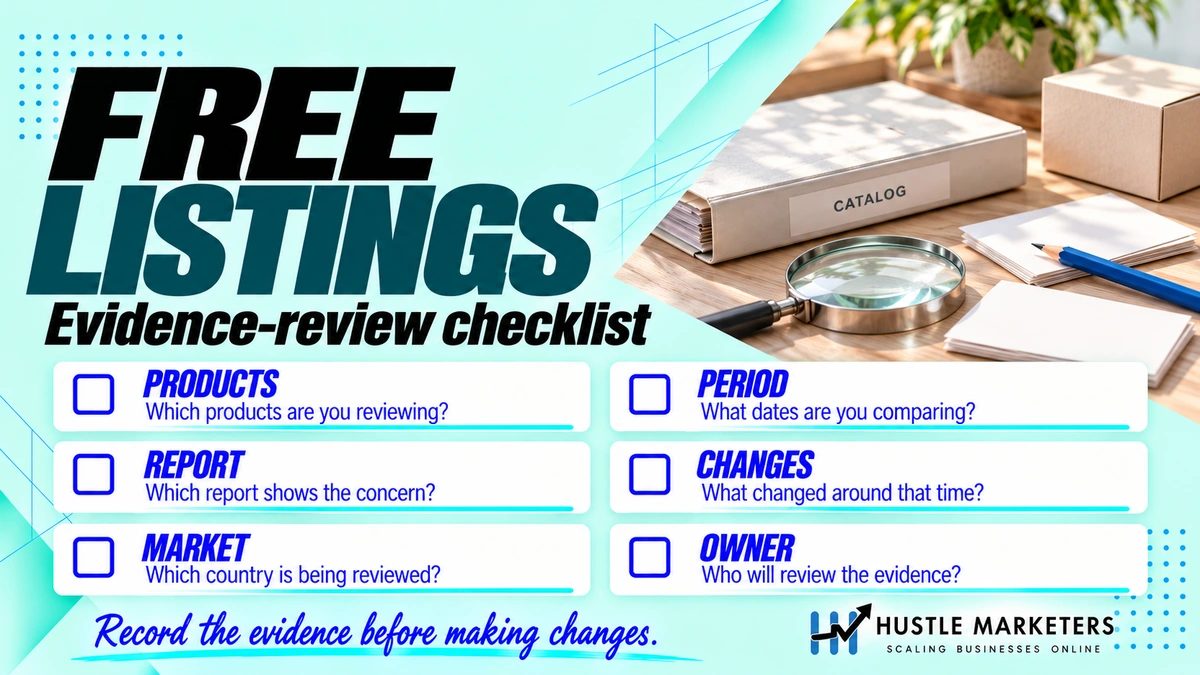
Products not showing on Google Shopping: the diagnosis tree
Work these in order. Do not skip ahead, because the early ones are binary and the later ones are matters of degree. In most accounts the reason products are not showing on Google Shopping is found in the first three.
1. Confirm you are genuinely opted in, per country
Free listings is enabled per country of sale, not once for the account. A store selling to three countries can be live in one and silently not live in the other two.
Check the free listings programme in Merchant Center and confirm every country you sell to is included. Then check that your data source actually targets those countries, because a feed label pointing at one country will not produce listings in another.
2. Check shipping and returns are configured, not just present
Google’s stated requirements for free listings include setting up shipping settings or supplying shipping costs through the shipping attribute, and adding return policy information to your website. Shipping configuration is mandatory in 29 countries including the US, UK, Canada, Australia and most of Europe.
Merchants often have shipping set up for the country their ads run in and nothing for the others. That will not block the account, but it will limit eligibility.
3. Check the required attributes are actually populated
Present is not the same as populated well. Go into a sample of ten products and look at the real values.
| Attribute | Required for | What weak looks like |
|---|---|---|
| id, title, link, image_link, price, description, availability | Every product | Description copied from the title, or a single-line placeholder |
| brand or manufacturer | Where a product is clearly associated with one | Left blank, or set to your store name on branded goods |
| gtin or mpn | Product identification | Missing, invalid check digit, or identifier_exists set to false when a GTIN does exist |
| condition | Used or refurbished items | Everything marked new by default |
| color, size, age_group, gender | Apparel | Blank, which severely limits apparel matching |
Apparel is where this bites hardest. A clothing feed without colour, size, age group and gender will be eligible and effectively invisible at the same time.
4. Check your product identifiers
Identifiers are how Google matches your product to a known product and to the queries around it. Writing in Search Engine Land, Jen Cornwell of Tinuiti reported that correctly matched GTINs can drive up to 40% more clicks and enable aggregate product reviews.
Three specific things to check:
- Are GTINs present where they exist, and valid rather than truncated or padded incorrectly?
- Is identifier_exists set to false only for genuinely unbranded or handmade products, rather than used as a shortcut to clear a warning?
- On variant products, do MPN and GTIN resolve at variant level rather than only on the parent?
We cover this in more depth in our guide to GTINs and product identifiers in Google Shopping.
5. Read your titles the way a shopper would search
With no bid to lean on, the title is doing most of the work. Most feeds pass the product name straight from the catalogue, which is written for people already on the site.
| Weak title | Stronger title | Why |
|---|---|---|
| Aurora Midi | Floral Midi Dress Women’s Navy Size 12, Aurora | Carries the product type, attributes and audience a query would use |
| SKU 44821 Blue | Bosch 18V Cordless Drill Driver with 2 Batteries, GSB 18V-50 | Brand, type, key spec and model number |
| Premium Collection Sofa | 3 Seater Fabric Sofa Grey, 210cm, Scandinavian Style | Size and material are how furniture is actually searched |
The order matters. Put the elements people search first, because the title truncates in the listing.
6. Check you are looking in the right report
A surprising share of “we have zero free listings” turns out to be a reporting problem.
- Free listing clicks do not appear in Google Ads. They are not ads.
- In Google Analytics they arrive as organic traffic, not as paid, so they are easy to miss.
- Google Search Console has a shopping tab performance report for many accounts, which is the cleanest place to see organic Shopping impressions.
- Merchant Center performance reporting has its own free listings view. Check the date range and the country filter, because both default in ways that hide data.
7. Check the landing page matches, technically
If Google crawls your product page and finds different values than your feed sent, matching quality drops even when nothing gets formally disapproved.
Google’s guidance for Merchant Center structured data is unambiguous on one point in particular: “Structured data markup must be present in the HTML returned from the web server. The structured data markup can’t be generated with JavaScript after the page has loaded.” It also states that “your landing page can’t change based on information about the customer”, which is exactly what geo-based price switching does.
So check that price, availability and condition are in the server-returned HTML, and that a visitor from another country does not see a different price than the feed declares. If you are on Magento, our guide to Magento schema markup covers how to get this right at the template level.
8. Ask whether this happened gradually or overnight
This is the branch that changes everything.
| Pattern | What it usually means | Where to go next |
|---|---|---|
| Always been near zero | Feed data quality. Matching was never strong enough | Steps 3, 4 and 5 above |
| Declined gradually over weeks | Competition, seasonality, or feed quality drifting as new products were added | Compare recently added products against older ones |
| Dropped to zero on a specific date, paid still fine | A configuration or eligibility change, not a content problem | The overnight section below |
| Dropped after a platform or theme change | Structured data or page rendering changed | Step 7 |
Does Google Shopping show all of your products?
No, and it never has. Two separate filters sit between your catalogue and a shopper.
- Eligibility removes products that are disapproved, expired, missing required attributes, or excluded by your own destination settings.
- Matching then decides, from what is left, which products are relevant enough to a given search to be worth showing. This is where most catalogues lose out.
So a store with 5,000 active products might realistically surface a few hundred of them with any regularity. That is normal. What is not normal is a catalogue where nothing shows, or where the products that do show are not the ones you want to sell. Both of those are feed problems, and both are fixable.
If everything disappeared overnight
Merchants have reported total, sudden losses of free listing impressions while paid Shopping continued running normally. One long-running Shopify Community thread on exactly this ran past ninety posts without a resolution, and merchants reported that Google support treated free listings as out of scope.
Work through this in the first 24 hours:
- Check the free listings programme status for every country, not just your main one. A programme can be switched off without the account being suspended.
- Check for an account-level policy notice separate from item-level disapprovals. Free listings and Shopping ads policies were consolidated into unified guidelines in July 2026, so a notice can affect both surfaces.
- Check whether a new data source appeared. If a second source started supplying the same products, you may have duplicates competing with each other.
- Check your shipping and returns configuration is still valid. These are eligibility requirements for free listings and a settings change can silently remove eligibility.
- Check robots.txt and your CDN have not started blocking Google’s crawlers on product pages.
- Compare the active item count against the previous month. A drop that matches the impression drop points at the feed, not at Google.
If all six come back clean and the drop persists, document it with dates and screenshots and raise it with Merchant Center support directly rather than through the general help flow.
The fix most merchants never try: a feed built for organic
Nearly every product feed in existence was built by a paid media team. Titles get written for bidding structures, custom labels get built for campaign segmentation, and nobody involved is thinking about unpaid matching.
Jen Cornwell of Tinuiti, writing in Search Engine Land, reported that a large ecommerce brand which launched a dedicated organic feed saw a 10% month-on-month increase in organic listing click-through rate, a 4% increase in purchasing rate, and a 92% increase in free listing revenue in product-level testing.
You do not necessarily need a second feed. What you need is for someone to look at the feed with organic matching in mind: descriptive titles, complete attributes, accurate identifiers, real descriptions, and product data that matches the page exactly.
Frequently asked questions
What does Limited mean in Merchant Center free listings?
Limited means the product is eligible but held back by incomplete data, most often a missing GTIN, brand or MPN. It will appear far less often than an equivalent complete product, and merchants frequently mistake it for Active.
How long do products take to show in free listings after a feed update?
Allow a few days after the corrected data is processed before drawing any conclusion. Feed changes are not reflected instantly, and matching improvements can take several weeks to show in impression volume.
Why do my free listings work in one country but not another?
Free listings are enabled per country of sale, and shipping configuration is required per country too. A store live in one market and invisible in another almost always has the programme enabled, or shipping configured, for only the first one.
Why are my products not showing on Google Shopping even though they are approved?
Approved means eligible, not visible. Once a product is eligible, Google still has to decide it is the best match for a search, and with free listings there is no bid to help. Weak titles, missing attributes and invalid identifiers are the three most common reasons an approved product never surfaces.
How do I get my products to show in the free Shopping listings?
Confirm free listings is enabled for every country you sell to, complete your shipping and returns configuration, populate every required attribute including colour, size, age group and gender for apparel, validate your GTINs, and rewrite titles so they contain the words shoppers actually search.
Does improving my product feed help with AI shopping results too?
Yes. The same Merchant Center data feeds Google’s Shopping Graph, which sits behind AI Mode and AI shopping experiences. Work that improves unpaid matching in Shopping tends to improve visibility on those surfaces as well.
How long do free listings take to appear after setup?
Google does not publish a fixed timeframe. In practice, allow a few days after products first go Active before drawing any conclusion, and several weeks before judging the impact of feed changes.
My products are Active. Why is that not enough?
Because Active is permission, not placement. Google states directly that the status “doesn’t guarantee that your products will be shown to customers” and that matching depends on the data you provide.
Why do my paid Shopping ads work while free listings get nothing?
Paid placements are bought through an auction. Free listings are earned through matching alone. A feed can be good enough to spend money against and not good enough to win unpaid placement.
Where do free listing clicks show up in analytics?
As organic traffic, not paid. They do not appear in Google Ads at all. Merchant Center performance reporting and Search Console are the right places to look.
Do I need GTINs for free listings?
Google lists GTIN or MPN among the attributes required for product identification. If you genuinely make your own products and no GTIN exists, identifier_exists is the correct route, but do not use it to suppress a warning on branded goods that do have identifiers.
Does improving free listings help anywhere else?
Yes. The same feed data feeds Google’s Shopping Graph, which sits behind AI Mode and AI shopping experiences. Work done to improve unpaid matching improves visibility on those surfaces too.
Worth noting what free listings cannot reach. Because eligibility runs through the domain you claimed in Merchant Center, a marketplace listing is outside the system entirely, and Amazon runs its own ranking on its own terms. Our guide to Amazon SEO covers that side, including what Amazon does and does not document about external traffic.
Next steps
Start with steps 1, 2 and 3. Most cases of products not showing on Google Shopping are resolved there, and the ones that are not are almost always titles and identifiers.
If you want the feed reviewed with organic matching in mind rather than campaign structure, that is work we do. See our Google Shopping ads agency page, or read our guides to free listings in Merchant Center, free Shopping listings versus paid Shopping ads, Shopping annotations and badges, seller ratings versus product ratings, and ecommerce SEO.