Google Ads Experiments: How to A/B Test Campaigns, Bids and Performance Max

Ishant
Published : October 7, 2026 at 5:30 pm
Updated : October 16, 2026 at 12:13 pm
Ishant

Google Ads experiments are controlled A/B tests inside Google Ads that split a campaign’s eligible traffic between the original version (the control) and a changed version (the treatment). Both run at the same time and draw from the same pool of eligible auctions, and Google reports the difference with a confidence interval so you can apply, convert or end the change.
Google now offers more than a dozen experiment types, and several split traffic inside a single campaign instead of copying it. Google’s own help pages also disagree on how long to run a test and which confidence level the interface shows. Those details are where many A/B tests in Google Ads go wrong.
This guide covers every experiment type, setup, splits, sync, duration, significance, applying vs converting, Performance Max experiments, lift studies and the 2026 changes, sourced to Google’s documentation. Last verified: September 16, 2026.
Key Observations
- Custom experiments copy a campaign into a trial. AI Max, broad match, Final URL expansion and PMax asset tests split traffic inside the same campaign.
- Cookie-based splits keep each user in one arm and are Google’s recommended option. Search-based splits may reach significance faster.
- The scorecard range uses an 80% confidence interval by default. The blue asterisk is the significance signal, and Google ties it to 95%.
- Google’s run-time advice ranges from 2 to 3 weeks to at least 4 to 6 weeks.
- Auto-apply is on by default but only applies experiments that reach their scheduled end date with favorable results.
- Experiment sync is on by default for Search and Display custom experiments and can’t be changed once the trial exists.
- Lift studies measure ads vs no ads, not version A vs B. In November 2025 Google said an incrementality test that once cost upwards of $100,000 can now be done for $5,000.
What are Google Ads experiments?
Google Ads experiments are A/B tests you build on the Experiments page in the Campaigns menu. Each test compares a control arm with one or more treatment arms that receive a share of eligible traffic. Google then reports the performance difference and whether it is statistically significant, so you can apply the winner or end the test.
Experiments remove the noise that ruins before and after comparisons. Switch a campaign to Target ROAS on the first of the month and any change mixes the bid strategy with seasonality, competitors and learning. In an experiment, both versions run over the same dates, and Google’s statistical methodology page says the split is applied to eligible auctions before targeting.
What is the Google Ads Experiment Center?
The Google Ads Experiment Center has two tabs. Experiments holds A/B tests grouped as campaign features and settings, assets, campaign types and custom. Lift studies holds Brand Lift, Search Lift and Conversion Lift, which measure the impact of showing ads at all.
Do you still need campaign drafts to run experiments?
No. Google’s hub article is titled About the “Experiments” page (formerly drafts and experiments), and custom experiments are created directly from the original campaign. Drafts still exist for Search and Display, but a draft lets you propose and apply changes without a controlled test.
Which Google Ads experiment types can you run, and where do they work?
Google Ads offers custom experiments, ad variations, bidding experiments, AI Max and broad match experiments, several Performance Max experiments, video, Demand Gen and App experiments and, in 2026, campaign mix experiments. Each type supports different campaigns and splits traffic differently, so choose the type built for the variable you want to test.
| Experiment type | Works with | How traffic is split | Best for |
|---|---|---|---|
| Custom experiment | Search, Display, auction-based Video, Hotel | Separate trial campaign; cookie or search split | Smart Bidding, match types, landing pages, audiences |
| Ad variations | Responsive search ads, account-wide or chosen campaigns | Cookies | One copy or URL change at scale |
| Value-based bidding | Search and Shopping | 50/50 cookie or traffic split | Moving to conversion value bidding |
| One-click Target ROAS | Standard Shopping on manual CPC | 50% budget split | Leaving manual CPC |
| AI Max experiment | Search | Inside the same campaign | Search term matching, asset optimization |
| Broad match experiment | Search with Smart Bidding | Inside the same campaign | Adding broad match keywords |
| PMax uplift | PMax plus existing Search, Video, Display | Default 50/50 with comparable campaigns | What PMax adds |
| PMax upgrade | Standard Shopping, DSA or Display vs PMax | Traffic split between campaigns | Moving budget into PMax |
| PMax Final URL expansion and assets | Performance Max | Inside the same campaign | Landing page control, new assets |
| Video experiment | Video campaigns | Even split, 2 or more arms | Which YouTube ad wins |
| Demand Gen experiment | 2+ Demand Gen campaigns not yet running | 2 arms by default, up to 10 | Creatives, audiences, feeds, bidding |
| Campaign mix | Existing campaigns of the same or different types, except Hotel (allowlisted in the API) | Up to 5 arms, minimum 1% split | Comparing several variables across campaigns |
Sources: Google’s About custom experiments page, the Experiments hub and the type-specific articles linked below. Google also runs App asset and App uplift experiments for App campaigns. If you are still choosing campaigns, see our Google Ads campaign types guide.
What are one-click and within-campaign experiments?
They switch a feature on for part of one campaign’s traffic instead of building a copy. AI Max experiments and new broad match experiments work this way, and Google cites faster results, fewer setup errors and a shorter learning period. Broad match experiments can start from the Recommendations page. Google’s API documentation notes that standard campaign reports can’t separate the two groups, so read results in the experiment report.
How do you create and set up a custom experiment in Google Ads?
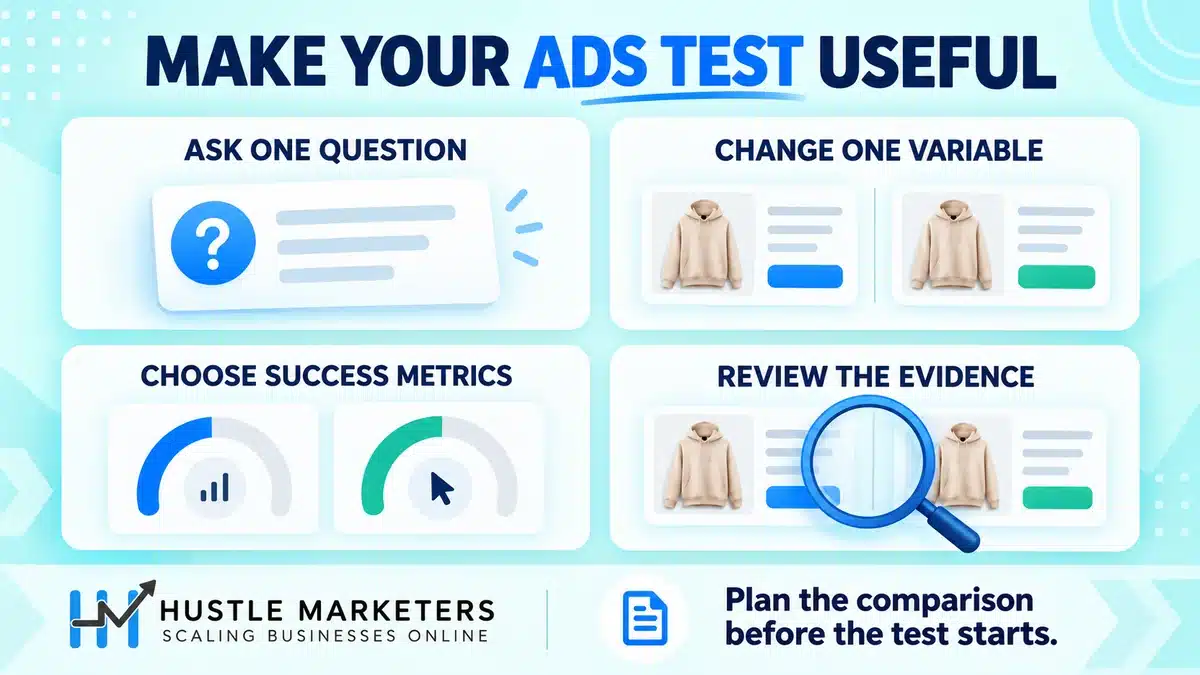
To create a custom experiment campaign, open Experiments in the Campaigns menu, select the plus button, choose Custom, pick the campaign type and base campaign, make your change in the trial, choose up to 2 goals, set the split, split type and sync, then schedule the dates. The base campaign must stay active.
Google’s Set up a custom experiment article gives the flow. Screen order shifts over time, so use this as a checklist:
- Check eligibility. Google says the campaign should be active, use its own daily budget (not shared) and a standard bid strategy (not portfolio). Remove Expanded text ads or text ads, which block creation.
- Go to Experiments in the Campaigns menu, select the plus button above the All experiments table and choose Custom.
- Select Custom experiment, choose the campaign type and select Continue.
- Name the test clearly, for example “Brand Search | tCPA vs Max Conv | Sept 2026”, and add your hypothesis as the description.
- Choose the base campaign and make one meaningful change in the trial.
- Select up to 2 goals. Choose the metric your decision depends on, such as conversions or conversion value.
- Set the experiment split. Google recommends 50%.
- In Advanced options, choose a cookie-based or search-based split and confirm experiment sync.
- Set dates. Google’s Find and edit your experiments page says the initial end date must be 2 to 12 weeks after the start date.
- Save. The trial’s ads may need to pass review before serving.
What can’t a custom experiment do?
You can schedule up to 5 experiments for a campaign but run only one at a time. Google says custom experiments don’t support shared budgets, auction insights, the search terms report, keyword diagnosis, ad schedule reports, display placements reports or scheduled email reports. Its setup page and About custom experiments both say they aren’t supported for App or Shopping campaigns; those use App experiments or the bidding and Performance Max experiments below.
Cookie-based vs search-based split: which should you choose?
Choose a cookie-based split when the change affects what a person sees across several searches, such as ad copy, landing pages or audiences, because each user stays in one arm. Choose a search-based split when volume is limited and user consistency matters less, since Google says it may reach statistical significance faster.
Google calls cookie-based “recommended” because it “ensures that a given user only views either the original or the experiment.” With search-based, the same user “could view both the experiment and your original campaign.” Display custom experiments always use cookies, and so do ad variations.
| Split option | How users are assigned | Where it applies | Use it when | Watch out for |
|---|---|---|---|---|
| Cookie-based (recommended) | Each user sees only one version | Search custom experiments; always for Display; ad variations | Testing copy, landing pages or audiences | Slower significance; with audience lists Google says you need at least 10,000 users |
| Search-based | Each search is randomly assigned | Search custom experiments | Testing bids or keywords on lower volume | One person can see both versions |
| Within-campaign | Part of one campaign’s traffic gets the feature | AI Max, broad match, Final URL expansion, PMax assets | Testing a feature without a copy | Campaign reports can’t separate arms |
| Budget split | Budget is divided across arms | Some Search, Display and App experiments; one-click Target ROAS | Bidding tests | A capped arm hides a strategy’s ceiling |
| Traffic split | Eligible auctions are divided | Performance Max, Demand Gen and Video experiments | Campaigns competing for the same inventory | Spend may not land at 50/50 |
Split rules come from Google’s setup page and its Experiments FAQs.
Why isn’t my experiment spend split 50/50?
A traffic split is not a spend guarantee. Google explains that a trial with different bids or assets may win more or fewer auctions, and budgets and automated bidding shift volume too. For Performance Max, Google says a spend gap under 20% “is considered normal auction behavior.” The FAQs add that experiment campaigns can spend up to twice the daily budget on a day but not more than 30.4 times it in a month.
Should you use a 50/50 split or something smaller?
Google recommends 50% and scales reporting for any other split. No experiment type lets you change the split after setup. Our view: use 50/50 unless the change is genuinely risky, such as a new bid strategy on your top revenue campaign. A 70/30 split protects revenue but gives the trial less data, so plan a longer test.
How do ad variations work, and when should you use them?
Ad variations test one change to responsive search ads across many campaigns or your whole account. You pick a scope, choose find and replace, update text or update URLs, set dates and a split, and Google shows original and modified ads to different users. Use them for one change at scale, and custom experiments for several changes together.
Google’s About ad variations article uses examples like “Buy now” vs “Buy today”. The three variation types:
- Find and replace: swap a phrase in every matching ad.
- Update text: add, remove or pin headlines and descriptions.
- Update URLs: change final URLs, display paths or mobile URLs, the simplest way to test a landing page across many ad groups.
Once created, you can only edit a variation’s name, start date and end date. At the end you can replace existing ads with the modified ones or add them as new ads. In September 2024, a Google Ads API advisor said the API supports experiments only at the campaign level, so ad variations couldn’t be created through it.
Is an ad variation the same as an A/B test?
Yes, it is a controlled split with significance reporting, but only for ad content and URLs. To test a new landing page alone, an Update URLs variation is quickest. If the test also needs different keywords, bids or budgets, use a custom experiment. Pair landing page tests with conversion rate optimization so the page you test is built to convert.
How do you A/B test a bidding strategy in Google Ads?
To A/B test a bidding strategy, run a custom or value-based bidding experiment where the trial uses the new strategy and nothing else changes. Check Google’s conversion minimums first, split 50/50, and allow for the learning period, which Google says can take up to around 50 conversion events or 3 conversion cycles.
In the accounts we manage, bid strategy tests are the experiments we run most, and they are easy to misread. The trial starts learning on day one while the control keeps its history, so early results can favor the control. Google’s learning period article lists a new strategy, a setting change and a composition change as triggers.
What do value-based bidding experiments require?
Google’s value-based bidding experiments article (Maximize conversion value and Target ROAS, for Search and Shopping) asks for at least 50 conversions in the last 30 days, conversion values with 2 or more unique non-zero values, bidding to a primary conversion action, and no budget constraint for Target ROAS. It suggests a 50/50 cookie or traffic split, letting the test run uninterrupted for at least 30 days, excluding a ramp-up of 2 weeks or 1 to 2 conversion cycles (whichever is longer) from evaluation, and judging on conversion value and ROAS.
Set targets from your margins, not guesses. Our ROAS calculator, the guide to ROAS vs break-even ROAS vs target ROAS and the CPA calculator help you pick a target worth testing.
How do one-click Target ROAS experiments for Shopping work?
The one-click Target ROAS experiment for Shopping tests Target ROAS against a standard Shopping campaign on manual CPC. Google asks for at least 15 conversions in the past 30 days and a 50% budget split. Test for 30 days if your average conversion delay is under 7 days, and 60 days if it is over 21 days.
How are AI Max and broad match experiments different?
Both run inside the existing Search campaign. Google says you can’t create an AI Max experiment if the campaign has text customization on, targets the Display Network, uses a portfolio strategy or shared budget, or already has an active experiment or bidding exploration. Broad match experiments also need Smart Bidding. On August 20, 2026, Google said AI Max experiments now support brand and location controls, so you can keep those guardrails while testing. For how automation changed account management, see Google Ads automation.
How do Performance Max experiments work?
Performance Max experiments come in three families. Uplift experiments measure what PMax adds alongside your existing campaigns. Upgrade experiments compare Standard Shopping, Dynamic Search Ads or Display campaigns with PMax. Optimization experiments test Final URL expansion or assets inside one PMax campaign. Uplift tests default to a 50/50 traffic split.
Google’s About Performance Max experiments page lists all three, and eligible accounts may see them on recommendation cards. Fix the basics first with our Performance Max checklist, and read why Performance Max is not performing for fixes that don’t need a test.
What does a Performance Max uplift experiment measure?
Uplift experiments measure the incremental lift of adding PMax to your existing Search, Video and Display campaigns. Google picks comparable campaigns using matching domains, at least one shared conversion goal and overlapping locations, and you can edit the list until the test ends. The FAQs say uplift is currently only available for the Online sales (non-feed), Store goals (offline) and Lead gen marketing objectives.
Two details catch people out. Comparable campaigns are excluded from the report by default, so turn on comparable campaign reporting before judging. And Google says an existing PMax campaign in the test only serves to 50% of eligible traffic, so expect its traffic to drop during the test.
How do you test Shopping, DSA or Display against Performance Max?
For Standard Shopping, Google can build the PMax campaign for you, or you can create one or pick an existing one. You can test up to 5 Shopping campaigns against one PMax campaign for a maximum of 12 weeks, using the same Merchant Center feed. DSA or Display vs PMax tests simulate shifting budget into PMax, with an auto-apply toggle. Weak product data can sink the PMax arm, so start with product feed optimization.
How do Final URL expansion and asset experiments work?
A Final URL expansion experiment sends part of a PMax campaign’s traffic to a treatment with text customization and Final URL expansion on. The campaign must be active, not in another experiment, and have that setting off; you can exclude URLs. Asset experiments measure adding or changing assets, and the A/B testing assets Beta compares two asset sets in one asset group, locks assets and recommends at least 4 to 6 weeks. See our asset group structure guide before testing.
How do video and Demand Gen experiments work?
Video and Demand Gen experiments compare whole campaigns that differ in one variable, with 2 arms by default and up to 10. Both report directional results at 70% confidence and conclusive results at 95%. Demand Gen needs at least 50 conversions per arm with conversion-based bidding, and video Brand Lift runs through a Google representative.
Google’s video experiment article offers a simple A/B test of video assets, only for Video Reach (Efficient Reach) and Video View campaigns, plus a custom option. Traffic splits evenly. Metrics include Absolute Brand Lift, CTR, conversion rate, cost per conversion, CPM and CPV.
For Demand Gen experiments, Google requires at least 2 campaigns that are ready but not running, differing in 1 variable. You can test creatives, audiences, product feeds and bidding, but Google doesn’t recommend testing budget. Conversion metrics need 100 data points before results show, and confidence can be 70% (default), 80% or 95%.
This matters more now because Google began a phased rollout of a Display to Demand Gen migration tool in June 2026 and lists Demand Gen experiments as supported for migrated campaigns.
What is experiment sync, and should you leave it on?
Experiment sync copies changes you make to the original campaign into the trial while a Search or Display custom experiment runs. It is on by default, flows only from base to trial, and can’t be changed after the trial is created. We leave it on for most tests, but never edit the tested variable in the base campaign.
Google’s About experiment sync page adds rules that change how you manage a live test:
- Base changes typically take 15 minutes to reach the trial.
- Ads are shared between control and treatment, so editing a control ad changes the treatment immediately, whatever the sync setting.
- A bulk upload of ads modifies both campaigns even with sync off.
- If a sync error occurs, syncing stops for the rest of the trial.
Our view: sync stops drift, such as negatives added to the base but not the trial. The risk is the reverse. Google describes sync as copying the optimizations you make to the original campaign, and About custom experiments warns that sync may revert treatment changes to match the base. So changing the tested setting in the base mid-test can erase the difference you are testing.
How long should a Google Ads experiment run, and how much data do you need?
Google’s guidance ranges from 2 to 3 weeks on its monitoring page to at least 4 to 6 weeks in its FAQs, longer with a long conversion delay. Plan on 4 to 6 weeks for most conversion-based tests, run past the learning period, and meet the minimum conversions Google lists for your experiment type.
| Experiment or situation | Documented guidance | Google source |
|---|---|---|
| Any experiment | Run 2 to 3 weeks to gather data | Monitor your experiments |
| Any experiment | At least 4 to 6 weeks, longer with a long conversion delay; first 7 days of some results discarded | Experiments FAQs |
| Custom experiments | 7 to 14 days for the treatment to stabilize; for reliable results, base campaign meets minimum requirements “such as more than 100 daily conversions” | About custom experiments |
| Scheduling | Initial end date 2 to 12 weeks after start | Find and edit your experiments |
| Smart Bidding learning | Up to around 50 conversion events or 3 conversion cycles | Learning period |
| Value-based bidding | 50+ conversions in 30 days; run 30+ days uninterrupted; exclude ramp-up (2 weeks or 1 to 2 conversion cycles, whichever is longer) | Value-based bidding experiments |
| Target ROAS for Shopping | 15+ conversions in 30 days; 30 to 60 days | One-click Target ROAS |
| Demand Gen | 50 conversions per arm with conversion-based bidding; 100 data points for conversion metrics | Demand Gen experiments |
| Cookie split with audience lists | 10,000+ users in the list | Set up a custom experiment |
| PMax assets Beta | At least 4 to 6 weeks | A/B testing assets |
| PMax vs multiple Shopping | Maximum 12 weeks | Multiple control campaigns |
| Our practice (opinion) | 4 full weeks minimum, 2 conversion cycles after learning, no call before the end date | Hustle Marketers, not Google |
The 100 daily conversions line appears in a “Conversion volume” bullet on About custom experiments: “For reliable results, ensure your base campaign meets minimum requirements, such as more than 100 daily conversions.” Google lists eligibility separately (active, individual budget, standard bid strategy), and the figure is far above the 15 or 50 conversions in 30 days its bidding experiment pages ask for. Treat it as a sign that low-volume custom experiments may not reach reliable results, not as proof that smaller campaigns can’t run one.
How do you know if a campaign has enough volume to test?
For PMax and broad match experiments, Campaign Guidance shows an “Experiment Power” score for the likelihood of a significant result, with budget and duration suggestions. Otherwise, Google says to pick high-volume campaigns and run longer. Our rule of thumb: if each arm can’t reach the conversion counts Google sets for bidding experiments within a month, test a bigger change or a busier campaign.
How do you read Google Ads experiment results and decide what to apply?
Read results on your primary goal metric, not clicks. In the scorecard, the first line is the trial’s number, the second is the estimated difference with a range in brackets, and a blue asterisk marks statistical significance. Apply only when the goal metric is significant, its range does not cross zero and the test ran its full course.
What does the confidence interval in brackets mean?
Google’s Monitor your experiments page says a range of [+8%, +12%] means there might be anywhere from an 8% to 12% increase for the experiment compared with the campaign. You can pick the confidence interval, and 80% is the default. For the same data, an 80% range is narrower than a 95% range, so it can look more decisive than a 95% reading would. If the range crosses zero, such as [-4%, +12%], the data doesn’t show a winner. A “–” means not enough data yet.
What does the blue asterisk mean in Google Ads experiments?
It means the result is statistically significant. Google’s ad variations monitoring page defines it as “at least 95% likely that the impact on performance resulted from the change you made rather than from random chance.” The methodology page says Google runs two-tailed tests at 95% using jackknife resampling across 20 buckets per arm. So the bracketed range defaults to 80%, while Google’s significance testing, and the asterisk definition on the ad variations page, use 95%.
| What you see | What it means | What to do |
|---|---|---|
| Asterisk on conversions or value, CPA or ROAS on target | A real gain on the metric that matters | Apply after the end date |
| Asterisk on clicks or CTR only | Engagement moved, outcomes didn’t | Not a win; retest on a conversion goal |
| Range crosses zero, no asterisk | No evidence either way yet | Keep running or log as inconclusive |
| More conversions, worse CPA or ROAS | Volume bought at higher cost | Check targets; for PMax, Google’s FAQs suggest adjusting targets and testing again |
| Big swing in the first 1 to 2 weeks | Ramp-up or learning noise | Wait until learning ends |
| “No clear winner or In progress” | Winner can’t be determined or data is short | Check duration, traffic and split size |
Google lists four reasons for non-significance: the test hasn’t run long enough, traffic is too low, the split was too small, or the change made no significant difference. That last answer is still useful. It suggests any effect is too small to detect at current volume, which helps you decide whether the change is worth the risk.
When does Google call a result favorable?
Per the Experiments FAQs, it depends on bidding. With a target CPA, the treatment needs more conversions at a lower CPA. With a target ROAS, it needs more conversion value at a higher ROAS. With Maximize conversions or Maximize conversion value and no target, it needs more conversions or more value. Auto-apply uses these rules.
Should you apply an experiment or convert it to a new campaign?
Google’s Apply a custom experiment page offers two options. “Update your original campaign” ends the experiment and applies its changes to the original. “Convert to a new campaign” makes the trial a normal campaign with the same budget and dates, and “The original campaign will be paused.” Performance data for both is preserved.
We usually apply to the original so reporting stays continuous. Converting suits cases where you want the original kept intact, paused, as a fallback. The API’s graduate action differs: Google’s API guide says the control campaign is not modified.
What does auto-apply do?
Auto-apply is enabled by default where supported. If results are favorable at the end date, Google applies the trial and shifts 100% of traffic to it. You can opt out before the end, and Google doesn’t auto-apply experiments ended manually. Turn it off for changes you want a person to review, such as bid strategy tests on revenue-critical campaigns.
What are the most common Google Ads A/B testing mistakes?
The most common Google Ads A/B testing mistakes are changing the base campaign mid-test, testing low-volume campaigns, running overlapping experiments, judging results during the learning period, testing several variables at once, and treating an 80% range or a CTR lift as proof. Each can produce a confident answer that doesn’t hold once applied.
| Mistake | Why it breaks the test | Fix |
|---|---|---|
| Changing the tested variable in the base | Sync copies it, or arms drift if sync is off | Freeze the tested setting in both arms |
| Changing bid type or rules mid-test | Google warns it can start a learning phase | Keep bid type and rules the same for both groups |
| Editing ads or bulk uploading | Ads are shared; bulk uploads hit both arms | Finish ad edits before launch |
| Low-volume campaign | Too few conversions to separate signal from noise | Use a busier campaign or a bigger change |
| Overlapping experiments | Google says tests can interfere with each other | Run experiments one after another |
| Judging during learning | The trial is still calibrating | Decide after learning and the full schedule |
| Several variables at once | You can’t tell what caused the result | One variable per test |
| Ending early and expecting auto-apply | Manually ended tests aren’t auto-applied | Set a realistic end date |
| CTR or clicks as the goal | Engagement wins can lose money | Use conversions, value, CPA or ROAS |
| Broken conversion tracking | Both arms optimize to bad data | Verify tags and values before launch |
| PMax uplift read without comparable campaigns | They are excluded from reporting by default | Turn on comparable campaign reporting |
Tracking errors pass straight into every test, so check the data side with our enhanced conversions setup guide, and use the Google Ads optimization checklist to decide which routine changes to pause during a test.
Where do Google’s own experiment docs disagree?
Google’s help pages disagree on which campaigns support custom experiments, how long to run a test, which confidence level applies, how many video arms you can add and whether base campaign changes reach the trial. The differences are explainable, and knowing them stops you from building a test on the wrong assumption.
- Supported campaigns. The setup page says custom experiments are “only available for Search, Display, Video, and Hotel Ads campaigns.” About custom experiments lists Search, Display, Demand Gen and Video. The Experiments hub says “App campaigns and Search and Display campaigns.” Check the campaign picker in your account.
- Duration. 7 to 14 days to stabilize, 2 to 3 weeks on the monitoring page, at least 4 to 6 weeks in the FAQs. Plan for the longer figure.
- Confidence. The range defaults to 80%, the Target ROAS for Shopping page says reporting shows 95% intervals, significance testing runs at 95%, Demand Gen defaults to 70%, and video experiments offer directional results from 70%.
- Video arms. The hub says 2 to 4; the video experiment article says up to 10.
- Sync. The setup page says original campaign changes “won’t be reflected” in the experiment; the sync page says sync is on by default.
- Overlapping tests. The general FAQ says don’t run several at once; the Performance Max FAQ says it’s technically possible but best minimized.
Third-party guides often repeat one side. One guide updated in January 2026 describes completed results as a “95% confidence interval” without noting that the interface range is adjustable and defaults to 80%.
When should you run a conversion lift or search lift study instead?
Run a lift study when the question is whether your ads cause extra conversions, searches or brand awareness at all, not which version performs better. A/B experiments compare two ways of advertising. Lift studies compare a group shown your ads with a control group that isn’t, split by users or by regions, which measures incrementality.
Google’s Comparing lift types page lists Brand Lift (ad recall, awareness and intent on YouTube), Search Lift (more searches for your brand after people see ads), Conversion Lift based on users (Video, Discovery and Demand Gen, other types through a representative) and Conversion Lift based on geography (including Search, Shopping and Performance Max, online and offline conversions, with higher budget needs).
Google reports certainty of lift as 1 minus the p-value: 90% or more is a very good chance your ads caused the result, 70% to 90% a good chance, 50% to 70% a moderate chance, and below 50% is reported as no lift. Conversion Lift and Search Lift aren’t available to all accounts, and geo studies need single-country campaigns. On November 11, 2025, Google said a test that once cost upwards of $100,000 can now be done for $5,000.
What changed in Google Ads experiments in 2025 and 2026?
Recent changes include cheaper lift studies (November 2025), within-campaign experiments for AI Max, broad match and Performance Max, an Experiment Center that puts A/B tests and lift studies side by side, campaign mix experiments in the API (June 2026) and multi-campaign Search tests announced on August 20, 2026 as rolling out in September.
- November 11, 2025: Google said an experiment that once might have cost upwards of $100,000 can now be done for $5,000, and that results are conclusive up to 50% more frequently. It did not publish a universal minimum for every lift type.
- As of September 2026: Google’s help center documents AI Max, new broad match, Final URL expansion and PMax asset experiments that split traffic inside one campaign, plus Campaign Guidance with Experiment Power scores.
- June 2026: Google began rolling out its Display to Demand Gen migration tool.
- June 24, 2026: Google Ads API v24.2 added COMPARE_CAMPAIGNS for “campaign mix experiments and custom Performance Max experiments that compare multiple campaigns of the same or different types in a single experiment.” The campaign mix guide allows up to 5 arms for allowlisted accounts.
- August 20, 2026: Google announced tests of budgets and ROI targets across multiple Search campaigns in a single A/B test, “rolling out in September” with no completion date given, plus AI Max experiments with brand and location controls.
- September 1 to 30, 2026: Search Engine Land reports that campaign-level broad match and legacy automatically created assets campaigns migrate to AI Max, with Dynamic Search Ads following in February 2027. Expect broad match, AI Max and DSA experiment options to keep shifting.
What should you A/B test first in Google Ads?
Test the change with the biggest expected impact on your main goal that your volume can support. For most accounts that means bid strategy or target changes, match type or AI Max expansion, landing pages, and Performance Max uplift or upgrade tests before small copy tweaks. Match each idea to the experiment type built for it.
This backlog is our agency starting list, not Google guidance. Order it by revenue at stake and the data each campaign produces.
| Goal | Test idea | Experiment type | Primary metric |
|---|---|---|---|
| Lower CPA on leads | Maximize conversions with vs without a target CPA | Custom experiment | Conversions and CPA |
| Grow revenue at a set ROAS | Current strategy vs Target ROAS | Value-based bidding experiment | Conversion value and ROAS |
| Scale Search reach | Broad match versions of proven keywords | Broad match experiment | Conversions at target |
| Find new queries safely | AI Max with brand and location controls | AI Max experiment | Conversion value and CPA |
| Raise conversion rate | New landing page vs current | Ad variation (Update URLs) | Conversion rate |
| Sharpen ad message | Offer headline vs benefit headline | Ad variation (Update text) | Conversions per impression |
| Decide on PMax | Add PMax to Search and Shopping | PMax uplift | Total conversions or value |
| Consolidate Shopping | Shopping campaigns vs one PMax | PMax upgrade | Conversion value and ROAS |
| Control PMax landing pages | Final URL expansion on vs off | Final URL expansion experiment | Conversions |
| Better YouTube creative | Two video concepts, same audience | Video experiment | Conversions or Brand Lift |
| Prove channel value | Ads vs no ads | Conversion Lift study | Incremental conversions |
For the principles behind sensible testing, see our PPC best practices guide.
Frequently asked questions
These answers cover the questions advertisers raise most often about Google Ads experiments, several of them based on Google Ads Community thread titles. Each answer stands alone, so you can jump straight to the problem in front of you or send a teammate the exact answer they need.
Can I run multiple Google Ads experiments at once?
You can schedule up to 5 custom experiments for a campaign, but only one runs at a time. Google says running several at once isn’t recommended because they can interfere, so run them one after another. For Performance Max, Google says other tests are technically possible but best minimized.
Are drafts and experiments in Google Ads free?
None of the Google experiment help pages cited in this guide lists a fee for creating a draft or an A/B experiment, but a test still spends ad budget. A custom experiment shares the original campaign’s traffic and budget, and Google says experiment campaigns can spend up to twice the daily budget on a given day but not more than 30.4 times it in a month. Lift studies are a different case: in November 2025 Google said a test that once cost upwards of $100,000 can now be done for $5,000, without publishing a universal minimum for every lift type.
How do I compare experiments in Google Ads?
Open Experiments in the Campaigns menu and use the experiment’s scorecard, which compares the trial with the original campaign. Each metric shows the trial’s number, then the estimated difference with a confidence range (80% by default, adjustable), and a blue asterisk marks a statistically significant difference; the Results column reads Control campaign, Treatment campaign or “No clear winner or In progress”. Customize the scorecard, whose defaults include Clicks, CTR and Cost, to show your goal metric, such as conversions or conversion value. For within-campaign tests, read the experiment report rather than campaign reports, and for PMax uplift turn on comparable campaign reporting.
Can I change the traffic split after an experiment starts?
No. Google says the split can’t be changed after setup for any experiment type, including custom and Demand Gen experiments. If the split is wrong, end the test and create a new one.
Why does my experiment say “No clear winner”?
Google can’t determine a winner yet or there isn’t enough data. Its listed causes are too little time, too little traffic, a split that was too small, or a change with no significant effect. Check volume and duration before deciding the idea failed.
Why is the first week missing from my experiment results?
Google’s FAQs say the first 7 days of data is discarded for some experiment results to account for ramp-up. Google gives that answer alongside its advice to run at least 4 to 6 weeks. It also means the experiment report may not match the Campaigns table for the same dates.
Will an experiment auto-apply if I end it early?
No. Google only auto-applies experiments that reach the end date you set with favorable results. If you end a test early and still want the change, apply it yourself.
My experiment does not spend money. What should I check?
Check the status first: Scheduled, Setup and Unable to create all mean it isn’t serving. Then confirm the base campaign is active, the trial’s ads passed review and the budget isn’t shared. A trial on automated bidding can also spend slowly while it learns.
Why did conversions drop after applying a successful experiment?
The causes we check first are a “win” read from the 80% range without an asterisk, seasonality after the test window, and a bid strategy change applied to the original campaign, which can put it back into learning under Google’s listed triggers. The applied version also now takes all traffic, not a share of it. Give it a full conversion cycle before reverting.
Can I extend a Google Ads experiment’s end date?
Yes. Google says you can extend the end date during the experiment, up to 12 weeks from the current date. You can’t edit the start date once the experiment is running.
Can I run a custom experiment on a Shopping campaign?
Google’s setup page and About custom experiments both say custom experiments aren’t supported for Shopping campaigns. Shopping advertisers can use the one-click Target ROAS experiment, value-based bidding experiments, or Performance Max upgrade experiments against Standard Shopping.
What does “Failed to create” mean for an experiment?
Google’s FAQs say it often happens when a campaign has deprecated or ineligible ad types. Remove those ads, such as Expanded text ads, and try again. Shared budgets and portfolio bid strategies also make a campaign ineligible for custom experiments.
Can I A/B test two different domains in Google Ads?
Usually, yes. A custom experiment or an Update URLs ad variation can send the trial to a different final URL, and the changed ads still go through review. Install the same conversion tracking on both domains and confirm both meet Google’s destination requirements before launch.
Can I create Google Ads experiments with the API?
Yes. The Google Ads API experiments overview covers system-managed, intra-campaign, asset optimization and campaign mix workflows. A 2024 API forum reply said experiments are supported only at the campaign level, not as ad variations, and campaign mix is limited to allowlisted accounts.
Is a Google Ads experiment the same as a lift study?
No. An experiment compares two versions of your advertising, such as two bid strategies. A lift study compares people who saw your ads with people who didn’t, to measure incremental results. Use lift studies to prove a channel’s value and experiments to improve how you run it.
Does Microsoft Advertising have experiments too?
Yes. On June 30, 2026, Search Engine Land reported that Microsoft, whose experiments had been limited to Search campaigns, added uplift and upgrade experiments for Performance Max. Check Microsoft’s own settings before copying a Google test plan.
Want help planning your Google Ads experiments?
A good testing program starts with clean tracking, enough volume and a backlog ordered by revenue at stake. If your tests keep ending with “No clear winner”, or you are unsure whether to trust a result, an outside review helps. Our Google Ads audit reviews your conversion tracking, bid strategies, structure and which experiments your volume can support.
Hustle Marketers is a Google Partner agency that has worked with 2,500+ brands. See how we approach Performance Max in our ArmorGarage case study. Work with our Google Ads agency team or month to month PPC management services where you always own your accounts. Request a Google Ads audit.
About the author: Ishant Sharma is a Google Ads, Microsoft Ads and SEO specialist who has worked in digital marketing since 2013, and the founder of Hustle Marketers, a Google Partner agency. Over that time he has worked with ecommerce brands and lead generation businesses running Google Ads and Performance Max, and his agency has worked with more than 2,500 brands. He uses Google Ads experiments to test bidding, campaign structure and landing pages before rolling changes out.