Google Merchant Center Errors: What Each One Means and How to Fix It

Ishant
Published : September 30, 2026 at 9:30 am
Updated : October 16, 2026 at 12:14 pm
Ishant

You have rebuilt the site design. You have created and verified Privacy, Terms, Shipping, Returns, Contact and About pages. You have confirmed SSL sitewide, reviewed five thousand products by hand, moved every image onto your own domain, walked the whole checkout flow and requested review after review. Merchant Center still says misrepresentation, still gives you no specifics, and the review button is grayed out again.
Or the simpler version: your feed says 23.00 and your product page says 20.00, and you cannot find a single place where the wrong number is stored.
This post is the catalog. The named Merchant Center and Shopping feed issues we could verify against Google’s own documentation, grouped by cause, with what each one actually means, what in your store or your feed produces it, and what the documented fix is. It is written for the person who has already read the help page and is still disapproved.
Written by Ishant Sharma, founder of Hustle Marketers, working in Google Ads, Microsoft Ads and SEO since 2013. Everything below was checked in September 2026 against Google’s Merchant Center help center, the product data specification and Google’s developer documentation, plus community threads, including ones where no fix was ever found. Google’s Merchant Center help pages carry no publication dates, so where a date matters I name the page that does carry one. Where a string could not be confirmed word for word I describe the issue instead of quoting a label, and I say so.
Key Observations
- Warnings and disapprovals are not the same thing. Google’s own wording is that products receiving warnings continue to show across Google. Disapproved products stop. Suspensions take the whole account down.
- Price and availability mismatches are crawl findings, not feed errors. Google fetches your landing page and compares it against your feed, which is why a correct feed still fails.
- A preemptive item disapproval is triggered by an account level accuracy finding, so fixing one product does nothing.
- Failed review requests trigger a cool down that gets longer each time, and Google states its own support cannot shorten it.
- The 500 by 500 pixel minimum is not enforced yet for the image link attributes. Warnings started with the April 2026 spec update and enforcement begins January 31, 2027, so you have until then.
- Apparel attributes are required in six countries for Shopping ads and in every country for free listings.
- Content API for Shopping was sunset on August 18, 2026 and started returning progressive errors on September 1, 2026. Anything still built on it needs a move to the Merchant API.
- Approval in Merchant Center is permission to show, not a placement. Google says so in writing.
Table of Contents
- Why does Merchant Center disapprove products that look correct on your site?
- What do warnings, disapprovals and suspensions actually mean?
- How do you work out which Merchant Center problem you actually have?
- Why is your price mismatched when the feed is correct?
- Why is your availability wrong when your stock is right?
- Which identifier errors come straight from fields in your own admin?
- Which image rules disapprove products, and what changes in 2027?
- What text rules will disapprove a product?
- Which attributes do apparel products require, and in which countries?
- Why can Google not crawl your landing pages?
- What gets an entire Merchant Center account suspended?
- Why are your products approved but not showing in free listings?
- Why is your feed not updating?
- How do you measure Merchant Center visibility in AI shopping surfaces?
- What should you fix first?
- What this looked like on a real account
- Which outdated Merchant Center advice still costs merchants time?
- Why choose Hustle Marketers or Ishant Sharma for Merchant Center and feed work
- Google Merchant Center errors FAQs
Why does Merchant Center disapprove products that look correct on your site?
Because for several of the most common issues, Merchant Center is not reading your feed at all. It is reading your page.
Google crawls your landing pages and compares what it finds there against the values you submitted. Price, availability and condition all work this way. So the question is never only what is in the feed. It is what a crawler sees when it fetches that URL, with no session, no cookies, no geolocation and no JavaScript guarantees. The same fetch decides how your page is scored on ecommerce Core Web Vitals, so a product page that keeps its price behind a script is usually failing twice.
That single mechanism explains most of the disapprovals people cannot reproduce. Your price is rendered by a script after load. Your currency switcher picks a value from the visitor’s IP. Your CDN serves a cached page with last month’s price. Your subscription widget is preselected, so the first number on the page is the subscription price. In every one of those cases your feed is right, your store is right for a human, and Google still disagrees.
What exactly does Google compare?
Four places have to agree, and Google names all four: the product data you submit, the landing page, the structured data on that page, and the checkout page. If any one of them disagrees with the others, you get a mismatch issue against the attribute that disagrees.
That is worth reading twice, because it means structured data is not decoration here. It is one of the four sources Google compares. A theme that emits a price range instead of the selected variant price is a mismatch waiting to happen.
Why does the same product pass in one country and fail in another?
Because the rules genuinely differ by country. Tax is the clearest case. In Canada and the United States your submitted price must exclude sales tax. In most other markets Google requires the price to include VAT or GST. Ship the same feed everywhere and you will be wrong in half your markets by design.
Apparel is the second case. The attribute requirements differ between Shopping ads and free listings, and between countries, which is covered further down.
Why can you not reproduce it yourself?
Because you are logged in, in the right country, with a warm cache. Open your product URL in a private window with no location hint, let it settle, and read the first price on the page. Then fetch it with a plain request and read the raw HTML. Those two views are what Google sees, and they are frequently not what you see.
What do warnings, disapprovals and suspensions actually mean?
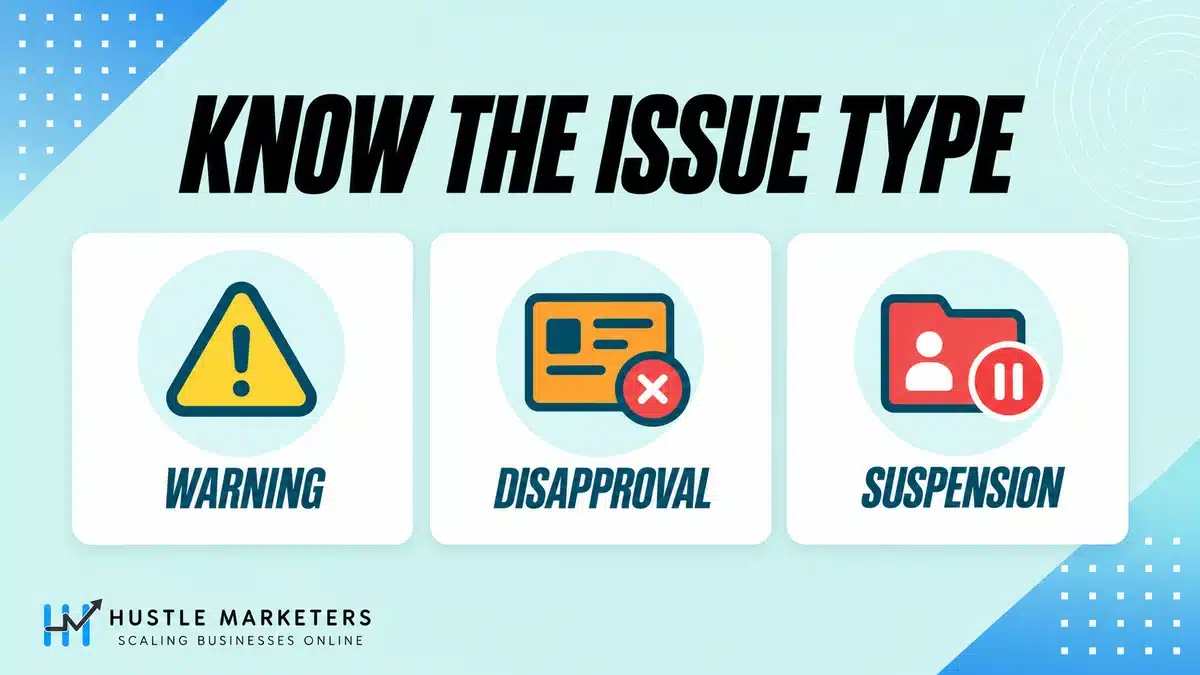
Get this vocabulary right first, because it decides how urgently you should react.
| Label | Level | Are products still showing? |
|---|---|---|
| Warning | Product | Yes. Warnings do not stop products showing across Google |
| Warning | Account | Yes, during the warning period, with examples sent by email |
| Disapproval | Product | No. Disapproved products stop showing across Google |
| Preemptive item disapproval | Product, account triggered | No, and it arrives in batches |
| Suspension | Account | No. Everything is disabled from appearing across Google |
| Pending | Product | Not yet, it is in the initial review |
One more correction worth making. The old Diagnostics vocabulary of item errors, item warnings and notifications belongs to the previous Merchant Center. The current issues documentation splits problems into account level and product level, then by warning, disapproval and suspension. If an article is still teaching you the notifications tab, it predates the interface you are looking at.
Do products keep showing while you have a warning?
Yes, and this is the single most useful thing to know when you open the account and see red. A warning is a deadline, not an outage. It tells you that something will be enforced later and gives you a window to fix it. The 500 by 500 pixel image standard is the clearest current example: warnings now, enforcement in 2027.
Triage accordingly. Disapprovals and suspensions are today’s problem. Warnings are this month’s.
What is a preemptive item disapproval?
It is Google disapproving items before a shopper can be misled, when its crawl of your landing pages disagrees with your feed at a scale that suggests the data itself is unreliable.
The important consequence is procedural. Because the finding is account level, fixing one product changes nothing. You will usually get a warning email with examples first, and the examples are samples, not the full list. Treat them as symptoms of a systemic mismatch and fix the source, then resubmit and request the review.
This is the mechanism behind both of the inconsistency issues Google publishes, one for price and one for availability. The community also reports seeing these labeled as preemptive item disapproval with price or availability in brackets. Those exact interface strings appear only in community threads, so treat the wording as a merchant report rather than documentation.
How long does a review take, and what happens when one fails?
Documented timings, from Google’s issues and review pages:
- Initial product review can take three to five business days for Shopping ads, and longer for other programs.
- A review request usually finishes within 24 to 48 hours.
- A suspension review can take up to 7 business days.
- Approved products become eligible to show within 24 hours.
Then the part that decides how long an outage lasts. During an account warning period you get one courtesy review. After an unsuccessful review there is a cool down during which the review button is disabled, and Google states the cool down may increase with each unsuccessful review, and that its own support cannot bypass or shorten it.
So the strategy that feels productive, appealing repeatedly until something sticks, is the strategy that lengthens your own outage. Fix the cause, document it, then request one review.
How do you work out which Merchant Center problem you actually have?
In this order. The order matters because fixing product issues while an account issue is live is wasted work.
- Account level first. Is the account suspended, is the website claimed and verified, is business information complete, does the checkout meet requirements?
- Then whether the problem is a warning or a disapproval, because that sets your timeline.
- Then whether the disapproval is per product or preemptive, because that decides whether you fix one product or one system.
- Then the attribute. Price, availability, identifier, image, text, category, landing page.
- Then the plumbing. Feed fetch, quotas, data source type, whether anything updated at all.
Why does fixing the product do nothing sometimes?
Because you fixed a symptom of an account level finding. If ten thousand products went down at once, no per product edit will bring them back. Look for the warning email, read which attribute it names, and go and find why that attribute disagrees across your whole catalog.
Which tool answers which question?
| Question | Where to look | What it will not tell you |
|---|---|---|
| Which products are down and why | The needs attention view in Merchant Center | Whether the cause is account level |
| What structured data my page emits | Rich Results Test on the product URL | What the crawler rendered, or what the extractors concluded |
| What the feed submitted | The product’s final attributes in Merchant Center | What the page says |
| Whether Google can even fetch the page | A plain request to the URL, checking the status code | Whether Google judged the content usable |
| Whether the feed ran at all | The data source processing history | Whether values were correct |
| Why an approved product is invisible | Serving limitations documentation | That approval guarantees placement, it does not |
The gap between a list of fixes and a working diagnosis is this table. Almost every Merchant Center symptom has three or four possible causes, and only comparing the page against the feed separates them.
Why is your price mismatched when the feed is correct?
Because Google crawls your landing page and compares the price it reads there against the price attribute you submitted. If those two numbers differ, the product is at risk regardless of how clean the feed is.
What actually causes a mismatched product price?
In practice, five things, in rough order of how often we find them.
The price is rendered by JavaScript after page load, so what the crawler reads first is a placeholder, a range or nothing at all. A currency switcher or a geolocation redirect changes the displayed value depending on where the request comes from. A CDN or page cache is serving a stale copy with an old price. The structured data on the page carries a different value from the visible price, often a range across variants rather than the selected variant. Or the first and most prominent price on the page is not the one you submitted, which is the subscription case below.
Google’s own remedy path is to align the page with the feed, then request a website check. Note the sequencing: fix first, then ask for the recrawl. Requesting the check while the wrong price is still live on the page achieves nothing.
Why do subscribe and save and bundle products fail?
Two separate reasons, and they look identical in the interface.
The first is the default selection. If the subscription option is preselected on the product page, the price a first time anonymous visitor sees is the subscription price. That matches neither your feed nor, usually, your structured data.
The second is prominence. Google’s documented rule is that where several prices appear for one product, the lowest should be the most prominent and should be carried in the sale price attribute. In practice that means a product can display the right number somewhere and still fail because a different number is the one the page leads with. This is a pattern we see rather than a named Google issue, and the subscription case is documented in trade press rather than in Google’s price documentation, so treat it as a thing to check rather than a rule to quote.
Should your price include tax or not?
It depends entirely on the target country, and this is where multi market stores lose products silently.
| Rule | Where it applies |
|---|---|
| Price must exclude sales tax | Canada and the United States |
| Price must include VAT or GST | Most other supported markets, including the UK, Australia, India, Germany, France, Japan and Singapore |
| Never include shipping in the price | Everywhere. Use shipping settings or the shipping attribute |
Google publishes a specific issue for prices that are inaccurate because of VAT handling. If you sell into the EU or the UK from a US configured store, check this before anything else, because a VAT inclusive market receiving VAT exclusive prices produces a mismatch on every single product.
One community case is instructive: a store traced a permanent misrepresentation suspension back to VAT inclusive versus exclusive handling, fixed it, and still had every appeal rejected. Get this right before it escalates, not after.
What does “not enough information to verify value” mean for price?
It is not a price formatting error. It is a matching failure. Google is telling you it cannot match your offer against comparable offers well enough to trust the price, which usually happens on new listings and own brand products with no identifiers.
The documented fix is not to change the price. It is to add unique identifiers, brand or MPN, and to check that your product category is right, so Google has something to match against.
What do automatic item updates actually do?
They let Google correct price, sale price, availability and condition from your page instead of disapproving the product. That only works if your pages carry structured data with the matching properties, because that markup is what Google reads.
Two details worth knowing. There is tolerance built in: if your feed says in stock and Google finds preorder or backorder, Google treats that as a match and keeps in stock. And there is a separate issue for when Google stops performing automatic updates for availability on your account, which is caused by incorrect page markup or a large scale mismatch between markup and product data. That is an account level switch off, not a product fault, and the fix is the markup.
The named price issues
| Issue | What it means | Where it comes from |
|---|---|---|
| Missing product price | Price absent or zero | The attribute is not being submitted |
| Invalid product price | Malformed value or currency | Format, for example a missing currency code |
| Mismatched product price | Crawl disagrees with the feed | Page rendering, cache, geo, or markup |
| Inaccurate price status due to inconsistency between feed and landing page | Account warning or preemptive disapproval | Systemic mismatch at scale |
| Mismatched strikethrough price (page crawl) | Sale display blocked | Price and sale price do not match the page |
| Missing sale information | Site shows a sale, feed does not | Sale price not submitted |
| Invalid sale price | Sale price not lower than price, or bad dates | Sale price logic |
| Invalid currency | Currency not valid for the target country | Wrong currency for the market |
| Inconsistent currencies | Currency differs across feed, page or checkout | Multi currency setup |
| Not enough information to verify value for price | Offer cannot be matched | Missing identifiers or wrong category |
| Inaccurate prices due to value added tax issues | Tax rule mismatch | VAT included where it should be excluded, or the reverse |
| Unclear value on your website | Extractors cannot read price, availability or condition | Add structured data to the landing page |
| Mismatched regional prices | Regional overrides disagree | Regional price data |
Two of these have names worth fixing in your own vocabulary. There is no Google page called unclear availability on the landing page. The page is about unclear values on your website generally, and it covers price, availability and condition together. And the loyalty program price has its own mismatch issue, separate from the ordinary price one.
Why is your availability wrong when your stock is right?
Same mechanism, different attribute, plus one extra requirement that catches preorder stores out.
The supported values are in stock, out of stock, preorder and backorder, with build to order for vehicle ads. Anything else is invalid.
What does a preorder product need that an in stock product does not?
An availability date. It is required when you submit preorder or backorder, and Google expects that date to be visible on the landing page as well. A preorder feed with no availability date, or with a date that appears nowhere on the page, is an avoidable disapproval.
What does Google expect to see on the page itself?
Concrete signals, not just text. An active buy button for in stock. Sold out wording or a disabled button for out of stock. And Google warns specifically against changing availability dynamically based on visitor IP detection, which is exactly what some geo aware themes do.
Why did automatic updates for availability stop working?
Because Google switched them off for the account, after finding either incorrect markup on your site or a large scale mismatch between that markup and your product data. It is not a per item error and you cannot fix it product by product. Fix the markup, then the feature can resume.
On mismatched availability rather than the switch off, a long running Shopify thread from December 2022 is worth reading. The merchant edited every attribute Shopify controls, modified the JSON-LD in theme files, tried custom metafields which created duplicate availability fields, and tested with the Rich Results Test. The fix that emerged was turning automatic item updates on and submitting an availability date, not editing more attributes.
The named availability issues
| Issue | What it means |
|---|---|
| Missing availability, or missing product availability | The attribute is absent |
| Invalid product availability | A value outside the supported list |
| Mismatched product availability | The crawl disagrees with the feed |
| Inaccurate availability status due to inconsistency between feed and landing page | Account warning or preemptive disapproval |
| Automatic updates: mismatched availability | Crawl versus feed while automatic updates are on |
| Not performing automatic item updates for availability | Account level switch off caused by markup |
| Regional availability values are inconsistent | Regional inventory disagreement |
| Missing inventory data | The inventory source has a gap |
| Unclear value on your website | Extractors cannot read availability from the page |
Which identifier errors come straight from fields in your own admin?
Most of them. This is the group where the cause is nearly always one empty or misused field rather than anything subtle.
The spec rules that generate these errors are short enough to memorise. Accepted GTIN lengths are 8, 12, 13 or 14 digits. The check digit has to be present and correct. Restricted ranges carry the prefixes 02, 04 or 2, and coupon ranges use the GS1 prefixes 05, 98 or 99, so a barcode starting with any of those is not a product GTIN and will be rejected as restricted.
And the line that should be on a sticker above every feed manager’s desk: when in doubt, do not provide a GTIN. A wrong identifier is worse than a missing one, because a wrong one gets matched against somebody else’s product.
When should identifier exists be set to false?
Only when you are certain the product genuinely has no assigned identifier. Google names two legitimate cases: custom or one of a kind goods, such as custom shirts, art and handmade items, and products made before GTINs existed, such as vintage items, antiques and books published before 1970.
What it must not be used for is clearing GTIN warnings in bulk on branded stock you resell. Doing that produces an incorrect product identifier issue, which is a disapproval rather than a warning, so the shortcut costs you more than the original problem.
What does “no matching product in Google catalog” actually mean?
That the identifier you supplied cannot be found in Google’s catalog system. The fix is a valid identifier, or enough additional product data for Google to work with.
Here is the conflation to avoid. The one of a kind and vintage exception belongs to the identifier exists attribute, not to this issue. Public writing routinely applies the exception to the catalog matching issue, which sends people to set identifier exists to false on products that do have identifiers. That is how a warning becomes a disapproval.
The named identifier issues
| Issue | Usual cause in the admin |
|---|---|
| Invalid value for GTIN, incorrect GTIN, unsupported GTIN | A SKU or internal code pasted into the barcode field |
| Invalid GTIN in unsupported format | Wrong length, or a bad check digit |
| Restricted GTIN, restricted range | A barcode in the 02, 04 or 2 prefix ranges |
| Restricted GTIN, coupon range | A barcode in the 05, 98 or 99 GS1 coupon ranges |
| Missing or incorrect GTIN, missing ISBN or GTIN | Barcode field empty on the variant |
| Limited performance due to a missing GTIN | A warning, not a disapproval, so products keep showing |
| Incorrect product identifier | Identifier exists set to false on branded stock |
| Duplicate identifier | The same barcode copied across variants or products |
| Duplicate product, duplicate variant | The same offer submitted more than once |
| Same brand and MPN but differing item group ID | Variant grouping is inconsistent |
| Mismatched brand for same variant | Brand differs between variants of one product |
| Incorrect MPN | Manufacturer part number wrong or reused |
| Missing brand | Vendor field empty, or set to your store name for resold stock |
| No matching product in Google catalog | Identifier not recognized, or too little product data |
On variants specifically, the item group ID attribute is doing more work than most people realize. In a February 2023 community thread on the price mismatch issue, the merchant reported that adding item group ID resolved the disapprovals across their catalog, after responders had suggested variant URLs, identifiers and structured data consolidation instead. It was found by their own experimentation rather than by the thread. If your variants have different prices and Google keeps reading the wrong one, check that grouping before you rewrite your theme.
Which image rules disapprove products, and what changes in 2027?
Images are the group where the rules are about to move, so the useful answer has a date in it.
What are the minimums today?
These are the minimums Google enforces until January 30, 2027. Google’s image link page already lists at least 500 by 500 pixels for all products from January 31, 2027, so treat this table as the floor until then, not a target.
| Requirement | Value |
|---|---|
| Apparel products | At least 250 by 250 pixels |
| All other products | At least 100 by 100 pixels |
| YouTube Shopping ads on TV | At least 500 by 500 pixels to serve |
| Recommended | 1500 by 1500 pixels or above for best performance |
| Maximum | No image larger than 64 megapixels, no file larger than 16MB |
What changes, and when?
Google’s 2026 product data specification update, which is one of the few Merchant Center pages that carries a visible date of April 14, 2026, sets a new minimum of 500 by 500 pixels for the image link and additional image link attributes.
The dates are the part to get right. Warnings began with that April 2026 update. Enforcement begins January 31, 2027. So today an undersized image is a warning and your products keep showing, and from that date it stops being optional.
If your product images came across in a legacy import, or an app is generating thumbnails as the submitted image, audit that now rather than in December 2026. The April 2026 update also says Google will begin optimizing some images smaller than 500 by 500, so those products are not disapproved, although they still show a warning under Needs attention. Google says some images, not all, so do not count on it for your whole catalog.
The same April 2026 update introduced new shipping attributes for handling cutoff time and minimum order value, loyalty sub attributes on shipping, and a video link attribute whose technical validation errors started with the update and whose serving and quality errors followed at the end of June 2026. Per the same update, a policy or quality error on a video stops the video serving but does not affect the serving of the product itself.
What gets an image rejected outright?
Two prohibitions matter more than the rest, and both are merchandising habits rather than technical faults.
Promotional elements. The spec prohibits promotional elements or content that covers the product, which covers calls to action, price information, watermarks, borders and a logo used in place of the product. Keep sale badges in your theme markup, not baked into the asset.
Generic images. A graphic or illustration that is not the actual product will be rejected, with narrow exceptions for hardware, vehicles and parts, and computer software. A placeholder or a logo as the first product image is the version of this we see most often.
Accepted formats are JPEG, WebP, PNG, GIF, BMP and TIFF.
The named image issues
| Issue | What it usually is |
|---|---|
| Image too small | Below the pixel minimum for the product type |
| Image too big | Over the megapixel or file size ceiling |
| Image too generic | A logo, placeholder or illustration rather than the product |
| Text on image | Promotional text, badges or watermarks in the asset |
| Low image quality | Resolution or compression judged insufficient |
| Unsupported image type, invalid image format | A format outside the accepted list |
| Invalid image link, unable to show image, cannot access product images | The URL is wrong, blocked or unreachable |
| Missing product image | No image link submitted |
| Image not processed, image processing or experiencing delays | Still in Google’s pipeline, usually resolves itself |
| Incorrect value for image link or additional image link | Attribute level formatting problem |
| Automatic improvement: image quality | Google has applied its own improvement |
One naming note. You may see shorter labels for some of these in your own account, including a generic image label and a promotional overlay label. We could not verify those strings against a Google help page, so match on the class of problem rather than on the exact wording.
What text rules will disapprove a product?
Editorial requirements are the least technical group here and the easiest to fail by accident, usually because a supplier feed came in shouting.
Google’s own illustrative examples of unacceptable title treatment include letters replaced by numbers or symbols, repeated characters, exclamation runs, all capitals, alternating capitals and letters separated by full stops. Placeholder text such as lorem ipsum is prohibited outright. So is promotional text in titles.
What are the actual character limits?
| Attribute | Limit |
|---|---|
| ID | 50 characters |
| Title | 150 characters submitted |
| Description | 5000 characters submitted |
| Brand | 70 characters |
| Color | 100 characters, with 40 per color |
| Size | 100 characters |
| Product type | 750 characters |
| Additional image link, mobile link | 2000 characters |
Then the display limit, which is different and more important for click through. Shopping ads display up to about 70 characters of a title, and Google recommends descriptions of roughly 500 to 1000 characters even though 5000 are accepted. The text too long issue is about truncation rather than disapproval, so it is a performance problem, not an outage.
The named text issues
| Issue | What it means |
|---|---|
| Excessive capitalization | Too much of the title or description in capitals |
| Text too long | Content will be truncated in the listing |
| Description text too short | Not enough descriptive content |
| Invalid value for title, invalid characters in title | Symbol or formatting abuse in the title |
| Invalid character encoding, invalid UTF-8 encoding | Two distinct issues, not one |
| Missing product title, missing product description | Required attribute absent |
| Identical values for title and description | The two attributes duplicate each other |
| Additional or promotional info | Promotional content where it is not allowed |
Note that Google publishes invalid character encoding and invalid UTF-8 encoding as two separate issues on two separate pages. Check which of the two your account names, then follow that page rather than the other one.
Which attributes do apparel products require, and in which countries?
This is the most misreported rule in the entire topic, and it is worth being precise because the common version of it is wrong twice over.
| Surface | Requirement |
|---|---|
| Free listings | Apparel and accessories products require the apparel attribute set in every country, with no country restriction |
| Shopping ads | The set is required when targeting Brazil, France, Germany, Japan, the United Kingdom and the United States |
So it is six countries rather than five, and the country list applies only to the ads side. If you run free listings anywhere in the world on apparel, you need these attributes.
Which attributes, exactly?
Apparel requires gender, age group and color, and shoes additionally require size. That last split we could not confirm word for word, so if you sell shoes, submit size regardless. Google’s fix instruction is as blunt as it sounds: supply the missing required attributes in your product data.
Where this breaks on real stores is attribute mapping rather than intent. One WooCommerce merchant hit a missing size issue after adding size attributes in the store, because the attribute was not mapped through to the feed field Google reads. Check what the channel app is actually submitting rather than what the product page displays.
Does the Google product category matter, or the product type?
The category, not the product type. Google assigns a category automatically from its own taxonomy, so for most products the attribute is optional. Product type is merchant defined, can be up to 750 characters, and never drives requirement logic.
That matters because the apparel requirements above are triggered by the Google product category of apparel and accessories, not by whatever you called the product type. A common agency mistake is to reorganize product type in the hope of changing requirement behavior.
There are categories where setting it yourself genuinely matters, because the requirements or policies differ: alcoholic beverages, mobile phones and tablets sold with contracts, gift cards, and software subscriptions.
Condition accepts new, refurbished and used. It is required for used and refurbished products and optional for new ones.
Why can Google not crawl your landing pages?
Because something between Google and your product page is saying no. The classes Google documents cover roughly what you would expect, and the fix is almost always outside Merchant Center.
The documented classes include a page not found, robots.txt disallowing access, an invalid URL, a page requiring authentication, 4xx and 5xx responses, a hostname that will not resolve, a malformed response, firewalls or geo restrictions or private IPs, network errors, read timeouts, too many redirects, redirect errors, an unreachable robots.txt, and regional landing pages that are not accessible. Google’s page unavailable help page corroborates the same set with a shorter list of sub causes.
Those names come from Google’s crawl issues page rather than page titles, so treat the exact wording as indicative and go by the class rather than the string.
Which user agents do you have to allow?
Different Google pages name different agents, and merging them is how people write a robots.txt that still blocks something.
| Google page | Agents it names |
|---|---|
| Unable to check product pages | Googlebot and Googlebot-Image |
| Product crawl issues | AdsBot-Google and Googlebot |
| Scheduled data source fetch | Googlebot and AdsBot-Google, for the feed file directory |
The practical instruction is to allow Googlebot, Googlebot-Image and AdsBot-Google to your product pages and your feed file location. If you are on a platform whose robots file is templated, check the live file rather than the template.
What does requesting a website check actually do?
It asks Google to recrawl and re-evaluate, and the page unavailable documentation gives a turnaround of up to around half a day. It is the right move after you have fixed the cause. It is not a way to clear a mismatch that is still live on the page.
Which landing page requirements fail quietly?
The ones that are not about status codes at all. Your link must go to a specific product detail page, not a category or search results page. The price must be clearly visible. Pop ups must not cover product information. Redirects should be limited to legally required ones such as age verification. Pricing and availability must be stable through page load, which is the formal version of do not let JavaScript change the price after the crawler has read it. And you can only link to the domain associated with your Merchant Center account, which is what produces the mismatched domains issue.
There is a separate issue for a checkout URL that is not yet live, which catches stores that submit before launch.
What gets an entire Merchant Center account suspended?
Policy, not data quality. The two live in different parts of the system and behave differently.
Google’s Shopping ads policies sit under four headings: prohibited content, prohibited practices, restricted content and site requirements. Free listings policies use the same four. Prohibited content covers counterfeit goods, dangerous products, products that enable dishonest behavior, inappropriate content and unsupported Shopping ads content. Prohibited practices covers abuse of the ad network, irresponsible data collection and use, and misrepresentation. Restricted content covers adult content, alcohol, copyrighted content, gambling, healthcare, political content, trademarks and high fat sugar salt food and drink.
What triggers misrepresentation in practice?
Google describes misrepresentation as an egregious violation and states that accounts can be suspended upon detection and without prior warning. That is why it feels arbitrary: there is no warning period to work inside.
The violation groupings, as best we could read them, cover unacceptable business practices, misleading or unrealistic offers, omission of relevant information, and unavailable offers. We could not confirm those grouping labels character for character. In our experience and in the community record, the omission bucket is the one that catches legitimate stores. Google names failures to disclose payment models, the full expenses a buyer will incur, related conditions, merchant terms, shipping information and return or refund policies.
What the community record adds is how specific the trigger can be. One merchant traced a permanent suspension to VAT inclusive versus exclusive price handling. In another, a merchant documented a suspension with no actionable detail at all, and a responder in that thread named incomplete identity verification and leftover placeholder content among the triggers he looks for. Neither of those reads like a policy breach when you are looking at your own store.
The practical implication: before you appeal, go and find something concrete and fix it. Appealing without a named change is what starts the cool down cycle.
Why is your website unclaimed or unverified?
Because a URL can only be claimed by one Merchant Center account. If you have ever had an agency, a developer or an old account claim the domain, or a higher level domain is claimed elsewhere, your claim will fail. Sharing claim rights across accounts requires a multi client account.
The other common causes are a verification tag that was moved or modified during a redesign, a missing owner assignment in Search Console, and insufficient edit permissions on the property. The related issue names to look for are online store URL not verified, pending website check and mismatched domains.
What contact information and policies does Google require?
Contact information has to be visible to customers on the store, and Google will accept at least one of a business address, a phone number, an email address, a contact form or a social media business profile. The same information is what Google’s raters are told to look for on a shopping site. A contact page that exists but is not linked from anywhere is the version of this we see fail most often.
On policies, Google’s editorial requirements point at empty policy pages, unclear requirements and missing autorenewal notifications. We could not confirm that phrasing word for word, so treat it as the shape of the requirement rather than a quotation. So a refund policy page that exists but says nothing useful is treated as a missing one.
What does Google require at checkout?
More than most merchants check. Everyone must be able to complete a purchase, which means business only fields have to be optional. Guest checkout or a one time passcode should be available. SSL must be valid on signup and checkout. The price must not increase at checkout, and mandatory fees have to be disclosed before that point. You must not require an app download to register.
Google states that omitting relevant information is itself considered a misrepresentation, and that it can lead to disapproval or account suspension. That is the line connecting a vague shipping page to a dead account.
Suspension versus item disapproval, side by side
| Item disapproval | Preemptive item disapproval | Account suspension | |
|---|---|---|---|
| Scope | One product | A batch, triggered account wide | Everything |
| Cause | That product’s data | Systemic feed versus page mismatch | Policy violation |
| Warning first | No | Usually, by email with examples | Not for misrepresentation |
| Return time | Within 24 hours of approval | After the systemic fix and review | Review up to 7 days |
Why are your products approved but not showing in free listings?
Because approval is permission, not placement. This is Google’s own position. The free listings documentation says of that status that it “doesn’t guarantee that your products will be shown to customers”.
Keep that line in mind when a green dashboard produces no impressions. Sometimes something is broken. Often nothing is.
What do free listings actually require?
The attribute set Google lists covers ID, title, link, image link, price, description and availability, plus condition for used and refurbished items, brand where the product has one, identifiers, multipack and bundle flags, the apparel attributes, item group ID for variants, and shipping. Check the live page before you build a compliance table from any published list, including this one, because the conditionality per attribute changes.
Which countries need shipping settings?
Google names about thirty markets where you must either configure shipping settings in the account or submit the shipping attribute, including Australia, Canada, France, Germany, India, Ireland, Japan, New Zealand, the Netherlands, the United Kingdom and the United States. Count from the live page rather than trusting a number in an article, ours included, because the list moves.
Shipping profiles that exist in your store but were never synced to Merchant Center are a common and quiet cause of nothing showing. So is a refund policy page that is not linked in the footer.
We have written the free listings side up separately, because it is an organic channel rather than an advertising one. If that is your main question, start with our guide to free listings in Google Merchant Center, then the trade offs in free Shopping listings against paid ads.
Why is your feed not updating?
Because something in the plumbing failed, and the plumbing has more documented limits than most people expect.
What are the real quotas?
| Scope | Documented limit |
|---|---|
| Standalone or standard sub account | 150,000 products |
| Data sources | Up to 200 per account, up to 1,000 at multi client account level |
| Items per data source | 5 million per country and language combination, and this cannot be raised |
| Uploads per day | 100 for primary sources, 500 for supplemental and inventory |
| Custom label values | 1,000 unique values per custom label |
| Scheduled fetch file size | Under 4GB |
If you hit the product quota you get a not submitted due to product limit issue, and Google’s quota increase eligibility is reported as needing at least 80 percent usage, an account in good standing and fewer than 20 percent of products disapproved or pending. Google’s quotas page lists those criteria, plus no active suspensions. So cleaning up disapprovals is a prerequisite for getting more room, not an alternative to it.
Why can a supplemental feed not fix a missing product?
Because it is not allowed to. A supplemental data source cannot add or remove products and cannot work as a standalone source. It only overlays data onto products that already exist in a primary source, and it matches on the ID attribute.
That single rule explains a lot of wasted afternoons. If a product is missing, the answer is always in the primary source. If a value is wrong, a supplemental source with matching IDs can override it, which is the documented route for fixing image links or titles you cannot change at the platform level.
Also note the vocabulary change: what most of us still call feed rules, Google now documents as attribute rules.
Why does the scheduled fetch keep failing?
Common documented causes: the URL does not start with a supported protocol, the file is over the size limit, authentication is not configured, the filename contains spaces or does not exactly match what was registered, or the fetch is pointed at an HTML page rather than a data file. And crucially, Googlebot and AdsBot-Google must not be blocked from the directory the file lives in. A robots rule written to protect a staging folder will stop your feed updating and will not tell you why in Merchant Center.
For SFTP, Google documents the partner upload endpoint and port, and the named failure conditions cover server not found, filename not allowed, connection reset and authentication failure.
Is the Content API still an option?
No, and this is the most consequential thing in this post for anyone following older guides. Content API for Shopping was sunset on August 18, 2026, and from September 1, 2026 requests started returning progressive errors. The replacement is the Merchant API, with separate sub APIs for accounts, products, inventories, data sources, reports and promotions.
If an article, a plugin or an internal script is still talking to Content API for Shopping, that is not a configuration problem you can fix. It is a migration.
How do you measure Merchant Center visibility in AI shopping surfaces?
There is a real, documented answer to this now, and it comes with three constraints.
Merchant Center has AI performance insights. The metrics it reports include your share of voice, your competitors’ average share, frequency, and products showing. The constraints: it covers Australia, Canada, India, New Zealand and the United States, English language queries only, and organic AI traffic such as free listings rather than paid. Historical data appears to update daily with a few days of lag, and an account with no competitor set is reported to show 100 percent share of voice, which would be a reporting artifact rather than a win. Those two details we could not verify word for word.
Google announced the wider set of insights on May 27, 2026, covering AI Mode, AI Overviews in Search and the Gemini app.
What does Search Console’s generative AI report not tell you?
It does not tell you anything about products. Search Console has a generative AI performance report covering AI Overviews and AI Mode, and it reports impressions where links to your site appeared. But it is a site report, not a product report, and it does not segment Shopping or product results. What each vendor does and does not publish about this, and what you can actually measure, is set out in AI SEO for ecommerce.
So presenting Search Console’s generative AI report as Shopping measurement is wrong. For product level AI visibility the only Google documented surface is Merchant Center’s AI performance insights. We cover the organic side of this in our AI search work.
What should you fix first?
Order, not completeness. Working down this list beats working through the issues tab alphabetically.
| Priority | Fix | Why it goes here |
|---|---|---|
| Critical | Account suspension, misrepresentation, unclaimed website | Nothing else matters while the account is off |
| Critical | Checkout, contact information and policy pages | These cause suspensions, not just disapprovals |
| Critical | Landing pages Google cannot fetch | No crawl means no verification of anything else |
| Critical | Price and availability mismatches at scale | Preemptive disapproval takes batches down at once |
| High | Feed not updating, scheduled fetch failures | Everything downstream is stale until this works |
| High | Missing or wrong identifiers on branded stock | Cheap to fix, and it unlocks matching |
| High | Prominence of the submitted price on the page | The fix most stores never make |
| Medium | Apparel attribute set, if you sell apparel | Required everywhere for free listings |
| Medium | Images below the pixel minimum | A warning now, enforced from January 31, 2027 |
| Medium | Quota headroom and disapproval percentage | Needed before you can raise limits |
| Low | Title and description quality, truncation | Performance rather than eligibility |
| Low | Category overrides outside the special cases | Google assigns categories anyway |
If you only do three things: read the warning email and note which attribute it names, open one failing product URL in a private window and compare the first visible price against the feed, and check that Googlebot, Googlebot-Image and AdsBot-Google are not blocked anywhere. Those three take about ten minutes and find real problems on most accounts.
What this looked like on a real account
Silicon Lightworks came to us with a Merchant Center account that would not stay approved. The problems were the ones this post keeps returning to rather than anything exotic.
Their products are custom, so standard barcodes did not exist for much of the range, and the identifier attribute had to be handled deliberately rather than left to guesswork. Prices needed to synchronize automatically between the feed and the live site instead of drifting. Shipping configuration was incomplete at account level, which is one of the most common reasons newly added products are disapproved immediately. GA4 was not integrated with Merchant Center or Google Ads, so conversion data was not available to bidding.
The work was setting identifier exists to false only where the products genuinely had no assigned identifier, supplying brand and MPN instead, establishing automated price synchronization between the feed and the site, setting up account level shipping for continental US coverage, integrating GA4 with both Merchant Center and Google Ads, and segmenting the Google Ads campaigns by product category across lighting systems, power accessories and mounting hardware. The engagement began in May 2026 and was rated 5.0 across quality, schedule, cost and willingness to refer. The detail is in the Google Merchant Center and Shopping ads case study.
Two points from that case study are worth repeating here, as observations from that engagement rather than as documented Google behavior. It reports that products with correct identifiers perform materially better in Shopping auctions than identical products without them, which is why the identifier group is worth the tedium. And it names missing or incorrect shipping information as one of the most common reasons newly added products are disapproved immediately, which is why account level shipping belongs in setup rather than in troubleshooting.
On the organic side, the same feed discipline shows up in an ecommerce SEO engagement. An Australian pet ecommerce brand on Shopify recorded clicks up 56.3 percent, impressions up 37.6 percent, click through rate up 0.21 points and average position improved by 0.9 positions over a three month comparison, with AI citations up 54.1 percent over six months, after structured data was added and verified across products and collections. That is in the pet ecommerce SEO case study. Product data is one job whether you are selling through ads or organic surfaces.
Which outdated Merchant Center advice still costs merchants time?
Most wasted hours on Merchant Center go to advice that was true once. Check these six against the current documentation before you act on them.
The Content API. Older tool lists still name the Content API for Shopping. It was sunset on August 18, 2026 and began returning progressive errors on September 1, 2026, so anything built on it now needs a migration to the Merchant API rather than a fix.
The retired vocabulary. The errors, warnings and notifications triad comes from the Diagnostics tab of the previous Merchant Center. The current documentation splits issues into account level and product level, then warning, disapproval and suspension. If you are looking for a notifications tab you will not find one.
The apparel country list. A five country version still circulates. The current list has six, and the country restriction applies only to Shopping ads. Free listings require the apparel attributes in every country, which is the more expensive half to get wrong.
Warnings treated as outages. Products carrying a warning keep showing across Google. That changes what you do on a Monday morning: clear suspensions and disapprovals first, then schedule the warnings.
The wrong page name. There is no Google page titled unclear availability on the landing page, although that phrasing circulates widely. The real page is about unclear values on your website and it covers price, availability and condition together. Searching for the wrong name is how people conclude the documentation does not exist.
Appeal again and see. The cool down after a failed review can lengthen with each failed review, the review button grays out while it runs, and Google states its own support cannot shorten it. That single mechanic decides whether a suspension lasts a week or a quarter, so fix the cause before you ask for another review.
Why choose Hustle Marketers or Ishant Sharma for Merchant Center and feed work
Most agencies working on feeds are working inside a feed tool. The tool is fine. The problem is that it only sees the feed, and a large share of Merchant Center issues are not in the feed at all. They are on the landing page, in the structured data, in the checkout, in a robots rule or in the policy pages.
What that looks like in practice:
- We compare the page against the feed before we touch either. A crawl of the product URL, the rendered price, the structured data and the submitted final attributes, side by side. Most mismatches we see resolve in that comparison.
- We do not sell a feed product, so we have no reason to tell you the answer is a different app. Sometimes it is six lines of theme code and no new subscription.
- We separate warnings from disapprovals from suspensions on the first call, and we tell you which ones can wait. A plan that treats everything as urgent is a plan that runs out of time on the thing that mattered.
- We fix the cause before requesting a review, because the cool down is real and repeated appeals make an outage longer.
- Feed, organic and paid run as one job. The same product data drives your Shopping feed, your rich results and your visibility in AI shopping surfaces, so a fix in one place should not create a problem in another.
- Reporting shows what changed and what did not. Our position on that is written down in reporting integrity.
Ishant Sharma has worked in Google Ads, Microsoft Ads and SEO since 2013 across ecommerce, local service, SaaS and white label agency accounts. The feed work sits inside a wider ecommerce practice: product feed optimization for the feed itself, ecommerce PPC management and Google Ads for the campaigns the feed powers, Bing Ads where Microsoft Shopping pulls from the same data, and the Meta catalog sync guide for Shopify for the catalog side of the same product data.
If your store is on Shopify, the organic equivalent of this catalog is our guide to Shopify SEO issues, and the platform view is in Shopify SEO and Shopify Google Ads.
If you want a specific disapproval on your account looked at, send us the product ID and the issue name.
Google Merchant Center errors FAQs
Why is Google Merchant Center disapproving all my products?
A disapproval across the whole catalog is almost never a per product fault. Look for three things in order: an account level suspension or policy issue, a preemptive item disapproval triggered by a systemic feed versus page mismatch, and a landing page or robots problem that stops Google fetching any product URL. Check the warning email for the attribute it names, because that tells you which of the three you have.
How long does Merchant Center take to approve products?
Initial review can take three to five business days for Shopping ads and longer for other programs. A review you request usually completes within 24 to 48 hours. A suspension review can take up to 7 business days. Once approved, products become eligible to show within 24 hours.
What causes mismatched value for price at page crawl?
Google fetches your landing page and compares the price it reads there against the price you submitted. The usual causes are a price rendered by JavaScript after load, a currency switcher or geolocation changing the displayed value, a stale cached page, structured data carrying a price range instead of the selected variant, or a subscription option preselected so the most prominent price is not the one you submitted.
Does the price I submit have to include tax?
It depends on the country. In Canada and the United States the price must exclude sales tax. In most other supported markets it must include VAT or GST. Shipping costs must never be included in the price anywhere, and should be handled through shipping settings or the shipping attribute.
Why do my products keep getting disapproved after I fix them?
Either the fix was not the cause, or the disapproval is preemptive. Preemptive item disapprovals come from an account level accuracy finding, so individual product edits do not clear them. You need to fix the systemic mismatch, resubmit the data and request the review once.
Can I set identifier exists to false to clear GTIN warnings?
Only for products that genuinely have no assigned identifier, which Google limits to custom and one of a kind goods and products made before GTINs existed. Using it on branded stock you resell produces an incorrect product identifier issue, which is a disapproval rather than the warning you started with.
What does no matching product in Google catalog mean?
The identifier you submitted cannot be found in Google’s catalog system. Supply a valid identifier or more product data. Note that the one of a kind and vintage exception belongs to the identifier exists attribute, not to this issue, and conflating the two is how people make things worse.
Why is my image rejected when it looks fine?
Check three things. Whether it meets the pixel minimum for the product type, whether anything promotional is baked into the asset such as a sale badge, watermark, border, price or call to action, and whether the first image is actually the product rather than a logo or placeholder.
When does the 500 by 500 pixel image rule start?
Warnings began with Google’s product data specification update dated April 14, 2026, and enforcement begins on January 31, 2027. Until then an undersized image is a warning and your products keep showing.
Why is my Merchant Center account suspended for misrepresentation?
Google treats misrepresentation as an egregious violation and can suspend on detection without a warning period, which is why it feels arbitrary. The bucket that catches legitimate stores is omission of relevant information: undisclosed payment models, incomplete expenses, vague merchant terms, unclear shipping, or a returns policy that exists but says nothing. Find and fix something concrete before you appeal.
Should I appeal again if my review was rejected?
Not immediately. Failed reviews trigger a cool down during which the review button is disabled, the cool down may lengthen with each unsuccessful attempt, and Google states its own support cannot bypass or shorten it. Appealing without a specific change is how a week long problem becomes a quarter long one.
Why is my website showing as unclaimed?
Because a URL can only be claimed by one Merchant Center account. Common causes are an old agency or developer account holding the claim, a higher level domain claimed elsewhere, a verification tag removed during a redesign, a missing owner assignment in Search Console, or insufficient permissions on the property. Sharing claim rights requires a multi client account.
My products are approved but nothing is showing in free listings. Why?
Because approval is permission rather than placement, and Google states plainly that it does not guarantee your products will be shown. Before assuming something is broken, check that shipping settings are configured or the shipping attribute is submitted, that your returns policy is reachable from the store, and that contact information is visible on a linked page.
Why is my feed not updating?
Check the data source processing history first. Common documented causes are a fetch URL on an unsupported protocol, a file over the size limit, missing authentication, a filename with spaces or one that does not match what was registered, a fetch pointed at an HTML page, or Googlebot and AdsBot-Google being blocked from the directory the file lives in.
Can a supplemental feed add missing products?
No. A supplemental data source cannot add or remove products and cannot be used on its own. It overlays data onto products that already exist in a primary source and matches on the ID attribute. If a product is missing, fix the primary source.
Can I measure how my products appear in AI shopping results?
Partly. Merchant Center has AI performance insights reporting share of voice, competitors’ average share, frequency and products showing, limited to Australia, Canada, India, New Zealand and the United States, English language queries only, and organic AI traffic rather than paid. Search Console’s generative AI report covers your site, not your products, so it is not a Shopping measurement.
Sources and verification
Everything above was checked in September 2026 against Google’s own documentation, plus community threads, including ones where no fix was ever found. Community threads are treated as reports of real merchant experience, not as specification, and are described as such in the text. Google’s Merchant Center help pages do not print publication dates, so where a date appears above it comes from a page that does carry one: the product data specification update dated April 14, 2026, the AI insights announcement dated May 27, 2026, and the Merchant API migration guide last updated September 1, 2026.
Several issue strings in Google’s own issue lists could not be confirmed character for character, in particular the bracketed attribute forms. Rather than publish a quotation we could not stand behind, those issues are described by what they mean. If you are matching a string in your own account, go by the class of problem rather than the exact punctuation.
Primary documentation used includes Google’s issues in Merchant Center, request a review, price attribute, availability attribute, GTIN attribute, identifier exists, image link, product data specification, the 2026 specification update, age group, editorial and professional requirements, landing page requirements, product crawl issues, unable to check product pages, Shopping ads policies, misrepresentation, checkout requirements, free listings for products, serving limitations, quotas, scheduled data source updates, creating a product data source, AI performance insights, the Merchant API migration guide and Search Console’s generative AI performance report.
Community threads cited for real world confirmation include a variant price mismatch resolution, the February 2023 thread where item group ID resolved the price mismatch, a WooCommerce missing size attribute case, an availability mismatch thread from December 2022, a Markets multi currency pricing error, a misrepresentation suspension with no actionable detail, a VAT handling suspension, a GTIN not being sent from the store, an unclaimed website case and a WooCommerce currency switcher price mismatch.