Faceted Navigation SEO: Which Filter URLs to Index and Which to Block

Ishant
Published on November 6, 2026
Ishant

Faceted navigation SEO is the work of controlling the URLs your product filters create. Filters for brand, color, size, price and sort order can turn one category into thousands of near-duplicate pages. Good faceted navigation SEO keeps the few combinations people search for indexable and stops crawlers from wasting time on the rest.
Summarize this article with:
Key Observations
- Google’s December 2024 guidance on faceted navigation says to “Use robots.txt to disallow crawling of faceted navigation URLs” that you do not need in Search, per its faceted navigation documentation.
- Google calls rel=”canonical” and rel=”nofollow” generally less effective in the long term than robots.txt or URL fragments for controlling facet crawling, in the same document.
- A noindex tag only works if Google can crawl the page. Google’s noindex documentation says the page must not be blocked by robots.txt, so never use both on the same URL.
- The Search Console URL Parameters tool is gone. Google announced its retirement in a March 2022 Search Central post, so parameter control now lives in your robots.txt, tags and site code.
- Shopify’s default robots.txt blocks sorted, multi-tag and multi-filter collection URLs, but a single filter such as one color stays crawlable, based on the Dawn demo store’s robots.txt checked on 14 October 2026.
What is faceted navigation in ecommerce?
Faceted navigation is the set of filters on a category or search page that lets shoppers narrow products by attributes such as brand, color, size, material, price or rating. Each choice usually changes the URL, often by adding a query parameter, so every filter combination becomes a separate address that crawlers can find.
A shopper on a boots category might tick “black” and “leather”. The store then loads a URL such as /boots?color=black&material=leather. The page shows fewer products, but the template, title and most of the copy stay the same as the main category.
Is a facet the same as a filter?
Most people use the two words to mean the same thing, but some SEOs draw a line. A facet is an attribute that could earn its own landing page, such as brand or product type. A filter only narrows a list for the user, such as a price slider or in stock. That split maps well onto the index or block choice later in this guide.
How many URLs can faceted navigation create?
Faceted navigation can create far more URLs than you have products. Google’s documentation says the common parameter setup “can generate infinite URL spaces”. The arithmetic below is an illustrative example, not data from a real store.
| Assumption (illustrative) | Possible URLs for one category |
|---|---|
| 5 facets, 10 values each, one value per facet or none (11 states per facet) | 11 to the power of 5 = 161,051 |
| Same, plus 4 sort orders | 161,051 x 4 = 644,204 |
| Shoppers can tick any number of values inside each facet (1,024 states per facet) | 1,024 to the power of 5 = more than one quadrillion |
Only a handful of those URLs match anything a person types into Google. The rest are crawl traps. If facet order is not fixed in the URL, the same selection can also appear under several addresses, which multiplies the count again.
Why do faceted filter URLs cause SEO problems?
Faceted filter URLs cause SEO problems because a crawler cannot tell if a new filter URL is useful until it fetches it. Google says crawlers will often hit a very large number of these URLs. Time spent on useless URLs leaves less time for new pages. The side effects are duplicate content and index bloat.
Crawl waste
Google’s faceted navigation documentation names two costs: overcrawling and slower discovery of new pages. For a store that adds products weekly, slower discovery means new items take longer to show in Search. Crawling filter URLs also uses server and rendering resources on your side.
Duplicate and thin content
Most filtered pages repeat the parent category’s title, intro text and many of its products. Google then has to choose a canonical among dozens of near-copies. Our guide to thin content on ecommerce sites covers how these low-value pages drag on the rest of a store.
Index bloat
Index bloat happens when filter URLs get indexed alongside, or instead of, the pages you want to rank. In Search Console you will see it as large counts under statuses such as “Duplicate without user-selected canonical” or “Indexed, though blocked by robots.txt” in the Page indexing report.
What does Google say about faceted navigation?
Google says to keep faceted URLs out of crawling when you do not need them in Search, using robots.txt or URL fragments. If you do need them, Google asks for clean parameters, a consistent filter order and a 404 status for empty results. This guidance arrived in December 2024 and was last updated on 18 December 2025.
Google published the guidance on 17 December 2024 as part of its Crawling December series. It updates advice Google first published in a 2014 blog post, which several ranking guides still cite. The current page is Managing crawling of faceted navigation URLs. Google’s team came back to the topic in February 2026 in a Search Off the Record episode on 2025 crawling challenges.
Option 1: stop facets from being crawled
- Robots.txt: disallow the filter parameters, while leaving product pages and the unfiltered listing page crawlable.
- URL fragments: Google says “Google Search generally doesn’t support URL fragments in crawling and indexing”, so filters placed after a
#are invisible to it. - rel=”canonical” from filtered URLs to the unfiltered page may cut crawl volume over time.
- rel=”nofollow” on filter links only helps if every link to those URLs carries it.
Google adds that the canonical and nofollow methods are generally less effective in the long term than the first two.
Option 2: keep facets crawlable and make them clean
- Use the standard
&separator for parameters. Commas, semicolons and brackets are often not read as separators. - If filters sit in the URL path, keep their order consistent and block duplicate filters.
- Return an HTTP 404 when a filter combination has no results, and for duplicate or nonsensical filters. Do not redirect them to a generic error page.
Google’s ecommerce pagination guide says the same about sort orders and filters on long lists: keep unwanted variations out of the index and discourage crawling of those URL patterns with robots.txt.
Which facet combinations should you index?
Index a facet combination only when real people search for it, the page has enough products to satisfy that search, and you can give it a unique title, heading and intro. Everything else should stay out of crawling or out of the index. Search demand decides, not the number of filters you happen to offer.
Start from demand, then work back to the filter. “Black leather boots” may have clear search volume. “Black leather boots size 9 under $100 in stock” almost never will, even though your filters can build it.
Where to find facet search demand
- Keyword tools: run your attribute values through Google Keyword Planner or Semrush with the category noun, such as brand plus category or material plus category. Keep only terms with real volume.
- Google Ads search terms: if you run Shopping or Search campaigns, the search terms report shows the exact attribute phrases shoppers use. Ishant has worked in Google Ads since 2013, and this is one of the first places we look because it shows what people typed, not what a tool estimates.
- Site search: your own search box shows which attributes customers type. Repeated queries such as a brand name plus a product type point to facet pages worth building.
- Search Console: queries that already land on a category page with an attribute word in them show demand Google already links to you.
Turn winning facets into real landing pages
When a combination earns its place, give it a clean, static URL (for example /boots/black-leather/) rather than relying on a parameter URL. Add a self-referencing canonical, a unique H1 and intro, internal links from the parent category, and an entry in your XML sitemap. Our category page vs product page SEO guide explains how these pages fit into the category structure.
Write your own rule down, such as a minimum monthly search volume and a minimum product count, so developers and merchandisers apply it the same way every time.
Faceted navigation decision table: index or block
The decision table below maps each common facet type to its usual search demand, an index or block call, and the method we would use. Treat it as a starting point: check demand for your own catalog, because a facet that is worthless in one niche, such as size, can carry real volume in another, such as wide-fit shoes.
| Facet type | Example | Typical search demand | Index or block | Method |
|---|---|---|---|---|
| Product type or subcategory | Corner sofas | Often high | Index | Promote to a static subcategory URL, self canonical, in sitemap, linked from parent |
| Brand on a category | Nike running shoes | Often high | Index when demand is verified | Static URL with unique H1 and intro, self canonical, in sitemap |
| Single material, style or color | Black leather boots | Sometimes | Index only with verified volume and enough products | Static URL if it qualifies; otherwise block with robots.txt |
| Two or more facets combined | Brand + color + size | Rare | Block, except named combinations with proven demand | Robots.txt rule for multi-parameter URLs; build any exceptions as static pages |
| Multiple values in one facet | Red or blue | Almost none | Block | Robots.txt |
| Size | Size 9 | Usually low (niche exceptions) | Block | Robots.txt, or URL fragment |
| Price range | Under $100 | Low | Block | Robots.txt, or URL fragment |
| Sort order | Price low to high | None | Block | Robots.txt |
| Availability, rating, shipping | In stock, 4 stars and up | None | Block | URL fragment or robots.txt |
| View settings | Grid view, 48 per page | None | Block | URL fragment or robots.txt |
| Combination with zero results | Any empty filter set | None | Do not serve | HTTP 404 status |
| Internal site search results | /search?q=boots | None as a landing page | Block | Robots.txt |
| Filter URLs already indexed that you want removed | Old parameter URLs in Google | None | Remove first, then block | Noindex while crawlable; add the robots.txt rule only after they drop out |
The last row matters most on stores with an existing mess. If you block first, Google cannot see the noindex tag, and the URLs can stay in the index without a description.
How do you block filter URLs from crawling and indexing?
Block filter URLs with robots.txt when you want to save crawling, with noindex when you need already indexed URLs removed, and with URL fragments when you build filters from scratch. Canonical tags and nofollow are weaker hints. Pick one method per URL pattern, because some combinations cancel each other out.
| Method | Stops crawling? | Stops indexing? | Best use | Watch out for |
|---|---|---|---|---|
| Robots.txt disallow | Yes | Not on its own | Facets with no search value | Blocked URLs can still appear in results without a description |
| Meta robots noindex | No | Yes | Removing filter URLs already in the index | Google still requests the page, so it does not save crawling |
| rel=”canonical” to parent | Partly, over time | Not guaranteed | Near-duplicate filters you must keep crawlable | Google can pick a different canonical |
| URL fragment (#) | Yes, for Google | Yes, for Google | New builds and filters with no search value | Shared links keep the filter; test analytics |
| rel=”nofollow” on filter links | Weak | No | Extra signal only | Every link to the URL needs it |
| HTTP 404 | No, but tells Google the URL has no content | Yes | Empty or nonsense combinations | Do not redirect to a generic error page |
Robots.txt rules for filter URLs
Google’s robots.txt introduction says robots.txt “is not a mechanism for keeping a web page out of Google”. It controls crawling. A typical pattern blocks the parameters you never want crawled:
User-agent: *
Disallow: /*?*size=
Disallow: /*?*price=
Disallow: /*?*sort=
Disallow: /*?*color=*&*size=
Match the parameter names to your own platform, and test each rule against real URLs before it goes live. A common slip is anchoring a rule with $ or writing it so it only matches when the parameter comes first in the query string.
Noindex for filter URLs that are already indexed
Google’s noindex documentation is direct: “For the noindex rule to be effective, the page or resource must not be blocked by a robots.txt file”. Use noindex to clean up, then move to robots.txt once the URLs have dropped out.
Do not lean on noindex to save crawl budget. Google’s crawl budget guide says Google will still request a noindexed page and then drop it, which wastes crawling time.
What replaced the Google Search Console URL Parameters tool?
Nothing inside Search Console replaced the URL Parameters tool. Google announced its retirement in March 2022. Guides that still tell you to set parameters to “Let Googlebot decide” are out of date. Parameter control now happens in robots.txt, meta robots tags, canonical tags, fragments and how your site builds links.
Faceted navigation SEO on Shopify, Magento, BigCommerce and WooCommerce
Each ecommerce platform builds filter URLs in its own way, so you cannot copy one rule set to all of them. Shopify uses filter parameters and tag paths, and Magento uses layered navigation parameters. BigCommerce has its own Product Filtering tool, and WooCommerce adds attribute parameters. Start by listing the exact URL patterns your theme and apps create.
Shopify filters and /collections/ tag pages
Shopify storefront filters add parameters in the format filter.p.product_type=shoes or filter.v.option.color=red, according to Shopify’s storefront filtering docs. Older tag filtering appends the tag to the collection path, such as /collections/frontpage/new, and joins several tags with a plus sign. Shopify’s tag filtering docs say you should consider storefront filtering instead.
The default robots.txt on the Dawn demo store (checked 14 October 2026) blocks:
/collections/*sort_by*for sorted collections/collections/*+*and its encoded forms for multi-tag URLs/collections/*filter*&*filter*for URLs with two or more filter parameters
That leaves single-tag pages and single-filter URLs, such as one color, open to crawling. If those single filters have no demand, add a rule through a robots.txt.liquid template. Shopify’s robots.txt help page calls this an unsupported customization and warns that incorrect use “can result in loss of all traffic”, so test carefully.
For facets that deserve to rank, build a dedicated smart collection (for example, a “Black Leather Boots” collection) with its own handle, title and copy, instead of hoping a filter URL ranks. Also note that Shopify’s filter limits cap a store at 25 filters, and collections with more than 5,000 products do not display filters. See our Shopify SEO guide and the list of common Shopify SEO issues for the rest of the platform’s defaults.
Magento and Adobe Commerce layered navigation
Magento calls faceted navigation “layered navigation”, and its filters add parameters to category URLs. Adobe Commerce has canonical settings under Stores, Settings, Configuration, Catalog, Catalog, Search Engine Optimization, including “Use Canonical Link Meta Tag for Categories”, per Adobe’s documentation. A canonical alone is a weak control for filters, so pair it with robots.txt rules for filters that have no demand. Our dedicated Magento layered navigation SEO guide covers admin settings, robots rules and extensions step by step.
BigCommerce product filtering
BigCommerce’s Product Filtering is set up under Products, Product Filtering, and needs a Pro or Enterprise plan, per BigCommerce’s help center. It shows up to 12 filters on a page. BigCommerce’s default robots.txt blocks /search.php but lists no filter-specific rules. Crawl your category pages, collect the filter parameters your theme produces, and add disallow rules for the ones with no search value.
WooCommerce filter URLs
WooCommerce’s core attribute filters add parameters such as ?filter_color=blue, with query_type_color=or for multi-select logic and min_price and max_price for price ranges, as shown in this WooCommerce filter widget reference. Filter plugins often use their own parameter names, so check live URLs. WooCommerce also creates add-to-cart parameter URLs. In a discussion reported in June 2026 by Search Engine Journal, Google’s John Mueller said “Blocking them with robots.txt is fine.”
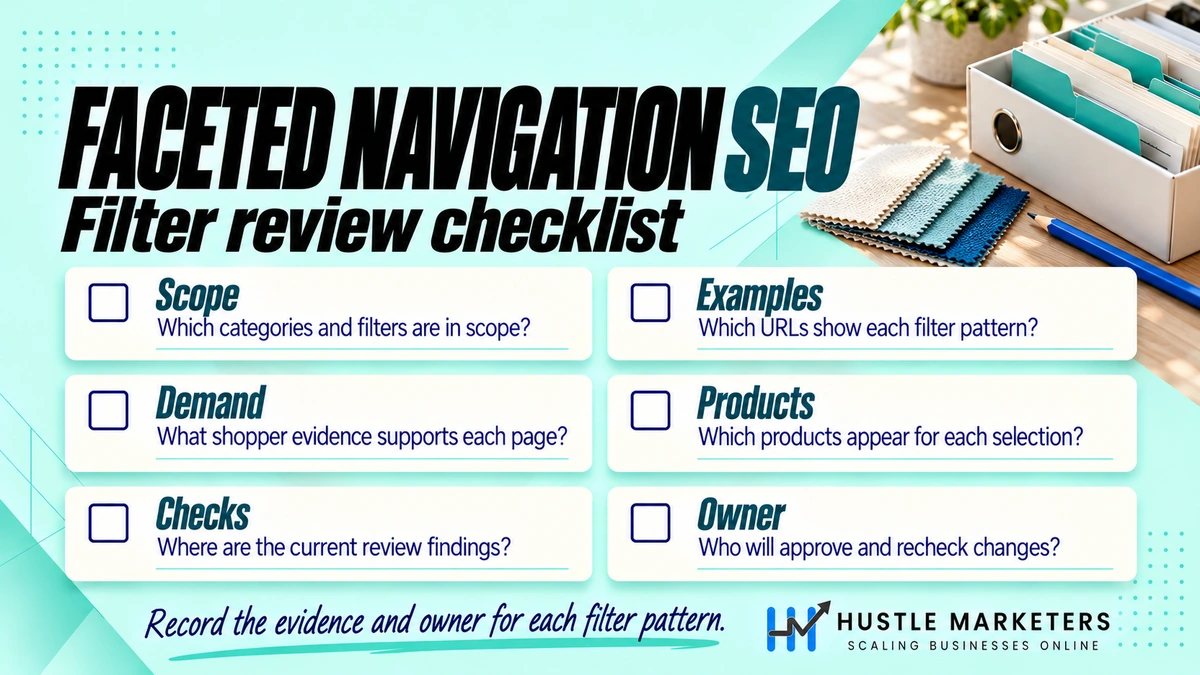
How do you audit faceted navigation?
Audit faceted navigation by comparing three numbers: how many filter URLs exist, how many Google crawls, and how many Google indexes. Search Console’s Page indexing and Crawl Stats reports give the Google side. A site crawler gives the URL count. Server logs show exactly where Googlebot spends its time.
Check Search Console first
- Page indexing report: filter the examples by parameter or path. Large counts under “Duplicate without user-selected canonical”, “Duplicate, Google chose different canonical than user” or “Indexed, though blocked by robots.txt” point to facet problems.
- Crawl Stats report: open Settings, then Crawl stats. The Crawl Stats report splits requests by response code and by purpose, where “Discovery” means URLs Google had not crawled before. A high discovery share on filter URLs suggests a crawl trap. It is available for root-level properties only.
- URL Inspection: test a few filter URLs to see whether Google can crawl them and which canonical it picked.
- Performance report: check which filter URLs already earn clicks before you block anything. Those are candidates for static landing pages.
Use log files to see where Googlebot goes
Server logs show every request, not a sample. Export a month of logs, keep requests that claim to be Googlebot, and verify them, because anyone can fake the user agent. Google’s verification guide describes a reverse DNS lookup to googlebot.com, google.com or googleusercontent.com, followed by a forward lookup, or matching IPs against Google’s published ranges.
Then group verified hits by URL pattern: product pages, clean category pages, and each filter parameter. If most Googlebot hits go to parameter URLs while new products wait to be crawled, fix the facets before anything else. Our ecommerce SEO audit guide shows where this check fits in a full store audit, and the ecommerce SEO checklist lists the follow-up tasks.
Crawl the site like a bot
Run a crawler on one large category with parameters allowed. Count unique URLs, duplicate titles and empty result pages. Repeat after each release, because a theme update or new filter app can add parameters overnight.
Does faceted navigation affect AI search?
Faceted navigation affects AI search because AI answers draw on indexed pages. Google says there are no extra requirements for AI Overviews or AI Mode beyond being indexed and eligible for a snippet. A blocked filter URL cannot be cited, and a crawl budget lost to filter traps delays the pages you want AI features to find.
Google’s AI features guide says AI Overviews and AI Mode may use “query fan-out”, running several related searches across subtopics. A question such as “best waterproof hiking boots for wide feet” fans out into attribute-level searches. A static, indexable facet page for “wide waterproof hiking boots” with clear copy and product data is a better candidate for those searches than a parameter URL.
For ChatGPT search, OpenAI’s crawler documentation separates OAI-SearchBot, used to surface websites in ChatGPT search, from GPTBot, used for model training. Blocking GPTBot does not have to cost you search visibility. Check your logs for AI crawlers hitting filter URLs, and keep your indexable facet pages open to the bots you want.
Common faceted navigation SEO mistakes
The most common faceted navigation SEO mistakes are using robots.txt and noindex on the same URLs, trusting canonical tags alone, following retired Search Console advice, and blocking filter URLs that already earn traffic. Each one either leaves the crawl problem in place or removes pages that were bringing in sales.
- Robots.txt plus noindex on the same URL. Google never sees the noindex, so the URL can stay indexed.
- Canonical tags as the only fix. Google calls them less effective in the long term for facet crawling, and it still has to crawl each URL to read the tag.
- Following URL Parameters tool advice. The tool was retired in 2022.
- Blocking everything at once. Check the Performance report first, because some filter URLs may already rank.
- Redirecting empty filter results to the category. Google asks for a 404 status instead.
- Letting apps add parameters unchecked. Recheck robots.txt and crawl counts after every new filter, search or review app.
- Indexing facets with three or four products. Thin pages rarely satisfy the search and add to the thin content problem.
Faceted navigation is one of the first areas we check in a technical SEO audit, alongside indexing and site speed. Our client work is covered by signed NDAs, so this guide shares the process we follow rather than client names or results.
FAQ
Does faceted navigation matter for small ecommerce stores?
Yes, for duplicate content and index bloat, even if crawl budget is not your main concern. Google’s crawl budget guide is aimed at sites with roughly 1 million or more pages, or 10,000 or more pages that change daily. A small store with many filters can still have far more filter URLs than products.
Should filtered pages be in the XML sitemap?
Only the facet pages you have chosen to index should be in the sitemap, using their clean canonical URLs. Leave out parameter URLs, sorted views and anything blocked in robots.txt. A sitemap that lists blocked or noindexed URLs sends Google mixed signals.
Is noindex, follow enough for filter URLs?
Noindex keeps filter URLs out of the index, but Google still has to crawl them to see the tag. It solves index bloat, not crawl waste. Use it to clean up URLs that are already indexed, then switch to robots.txt for the long term.
Do AJAX or JavaScript filters fix faceted navigation SEO?
Filters that update products without creating new crawlable links, or that keep the state in a URL fragment, avoid most crawl problems. The trade-off is that those filtered views cannot rank. Keep a crawlable static URL for any facet you want indexed.
How should pagination work on filtered category pages?
On indexable pages, give each paginated page its own canonical. Google’s pagination guide says: “Don’t use the first page of a paginated sequence as the canonical page.” On blocked filter URLs, the pagination is blocked along with them.
Can I use canonical tags on every filter URL instead of robots.txt?
You can, but Google describes canonical tags as generally less effective in the long term for facet crawling than robots.txt or URL fragments. Canonicals suit near-duplicate filters you need to keep crawlable. For large filter sets with no search value, robots.txt is the stronger control.
Need help with faceted navigation on your store?
Hustle Marketers has worked on ecommerce SEO and paid search since its founding in 2020, and founder Ishant Sharma has worked in Google Ads, Microsoft Ads and SEO since 2013. We are based in Zirakpur, India, and work with stores worldwide. SEO plans start from $500 a month. If filter URLs are eating your crawl budget, our ecommerce SEO team can map which facets to index and which to block.