Infinite Scroll SEO for Ecommerce: How to Keep Every Product Crawlable

Ishant
Published on November 17, 2026
Ishant
Infinite scroll SEO is about making sure search engines can reach every product that your shoppers load by scrolling. Googlebot does not scroll or click. On a store, that means products past the first batch can be invisible to Google. The fix is to back the scroll with paginated URLs that have real links, clean canonicals and stable content.
Summarize this article with:
Key Observations
- Google says its crawlers do not click buttons and generally do not run JavaScript that needs user actions, in its pagination and incremental page loading guide. Load more and infinite scroll need a crawlable fallback.
- Google’s lazy loading guide asks for paginated loading behind infinite scroll: a persistent, unique URL for each chunk, sequential links and History API URL updates.
- Give page 2 and beyond their own canonical. Google’s guide says: “Don’t use the first page of a paginated sequence as the canonical page.”
- Google retired rel=”next” and rel=”prev” in March 2019, as Search Engine Land reported. Plain
<a href>links between pages now do the work. - Scrolling is not “recent input” for Cumulative Layout Shift, per web.dev, so a footer pushed down by new products during a scroll counts against CLS.
What is infinite scroll SEO?
Infinite scroll SEO, sometimes called infinite scrolling SEO, is the set of technical choices that let search engines discover, crawl and index content that a page loads as the visitor scrolls. On an ecommerce site, that content is usually the product grid on a category or collection page. The goal is simple: every product a shopper can reach by scrolling should also be reachable through a normal link.
Google’s ecommerce pagination guide describes three ways to show a long list of results. Here is how they differ.
- Pagination: numbered pages with next and previous links. Each page is a separate URL.
- Load more: a button that adds the next set of products to the current page.
- Infinite scroll: the next set of products loads on its own when the shopper nears the bottom of the grid.
Load more and infinite scroll are both forms of incremental page loading. Google lists their pros and cons in the same guide. For infinite scroll, it notes possible “scrolling fatigue” and that one page cannot handle very large result sets.
Is infinite scroll bad for SEO?
Infinite scroll is not bad for SEO on its own, but a pure JavaScript build is. When products only load on a scroll event, Google can index the first batch and miss the rest. Infinite scroll built on top of crawlable paginated URLs can rank as well as classic pagination, while shoppers still get a continuous grid.
The risk is highest on stores with large categories. Take an illustrative collection of 400 products where the first load shows 24: a scroll-only build gives Google one path into those 24. The other products then depend on the XML sitemap, internal links from elsewhere, or a Merchant Center feed for discovery. Those signals help, but they do not pass the context a category page gives.
Google’s 2020 comments show why testing matters. In a talk covered by Search Engine Journal, Google’s Martin Splitt said of Googlebot: “It doesn’t scroll.” He described a site where Googlebot saw only ten articles on a home page that held many more.
How does Googlebot handle infinite scroll and load more buttons?
Googlebot handles infinite scroll and load more by ignoring the interaction. Google crawls URLs found in the href of <a> elements, renders the page, and does not scroll, click or tap. Products added by a scroll event or a button click never appear unless a crawlable URL also serves them.
Googlebot does not interact with the page
Google’s lazy-loaded content guide is direct: “Google Search does not interact with your page.” It recommends loading methods that do not depend on scrolling or clicking, such as the browser’s built-in lazy loading for images or the IntersectionObserver API. Those load content when it is visible in the viewport, not when a user acts.
Some help docs say Googlebot renders with a very tall viewport, so more of a long page loads. Google’s own documentation does not publish a viewport height, so do not build on that. Treat anything below the first batch as invisible until a link proves otherwise.
Only real links get followed
Google’s link best practices say Google can reliably crawl a link only when it is an <a> element with an href. A button with a click handler, a <span> with an href, or an <a onclick> without an href are all listed as not recommended. A load more button is usually one of these.
Google adds that links inserted by JavaScript are crawlable if they use that same markup. So a theme can render the next page link with Liquid, Handlebars or PHP and let JavaScript take over for shoppers.
Rendering happens, but later
Google’s JavaScript SEO basics say Googlebot queues pages with a 200 status for rendering, and a page “may stay on this queue for a few seconds, but it can take longer than that.” Rendering runs your JavaScript, but it still does not scroll. Server-rendered product links in the initial HTML remain the safest path.
How do you make infinite scroll SEO friendly?
You make infinite scroll SEO friendly by building it on paginated component pages. Each chunk of products lives at its own URL, such as ?page=2. Each page links to the next with a real link, and JavaScript then loads those same pages into one continuous grid for shoppers and updates the address bar as they scroll.
Google first set out this model in a February 13, 2014 post by John Mueller, Crawling the infinite scroll. It said: “To help the crawler see all the content, we recommend converting the infinite scroll page to paginated series.” The same idea now sits in Google’s current lazy loading documentation.
- Split the grid into component pages. Page 1 shows products 1 to 24, page 2 shows 25 to 48, and so on. The 2014 post asked for “No overlap”, so each item appears once.
- Give each page a unique, persistent URL. Use a query parameter or path with an absolute page number. Google warns against relative values such as
?date=yesterday. - Keep the content stable. Google asks that the content on each URL stays the same every time it loads. Do not randomize product order per visit.
- Link pages in sequence with
<a href>. Page 1 links to page 2, page 2 to page 3. Google also suggests linking every page back to page 1. - Load the next page with JavaScript for shoppers. Fetch the next URL when the sentinel near the bottom comes into view, append its products and keep the link in the HTML.
- Update the URL with the History API. When a new chunk becomes the main visible content, change the address to that page’s URL so shoppers can refresh, share or press back.
What should the paginated URLs look like?
Paginated URLs should use a query parameter or path segment, never a hash fragment. Google’s pagination guide gives ?page=n as the example and states: “Google ignores fragment identifiers.” A URL like /shoes#page=3 is treated as /shoes, so page 3 is never crawled on its own.
What markup does a crawlable load more button need?
A crawlable load more button is a real link styled as a button. Use <a href="/collections/boots?page=2">Load more</a> and let JavaScript cancel the default click, fetch that URL and append the products. Shoppers get the button behavior, and Googlebot gets a link it can follow to page 2.
Do paginated pages need unique titles and descriptions?
Paginated pages do not need unique titles and descriptions for Google. The pagination guide says: “You can use the same titles and descriptions for all pages in the sequence.” Google tries to recognize the sequence. Adding “Page 2” to the title is still a helpful cue for shoppers who land there.
Does Google still use rel=next and rel=prev?
Google does not use rel=next and rel=prev. Google confirmed on March 21, 2019 that it had stopped using them for indexing, in posts covered by Search Engine Land. John Mueller wrote that “we weren’t using rel-next/prev in indexing for a number of years now.”
That matters because the 2014 infinite scroll post asked for rel=next and rel=prev in the head of each component page. That part is out of date. Google’s current pagination guide says “Google no longer uses these tags, although these links may still be used by other search engines.” Leaving them in place does no harm, but the visible <a href> links are what Google follows.
Should page 2 and beyond canonicalize to page 1?
No, page 2 and beyond should not canonicalize to page 1. Each component page should carry a self-referencing canonical. Google’s pagination guide says: “Don’t use the first page of a paginated sequence as the canonical page.” It asks you to give each page its own canonical URL instead.
The reason is the products on those pages. Page 2 does not duplicate page 1. It lists different products, and pointing its canonical at page 1 tells Google to treat it as a copy. That can weaken Google’s path to products that only appear deeper in the category.
- Page 1: canonical points to the clean category URL, with no page parameter.
- Page 2 and later: canonical points to itself, including the page parameter, such as
/collections/boots?page=2. - Sorted or filtered views: handle these separately, as the next section explains. Do not let a sort parameter leak into the canonical.
Check what your platform outputs before you change anything. A Magento issue on GitHub, #37338, reported the category canonical pointing to page 1 on paginated pages. The Shopify example in the platform section below shows the opposite worry. View the rendered HTML of ?page=2 rather than trusting a setting label.
How should sort and filter parameters work with infinite scroll?
Sort and filter parameters should stay out of Google’s index while the page parameter stays crawlable. Google’s pagination guide uses ?order=price as an example of the same results in a different order. It says to block unwanted variations with a noindex robots meta tag, or to discourage crawling of the URL patterns with robots.txt.
Infinite scroll makes this harder because every sort order and filter can have its own paginated series. Every sort order multiplied by every filter, each with its own run of pages, adds up fast. Keep these rules in place:
- Keep the page parameter clean. The next page link on a default view should only add the page number, not carry a sort parameter forward.
- Pick one method per URL pattern. Use noindex or robots.txt, not both. Google can only see a noindex tag on a page it is allowed to crawl.
- Keep sort and filter values out of canonicals. A sorted page 3 should not declare itself the canonical version of anything.
- Do not reset the page number silently. If a shopper changes the sort on page 4, send them to page 1 of the new order so the URL matches the content.
Filters are a bigger topic than sorting, because some filtered views deserve their own indexable landing pages. On Magento, our Magento layered navigation SEO guide covers which filter URLs to block.
How does infinite scroll affect Core Web Vitals?
Infinite scroll affects Core Web Vitals mainly through Cumulative Layout Shift and Interaction to Next Paint. New products that move visible content during a scroll count toward CLS, because scrolling is not treated as user input. Heavy rendering when a batch arrives can also delay taps and clicks, which raises INP. Load more buttons behave differently on both metrics.
The table below shows how each metric treats scrolling and clicking, based on web.dev’s CLS and INP documentation.
| Metric and “good” threshold | Infinite scroll (scroll triggered) | Load more (click triggered) |
|---|---|---|
| CLS, 0.1 or less | Scrolls are not “recent input”, so shifts of visible content count | Shifts within 500 ms of the click are excluded; shifts after that count |
| INP, 200 ms or less | Scrolling is not measured, but taps during a heavy append are | The click itself is measured, including the time to paint new products |
Sources: web.dev CLS and web.dev INP, both measured at the 75th percentile of page loads.
Why does infinite scroll cause layout shift?
Infinite scroll causes layout shift when something already on screen moves as products arrive. Products appended below the last row do not shift anything visible. The problem is the footer, a newsletter banner or a “loading” bar that is in view at the bottom and gets pushed down. Web.dev says continuous interactions “such as scrolls, drags, or pinch and zoom gestures” do not count as recent input, so those shifts count toward CLS.
- Reserve space for the next batch with fixed-height placeholder cards before the products arrive.
- Give product images width and height attributes so cards do not grow when images load.
- Start fetching the next page before the shopper reaches the end, so the gap fills while it is still off screen.
For load more, web.dev advises that “it’s best to create some space right away” and show a loading indicator. Slow server responses push the shift past the 500 ms window, so a load more grid that waits a second for data can still fail CLS.
How does infinite scroll affect INP?
INP measures clicks, taps and key presses, not scrolling. A load more click is measured directly: the time from the tap to the next paint counts. With infinite scroll, the risk is a shopper who taps a product or a filter while the browser is busy inserting a large batch of product cards. That tap waits, and the delay counts.
Keep batches small, avoid re-rendering the whole grid on each append, and break heavy work into smaller tasks. Our ecommerce Core Web Vitals guide covers how to find which script or interaction is behind a poor INP score on a store.
Can lazy loading hurt LCP on category pages?
Lazy loading can hurt Largest Contentful Paint when it is applied to the first row of products. Google’s lazy loading guide warns not to lazy-load content that is likely to be visible right away, because it can slow loading. Load the first row’s images normally and lazy-load the rest.
Infinite scroll vs pagination vs load more: which is best for SEO?
For SEO alone, classic pagination is the safest choice, because every page is a crawlable URL by default. Load more and infinite scroll can match it when they sit on top of paginated URLs with real links. The table compares the three patterns as they apply to ecommerce category pages.
| Factor | Pagination | Load more | Infinite scroll |
|---|---|---|---|
| Crawlable by default | Yes, if links are <a href> | No, needs a real link behind the button | No, needs paginated component pages |
| Footer reachable | Yes | Yes | Hard, the grid keeps growing |
| Main Core Web Vitals risk | Low, each page loads fresh | INP on the click, CLS after 500 ms | CLS during scroll, INP on taps during appends |
| Shopper sees result count and position | Yes | Partly, near the button | Rarely |
| Return to the same spot after back | Easy | Needs state handling | Needs History API and state handling |
| Best fit | Large catalogs, search-led shoppers | Most category pages, mobile grids | Browse-led, visual catalogs |
Based on the pros and cons in Google’s pagination and incremental page loading guide and the web.dev metric definitions above.
Which pattern should you choose?
- Choose pagination if categories hold hundreds of products and shoppers compare or come back to items.
- Choose load more if you want a continuous grid on mobile but still need the footer, and you can make the button a real link.
- Choose infinite scroll only if shoppers browse visually, and you will build paginated component pages under it.
- Keep the pattern you have if Search Console already shows deep products indexed. Fix links and canonicals before redesigning.
Our client work is covered by signed NDAs, so this guide shares the process we follow rather than client names or results.
How do Shopify, Magento, BigCommerce and WooCommerce handle it?
Shopify, Magento, BigCommerce and WooCommerce all paginate category pages out of the box. Infinite scroll and load more usually come from the theme, an app or an extension. That means the SEO result depends on whether the theme keeps the paginated links in the HTML and how it sets canonicals, so check each store rather than the platform name.
Shopify collections
Shopify themes paginate collections with the Liquid paginate tag. Shopify’s paginate documentation allows a page size between 1 and 250 and lets shoppers paginate “to the 25,000th item in the array and no further.” Shopify’s theme performance guidance suggests 24 to 50 products for paginated collections and notes the block “responds to the page URL parameter”.
Many Shopify infinite scroll scripts work by reading the theme’s next page link. In a 2025 Shopify Community thread, a merchant removed pagination to stop ?page= URLs being indexed. The theme’s infinite scroll then loaded the same products again, and a reply warned that Googlebot does not scroll. Keep the pagination links; do not delete them.
Shopify’s default robots.txt already blocks sorted collection URLs. The Dawn demo store’s robots.txt, checked on October 14, 2026, disallows collection URLs containing sort_by and URLs with more than one filter. The page parameter is not blocked. Our Shopify SEO guide covers the rest of the collection setup.
Magento and Adobe Commerce categories
Magento 2 uses the p parameter for category pages. The core Toolbar class also defines product_list_order, product_list_dir, product_list_mode and product_list_limit. Those four create sorted and resized copies of each page, so treat them as sort parameters.
- Canonical setting: the category canonical tag is off by default in core config.xml. Set “Use Canonical Link Meta Tag For Categories” to Yes in the catalog search engine optimization settings.
- Canonical on page 2: in 2.4.8, the category helper appends
?p=to the canonical. Earlier versions can point to page 1, as issue #37338 reports. - Products per page: the grid defaults to 12, with 12, 24 and 36 as options, in config.xml. “Allow All Products on Page” is off by default.
- Remember Category Pagination: Adobe’s product listings guide warns it “can impact the way pages are indexed by search engines.” Leave it at the default No.
Infinite scroll on Magento usually comes from an extension, so test the rendered HTML for a link to ?p=2 after installing one. Our Magento SEO guide covers the wider category setup.
BigCommerce categories
BigCommerce Stencil themes set products per category page in front matter. BigCommerce’s front matter reference gives the category: products: limit key a range of 1 to 100 products. A higher limit means fewer paginated pages but a heavier first load, which affects LCP and INP.
If a theme adds load more or infinite scroll, open a category with more products than the limit and confirm the next page link is still a real <a href> in the rendered HTML. Our BigCommerce SEO guide covers category templates and URLs in more depth.
WooCommerce shop and category pages
WooCommerce shop and category archives paginate through WordPress, and infinite scroll usually comes from the theme or a plugin. The same test applies: with JavaScript off, can you click through to page 2 and see different products? Our WooCommerce technical SEO guide covers the related crawl and indexing settings.
How do you test infinite scroll in Search Console URL Inspection?
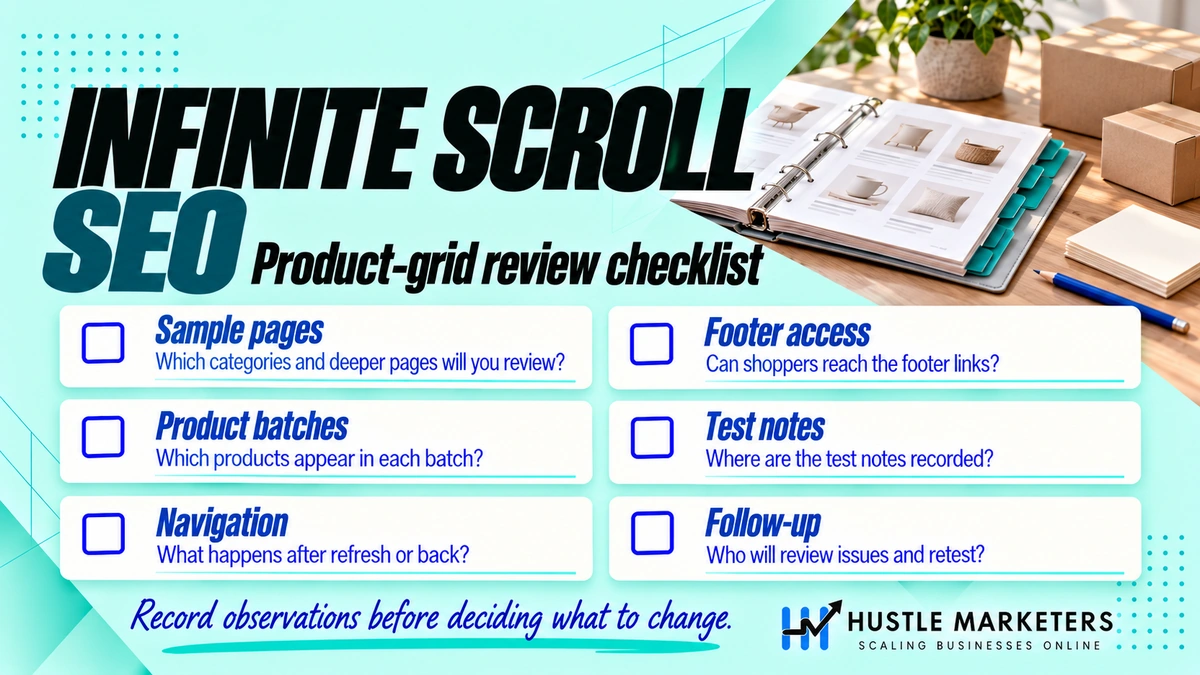
You test infinite scroll in Search Console by running a live URL Inspection on the category page and on page 2. Then check the rendered HTML for products beyond the first batch and for a crawlable link to the next page. Google’s lazy loading guide recommends this exact check.
- Inspect page 1 and click Test live URL. Google’s URL Inspection help page says the live test “fetches and examines the URL in real time.”
- Open View tested page, then the HTML tab. Search for the name of the last product in the first batch and the first product of page 2. Only the first should be there.
- Search the HTML for the next page link. Look for
hrefwith your page parameter, such as?page=2or?p=2. - Check the screenshot and More info. The screenshot shows what rendered. The JavaScript console messages can reveal a failed fetch for the next batch.
- Inspect the page 2 URL itself. Confirm “Indexing allowed?” is yes and the user-declared canonical is the page 2 URL, not page 1.
- Inspect a product that only appears deep in the category. The indexed result can show a referring page, which tells you how Google found it.
The table shows what to look for in each result.
| What you check | Healthy result | Problem result |
|---|---|---|
| Rendered HTML of page 1 | First batch of products plus an <a href> to page 2 | First batch only, next page loaded by a script or button |
| Page 2 URL | Loads different products, 200 status | Shows page 1 products or redirects to page 1 |
| User-declared canonical on page 2 | The page 2 URL | The page 1 or category URL |
| Google-selected canonical on page 2 | Matches the declared canonical | Google picked page 1 or another URL |
| Deep product, indexed result | Indexed, with a category page as referrer | Known only from the sitemap, or not indexed |
Field names from Google’s URL Inspection tool documentation.
Two limits are worth knowing. Google’s help page says a valid live test does not mean the page will be indexed, and there is a per-property daily limit on live inspections. Test a sample of categories, not every one.
What are the most common infinite scroll SEO mistakes?
The most common infinite scroll SEO mistakes are removing the paginated links, using URL fragments, and canonicalizing every page to page 1. Each one hides products from Google while the store looks fine to shoppers. Most come from theme or app changes that nobody tested with JavaScript off.
- Deleting pagination links to “clean up”
?page=URLs. This cuts Google’s path to deeper products. - Using
#page=2instead of a query parameter. Google ignores fragments. - Canonicalizing page 2 and later to page 1. Google’s guide says not to.
- A load more button with no href. Google does not click buttons.
- Random or personalized product order on the same URL, so page 2 lists different products on each crawl.
- Lazy loading the first row of images, which slows LCP on the most important view.
- A footer that keeps jumping as products arrive, which hurts CLS and hides links shoppers need.
- Relying on the sitemap alone. Google’s guide names a sitemap or Merchant Center feed as help for discovery, not as a replacement for links.
For the other technical checks a store needs, see our SEO checklist for ecommerce websites and the wider ecommerce SEO guide.
FAQ
Does Googlebot scroll on infinite scroll pages?
No. Google’s lazy loading guide says “Google Search does not interact with your page.” Content that only loads on a scroll event is not seen. Content that loads when it enters the viewport, through IntersectionObserver or native lazy loading, can be.
Is load more better than infinite scroll for SEO?
Load more is easier to make crawlable, because the button can be a real link to page 2. Infinite scroll needs the same paginated URLs plus History API updates. With equal setup, Google can index both. Load more also keeps the footer reachable, which helps shoppers.
Should paginated category pages be in the XML sitemap?
Product URLs belong in the sitemap. Google’s pagination guide suggests a sitemap file or a Merchant Center feed to help Google find all products. Paginated category pages are found through their links, so listing them is optional.
Should I noindex page 2 and later?
Google’s pagination guide does not ask for noindex on paginated pages. It asks for a unique URL and its own canonical on each page, and for noindex or robots.txt only on sort and filter variations. Keep component pages indexable unless you have a specific reason.
Can I fix infinite scroll with a view-all page instead?
A view-all page puts every product in one URL, which can be slow on large categories. Google’s current pagination guide does not mention view-all pages. It does note that load more and infinite scroll, which also keep results on one page, cannot handle very large result sets. Component pages are the safer fix.
How many products should load per page or batch?
There is no Google rule. Shopify’s theme guidance suggests 24 to 50 per paginated collection, and BigCommerce’s front matter reference allows 1 to 100 per category page. Pick a size that keeps the first load fast, then test LCP and INP on mobile.
Need help making your category pages crawlable?
Hustle Marketers was founded in 2020 by Ishant Sharma, who has worked in Google Ads, Microsoft Ads and SEO since 2013. Our delivery team is in Zirakpur, India, and we work with stores worldwide. SEO plans start from $500 a month, depending on the business. Infinite scroll and pagination are among the first things our technical SEO team checks in an ecommerce SEO audit, and you keep ownership of your Search Console and analytics accounts.
How we created this guide: we reviewed the top-ranking pages for this topic, read Google Search Central, web.dev and platform documentation, and checked community threads. A person on our team checks every claim against those sources before the guide is published.