WooCommerce Technical SEO: What Core Does, and What It Leaves to You

Ishant
Published : October 2, 2026 at 9:30 am
Updated : October 16, 2026 at 12:14 pm
Ishant

You swapped Yoast for Rank Math. You disabled both and the missing fields were still missing. You hand-edited autoload in phpMyAdmin. You added canonical tags. You blocked filter parameters in robots.txt and the crawl kept climbing.
Here is why none of that worked. Most of what gets blamed on a WooCommerce store’s SEO plugin is WooCommerce core behavior, and a fair amount of it is WordPress core behavior underneath that. Our WordPress SEO services page covers those core settings for sites without a store. You cannot fix it in a plugin setting because the plugin is not the thing doing it.
This post is written from primary sources. Parameter names, option names, filters, defaults and limits below come from WooCommerce and WordPress core source and official documentation, or from Google Search Central. The open defects are real GitHub issues that were still open when this was written. Where a figure comes from a community report or a third party benchmark, it is labelled as such. Where a string could not be verified word for word, it is described instead of quoted, and that is said plainly.
Written by Ishant Sharma, founder of Hustle Marketers, working in Google Ads, Microsoft Ads and SEO since 2013. Checked September 2026 against WooCommerce trunk, WordPress core references, the WooCommerce developer documentation and Google Search Central. WooCommerce behavior is version dependent more than it is date dependent, so version numbers are given where they matter.
Key Observations
- WordPress core only outputs a canonical on singular pages. Your shop page, every product category, every tag archive, every paginated page and every filtered URL gets no canonical from core at all.
- The layered navigation parameter is filter_color, not filter_pa_color. A rule written against the pa form matches nothing.
- There is a second archive pagination parameter called product-page that page slash two rules never touch.
- Variable products with different variation prices emit AggregateOffer, and Google requires Offer for merchant listings. That is a core default, not a plugin fault.
- Core product schema contains no brand, no mpn, no shippingDetails and no hasMerchantReturnPolicy.
- Thirteen account and checkout endpoints are query variables rather than pages, so noindexing the cart page in your SEO plugin misses all of them.
- Attachment pages are still on for every store that existed before WordPress 6.4, because the option defaults to on when you upgrade.
- Author archives are in your core sitemap by default.
Table of Contents
- Why do WooCommerce stores have SEO problems that plain WordPress sites do not?
- Which URLs does WooCommerce create that you never made?
- Why do your filter URLs explode into hundreds of thousands of pages?
- Why does WooCommerce leave your archives with no canonical at all?
- Why is your variable product not eligible for merchant listings?
- Why is your cart, checkout and account area indexable?
- What does your robots.txt actually say?
- What is in your sitemap that should not be?
- Why is your store slow in a way caching does not fix?
- Why do sorted and filtered URLs sometimes show the wrong products?
- What happens to SEO when a product goes out of stock?
- Which permalink changes will cost you rankings?
- Which WooCommerce defects are open right now?
- What should you fix first?
- How we approach this on a real store
- Why choose Hustle Marketers or Ishant Sharma for WooCommerce SEO
- WooCommerce technical SEO FAQs
Why do WooCommerce stores have SEO problems that plain WordPress sites do not?
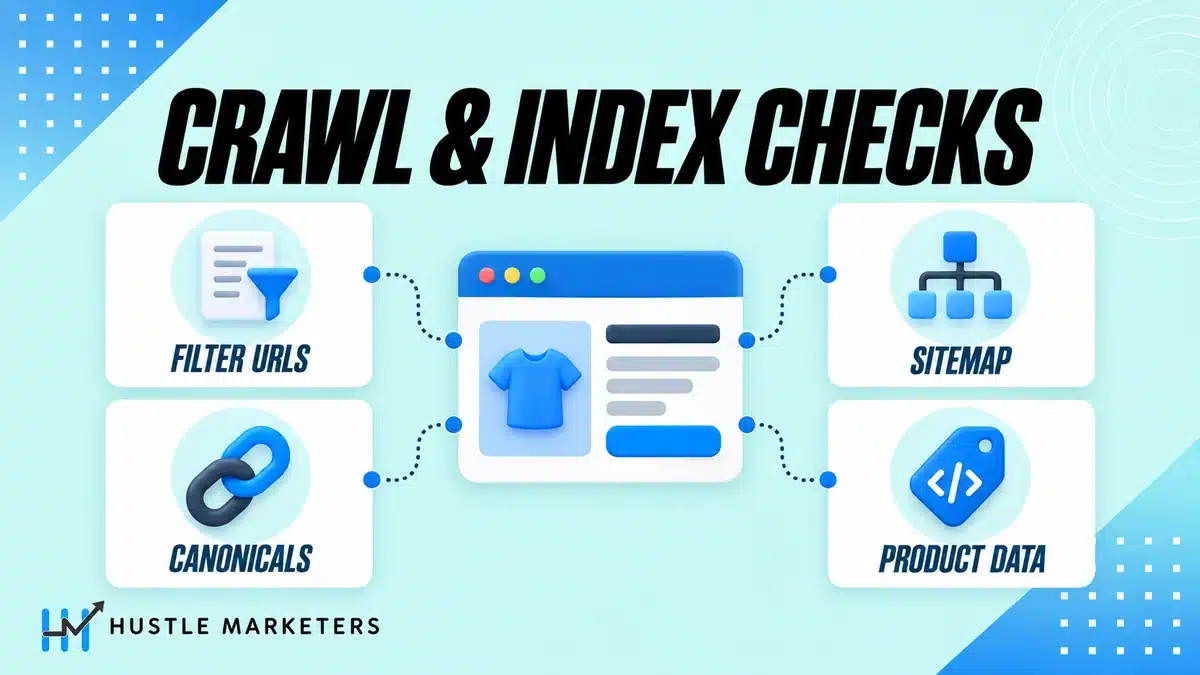
Because WooCommerce adds a post type, three URL bases for its taxonomies, thirteen account and checkout endpoints, a filtering system that reads open ended query parameters, and its own pagination parameter, on top of a WordPress core that only canonicalizes singular requests.
None of that is broken. It is all working exactly as built. The problem is that the SEO consequences were never anybody’s job.
What does WooCommerce actually add on top of WordPress?
A product post type with a URL base, three taxonomy bases, and a set of pages that are simultaneously WordPress pages and product archives. Then a filter layer that generates URLs from your own attribute names, so the parameter set on your store is not the parameter set on anybody else’s.
That last point is why generic advice fails here. The valid parameter names on a WooCommerce store are determined by your attributes. A rule written for a demo store does not match yours.
Why does your SEO plugin get blamed for all of it?
Because the plugin is where you look. It owns your titles, it owns your meta descriptions entirely because WooCommerce has no meta description generator at all, and it owns canonicals on everything except single products. So when a canonical is wrong or a schema field is missing, the plugin is the obvious suspect.
But look at where the output comes from. WooCommerce hooks its structured data output onto the footer. Your SEO plugin writes its graph into the head. Neither product documents removing the other. So the default state of a Yoast plus WooCommerce store is two Product nodes on one page, and the one in the footer is the one using AggregateOffer.
To be fair in both directions, it is not never the plugin. A shop page that is noindexed is often a plugin setting. But when Search Console reports a missing schema field on a variable product, and you disable both SEO plugins and the field is still missing, you have found core.
Which URLs does WooCommerce create that you never made?
Every one of these exists on a default install.
| URL space | Exists by default | Indexable by default |
|---|---|---|
| /product/slug/ | Yes, the product base | Yes |
| /product-category/term/ | Yes, hierarchical | Yes, and in the core sitemap |
| /product-tag/term/ | Yes | Yes, and in the core sitemap |
| Attribute archives at the site root | For any attribute with archives enabled | Yes, and in the core sitemap |
| /shop/ and the matching top category | Yes, both | Yes, neither canonicals to the other |
| /page/2/ and product-page=2 | Yes, two separate archive mechanisms | Yes |
| Attachment pages | On any store older than WordPress 6.4 | Yes |
| Author archives | Yes | Yes, and in the core sitemap |
| Date archives | Yes | Yes |
| Thirteen account and checkout endpoints | Yes | Yes, nothing in core noindexes them |
| /wp-json/wc/store/v1/products | Yes, unauthenticated | Fetchable by any crawler |
Why is your attribute archive sitting at the site root?
Because the attribute base defaults to empty. The product base defaults to product and the category base to product-category, but the attribute base has no prefix at all, so a global attribute for size with archives enabled produces archives at slash size slash medium.
On a store with size, color and brand attributes, that means your store has claimed slash size, slash color and slash brand at the root of your domain, competing with any real page you might want at those paths. This is the default, not something anybody switched on.
Are attachment pages still live on your store?
Probably, if your store predates WordPress 6.4. The change in 6.4 set the option that controls attachment pages to off for new installations and left it on for existing installations on upgrade. There is no settings screen for it.
Do the arithmetic on your own store. Two thousand products with six gallery images each is twelve thousand crawlable pages whose entire content is an image and its title as the heading. That is what thin content on an ecommerce site looks like when a platform generates it rather than a writer.
One caution from a community report: a merchant reported in 2021 that applying a gone status to attachment URLs cost them their Google Images results. Treat that as a caution rather than a measurement, and prefer disabling the pages properly or redirecting them over killing the URLs outright.
Are author archives really in your sitemap?
Yes. WordPress core sitemaps cover all public and publicly queryable post types and taxonomies, plus author archives and the homepage. Most writing on core sitemaps says posts, pages and taxonomies and stops there.
On a store with one administrator, that is core actively submitting a duplicate of your blog archive to Google, with no unique content on it.
Why are product tag archives the largest source of thin pages?
Because tags on real stores are frequently one product each, and the taxonomy is public, indexable and in the sitemap by default. WooCommerce gives you no interface to change that. You either noindex them per term in your SEO plugin, or you stop using product tags for anything you are not prepared to defend as a landing page.
Why do your filter URLs explode into hundreds of thousands of pages?
Because the filter system emits real links, with real parameters, that combine with each other and with sorting and with three separate pagination mechanisms. It is not a JavaScript overlay. Every combination is a crawlable URL.
One store documented this on the WordPress support forums in April 2025. Search Console’s alternate page with proper canonical tag count went from roughly fifteen thousand to over a hundred and forty nine thousand in two weeks, and crawl related CPU load went from about forty thousand to over four hundred thousand seconds a day.
What are the real parameter names?
This is the part that matters most, because the published rules are wrong.
| Parameter | What generates it |
|---|---|
| filter_ plus the attribute slug | Layered navigation, and the newer filter blocks |
| query_type_ plus the attribute slug | The and or or toggle on layered nav |
| min_price and max_price | The price filter widget |
| rating_filter | The rating filter widget |
| filter_stock_status | The product filters block |
| orderby | Catalog ordering, six values |
| paged and product-page | Two archive pagination mechanisms. page paginates single content |
| add-to-cart | Every add to cart link on every archive |
| s and post_type=product | Internal search, which multiplies against all of the above |
Note the attribute one carefully. The prefix is applied to the attribute taxonomy slug with the pa underscore prefix stripped. So an attribute stored as pa_color produces filter_color, not filter_pa_color.
If your rule uses the pa form, it matches nothing, and you will believe the parameters are blocked when they are not. Check a real filtered URL from your own store against your own live robots.txt rather than against any published example, including the one above.
What is product-page and why do your rules miss it?
It is a second archive pagination parameter, used by the products shortcode and the product collection block, read directly from the query string rather than registered as a query variable the way archive pagination is.
That last detail is why it escapes so much handling. Rules written against slash page slash two do not touch it, query variable based filtering does not see it, and it stacks with slash page slash two on the same URL. There is a third parameter called page, but that one paginates single content rather than archives.
Why do min_price and max_price create unbounded URLs?
Because they are free form numeric values, and two continuous numbers produce an unbounded space rather than a list. The widget also emits real anchor links, and its own cleanup only strips the pagination parameters. Every other filter on the URL is carried through, which is exactly what makes combinations multiply.
The rating filter compounds it in a different way: the values are comma separable, so three comma four comma five and five comma four comma three are two different URLs for one result set.
What does Google actually recommend for faceted navigation?
Not what most WooCommerce advice recommends. Google’s faceted navigation guidance points at robots.txt disallow patterns on the parameter, URL fragments instead of parameters because Google generally does not crawl fragments, applying nofollow to every anchor pointing at a filtered URL, and simply not linking to filtered pages.
It does not put forward noindex or canonical as the primary remedy. The reason is crawl rather than index: Google names overcrawling and slower discovery of new content as the cost.
Why can you not just list every combination in robots.txt?
Because Google enforces a five hundred kibibyte limit on the file. A store trying to enumerate every filter combination will pass that. Pattern rules are the only workable approach, and they have to use the real parameter names from the table above.
Two more limits worth knowing while you are in that file. A 4xx response on robots.txt, other than 429, is treated as though the file does not exist, meaning no restrictions at all. A 5xx stops crawling for twelve hours and then uses the cached copy for up to thirty days.
Why does WooCommerce leave your archives with no canonical at all?
Because WordPress core’s canonical function opens by returning early on anything that is not a singular page. That is the whole mechanism, and it explains a long list of symptoms.
Every singular request gets a canonical from core, so products, posts and ordinary pages all do. No archive does. Not the shop page, not product categories, not tags, not attribute archives, not paginated archives, not a single filtered URL.
So on a default WooCommerce store, every one of those hundreds of thousands of filtered URLs is served with no canonical whatsoever unless an SEO plugin adds one. And when the plugin does add one, its choice of target is the plugin’s editorial decision, not documented WooCommerce behavior.
Why does the shop page get no canonical when it is a page?
Because it is a page row in the database that serves an archive query. Your intuition says singular, and the settings screen reinforces it by letting you pick a page. But WooCommerce converts the query to a product archive, so the request is not singular and core returns early.
This is the single most misstated thing in public writing on the subject. People assume the shop page behaves like a page because it is stored as one.
What should you actually do about paginated canonicals?
Not what you have been told. Google’s ecommerce pagination guidance says, in bold on its own page, not to use the first page of a paginated sequence as the canonical page, to give each page a unique URL, and that the next and previous link tags are no longer used at all.
Canonicalling page two onward back to page one is one of three contradictory positions I found in the ranking set, and it is the one Google tells you not to take.
There is a related core behavior worth knowing. WordPress appends a page number to the title of every paginated archive, which is what makes those pages distinct in search results. If your SEO plugin short circuits core’s title generation, whether that page number survives depends entirely on the plugin. That is why paginated WooCommerce archives so often show duplicate titles in Search Console.
Why is your variable product not eligible for merchant listings?
Because of about ten lines in WooCommerce core, and this is the most consequential finding in this post.
When a variable product’s variations do not all have the same price, and no variation is selected in the URL, WooCommerce core emits an AggregateOffer node with a low price, a high price and an offer count. When they are all the same price, it emits an Offer.
Google’s merchant listing documentation states that merchant listings require an Offer, because the merchant has to be the seller, and that while product snippets accept either an Offer or an AggregateOffer, merchant listings require an Offer. Google’s product snippet documentation separately says to use Offer rather than AggregateOffer to be eligible for the price drop enhancement.
Put those together. Every WooCommerce variable product with mixed variation prices is, out of the box, ineligible for merchant listing experiences and for the price drop enhancement. On most stores that covers every mixed price variable product in the catalog.
This is core. Not your theme, not your SEO plugin, not your feed app.
What does WooCommerce core actually emit?
Five schema types in total, and one of them only ever appears in email. Product, Review, BreadcrumbList, WebSite, and Order in order confirmation emails.
There is no Organization, no LocalBusiness, no ItemList on archives and no CollectionPage. If your store has those, they came from your SEO plugin.
Which properties does core leave out?
Reading the whole structured data class: brand, mpn, shippingDetails and hasMerchantReturnPolicy appear nowhere in it. Google lists all four among the recommended properties for merchant listings.
So a stock WooCommerce store emits no brand and cannot be eligible for the shipping and returns annotations. Core also emits a single generic identifier property rather than the typed identifier set Google also lists.
Why do you have two Product nodes on one page?
Because WooCommerce outputs its structured data in the footer and SEO plugins output their graph in the head, and nothing in either product’s documentation removes the other. Yoast’s product structured data lives in a separate commercial add-on, which is a licensing boundary rather than a deduplication mechanism.
Pick one emitter. The documented removal point is the product structured data filter, returning an empty array, or unhooking the core generator from the single product summary hook. Before you remove core’s node, confirm your plugin actually emits product schema on the licence you hold, because on at least one major plugin that output sits in a paid add-on. Remove core’s node without it and you have no product markup at all. I could not find any documented statement from either side that one automatically suppresses the other, so do not assume it.
Why does Search Console report a missing price currency?
There was a real core issue for this, number 60652, reported against WooCommerce 10.1.2 on August 28, 2025 and fixed by pull request 65123. If you are seeing it now, check your WooCommerce version before you start editing templates. A separate, older report, issue 34826 from September 2022, covered a duplicate price specification error, which people worked around by unsetting that key through the product structured data filter.
The general lesson: when a schema error appears across your whole catalog at once and you changed nothing, look at what updated.
Why does your breadcrumb contain a raw HTML entity?
Because of an open defect, filed in September 2026, in which the breadcrumb node emits the undecoded entity for characters like an apostrophe while the product name on the same page is correct. Any product title with an apostrophe, an ampersand or an accented character is affected. The reporter isolated it to core rather than to a third party plugin.
Is there a ProductGroup option?
Not in core. WooCommerce emits a product group identifier on a selected variation but never a ProductGroup node, and Google’s variant documentation recommends a product group identifier, a has variant property and a varies by property.
There is an open feature request on WooCommerce’s own board asking for ProductGroup structured data for variants, filed in November 2024. It had four votes when this was written. That tells you how much attention this gets relative to how much it costs stores.
Why is your cart, checkout and account area indexable?
Because WooCommerce core does not noindex any of it. The only robots directive I could find anywhere in WooCommerce core on the front end is a noindex header on its own AJAX transport requests, which is the wrong target.
Why does noindexing the cart page in your SEO plugin not cover it?
Because most of what you are worried about is not a page. Thirteen slugs are registered as query variables rather than as separate pages: five on checkout, being order pay, order received, add payment method, delete payment method and set default payment method, and eight on My Account, being orders, view order, downloads, edit account, edit address, payment methods, lost password and customer logout.
Your SEO plugin’s per page noindex list shows you pages. It cannot show you those, because they do not exist as pages. So the standard advice covers three pages and misses thirteen endpoints, several of which can contain order and address data.
There is a naming trap here too. The admin labels do not match the slugs. The settings screen says Addresses while the slug is edit-address, and says Logout while the slug is customer-logout. Write your rules from the slugs, not from the settings screen.
What is the one thing WooCommerce does noindex?
Its own AJAX endpoint. Requests to the WooCommerce AJAX query variable get a noindex header alongside no sniff and no cache headers. So WooCommerce noindexes its transport layer and leaves your order history open. That is the wrong way round, and it is worth knowing so you stop looking for a setting that does not exist.
Is your product catalog exposed as public JSON?
Yes, on a default install. The WooCommerce Store API is documented as unauthenticated and does not require API keys or tokens, and the products endpoint returns the catalog as JSON with no key. Nothing in the default robots.txt disallows the REST path.
Whether you care depends on your situation. It is not a security hole, the data is public anyway. It is a crawl and a competitive intelligence consideration, and it is worth making a deliberate decision about rather than discovering it later.
What does your robots.txt actually say?
Four lines, and it does not exist as a file.
WordPress serves a virtual robots.txt containing the user agent wildcard, a disallow on the admin directory, an allow on the admin AJAX file, and a sitemap line appended by the core sitemap class. That is the entire default.
Why does uploading a real robots.txt file break things?
Because if a real file exists at the web root, the server serves that file and WordPress never runs its generator. You lose the sitemap line and the admin AJAX allowance, and nothing tells you.
This is how stores end up with a robots.txt that looks fine and has no sitemap reference in it. If you want custom rules, add them through the filter rather than uploading a file, or make sure your file reproduces what you are replacing.
Why is your store noindexed after a staging copy?
Because the discourage search engines option no longer writes a site wide disallow into robots.txt. Since WordPress 5.3 there is no site wide disallow, and the current robots meta mechanism, the robots filter, arrived in 5.7.
So a staging store that was discouraged, then copied to production, keeps that option set and emits a noindex meta tag while serving a completely innocent looking robots.txt. Check the option, not the file.
What is in your sitemap that should not be?
Core sitemaps arrived in WordPress 5.5 at wp-sitemap.xml and they include more than people expect.
| Core sitemap fact | Value |
|---|---|
| Entries per sitemap file | 2,000, filterable |
| Sitemaps per index | 50,000 |
| Included by default | All public and publicly queryable post types and taxonomies, author archives, the homepage |
| Not included | Image, video and news sitemaps |
| Enabled by | The sitemaps enabled filter, which defaults to the public site option |
For a WooCommerce store that means products, categories, tags and every archive enabled attribute taxonomy are all submitted automatically, including the thin tag and attribute archives from earlier in this post. And because core produces no image sitemap, your product images are not submitted by core at all.
Do core and plugin sitemaps both exist?
Yes, by default. Nothing in core disables wp-sitemap.xml when a plugin registers its own sitemap. Turning core’s off requires the filter.
I could not find a documented statement from any SEO plugin that it automatically disables core sitemaps, so check both URLs on your own store rather than assuming.
Why is your store slow in a way caching does not fix?
Because a large part of WooCommerce slowness is work done before any cache can help, on requests a cache will not serve.
How much is your store autoloading on every request?
Every autoloaded option is loaded into memory on every request, front end included. WordPress 6.6 added a documented byte threshold above which it will not autoload an option by default, set at one hundred and fifty thousand bytes and filterable.
That threshold is per option. It does not cap the total. One real support thread documented 1,041 autoloaded options totalling around 911 kilobytes, and the transients came back with autoload re-enabled after a manual database edit.
Transients are the usual culprit, because without a persistent object cache they live in the options table, WordPress cleans out expired ones only infrequently, and the expiry time is a maximum rather than a minimum age. So a plugin that writes a transient on every catalog view can grow that table indefinitely.
What are cart fragments costing you?
The cart fragments request is an AJAX call fired to refresh the cart contents, and it is uncacheable by definition because the cart is per visitor. Kinsta measured this request at 0.76 seconds, which on a site loading in three seconds is over a quarter of the page load. That is a host’s benchmark rather than a core documented figure.
It is worth measuring on your own store rather than removing blindly, because on some themes removing it breaks the mini cart.
Why does cron not run when you think it does?
Because WordPress cron is not real cron. It fires on page loads. On a low traffic store, scheduled work waits for a visitor.
That matters more on WooCommerce than on a blog, because WooCommerce uses a scheduled action queue for a lot of background work, and because of the next section.
Why did your store get slower right after an update?
Often because the action queue is working through a backlog. One January 2024 support thread looked exactly like that, with the queue runner firing repeatedly, and the cause turned out to be a third party analytics plugin flooding the Heartbeat API. So check the scheduled actions table, but do not stop there, because the queue runner can be the symptom rather than the cause.
Why do sorted and filtered URLs sometimes show the wrong products?
Because WooCommerce keeps a product lookup table, and that table is the source of truth for price ordering, price range filtering and stock filtering. Not the product meta. The lookup table.
Public writing treats these tables as a speed optimization. They are not only that. If the lookup table has drifted, then your indexable sorted and filtered URLs serve content that contradicts their own query, and the low price and high price in your structured data are built from the same drifted values.
Combine that with cron not being real cron on a low traffic store and you have a store serving crawlable URLs whose content is wrong, with no error anywhere to tell you.
What happens to SEO when a product goes out of stock?
More than you think, because hiding out of stock products is not a display setting. It is implemented as a visibility taxonomy term, so the effect is an indexing change rather than a rendering change.
The product leaves the archives and leaves the sitemap. No redirect is issued, no gone status is returned, and the URL still resolves. There is also an open defect in which the cached visibility check is never invalidated when that taxonomy term changes outside the normal product save path, so the stale value can persist indefinitely.
Decide deliberately what you want to happen to a product URL when it goes out of stock, because the default is a silent change with no signal attached to it.
Which permalink changes will cost you rankings?
All of them, unless you handle redirects yourself. WooCommerce documentation states plainly that changing permalink structures updates the URLs of existing products, and that previously indexed URLs will return not found errors unless you set up redirects. WooCommerce ships no redirect layer for this and keeps no history of prior product slugs.
Two specific traps.
The shop base with category option bakes a category into the product URL. That means recategorizing a product changes its URL. The documentation warns about changing the structure. It does not warn that editing a product’s categories does the same thing on this setting.
And there is an open defect in which the product permalink bases are persisted in the locale of whichever request wrote them first, resolved through the admin user’s own language. A German store whose first request after activation is an admin page load by an English profile administrator permanently stores the English bases. It was still open when this was written.
Which WooCommerce defects are open right now?
Every issue below was read individually on the WooCommerce repository and was open on September 24, 2026. Titles are shortened here; the numbers are the useful part.
| Issue | What it affects |
|---|---|
| 68420 | Breadcrumb structured data emits a raw HTML entity in the name field |
| 67772 | The shop page addressed by page id redirects to an arbitrary single product |
| 67668 | Shop sub page rewrite rules depend on the language of whichever request flushed them |
| 67507 | Product permalink bases persisted in the first request’s locale |
| 67934 | REST product category pagination undercounts hierarchical terms |
| 65559 | Product collection blocks hydrate full product objects into archive HTML |
| 64107 | Add to cart URLs pass through whatever parameters are on the request |
| 68487 | Published products with a missing parent are hidden from the catalog |
| 68416 | Product visibility cache never invalidated on term changes |
| 68956 | Variation tie breaking differs between admin and storefront |
| 41190 | Internal nofollow links, an enhancement request open since 2023 |
| 35361 | An intentionally empty shop page setting is overwritten on every update |
| 69013 | Reviews submitted on the review order page do not update the rating aggregate |
Four of those are directly SEO relevant and worth watching. 68420 corrupts your breadcrumb markup on any product with an apostrophe. 67772 sends a canonical redirect to an arbitrary product. 68416 lets a stale visibility value keep a product in or out of your archives. And 69013 leaves the aggregate rating in your structured data out of date, which is the number that shows as stars.
What should you fix first?
Order matters, because the crawl problems compound while you work on everything else.
Before the list, some context. A survey of 131 SEO professionals, published on Zyppy’s Signal newsletter, asked what moves rankings. Technical SEO health came eighth, named in a top three by 17.5 percent of them, behind relevance at 57.1 percent, backlinks at 54.8 percent, content quality at 47.6 percent and authority and trust at 36.5 percent. One respondent framed technical SEO as a commodity that will not necessarily win the race for you but can absolutely lose it. That is a survey of practitioner belief, not a statement from Google, and the percentages are how often a factor was named in an open-ended top three, not a measured weight inside Google’s systems.
Read the rest of this page in that light. Everything here is repair work. Filter URLs eating your crawl budget, archives with no canonical, an indexable account area: none of these will make a mediocre product page rank, and closing all of them will not create demand that was never there. What they do is stop the store working against itself, which is the precondition for the seven factors that survey ranked above technical health to pay off at all. That is why the order below leads with the problems that suppress everything else rather than the ones that are quickest to close.
| Priority | Fix | Why it goes here |
|---|---|---|
| Critical | Stop the filter URL space growing, using the real parameter names | Every day it runs, the crawl problem gets bigger |
| Critical | Confirm the discourage search engines option is off after any staging copy | A whole store noindexed is worth ten minutes to rule out |
| Critical | Add canonicals to every archive, because core adds none | Nothing downstream works without this |
| Critical | Noindex the thirteen account and checkout endpoints, not just the pages | Order and address data in the index |
| High | Replace the AggregateOffer with a single Offer for the default variation | Merchant listing eligibility on every mixed price variable product |
| High | Pick one schema emitter, after checking your plugin licence covers it | Two Product nodes is a self inflicted conflict |
| High | Turn off attachment pages, or redirect them, if your store predates WordPress 6.4 | Potentially thousands of thin pages |
| High | Decide what happens to a product URL when it goes out of stock | Currently it changes silently with no signal |
| Medium | Noindex product tag and attribute archives that are not real landing pages | Thin archive bloat, in your sitemap by default |
| Medium | Audit autoloaded options and transients | The slowness that caching cannot reach |
| Medium | Move to real cron, and check the scheduled action backlog | Fixes lookup table drift and stale aggregates |
| Medium | Add brand and the identifier properties core omits | Merchant listing recommended fields |
| Low | Remove author archives from the sitemap, and noindex date archives | Small, easy, real |
| Low | Decide about the public REST catalog endpoint | A deliberate choice rather than a default |
If you only do three things: open your own robots.txt and check whether the filter rules use the real parameter names, view source on a variable product and search for AggregateOffer, and check whether the attachment pages option is on. Those three take ten minutes and find real problems on most WooCommerce stores.
How we approach this on a real store
I want to be straight about what this post is and is not. The WooCommerce specifics above come from reading core source, the developer documentation and open defect reports, not from one client engagement. We do run WooCommerce stores that we do not have permission to name, but the published case study with numbers attached to it is a Shopify store rather than a WooCommerce one, and I would rather say that than imply otherwise.
What the method looks like is the same regardless of platform. On an Australian pet ecommerce brand we checked crawlability, indexation and canonical tags, found internal linking gaps, and worked on the faceted navigation and collection duplicates that fragment authority on that platform. Then we added and verified product and collection level structured data covering price, availability and category, rebuilt internal linking so high authority pages fed the underperforming ones, and rewrote the collection pages with buying guide content covering material differences, sizing guidance and use case framing.
Over a three month comparison that store recorded clicks up 56.3 percent, impressions up 37.6 percent, click through rate up 0.21 points and average position improved by 0.9 positions. The case study’s six month AI visibility tracking also shows citations up 54.1 percent, from about 111 to 171. The detail is in the pet ecommerce SEO case study.
The order of that work is the point. Crawl hygiene, then canonical correctness, then structured data that carries real values, then content on the pages that deserve it. On WooCommerce the first two steps are longer, because core does less of it for you.
Why choose Hustle Marketers or Ishant Sharma for WooCommerce SEO
Most WooCommerce audits start in the plugin settings. That is where the settings are, so that is where people look. The problem is that a large share of what is wrong on a WooCommerce store is not in the plugin, and no amount of configuration will reach it.
What that looks like in practice:
- We read what your store actually outputs. View source on a product, a category, a filtered URL and a paginated URL, and compare each against what core, WooCommerce and your plugin each claim to control. Most misattributed problems resolve in that comparison.
- We check your real parameter names against your real attributes before writing a single rule. Generic rules do not work here, because the parameter set is generated from your store.
- We work in the theme and in filters, not only in settings. The structured data filter, the robots filter, the sitemap filter. Fixes go where the behavior is.
- We do not add a plugin to solve something core is doing. Every plugin is work on every request, and on WooCommerce that compounds.
- We separate crawl problems from index problems from render problems on the first call, because they have different fixes and different urgency.
- Reporting shows what changed and what did not. Our position on that is written down in reporting integrity.
Ishant Sharma has worked in Google Ads, Microsoft Ads and SEO since 2013 across ecommerce, local service, SaaS and white label agency accounts. The WooCommerce work sits inside a wider ecommerce practice: ecommerce SEO platform comparisons if you are deciding whether to stay, Shopify SEO and Shopify SEO issues for the equivalent catalog on that platform, Magento SEO for larger catalogs, product feed optimization and Google Merchant Center errors for the feed side of the same product data, and AI search visibility now that a real share of product research starts in an assistant.
If the paid side runs off the same catalog, that is ecommerce PPC management, Google Ads and Bing Ads work, and general SEO sits alongside all of it.
If you want a second pair of eyes, send us your store URL and we will check what it actually outputs.
WooCommerce technical SEO FAQs
Why are my WooCommerce products not getting indexed?
Work through four things in order. Check the discourage search engines option, because it emits a noindex meta tag while leaving robots.txt looking normal. Check whether your crawl budget is being spent on filter URLs rather than products. Check that products are in a sitemap that is actually submitted. And check the product visibility setting, because catalog visibility and stock visibility both remove products from archives and from the sitemap.
Should I remove product from my WooCommerce URLs?
Only with a redirect plan, and only if you have a real reason. Changing the product base updates every existing product URL and WooCommerce ships no redirect layer, so previously indexed URLs return not found until you map them yourself. The gain is two URL segments of boilerplate. The risk is every ranking product URL on the store. If you do it, map the redirects before you change the setting, not after.
Why do my filter URLs keep getting crawled after I blocked them?
Almost certainly because the rule uses the wrong parameter name. The layered navigation parameter applies the attribute taxonomy slug with the pa prefix stripped, so an attribute stored as pa_color produces filter_color. A rule written against filter_pa_color matches nothing. Check your own live robots.txt against a real filtered URL from your own store.
Should I noindex product tag pages?
On most stores, yes, unless a specific tag archive is a page you would be happy to send paid traffic to. They are public, indexable and in the core sitemap by default, and on real stores they are frequently one product each. Treat the few you want to keep as landing pages with real content, and noindex the rest.
Why does Search Console report missing fields on my product schema?
Because core omits several of the properties Google recommends for merchant listings, specifically brand, mpn, shipping details and return policy. It also emits a single generic identifier rather than the typed set. If the missing field is price currency, check your WooCommerce version, because there was a real core issue for that which has since been fixed.
Why is my variable product showing a price range in schema?
Because core emits an aggregate offer node with a low and high price whenever a variable product’s variations differ in price and no variation is selected. That is core behavior, not a plugin setting. It also means the product is not eligible for merchant listing experiences, because Google requires a single offer for those. The practical fix is to replace the aggregate offer with a single offer for the default variation through the product structured data filter. Full per variant markup, which is what Google’s variant documentation actually wants, is a build rather than a setting, and it needs distinct URLs per variant to work.
Do I have two lots of product schema on my page?
Probably, if you use an SEO plugin that outputs product schema. WooCommerce writes its structured data into the footer and SEO plugins write theirs into the head, and neither removes the other. View source and count the JSON blocks. Then pick one emitter and remove the other rather than leaving both.
How do I noindex the cart and checkout properly?
Noindex the pages, then handle the endpoints separately, because thirteen account and checkout slugs are query variables on the My Account page rather than pages. Your plugin’s page list cannot see them. Write your rules from the slugs rather than from the admin labels, because the labels do not match.
Are attachment pages still a problem on WooCommerce?
On any store that existed before WordPress 6.4, yes. The change set the option to off for new installations and left it on for existing ones on upgrade, and there is no settings screen for it. Be careful how you fix it: one merchant reported in 2021 that applying a gone status to those URLs cost them their Google Images results. Disabling the pages or redirecting them is the safer route.
Why is my WooCommerce store slow when I have caching?
Because a lot of WooCommerce work happens on requests a cache does not serve, or before a cache can help. Look at autoloaded options and transients, which load on every request. Look at the cart fragments request, which is per visitor and therefore uncacheable. And look at the scheduled action backlog, especially if the slowness started right after an update.
Why did my store slow down straight after a WooCommerce update?
Check the scheduled actions queue first, then keep looking. One case that presented exactly this way, with the queue runner firing repeatedly, turned out to be a third party analytics plugin flooding the Heartbeat API. The queue runner can be the symptom rather than the cause.
Should I canonical page two of a category to page one?
No. Google’s ecommerce pagination guidance says not to use the first page of a sequence as the canonical, to give each page a unique URL, and that the next and previous link tags are no longer used. Self reference each page instead, and make sure your page titles stay distinct, which core does by appending a page number unless your SEO plugin overrides it.
Does WooCommerce put a canonical on my category pages?
No. WordPress core only outputs a canonical on singular requests, so products, posts and ordinary pages get one and no archive does. Not the shop page, not categories, not tags, not attribute archives, not paginated or filtered URLs. Every canonical on those pages comes from your SEO plugin, and its choice of target is the plugin’s decision.
Is my product catalog public in the REST API?
On a default install, yes. The WooCommerce Store API is documented as unauthenticated and the products endpoint returns the catalog as JSON with no key. Nothing in the default robots.txt disallows the REST path. It is not a security problem, since the data is already public, but it is worth a deliberate decision.
Why do sorted or price filtered pages show the wrong products?
Because the product lookup table is the source of truth for price ordering and price range filtering, not the product meta. If that table has drifted, those URLs serve content that contradicts their own query, and the low and high prices in your structured data come from the same drifted values. Cron not running on a low traffic store is the usual reason it drifts.
What happens to SEO when a product goes out of stock?
If you hide out of stock products, the product leaves your archives and your sitemap with no redirect and no gone status, because it is implemented as a visibility taxonomy term rather than a display toggle. There is also an open defect in which the cached visibility check is not invalidated when that term changes outside the normal save path. Decide what you want to happen and implement it, because the default is silent.
Sources and verification
Everything above was checked in September 2026. Parameter names, option names, filters, defaults and limits come from WooCommerce and WordPress core source and official references rather than from documentation summaries, because on several of these points the documentation and the source disagree. Open defects were read individually on the WooCommerce repository and were open on September 24, 2026; check their current state before acting, because some of them will be fixed. The performance figures, the crawl explosion figures and the two schema issue numbers come from community reports, a host’s benchmark and GitHub respectively, and are labelled as such where they appear.
Where a string could not be verified word for word, the behavior is described rather than quoted. That applies in particular to several admin screen labels, some option key names for the account endpoints, and the full list of default callbacks on the robots meta filter. If you are matching a string in your own install, read it from your own install.
Community threads are treated as reports of real experience rather than as specification. A resolved badge on a support forum thread is not evidence of a fix; several of the threads behind this post closed with no technical resolution at all.
WordPress core references used include rel_canonical, wp_get_document_title, do_robots, wp_robots, the sitemaps class, the autoload size filter, the transients API, the REST API reference, the attachment pages change note and the core sitemaps announcement.
WooCommerce references used include permalinks, WooCommerce pages, advanced settings, endpoints, customizing endpoint URLs, the structured data class reference and the Store API documentation.
Google references used include faceted navigation, ecommerce pagination, merchant listing markup, product snippets, product variants, consolidating duplicate URLs and the robots.txt specification.
Community threads cited include the filter URL crawl explosion thread, the transients regenerating after disabling autoload thread and the shop slow after a WooCommerce update thread.
The platform changes the implementation, not the priorities. Our guide to ecommerce SEO sets out the order to work in, whichever cart you are on.