Facebook SEO: How to Get Your Page and Posts Found in 2026

Ishant
Published : October 2, 2026 at 10:17 am
Updated : October 7, 2026 at 5:32 am
Ishant
Written by Ishant Sharma, Founder, Hustle Marketers | Published October 2, 2026
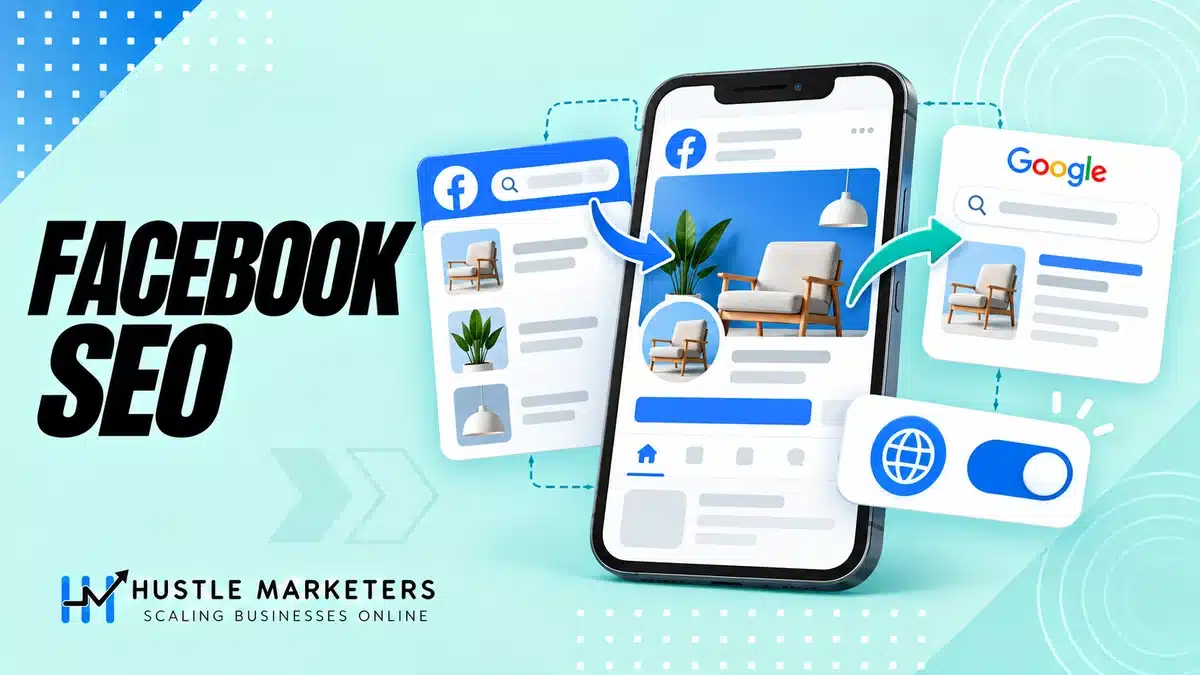
Facebook SEO means making your Page and public posts easy to find, both in Facebook’s own search and in Google. The second part matters more than it used to: public Facebook information may be eligible to appear in Google and other search engines, subject to audience and privacy settings.
That means Facebook SEO is now two jobs, not one. Job one is ranking inside Facebook’s own search, where people look for local businesses, services and recommendations every day. Job two is getting your Page and public posts to show up on Google, where public information can create an additional discovery path.
At Hustle Marketers we run Meta ad accounts for clients, and paid and organic visibility on Facebook feed each other. This guide splits Facebook SEO into those two halves, with a checklist at the end.
Key Observations
- Facebook SEO means optimizing your Page and posts for two search engines: Facebook’s internal search and Google.
- Inside Facebook, rankings are driven by keywords in your Page name, username and About section, plus engagement, recency and the searcher’s connections.
- Public Facebook information may be eligible to appear in third-party search engines. Audience and privacy settings still control what is public, and eligibility does not guarantee indexing or ranking.
- Your Page itself has long been indexable. Brand searches and local “near me” style queries are where Facebook Pages most often appear in Google results.
- Reviews, complete NAP details (name, address, phone) and an accurate category strengthen both Facebook search and local Google visibility.
- Write posts with searchable keywords in the first sentence, add alt text to images and captions to video. It helps both search engines.
- Grab the free Facebook Page SEO checklist at the end. No email gate.
Table of Contents
- What Is Facebook SEO?
- Facebook SEO Priorities by Surface
- How Facebook’s Search Ranking Works
- Part 1: Ranking Inside Facebook Search
- Part 2: Getting Your Page and Posts Ranked on Google
- Meta AI and Facebook Search: What Changes
- How to Measure Facebook SEO
- Common Mistakes
- Free Download: Facebook Page SEO Checklist
- Separate Facebook Search From External Search Indexing
- FAQs
- Want This Done for You?
- Sources and Verification
What Is Facebook SEO?
Facebook SEO is the practice of optimizing your Facebook Page, profile details and posts so they appear in relevant searches. The twist is that there are two search engines involved.
The first is Facebook’s own search bar. People use it to find businesses, local services, groups, events and recommendations. If someone searches “wedding photographer” or “gym near me” inside Facebook, the results are Pages, posts and groups, ranked by Facebook’s own algorithm.
The second is Google. Facebook Pages have been indexable by Google for years, which is why a brand search for almost any business shows its Facebook Page on page one. Public information from Pages and eligible accounts may also surface in third-party search results. That creates a second discovery path for content, but only when the audience setting is public and the search engine chooses to index it.
Good Facebook SEO serves both. Most of the fundamentals overlap, which is convenient. Keywords, completeness, reviews and engagement help you in both places.
You will also hear this called social SEO or social search optimization. Same idea: treating a social platform as a search engine in its own right. Facebook happens to be the platform where it pays off most for local and service businesses.
One thing Facebook SEO is not: a replacement for your website’s SEO. It is an extra set of ranked assets. For local businesses especially, an optimized Page plus an optimized Google Business Profile can own multiple spots on a brand SERP. We covered the website side in our guide on why local SEO matters for small businesses.
Facebook SEO Priorities by Surface
Use the surface to decide what to optimize and how to measure it. Treating every visibility source as one “Facebook SEO” number hides what is actually working.
| Surface | Primary optimization focus | Best measurement |
|---|---|---|
| Facebook Page search | Page name, category, About text, location and reviews | Manual rank checks for priority queries |
| Facebook post and Reel search | Clear first sentence, descriptive title, captions, alt text and engagement | Non-follower reach, search discovery and watch time |
| Google results | Public eligibility, complete business information and authoritative links to the Page | Branded and local SERP checks |
| Meta AI answers | Current public facts, consistent services and useful substantive posts | Prompt sampling plus referral and assisted-conversion trends |
How Facebook’s Search Ranking Works
Facebook has never published a full ranking specification, but it has described the signals, and they are observable in practice. Four things drive what ranks in Facebook search:
- Relevance and keywords. Facebook matches the query against Page names, usernames, About sections, post text, captions and group names. If the words are not anywhere on your Page, you will not surface for them.
- Engagement. Pages and posts with more likes, comments, shares and check-ins rank higher. Facebook treats these engagement signals as a quality vote.
- Recency. Fresh posts outrank stale ones for topical queries. A Page that has not posted in six months looks abandoned to the algorithm and to the searcher.
- Connections and personalization. Results are personalized. A searcher sees Pages their friends follow, have reviewed or have checked into ranked higher. You cannot control this directly, but you can influence it by growing genuine local engagement, because every new follower makes you more visible to their network’s searches.
Notice what this list rewards: a complete, active, engaged Page. That is the theme of everything in Part 1.
Part 1: Ranking Inside Facebook Search
Page name and username
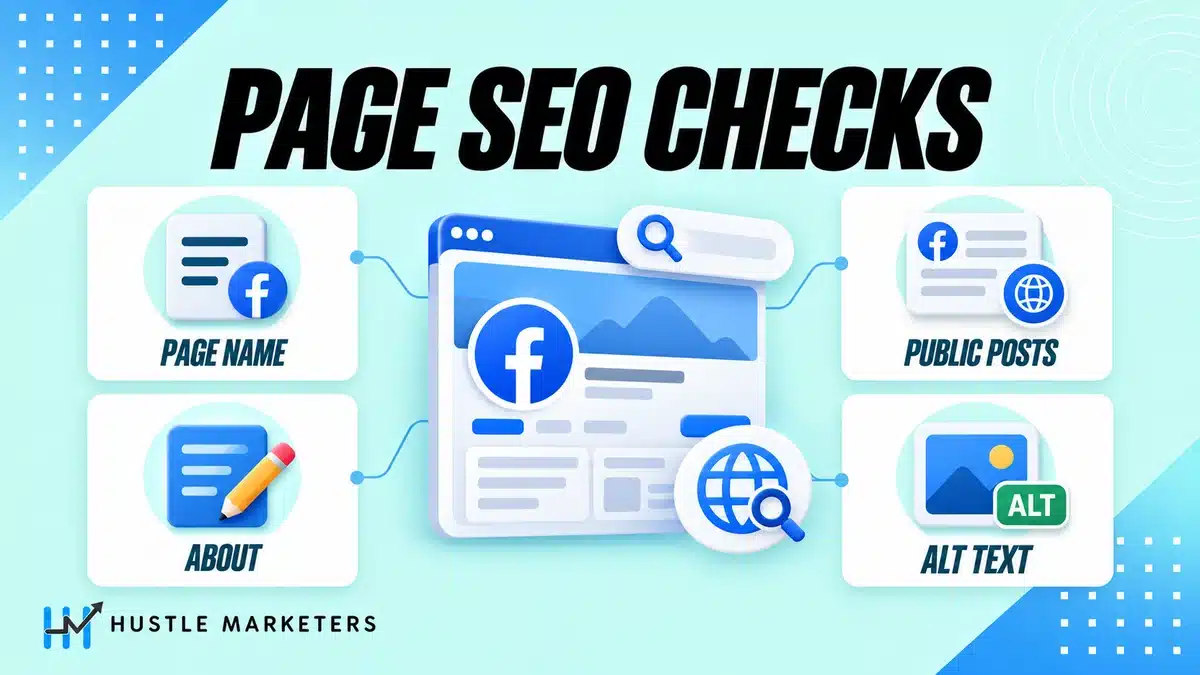
Your Page name is the strongest keyword field you have. The right format for most businesses is brand name plus a clarifying descriptor where it reads naturally, for example “Riverside Dental Care” rather than just “Riverside.” Do not stuff it. “Riverside Dental Care | Best Dentist Teeth Whitening Implants” looks spammy to users and can breach Facebook’s Page name policies.
The username (the @handle that forms your facebook.com/yourname vanity URL) should be short, consistent with your handles elsewhere and ideally contain your brand name. It appears in the URL, which matters for the Google half of this guide too. Set it once and avoid changing it, because changes break existing links.
The About section and Intro keywords
The About section is your Page’s metadata. Facebook search reads it, and Google reads it. Fill in every field: description, categories, service areas, hours, website, phone. Set your CTA button too (Book Now, Send Message, Call Now, whichever matches how customers actually buy), because a searcher who finds you should be one tap away from acting.
Write the description like a good meta description: what you do, who you serve, where you are, in natural language that includes the terms customers actually search. “We are a family-run bakery in Austin specializing in custom wedding cakes and gluten-free pastries” contains four searchable phrases without feeling like keyword soup.
Choose your Page category carefully. It is a hard filter in some Facebook search results and it feeds Google’s understanding of what your Page is. Pick the most specific accurate category available.
The short Intro blurb, effectively your Page bio, that displays on your Page front should carry your primary keyword and location. It is often the first text a visitor and a crawler sees.
Keywords in posts, naturally
Posts are searchable. That means every post is a small ranking opportunity for the phrases inside it.
The practical habit: put the topic of the post in plain words in the first sentence. If the post is about your summer HVAC maintenance offer, say “summer HVAC maintenance” in the opening line instead of “It’s that time of year again!” Vague openers are invisible to search on both platforms.
Do not keyword-stuff. Repeating a phrase five times in one post reads badly to humans and does nothing extra for ranking. One clear, natural mention beats five forced ones. This is the same discipline as good on-site SEO, and it is one of the social media tactics we push hardest with clients because it costs nothing and compounds.
Reviews and recommendations
Reviews are a ranking signal inside Facebook search and a trust signal everywhere. Pages with more and better recommendations surface higher for local and service queries, and the star summary shows in search results.
Turn reviews on if they are off. Ask for them systematically, the same way you would for Google reviews: after a completed job, a purchase, an event. Respond to every review, including the bad ones. Review responses add fresh, keyword-relevant text to your Page and show searchers an active business.
Alt text and video captions
Facebook lets you edit alt text on images. Most Pages never touch it, which means the field is either empty or filled with Facebook’s automatic guess. Write a short, descriptive sentence that says what the image shows, including a keyword when it is honestly relevant. It helps accessibility, it helps Facebook understand the post, and it gives crawlers text where there was none.
Captions on video do double duty. Most feed video is watched muted, so captions lift watch time, and watch time is engagement, which is ranking. Check Facebook’s auto-captions before publishing, because a garbled brand name helps nobody.
Groups, engagement and posting times
Engagement is a ranking input you influence with behavior, not settings.
- Post consistently. Recency is a signal, and dead Pages sink.
- Post when your audience is online. Your Page insights show when that is. Early engagement velocity helps a post surface in search and feed alike.
- Ask questions and reply to comments fast. Comment threads are engagement multipliers.
- Participate in relevant Facebook Groups as your Page where allowed. Facebook Groups rank in Facebook search themselves, and active group presence drives profile visits that turn into follows.
None of this is glamorous. It is also most of the game.
Optimizing Reels and video for Facebook search
Almost nobody covers this, and it matters more every year because video dominates Facebook’s discovery surfaces.
Facebook search can match queries against video titles, descriptions and caption text. So treat video metadata like page metadata:
- Give every video and Reel a descriptive title with the topic in plain words.
- Write a description that says what the video covers, not just a string of hashtags.
- Say your key terms out loud in the video. Spoken words end up in auto-generated captions and transcripts, which are indexable text.
- Use a small number of relevant hashtags. They function as weak topic labels, useful, not magic.
A Reel titled “How to unclog a kitchen sink in 2 minutes” is findable. The same Reel titled “You won’t believe this trick” is not.
Part 2: Getting Your Page and Posts Ranked on Google
Public content and external search indexing
Facebook Help explains that public information may appear in third-party search engines. What is eligible depends on the account, audience and privacy settings. A public setting permits access; it does not force Google or another engine to index or rank the post.
The practical meaning: a public post you publish today can appear as its own result in Google. Posts with substance, a how-to, a detailed offer, a strong review roundup, an event announcement, now have organic search life beyond the feed.
This is also part of a broader shift. Social content increasingly surfaces in search experiences and AI answers, and the platforms are leaning into it. If you are thinking about visibility in AI-driven search more broadly, our guide to generative engine optimization and our post on how to rank in ChatGPT search cover that side in depth. The same principle runs through all of it: public, clearly written, substantive content gets picked up. Vague, private or thin content does not.
The setting that controls it
You control post indexing from your Page or professional profile settings. The path in the current UI:
- Open your Page and go to Settings and privacy, then Settings.
- Go to Privacy, then find the search engine visibility control, labeled along the lines of “Allow search engines outside of Facebook to link to your profile” and the related option covering whether public posts can appear in search engine results.
- Make sure both are enabled if you want Google visibility. For a business, you almost always do.
Two caveats. First, Meta moves settings around, so if the labels have shifted by the time you read this, search “search engine” inside the settings search bar and you will land on it. Second, only public posts are eligible. Anything with a restricted audience stays out of search engines regardless of this setting.
While you are in settings, review your page visibility settings too: confirm your Page is published and visible to everyone. It is easy to restrict a Page to certain countries or age groups by accident and forget about it, and a restricted Page is not visible to everyone, which works against indexing.
What Facebook content looks like in Google
Run a few searches and you will see the patterns in the Google SERPs:
- Brand queries. Search any established business name and its Facebook Page usually sits on page one, often with the follower count or review rating in the snippet. This is why your About text matters: Google frequently builds the snippet from it.
- Site-restricted searches. Try
site:facebook.complus a topic and you will see which Pages and public posts Google has indexed for it. This is a quick way to scout what content types from your niche are getting indexed. - Local and service queries. Facebook Pages appear for “service + town” searches, particularly where the business has no strong website. Sometimes the Page outranks the business’s own site, which tells you how much authority facebook.com lends its pages.
- Post results. Individual public posts can appear for specific queries when the audience and privacy settings allow it and the search engine chooses to index the URL.
The lesson from that last pattern connects directly to Part 1: the first sentence of your post is your title tag now. Write it like one.
Ranking your Page for brand and local searches
You will realistically not outrank established websites for competitive head terms with a Facebook Page. That is fine. The winnable battles are:
- Your own brand name. Your Page should rank for it, giving you another controlled result on your brand SERP and crowding out third-party or stale results.
- Brand plus modifier. “Yourbrand reviews,” “yourbrand opening hours,” “yourbrand contact.” Complete Page info wins these.
- Local long-tail. “Service + neighborhood” queries with modest competition, where facebook.com’s domain authority plus a well-optimized local Page is genuinely competitive.
To win them: exact brand name in the Page name, brand in the username and URL, complete About section, active posting, and reviews. Link to your Facebook Page from your website footer and your other profiles. These backlinks help Google trust and rank the Page, the same as any URL.
One more Google-side note. The E-E-A-T lens Google applies to websites, experience, expertise, authoritativeness and trust, effectively applies to your Page as well. A Page with a named owner, genuine reviews, consistent business details and a visible track record of activity is far easier for Google to surface confidently than an anonymous shell with a logo.
NAP consistency and local SEO interplay
For local businesses, your Facebook Page is a citation, one of the places across the web that states your name, address and phone number. Google cross-references citations when deciding how much to trust local business data.
So your Facebook NAP must exactly match your website and your Google Business Profile. Same spelling, same suite number format, same phone number. Mismatches dilute local trust. While you are aligning them, make sure the Google side is actually optimized, because it is the highest-leverage local asset you have. Our walkthrough on how to optimize your Google Business Profile pairs naturally with this section.
Also set your service area, add your hours, and keep them current. A Page that says you are open when you are closed generates the kind of one-star reviews that undo everything else in this guide.
Meta AI and Facebook Search: What Changes
Meta has pushed Meta AI into its search boxes across Facebook, Instagram and WhatsApp. Increasingly, when users search inside Facebook, they can get an AI-composed answer alongside or instead of classic results.
For Page owners, the implication is clear even at this early stage. AI answers are assembled from available public content, so the Pages with complete, factual, current information are the ones an assistant can safely describe and recommend. If your category is wrong, your services are unlisted and your last post is from last year, there is nothing reliable for an AI to say about you.
Our advice: be the clearest source of truth about your own business. Accurate structured details, consistent naming, plain-language service descriptions, recent activity. That serves Facebook search, Google and AI surfaces at once, and it is the same playbook we detail in our GEO guide.
How to Measure Facebook SEO
You cannot manage what you cannot see, and the data lives in three places:
- Meta Business Suite / Professional dashboard. Page-level insights show reach, content performance and follower growth. Watch for reach from non-followers rising after you tighten your keywords, that is discovery working.
- Facebook search itself. Low-tech but honest: search your target phrases in a logged-out or incognito context and note where you appear. Track five to ten queries monthly in a simple sheet. This doubles as basic social listening: while you are in there, note what customers are saying about you and your competitors, because those conversations tell you which phrases to optimize for next.
- Google Search Console, indirectly, plus manual Google checks. GSC only covers sites you own, so it will not report on facebook.com. Instead, run monthly brand and local searches on Google, check what indexed via
site:facebook.com/yourpage, and watch referral traffic from google.com landing on your Facebook-linked destinations in your analytics.
Give changes 4 to 8 weeks before judging them. Indexing and ranking shifts on both engines are gradual, and Page authority builds slowly.
Common Mistakes
- Keyword stuffing the Page name or posts. It looks spammy, risks policy trouble on the name, and does not work. One natural mention wins.
- Publishing “friends only” or restricted-audience posts and expecting search visibility. Only public posts are indexable. Check the audience selector before you post.
- Leaving the About section half-empty. It is the single most-read text by both algorithms, and most Pages treat it as an afterthought.
- Ignoring reviews. Off means invisible star ratings. Unanswered means visible neglect.
- Vague first lines. “Big news coming!” ranks for nothing. Lead with the substance.
- Set-and-forget. Recency is a ranking factor on Facebook. A dormant Page decays in search even if it was once optimized.
- Treating Facebook SEO as a website substitute. It is a complement. Your site, your Google Business Profile and your Page should reinforce each other, not compete for your attention.
Free Download: Facebook Page SEO Checklist
We condensed this entire guide into a one-page checklist: settings to verify, fields to complete, and the recurring weekly and monthly tasks. Free, ungated: Facebook Page SEO Checklist (PDF)
Separate Facebook Search From External Search Indexing
Facebook’s own results are personalized using a person’s activity plus community signals such as popularity and recency. Complete Page information, accurate categories, accessible media and useful public posts improve discoverability, but there is no single public Facebook SEO formula.
Public information may also appear in third-party search engines. Audience and privacy settings still determine what is public, and external eligibility does not guarantee indexing or ranking. Meta introduced AI Mode in Facebook search on June 15, 2026, with answers grounded in what people share publicly across its apps, such as in Groups and Reels. Measure internal discovery, public-post reach, branded search visibility and website outcomes as separate channels.
Keeping those surfaces separate produces clearer reporting and safer claims. Learn how our white label digital marketing approaches the work, then compare the method with the evidence in our fitness app Meta Ads case study.
FAQs
What is Facebook SEO?
Facebook SEO is optimizing your Facebook Page, profile information and posts so they rank in two places: Facebook’s internal search and external search engines like Google. It covers keywords in your Page name and About section, reviews, engagement, post writing, and the settings that allow search engines to index your public content.
Can you do SEO on Facebook in 2026?
Yes, and it is more useful than it used to be. Facebook’s internal search still drives discovery for local businesses and services, and public information may also be eligible for third-party search engines. That gives an optimized Page more than one possible discovery path.
How do I get my Facebook Page to rank on Google?
Make the Page public and indexable in settings, use your exact brand name in the Page name and username, complete the About section with natural keywords and consistent NAP details, post publicly and regularly, and earn reviews. Then build a few links to the Page from your website and other profiles. Brand and local long-tail queries are the realistic wins.
Does Google index Facebook posts?
Public posts may be eligible when their audience and privacy settings make them public. Restricted content is not publicly indexable, and eligibility never guarantees indexing or ranking. Verify the current setting and help documentation for the specific account type.
Do Facebook ads impact SEO rankings?
Not directly. Ad spend is not a ranking factor on Google or in Facebook’s organic search. Indirectly, ads grow followers, engagement and brand searches, all of which feed organic visibility. The two work best as a loop: paid builds the audience, organic keeps it warm. If you run ads, at least get the creative fundamentals right with our Meta ad sizes and specs guide.
Do social signals from Facebook affect Google rankings?
Honest answer: likes and shares are not a confirmed Google ranking factor. What social activity does do is generate real downstream effects, more brand searches, more links from people who discovered the content, more traffic. Those correlate with rankings without the like button itself being counted.
Do Facebook reviews help SEO?
Yes, twice over. Inside Facebook, reviews and recommendations are a ranking and trust signal for local search results. On Google, review counts and ratings often appear in your Page’s snippet, which improves click-through, and the review text adds fresh relevant content to the Page. Ask for reviews consistently and respond to all of them.
How do I rank higher in Facebook’s own search results?
Cover the four signals: relevance, engagement, recency and connections. That means keywords in your Page name, About and posts, consistent posting with fast comment replies, active review generation, and growing a genuine local audience so you appear in more searchers’ networks. There is no shortcut past being a complete, active Page.
What keywords should I use on my Facebook Page?
Use the words your customers type: your service, your product, your location and the problems you solve. Put them in the Page name where natural, the username, the Intro, the About description and the opening lines of posts. Skip jargon and skip stuffing. If a phrase would look odd in a sentence to a customer, it does not belong.
Do hashtags still matter for Facebook SEO?
A little. Hashtags act as topic labels that can help content surface in Facebook search and topic feeds, but they are a weak signal compared with keywords in the actual text, titles and captions. Use two or three relevant ones, and never let hashtags substitute for a clear, descriptive first sentence.
Is Facebook SEO worth it compared to Google SEO?
It is not either-or, and the effort levels are different. Website SEO remains the bigger channel for most businesses, but Facebook SEO takes hours, not months: most of it is one settings-and-profile cleanup plus better posting habits. For local and service businesses especially, the return on that small effort is strong, and it strengthens your Google presence at the same time.
Why does my Facebook Page not show up when I Google my business name?
Usually because the Page is restricted, incomplete or blocked from search engines in its settings. Check that the Page is published, visible to everyone with no country or age restrictions, and that search engine visibility is enabled in your privacy settings. Then make sure your exact business name is in the Page name, the About section is complete, and your website links to the Page. New or recently renamed Pages can also take a few weeks to get indexed.
How do I stop Google from showing my Facebook posts?
Turn off the search engine indexing option in your Page’s privacy settings, the same control described in this guide, or limit the audience on individual posts. Only public posts are eligible for Google, so anything set to a restricted audience stays out automatically. Posts that are already indexed can take a while to drop out of results after you change the setting.
How long does it take for a Facebook post to show up on Google?
Anywhere from a few days to a few weeks, and there is no guarantee that every public post gets indexed at all. Google favors posts with substance, so how-tos, detailed offers and posts with clear keywords in the first sentence get picked up more reliably than one-liners. Give it 4 to 8 weeks before judging whether your posts are surfacing.
Should I put keywords in my Facebook Page name or just use my business name?
Use your business name plus one natural descriptor at most, like “Riverside Dental Care” rather than just “Riverside.” A keyword-stuffed name looks spammy, can breach Facebook’s Page name policies, and does not outrank a clean name backed by a complete About section. Put the rest of your keywords in the About description, the Intro bio and the opening lines of your posts instead.
Does posting more often help my Facebook Page rank higher?
Yes, up to a point, because recency is one of Facebook’s ranking signals and a dormant Page sinks in search. Consistency beats volume: a few substantial posts per week, published at the posting times your audience is actually online, outperforms daily filler. Every public post is also a fresh indexing opportunity on Google, so lead each one with searchable words.
Is Facebook SEO the same as social SEO?
Facebook SEO is one part of social SEO, the broader practice of optimizing social profiles and content for search on any platform, including Instagram, TikTok, LinkedIn and YouTube. The principles are shared: keywords in names, bios and captions, complete profiles, and strong engagement signals. Facebook is simply the platform where the Google indexing side is currently most developed for business Pages.
How Hustle Marketers handles Facebook and search together
Facebook visibility is worth having, but it is a supporting signal rather than a ranking channel, and treating it as an SEO strategy is how businesses end up with a busy page and a site nobody finds. The value is in what it feeds: brand searches, reviews, and a catalog that can be reused across Meta and Google.
The catalog point is the one most businesses miss. The same product data powers Meta shopping surfaces and Google free listings, which are unpaid, so getting it right earns reach on both sides without extra spend. We cover the Google half in fixing zero free listing impressions. On the paid side, see how we ran Meta Ads for a Dubai fitness app in our Meta Ads case study.
Ishant Sharma has worked as a Google Ads, Microsoft Ads and SEO specialist since 2013. The search side sits under our SEO services and the Meta, Google and Microsoft paid layer under PPC management.
Want This Done for You?
The organic steps in this guide are ones your own team can run with the checklist above. Where we come in is the paid side: we run Meta Ads campaigns for direct clients and as a white label service for agencies, across niches from local services to regulated ones like weight loss and health. Get in touch with Hustle Marketers for a free ad account review, and if you are pairing organic with paid, start with our Meta ad sizes and specs reference so your creative is right from day one.
Facebook visibility works best when it feeds a site that already ranks. We handle that side through our SEO services, and the paid layer through PPC management across Meta, Google and Microsoft Ads.
Sources and Verification
Facts that can change were checked on August 10, 2026 against these primary sources:
- Meta Help: public information and external search engines
- Meta Help: what appears in Facebook search
- Meta: AI tools and AI Mode in Facebook search
Related guides
If this one was useful, these cover the same ground for closely related businesses.