Responsive Search Ads 2026: Pins Are Not a Guarantee

Ishant
Published : October 1, 2026 at 11:30 am
Updated : October 13, 2026 at 5:22 am
Ishant

Pinning used to be the one reliable control in a responsive search ad. As of 2026 it is not one.
Google’s documentation says so in two places. On the AI Max setup page: “When Final URL expansion is turned on for your campaign, pinned Responsive search ad assets aren’t used if a more relevant URL is chosen”, and separately, “Similarly, when URL inclusions are enabled, pinned assets aren’t used” (Google Ads Help 15909989). The AI Max FAQ has a dedicated question, “Does AI Max respect pinned RSA assets?”, and the answer is that with text customization and final URL expansion both on, “pinning of RSA assets will not be respected” (Google Ads Help 15913066).
Three terms, defined once, so the rest of this page reads cleanly. AI Max is Google’s bundle of AI features for Search campaigns. Final URL expansion lets Google send a click to a different page on your site than the one you set. URL inclusions are the list of pages you allow it to choose from.
So the old rule, that an asset pinned to headline 1 or description 1 will always show, no longer holds by default. It holds only while final URL expansion and URL inclusions are off. Check both settings before you rely on a pin.
If you pin for a legal or compliance reason, that is the most important sentence on this page. Pinning is how regulated advertisers keep mandatory wording in an ad. On a campaign where AI Max has arrived, the pin can simply be ignored, and nothing in the interface tells you.
There is a second thing. The asset performance labels you have been told to optimize have been switched off for Search and Display campaigns. Google’s own ad-level asset report page states: “The ‘Performance label’ column has been deprecated as full performance statistics for each asset are now available” (Google Ads Help 9564897).
Google has published the deprecation without a date. Reporting vendors say the column stopped returning a value for Search and Display campaigns on September 21, 2026, and we can trace that date to Supermetrics rather than to Google. Performance Max and Demand Gen still return labels. If your routine was to pause every “Low” asset, that routine has no input on Search any more, so judge each asset on its own impressions, clicks and conversions instead.
This page is written by Ishant Sharma, who runs Google Ads for ecommerce, local service and SaaS accounts at Hustle Marketers. Every claim is sourced to a Help article ID so you can check it, and where Google’s own pages disagree with each other, we say so.
Last verified: October 7, 2026.
What is a responsive search ad?
A responsive search ad is a Search ad where you supply a pool of headlines and descriptions, and Google assembles the combination it shows for each auction. You are not writing an ad. You are writing the parts and setting the rules.
It has been the only standard text ad type you can create since Google stopped expanded text ad creation on June 30, 2022, so “should I use RSAs” is no longer a question anyone gets to answer. Note that expanded text ads created before that date do still serve, so a legacy ad in an old ad group is not broken.
What are the character limits and asset limits?
| Field | How many | Character limit |
|---|---|---|
| Headlines | 3 minimum, up to 15 | 30 |
| Descriptions | 2 minimum, up to 4 | 90 |
| Display path | 2 fields | 15 each |
| Final URL | 1 per ad | Standard URL |
| Disclaimer asset | Campaign level | 90, same as a description |
Three headlines is the floor that lets you save the ad, not a target. Google’s own recommendation is to fill toward 15.
Will all three headlines and two descriptions always appear?
No. This changed in February 2025, so older ad mockups no longer show every shape your ad can serve in.
The old answer was that Google picks three headlines and two descriptions from your pool. The current answer is that Google decides how many to show at all.
Under what Google calls increased asset flexibility, up to two of your RSA headlines can serve in the space that previously only sitelinks were eligible for “when they’re predicted to improve performance”. Google describes that one as live. Separately, and more tentatively, it says its systems “may even consider not showing certain pieces of content” including description lines “when it leads to better performance” (Google Ads Help 15967262).
What that means practically: your headline may appear where a sitelink used to be, your second description may not appear at all, and the ad your client sees in a screenshot may never have served in that shape. Stop writing headlines that only make sense in position 2 of a three-headline ad.
Does pinning still guarantee your headline shows?
No. It is now conditional on settings that may have been switched on without you. This matters most to advertisers who pin for legal or compliance reasons, because they are the ones who can least afford a missing line.
Does AI Max respect pinned RSA assets?
Google answers this directly, in its own FAQ, under that exact question. The answer depends on two settings:
| Your settings | Are your pins respected? |
|---|---|
| No AI Max, no final URL expansion, no URL inclusions | Yes |
| Final URL expansion on, text customization off | Not always. “Pinned Responsive search ad assets aren’t used if a more relevant URL is chosen” |
| Text customization on, final URL expansion on | No. “Pinning of RSA assets will not be respected” |
| URL inclusions supplied | No. “When URL inclusions are enabled, pinned assets aren’t used” |
Google also gives the remedy in one sentence: “To always use pinned assets, turn off Final URL expansion and URL inclusions” (Help 15909989).
One contradiction worth knowing, because it changes how cautious you should be. Help 15909989 says pinned assets are not used when final URL expansion is turned on, full stop. The AI Max FAQ says pinning is not respected when text customization and final URL expansion are both enabled. Google’s two pages do not agree on whether final URL expansion alone is enough to break pinning. We have written the table above to the stricter reading, because if your pins carry compliance wording you should assume the worse case rather than the better one.
The reason this catches people is that AI Max has been arriving on Search campaigns automatically. If your campaign was upgraded rather than opted in, you acquired the settings that break pinning without ever making that decision. Check the campaign before you assume your pinned disclaimer is running.
What overrides a pinned description line 1?
Four separate systems now decide what appears in your first description line, and Google documents them on four different pages, so it helps to see them in one place. Here is the precedence, highest priority first.
| Priority | What | What Google says | Where |
|---|---|---|---|
| 1 | AI Max with text customization and final URL expansion, or URL inclusions | Pinning “will not be respected” at all | Help 15913066 |
| 2 | An approved text disclaimer asset | Disclaimer assets “will always override any existing pinned description line 1 assets in the campaign” | Help 17028951 |
| 3 | Your pinned description 1 | Serves when nothing above displaces it | Help 7684791 |
| 4 | Your unpinned descriptions | Google chooses | Help 7684791 |
Read that table as a compliance question rather than a technical one. If your mandatory wording is a pin, level 1 can remove it. If your mandatory wording is a disclaimer asset, level 1 is still above it. There is no configuration that guarantees a specific sentence appears while AI Max text customization and final URL expansion are both on.
Why are my pinned headlines not showing?
Work through this in order. The first three causes are the ones no published guide lists.
- Final URL expansion is on. Pins are not used when a different URL is chosen.
- URL inclusions are configured. Same result, different trigger.
- A campaign-level disclaimer asset exists. It overrides a pinned description 1 by design.
- You pinned more assets to a position than can show. Google picks among them; only one serves.
- The asset was disapproved. Check policy status at asset level, not just ad level.
- Increased asset flexibility moved it. Your headline may have served in the sitelink row rather than the headline row.
How should regulated advertisers handle disclaimers now?
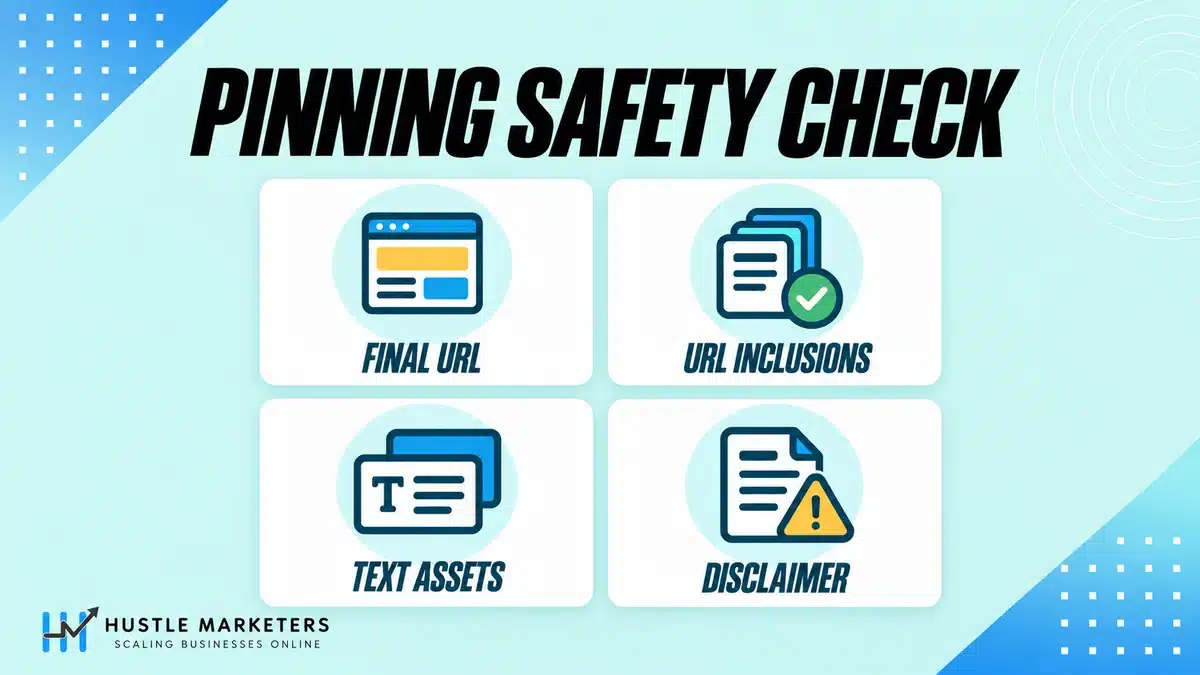
If you work in finance, health, legal, insurance or any category with mandatory wording, this is the section to read twice. The old method no longer holds and the replacement has a failure mode.
The old method was to pin the disclaimer to description 1. As the table above shows, that is now conditional.
Google’s replacement is a campaign-level text disclaimer asset. It has the same 90 character limit as a description line, it appears in the first eligible description space, and it overrides a pinned description 1 (Google Ads Help 17028951). Two operational details are worth knowing before you plan around it: a disclaimer asset can only be created after the responsive search ad exists, so it cannot be part of a templated launch, and it is reviewed separately from the ad.
What happens if your disclaimer asset is disapproved?
This is the part to sit with. Google’s wording: “If a disclaimer asset is disapproved during policy reviews, your responsive search ad will continue to serve. Other description lines or a description line pinned to position 1 will serve instead.”
The ad does not stop. It keeps running with whatever else you have. Read the fallback carefully, because it decides your exposure:
- If you kept a pinned description 1 as well, that pin serves and your disclaimer wording survives, assuming pinning is still being respected at all.
- If you removed the pin because Google told you the disclaimer asset supersedes it, the fallback is “other description lines”. Your ad continues at full budget with no disclaimer in it, and the failure looks identical to success in the interface.
The practical recommendation: keep the pinned description 1 in place as well as the disclaimer asset. This is not just our preference, it is the behavior Google documents. The same page states: “If the disclaimer asset is removed or disapproved, then the pinned description line 1 will serve. If there was no pinned description line in this instance, then a standard description line option from the RSA will serve.”
The pin costs you nothing while the disclaimer is approved, because the approved disclaimer takes priority anyway. It is what stands between a disapproved disclaimer and an uncompliant ad. Then set a recurring check on the disclaimer asset’s policy status, because no alert will tell you.
And the harder point: if mandatory wording is genuinely non-negotiable for your account, the setting to change is AI Max, not the copy. Turning off final URL expansion and URL inclusions is what restores the guarantee.
How do you write responsive search ad headlines that actually work?
These are the basics. Do them properly once, because the asset pool is the only part of a responsive search ad you still control.
What should your 15 headlines actually contain?
Do not write 15 headlines. Write a spread that gives Google genuinely different things to choose from, because diversity is what both Ad Strength and the auction reward.
| Type | How many | Example shape |
|---|---|---|
| Keyword-led | 3 to 4 | The ad group’s theme, in the searcher’s words |
| Benefit | 3 | What they get, not what you do |
| Offer or price | 2 | Free quote, from $X, no minimum |
| Proof | 2 | Years, volume, a credential you can evidence |
| Differentiator | 2 | The thing competitors cannot say |
| Call to action | 1 to 2 | Get a quote, book a call |
| Objection handler | 1 to 2 | No contract, cancel anytime, same day |
Three things worth knowing that most guides do not mention. Shorter headlines tend to outperform maxed-out ones, so do not pad to 30 characters for the sake of it, and descriptions that use most but not all of the 90 characters tend to do better than either extreme. Both come from Optmyzr’s study of over a million ads, which found headlines benefit from concision and descriptions benefit from some length but not too much. And because Google may now place a headline in the sitelink row, every headline has to stand alone, without relying on the one before it.
Should you use keyword insertion in a responsive search ad?
Sparingly. Dynamic keyword insertion drops the matched keyword into your headline, which raises relevance when it works and produces nonsense when it does not, especially on broad match where the matched term may be something you never wrote.
Use it when your ad group is tight, your keywords are grammatical as written, and you have a sensible default text set. Avoid it when you run broad match, have long keywords that will truncate, or work in a regulated category where an unpredictable headline is a policy risk. Ad customizers, which pull from data you control rather than from the query, are the safer tool for the same job.
What are campaign-level headlines and descriptions?
This one saves real time on larger accounts. You can set text assets at campaign level rather than per ad, which means a message that applies across every ad group, such as a seasonal offer or a brand line, is edited in one place instead of thirty.
The catch worth knowing, and this is our experience rather than a documented rule: campaign-level assets are not a guarantee either. They join the same pool your ad-level assets do. Treat them as a maintenance convenience, not a control.
What is the difference between responsive search ads and dynamic search ads?
A common comparison and the answer has changed, because one of the two is being retired.
| Responsive search ad | Dynamic search ad | |
|---|---|---|
| Who writes the headline | Google picks from assets you wrote | Google generates it from your page |
| Who picks the landing page | You, unless final URL expansion is on | Google, from your site |
| Targeting | Your keywords | Your pages or categories |
| Control over copy | High | Low |
| Status | The standard Search ad type | Being retired into AI Max |
Dynamic search ads let Google choose both the headline and the destination, which is the pattern everything in Search is moving toward. Google first planned to close new DSA creation in September 2026, then moved the DSA sunset and auto-upgrade to February 2027, when the ability to create new DSA ad groups is permanently removed (Google’s announcement).
The useful way to read that: DSA is not a separate thing being killed off, it is the prototype. The behavior is arriving inside ordinary Search campaigns as AI Max, which is why the pinning section of this guide matters to advertisers who never touched a DSA.
Why are my responsive search ads not serving?
Most people check Ad Strength first. It is almost never the reason, and Google says so.
Work down this list in order.
| # | Check | What it looks like |
|---|---|---|
| 1 | Policy status at asset level | Ad is approved, individual assets are not |
| 2 | Ad rotation is optimizing | One RSA takes everything, the other sits at zero. This is the default and is forced under Smart Bidding |
| 3 | Budget or bid limited | Campaign is capped before your ad gets a chance |
| 4 | Keywords are low search volume or paused | Nothing to serve against |
| 5 | Negative keyword conflict | Your own list is blocking the term |
| 6 | Ad group has no eligible keywords | Common after a restructure |
| 7 | Learning period after a change | Give it days, not hours |
| 8 | The ads are near-identical | Google picked one and there was nothing to choose between them |
Number 2 is the one people misdiagnose as a bug. If you have three RSAs and one has all the impressions, that is the system doing what it is set to do. It is not a serving problem, it is a rotation setting, and under Smart Bidding the setting has no effect, because Google Ads uses “Optimize” automatically whatever you select.
Does Ad Strength affect Ad Rank or Quality Score?
No. Google states it plainly.
From Google’s own Ad Strength page: “Ad Strength is a feedback tool for asset diversity and combination testing. It isn’t used to calculate Ad Rank, Quality Score, or auction wins.” And on serving: “The Ad strength rating of an ad doesn’t directly influence your ad’s serving eligibility” (Google Ads Help 9921843).
So a Poor rating does not suppress your ads, does not raise your CPC, and does not enter the auction. It is a checklist score displayed in a place that makes it feel like a grade.
What does Ad Strength actually measure?
Structural completeness, not effectiveness. It looks at how many assets you have supplied, how different they are from each other, and whether they contain keywords relevant to the ad group. There are five ratings, and the first one, Incomplete, is the one people tend to forget.
| Rating | What it usually means |
|---|---|
| Incomplete | You have not met the minimum asset requirements. The one to actually fix |
| Poor | Few assets, or very similar ones |
| Average | Reasonable coverage, some repetition |
| Good | Google’s stated target, alongside Excellent |
| Excellent | High asset count, high diversity, usually no pinning |
Incomplete is the only rating that reliably tells you something is wrong. The other four are a measure of how closely your ad resembles the shape Google would prefer, which is not the same as how well it sells.
Does higher Ad Strength mean better performance?
The honest answer is that the evidence points in different directions. Here is what exists.
| Source | What it found |
|---|---|
| Advertisers improving Ad Strength “for their Responsive Search Ads and Sitelinks” from Poor to Excellent “see 15% more conversions on average” | |
| Optmyzr, 22,000+ accounts and over 1m ads, September 2024 | Average Ad Strength produced better CPA and conversion rate than Excellent |
| Adalysis, paired testing across over a million ads | The higher-rated ad won on impressions 56.8% of the time. A weak signal, not a strong one |
| PPC Hero, around 5,000 ad groups | A correlation of -0.02 between Quality Score and Ad Strength |
Two caveats that make this table honest rather than convenient. Google’s 15 percent figure is attributed to internal data gathered between August 15 and 20, 2025, a six day window, and it measures improving Ad Strength on Responsive Search Ads and Sitelinks together rather than on RSAs alone.
The large third-party datasets have their own problem: they come from users of paid optimization platforms, who are not a representative sample of advertisers. Neither side of this argument is as settled as the people making it sound.
What we do in client accounts: fix Incomplete, aim for Good, and stop there. Chasing Excellent means adding assets for the sake of a score and removing pins you may need. The score is a diagnostic of a diagnostic, and there is no version of it that appears in your profit and loss.
Why is my Ad Strength “Incomplete”?
Because you have not met the minimum asset requirement, almost always headlines. Add assets until it clears, then judge the ad on its numbers rather than its rating. Incomplete is worth fixing. Poor is worth a look. Average is not worth an afternoon.
Why does pinning lower my Ad Strength?
Because the score rewards the number of possible combinations, and every pin removes combinations. Pin one headline to position 1 and you have cut the permutations substantially. Pin everything and there is only one ad.
This is the score penalising you for exercising control, not for making a worse ad. It is also why a regulated advertiser who must pin a disclaimer is structurally locked out of Excellent, no matter how good the copy is. Given the section above, that is a reason to ignore the rating rather than to unpin.
Should you pin headlines in responsive search ads?
Sparingly, and for a reason you can name. Here is the evidence and the practical rule.
| Approach | What it is | What the data suggests |
|---|---|---|
| No pinning | Google chooses everything | Best Ad Strength, least control |
| Partial pinning | One or two assets fixed, the rest free | Best measured performance in the large third-party datasets |
| Full pinning | Every position fixed | Worst measured CPA and conversion rate, and it flatters CTR while doing it |
The pattern worth knowing: full pinning tends to lift CTR while conversion rate falls. If you test pinning on CTR you will conclude it works. That is the trap, and it is why the pinning debate has run for years without resolving.
Pin when you can finish this sentence: “this must appear because ___”. Legal wording, a trademark requirement, a brand name that must lead, a price that must not appear next to the wrong claim. Those are reasons. “It reads better” is not, because you are trading measured performance for a preference.
And after everything above: a pin is a preference now, not a guarantee. If the reason is compliance, the pin alone is not the answer. The disclaimer asset plus the settings check is.
Why are your asset performance labels blank?
Because Google has switched them off. Reporting vendors report the column has returned no value for Search and Display campaigns since September 21, 2026.
If you have optimized responsive search ads before, you know the workflow: open the asset report, look at the Learning, Low, Good and Best labels, swap out the Low ones. Google’s own ad-level asset report page now carries this line: “The ‘Performance label’ column has been deprecated as full performance statistics for each asset are now available” (Google Ads Help 9564897).
Google has not published a date. Reporting vendors say the column stopped returning a value for Search and Display campaigns on September 21, 2026, a date traceable to Supermetrics rather than to Google. Performance Max and Demand Gen campaigns still return labels.
If an old checklist or team SOP still says to pause “Low” assets, update it now.
What replaced Low, Good and Best?
Actual metrics, per asset, which is a genuine improvement. You now get impressions, clicks, cost, conversions and conversion value at asset level rather than a four-word summary.
Two things to understand before you build a workflow on it:
- The data starts on June 5, 2025. Full performance statistics are only available for dates on or after that, so a long historical comparison will not work.
- Ratio metrics at asset level are directional only. Google says to treat CTR, CPC, CPA and ROAS per asset as indicators rather than verdicts. An asset never appears alone, so its measured conversion rate is really the performance of every combination it happened to be in.
The replacement workflow, which is more honest than the one it replaces:
- Sort assets by impressions. Anything with almost none is not being chosen. That is your signal, and it arrives faster than any label did.
- Look at cost against conversions for your high-impression assets. Not CTR.
- Replace the low-impression assets, not the low-converting ones. An asset Google never shows is dead weight in the pool; an asset that converts badly may be carrying a combination that works.
- Give it real volume before acting. The old labels needed thousands of impressions before they populated, which is why most advertisers never saw them fill in. The metrics have the same underlying problem, they just no longer hide it behind a blank label.
Why this is better: “Low” was always comparative. It meant worst-performing asset within that ad, so every ad has one by construction. Advertisers spent years rotating out their bottom asset, generating a new bottom asset, and calling it optimization. Real numbers end that treadmill.
How many responsive search ads should you run per ad group?
Advice on this ranges from one ad to three, and the reasoning matters more than the number. Here it is.
Google caps you at three enabled responsive search ads per ad group, stated on its account limits page as “3 enabled responsive search ads per ad group” (Google Ads Help 6372658). If you see a “Limit Exceeded” error creating a fourth, that is why. Paused ads do not count against it, so an archive of old creative is fine.
Between one and three, the honest answer depends on volume. Google publishes figures, and they argue for adding ads rather than against it, so read them carefully before quoting them either way. Advertisers going from one RSA to two see “a 6.6% increase in conversions at a similar cost per conversion on average”, and going from two to three see “an average 3.7% increase in conversions at a similar cost per conversion” (Google Ads Help 7684791).
Two things to note about those numbers. The lift roughly halves with each addition. And they are averages across advertisers who had the volume to support an extra ad in the first place. Our own view, which is a judgment rather than Google’s, is that below that volume the split is not worth it.
| Ad group impressions | How many RSAs | Why |
|---|---|---|
| Low, under a few hundred a month | 1 | Two ads split thin data and neither learns. One good ad with 15 assets is already testing internally |
| Moderate | 2 | Enough volume to separate them. Make them genuinely different, not the same ad reshuffled |
| High | 2, occasionally 3 | The third rarely earns its place. Use it for a real alternative, such as a different offer |
The mistake is running three near-identical RSAs. A responsive search ad already tests combinations internally. Three variants of the same ad is testing inside a test, and you will not resolve either. If you run two, make them different propositions, not different word orders.
How do you actually test responsive search ads?
Most advice we found here is stale in a specific way worth naming.
The old method was to set ad rotation to “Rotate indefinitely” so ads got even delivery. Two problems. There are now only two settings, Optimize and Do not optimize. And Smart Bidding forces optimization regardless, so if you are on Target CPA, Target ROAS, Maximize conversions or Maximize conversion value, the even-rotation method is not a lever you have.
What actually works:
- Ad variations for a single controlled change across many ads, such as testing one headline or a description swap. This is the closest thing to a clean test the interface offers.
- Campaign experiments when the change is bigger than copy.
- Asset-level metrics for within-ad iteration, now that the labels are gone.
Set the duration before you start and do not stop early. Peeking at a test and calling it when it looks good is how you generate false wins. And be realistic: at low volume you cannot resolve a small copy difference at all, and your time is better spent on the offer than on the headline order.
What is text customization and should you turn it off?
Text customization is the current name for what used to be called automatically created assets. If you are following a guide that says ACA, the toggle has moved and the feature has grown.
It lets Google generate headlines and descriptions from your landing page and other content, and it is a requirement rather than an option in one important case: final URL expansion cannot be used without text customization enabled. The two are coupled.
This reverses the direction of everything you know about ad copy. You write ads to match the keyword. With text customization on, Google writes ad copy to match your landing page. Which means your landing page is now an input to your ad copy, and a vague page produces vague ads.
| Turn it off when | Leave it on when |
|---|---|
| You have mandatory wording that must appear | You are a broad ecommerce or content site with many pages |
| You are in a regulated category | Your landing pages are strong and specific |
| Your brand voice is tightly controlled | You want reach and can tolerate copy you did not write |
| You need pinning to be respected | Performance matters more to you than control |
The bottom row is the one to weigh. Turning off final URL expansion and URL inclusions is what restores pinning, and text customization is bound up with the first of those.
What should you check before the AI Max upgrade reaches your account?
An ad-level checklist, because the migration coverage we found is campaign-level and does not say what happens to your ads.
| # | Check | Why it matters |
|---|---|---|
| 1 | Is final URL expansion on? | It is what stops your pins being respected |
| 2 | Are URL inclusions configured? | Same effect, separate trigger |
| 3 | Do you pin anything for compliance? | If yes, 1 and 2 are not optional settings, they are risks |
| 4 | Is there a campaign-level disclaimer asset? | It overrides your pinned description 1 |
| 5 | Is that disclaimer asset approved? | A disapproved one fails quietly and the ad keeps running |
| 6 | Is text customization on? | Google is writing copy from your landing page |
| 7 | Are you on conversion-based Smart Bidding? | AI Max features need it to work properly |
| 8 | Have you screenshotted current ad copy? | So you can tell what changed afterwards |
| 9 | Does your landing page carry your key wording? | Because it now feeds your ad copy |
| 10 | Have you exported your asset reports? | The performance label column is deprecated and expected to go empty. Google has not published a date |
The account-level version of this is in the 120-point Google Ads audit checklist, and the campaign type picture is in Google Ads campaign types in 2026.
What are the most common responsive search ad mistakes?
- Treating a pin as a guarantee. It is not respected when final URL expansion or URL inclusions are on.
- Removing a pinned disclaimer because you added a disclaimer asset. If the asset is disapproved, the ad serves without it.
- Chasing Excellent Ad Strength. Google states it is not used for Ad Rank, Quality Score or auction wins.
- Rotating out your “Low” assets. Low was comparative, and the label is deprecated.
- Running three near-identical RSAs. You are testing inside a test.
- Writing headlines that only make sense in position 2. Google may show fewer headlines, or put yours in the sitelink row.
- Using “Rotate indefinitely” to test copy. Smart Bidding overrides it.
- Rebuilding a winning combination as a static ad. You cannot create an expanded text ad to do it, and pinning every position to imitate one costs you the combination testing you are paying for.
- Ignoring Incomplete. It is the one rating that reliably means something is wrong.
- Leaving text customization on in a regulated account. Google is writing your copy from your landing page.
- Filling 15 headlines with near-duplicates. Ad Strength rewards diversity, not volume, and so does the auction.
- Assuming your client’s screenshot is what served. With increased asset flexibility it very often is not.
Frequently asked questions
Does pinning guarantee my headline will show?
No, not any more. Google states that when final URL expansion is turned on, “pinned Responsive search ad assets aren’t used if a more relevant URL is chosen”, and separately that “when URL inclusions are enabled, pinned assets aren’t used”. Its AI Max FAQ answers the question directly: with text customization and final URL expansion both on, “pinning of RSA assets will not be respected”. To restore the guarantee you turn off final URL expansion and URL inclusions.
Does Ad Strength affect Ad Rank or Quality Score?
No. Google states that Ad Strength “isn’t used to calculate Ad Rank, Quality Score, or auction wins”, and that the rating “doesn’t directly influence your ad’s serving eligibility”. It is a feedback tool for asset diversity, not an auction input.
Is Excellent Ad Strength better than Good?
Not reliably. Google reports that advertisers moving from Poor to Excellent see 15% more conversions on average, though that figure covers Responsive Search Ads and Sitelinks together and comes from internal data gathered between August 15 and 20, 2025. Large third-party datasets have found Average outperforming Excellent on CPA and conversion rate. Fix Incomplete, aim for Good, and judge the ad on its own numbers.
Why does pinning lower my Ad Strength?
Because the score rewards the number of possible combinations and every pin removes some. It is penalising control rather than quality, which is why a regulated advertiser who must pin a disclaimer cannot reach Excellent regardless of how good the copy is.
How many responsive search ads can I have per ad group?
Three enabled ones is the cap, and paused ads do not count. Between one and three, run one at low volume, two at moderate volume, and use a third only for a genuinely different proposition. Google’s figures show each extra ad adding less than the last: 6.6% more conversions for the second, 3.7% for the third.
How many headlines should a responsive search ad have?
Three is the minimum to save the ad and 15 is the maximum. Google recommends filling toward 15, but diversity matters more than count: 15 near-duplicates is worse than 8 genuinely different ones.
What are the character limits?
Headlines 30 characters, descriptions 90, each display path field 15. A disclaimer asset has the same 90 character limit as a description line.
Will all three headlines and two descriptions always show?
No. Under increased asset flexibility Google may show fewer, may drop a description line entirely, and up to two of your RSA headlines can serve in the space previously reserved for sitelinks when that is predicted to improve performance.
Why are my asset performance labels empty?
Because they are being switched off. Google states the Performance label column “has been deprecated as full performance statistics for each asset are now available”, though it has not published a date for when values stop. Reporting vendors say values stopped for Search and Display on September 21, 2026. Use impressions, clicks, cost and conversions per asset instead, bearing in mind the data only goes back to June 5, 2025 and ratio metrics at asset level are directional only.
What did Low, Good and Best actually mean?
They were comparative within a single ad, so “Low” meant worst-performing asset in that ad rather than a bad asset. Every ad had one by construction, which is why rotating them out endlessly never converged.
How do I add a disclaimer to a search ad now?
Use a campaign-level text disclaimer asset. It has a 90 character limit, appears in the first eligible description space, and overrides a pinned description 1. Two things to plan around: it can only be created after the responsive search ad exists, and if it is disapproved the ad keeps serving. Keep a pinned description 1 as a fallback, because Google documents that the pinned description line 1 is what serves if the disclaimer asset is removed or disapproved.
Should I turn off text customization?
If you have mandatory wording, a tightly controlled brand voice, or you need pinning respected, yes. Otherwise it is a reasonable trade. Note it is coupled to final URL expansion, which cannot be used without it, so switching it off changes more than ad copy.
Can I still use expanded text ads?
You cannot create or edit them. Google stopped that on June 30, 2022, but the ads themselves did not stop: Google’s own page states expanded text ads “will continue to serve, and you’ll still find reports on their performance going forward” (Google Ads Help 7056544). If you have legacy expanded text ads still running, they are still working. Pinning every position in a responsive search ad to recreate the look of one is not a substitute and costs you the combination testing you are paying for.
Should I use “Rotate indefinitely” to test my ads?
You probably cannot. Only two rotation settings remain, and Smart Bidding optimizes regardless of what you select. Use ad variations for a controlled copy test or campaign experiments for a larger change.
Why is only one of my RSAs getting impressions?
Usually because ad rotation is optimizing, which is the default and is forced under Smart Bidding. If the ads are near-identical, Google has simply picked one. Making them genuinely different propositions is the fix, or running fewer.
How we checked this
Every quotation from Google was checked against the Help article cited, and the article ID is given so you can check it too. Where we use a third-party study, the table names the source, its sample and its date.
We also used practitioner datasets and Google’s own API documentation, because that is where the operational detail on asset reporting and pinning lives. Where a practitioner claim and Google’s documentation disagreed, we used the documentation and said so.
Four honest notes:
- Google’s own pages disagree with each other here. The Ad Strength page states the rating is not used for Ad Rank or serving eligibility, while other Google surfaces present Ad Strength as something to maximize. We have quoted the documentation rather than the interface.
- We have flagged the weakness in everyone’s data, including Google’s. The 15 percent conversion figure comes from a six day internal sample and covers Sitelinks as well as RSAs. The large third-party studies come from users of paid optimization platforms. Neither is a clean read on the wider advertiser population.
- We have not quoted forum threads. Several platforms where practitioners discuss this are not reliably readable by automated tools, and we would rather say so than attribute a quote to a thread we could not open.
- This area is moving fast. Pinning behavior, asset reporting and AI Max have all changed in 2026. Check the linked sources before quoting a setting in a client document.
Last verified: October 7, 2026.
Want your ad copy audited?
The two findings we make most often are a regulated account where the compliance wording is pinned on a campaign that no longer respects pins, and an account that has spent months optimizing toward an Ad Strength score that Google says is not in the auction.
Ask us to audit your ads, or work through the account yourself with the 120-point Google Ads audit checklist. If your landing pages are next, our PPC landing page guide covers what Google now decides for you there, and the remarketing guide covers audiences. For online stores, the structure we use is in ecommerce PPC management.