PPC Landing Pages in 2026: Google May Already Be Choosing Yours

Ishant
Published : September 30, 2026 at 11:30 am
Updated : October 7, 2026 at 5:39 am
Ishant

Most guides to PPC landing pages rest on an assumption that Google has made false by default in Performance Max, and in AI Max, which Google now turns on by default for new Search campaigns.
Key Observations
- Performance Max has final URL expansion on by default, so Google can send a click to another page on your domain instead of the Final URL you set.
- New Search campaigns now start with AI Max on, and final URL expansion comes on with it unless you switch it off.
- URL exclusions are a blocklist. URL inclusions are a preference list, not a fence. The only hard fence is turning final URL expansion off.
- With text customization on, Google writes the ad to match the landing page, and pinned assets are dropped when it picks a different URL.
- Google recommended better navigation on landing pages in February 2025, which runs against the usual advice to strip it out.
You may not be choosing your landing page anymore. In Performance Max, Google states plainly: “Final URL expansion is turned on by default for Performance Max campaigns”, and what it does is “replace your Final URL with a more relevant landing page from the Final URL domain, based on the user’s search intent” (Google Ads Help 14337539). In AI Max for Search it is “enabled by default when you opt-in” (Google Ads Help 16230205). New Search campaigns now start with AI Max on (Help 15909989), so a fresh Search campaign has expansion on unless you switch it off.
We read 28 pages ranking for PPC landing page queries. Not one of them mentions final URL expansion. Not one mentions URL inclusions or exclusions, which are the controls for it in AI Max. Every page is a guide to perfecting one page, for a system that may send the click somewhere else entirely.
And there is a second thing the whole category has backwards. The near-universal advice is to strip navigation off your landing page so visitors cannot escape. In February 2025 Google said the opposite: “If you are an advertiser, and your landing pages are not currently navigable, we recommend improving navigation on your site to enable people to get where they want to go” (blog.google, February 5, 2025). Google built a prediction model specifically to assess this. None of the 28 pages we read notices the contradiction.
This page covers both, plus the parts of Google’s own landing page reporting that nobody uses. Everything is sourced with the Help article ID so you can check it.
Last verified: September 14, 2026.
What is a PPC landing page?
A PPC landing page is the page someone reaches after clicking a paid ad. In Google Ads it is set as the Final URL on the ad or asset group. In practice most people mean something narrower: a page built for one campaign, with one action, that exists to convert paid traffic rather than to serve your whole audience.
That definition needs one correction in 2026, and it is the reason this guide exists. The Final URL is your request, not the destination. Google states that with final URL expansion on it “may replace your Final URL with a more relevant landing page based on the user’s search query” (Help 16230205). So the honest definition is: a PPC landing page is a page that is eligible to receive your paid traffic, and you may have more of them than you think.
How is a PPC landing page different from your homepage?
| Homepage | PPC landing page | |
|---|---|---|
| Audience | Everyone: customers, job applicants, press, existing users | One ad group’s searchers |
| Actions available | Many, by design | One, ideally |
| Written for | Your brand | One search intent |
| Navigation | Full site menu | Judgement call, see below |
| Measured by | Sessions, brand traffic | Conversion rate and cost per conversion |
| Changed when | Rarely | Whenever the offer or the ad changes |
The homepage is not always wrong. For brand searches it is usually right, and for a well-built ecommerce product page a purpose-built alternative frequently loses. The section on when not to build a landing page covers that properly.
How is a PPC landing page different from an SEO landing page?
An SEO page is written to be found, so it covers a topic broadly, earns links, and answers adjacent questions to hold a ranking. A PPC page is written to be arrived at, so it assumes the question is already settled and spends its space on the decision. The difference matters because the same page rarely does both well, and because with final URL expansion your SEO pages are now candidate paid destinations whether you intended that or not.
Is Google choosing your landing page?
It depends on your campaign type, and for two of them the default is yes.
Which campaigns have final URL expansion on by default?
| Campaign type or setting | Default | What it does | How to control it |
|---|---|---|---|
| Performance Max | ON | “Replace your Final URL with a more relevant landing page from the Final URL domain” | “Uncheck the checkbox during campaign setup or within your campaign’s settings” |
| AI Max for Search | ON once you opt in to AI Max | Sends traffic “to URLs that are query relevant and themed to your ad group” | URL exclusions at campaign level, URL inclusions at ad group level |
| Standard Search auto-upgraded to AI Max | Check the setting | Google’s upgrade notes name search term matching and text customization, not final URL expansion | Check your campaign type now. See below |
| New Search campaigns | ON, because Google states “New Search campaigns have the AI Max feature turned on by default” (Help 15909989) | Same as AI Max for Search above | Turn off AI Max or final URL expansion at setup, or use URL exclusions |
| Existing Search, not upgraded | Not available | You choose | Nothing, for now |
| Shopping | Not applicable | Destination comes from your feed | Feed |
One clarification the category gets wrong: AI Max is not a campaign type. Google states that “AI Max isn’t a new campaign type but an optimization layer within existing Search campaigns” (Google Ads Help 15909989). It is a setting that arrives on the Search campaigns you already have, which is exactly why the auto-upgrade below matters.
The Performance Max default is the one that catches people. It is on unless you turned it off, and most accounts never did, because it is a checkbox in setup that nobody reads. If you have been optimizing one landing page while Performance Max routes traffic across your whole domain, the optimization and the traffic have not been meeting.
And there is a sharper version of this. Google scheduled auto-upgrades of legacy Search campaigns into AI Max to run through September 2026: campaigns using campaign-level broad match or standalone automatically created assets were to be “migrated in place using equivalent AI Max settings” (Search Engine Land, August 14, 2026, on Google’s timeline). Google’s own announcement says it expects “all upgrades for eligible campaigns to conclude by the end of September” (blog.google).
Read that alongside the AI Max default. Final URL expansion is “enabled by default when you opt-in to AI Max” (Help 16230205). The upgrade notes are narrower: broad match campaigns “upgrade to AI Max with search term matching enabled by default”, and campaigns using automatically created assets get “search term matching and text customization enabled by default” (blog.google). Neither line says the upgrade switches final URL expansion on, but text customization is the setting expansion depends on, so an upgraded campaign is one checkbox away from it. Open the AI Max section of each upgraded campaign’s settings and look, rather than assuming either way.
Dynamic Search Ads belongs in this history too, and it is where the pattern started. DSA has always let Google pick the landing page from your site. It is now being retired into AI Max. Google has already stopped new DSA campaign creation “via Google Ads, Google Ads Editor and the Google Ads API”, and in June 2026 it extended the rest of the timeline: the “Dynamic Search Ads sunset and auto-upgrade … will begin in February 2027” (blog.google). So the direction of travel across a decade is consistent: the advertiser chooses less about the destination, and the controls move from “which URL” to “which set of URLs”. The full campaign type picture is in Google Ads campaign types in 2026.
On AI Max there is a dependency worth knowing: Google states that “In order to use the Final URL expansion setting, Text customization must be enabled.” So the two features are coupled. When both are on, “Google may replace your Final URL with a more relevant landing page” and “generate a dynamic headline, description, and additional assets to match your landing page content.” Your ad copy and your destination are both being generated.
A second dependency the category never mentions: Google states that “features like search term matching, final URL expansion, and text customization require conversion-based Smart Bidding strategies in order to function effectively” (Help 15909989). So if you are on manual CPC or a click-based strategy, that is the first thing to check before you go hunting for the setting. Which strategy you are on, and why, is covered in our Google Ads bidding strategies guide.
How do you take control back?
Two controls, and none of the 28 pages we read mentions either. One is a blocklist and one is an allowlist, and most people only ever hear about the blocklist. Both belong to AI Max for Search. In Performance Max your equivalents are URL exclusions, exclusion rules, and turning expansion off so your page feed and asset groups bind the destinations. There is no inclusions control in Performance Max.
What is the difference between URL inclusions and URL exclusions?
| URL exclusions | URL inclusions | |
|---|---|---|
| What it does | Google: URL exclusions “allow you to exclude URLs from serving in Final URL expansion” | Google: “To limit your ad delivery to only serve on the URLs you choose, you can leverage URL inclusions” |
| Model | Blocklist. Everything is eligible except what you name | Preference list, not a fence. Google: “If you enable both URL inclusions and Final URL expansion, the URLs you choose as well as the URLs that Google thinks will provide the best performance can be used” |
| Level | Campaign (AI Max for Search) | Ad group (AI Max for Search) |
| Requires | Google: “URL exclusions requires Text customization and Final URL expansion to be turned on” (Help 16230205) | Google states no prerequisite for inclusions on either Help page. We have not found documentation either way, so check the setting in your own account rather than assuming it mirrors exclusions |
| Use it when | You have a handful of pages that must never receive paid traffic | You know exactly which pages should receive paid traffic |
Sources: Google Ads Help 16230205 for exclusions, Google Ads Help 15909989 for inclusions.
What are the four levels of URL control?
Rather than an on/off decision, treat it as four settings you can land on deliberately.
| Level | Setting | What Google may use as a destination | Who this suits |
|---|---|---|---|
| 1. Full automation | Expansion on, nothing else configured | Any indexable page on your domain | Nobody who has not audited their site |
| 2. Automation plus patches | Expansion on, URL exclusions applied | Everything except what you named or ruled out | Large sites with a few pages that must never receive paid traffic |
| 3. Constrained | PMax with expansion off plus a page feed. In AI Max, inclusions narrow the set but do not close it while expansion is on | PMax: the page feed and asset groups only. AI Max: your named URLs, plus whatever Google adds | Most advertisers with a considered offer |
| 4. Full control | Expansion off, asset group or ad final URLs only | The URL you chose | Lead gen, SaaS, regulated, and anyone with one page that has to do the work |
Two details on Performance Max exclusions that are worth knowing before you rely on them. First, you can exclude by rule rather than one URL at a time: Google’s example is a rule that “includes www.domain.com/brand and excludes www.domain.com/brand/product1, www.domain.com/brand/product2, or any other pages you don’t wish to be served in ads” (Help 14337773). They sit under Settings, Asset optimization, Add URL exclusions.
Second, and this one catches people: the campaign’s own Final URL cannot be excluded. Google states that “your campaign’s Final URL can’t be excluded from your Performance Max campaign using URL expansion exclusions. It will still be served and receive traffic if excluded” (Help 14337773). If you are trying to keep paid traffic off your homepage, excluding it does not work. You have to set a more specific page as the Final URL instead.
The caveat that makes inclusions weaker than they sound, and we had this wrong ourselves until we read the whole page. Google’s headline framing is that inclusions let you “limit your ad delivery to only serve on the URLs you choose”. Four paragraphs later the same Help page says: “If you enable both URL inclusions and Final URL expansion, the URLs you choose as well as the URLs that Google thinks will provide the best performance can be used” (Help 15909989).
So inclusions are a preference layer sitting on top of expansion, not a fence around it. This is exactly the page feed misconception in a different costume, and it catches the same people: you name your destinations, you believe the campaign is constrained, and Google keeps adding its own. The only hard fence is turning final URL expansion off.
So how should you actually use them? Inclusions surface pages the system would otherwise skip and bias it toward the ones you trust. Exclusions are the closest thing to a hard no while expansion stays on. If you have a large site and a few pages that would be actively embarrassing to receive paid traffic, exclusions are less work and more reliable. If you need a guaranteed destination, neither control gets you there. Turn expansion off.
Google also notes you can “utilize URL inclusions to include URLs that were not captured by final URL expansion” (Help 16230205), so inclusions do double duty: they constrain, and they surface pages the system would otherwise skip.
Does your landing page now write your ad copy?
This is the consequence nobody in the category has followed through, and it inverts the advice every one of those 28 pages gives.
Final URL expansion does not work alone. Google states that “In order to use the Final URL expansion setting, Text customization must be enabled”, and that when both are on it will “generate a dynamic headline, description, and additional assets to match your landing page content” (Help 16230205).
Read the direction of that sentence. The category teaches message match as writing the page to match the ad. With Text customization on, Google writes the ad to match the page. Your landing page copy is now an input to your ad copy, so a vague page produces a vague ad, and a page with a specific offer and specific wording produces an ad that carries it.
There is a harder consequence for anyone who pins assets. Google states that “pinned Responsive search ad assets aren’t used if a more relevant URL is chosen, because they may not match the customer’s intent” (Help 16230205).
It is not only expansion that does this. The same documentation states “Similarly, when URL inclusions are enabled, pinned assets aren’t used”, and gives the remedy in one sentence: “To always use pinned assets, turn off Final URL expansion and URL inclusions” (Help 15909989).
If you pin for a legal, compliance or brand reason, that is not a preference Google protects here. Pinning is how regulated advertisers keep mandatory wording in the ad, and how brands stop a headline being rewritten. On a campaign with final URL expansion or URL inclusions on, a pin is simply not used. If you have pinned a disclaimer for compliance, check this today. It is the most consequential line in this guide for anyone in finance, health, legal or insurance.
Does a page feed restrict where Performance Max sends traffic?
Not while final URL expansion is on. This is a widespread misconception and none of the 28 pages we read corrects it.
Google’s own wording (Google Ads Help 14337539), and note that the answer flips depending on one setting:
- Expansion on: “Providing a page feed helps to verify that we’re indexing the provided URLs, but it doesn’t restrict ads to serve only URLs from the provided feed.”
- Expansion off: “Your Performance Max campaign will only send users to the URLs provided in your page feed and asset groups.”
So a page feed is a verification mechanism, not a fence, unless you have also turned expansion off. Teams routinely build a careful page feed, leave expansion on, and believe they have constrained the campaign. They have not.
Which of your pages are fit to receive paid traffic?
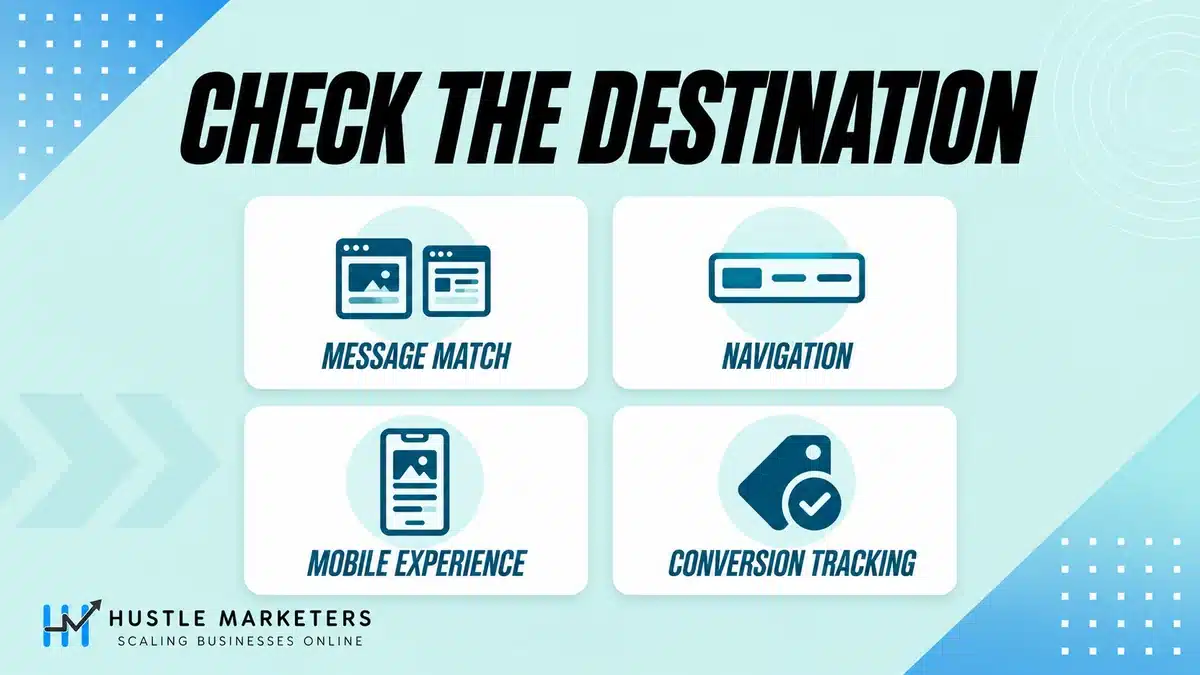
This is the strategic consequence and none of the 28 pages we read addresses it. Every one of them teaches you to perfect a single page. If final URL expansion is on, every indexable page on your domain is a potential paid destination.
That changes the question from “is this page good” to “which of our pages are fit to receive paid traffic at all”. Four things to audit at portfolio level:
- Retired offers and expired promotions. A page with last spring’s pricing is now a live ad destination.
- Out of stock or discontinued products. Paid traffic to a dead SKU is paid traffic to a bounce.
- Pages legal or compliance has restricted. If a claim was pulled, the page it lives on should be excluded, not just unlinked.
- Thin, orphaned or test pages. Anything that exists for internal reasons and was never meant for a customer.
- Pages written for existing customers, not prospects. Account login, order tracking, returns, support articles and the help center. These often rank well internally and read as “relevant” to a system matching on words, and they are a poor first impression for someone who has never bought from you.
The practical move: run a crawl of your own site, list every indexable URL, and sort them into three buckets. Eligible, excluded, and needs fixing before it is either. That list is the input to your URL exclusions in Performance Max, or your URL inclusions in AI Max, and it is the single highest-value hour of work available on this topic right now.
Should you remove the navigation from your landing page?
The advice in all 28 pages we read is yes. Google’s stated position since February 2025 is no.
Google built a model for this: “we recently developed a new prediction model that helps our ads quality systems more precisely capture the quality of your navigation experience when visiting a Search ad’s landing page” and “We’ve improved our ability to understand and predict if a Search ad leads to an unexpected destination and doesn’t offer other helpful navigation options.”
The recommendation is explicit: “If you are an advertiser, and your landing pages are not currently navigable, we recommend improving navigation on your site to enable people to get where they want to go” (blog.google, February 5, 2025).
So the two positions are:
Should you strip the navigation or keep it?
| The conventional advice | Google’s stated position | |
|---|---|---|
| Reasoning | Every exit is a leak. Remove escape routes to protect conversion rate | A visitor who cannot get where they want to go is a bad ad experience |
| What it optimizes | Conversion rate on this page | The quality signal Google assesses |
| Where it came from | Classic CRO practice, largely pre-2025 | A prediction model Google built and announced |
| Risk if you follow it | A dead-end page that Google’s model may read as an unexpected destination | Some visitors leave the page |
How to hold both. The genuine insight in the old advice is that a full site header with twelve links and a search box is a distraction. The genuine insight in Google’s position is that a page with no way out is a trap. Those are reconcilable.
- Keep a route out, keep it small. A logo that links home, and two or three links that a genuinely confused visitor would need. Not your full menu.
- Make the page itself navigable. If it is long, anchor links to its own sections count as helpful navigation, and they do not send anyone off the page.
- Match the destination to the promise. Google’s wording is about “an unexpected destination”. Most navigation problems are actually message-match problems wearing a different hat. If the page delivers what the ad promised, far fewer people need an escape route.
- Treat this as a live question, not settled. Google has stated a position and built a model. It has not published how much weight it carries. Test it on your own account rather than taking either side on faith.
Does landing page experience lower your CPC?
Not the way this category says it does, and fourteen of the pages we read state it as direct cause and effect.
Google’s own position on Quality Score: “Quality Score is a diagnostic tool meant to give you a sense of how well your ad quality compares to other advertisers”, and, flatly, “Quality Score is not an input in the ad auction” (Google Ads Help 6167118).
Landing page experience is one of the three components Google reports inside Quality Score, alongside expected CTR and ad relevance. So it is a diagnostic of a diagnostic.
What is actually true, stated carefully: Google lists Ad Rank as “calculated based on many factors, including your bid amount, the quality of your ads and landing page” (Help 1752122), and on the actual CPC page it is explicit about which signals: “We combine the auction-time ad quality (including expected clickthrough rate, ad relevance, and landing page experience), the max. CPC bid, the Ad Rank thresholds, the competitiveness of an auction, the context of the person’s search, and the expected impact of assets and other ad formats to determine Ad Rank” (Help 6297). So landing page experience does feed Ad Rank, Ad Rank affects what you pay and whether you show, and improving your landing page can improve outcomes. What is not true is the mechanical claim that raising your Quality Score number from 6 to 8 lowers your CPC by a calculable amount, because the number you can see is a report, not a lever.
The practical difference this makes: stop optimizing the score and start optimizing the experience. A page that loads fast, matches the ad and lets someone complete the task is the goal. The diagnostic will follow. Chasing the diagnostic directly leads people to strange decisions, like pausing keywords with low Quality Score that are converting profitably.
Why is your landing page experience “Below average”?
One of the 28 pages we read is built around this query and it never connects the label to a diagnostic step. Here is the actual path.
- Find which keywords, not which pages. Landing page experience is reported at keyword level in Google Ads. Adding the Landing page experience column to your keyword view and sorting is the most direct way to see it in the interface. It is often a handful of keywords, not the whole account.
- Look at what those keywords have in common. Usually they are the ones pointing at a generic page, frequently the homepage, because someone took a shortcut.
- Check message match first. Does the page contain the thing the keyword asked for, in words a human would recognize? This is the most common cause and the cheapest fix.
- Check speed on mobile, on a real connection. Not a desktop test on office wifi.
- Check the page actually works. Forms that fail, content behind a cookie wall, interstitials, and pages that require a login are all worth removing from the path before you blame the copy. Google does not name these in policy, so treat them as suspects rather than confirmed causes.
- Use the Landing pages report, covered next, to see whether Google itself flags the page as not mobile-friendly.
- Re-check after a fortnight. The label updates on Google’s schedule, not yours.
One caution. Google states that the Quality Score components, landing page experience among them, are each evaluated “based on a comparison with other advertisers whose ads showed for the exact same search over the last 90 days” (Help 6167118). So “Below average” is relative to your competition on that exact query over a rolling 90 days, not an absolute verdict on your page. In a competitive vertical where everyone runs purpose-built pages, an adequate page can read as below average. That is useful information about the competition rather than proof your page is broken.
How do you see which landing pages Google actually used?
Google has a Landing pages report with metrics that appear in none of the 28 pages we read for this guide, and one view that is now essential because of final URL expansion.
What does the Landing pages report show you?
| Column | What it tells you | Why it matters |
|---|---|---|
| Mobile-friendly click rate | “If a landing page is not deemed mobile-friendly every time by Google’s Mobile-Friendly test, the percentage in the ‘Mobile-friendly click rate’ column will be less than 100%” | Worth a caveat: Google retired the public Mobile-Friendly Test tool in December 2023, and the Help page still documents the column while linking the retired tool. Treat it as a signal, not a live verdict you can reproduce |
| Valid AMP click rate | “If a landing page doesn’t always load as a valid AMP page when people click on your ad, the percentage in the ‘Valid AMP click rate’ column will be less than 100%” | Only relevant if you run AMP, but it fails silently otherwise |
| Clicks, impressions, CTR | Standard, but segmented by destination | Shows which pages carry the account |
| View expanded landing pages | The list of actual URLs traffic went to, under each entry | This is how you see where final URL expansion sent your money |
Source: Google Ads Help 7543502.
The expanded view is the one to use first. If final URL expansion is on, your specified final URL and your actual destinations are two different lists, and this report is where the difference becomes visible. The other pages we read send you to GA4 for landing page analysis. GA4 does record the page that actually loaded, so it will show you the destination. What it will not show you is that list sitting next to Google Ads cost, conversions and the mobile-friendly and expansion columns, which is the view that makes the problem obvious.
Note the reporting consequence, which follows from everything above: analyzing performance by specified final URL is now analyzing your intention rather than reality. Segment by expanded final URL or you are measuring the wrong thing. The wider reporting method is in our PPC reporting guide.
What makes a PPC landing page convert?
The table stakes, covered by all 28 pages we read. Worth stating once, properly, then moving on to the parts they leave out.
Which eight elements matter most?
| Element | The test | Common failure |
|---|---|---|
| Message match | Does the headline contain the words the ad promised? | Ad says “same day plumber”, page says “Welcome to our website” |
| One job | Can you state the single action in one sentence? | Three competing CTAs and a newsletter signup |
| Above the fold | Is the offer and the action visible without scrolling, on a phone? | Hero image with the value proposition below it |
| Form length | Is every field something you will actually use? | Eleven fields because someone in sales wanted them |
| Proof | Is there evidence a stranger would find credible? | Five-star badges with no source |
| Speed on mobile | Does it load on a 4G connection in the field? | Tested on office wifi on a laptop |
| The CTA | Does the button say what happens next? | “Submit” |
| Continuity | Does the page look like it belongs to the brand in the ad? | A stock template that could be anyone |
Two of those deserve more than a row.
Form length is the highest-leverage change in lead generation, and the argument about it is usually political rather than technical. As a general pattern, every field you remove increases completion and can decrease lead quality. That trade is a business decision, not a best practice: if sales can qualify on a call, cut the fields. If sales cannot handle the volume, keep them. The right answer depends on the sales team, which is why no guide can give you a number.
Message match is where the money is, and it is not just the headline. The keyword, the ad, the headline, and the first line of body copy should read as one continuous thought. If a visitor has to work out whether they are in the right place, you have already paid for a click you will lose.
How many landing pages do you actually need?
Four of the 28 pages we read say “one per ad group” and none of those four shows you what that implies.
How does each account structure map to pages?
| Account structure | Pages implied | Maintainable? |
|---|---|---|
| One page per keyword (SKAG) | Hundreds | No, for almost anyone |
| One page per ad group | Dozens | Only with templating |
| One page per theme or service | Five to fifteen | Yes |
| One page per campaign | Three to five | Yes, and often enough |
| Homepage for everything | One | No, except brand campaigns |
Start at theme level. If you sell emergency plumbing, boiler installation and bathroom fitting, that is three pages, not thirty. Split further only when the search terms within a theme genuinely want different things, and you have the traffic to tell.
The maintenance cost is the part nobody mentions. Every landing page is something that goes out of date: prices, offers, staff photos, compliance wording. Twenty pages is twenty things to update when the offer changes, and in practice half of them do not get updated. A smaller set of pages that are actually current beats a larger set that is half stale, and with final URL expansion in play, stale pages are now potential ad destinations.
When should you not build a dedicated landing page?
All 28 pages we read assume purpose-built pages always win. Three cases where they do not.
- Ecommerce product pages. A well-built PDP has the images, reviews, stock, delivery info, returns policy and the buy button. A built landing page usually has fewer of those and sends people to the PDP anyway. Test before you build.
- Brand campaigns. Someone searching your company name expects your homepage. Sending them to a squeeze page is a worse experience and frequently a worse result.
- Long, considered purchases. Where a buyer needs to research, a page that will not let them research is a page they leave. This is where Google’s navigation position and commercial reality agree.
The test is always the same: does the existing page do the job better than a new page would? Run it as an experiment rather than assuming.
Can you run Google Ads without a landing page?
A real question with real search volume, and the category answers it with a sales pitch. The accurate answer has three parts.
- Search and Performance Max: no. Every ad needs a Final URL, and that destination has to satisfy Google’s destination requirements. There is no ad without a page.
- Call campaigns and lead form assets: partly, and with conditions nobody lists. Both let the action happen inside Google’s surfaces. Neither gets you out of hosting a web page. A call campaign’s Final URL is optional, but Google requires “a verification URL, which is the URL of a webpage that includes your business phone number” (Help 6341403) , a page you must host, just not the one the click lands on. Lead form assets require a link to your privacy policy, a clean policy compliance history, and an eligible vertical; and for video, display, and search formats where the headline opens the form directly, Google requires more than $50,000 USD total spend, with a lower threshold for verified advertisers (Lead form requirements). So this is not the no-website route a new advertiser is hoping for.
- A social profile or marketplace listing as your destination: technically, sometimes. It has to be crawlable and meet the display URL rules. It is almost always a worse result, because you cannot instrument it, and you are paying to send a buyer somewhere you do not control.
The honest version: you can spend money without a landing page. You cannot optimize without one, because there is nothing to change and nothing to measure. If budget is the constraint, one good page beats ten thin ones, and the section on how many pages you need covers where to start.
Can you actually A/B test your landing page?
All 28 pages we read say test. Only one gives a sample size number. None of them states the uncomfortable part.
Most PPC accounts are not big enough to A/B test landing pages meaningfully. Detecting a 10 percent relative improvement on a 3 percent conversion rate, at conventional 95 percent confidence and 80 percent power, needs roughly 53,000 visitors per variant. That is tens of thousands, not thousands. At 40 conversions a month you will not resolve it before the season changes, the offer changes, or you lose patience and call it.
What can you test at your conversion volume?
Google publishes no conversion thresholds for landing page testing. The bands below are our judgment, from running tests in client accounts and from the sample size maths above. Treat them as a starting point, not a standard.
| Monthly conversions | What you can actually do |
|---|---|
| Under 50 | Do not A/B test. Make obvious fixes, one at a time, and judge on direction over a quarter. Use qualitative evidence: session recordings, five user tests, sales call notes |
| 50 to 200 | Test one big change at a time. Whole page versus whole page, not button colors. Only changes you expect to move the number by a lot are detectable |
| 200 to 1,000 | A single A/B test becomes resolvable over a quarter rather than a fortnight, but only on large effects. At 200 conversions a month you can detect roughly a 24 percent relative change; you need around 1,000 a month before a 10 percent change is in range. Set the duration in advance and do not look early |
| Above 1,000 | Running tests one after another becomes sensible. Multivariate still usually does not: a four-cell test at 1,000 conversions a month gives roughly 250 conversions per cell per month, which is thin for anything but a large effect |
Two rules that apply at every level:
- Do not peek. Checking daily and stopping when it looks good is how you generate false wins. Decide the sample and the duration before you start.
- Test the biggest thing you are willing to change. Small tests need enormous traffic to resolve. A different offer, a different page structure or a different form length are detectable. A different shade of green is not.
One test Google runs for you, and the category never mentions it. Performance Max has a built-in experiment at Campaigns, Experiments, the Assets card (Help 15473042). Read what it actually compares before you trust the result. The control arm is “a Performance Max campaign with current text customization and Final URL settings”; the treatment arm turns text customization and final URL expansion on together. It moves two variables at once, so a win does not tell you which one produced it. The AI Max equivalent is broader still, testing the whole AI Max toggle on against off, search term matching included.
Neither will tell you which URLs won, and neither is a way to test one landing page against another. Treat them as a decision aid on whether to leave the automation running, and nothing more. To compare two pages you need an experiment with two asset groups, or a proper split test on your own site, and neither gives you a clean traffic split.
If your account is in the first row, that is not a failure. It means your time is better spent on message match and speed, which are known to matter, than on trying to measure things you cannot measure.
How fast does a PPC landing page need to be?
Worth a short section because several of the 28 pages we read are citing a metric that was replaced in March 2024.
First Input Delay is gone. Interaction to Next Paint replaced it as a Core Web Vital in March 2024, and Chrome ended support for FID across its tools on September 10, 2024 (web.dev). If a landing page guide is still telling you to optimize FID, it has not been revised in two and a half years, which tells you what else on it may be stale.
Which Core Web Vitals actually matter for paid traffic?
| Metric | What it measures | What to fix when it fails |
|---|---|---|
| LCP, Largest Contentful Paint | How long until the main content appears | The hero image, usually. Compress it, size it properly, preload it |
| INP, Interaction to Next Paint | How fast the page responds when someone taps | Heavy JavaScript, usually third-party tags |
| CLS, Cumulative Layout Shift | Whether things move as the page loads | Images without dimensions, injected banners, late-loading fonts |
Two things specific to paid traffic that organic-focused speed advice misses.
First, your tracking template adds a redirect. Every hop between the click and the page is time the visitor is paying for with their patience. If you run a click tracker plus a redirect plus a consent gate, measure the whole chain, not just the page.
Second, paid clicks arrive with query parameters, gclid and whatever your tracking appends. Depending on your caching setup, parameterized URLs can miss the cache that makes your organic traffic fast. It is worth checking whether your paid visitors get the cached page or the slow one, because your speed tests almost certainly used a clean URL.
Does your landing page meet Google’s policy requirements?
Zero coverage across the 28 pages we read, and it is a live cause of disapprovals.
Google’s destination requirements policy names eleven violation categories (Google Ads policy 6368661). Here they are in full, because no page in this category reproduces them and the disapproval message you see in the interface is usually just the category name.
| Violation | What triggers it |
|---|---|
| Destination not working | The page errors, times out, or returns an HTTP error code to Google’s crawler |
| Destination mismatch | The final URL domain differs from the display URL domain |
| Destination not crawlable | Google AdsBot cannot fetch the page |
| Destination not accessible | The page cannot be reached in the country or on the device being served |
| Destination experience | “Destinations or content that are unnecessarily difficult or frustrating to navigate”, and experiences that fail the Better Ads Standards |
| Insufficient original content | Thin, templated or aggregated pages with little of your own |
| App or web store policy violation | The app store listing itself breaches policy |
| Unacceptable URL | A URL that does not resolve, or uses an unsupported format |
| Unrecognized app | The app referenced cannot be verified |
| Unverified phone number | A call destination Google has not verified |
| Unacceptable phone number | A number that fails policy, such as a premium rate line |
Is your landing page crawlable by Google AdsBot?
This is the one that catches competent technical teams, because it is not the crawler your SEO tooling thinks about. Google states that it “requires that your ad destination and contents are crawlable by Google AdsBot web crawlers so we can make sure that users are led to an ad destination that reflects the ad they have clicked on”.
AdsBot does not read your wildcard robots.txt rule. Google documents AdsBot-Google and AdsBot-Google-Mobile as special-case crawlers for which “the global user agent (*) is ignored” (Google crawler documentation). That cuts both ways. A blanket User-agent: * with Disallow: / will not stop ad review, and a blanket allow grants AdsBot nothing. The only robots.txt directive that controls it is one addressed to AdsBot-Google by name.
Everything outside robots.txt still applies: a firewall rule, a bot-management product, a rate limiter or a geo-block will each stop it, and the disapproval message will not tell you which one did. Google notes you can override the user agent in Chrome DevTools to mimic “the Google AdsBot web crawler used to review destination URLs”, which is the fastest way to reproduce what it sees. Check this before you redesign anything, because a page can be perfect and still be ineligible.
The one that catches design decisions is Destination experience, which covers “Destinations or content that are unnecessarily difficult or frustrating to navigate” and experiences that do not conform to the Better Ads Standards. Google does not name interstitials specifically, so if you are weighing one up, that is the clause to read rather than a rule to cite.
Three that catch legitimate businesses out:
- The page must be crawlable by Google’s ad crawler. A robots.txt rule or a firewall that blocks it will disapprove the ad, and the error does not always say so plainly.
- Destination not accessible. If a page requires something the crawler or the visitor cannot do, it fails. Whether a given consent wall or age gate trips this is not something Google spells out, so test rather than assume.
- Destination mismatch. A destination that differs from the display URL domain. This catches people using third-party booking or form systems on a different domain.
If you are seeing disapprovals rather than quality issues, that is a different diagnostic path from the one above, and it is worth checking before you redesign anything.
Does your landing page break conversion tracking?
Also absent from every page we read, and it matters because a landing page that does not measure is a landing page you cannot optimize.
Three things that live on the page and decide whether measurement survives:
- Consent Mode. If your consent banner blocks tags before consent and you have not implemented consent signaling, conversions go unmeasured rather than modeled. The page is where that is implemented.
- Where the conversion actually fires. A thank-you page URL is usually the most robust trigger, but only if that page cannot be reached any other way. If it is linked, bookmarkable or reloadable, it will over-count. Button clicks and form submissions break silently when the form changes.
- Enhanced conversions. These require the page to make first-party data such as email available at the point of conversion. With the Google tag or Google Tag Manager the hashing happens in the browser before anything is sent, so what you implement on the page is the data capture, not the hashing. Either way it is a landing page implementation job, not a Google Ads setting.
The full setup is in the Google Ads conversion tracking guide, and if the numbers are already disagreeing across platforms, why Google Ads, Meta and GA4 report three different numbers covers that.
Should you build on a landing page builder or your own site?
A commercial question the category cannot answer honestly, because most of the pages ranking for it are published by landing page builders. Here is the trade as it actually is, with final URL expansion factored in, which is the part nobody has updated.
| Your own domain | A landing page builder | |
|---|---|---|
| Build speed | Slower, usually needs a developer | Fast, templates and a visual editor |
| Speed and Core Web Vitals | Depends entirely on your stack | Usually good out of the box |
| Testing tools | You add them | Built in |
| Dynamic text replacement | You build it | Built in |
| Cost | Hosting you already pay for | A monthly fee per seat or per visitor |
| Display URL | Fine | Shows the builder’s domain unless you set up a custom domain |
| Final URL expansion | Your whole domain becomes a candidate destination | Undocumented. Google does not define whether a subdomain sits inside or outside “the Final URL domain” |
The two rows in bold are the ones that decide it, and neither appears in the vendor comparisons.
Google’s rule is that “the domain of your final URL must match the domain of your display URL” (Help 2684490), and on responsive search ads the display domain is derived from the Final URL rather than typed by you. So a page hosted on the builder’s own domain is not automatically a Destination mismatch. It simply shows the builder’s domain in your ad, which is a trust and click-through problem rather than a policy one. A mismatch happens when the two disagree, most often through a cross-domain redirect. Every serious builder supports custom domains, so this is a setup step, not a blocker.
The second row is where every builder comparison would like to make an argument, and where the documentation will not support one. Google says expansion draws from “the Final URL domain” but never defines that term, and the only illustration it gives is a sub-directory: “if you have a sub-directory (like www.example.com/brand), your campaigns may be optimized to show both general and brand sub-directory pages” (Help 14337539). Whether a dedicated subdomain sits inside or outside that candidate set is undocumented. If Google scopes to the registrable domain, a builder subdomain buys you no isolation at all. We are not going to assert either reading. If a fixed destination matters to you, turn expansion off and bind the destinations explicitly, which works regardless of how the scoping is defined.
The practical answer: if you have developer capacity and a fast site, build on your own domain and spend the saved fee on traffic. If you do not, a builder on a custom subdomain is a perfectly respectable choice, and the setup work is getting the domain, the tracking and the consent right, not choosing between vendors.
What should a PPC landing page audit check?
Every downloadable asset we found across those 28 pages is a generic CRO checklist, and most sit behind an email form. None of them covers anything from the first half of this page, because none of those pages mentions final URL expansion.
So ours is scored, weighted, and ungated.
What does the scorecard check?
| Section | Weight | What it checks |
|---|---|---|
| Destination control | 25% | Final URL expansion status by campaign, URL inclusions and exclusions, page feed misconception, the expanded landing pages report |
| Message match | 20% | Keyword to ad to headline to body continuity, checked per ad group |
| Conversion mechanics | 15% | Form design, CTA, above the fold, the single job test |
| Measurement | 15% | Conversion trigger robustness, consent handling, enhanced conversions, redirect chain |
| Speed and technical | 15% | LCP, INP, CLS on mobile, parameterized URL caching, crawlability |
| Trust and policy | 10% | Proof elements, policy compliance, navigation position |
Destination control is weighted highest because it is the one thing on the list that can make every other item irrelevant. A perfect page that never receives the click is worth nothing.
The scorecard also carries a portfolio tab: list every indexable URL on your domain and sort it into eligible, excluded, or needs fixing. That is the piece of work that final URL expansion actually demands, and none of the checklists we found has it, because none of the pages offering them mentions the feature.
What are the most common PPC landing page mistakes?
- Optimising one page while final URL expansion sends traffic across your whole domain. Check the setting before you check the page.
- Believing a page feed restricts Performance Max destinations. It does not, while expansion is on.
- Believing URL inclusions are an allowlist. Google uses your named URLs “as well as the URLs that Google thinks will provide the best performance”. The only hard fence is turning expansion off.
- Assuming your pinned assets are running. Pins are not used when final URL expansion or URL inclusions are on. If you pin for compliance, check today.
- Stripping every link off the page. Google has explicitly recommended navigable landing pages since February 2025.
- Treating Quality Score as a lever. Google states it is not an input in the ad auction.
- Analysing performance by specified final URL. Segment by expanded final URL or you are measuring your intention, not reality.
- A/B testing at 40 conversions a month. You cannot resolve it. Fix the obvious things instead.
- Testing speed on desktop wifi with a clean URL. Your visitors arrive on mobile with a gclid attached.
- Building a landing page for brand terms. People searching your name want your homepage.
- Optimising for FID. It was replaced by INP in March 2024.
Frequently asked questions
Can Google change my landing page?
Yes. Final URL expansion is turned on by default for Performance Max, and is enabled by default when you opt in to AI Max for Search. Google describes it as replacing “your Final URL with a more relevant landing page from the Final URL domain, based on the user’s search intent”. In Performance Max you can turn expansion off in campaign settings, or exclude specific URLs; with expansion off, your page feed and asset groups define the destinations. URL inclusions are an AI Max for Search control and are not available in Performance Max.
What is the difference between URL inclusions and URL exclusions?
Both are AI Max for Search controls. Exclusions are a blocklist: Google says they “allow you to exclude URLs from serving in Final URL expansion”. Inclusions read like an allowlist, but are not one: Google says “if you enable both URL inclusions and Final URL expansion, the URLs you choose as well as the URLs that Google thinks will provide the best performance can be used”. So inclusions are a preference layer, not a fence. The only hard fence is turning final URL expansion off. Google states that exclusions require text customization and final URL expansion to be turned on. It states no prerequisite either way for inclusions, so check the setting in your own account. Inclusions are applied at ad group level, exclusions at campaign level.
Does a page feed stop Performance Max sending traffic elsewhere?
No, not while final URL expansion is on. Google states that a page feed then “helps to verify that we’re indexing the provided URLs, but it doesn’t restrict ads to serve only URLs from the provided feed”. With expansion off, the campaign “will only send users to the URLs provided in your page feed and asset groups”.
Should I remove navigation from my PPC landing page?
Google’s stated position since February 2025 is that you should not. It built a prediction model to assess navigation quality and recommends that advertisers whose “landing pages are not currently navigable” improve navigation. The practical middle ground is a small, purposeful route out rather than either a full site menu or a dead end.
Does a better landing page lower my CPC?
Not mechanically through Quality Score, which Google states “is not an input in the ad auction”. Ad quality does feed Ad Rank, and landing page experience is one of the things assessed, so a better page can improve outcomes. What does not work is treating the Quality Score number as a dial.
Why does my landing page experience say “Below average”?
Google states it is “based on a comparison with other advertisers whose ads showed for the exact same search over the last 90 days”, so it is relative to your competition on that query, not an absolute verdict. Check it at keyword level rather than page level, start with message match, then mobile speed on a real connection, then whether the page actually works for a stranger. Use the Landing pages report to see whether Google itself flags it as not mobile-friendly.
Can you run Google Ads without a landing page?
Not for Search or Performance Max. Every ad needs a Final URL and that destination has to meet Google’s destination requirements. Call campaigns and lead form assets let the action happen inside Google’s surfaces, but neither removes the need for a hosted page: a call campaign requires a verification URL that displays your business phone number, and a lead form asset requires a link to your privacy policy, an eligible vertical, and for some formats more than $50,000 USD of spend history, or advertiser verification at a lower threshold. You also lose the measurement, proof and follow-up a page gives you.
Does my landing page copy affect my ad copy?
Yes, and this is new. Final URL expansion requires Text customization to be enabled, and with both on Google will “generate a dynamic headline, description, and additional assets to match your landing page content”. The direction of message match reverses: the page now feeds the ad. Google also states that “pinned Responsive search ad assets aren’t used if a more relevant URL is chosen”, so a pinned compliance disclaimer can be dropped without warning.
Is my landing page crawlable by Google AdsBot?
Check it specifically, because AdsBot is not Googlebot. Google requires ad destinations to be “crawlable by Google AdsBot web crawlers”, and documents AdsBot as a special-case crawler for which “the global user agent (*) is ignored”. So only a rule naming AdsBot-Google affects it, and a wildcard rule in either direction does nothing. A firewall rule, bot management product, rate limiter or geo-block will also block it, and the disapproval will not say which. You can override the user agent in Chrome DevTools to reproduce what AdsBot sees.
Should I use a landing page builder or build on my own site?
Either works. The rule that actually binds is the display URL one: the domain of your final URL must match the domain of your display URL, so a page served on the builder’s own domain will show the builder’s domain in your ad. Every serious builder supports custom domains, which settles it. A commonly repeated claim is that putting paid pages on a subdomain shrinks the candidate set for final URL expansion. Google does not document how subdomains are scoped, so we do not make that argument. If you need a fixed destination, turn expansion off.
How many landing pages do I need?
Usually one per theme or service, which is five to fifteen for most businesses, not one per keyword. Split further only when search terms within a theme genuinely want different things and you have the traffic to tell. Remember every page is something that goes out of date.
Do I always need a dedicated landing page?
No. A well-built ecommerce product page frequently beats a built landing page. Brand searches should usually go to your homepage. And for considered purchases, a page that will not let someone research is a page they leave.
How do I see which landing pages Google actually sent traffic to?
Use the Landing pages report in Google Ads and select “View expanded landing pages”. That shows the actual URLs traffic reached under each entry, sitting next to Google Ads cost and conversions, which is the most direct view of what final URL expansion did with your budget.
What page speed metrics matter for PPC in 2026?
LCP, INP and CLS. First Input Delay was replaced by Interaction to Next Paint in March 2024 and Chrome ended support for it in September 2024, so any guide still citing FID has not been revised in two and a half years. For paid traffic specifically, also measure the redirect chain from your tracking template and check whether parameterized URLs miss your cache.
Can I A/B test my landing page?
Only if you have the volume. Detecting a 10 percent relative lift on a 3 percent conversion rate at conventional confidence and power needs roughly 53,000 visitors per variant. Below roughly 50 conversions a month you cannot resolve realistic improvements in a sensible timeframe, and your effort is better spent on message match and speed. Between 50 and 200, test whole pages rather than elements. Between 200 and 1,000 a single test resolves over a quarter, but only for effects around 20 percent or larger; a 10 percent lift needs roughly 1,000 conversions a month. Those bands are our judgment rather than a Google standard.
How we checked this
We read 28 pages ranking across seven landing page queries in full, not their meta descriptions, and recorded what each covers and omits. The counts on this page reflect that reading on September 14, 2026.
We also went outside the search results, because the thing this page is about is being discussed by practitioners well before it reaches published guides. The final URL expansion material here was checked against working walkthroughs from Paid Media Pros on Performance Max URL controls, Ben Heath on the AI Max setting, Optmyzr on landing page optimization for Google Ads, and Google Ads’ own AI Max guide. Where a practitioner claim and Google’s documentation disagreed, we went with the documentation and said so.
Every quotation from Google was verified against the Help article or blog post cited, and the article ID is given so you can check it. Two honest notes:
- Google has not published how much weight the navigation prediction model carries, only that the model exists and what it recommends. We have quoted the recommendation and not invented a magnitude.
- We have not published conversion rate benchmarks. Several pages in this category present benchmark figures as though they came from Google. They did not, and the honest answer is that your benchmark is your own account’s last twelve months, not an industry average assembled from someone’s client base.
- We have not quoted forum threads. We looked. The discussion platforms where practitioners argue about this are not reliably readable by automated tools right now, and we would rather say that than paraphrase a thread we could not open and attribute a quote to it.
Last verified: September 14, 2026. Final URL expansion, URL controls and AI Max are all moving quickly, so check the linked sources before quoting a setting in a client document.
Want the landing pages audited?
The two findings we make most often are a Performance Max campaign quietly routing paid traffic across a whole domain nobody has audited, and a carefully built landing page that the account is barely sending anyone to.
Ask us to audit your landing pages, or work through the account first with the 120-point Google Ads audit checklist. If you run an online store, the structure we use is in ecommerce PPC management.