Shopify Merchant Center Duplicates: Fix Your Data Sources

Ishant
Published : September 21, 2026 at 11:30 am
Updated : October 16, 2026 at 3:27 am
Ishant
Duplicate products in Merchant Center. Deleted products coming back. Some products syncing and others not. Active item counts that drift for no obvious reason.
If you run a Shopify store, these four Shopify Google Merchant Center problems almost always have the same root cause, and it is not a bug. It is that your Merchant Center account is receiving the same products from more than one place at the same time, and you probably do not know how many places that is.
Merchants describe this constantly in the Google and Shopify communities, and the confusion in the threads is revealing. People ask whether the Content API and the Shopify Google app are “one and the same”. They are not, and understanding the difference fixes most of these problems permanently.
Short answer: Duplicate listings, products that reappear after deletion and partial syncing in a Shopify Google Merchant Center setup almost always mean one thing: more than one data source is supplying the same products to your Merchant Center account. Usually it is the Shopify Google channel running alongside Google’s automatic website crawl. Open Products then Data sources, count your primary sources, and consolidate down to one.
The four ways products get into Merchant Center
Google supports several input methods, and nothing stops you running more than one at once. That is the whole problem.
| Method | What it is | How it usually got switched on | Update frequency |
|---|---|---|---|
| Ecommerce platform integration | The Shopify Google & YouTube channel pushing products directly | You installed the channel and connected your Merchant Center account | Continuous, as products change in Shopify |
| Automatic from your online store | Google crawling your website and building products from what it finds | Often enabled by default, or switched on during setup and forgotten | On Google’s crawl schedule |
| File or scheduled fetch | A CSV, XML or Google Sheet uploaded or fetched from a URL | An older setup, or a third-party feed app | Every 24 hours |
| Manual products | Individual products added in the Merchant Center product editor | Someone added a few to test something, years ago | Never, unless edited by hand |
A typical Shopify Google Merchant Center setup that has been running for a few years, changed agency once, and tried a feed app at some point, is often using three of these simultaneously.
The rule that governs all of this
Google’s documentation on adding products states it plainly:
When a product is managed via a non-automatic method it will no longer be updated automatically using crawled data.
Google Merchant Center Help, adding products
In other words, a product supplied by your Shopify channel takes precedence over the crawled version of the same product. That sounds like it solves the problem, and for products that match cleanly it does.
The trouble starts when the two versions do not match. If the crawl generated a product with a different offer ID than the one Shopify pushes, Google has no way to know they are the same item. You now have two products in the account competing with each other, with different data, and one of them updates and the other does not.
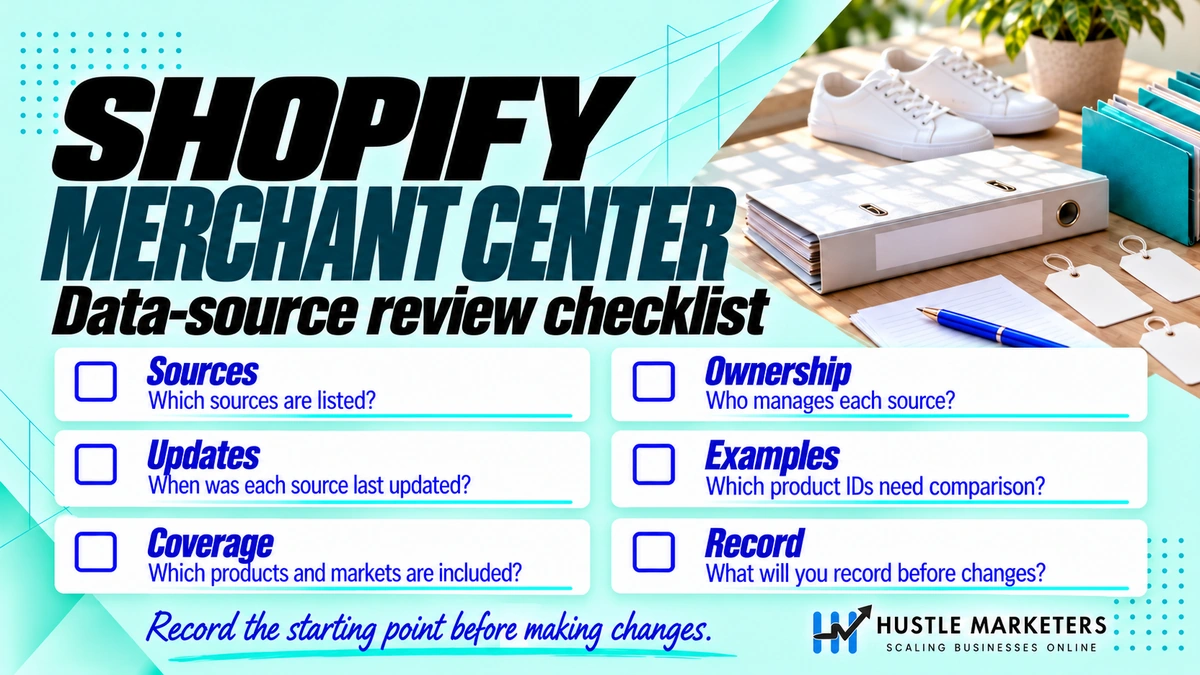
Find out what your Shopify Google Merchant Center setup is actually running
Ten minutes, and you will probably be surprised.
- Open Merchant Center and go to Products then Data sources.
- List every primary source. Note the name, the feed label, the country, the last update time and the number of products in each.
- Look specifically for a source you did not create. Names that reference your website rather than a file or an app are usually the automatic crawl.
- Add up the product counts across sources. If the total is meaningfully higher than the number of products you actually sell, you have duplicates.
- Now go to All products, sort by title, and scan for the same product appearing twice with different IDs.
Write down what you find before changing anything. You want to know the starting state so you can tell whether a change helped.
The five failure patterns and what causes each
Pattern 1: the same product appears twice
Merchants usually call this a duplicate listing. Two data sources are supplying the same item with different offer IDs. Usually the Shopify channel and the website crawl, sometimes the Shopify channel and a legacy file feed left over from a previous setup. Google does not flag it as an error, because as far as it is concerned you submitted two different products.
Fix: decide which source is authoritative, then remove the other. Do not try to make both work. Duplicate offers split performance data and can look like a policy problem to Google.
Pattern 2: deleted products keep coming back
You delete a product in Merchant Center, and days later it is back. This is the website crawl doing exactly what it was told to do: find products on your site and add them.
It is a common thread title in the Shopify community, and it matters more than it seems, because the products that come back are often the ones you removed for a reason. Discontinued lines, items that breach a policy, or products you do not have the right to advertise. Merchants have traced suspensions back to exactly this.
Fix: turn off the automatic crawl, or remove the product from your site as well as from Merchant Center.
Pattern 3: not all products sync
You have 4,000 products in Shopify and 3,100 in Merchant Center. Nothing reports an error.
Causes, in the order worth checking:
- Products excluded in the Shopify channel settings, often by collection or by a product-level setting nobody remembers applying
- Products missing a required field, so the channel never submits them
- Products in a sales channel that the Google channel is not published to
- Zero-priced or draft products, which are excluded by design
- Variants without their own price or availability
Fix: check the channel’s own product list before you check Merchant Center. Shopify will usually tell you which products it is not sending and why.
Pattern 4: active item count drops without warning
Merchants describe this as a “drop in number of active items” and it is one of the earliest warning signs of a source problem.
| Drop pattern | Likely cause |
|---|---|
| A clean step down on one date | A data source stopped updating, or was removed |
| Gradual decline over weeks | Products expiring because the source is no longer refreshing them |
| Drop matching one country | A feed label or country targeting change |
| Drop after an app update | The connector re-authorised and created a new source, orphaning the old one |
Fix: check the last update timestamp on every data source first. Products expire if their source stops refreshing them.
Pattern 5: duplicate variants
This one is specific and worth separating out. Instead of a t-shirt appearing once with its variants grouped, you get eight near-identical products competing with each other.
The cause is a missing or inconsistent item_group_id. That attribute is what tells Google a set of offers are variants of the same product. Without it, every size and colour is treated as an unrelated item.
Fix: make sure item_group_id is populated with the parent product identifier and is identical across every variant of that product. Then make sure the distinguishing attributes, colour and size in particular, are populated at variant level so Google can tell them apart.
Three Shopify-specific causes that are not data source conflicts
Before you go consolidating sources, rule these out. All three produce symptoms that look identical to a source conflict.
Shopify rate limiting Googlebot
Shopify applies rate limits to crawlers. On large catalogues this can throttle Google’s crawl enough that Merchant Center cannot verify product pages, and products land in a Not Approved state with no obvious data problem. Advertisers have traced exactly this on stores where the feed itself was perfectly correct.
The tell is that the disapprovals cluster around crawl-dependent checks such as price, availability and landing page access, rather than around missing attributes. Check Merchant Center for crawl errors and compare against how many products you have.
Website not claimed
If the website claim has lapsed or was claimed against a different property, products stop being verified. It is a two-minute check in Merchant Center settings and it is worth doing before anything else, because everything downstream depends on it.
Product page unavailable and HTTP 500 errors
Merchants periodically report waves of “product page unavailable” errors across many accounts at once. When this is widespread it is usually transient on Google’s side, not something you caused. Check whether other merchants are reporting it the same day before you start changing your feed, because reacting to a temporary crawl failure by editing your data makes things worse.
How to turn off the website crawl safely
For most Shopify stores, the Shopify channel should be the single source of truth and the automatic crawl should be off. But do not switch it off casually, because if the crawl is currently supplying products your channel is not, you will lose them.
- Export your current product list from Merchant Center before you change anything.
- Confirm the Shopify channel covers everything. Compare its product count against your real catalogue and fix any exclusions first.
- Disable the automatic data source in Merchant Center once you are satisfied the channel is complete.
- Watch the active item count for 72 hours. If it falls further than expected, compare against the export and find what the crawl was covering.
- Clean up any orphaned products that the crawl created and that no longer have a source.
Do this in a quiet trading period, not during a sale.
What a clean Shopify Google Merchant Center setup looks like
| Component | Setting | Why |
|---|---|---|
| Primary data source | One only, the Shopify Google & YouTube channel | Single source of truth, updates continuously |
| Automatic website crawl | Off | Stops duplicates and resurrected products |
| Manual products | None | They never update and drift out of sync silently |
| Legacy file feeds | Removed, not just paused | A paused feed can still hold expired offers |
| Supplemental feeds | Used for enrichment only, matched on id | Adds custom labels, better titles, extra attributes without conflicting |
| Feed label | Consistent, and matching your Google Ads campaigns | A mismatch stops campaigns serving |
Supplemental feeds are the right way to add or override data without creating a second source of products. If you are unsure how they work alongside an app integration, see our guide to supplemental feeds in Google Shopping.
When a third-party feed tool is in the mix
Plenty of Shopify stores run a feed tool alongside the native channel, usually because they needed rules the channel could not do. That is fine, but you have to be deliberate about which one owns the products.
| Setup | Works? | Why |
|---|---|---|
| Shopify channel as primary, feed tool as supplemental | Yes | One source of products, enriched by the tool. Cleanest option for most stores |
| Feed tool as primary, Shopify channel removed | Yes | Full control over transformations. Right choice for complex catalogues or multi-country setups |
| Both as primary sources | No | Duplicate offers, split performance data, conflicting values |
| Both as primary, different countries | Sometimes | Workable if feed labels and country targeting genuinely do not overlap. Easy to get wrong |
If you are migrating from one to the other, do not run both live while you test. Export the current state, switch, then watch the active item count for 72 hours.
The other thing a second source breaks
Duplicates do not only cause confusion in Merchant Center. They also make your reporting lie to you.
- Performance data splits across two offer IDs, so a product that looks mediocre twice may actually be a strong seller once.
- Performance Max learns against fragmented signals, which slows it down and can misallocate budget.
- Custom labels get applied to one copy and not the other, so campaign segmentation silently misses products.
- Free listings compete with themselves, since Google is choosing between two versions of the same item.
- Price and availability drift, because one copy updates continuously and the other updates on a crawl schedule or not at all.
That last point is the one that eventually creates a disapproval. A stale copy of a product will sooner or later show a price that no longer matches the landing page, and price mismatch is one of the most common item-level disapproval reasons there is.
Frequently asked questions
Why are my Shopify products showing as Not Approved when the feed looks correct?
Check crawl access before you check data. Shopify rate limits crawlers, and on a large catalogue that can throttle Google enough that Merchant Center cannot verify your product pages. Also confirm your website claim is still valid.
My supplemental feed says it cannot find matching IDs. What is wrong?
A supplemental feed matches on the id attribute, and the value has to match your primary source exactly, including case and any prefix your platform adds. Export both and compare a sample of ids character by character.
How do I fix duplicate listings in Google Merchant Center?
Identify every primary data source in Products then Data sources, decide which one is authoritative, and remove the others. Do not try to deduplicate by editing products, because the second source will simply recreate them on its next run.
Why do deleted products keep coming back in Merchant Center?
Google’s automatic website crawl is still enabled and is finding the products on your site. Disable the automatic data source, or remove the product from your website as well as from Merchant Center.
Should Shopify or a feed tool be my primary data source?
Use the Shopify channel as primary if your catalogue is straightforward and you sell in one or two countries. Use a feed tool as primary if you need rules, transformations or multi-country logic the channel cannot do. Either way, only one of them should be a primary source.
Is the Shopify Google app the same as the Content API?
No. The Shopify Google & YouTube channel is an app that connects your store to Merchant Center. The Content API was Google’s programmatic interface, which apps could build against and which shut down on 18 August 2026, replaced by the Merchant API. From your side you manage the channel, not the API.
Can I run the Shopify channel and a third-party feed tool together?
You can, but you should not have both supplying the same products as primary sources. Pick one to own the products, and use the other for supplemental data if you need it.
Why do I have more products in Merchant Center than in Shopify?
Almost always duplicates from a second source, or expired products that have not yet dropped out. Count products per data source rather than looking at the account total.
Will removing duplicates hurt my campaign performance?
There is usually a short settling period, particularly on Performance Max. Duplicates are worse for performance over any reasonable horizon because they split data and can trigger policy issues, so it is worth doing.
Should I delete the old data source or just pause it?
Delete it once you have confirmed the replacement is complete and you have an export of the old product list. A paused source can leave offers lingering in the account.
How do I stop Merchant Center crawling my site entirely?
Disable the automatic data source in Merchant Center. Do not block Google in robots.txt to achieve this, because Google still needs to crawl your landing pages to verify price and availability.
Can duplicate products get my account suspended?
Duplicates on their own are a data quality problem rather than an automatic suspension. The risk is indirect: a crawl that resurrects products you removed for policy reasons can put those products back in front of Google’s review systems.
Next steps
Open your data sources list today and count how many primary sources your Shopify Google Merchant Center connection is running. If it is more than one, that is your answer, and most of the odd behaviour you have been living with will resolve once you consolidate.
If you would rather have the account cleaned up properly, including the Google Ads side, see our Google Shopping ads agency page. Our Merchant Center audit template walks through the same checks if you want to do it yourself.
Related reading: multi-currency Shopify feed setup, Meta catalog sync for Shopify, the Shopify marketing playbook, diagnosing Performance Max, Merchant Center suspension recovery, and Google product data specification 2026.