10 Best Apps for Effortless Product Feed Management

Ishant
Published : March 8, 2025 at 8:36 am
Updated : October 16, 2026 at 12:15 pm
Ishant

Getting e-commerce ads to actually make money these days takes a lot more than setting up Google campaigns or loading items to your online store. The real backbone of every strong ecommerce ad run is proper shopping feed management.
So many online sellers dump big budgets into advertising and still face products that hardly show, listings that get blocked, or terrible purchase rates. Nine times out of ten, the issue comes from a badly built product feed. Without effective product feed management, channels like Google Shopping, Meta Catalog, and Bing Ads struggle to understand your inventory or determine when to display it in search results.
Shopping feed management tools fix exactly that problem. They take the headache out of building, improving, and sending product information to various ad networks. When you use them properly, they handle automatic updates, ensure data stays correct, and help your products get noticed much more across different ad placements.
What Is a Shopping Feed?
A shopping feed is a well-organized data file containing product specifics that platforms such as Google Merchant Center, Meta Catalog, and Bing Shopping rely on.
That file supplies all the important details so those platforms can recognize your items and present them to shoppers who might want them.
Standard fields you usually find in a shopping feed are:
- Product title
- Description
- Price
- Product category
- Brand name
- Availability status
- GTIN or SKU identifiers
- Product images
Solid product feed management keeps every one of those pieces correct, optimized for performance, and refreshed regularly.
Ishant Sharma of Hustle Marketers, the leading shopping ads expert, has a proven track record of managing shopping feeds across Google, Meta and Microsoft for ecommerce clients since 2013 — see the case study library.
No matter how great your ad approach looks, results remain poor if the underlying product information is missing key details or arranged incorrectly.
Why Shopping Feed Optimization Matters?
A large number of ecommerce owners assume that winning on Google Shopping or Meta Ads comes purely from campaign settings and spending levels. The honest truth is, campaign success depends massively on the condition of your product feed.
Strong shopping feed management lets ad platforms understand your product details clearly and connect them to the searches people actually type.
Feeds that get proper attention deliver several clear advantages to ecommerce operations:
- Higher placement inside shopping sections
- Better click percentages on listings
- Less wasted money on ads
- Much stronger return on ad spend
- Almost no rejected products
- Top spots showing up on Google results pages
- Traffic made up of serious buyers looking for exactly those things
Leave product feed management weak, and your items can stay invisible even during peak search moments for what you sell.
That explains why Ishant Sharma, from Hustle Marketers, a shopping feed expert, keeps stressing that feed improvement needs to happen before anything else in e-commerce advertising plans.
Choosing a capable shopping feed management tool removes most of the manual work and helps keep product information consistent and effective across all platforms.
10 Best Product Feed Management Tools for Managing Shopping Feeds Across Multiple Platforms
These 10 tools are widely used by e-commerce sellers who want smoother shopping feed management, regardless of which platform powers their store.
Each one helps handle automatic feed refreshes, control product details, and raise overall feed quality.
Feed Management Apps Compared at a Glance
| Feed App | Platform | Free Trial | Pricing Model | Best For |
|---|---|---|---|---|
| Google Shopping App | Shopify | Free app | Free | Shopify stores starting on Google Shopping |
| Simprosys | Shopify | Yes | Low flat monthly fee | Shopify stores wanting feed plus tracking in one app |
| Google Product Feed | WooCommerce | Free version | Free core, paid pro | WooCommerce stores on a budget |
| Feed Wizard | BigCommerce | Yes | Flat monthly | BigCommerce multi-channel sellers |
| Magefan | Magento | Free version | Free core, paid extension | Magento stores needing feed plus tracking code |
| ShoppingFeeder | PrestaShop | Free plan | Freemium | PrestaShop marketplaces and ads |
| DataFeedWatch | All platforms | Yes | Scales by product count | Agencies and rule-based optimisation |
| Wix Stores Feed App | Wix | Included | Included with Wix Stores | Wix sellers |
| Channable | All platforms | Yes | Tiered by items and channels | Large catalogs and campaign automation |
| Feeditor | All platforms | Yes | Tiered | Large inventories needing simple automation |
Pricing tiers change often, so confirm current numbers on each vendor's site before committing. Most paid tools price by SKU count, which means a 500-product Shopify store and a 50,000-SKU Magento catalog land in very different tiers.
1. Google Shopping App for Shopify
Among Shopify users, the Google Shopping App is one of the most popular options for shopping feed management. The app creates a direct bridge between your Shopify store and Google Merchant Center, keeping product details automatically up to date.
Thanks to reliable product feed management in this app, people running Shopify stores can have their products reliably appear in Google Shopping without having to upload files manually over and over.
Key Features
- Built-in link to Google Merchant Center
- Automatic syncing of all products
- Live updates for stock levels and prices
- Tools to check Merchant Center health
Ishant Sharma from Hustle Marketers, a Google Ads Consultant, notes that Shopify merchants often begin their profitable ad journey by installing this shopping feed management option.
2. Simprosys Google Shopping Feed
Simprosys ranks among the strongest tools available when e-commerce advertisers need serious shopping feed management.
On top of feed handling, it sets up important tracking connections such as:
- Google Ads conversion tracking
- GA4 event tracking
- Meta pixel installation
That extra capability pushes it beyond ordinary shopping feed management.
Key Features
- Very detailed feed adjustment options
- Automatic connection and updates with Google Merchant Center
- Full tracking setup covering Google Ads, along with GA4
- Easy Meta Pixel plus conversion setup
Many e-commerce operations that partner with Ishant Sharma, a Shopping Feed expert and Google Ads consultant at Hustle Marketers, choose Simprosys to streamline both feed work and tracking.
3. Google Product Feed for WooCommerce
Stores built on WooCommerce rely on specialized plugins to list products properly on advertising networks.
The Google Product Center plugin takes WooCommerce information and prepares it in the exact format Google Merchant Center expects, simplifying the entire shopping feed management process.
Key Features
- Automatic generation of feeds
- Flexible mapping of custom fields
- Scheduled automatic refreshes
- Direct integration with Merchant Center
For anyone on WooCommerce, this product feed software makes it straightforward to spread product data across platforms.
4. Feed Wizard for BigCommerce
Feed Wizard is built especially for BigCommerce users who want dependable shopping feed management over several advertising outlets.
Merchants gain the ability to adjust product details and fine-tune feeds to ensure they perform well on Google Shopping and Meta Ads.
Key Features
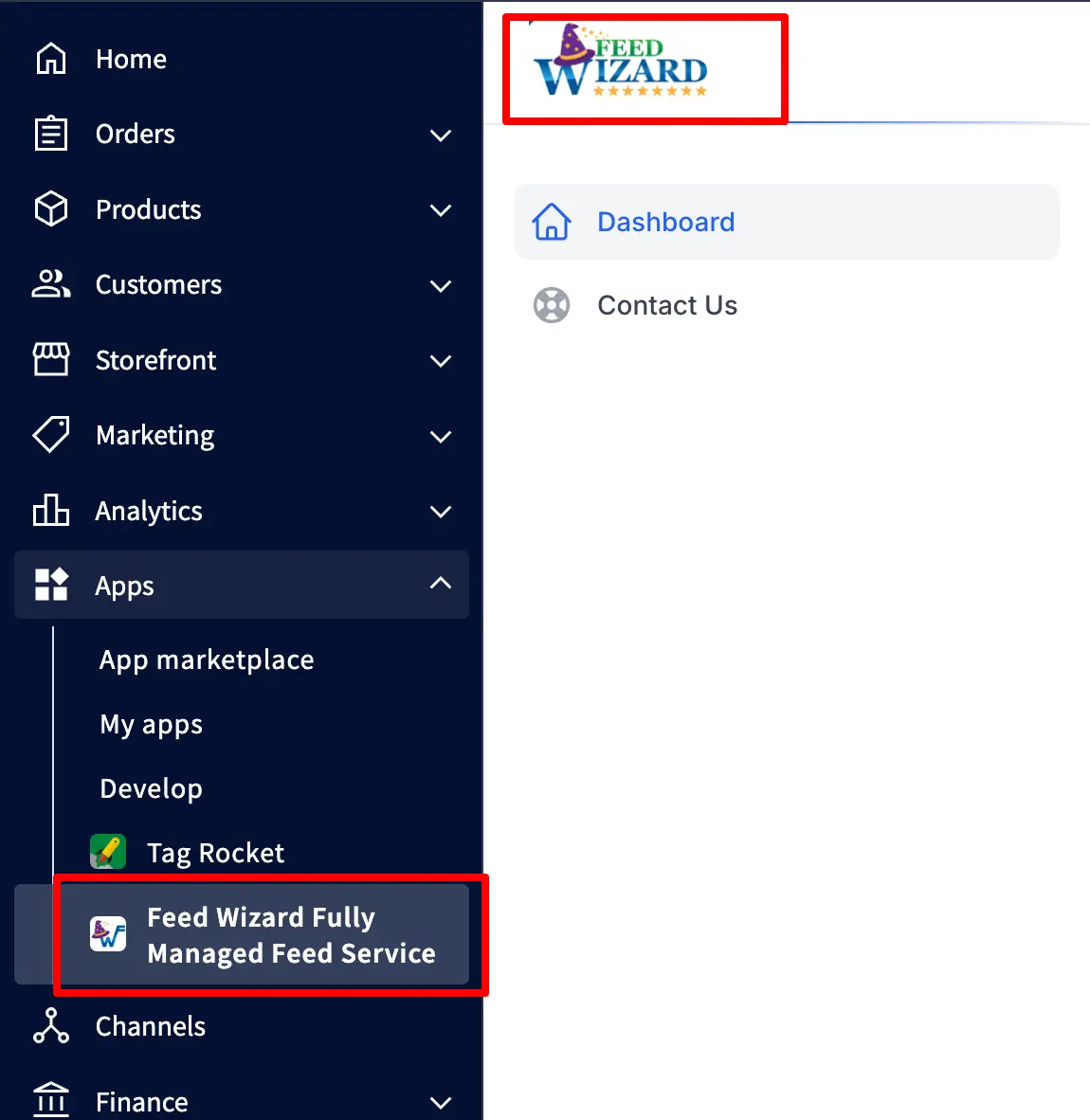
Ishant Sharma, a Google Ads consultant at Hustle Marketers, notices that BigCommerce store owners frequently use Feed Wizard to avoid tedious manual feed uploads.
5. Magefan for Magento
Magefan functions as a Magento extension that handles both shopping feed management and the placement of necessary tracking code.
Store owners rely on it to run feeds while adding tracking for:
- Google Ads purchase events
- Google Tag Manager setup
- GA4 tracking
- Bing Ads conversion tracking
- Meta pixel events
Key Features
- Fully automated feed processing
- Straightforward conversion tracking implementation
- Distribution across multiple platforms
- Ready for Merchant Center use
Magento users who collaborate with Ishant Sharma at Hustle Marketers, a Google Ads Consultant, regularly choose Magefan because it combines reliable feeds with robust tracking features.
6. ShoppingFeeder for PrestaShop
ShoppingFeeder is a robust shopping feed management solution designed specifically for PrestaShop-based ecommerce stores.
The platform pushes product information out to major ad networks and various marketplaces.
Key Features
- Support for feeding multiple channels
- Built-in optimization rules
- Real-time inventory matching
- Merchant Center compatibility
PrestaShop merchants find this product feed software very useful for automating product feed workflows.
7. DataFeedWatch
DataFeedWatch enjoys wide popularity inside e-commerce agencies focused on shopping feed management. The platform supplies powerful editing features, allowing sellers to refine product details right before feeds reach advertising destinations.
Key Features
- Sophisticated rule-based adjustments
- Precise attribute mapping
- Connections to numerous channels
- Ongoing monitoring of feed results
Pricing
Subscription levels scale according to the number of products handled.
Ecommerce advertisers who team up with Ishant Sharma, a Google Ads specialist and shopping feed management expert at Hustle Marketers, often choose DataFeedWatch for its advanced product feed management features.
8. Wix Stores Product Feed App
The Wix Stores Product Feed App simplifies shopping feed management for anyone running an ecommerce store on Wix.
Merchants can send product information directly over to Google Merchant Center and additional advertising platforms.
Key Features
- Automatic creation of required feeds
- Continuous inventory synchronization
- Straight integration with Merchant Center
Wix sellers looking to make product feed management easier often turn to this feed management software tool.
9. Channable
Channable is a high-end shopping feed management platform favored by larger e-commerce companies and professional agencies.
Merchants use it to sharpen product feeds while automating parts of their advertising campaign structure.
Key Features
- Strong optimization rule system
- Ability to group products logically
- Automated campaign building
- Broad platform connectivity
Ecommerce groups working alongside Ishant Sharma, a Google Ads consultant at Hustle Marketers, frequently rely on Channable to expand their sophisticated product feed management.
10. Feeditor
Feeditor provides another trustworthy shopping feed management solution that automates distributing product feeds across multiple advertising platforms.
Key Features
- Complete feed automation
- Flexible attribute adjustments
- Integration ready for Merchant Center
Feeditor helps ecommerce sellers who manage large inventories keep product feed management simple and effective.
Shopping feed management and integration: tools vs agency
Shopping feed management and integration means connecting your store’s product catalog to Google Merchant Center and other channels, then reshaping the data (titles, categories, identifiers and custom labels) so each channel accepts and ranks it, and a feed tool automates that reshaping while a PPC specialist decides which changes will earn more profitable sales.
The tools reviewed above overlap a lot, so here is the short version of when to use which (pricing checked on each vendor’s website on 24 September 2026):
| Option | Best for | Published pricing | Source |
|---|---|---|---|
| DataFeedWatch | Small and mid-size stores that want rule-based feed editing | From $64 per month (Shop plan: 1,000 SKUs, 3 feeds, 1 shop); 15-day free trial | DataFeedWatch pricing |
| GoDataFeed | Stores that want guided onboarding across many channels | Plan builder on the site; 14-day free trial; extra PPC channels $29 per month each beyond the plan’s allowance | GoDataFeed pricing |
| Channable | Teams that want feed rules and campaign automation in one place | Package plus core plan, prices not published; free trial with no time limit, but sending data to channels needs a paid plan | Channable pricing |
| Feedonomics | Large catalogs that want a full-service, managed feed team | Not published (custom quote); claims 2,000+ destinations | Feedonomics |
| Productsup | Enterprise, multi-country and multi-language catalogs | Not published (quoted on SKUs, feeds and modules); claims 2,500+ integrations | Productsup |
| A PPC agency that manages the feed | Stores whose real problem is which products get budget, not data formatting | Varies; ask whether feed work is inside the management fee | Ask each agency |
Hustle Marketers’ rule of thumb: buy a tool when the problem is data formatting, and bring in a specialist when the problem is which products deserve budget. A tool can rewrite every title overnight, but it cannot tell you which products carry your margin. To check your own attribute mapping first, try our free feed attribute mapper, then read our product feed optimization guide.
How can I add thousands of products to Google and Shop sales channels efficiently?
Use Shopify’s bulk action instead of the bulk editor: select all products in the store, choose “Include in sales channels”, pick the Google channel and let the background job finish, which shows no progress bar and can take a while on a large catalog. That was the accepted answer when a merchant with 24,000 products asked this in the Shopify Community in March 2024. Afterwards, check the Needs attention tab in Merchant Center, because a product in the sales channel is not the same as a product Google has approved.
Can you recommend solutions for integrating product catalogs across multiple e-commerce platforms?
Yes: pick one system as the source of truth for product data and stock, usually your main store platform or a product information management (PIM) system, then use a feed or listing tool to push that data to every other channel, keeping the same IDs and SKUs everywhere so inventory, reporting and ads stay matched.
- Choose the source of truth. For most stores that is Shopify, BigCommerce or WooCommerce; catalogs with many suppliers often need a PIM feeding the store.
- Standardize identifiers. Use one SKU per variant on every platform and keep the Merchant Center id stable, because a new ID is treated as a new product with no history.
- Map attributes once. Map categories, product types, GTINs and custom labels in one feed layer, then create channel-specific outputs for Google, Microsoft Shopping and Meta catalogs.
- Sync stock on a schedule that matches how fast you sell, and hold a safety buffer on fast sellers during peaks.
- Plan the Merchant Center structure. Google offers an advanced account setup for “businesses that manage multiple sellers and domains at scale”, such as marketplaces and multi-country retailers. For several currencies, see our multi-currency Shopify feed setup.
At Hustle Marketers, the first thing we check on a multi-platform catalog is whether each product carries the same ID in the store, the feed and GA4, because mismatched IDs break both inventory sync and ROAS reporting. Our guide to Shopify Merchant Center data sources shows how this looks in practice.
Overselling across channels
Overselling across channels usually comes from sync delay or mismatched SKUs rather than from the sync app itself, so make one system the single source of stock and fix SKU mapping before you pay for a different inventory sync tool. In a Shopify Community thread from January 2026, replies pointed to apps that only check stock every 10 to 15 minutes and to Amazon seller SKUs that do not exactly match the Shopify SKU, so those rows are skipped. Compare SKU exports from each channel taken within the same hour, and keep a small buffer on fast sellers.
How should I manage Google Ads for multiple online stores?
Give each store its own product feed and its own campaigns so budgets and ROAS stay separate, and if you run several domains, look at Google’s advanced account setup so they all sit under one parent Merchant Center account that you control. A merchant asked this in the Shopify Community, and the useful replies warned against merging stores into one account without checking Google’s rules first.
How Hustle Marketers Supercharge Shopping Feeds for Ecommerce Brands
Getting a shopping feed app installed represents only the beginning step. A surprising number of ecommerce sellers assume that connecting a shopping feed management tool to the store means automatic perfection. Most tools simply grab and export whatever data already lives on the website. Poor source data creates poor feeds.
Real improvement starts when strategic product feed management enters the picture.
Hustle Marketers, led by Ishant Sharma from Hustle Marketers, Google Ads Consultant, approaches shopping feed management as the true performance driver instead of just technical plumbing.
Optimize Product Titles for Search Intent
Countless e-commerce websites let their shopping feed management tool pull titles directly from the product pages. Those page titles normally focus on brand messaging rather than search engine visibility.
Meaningful product feed management involves rebuilding titles to align with the actual phrases customers enter into Google Shopping. After the feed management software tool connects, titles still require careful review to include the attributes that drive visibility.
Through dedicated shopping feed management, Ishant Sharma, Google Ads Consultant at Hustle Marketers, examines how titles transfer over and adjusts them to match genuine search behavior.
Typical enhancements involve:
- Placing brand name plus main product type early
- Adding key details like size, color, and specific variants
- Featuring benefits or specs that buyers frequently search for
- Stripping away marketing slogans that hurt performance
Structure Feeds for Google Shopping and Meta Catalogs
Ad platforms process product information in unique ways, so careful shopping feed management proves essential. Google Shopping places heavy weight on GTIN codes, brand names, and precise categories, whereas Meta catalog campaigns place more emphasis on image quality, written descriptions, and organized fields. Installing a feed management software tool alone does not guarantee the feed will satisfy every platform.
Professional product feed management includes checking and correcting how attributes transfer from the e-commerce store into the final feed file.
Ishant Sharma from Hustle Marketers, Google Ads Consultant, confirms feeds contain:
- Accurate Google taxonomy categories
- Correct brand details and GTIN values
- Properly structured product types
- High-quality optimized images along with descriptions
- Correct configuration for Meta catalogs and Bing Shopping requirements
Advanced shopping feed management maintains strong visibility across every channel while reducing approval issues.
As we are discussing about bing shopping and if you are new to the Bing Merchant platform, you can go through our detailed blog on how to set up Bing merchant center
Segment Products Based on Margin and Performance
Advanced shopping feed management enables segmentation of products by their real business value. Far too many e-commerce sellers launch shopping campaigns without separating high-profit items from low-margin ones. Strategic product feed management applies custom labels that guide smarter budget decisions. Modern feed management software tools enable categorization of items by profitability and past results.
Common segmentation patterns include:
- High-profit products ready for stronger bids
- Consistent top performers with reliable conversion data
- Limited-time seasonal or sale merchandise
- Lower-profit items kept on restricted budgets
Ishant Sharma from Hustle Marketers, a Google Ads specialist and shopping feed expert, explains that thoughtful shopping feed management directs advertising dollars toward items that produce the biggest returns. Structured product feed management stops treating every product equally and focuses on where revenue grows fastest.
Improve Feed Data Accuracy
Reliable information forms the foundation for effective shopping feed management. Plenty of e-commerce businesses trust fully automated feeds without verifying that every detail appears complete and correct. Even top-tier feed management software tools can only export what exists on the website. Incomplete source data leads to incomplete feeds.
Expert product feed management demands thorough inspection of every attribute heading into the feed to confirm platform compliance.
Critical areas under review usually cover:
- Brand name and manufacturer specifics
- GTIN numbers or internal SKU codes
- Correct category placement and taxonomy
- Full descriptions plus technical specifications
- Up-to-date pricing and real-time availability
Ishant Sharma from Hustle Marketers, a Google Ads consultant, conducts regular audits to ensure a clean structure throughout. This depth of shopping feed management enables platforms to interpret products accurately, raising approval rates and improving visibility.
Resolve Merchant Center Disapprovals
Disapprovals inside the Merchant Center create ongoing frustration for e-commerce advertisers. Most rejections occur due to inaccurate information, missing required fields, or discrepancies between website content and feed content. Effective shopping feed management identifies those issues fast and corrects them so products stay eligible.
Even after a solid feed management software tool goes live, feeds still require regular attention to prevent disapprovals.
Frequent problems handled during product feed management include:
- Absent GTIN numbers or brand details
- Pricing that does not match between site and feed
- Descriptions containing restricted language
- Images failing quality standards
- Products placed in the wrong categories
Drawing on extensive experience running e-commerce campaigns, Ishant Sharma, a Google Ads Expert at Hustle Marketers, quickly spots Merchant Center mistakes and fixes them before performance suffers. Robust shopping feed management keeps products compliant, active, and visible inside shopping results.
How can I troubleshoot issues with my Google Merchant Center feed? (2026)
To troubleshoot a Google Merchant Center feed, open Settings, then Data sources, select the source and read its Latest update for file and fetch errors, then open the Needs attention tab under Products and fix each product-level issue at the source in your store or feed. Let Google reprocess the data before you judge whether a fix worked.
- Check the fetch. The Latest update shows status, attribute problems and affected products. Google’s data source troubleshooting guide names a common failure: “The URL used for scheduled fetch is roboted or doesn’t have permission settings.”
- Check file size and format. Files must be under 4 GB, or under 500 MB compressed. XML files need lowercase attribute names and escaped special characters.
- Go to Needs attention. Google says data source processing “only checks for basic file and data issues”, so the full list sits in the Needs attention tab. Download it and group issues by type instead of fixing products one by one.
- Check the country. Product data sent to a country must meet that country’s requirements, including shipping and return settings.
- Check your integration. Google sunset the Content API for Shopping on 18 August 2026, with progressive errors from 1 September 2026. If an app, plugin or script still uses it, products can stop updating. Ask the vendor whether it now uses the Merchant API, and work through our Content API shutdown checklist.
- Then fix policy and data issues: missing or wrong GTINs, price or stock mismatches, and misrepresentation or suspension flags.
Hustle Marketers always works in that order, fetch first, then data source, then product issues, then policy, because one failed fetch can make an entire catalog look broken. Our Merchant Center audit template follows the same sequence.
Google Shopping Feed Products Not Showing or Getting Disapproved on Shopify
Products that are active in Shopify but missing or disapproved in Merchant Center are usually not published to the Google sales channel, missing GTINs, below Google’s image size minimums, or showing a different price or stock level than the product page. A merchant in the Shopify Community in March 2026 wrote that “some of my products are either not showing in Google Merchant Center or getting disapproved”. One reply noted that re-reviews after a fix usually take 3 to 5 days, so fix everything in one pass.
Shopping Campaign Showing “No Products for Any Locations”
In our experience, this message usually means the campaign cannot see approved products for the countries it targets: Merchant Center is not linked or the link was not accepted, the feed label or country does not match the campaign, products are not approved for Shopping ads, or an inventory filter excludes everything. The title comes from a Merchant Center Community thread. Check the link, then the country, then approval status.
Common Shopping Feed Mistakes to Avoid
Ecommerce sellers frequently install shopping feed management tools yet neglect ongoing feed care. Typical errors people make include:
- Weak Product Titles: Titles must include useful keywords and relevant product specifics.
- Missing Attributes: Incomplete fields prevent platforms from fully understanding items.
- Poor Category Mapping: Wrong category choices lead to lower placement in search results.
- Feed Update Delays: Daily refreshes keep stock and pricing accurate. Out-of-stock items must be removed from feeds immediately.
Inconsistent product feed management leads to advertising budgets spent on products customers cannot buy.
How Often Should a Shopping Feed Update?
Daily is the minimum, but the real answer depends on how fast your product data changes. Google Merchant Center compares the price and availability in your feed against your live product page. When they don’t match, the item gets disapproved automatically, and during a flash sale a once-a-day feed fetch guarantees mismatches for hours.
Three settings most store owners never touch:
- Automatic item updates in Merchant Center. Google reads structured data on your product page and corrects small price and availability differences in real time before disapproving anything. Turn it on, but treat it as a safety net, not a feed strategy.
- Content API instead of scheduled fetch. Apps like Simprosys and Channable push changes through the API the moment your product data changes. For stores running frequent price changes, this is the difference between real time and tomorrow morning.
- Supplemental feeds for custom labels. You can layer margin tiers, bestseller flags and seasonal labels over your main feed without touching it. That’s how we segment products by profitability before restructuring campaigns.
Feed quality is campaign performance. The 1500% ROAS we documented in the ArmorGarage Performance Max case study started with feed restructuring, not bid changes, and the same sequence drove our Silicon Lightworks Merchant Center turnaround and the $346K pet accessories account.
How Feed Optimization Improves ROAS
Ecommerce teams facing low return on ad spend usually react by raising budgets, switching bid methods, or testing brand-new campaigns. Often, the largest performance lift comes from something as simple as optimizing the product feed.
Effective shopping feed management ensures platforms recognize products correctly, pair them with matching searches, and deliver them to motivated shoppers. Without proper product feed management, advanced ad tactics rarely produce strong outcomes.
Improving Product Relevance
Shopping platforms and search engines lean on feed attributes to decide which products fit individual queries.
When titles, descriptions, or other fields lack structure, the system struggles to connect your items to relevant searches. Correct product feed management includes keyword-rich titles, complete attributes, and accurate category assignments.
Well-executed shopping feed management raises relevance, helping platforms show products to the right audience and increase their appearance frequency in shopping sections.
Increasing Click-Through Rates
Better feeds also drive higher click-through percentages. Shoppers usually scan several listings before deciding what to click.
Clear descriptive titles, attractive images, and trustworthy pricing information stand out. Proper product feed management organizes those elements to catch attention and generate more clicks.
Reducing Cost Per Click
Feed quality directly affects how platforms evaluate listing relevance. Feeds built with strong attributes appear more useful to searchers.
Greater relevance generally translates into reduced cost per click. Consistent shopping feed management aligns product details with actual queries which improves listing scores and lowers click expenses over months.
Improving Conversion Rates
Another major payoff of optimized feeds is higher conversion rates. Accurate information displays exactly the item the shopper wants. When titles, descriptions, and photos align with expectations, people complete purchases more often.
Through careful product feed management, e-commerce sellers reduce traffic mismatches and increase the likelihood of sales.
Beating Competitors in Shopping Results
Within crowded ecommerce categories, feed strength often determines who occupies the highest shopping positions.
Brands that invest in superior shopping feed management regularly outrank others because their product information is more complete, precise, and tuned to real searches.
Refining titles, attributes, categories, and pricing gives e-commerce operations a measurable advantage in competitive shopping listings.
Why Ecommerce Brands Trust Hustle Marketers for Shopping Feed Optimization
Real success in shopping ads almost never comes from simply spending more. The genuine breakthroughs usually trace back to excellent shopping feed management combined with precise product feed optimization. Ecommerce brands choose Hustle Marketers because the team concentrates on the single most important element, the product feed.
Under the direction of Ishant Sharma, shopping feed expert at Hustle Marketers, our specialists have years of experience managing e-commerce campaigns in which strong product feed management drove significant revenue increases. We have worked with everything from modest Shopify inventories containing hundreds of items to complex Magento catalogs holding thousands of SKUs, while using and refining nearly every prominent shopping feed management tool and software available.
Our process extends well beyond basic app installation.
Deep Experience Across Ecommerce Platforms
Different e-commerce systems handle feeds in distinct ways. What works smoothly for Shopify often differs from WooCommerce or Magento approaches. Successful shopping feed management requires practical knowledge across multiple platforms.
Hustle Marketers regularly works with feeds on:
- Shopify product feeds
- WooCommerce product feeds
- Magento product catalogs
- BigCommerce feed structures
- PrestaShop ecommerce feeds
- Wix ecommerce product feeds
Platform-specific familiarity enables Ishant Sharma, Google Ads Consultant at Hustle Marketers, to diagnose feed issues quickly and apply the most suitable product feed management approach for each store.
Expertise Across Every Major Feed Management Tool
Over time, our team has installed, tested, and mastered virtually every major shopping feed management software and product feed management tool used by e-commerce businesses.
Examples include:
- Simprosys
- DataFeedWatch
- Channable
- Feed Wizard
- Magefan
- Feeditor
- ShoppingFeeder
- Google Shopping Shopify integrations
Constant hands-on work means Ishant Sharma from Hustle Marketers, a Google Ads consultant, recognizes which feed management software performs best in different situations. Certain options excel with smaller Shopify setups, while others manage enterprise-scale Magento catalogs effortlessly.
Product Title Optimization for Search Intent
One of the biggest recurring issues inside e-commerce feeds involves weak product titles.
Most stores export titles unchanged from their website without considering real customer search patterns. Effective product feed management requires rewriting titles to reflect actual search language.
For example, a basic title reading: “Premium Running Shoe”
Can be changed into an optimized version such as “Men’s Lightweight Running Shoes – Breathable Mesh – Size 10”
That small adjustment dramatically lifts visibility inside shopping results.
Hustle Marketers under Ishant Sharma as a Google ads and Bing ads specialist conduct regular title audits and restructure them to boost performance on Google Shopping and Bing Shopping.
Advanced Feed Structuring for Google and Meta Catalogs
Each advertising platform interprets feeds differently. Google Shopping emphasizes GTIN codes, brand accuracy, and category precision, while Meta Catalog campaigns prioritize strong visuals, detailed descriptions, and audience alignment.
Winning shopping feed management applies platform-tailored improvements.
Our specialists construct feeds capable of strong results across:
- Google Shopping
- Meta Ads catalog campaigns
- Bing Shopping campaigns
Reliable product feed management supports seamless multi-platform advertising without repeated manual adjustments.
Product Segmentation Based on Profit Margins
An essential aspect of shopping feed management is dividing products by margins and performance history. Not every product merits an identical advertising investment. Certain items deliver superior profits or convert noticeably better.
Through sophisticated product feed management, we implement labels that enable segmentation by:
- High-margin products
- Best-selling products
- Seasonal inventory
- Promotional products
Targeted segmentation directs campaign budgets toward the most valuable items.
Ishant Sharma, from Hustle Marketers and a Google Ads consultant, observes that many e-commerce brands achieve substantial ROAS gains after proper segmentation goes live.
If you want to be a beginner in the world of shopping feed management, then exploring supplemental feeds in Google Shopping is a must-read article by Ishant Sharma, the best Shopping Ads Expert.
Improving Feed Data Accuracy
Precise product information remains essential for successful shopping feed management. Any missing or inaccurate attributes risk disapproval or reduced visibility in shopping placements.
Our team systematically reviews and enhances fields including:
- Product titles
- Descriptions
- Brand information
- GTIN codes
- Product categories
- Pricing data
- Inventory status
Higher accuracy through dedicated product feed management supplies advertising platforms with trustworthy, structured data.
Resolving Google Merchant Center Disapprovals
Merchant Center disapprovals rank among the most common obstacles e-commerce businesses encounter.
Typical causes include:
- Missing GTIN identifiers
- Pricing mismatches
- Policy violations
- Image issues
- Incomplete product attributes
Ishant Sharma from Hustle Marketers, a Google Ads specialist, brings years of experience with Merchant Center, so the team resolves disapproval issues swiftly. Addressing those issues quickly restores product eligibility and strengthens overall shopping feed management.
Continuous Monitoring and Feed Optimization
A widespread misunderstanding claims that shopping feed management tools require no maintenance after initial setup.
Feed optimization demands continuous effort. Inventory levels change, prices fluctuate, and fresh products arrive constantly. Infrequent updates allow platforms to advertise unavailable items or show incorrect prices.
Hustle Marketers maintains product feed management systems on daily refresh schedules so advertising always reflects current, accurate information.
Proven Impact on Ecommerce ROAS
Extensive practical work with shopping feed management tools and product feed management systems has enabled e-commerce brands to achieve major improvements in advertising effectiveness.
Superior feeds produce:
- Higher product visibility
- Lower advertising costs
- Higher click-through rates
- Improved conversion rates
- Increased return on ad spend
That consistent track record explains why e-commerce brands rely on Ishant Sharma, a Google Ads consultant at Hustle Marketers, to manage their shopping feed and elevate e-commerce advertising performance.
Can you recommend reliable tagging software for e-commerce sites?
Yes: for most ecommerce sites, reliable tagging means Google Tag Manager on the website, a server-side Tag Manager container hosted on Stape or Google Cloud, and, on Shopify, a dedicated tracking app such as Elevar that sends purchases to each ad platform from the server. Enterprise teams with many data destinations look at Tealium or Twilio Segment. The right choice depends on your platform, order volume and in-house skills.
| Tool | What it is | Best for | Published pricing (checked 24 September 2026) |
|---|---|---|---|
| Google Tag Manager (web container) | Tag manager for the site | Every store; the base layer for GA4, Google Ads and Meta tags | Free |
| Server-side Tag Manager on Stape | Hosting for a server container that processes tracking data on a server you control | Stores that want more control over what each ad platform receives | Free up to 10K requests; Pro $17 per month billed $200 yearly for up to 500K requests (Stape pricing) |
| Elevar | Shopify tracking app with server-side delivery to ad platforms | Shopify stores that want a managed data layer | Core $225 per month for up to 2,000 orders; 15-day free trial (Shopify App Store listing) |
| Tealium | Enterprise tag management and customer data platform | Large retailers with many destinations and data governance needs | Not checked; ask the vendor |
| Twilio Segment | Customer data platform | Stores with engineering support that want unified customer profiles | Not checked; ask the vendor |
Google describes server-side tagging as processing data “on a server you control, rather than in the user’s browser”. That control is the main reason to add it, not a promise of more conversions. Our guides to server-side GTM hosting and Shopify server-side tracking compare the setups.
Ishant Sharma, founder of Hustle Marketers, gives every client the same tagging rule: pick one source of truth for purchases, send the same transaction ID to every platform, and place a test order after every theme or app change.
Is Google Ads Conversion tracking broken from GA4/Google Sales channel enablement?
It often looks broken because the Google and YouTube app, a manually added Google Ads tag and imported GA4 conversions can all count the same purchase, or none of them fire after a checkout, theme or app change on the store. Check which conversion action is set as primary, remove duplicates, and place a test order. The question comes from a Shopify Community thread. For the full setup, see our guides to Google Ads conversion tracking and enhanced conversions and Meta CAPI.
Conclusion
Strong e-commerce advertising always builds on excellent shopping feed management. Reliable product feed management tools enable businesses to automate updates, improve data quality, and gain greater visibility across advertising platforms.
Partnering with professionals such as Ishant Sharma, a Google Ads consultant at Hustle Marketers, ensures e-commerce brands fully unlock the power of their shopping feed management systems.
Free tool
Google Shopping Feed Validator and Bing Feed Mapper
Upload your Merchant Center feed (CSV, TSV, TXT or XLSX) or paste a Google Sheet link. It flags missing attributes, character limits, GTIN and price errors, maps all 51 attributes to Microsoft Merchant Center, and exports a Bing ready file. Runs in your browser, nothing is uploaded.
Check your feed freeFrequently Asked Questions
What is a Shopping Feed?
Why is a Shopping Feed Important for eCommerce Stores?
Can I use the same shopping feed for multiple platforms?
How to add Google product category in shopify?
What is Google Product Taxonomy and why is it important?
What happens if I don’t assign a Google Product Category?
Do feed apps offer free trials?
Can one feed app manage Google Shopping and Facebook together?
Can feed apps automate product titles?