Shopify Plus SEO: What Changes on Plus and How to Get It Right

Ishant
Published on November 5, 2026
Ishant

Shopify Plus SEO is the work of getting a Shopify Plus store found in Google and AI answers. Plus does not rank better on its own. It shares the same fixed URLs, canonical tags and sitemaps as other plans. What changes is scale: expansion stores, Plus-only checkout and Functions customization, B2B extras, Hydrogen storefronts and 20 million redirects.
Summarize this article with:
Key Observations
- Plus raises the URL redirect limit from 100,000 to 20,000,000, per Shopify’s URL redirect guide. That matters most when you replatform a large catalog.
- Shopify Markets runs on every plan, with automatic hreflang, x-default and self-referencing canonicals, per Shopify’s Markets SEO page. Expansion stores do not share data, so hreflang between them is your job.
- Shopify Scripts stopped running on June 30, 2026, and Shopify Functions or public apps replace them, per the Shopify changelog.
- The /products/ and /collections/ paths are fixed on every plan, including Plus. Only the handle at the end of the URL is yours to edit.
- Hydrogen renders on the server by default, but a headless build moves hreflang, redirects and many SEO defaults onto your developers.
Is Shopify Plus better for SEO than standard Shopify?
Shopify Plus is not better for SEO by default. Plus stores use the same Liquid themes, fixed URL paths, automatic canonical tags and sitemaps as Basic, Grow and Advanced stores. Plus helps when your SEO problem is scale: many markets, separate stores, custom checkout logic, wholesale buyers, headless builds or a very large redirect map.
If you are new to the platform basics, start with our Shopify SEO guide. This page covers only what changes, or matters more, on Plus.
Shopify Plus vs standard Shopify: SEO-relevant differences
| Feature | Basic, Grow, Advanced | Shopify Plus | Why it matters for SEO |
|---|---|---|---|
| URL redirects | Up to 100,000 | Up to 20,000,000 (Shopify Help) | Large migrations need one redirect per old URL |
| Extra stores | Each store needs its own plan | Main store plus 9 expansion stores included (Shopify Help) | Separate stores mean separate domains, content and hreflang work |
| Shopify Markets | Unlimited country or region markets | Same, plus B2B market extras (Shopify Help) | International SEO in subfolders is not a Plus-only feature |
| Checkout customization | Apps on thank you and order status pages | Apps on information, shipping and payment pages, plus the Checkout Branding API (Shopify Help) | No ranking effect, but it changes tracking and script load |
| Shopify Functions | Public apps that contain functions | Custom apps with Function APIs too (shopify.dev) | Backend logic replaces some front-end scripts |
| B2B catalogs | Up to 3 active B2B catalogs | Unlimited, plus direct company catalogs (Shopify Help) | Wholesale pages can duplicate retail pages |
| Hydrogen and Oxygen | Oxygen at no extra charge on paid plans (shopify.dev) | Up to 25 Hydrogen storefronts (Shopify Help) | Headless SEO depends on your build |
| Combined Listings app | Not available | Available (Shopify Help) | Separate products can show as one listing |
| URL structure | Fixed /products/ and /collections/ | Same fixed paths | No plan removes the path words |
How much does Shopify Plus cost?
Shopify Plus starts at $2,500 USD a month on a 1-year term or $2,300 a month on a 3-year term, per Shopify Plus pricing. Larger businesses can move to a variable platform fee. For comparison, Shopify’s pricing page lists Basic at $39, Grow at $105 and Advanced at $399 a month on monthly billing.
Upgrading for SEO alone rarely pays. Upgrade when the business needs Plus features, then plan the SEO work those features create.
Shopify Markets or expansion stores: which is better for international SEO?
Shopify Markets is usually the better starting point for international SEO. Markets keeps one store and serves each country or language in a subfolder or domain, with hreflang added for you. Expansion stores are separate stores with separate data. They suit different ranges, brands or wholesale, but every SEO link between them is manual.
How Shopify Markets handles hreflang and canonicals
Shopify’s Markets SEO page says hreflang tags are generated from your market and language setup. An x-default tag points to the primary domain. Each version has a self-referencing canonical. Automatic geo-redirects skip search engine crawlers, so Googlebot sees the URL it requested.
On Liquid themes, Shopify injects these tags through content_for_header. The hreflang developer doc warns that adding your own tags on top can create duplicate or conflicting annotations. Many apps and old theme snippets still add a second set.
Two more limits matter. Translated URL handles are added by hand, and the word “products” in the path cannot be translated, per Shopify’s Translate & Adapt guide. The same guide says URL handles cannot be customized per market.
When do expansion stores make sense?
Expansion stores fit when markets sell different products, run under a different brand, or serve wholesale buyers. Shopify’s expansion stores guide says settings, products, collections and inventory are not synced between stores. Content you copy can also drift out of date.
Between separate stores, you build hreflang yourself. Google’s localized versions guide says alternate URLs can sit on different domains. It also says that if two pages do not point to each other, the tags are ignored. Every product needs a matching pair on both stores.
| Situation | Better fit | Main SEO risk |
|---|---|---|
| Same range, new countries or languages | Shopify Markets (subfolders) | Missing home-market hreflang, duplicate hreflang from apps |
| Same range, strong country brand with its own domain | Markets with a country domain | New domain starts with fewer links |
| Different ranges or pricing logic per country | Expansion stores | Manual hreflang across stores, content drift |
| Wholesale only, same products as retail | B2B on the main store, or a login-only B2B store | Indexable duplicate product pages |
| Separate brand | Expansion store or separate Plus agreement | Thin brand site with few links |
What goes wrong with Shopify Markets SEO?
Markets rollouts cause some of the largest drops merchants report. In one Shopify Community thread from May 2026, a merchant said valid Product Snippets in Search Console fell from about 70k to about 670 after enabling Markets. Another open thread reports Google showing the wrong country versions of URLs.
Treat a Markets launch like a migration. Crawl before and after, check hreflang on the home market, and compare Search Console coverage for each subfolder.
Does checkout extensibility affect SEO?
Checkout extensibility does not affect rankings directly, because Shopify’s default robots.txt blocks /checkout and /checkouts/ from crawling. It still matters for SEO teams. The move off checkout.liquid and Shopify Scripts changes how tracking, discounts and third-party code load, and those changes decide whether organic revenue is measured correctly.
The timeline is set by Shopify:
- checkout.liquid stopped working on the information, shipping and payment pages on August 13, 2024, per the Shopify changelog.
- Shopify Scripts could no longer be edited from April 15, 2026 and stopped running on June 30, 2026, per the Scripts deprecation post.
- Apps cannot create or update storefront script tags from October 1, 2026, and Shopify stops injecting them on March 1, 2027, per the script tags changelog. App embed blocks and web pixels replace them.
What to check: GA4 and Google Ads purchase events still fire after any checkout change, organic revenue in GA4 matches Shopify order data within a sensible margin, and old tracking code in theme.liquid is removed once web pixels take over.
How do B2B on Shopify and Shopify Functions affect SEO?
B2B on Shopify affects SEO when wholesale pages duplicate retail pages that Google can crawl. Shopify Functions mostly do not affect SEO directly, because they run in Shopify’s backend rather than in the shopper’s browser. The SEO work is to keep wholesale content out of the index and to retire front-end scripts that Functions replace.
B2B: blended store or separate store?
B2B is available on Basic, Grow, Advanced and Plus. Plus adds unlimited B2B catalogs, direct company catalogs, deposits and partial payments, per Shopify’s B2B plan features page. A blended store serves trade buyers on the same product URLs, so there is no new duplicate content.
A separate B2B expansion store is where problems start. In a 2024 Shopify Community thread, a merchant with Canadian and US stores could not noindex either one because each sold some unique products. The fixes suggested were login-only access for B2B, noindex on the shared products, a canonical primary site and hreflang.
Shopify Functions and SEO
Shopify Functions inject custom logic into Shopify’s backend for discounts, payment and delivery options, cart validation and bundles, per the Functions overview. Stores on any plan can use public apps that contain functions. Only Plus stores can use custom apps with Function APIs.
For SEO, the gain is fewer storefront scripts. If a discount or bundle once needed a JavaScript app on product pages, moving that logic into a Function can remove code from every page view. Bundles also need a plan: decide which bundle pages deserve to rank and which should point to the main product.
Is headless Shopify Hydrogen good for SEO?
Hydrogen can be good for SEO, but only when the team rebuilds what Liquid themes give you by default. Hydrogen apps render on the server, so Google gets HTML. The risk is everything else: hreflang, redirects, structured data, sitemaps and robots rules become code your developers own, test and maintain.
Shopify’s Hydrogen SEO guide lists the defaults:
- A
getSeoMetautility for titles, descriptions, canonical URLs and JSON-LD. - Canonical URLs drop query parameters by default.
- The base template includes sitemap.xml and robots.txt routes.
- On Oxygen, robots.txt is served only in the public production environment with a custom domain. Other deployments block all crawlers.
Two more details catch teams out. The Hydrogen fundamentals page says React Router apps render on the server by default, and that Oxygen does not support proxies in front of deployments because they can conflict with bot mitigation and cause SEO issues. The Hydrogen SEO guide does not mention hreflang, so plan to build and test alternate tags yourself if you sell in several markets.
Our view: go headless for product or performance reasons, not for SEO. A well-built Liquid theme on Plus can rank just as well with far less upkeep.
Why do apps and scripts slow down Shopify Plus stores?
Apps and third-party scripts are the main reason Plus stores get slower over time. Shopify names the theme, installed apps and added third-party code as the biggest factors in web performance. Plus stores tend to run more apps, tags and integrations, and uninstalling an app does not remove the code it added to the theme.
Shopify’s web performance guide says to audit your tag manager and remove unused or low-value tags. Google’s Core Web Vitals page sets the targets: LCP within 2.5 seconds, INP under 200 milliseconds and CLS under 0.1.
A practical app audit on Plus:
- List every installed app and every script in
theme.liquidand your tag manager. - Mark each one keep, replace or remove. Ask what revenue or data it produces.
- Duplicate the live theme, then remove leftover snippets from uninstalled apps in the copy.
- Move app features to app embed blocks, web pixels or Functions where possible.
- Test product and collection templates on a mid-range phone before and after.
Can you change /products/ and /collections/ URLs on Shopify Plus?
No. Shopify Plus uses the same fixed URL paths as every other plan. Product URLs always contain /products/ and collection URLs always contain /collections/. You can edit the handle at the end of each URL, but not the path words, and no app or plan upgrade removes them on a Liquid storefront.
Shopify’s redirect guide calls /products, /collections and /collections/all fixed paths that cannot be redirected. It also says you can redirect only from broken URLs, ones that return a 404. Fixed paths do not stop a store from ranking. Clear handles, good collection content and internal links matter far more than the path word.
Only a headless build gives full control of URL paths. That is a large project to take on for a cosmetic change.
How do you fix duplicate variant and collection-path URLs on Shopify?
Shopify already canonicalizes most duplicate product URLs. A product reached through a collection, such as /collections/shoes/products/runner, points its canonical at /products/runner. Variant URLs with ?variant= point at the main product too. The fix is to stop linking to the duplicates, not to fight the canonicals.
We checked this on Shopify’s own Dawn demo store on October 14, 2026. The collection-path product URL /collections/all/products/bo-ivy-black outputs a canonical to /products/bo-ivy-black. The duplicates come from themes that use the Liquid within filter. Shopify’s within filter doc warns that the standard and collection-scoped product pages carry the same content on separate URLs.
As one merchant put it in the Shopify Community in September 2026, “If the product is in five collections, it can have six URLs.” The fix is simple: remove within: collection from product card links so every internal link points at /products/handle.
Variants and Combined Listings
Google’s ecommerce URL guide supports query parameters for variants and says the URL without the parameter should be the canonical. That matches Shopify’s default. Since October 2025, products can have up to 2,048 variants, up from 100, per the Shopify changelog.
Plus stores also get the Combined Listings app. It groups up to 60 separate products into one listing, shown as options such as color. This helps when each color has its own search demand, because each one stays a real product.
Before rollout, crawl the listing and check which URLs your theme links to and which canonical each one outputs. For product markup, see our product schema guide.
Should filtered collection pages be indexed on Shopify Plus?
Most filtered collection pages should not be indexed. Filters create a new URL for each value and combination, and most of those pages repeat the parent collection. Index a filtered view only when it matches real search demand, and then build it as its own collection with unique copy rather than a filter URL.
Shopify’s Search & Discovery filters use parameters such as filter.v.option.color=red, per the storefront filtering docs. On October 14, 2026, the Dawn demo store’s robots.txt blocked sorted URLs, multi-tag URLs with a plus sign and URLs with two or more filter parameters. Single-filter URLs were not blocked.
Google’s faceted navigation guide recommends robots.txt to block filter URLs you do not need indexed. It says canonical and nofollow are generally less effective in the long term. On Shopify you can add a robots.txt.liquid template to block single-filter patterns, but Shopify’s robots.txt guide calls this an unsupported customization that can cost traffic if done wrong.
Not sure which filtered views deserve their own page? Our category page vs product page guide explains how to match pages to search intent.
What changes for SEO on large Shopify Plus catalogs?
Large catalogs turn small template issues into thousands of weak URLs. On Plus stores with tens of thousands of products, the priorities are crawl control, collection design and index hygiene. Google should spend its crawling on products and collections that sell, not on filter, sort, tag and out-of-stock pages that add nothing new.
| Issue | What to do | Source |
|---|---|---|
| Collections over 5,000 products show no filters | Split huge collections into smaller, searchable sub-collections | Shopify filters guide |
| Store limit of 25 filters | Pick filters shoppers use; build collections for high-demand combinations | Shopify filters guide |
| Paginated collections | Keep each page self-canonical; do not point page 2 at page 1 | Google pagination guide |
| Pages that should not appear in search | Use the seo.hidden metafield, or Unlisted status for products | Shopify hide pages guide |
| Tag pages such as /collections/x/tag | Move to storefront filters or real sub-collections | Shopify tag filtering docs |
Check Search Console’s page indexing report each month. A rising count of “Crawled, currently not indexed” product pages usually points to thin or near-duplicate templates. Our Shopify SEO issues guide covers the common causes.
How do you migrate to Shopify Plus without losing rankings?
A move to Shopify Plus is safe for SEO when it is either a plan upgrade or a replatform with a complete redirect map. Upgrading from Basic, Grow or Advanced changes the plan on the same store, so URLs stay the same. Moving from Magento, BigCommerce or a custom platform changes URLs, and that is where rankings are lost.
Shopify says it upgrades an existing store to Plus within 24 business hours of sign-up, per its upgrade page. The SEO risk in an upgrade comes later, from the new apps, checkout changes, markets or expansion stores you add.
For a replatform, follow these steps:
- Export every legacy URL from your sitemap, analytics, Search Console and backlink tools. One merchant in a 2026 Magento migration thread was told many merchants no longer have a complete legacy URL list.
- Map each old URL to its closest new product, collection, page or article.
- Import redirects by CSV. Plus allows up to 20 million, but redirects work only from URLs that return a 404, and URLs with query strings may not redirect as expected.
- Rebuild titles, meta descriptions, image alt text and structured data before launch.
- Crawl the staging store, then crawl again on launch day and fix any 404s or redirect chains.
- Submit the new sitemap and watch indexing and clicks weekly for at least three months.
Platform-specific guides: Magento to Shopify migration and BigCommerce vs Shopify SEO.
When we audit a Shopify store, we start with tracking, the redirect map and hreflang, because every later decision depends on that data. Our client work is covered by signed NDAs, so this guide shares the process we follow rather than client names or results.
Shopify Plus SEO checklist
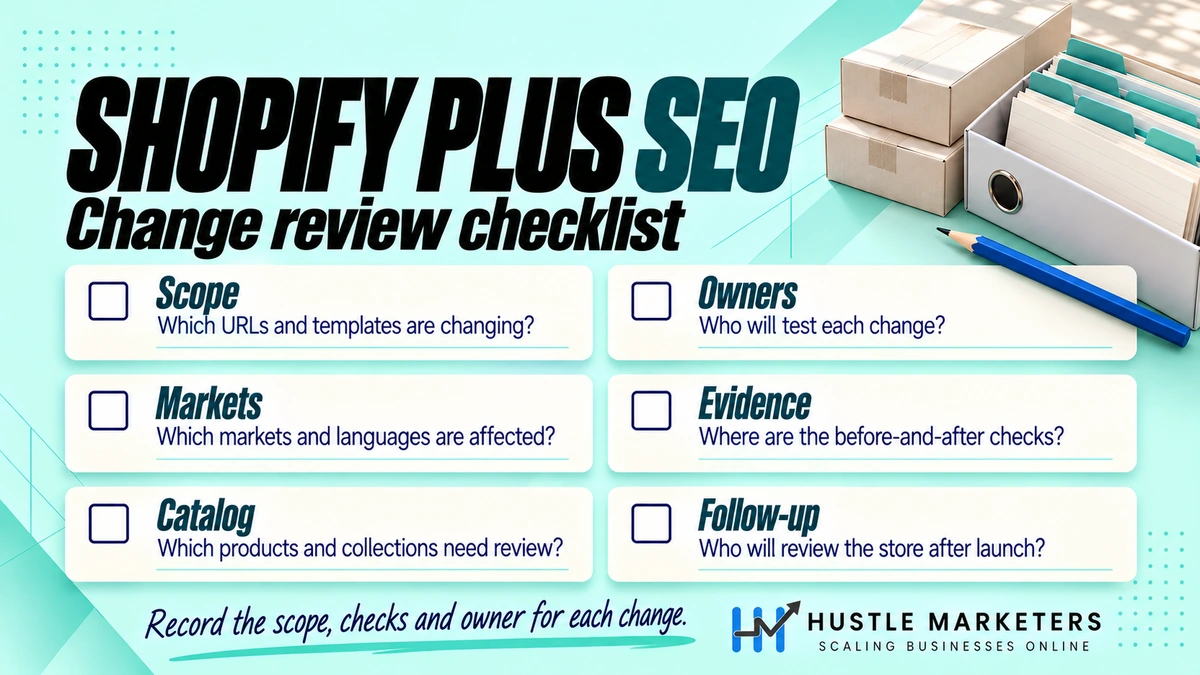
A Shopify Plus SEO checklist covers the platform basics plus the areas Plus adds: markets, expansion stores, checkout scripts, B2B, Functions and headless builds. Use the table below for an audit or before a launch. Each row is a pass or fail check you can assign to a developer, a merchandiser or an SEO lead.
| Area | Check | Pass when |
|---|---|---|
| Crawl | robots.txt | Only intended filter, sort and tag patterns are blocked; no product or collection pages blocked |
| Crawl | Sitemaps | Submitted in Search Console for every domain; no noindexed or redirected URLs inside |
| Duplicates | Product links | Collection grids link to /products/handle, not /collections/x/products/handle |
| Duplicates | Variants | ?variant= URLs canonicalize to the product; separate products only where demand exists |
| Facets | Filter URLs | Filter pages are blocked or canonical; high-demand combinations are real collections |
| International | hreflang | One set per page, home market included, x-default present, no app duplicates |
| International | Expansion stores | Cross-store hreflang is reciprocal for every shared product |
| International | Translated handles | Key product and collection handles translated by hand |
| B2B | Wholesale pages | No indexable duplicate of retail product pages |
| Checkout | Tracking | Purchase events fire through web pixels; no Scripts or checkout.liquid left |
| Speed | Apps and tags | Every app and tag has an owner and a reason; leftover code removed |
| Speed | Core Web Vitals | Product and collection templates pass in field data |
| Content | Collections | Top collections have unique intro copy, FAQs and internal links |
| Content | Products | Unique descriptions on top sellers; no manufacturer copy on priority products |
| Schema | Product markup | One Product or ProductGroup block per page with price, availability and identifiers |
| Headless | Hydrogen | Server-rendered HTML holds titles, canonicals, schema and hreflang; staging blocked |
| Migration | Redirects | Every legacy URL with traffic or links returns one 301 to the closest match |
| AI search | Crawler access | Googlebot, Bingbot and OAI-SearchBot are not blocked by robots.txt or bot rules |
Want this run against your store? Our ecommerce SEO audit covers each row and ranks the fixes by revenue impact.
How do you choose a Shopify Plus SEO agency?
Choose a Shopify Plus SEO agency that can show Plus-specific work, explain fixes in Liquid or Hydrogen terms, and work through collaborator access rather than your password. Ask how they handle Markets, expansion stores and migrations. Walk away from anyone who guarantees rankings, because Google says no one can guarantee a top position.
Google’s guide to hiring an SEO says “No one can guarantee a #1 ranking on Google.” It also suggests granting only read access to Search Console at the audit stage.
Questions to ask a Shopify Plus SEO agency
| Question | A good answer includes |
|---|---|
| How would you set up hreflang for our markets or expansion stores? | Markets defaults, app conflicts, reciprocal tags across stores, testing |
| Who writes the Liquid or Hydrogen code? | Named people, a duplicated theme for changes, a review step before publishing |
| What is in your migration plan? | URL inventory, redirect map, staging crawl, launch-day crawl, pass and fail criteria |
| How will you get access? | A collaborator request with only the permissions needed, never a password |
| What will you not touch? | Clear limits on checkout, apps and code your developers own |
| How do you report? | Organic revenue and conversions from GA4 and Shopify, not only rankings |
| What results do you expect, and when? | A range tied to the fixes, with no guarantees |
Shopify’s collaborator accounts guide explains the safe route. You share a request code from Settings, then Users, then Security. Collaborators do not count toward your store’s user limit, and access expires after 90 days without a login.
What does a Shopify Plus SEO agency cost?
Agency pricing varies with catalog size, markets and how much development work is in scope. At Hustle Marketers, SEO starts from $500 a month for a defined scope, and larger Plus programs are quoted after an audit. We are based in Zirakpur, India and work with stores worldwide. Our founder, Ishant Sharma, has worked in Google Ads, Microsoft Ads and SEO since 2013.
Compare options on our Shopify SEO agency, Shopify SEO consultant and Shopify SEO specialist pages.
Shopify Plus SEO FAQs
Is Shopify Plus worth it just for SEO?
Shopify Plus is rarely worth it for SEO alone. Markets, automatic canonical tags and sitemaps work on standard plans too. Plus pays off when you need its business features, such as expansion stores, custom checkout logic, B2B catalogs or a migration that needs more than the 100,000 redirects allowed on other plans (Shopify Help).
Can you edit robots.txt on Shopify Plus?
Yes. You add a robots.txt.liquid template to your theme and change the default rules. Shopify calls this an unsupported customization, and its support team cannot help with edits. Keep the default groups, add only the rules you need, and test them in Search Console before you publish.
How many URL redirects can a Shopify Plus store have?
A Shopify Plus store can have up to 20,000,000 URL redirects, compared with 100,000 on other plans, per Shopify’s redirect guide. Redirects work only from URLs that return a 404, so you cannot redirect a live product page without first changing or removing it.
Do I need Hydrogen for SEO on Shopify Plus?
No. A Liquid theme on Shopify Plus can rank well and gets automatic hreflang, canonicals and sitemaps. Hydrogen gives more design and URL control, but your developers then own the SEO setup. Choose Hydrogen for product or performance reasons, and budget for SEO testing on every release.
Does Shopify Plus create an llms.txt file?
Yes. Shopify stores include a default /agents.md file, and /llms.txt and /llms-full.txt point to the same content, per a May 2026 Shopify changelog. Google’s AI optimization guide says Google Search ignores these files, so they neither help nor harm rankings.
Does Shopify Plus handle hreflang automatically?
Shopify adds hreflang automatically for markets set up with subfolders or domains on the same store, on every plan. It does not link separate expansion stores to each other. For those, you add reciprocal hreflang in each theme or through a dedicated app, and test that every pair points both ways.
Running a Plus store across several markets or stores? We review your hreflang, redirects, apps and collection setup and send you a ranked fix list. Get Free Audit Worth $500