Microsoft Performance Max: Setup, Rules and How It Differs From Google

Ishant
Published : September 29, 2026 at 5:30 pm
Updated : October 11, 2026 at 1:08 pm
Ishant
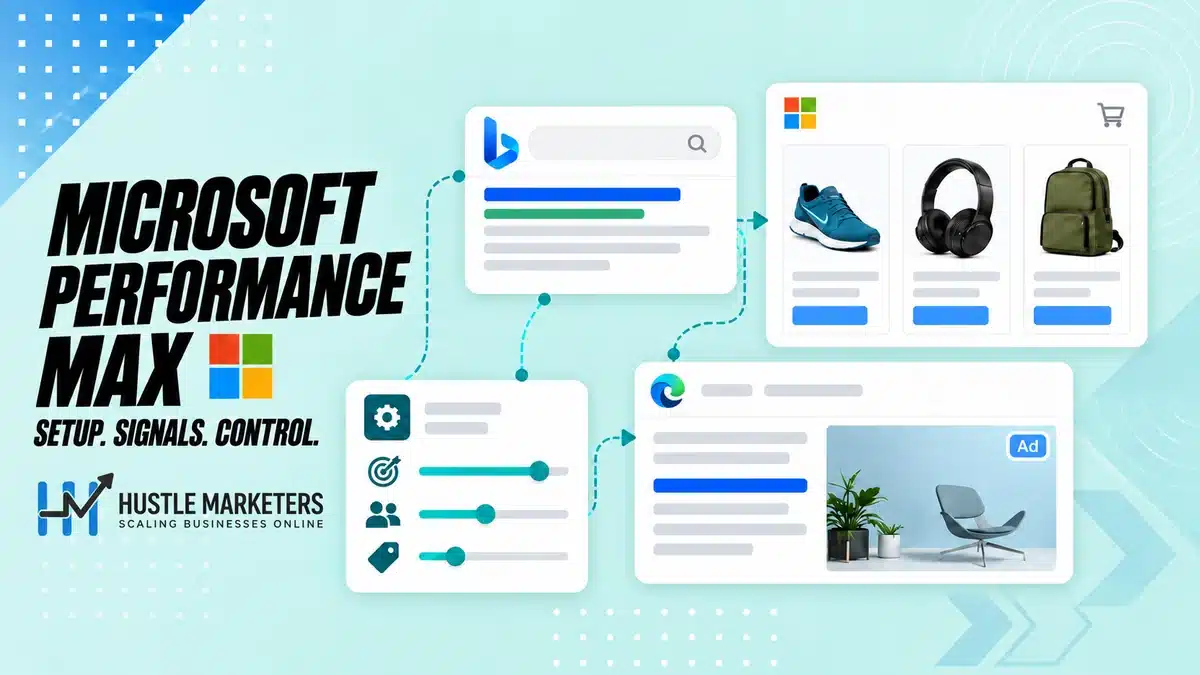
Microsoft Performance Max is a goal-based campaign in Microsoft Advertising that serves search ads, audience ads and Product ads across the Microsoft Advertising Network from one campaign. You supply UET conversion goals, asset groups, audience signals and search themes, and Microsoft AI picks placements, asset combinations and bids using Maximize conversions or Maximize conversion value.
If you run Google PMax, or still call it Bing Ads Performance Max, the concepts will feel familiar. The controls will not: no video assets, account-level placement exclusions only, LinkedIn profile signals, and a new Standard Shopping rule since May 2025.
This guide consolidates rules Microsoft spreads across a dozen help pages and posts, including where its documentation contradicts itself, as of September 2026.
Key takeaways
- Set up UET and conversion goals first. With no goal at creation, PMax bids for clicks until conversion data exists.
- Product ads need a Microsoft Merchant Center store, and the store can’t be changed once selected.
- There are no video assets. Each asset group takes up to 20 images, 5 logos, 15 headlines, 5 long headlines and 5 descriptions.
- Since May 2025, Standard Shopping and PMax on the same products compete on Ad Rank. PMax no longer wins automatically.
- Website exclusions work only at account level, and nine Microsoft domains, including msn.com and bing.com, can’t be excluded.
- Auction insights are unavailable for PMax, but search terms insights, Website URL and landing page reports now exist.
- Expect first impressions within three to four days and a two to four week learning period.
What is Performance Max in Microsoft Advertising?
Performance Max in Microsoft Advertising is an asset-based campaign type that serves across the whole Microsoft Advertising Network. You add text and images to asset groups, set conversion goals and a budget, and Microsoft AI combines assets, audiences and placements to show search ads, audience ads and, when you link a Merchant Center store, Product ads.
Microsoft’s About Performance Max page describes it as asset-focused: the system chooses asset and audience combinations using your campaign and asset group settings, including audience signals.
Netflix inventory is not included “at this time”, and third-party support covers Skai, Adobe, Search Ads 360 and Marin.
Where do Microsoft PMax ads show?
Per Microsoft’s network overview, search placements include Microsoft Bing, AOL, Yahoo, DuckDuckGo, Ecosia and other partners. Audience placements include MSN, Microsoft Start, Microsoft Edge, Outlook.com and publisher partners. PMax is listed under both. New to the platform? Start with our guide to advertising on Bing.
Drive conversions or Sell products: which goal should you pick?
Microsoft’s creation steps are the same for both goals, including the optional Merchant Center store step. Pick Drive conversions for leads and bookings, and Sell products for ecommerce. The choice that matters more is the store: without one, PMax can’t show Product ads, and adding products later means a new campaign.
Is Performance Max the same as AI Max for Search?
No. Microsoft’s Performance Max product page calls PMax a campaign type for cross-channel optimization, while AI Max is an opt-in set of AI features for Search campaigns. Microsoft announced AI Max generally available in its August 2026 update, but we found no Microsoft documentation on how the two are prioritized.
Is Microsoft Performance Max available in your market, and when did it launch?
Microsoft’s help center says Performance Max is available in all Microsoft Advertising markets, but its DSA upgrade page says Performance Max ads are not available in Mainland China. Microsoft has not published a single launch date in the documentation we reviewed. Its What’s new page lists Performance Max campaigns under March 2024.
The campaign creation page carries the “all Microsoft Advertising markets” note, and the DSA to PMax upgrade page adds the China exception. The PMax API guide, updated June 2026, still says “open beta worldwide”.
Launch history is murky too: the What’s new page says March 2024, yet advertisers posted about Performance Max not running on Microsoft Q&A in September 2023. Check which campaign types your own account offers.
Which PMax features are still rolling out account by account?
Microsoft’s help still carries “not everyone has this feature yet” style notes for LinkedIn signals in PMax, campaign negatives, brand exclusions, new customer acquisition goals and excluded content terms. Treat August 2026’s age and gender exclusions (GA announced for 8 September 2026) and asset policy status as rolling out until they appear in your account.
What changed in Microsoft Performance Max in 2025 and 2026?
| Date | Change |
|---|---|
| End of January 2025 | All remaining Smart Shopping campaigns converted to PMax |
| February 2025 | LinkedIn signals pilot in six markets; DSA to PMax upgrade for eligible campaigns |
| May 2025 | Standard Shopping and PMax compete on Ad Rank |
| June 2025 | Scripts, automated rules and asset group copy and paste |
| August 2025 | Search terms, audience insights and asset reporting; budget suggestions |
| January 2026 | 50 search themes; share of voice; asset group URL options; NCA goals in open beta |
| February 2026 | Self-serve negative keyword lists (Search Engine Land) |
| April 2026 | Google PMax import with NCA goals (Search Engine Land) |
| May 2026 | Website URL report with conversions and spend; landing page and search term reporting |
| June 2026 | Uplift and upgrade experiments (Search Engine Land) |
| August 2026 | Age and gender exclusions and asset policy status (both rolling out); AI Max for Search GA |
Sources: Microsoft’s February 2025, June 2025, August 2025, January 2026 and May 2026 posts and the August 2026 update.
How is Microsoft Performance Max different from Google Performance Max?
At its core, Microsoft PMax works like Google PMax: asset groups, audience signals, search themes and the same two conversion-based bid strategies. The differences sit in inventory and controls. Microsoft adds LinkedIn profile signals, but it has no video assets, no channel performance report we could find, account-level placement exclusions only and no auction insights for PMax.
| Feature | Microsoft Performance Max | Google Performance Max |
|---|---|---|
| Inventory | Bing, AOL, Yahoo, DuckDuckGo, Ecosia; MSN, Edge, Outlook.com and publishers; Product ads | YouTube, Display, Search, Discover, Gmail and Maps |
| Video assets | Not supported | Supported, plus auto-generated videos |
| LinkedIn profile signals | Company, industry, job function (not every account) | Not available |
| Search themes | 50 per asset group, 80 characters each | Up to 50 per asset group |
| Negative keywords | Account list (1,000) plus campaign negatives and lists of up to 5,000; not every account | Up to 10,000 per campaign since March 2025 |
| Brand exclusions | Brand lists, not every account | Cover Search, Shopping and YouTube search inventory |
| Search term data | Search terms insights plus search term reporting | Search terms report with ad format and landing pages |
| Channel reporting | In development (August 2025); no launch found | Channel performance report |
| Placement controls | Account-level exclusion lists; nine Microsoft domains locked | Search partner and Display opt-outs in alpha (July 2026) |
| Bid strategies | Maximize conversions (tCPA) or conversion value (tROAS) | Same two |
| Search overlap | Exact match Search campaigns prioritized (FAQs conflict) | Exact match or spell-corrected Search keywords preferred |
Google sources: About PMax, prioritization, negative limits, search themes, search terms, channel report, brand exclusions, bidding and network opt-outs.
Other Microsoft rules to know: no device targeting, no shared budgets, a 300-campaign cap and no auction insights for PMax. For click costs, see our Bing Ads vs Google Ads cost comparison built on data from 16 accounts.
What do you need before launching Microsoft Performance Max?
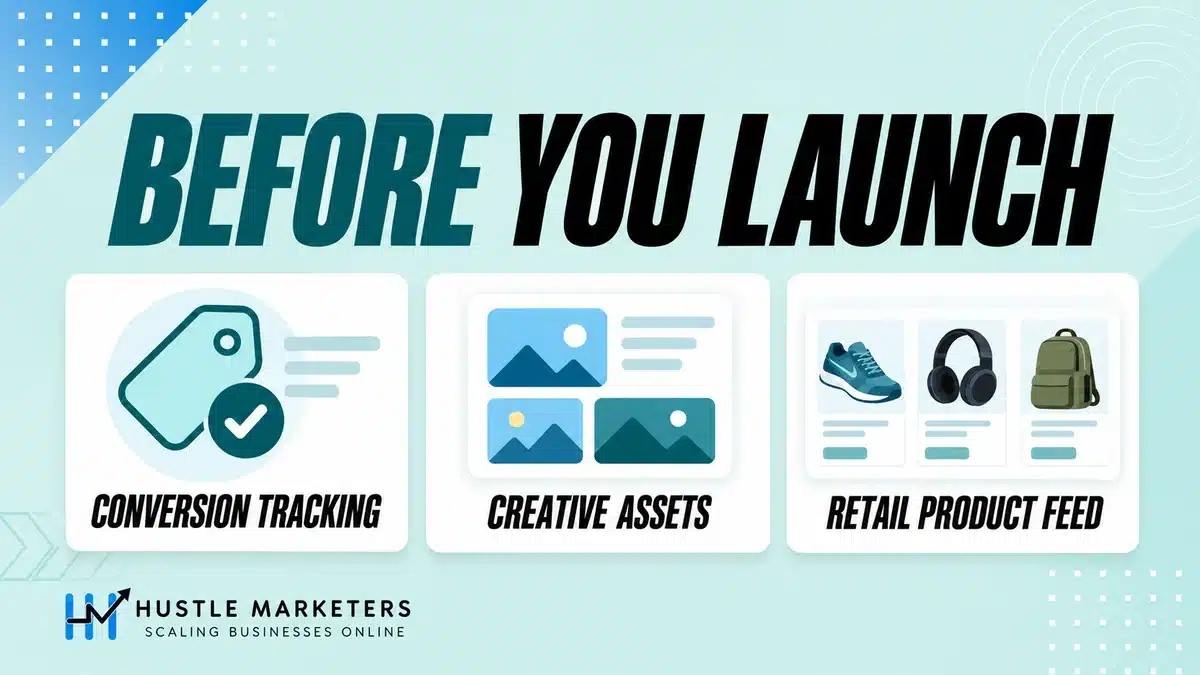
Before launch you need a verified UET tag on your Final URL pages, at least one conversion goal counted in Conversions, revenue values if you plan to maximize conversion value, a daily budget above any target CPA, and assets that meet Microsoft’s minimums. Campaigns that should show Product ads also need an approved Microsoft Merchant Center store.
| Requirement | Needed for | Microsoft’s rule |
|---|---|---|
| UET tag, verified and active | UET conversion goals | “Unverified” or “Tag inactive” status, or no tag on Final URL pages, can cause zero conversions |
| Goal set to Include in conversions | Conversion-based bidding | Otherwise Conversions shows zero, though All conversions may record data |
| Revenue tracking (variable, or fixed above 0) | Maximize conversion value | Required before creating the campaign (API guide) |
| Offline conversion goal | Advertisers without UET | UET is not required if you upload offline conversions to an offline goal |
| Merchant Center store | Product ads | Can’t be changed once selected; Final URL domain must match the store URL |
| Fresh catalog data | Retail campaigns | Send updated data at least every 30 days (API guide) |
| Daily budget | Every campaign | Required; no shared budgets; keep it above any target CPA |
| Assets meeting minimums | Every asset group | 3 headlines, 1 long headline, 2 descriptions, 1 wide and 1 square image, business name (API) |
| Audience list | New customer acquisition | At least one list for either NCA option |
| Political advertising declaration | Every new campaign | Asked in the creation flow |
One exception: per the API guide, text and image assets are optional in store-linked asset groups because Product ads are generated from the catalog.
How do you check that UET and conversion goals are PMax-ready?
In the accounts we manage, we first check that the goal PMax optimizes toward is set to Include in conversions. Then we confirm the tag fires on every page PMax can send traffic to, because final URL expansion can route clicks beyond your Final URL.
- Confirm UET status is not “Unverified” or “Tag inactive”.
- Check each goal’s URL or event parameters against the live site.
- Confirm revenue values pass through if you will maximize conversion value.
Microsoft’s PMax UET and conversion issues page lists each cause. For broader setup, see our Bing Ads management guide.
What Merchant Center rules apply to retail Performance Max?
All store products are available by default. You can filter by feed label or country/region of sale and enable local inventory ads. Listing groups decide which products each asset group covers, with up to 20,000 listing groups per asset group. Our guides to Microsoft Merchant Center and Bing Shopping feeds cover approval, and the free feed attribute mapper helps map feed attributes for Microsoft Merchant Center.
How do you set up a Performance Max campaign in Microsoft Ads, step by step?
To set up Performance Max in Microsoft Ads, select Create, choose Drive conversions or Sell products, pick Performance Max, complete the political advertising declaration and optionally link a Merchant Center store. Then build an asset group, add targeting and signals, choose conversion goals and autogenerated asset settings, set a daily budget and bid strategy, and publish.
- Select Create, choose Drive conversions or Sell products, then Performance Max.
- Complete the political advertising declaration.
- Optionally choose a Merchant Center store, product filters and listing groups.
- Build the asset group: name, term exclusions, Final URL, images, logos, headlines, descriptions, business name, call to action and paths.
- Add locations, languages, audience signals, search themes, context exclusions and negatives.
- Choose conversion goals, autogenerated assets, page feeds, URL options, brand exclusions and disclaimers.
- Set a daily budget, bid strategy, optional target and any new customer acquisition option.
- Publish, then leave the campaign alone through review and learning.
Which Performance Max settings can’t you change later?
The Merchant Center store can’t be changed once selected, and skipping it means a new campaign for products later. Deleted autogenerated assets can’t be restored, though their reports stay viewable for 30 days. Term exclusions must be entered before the Final URL to shape recommendations. Disclaimers only work in campaigns without Product ads.
Should you upgrade Dynamic Search Ads campaigns to Performance Max?
Microsoft offers the upgrade in Recommendations for DSA campaigns with up to 100 active DSA ad groups, a standard daily budget and at least one DSA and active auto target per ad group. It keeps budget, bid target, geo, language, URL rules, page feed exclusions, account-level negatives and extensions. If assets fall below minimums, the upgrade fails and DSA stays live.
Microsoft claims upgraded campaigns see “an average increase of over 24%” in conversions or conversion value at similar CPA or ROAS. We prefer to prove it with an upgrade experiment, which Search Engine Land reported in June 2026 for eligible accounts.
Can you import Google Performance Max instead of building from scratch?
Yes. Per Microsoft’s import mapping page, new Google PMax imports as Microsoft PMax, unless the account is on Adobe or Marin lists or the campaign was originally DSA.
- Imported: asset groups, text and image assets, product feeds, audience signals, listing groups, final URL expansion, both bid strategies and purchase NCA goals.
- Not imported: video, stock images and non-purchase NCA goals.
- Not listed in the mapping: brand exclusions, search themes, negative keywords and page feeds. Check each after import and rebuild what’s missing.
- No Microsoft conversion goal means bidding becomes Maximize clicks.
What are the Microsoft Ads Performance Max asset specs?
A Microsoft Ads Performance Max asset group takes up to 15 headlines of 30 characters, 5 long headlines and 5 descriptions of 90 characters, 20 images, 5 logos, a business name and a Final URL. Video assets are not supported. Upload at least one wide 1.91:1 image and one square 1:1 image, because the API requires both.
| Asset | Minimum | Maximum | Limit or size |
|---|---|---|---|
| Headlines | 3 (API) | 15 | 30 characters |
| Long headlines | 1 (API) | 5 | 90 characters |
| Descriptions | 2 (API) | 5 | 90 characters |
| Images | 1 wide and 1 square (API) | 20 | Must meet a ratio’s minimum to serve in it |
| 1.91:1 image | Required (API) | Counts toward 20 | Min 703×368, recommended 1200×628 |
| 1:1 image | Required (API) | Counts toward 20 | Min 300×300, recommended 1200×1200 |
| Other ratios | Optional | Counts toward 20 | 1:2 (470×940, rec 600×1200); 4:1 (608×152, 1200×300); 1.24:1 (104×84, 1200×968); 1.53:1 (306×200, 1200×785); 1.69:1 (628×372, 1200×710); 2.01:1 (612×304, 1200×598) |
| Logos | Optional | 5 | Min 128×128 |
| Business name | Required | 1 | 25 characters (API) |
| Call to action | From a list | 1 | Default “Automated” |
| Final URL | Required | 1 | No spaces, UTM tags, tracking templates or < > { } |
| Path 1 and 2 | Optional | 2 | 15 characters each; domain plus paths up to 67 |
| Search themes | Optional | 50 | 80 characters each |
| Term exclusions | Optional | 25 | Enter before the Final URL |
| Video | Not supported | Not supported | Not supported |
| Asset groups | At least 1 | 100 per campaign (API) | Name up to 256 characters |
| PMax campaigns | Not applicable | 300 per account | Not applicable |
Sources: creation help and the AssetGroup API reference. Put tracking in URL options, not the Final URL.
How do images, logos and autogenerated assets work?
Microsoft auto-crops images, but each serves only in ratios whose minimum it meets, and Microsoft recommends adding as many as possible, up to 20. A campaign-level brand kit logo beats an asset group logo, which beats an account-level logo extension.
Autogenerated text, images and final URL expansion are on by default in the PerformanceMaxSetting API. Up to 25 term exclusions, such as competitor names or claims you can’t make, keep generated text in line.
How long does editorial review take for PMax asset groups?
Most new or edited asset groups are reviewed within 48 hours. Contact support if one stays “Under Review” after two business days. Microsoft’s August 2026 update announced asset policy status in the Assets tab, but the July 2026 asset reporting help still excludes PMax, so treat it as rolling out.
How should you structure asset groups in Microsoft PMax?
Microsoft’s best practices page says to organize asset groups by market, promotion and/or audience. Shared budgets aren’t supported, so every extra campaign splits budget. We add campaigns only when a product line or market needs its own budget or target.
- Retail: listing groups by category, brand or custom label, with matching creative.
- Lead generation: one asset group per service.
- Events: a separate asset group for promotions like Black Friday, with its own search themes.
Our Google PMax asset group structure guide goes deeper, and most of its logic transfers. For a managed build, see our ecommerce PPC management services.
How do audience signals, search themes and LinkedIn signals work in Microsoft PMax?
Audience signals and search themes tell Microsoft AI where to start, not where to stop. You can add interests, remarketing lists, customer match, age, gender and, in some accounts, LinkedIn company, industry and job function signals, plus up to 50 search themes per asset group. Ads may still serve to people and searches outside those signals.
Which audience signals should you add first?
Microsoft’s audience signals page covers interests, remarketing, dynamic remarketing, customer match, demographics and LinkedIn attributes. Its best practices call remarketing, custom audiences and customer match “strong baseline signals”, so start there. New signals show “Building the audience” for about 24 hours before becoming “Ready” or “Limited”.
How do LinkedIn signals work in Microsoft Performance Max?
LinkedIn signals tell PMax which companies, industries and job functions matter, but ads may serve beyond them. Microsoft’s LinkedIn targeting page routes PMax setup through audience signals and says “Not everyone can use LinkedIn targeting for Performance Max campaigns yet.” A February 2025 pilot covered the US, Canada, UK, Australia, France and Germany, for advertisers who requested access through their account team or Support.
How many search themes can you add, and how do you pick them?
Up to 50 per asset group, each 80 characters or less, doubled from 25 in January 2026. Customers never see them, and Microsoft says they help shorten learning without limiting ad reach. Refresh them every few months using search terms insights.
Can you exclude ages, genders or devices in Microsoft PMax?
Microsoft’s August 2026 update said PMax age and gender exclusions were rolling out, with general availability by 8 September 2026, but the June 2026 API guide still lists Age and Gender as unsupported campaign criteria. Check your account. Device targeting isn’t available in PMax, per Microsoft’s demographic targeting page.
How do final URL expansion and page feeds work in Microsoft PMax?
Final URL expansion lets Microsoft send traffic to other relevant pages on your site instead of the asset group’s Final URL, and the API treats it as on unless you opt out. Page feeds give Microsoft a list of URLs with custom labels. A page feed without URL rules only uses feed URLs that contain your Final URL.
Microsoft’s page feeds for PMax page and the PerformanceMaxSetting API set out which URLs can serve:
| Page feed attached? | Final URL expansion | URLs Microsoft can use |
|---|---|---|
| No | Off | Asset group Final URL only |
| Yes | Off | Page feed URLs and the Final URL |
| Yes | On | Page feed URLs and other relevant pages |
| No | On | Relevant pages across your domain |
Microsoft warns expansion “may replace your Final URL with other relevant URLs,” and recommends IndexNow so ads built from site content stay current.
When should you turn final URL expansion off?
We switch it off, or fence it with a page feed, when landing page control matters more than reach: lead generation built on one tested page, sites with job or support pages that attract the wrong clicks, and regulated offers. For large catalogs with strong category pages, leaving it on is often reasonable.
What is the page feed matching trap in Microsoft PMax?
If an asset group has a page feed and no URL rules, ads only use feed URLs containing the Final URL. Microsoft’s example: a Final URL of contoso.co.dk/teahouse with feed URLs under contoso.co.dk/tea/herbal delivers no ads. Align the paths or add URL rules.
Feeds can be CSV, TSV, XLS or XLSX with a Page URL column and a Custom label column (required, can be empty, up to 10 semicolon-separated labels). Each account can hold up to 100 feeds across all feed types and 5 million feed items. Upload under Tools, Business data, Page feeds.
Can you exclude URLs from Microsoft Performance Max?
We found no help page documenting an interface setting for it. URL rules use “contains” on URL, category, page title or page content to shape which pages an asset group uses. Landing page exclusions are only documented in the API, via a negative Webpage criterion.
Can you add negative keywords and brand exclusions to Microsoft Performance Max?
Yes, with caveats. An account-level negative keyword list of up to 1,000 terms applies to Search, Shopping and Performance Max campaigns. Campaign-level negatives and shared lists of up to 5,000 terms also work in PMax, and brand lists can block branded queries, but Microsoft still says not every account has these features.
How do account-level and campaign-level negatives differ?
Each account gets one account-level list of up to 1,000 phrase or exact negatives, per Microsoft’s negative keywords overview, and it covers PMax. Campaign negatives go in during creation or later under the campaign’s Negative keywords tab, per the add negatives page. Search Engine Land reported self-serve PMax negative lists in February 2026.
- Phrase is the default PMax negative match type. Switch to Exact in the Match type column when needed.
- Plurals and misspellings aren’t blocked automatically. Add them yourself.
- Each negative can be 100 characters. Use [ ] for exact and ” ” for phrase in lists.
Choosing which terms to exclude works as it does on Google, covered in our PMax negative keywords strategy.
How do brand exclusions and context exclusions work?
Brand exclusions apply brand lists to PMax “for the branded search queries you don’t want your ads to serve on”, under Campaign details. To protect brand traffic, pair a brand list with exact match brand Search campaigns. Our PMax brand exclusions guide covers when excluding your own brand helps.
Context exclusions combine negatives with excluded content terms, which block ads next to page titles containing those terms and apply to every campaign in the account.
Which bid strategy and budget should Microsoft Performance Max use?
Microsoft Performance Max supports two bid strategies: Maximize conversions with an optional target CPA, and Maximize conversion value with an optional target ROAS. Microsoft advises a loose target or none at first, two weeks between target changes, target ROAS after at least 30 conversions in 30 days, and up to two to three times the budget of historical standalone campaigns.
Maximize conversions or Maximize conversion value?
Use Maximize conversion value when revenue tracking is reliable and order values vary, which suits most ecommerce. Use Maximize conversions for lead generation. Microsoft’s product page suggests launching without a strict target when conversion history is limited. When you add one, base it on your break-even ROAS, check it with our ROAS calculator, or use the CPA calculator for leads.
Why did my Microsoft PMax campaign switch to Maximize clicks?
With no conversion goal at creation, Microsoft sets bidding to Maximize clicks, then switches to your chosen strategy once a goal exists and enough conversion data is tracked. Google imports without a matching Microsoft goal land there too.
How do new customer acquisition goals work in PMax?
“Increase bids for new customers” requires Maximize conversion value, an account-level Purchase goal and an audience list. “Bid only for new customers” requires an audience list. Set the new customer value under Conversions, Conversion goals, Customer acquisition. Microsoft called NCA open beta in January 2026, and not every account has it.
How much budget does Microsoft Performance Max need?
Microsoft says “a constrained budget hinders Performance Max campaign optimization” and suggests up to two to three times the budget of your historical standalone campaigns. A daily budget is required, shared budgets aren’t supported, and lifetime budgets are Audience campaigns only. Keep the daily budget above any target CPA, or conversions can stall.
Does Microsoft Performance Max compete with your Search and Shopping campaigns?
Yes, it can. Microsoft says Search campaigns with exact match keywords take priority over Performance Max, and for other overlaps the highest Ad Rank generally serves. Since May 2025, Standard Shopping and PMax campaigns in the same account targeting the same products also compete on Ad Rank, so PMax no longer wins automatically.
| Overlap | Which campaign serves | What to do |
|---|---|---|
| Query identical to a Search exact match keyword | Search campaign is prioritized | Keep brand and best sellers in exact match Search |
| Query matches a phrase or broad Search keyword | Unclear: one Microsoft FAQ says Search wins, another says highest Ad Rank | Don’t rely on phrase or broad to protect traffic |
| No Search keyword matches | Highest relevance and performance (Ad Rank) | Guide PMax with search themes and negatives |
| Standard Shopping and PMax on the same products | Highest Ad Rank since May 2025 | Split products if you need clean reads |
| Several Standard Shopping campaigns on one store | Campaign Priority High, then Medium, then Low, regardless of bid | Use priority within Shopping only |
| PMax priority value 4 in the API | Required field; the API page (December 2024) says higher means higher priority, but Ad Rank decides since May 2025 | Don’t expect it to beat Standard Shopping |
| AI Max for Search and PMax | No Microsoft documentation found | Watch search terms in both |
Sources: the About Performance Max FAQ, Microsoft’s June 2025 update, the ShoppingSetting API and the Shopping campaigns overview.
How do you run Standard Shopping and PMax together after May 2025?
Decide which campaign owns which products. To keep hero products in Standard Shopping, exclude them from PMax listing groups. If both bid on the same products, Ad Rank decides, so compare results by product.
Can you control where Microsoft PMax ads show on MSN, Outlook and partner sites?
Only partly. Performance Max supports website exclusions at account level only, through exclusion lists created in a manager account. Nine Microsoft-owned domains, including msn.com, outlook.com, outlook.live.com and bing.com, can’t be excluded from PMax at all. Use the Website URL (publisher) report to judge placements before excluding anything.
How do account-level website exclusion lists work?
Per Microsoft’s website control lists page, these lists are created at manager account level and only take effect once associated with at least one account. At account level you can view but not edit them. Treat each exclusion as an account decision, not a PMax-only tweak.
Which Microsoft domains can’t you exclude from PMax?
The About Performance Max page lists nine: msn.com, outlook.com, outlook.live.com, microsoftcasualgames.com, windows.msn.com, ntp.msn.com, zone.msn.com, superapp.msn.com and bing.com. For partner traffic in other campaign types, see our guide to excluding syndicated search partners.
How should you read the Website URL (publisher) report for PMax?
Since May 2026 it shows conversions, clicks and spend, as Microsoft and Search Engine Land reported. If PMax rows vanish after exclusions, a Microsoft Q&A answer says to check “Other URLs” or filter Campaign type to Performance max.
Microsoft warns against acting early: evaluate at campaign level first, don’t exclude sites on low volume, and judge on conversions, CPA and ROAS rather than clicks.
How can you tell which network a PMax click came from?
Add the {Network} ValueTrack parameter to your URL options. Per a Microsoft Q&A answer, it returns o for owned and operated search (Bing, AOL, Yahoo), s for syndicated partners and a for audience placements.
What reporting does Microsoft Performance Max give you in 2026?
Microsoft PMax now offers search terms insights, search term reporting, Website URL (publisher) placements with conversions and spend, landing page reports, asset reports, listing group metrics and share of voice. Auction insights are unavailable for PMax, and we found no launched channel performance report, so network splits rely on the Website URL report or {Network} ValueTrack.
| Report | What it shows | Status, September 2026 |
|---|---|---|
| Search terms insights | Categories covering all search terms, with clicks, conversions, value and search volume | PMax only; up to three days to appear |
| Search term reporting | Individual terms | Rolling out since May 2026 |
| Website URL (publisher) | Placements with conversions, clicks and spend | Available since May 2026 |
| Landing page report | Spend, clicks, conversion value and ROAS by landing page | Available since spring 2026 |
| Asset reporting | Asset grids at account, campaign and asset group level | Asset group level performance report “coming soon”; up to 24 hours delay |
| Listing groups | Product-level metrics via Modify columns | Available |
| Share of voice | Impression share, click share, share lost to budget and rank | Available, per Microsoft’s January 2026 update |
| Auction insights | Overlap rate and outranking share | Unavailable for PMax (July 2026) |
| Channel performance | Results by network | In development (August 2025); no launch found |
Sources: Microsoft’s search terms insights page, asset report page, the May 2026 and January 2026 posts, and Search Engine Land on landing page reporting.
What is the difference between search terms insights and the search term report?
Insights group queries into categories and include every search term, so use them for themes and volume. Microsoft’s general search term report help says it only includes terms with a significant number of clicks, so use it to find negatives.
Why don’t API and interface numbers match for PMax?
In an April 2026 Microsoft Q&A thread, an advertiser found that SOAP reports omitted PMax data unless the CampaignType column was included, while REST included it. Support added that SOAP will be fully deprecated on 31 January 2027, so move API reporting to REST.
What is a good setup and 30-day optimization plan for Microsoft PMax?
A good Microsoft PMax plan builds on Microsoft’s own timings: verify tracking and feeds before launch, expect first impressions within three to four days, read search terms insights after about a week, hold targets steady for two weeks after each change, and judge performance after the two to four week learning period.
| When | What to do | Microsoft rule behind it |
|---|---|---|
| Days -7 to 0 | Verify UET, goals, revenue values, store and feed; set account negatives, exclusion list and brand list | Tag and goal problems cause missing conversions |
| Day 0 | Launch with no target or a loose one, full assets, signals and search themes | Start with a less restrictive target |
| Days 1 to 2 | Confirm signals show Ready and asset groups are approved | Signals take 24 hours; most reviews within 48 hours |
| Days 3 to 4 | Confirm first impressions | 3 days for Product ads, 4 days for others |
| Day 7 | Read search terms insights, Website URL and landing page reports; add only clear negatives | Insights take up to 3 days; don’t exclude on thin data |
| Day 14 | First target change only if clearly needed, then hold | Wait two weeks after each change |
| Days 14 to 28 | Batch asset and search theme updates; check share lost to budget | Learning runs 2 to 4 weeks or 2 to 3 conversion cycles, and Microsoft says frequent changes can reset it |
| Day 30 | Add target ROAS once you have 30+ conversions in 30 days; review budget; consider an uplift experiment | Microsoft’s target ROAS threshold |
What should you check every month after day 30?
- Refresh search themes every few months from search terms insights.
- Update catalog data at least every 30 days and keep page feeds current.
- Review the Website URL report at campaign level before excluding sites.
- Fix disapproved assets and add negatives from the search term report.
For the rest of the account, use our Bing Ads optimization checklist. Our Performance Max checklist is written for Google, but its asset and feed checks apply here.
Why is Microsoft Performance Max not getting impressions or conversions?
Most Microsoft PMax delivery problems trace back to timing, tracking or feeds. New campaigns can take three to four days to serve, most asset group reviews finish within 48 hours, and conversions go missing when UET isn’t on Final URL pages, goals aren’t included in Conversions, or the daily budget sits below target CPA.
| Symptom | Likely cause | Fix |
|---|---|---|
| No impressions in the first days | Normal ramp of 3 days (Product ads) or 4 days (others) | Check campaign, asset group and budget are live; contact support after the window |
| Asset group stuck “Under Review” | Editorial review | Contact support after two business days |
| “No targeted products” | Store not approved, feed not published for the country/region, product issues or filters excluding everything | Fix the feed and filters, allow up to 72 hours, re-import from Google Merchant Center if used |
| Zero Conversions, but All conversions has data | Goal not set to Include in conversions | Change the goal or choose campaign-specific goals |
| No conversions at all | UET unverified or inactive, tag missing from Final URL pages, outdated goal parameters | Fix the tag and goal definitions |
| Offline conversions missing | Microsoft notes uploads in the last 90 days may not be attributed | Check upload timing and goal mapping |
| Low spend with a target CPA | Daily budget below target CPA | Raise the budget or loosen the target |
| Bidding shows Maximize clicks | No goal at creation, or too little data | Add a goal and wait for data |
| No ads with a page feed | Feed URLs don’t contain the Final URL and no URL rules exist | Add URL rules or align paths |
| Audience spend without conversions | Placements judged on too little data, or poor fit | Judge at campaign level first; exclude sparingly |
Sources include Microsoft’s PMax conversion issues page and a Microsoft Q&A thread on “No targeted products” (August 2026).
Where do Microsoft’s own Performance Max docs disagree?
Microsoft’s PMax documentation conflicts on points that change how you build campaigns: which Search keywords beat PMax, whether Shopping priority still matters, market availability, auction insights, minimum images, age and gender controls, and delivery timing. When sources disagree, we follow the newest dated Microsoft page, flag the conflict and test in the account.
| Topic | One Microsoft source says | Another Microsoft source says | How we handle it |
|---|---|---|---|
| Search vs PMax priority | About PMax FAQ: Search wins if the query matches a keyword in your account | Same page: only exact match Search is prioritized; otherwise Ad Rank | Protect key terms with exact match |
| Shopping priority | ShoppingSetting API (updated December 2024): PMax priority must be 4, and higher values mean higher priority | June 2025 update: highest Ad Rank serves since May 2025 | Treat 4 as a required field |
| Availability | Help: all markets | DSA upgrade page: not Mainland China; API guide: “open beta worldwide” | Check your account |
| Auction insights | May 2026 post: coming soon | Help, July 2026: unavailable for PMax | Treat as unavailable |
| Minimum images | Creation help: one wide image is enough | AssetGroup API: one wide and one square | Upload both |
| Age and gender | August 2026 post: exclusions rolling out, GA by 8 September 2026 | API guide, June 2026: Age and Gender not supported as campaign criteria | Check your interface |
| First impressions | Current help: 3 or 4 days | 2023 and 2024 support answers: 7 to 12 days, or up to 10 | Use current help |
| Smart Shopping | About PMax still explains upgrading Smart Shopping | February 2025 post: all converted by end of January 2025 | Ignore the old FAQ |
The older timing answers come from Q&A threads in 2023 and 2024. A May 2026 Q&A answer even listed videos and auction insights as PMax levers, though Microsoft’s help says PMax supports neither.
Third-party pages age fast too. Search Engine Land’s late 2025 comparison reflected the status at the time, but its 25 search theme limit and pilot-stage negatives have since changed.
Frequently asked questions
These answers cover Microsoft Performance Max questions advertisers raise on Microsoft Q&A and in the audits we run: feeds, tracking, video, LinkedIn signals, placement exclusions, search terms, Shopping overlap, delivery delays, learning time and auction insights. Each answer reflects Microsoft documentation available in September 2026.
Is Bing Performance Max the same as Microsoft Performance Max?
Yes. Bing Ads was renamed Microsoft Advertising, so “Bing Performance Max” and “Microsoft Performance Max” are the same campaign type. It serves on Microsoft Bing and partner search engines plus audience placements such as MSN and Outlook.com.
Does Microsoft Performance Max require a Merchant Center feed?
No. A Merchant Center store is only needed for Product ads, so lead generation businesses can run PMax with text and images alone. If you skip the store, advertising products later needs a new campaign.
Can I run Microsoft PMax without the UET tag?
Yes, with an offline conversion goal and offline conversion uploads. Without any goal at creation, bidding falls back to Maximize clicks until a goal and enough data exist.
Does Microsoft Performance Max support video ads?
No. Microsoft says Performance Max campaigns don’t currently support video assets, and Google PMax videos are not imported. Use up to 20 images across the supported ratios instead.
Can I use LinkedIn targeting in Microsoft Performance Max?
In some accounts, yes, as audience signals based on LinkedIn company, industry and job function. They guide delivery but don’t restrict it. Microsoft says not everyone can use them in PMax yet.
Can I exclude msn.com or outlook.live.com from Microsoft PMax?
No. Microsoft lists nine first-party domains that can’t be excluded from PMax, including msn.com, outlook.live.com and bing.com. Other sites can be excluded only through account-level website exclusion lists.
Where can I see search terms for Microsoft PMax?
Go to Reporting, Performance, Search terms insights for categories covering every search term, which can take up to three days to appear. Microsoft also rolled out search term reporting for PMax from May 2026.
Will Microsoft PMax cannibalize my Shopping campaign?
It can compete with it. Since May 2025, when Standard Shopping and PMax target the same products in one account, the highest Ad Rank serves. Split products between campaigns if you need clean control.
Why is my Performance Max not running?
Start with timing: first impressions should arrive within three days for Product ads and four days otherwise. Then check the campaign and asset group are enabled, review is complete, the budget is live, and a linked store shows targeted products.
How long is the Microsoft PMax learning period?
Two to four weeks, or two to three conversion cycles, after launch, optimizations or new assets. Wait two weeks after each target change before changing it again, and contact support if learning runs much longer.
Can I upgrade my Standard Shopping campaign to PMax?
Not that we could find. In a 2024 Microsoft Q&A answer, support only described the Smart Shopping upgrade path, so plan a new PMax campaign for Standard Shopping. All remaining Smart Shopping campaigns were converted by the end of January 2025.
Is auction insights available for Microsoft Performance Max?
No. Microsoft’s help, updated July 2026, says auction insights reports are unavailable for Performance Max, although a May 2026 post called them coming soon. Share of voice metrics are available meanwhile.
Why choose Hustle Marketers to run Microsoft Performance Max?
Microsoft Performance Max rewards careful setup: tracking on every page it can reach, a clean feed, deliberate Search and Shopping overlap, and patience through learning. We manage Microsoft Advertising for ecommerce and lead generation brands, month to month, and you always own your account.
Automated campaigns only perform as well as the signals you give them. In our own account, a Maximize Conversions campaign with no conversion history found the cheapest inventory it could and spent almost all of it on audience placements. Performance Max carries the same risk when goals, values and feeds are not ready.
Hustle Marketers is a Microsoft Advertising Partner and Google Partner agency led by founder Ishant Sharma, who has managed paid search since 2013. The team holds six 2026 Clutch awards and a 4.9 out of 5 rating from 591 verified client reviews, and has helped 2,500+ brands generate $780M+ in trackable revenue.
What do we prepare before launching Performance Max?
- Conversion goals and values tested end to end, including enhanced conversions
- A clean product feed and asset groups built around real product or service themes
- Audience signals from your own customer and remarketing lists
- Website exclusions and brand safety settings applied where Microsoft allows them
- Weekly reviews by asset group and product, with changes batched to protect learning
Should you hire an agency or a consultant for Performance Max?
Our Microsoft Advertising agency team handles full PMax builds and management, a Bing Ads specialist suits brands wanting one dedicated expert, and our Bing Ads consultant service supports in-house teams.
Get Free Audit Worth $500. Our audit reviews your UET setup, conversion goals, feed health, PMax and Shopping overlap, exclusion lists and bid targets, and we look for settings holding Microsoft Performance Max back.
About the author: Ishant Sharma is a Google Ads, Microsoft Ads and SEO specialist who has worked in digital marketing since 2013, and the founder of Hustle Marketers, a Google Partner agency. Over that time he has worked with ecommerce brands and lead generation businesses on Microsoft Advertising and Google Ads, and his agency has worked with more than 2,500 brands. He sets up Shopping, Search and Performance Max campaigns across both platforms.