Google Rankings Dropped? A Step-by-Step Diagnostic Process

Ishant
Published : November 2, 2026 at 5:30 pm
Updated : November 2, 2026 at 7:07 pm
Ishant
If your Google rankings dropped, work through five checks in order. Confirm the drop is real in Search Console, then read its pattern: sitewide, one section or one page. Match the date to a confirmed Google update and rule out technical, content, link and manual action causes. Then fix the cause you can prove, not the one you fear.
Summarize this article with:
Key Observations
- Many “ranking drops” are click drops. Impressions can hold while clicks fall because an AI Overview or another SERP feature now answers the query.
- Google’s own advice is to wait a full week after a core update finishes before you analyze the impact (Google core updates guide).
- The September 2026 spam update ran from September 24 to October 8, 2026, globally and in all languages (Google Search Status Dashboard).
- The fastest wins are technical: a stray noindex tag, a robots.txt block, a broken redirect map or a wrong canonical.
- Lost keyword rankings on one page usually point to content, intent or cannibalization. A sitewide drop points to an update, a technical fault or a manual action.
What to check first when your Google rankings dropped
When Google rankings dropped, the first job is to match the symptom to a short list of causes. The table below is the order we follow. Each row names what you see, the likely cause, where to check it and the fix. Start at the top, because the early rows are quick to rule out and cost nothing.
Google ranking drop triage table
| Symptom you see | Likely cause | How to check | Fix |
|---|---|---|---|
| Impressions steady, clicks down | AI Overview or other SERP feature taking clicks; title or snippet change | Search Console Performance: compare clicks, impressions and CTR; search the query yourself (Google debugging guide) | Rewrite titles and snippets; answer the query more directly so the page can be cited |
| Same dip every year | Seasonality or demand change | Search Console “Last 16 months” view; Google Trends for key queries (Google debugging guide) | No ranking fix needed; plan content and budget around the season |
| Whole site dropped out overnight | noindex tag, robots.txt block, server errors or a manual action | URL Inspection, Page indexing, Crawl stats and Manual Actions reports | Remove the block, fix the server, or fix and request review |
| Drop starts during a confirmed update | Core update or spam update | Compare the date with the ranking updates history | Wait for rollout to finish, then improve content or remove spam practices |
| Drop right after a redesign or migration | Missing redirects, changed URLs, lost content or internal links | Crawl old URLs; check status codes and where each one lands | Map every old URL to its closest new URL with a 301 |
| Wrong URL now ranks, or two URLs swap places | Keyword cannibalization or canonical confusion | Performance report: filter the query, open the Pages tab | Merge, redirect or re-target the competing pages |
| One page slid slowly over months | Outdated content, intent shift or stronger competitors | Compare your page with the pages that now outrank it | Update the page so it answers the current intent better |
| Rankings fell after links disappeared | Lost referring domains or link spam devalued | Search Console Links report plus a backlink tool | Reclaim lost links; stop paid or exchanged links |
| Message in Search Console | Manual action or security issue | Manual Actions and Security Issues reports (Google manual actions help) | Fix every affected page, then request review |
| Map pack or Maps position fell | Profile suspension, Google edits, category or address change, review gap | Google Business Profile status and edit history | Correct the profile, appeal if suspended, restart reviews |
Our client work is covered by signed NDAs, so this guide shares the process we follow rather than client names or results.
Did your rankings really drop, or did clicks drop?
A ranking drop is real only when your positions fall across many queries in Search Console, not just in one rank tracker reading. Before you change anything, separate three things: a position loss, a click loss with steady positions, and a demand loss where fewer people search. Each one needs a different fix, and only the first is a true ranking problem.
Search Console vs rank trackers
Search Console shows what real searchers saw. Rank trackers such as Semrush or Ahrefs check a fixed list of keywords from one location and device. Use the tracker for daily alerts and Search Console for the verdict.
Read average position with care. Google defines it as the topmost position of your site, averaged across all queries where it appeared (Search Console performance report help). When you start showing for new, lower-ranking queries, the average falls even though no existing ranking changed. That is common after you publish new content.
Google also tells site owners not to focus too much on absolute position. Clicks and impressions are the better success measures (Google debugging guide).
Seasonality and demand shifts
Set the Search Console date range to the last 16 months and compare year over year. Google recommends this view to spot drops that repeat every year (Google debugging guide). If the same dip shows up last year, you are looking at demand, not rankings.
Paid search data helps here. If your Google Ads impressions for the same terms also fell, fewer people are searching. That points away from an SEO problem.
SERP feature changes
Your page can hold position three and still lose clicks. A new video pack, a map pack, more ads or a forum block can push organic results down the screen. Search the query in a private window on mobile and desktop, and compare it with a screenshot from before the drop if you have one.
Lost rich results also cut clicks. If review stars or product details vanished, check your markup against our guide to structured data for SEO.
AI Overview ranking loss: steady positions, fewer clicks
AI Overviews often explain a click drop that looks like a ranking drop. Pew Research Center studied the browsing of 900 US adults in March 2025. Users clicked a traditional result in 8% of visits with an AI summary, against 15% without one (Pew Research Center, July 2025).
Ahrefs compared 300,000 keywords between December 2023 and December 2025. An AI Overview correlated with a 58% lower average click-through rate for the top-ranking page (Ahrefs, February 2026).
Search Console counts AI Overview and AI Mode traffic inside the Performance report under the “Web” search type (Google AI features guide). Because these clicks sit inside normal web results, look for the pattern: impressions flat or up, CTR down, position stable. To see whether AI assistants mention your brand at all, read our guide to tracking visibility in Claude.
How to detect ranking drops and read the pattern
To detect ranking drops, compare the last 3 months with the previous period in the Search Console Performance report, then sort the Pages table by clicks difference. The shape of the loss tells you where to look. A sitewide drop has different causes from one folder, one page or one keyword losing ground.
Google suggests checking every tab of the report: queries, pages, countries, devices and search appearance (Google debugging guide). We also segment by folder, such as /blog/ or /products/, because a template change often hits one section only.
| Pattern | What it usually means | Where to look next |
|---|---|---|
| Sitewide and sudden | Indexing block, server fault, manual action or a large update | Page indexing, Crawl stats, Manual Actions, update history |
| Sitewide and gradual | Core update reassessment or slow quality decline | Content quality across the site; update dates |
| One folder or template | Template change, internal linking change, canonical or noindex on that template | URL Inspection on sample URLs; recent deploys |
| One page or a few pages | Content, intent, cannibalization or competitors | The pages that now outrank you |
| Mobile only | Mobile rendering, layout or speed problem | Device tab; mobile field data for Core Web Vitals |
| One country only | Local competitor, hreflang or regional SERP change | Countries tab; search from that country |
SEO visibility loss in third-party tools is an estimate built from tracked keywords. Treat it as an early warning, then confirm in Search Console. For the monthly view, our guide to the SEO report shows which metrics to keep an eye on and how to explain a decline to a client.
Was it a Google algorithm update?
A Google algorithm update is the likely cause when the drop starts during a confirmed rollout window and affects many pages. Check the date against Google’s own records, not against chatter. Google lists confirmed ranking updates on the Search Status Dashboard and documents guidance changes on the Search Central “What’s new” page.
How to verify an update on Google’s own pages
- Open the ranking updates history on status.search.google.com. Each entry has a start date and a rollout length.
- Check developers.google.com/search/updates for documentation changes, such as new spam policies.
- Mark the rollout start and end on your Search Console chart.
- Wait a full week after the rollout completes, then compare a week after with a week before (Google core updates guide).
Timing alone can mislead. Smaller core updates happen all the time, and Google does not announce them because they are not widely noticeable (Google core updates guide).
Confirmed Google ranking updates in 2026
These are the 2026 entries on the Search Status Dashboard as of October 14, 2026 (Google ranking updates history).
| Update | Started | Rollout length |
|---|---|---|
| September 2026 spam update | September 24 | Completed October 8 (incident page) |
| August 2026 spam update | August 18 | About 3 days (history) |
| June 2026 spam update | June 24 | About 2 days (history) |
| May 2026 core update | May 21 | Completed June 2 (incident page) |
| March 2026 core update | March 27 | About 12 days (history) |
| March 2026 spam update | March 24 | Under 1 day (history) |
| February 2026 Discover update | February 5 | About 22 days, Discover only (history) |
Core updates: what a drop means
A core update drop does not prove your site did something wrong. Google uses a restaurant analogy: places that move down a recommendation list are not necessarily bad, because other places simply made the top 20. Google’s guide says a small slide, such as position 2 to 4, needs no drastic action. A large one, such as position 4 to 29, calls for an honest review of the whole site (Google core updates guide).
The September 2026 spam update
Google released the September 2026 spam update on September 24, 2026. The status page says it “applies globally and to all languages” and marks the rollout complete on October 8 (Google Search Status Dashboard). Google did not say which practices it targeted. Observers quoted by Search Engine Roundtable reported early signs of impact on highly templated, programmatic pages (Search Engine Roundtable).
If your drop lines up with this window, read Google’s spam policies line by line. Look hardest at scaled content abuse, site reputation, expired domains and link spam (Google spam policies). The policies also cover attempts to manipulate generative AI responses in Google Search.
Why has my site dropped in Google after a site change?
Your site has most likely dropped in Google after a change because something now blocks crawling or indexing, or sends signals to the wrong URL. The usual suspects are a noindex tag, a robots.txt rule, a canonical pointing elsewhere, broken redirects, server errors or hacked pages. These are also the fastest causes to confirm and fix.
noindex tags and robots.txt blocks
A noindex rule tells Google to drop the page from results, even if other sites link to it (Google noindex guide). It can sit in the HTML or in an X-Robots-Tag HTTP header, so view-source alone may miss it. Run URL Inspection on a few affected pages.
robots.txt works differently. It controls crawling and is not a way to keep a page out of Google (Google robots.txt introduction). A blocked page can still appear without a description, and Google cannot see a noindex on a page it is not allowed to crawl.
A common case on WordPress: the “Discourage search engines” box stays ticked after a staging site goes live. Check it after every launch.
Canonical tags pointing to the wrong page
Google treats rel=”canonical” and redirects as strong signals about which URL should rank (Google canonicalization guide). A plugin or template that points every product variant, or every paginated page, to one URL can wipe out rankings for the rest. URL Inspection shows the canonical you declared and the one Google selected (URL Inspection tool help).
Redirects and site migrations
Expect some ranking movement after a migration. Google says rankings may fluctuate while it recrawls, and a medium-sized site can take a few weeks or more to show the new URLs (Google site move guide). The same guide says to use permanent server-side redirects and keep them for at least one year.
A drop that keeps going after a few weeks usually means old URLs return 404, redirect to the homepage, or lost content and internal links in the move. Our technical SEO agency page explains how we handle migrations, and our guide to technical SEO requirements lists what Google actually asks for.
Server errors, hacked pages and Core Web Vitals
Check the Crawl stats report for spikes in server errors and the Security Issues report for hacked content. Malware or phishing can trigger browser warnings that cut clicks even when positions hold.
Core Web Vitals matter, but less than most audits suggest. Google says its ranking systems use them, yet good scores do not guarantee top rankings, and relevance still comes first (Google page experience guide). The targets are LCP within 2.5 seconds, INP of 200 milliseconds or less and CLS of 0.1 or less, at the 75th percentile (web.dev Core Web Vitals). Our Core Web Vitals and INP guide covers the fixes.
Why did my keyword rankings drop on only some pages?
Lost keyword rankings on a few pages usually come from the page itself or its competition. The common causes are two of your pages competing for one query, content that has gone out of date, a shift in what searchers want, or a competitor publishing something more useful. Sitewide causes rarely hit just one page.
Keyword cannibalization
Cannibalization happens when two of your URLs target the same query and Google keeps switching between them. In the Performance report, filter by the query and open the Pages tab. If two or more URLs share impressions and swap over time, pick one main page. Merge the useful content into it and 301 redirect the other, or re-target the weaker page at a different query.
Outdated content and intent shifts
Search the keyword and study the pages that now rank above you. Ask what changed. Maybe they cover a newer version, show prices, add a comparison table or answer a different question. Intent can move too: a query that once returned guides may now return product pages or forum threads.
Update the page with real changes. Google flags changing dates to look fresh, without substantial edits, as a sign of search-engine-first content (Google helpful content guidance).
Helpfulness and thin content
Google’s self-assessment questions make a useful test for any page that lost ground (Google helpful content guidance). Score your page honestly against three of them:
- It offers original information, reporting, research or analysis.
- It adds substantial value compared with other pages in the results.
- It is written or reviewed by someone who clearly knows the topic well.
Stores with large numbers of near-identical product pages should read our guide to thin content on ecommerce sites.
Can lost backlinks cause a Google ranking drop?
Yes, lost backlinks can cause a Google ranking drop, especially when a page relied on a few strong links. Check whether referring domains fell around the date of the drop. Also check whether Google devalued links you paid for or exchanged, because Google says that lost benefit from link spam cannot be regained.
Start with the Links report in Search Console, then use a backlink tool to see lost referring domains by date. If a site removed a link during a redesign, ask the owner to restore it or point it to the right URL.
After a link spam update, Google states that any ranking benefit the spammy links once gave is lost and cannot be regained (Google spam updates guide). The fix is to earn links through content and PR, not to buy replacements.
Should you disavow links after a drop?
Usually not. Google says to disavow only when you have a considerable number of spammy, artificial or low-quality links, and those links have caused or are likely to cause a manual action (Google disavow links help). Google adds that most sites will not need the tool, and wrong use can harm performance.
How do you know if Google gave you a manual action?
You know Google gave you a manual action when the Manual Actions report in Search Console lists one. Google issues manual actions when a human reviewer finds pages that break its spam policies, and it notifies you in Search Console. If the report says no issues detected, a manual action is not the cause of your drop.
Manual action types include unnatural links to or from your site, thin content with little or no added value, cloaking or sneaky redirects, user-generated spam, structured data issues and site reputation policy violations (Google manual actions help).
To recover, fix the issue on every affected page, document what you did and select Request Review. Fixing only some pages will not earn a partial return. Google says most reconsideration reviews take several days or weeks, and link-related requests can take longer (Google manual actions help).
Why did my Google Maps ranking drop?
A Google Maps ranking drop usually comes from a change to your Business Profile, not your website. Check whether the profile was suspended, whether Google edited your details, and whether your category, address or review activity changed. Google bases local results mainly on relevance, distance and prominence, so a shift in any of those moves you.
Check the profile status first
Google may suspend or disable profiles that break its guidelines. Use the appeals tool, add evidence such as a business license or utility bill, and do not create a new profile for the same business (Google Business Profile suspension help).
Look for Google updates to your profile
Google can change your profile using user reports and other sources. In the profile editor, blue text shows information that Google changed, and a notification appears at the top of the page (Google Business Profile updates help). A changed primary category, hours or pin location can cost rankings fast.
Relevance, distance and prominence
Google’s local ranking help names three factors: relevance to the search, distance from the searcher and prominence, which Google also calls popularity (how well-known the business is) (Google local ranking help). That means common drop causes include:
- A moved address or pin, which changes distance for every searcher.
- A category change, which changes relevance.
- Reviews that stopped while competitors kept collecting them, which affects prominence.
- A merge of two profiles, which can keep the wrong address.
Google also states you cannot pay for a better local ranking. If you want to know what a normal timeline looks like, read how long local SEO takes.
How to recover from a Google ranking drop: a timeline
Recovery from a Google ranking drop follows the cause. Technical fixes can show results once Google recrawls the pages. Core update and spam update recovery can take months, because Google’s systems need time to reassess the whole site. The plan below sets out what to do each week, and the second table shows Google’s own stated timeframes.
Recovery plan, week by week
| When | What to do |
|---|---|
| Day 1 | Confirm the drop in Search Console. Check Manual Actions, Security Issues and Page indexing. Note every site change in the last 30 days. |
| Days 2 to 7 | Fix any indexing, robots.txt, canonical, redirect or server fault. Request indexing for key URLs in URL Inspection. |
| Week 2 | If an update was rolling out, wait until a full week after it completes. Then compare a week after with a week before. |
| Weeks 2 to 6 | Rewrite or merge the pages that lost the most clicks. Fix cannibalization. Reclaim lost links. |
| Months 2 to 6 | Improve content quality across the site, not just the pages that fell. Track clicks and impressions monthly. |
| Next core update | Review the impact again. Some recoveries only show after the next core update. |
How long recovery takes by cause
| Cause | What Google says about timing |
|---|---|
| Core update | Some changes take effect in a few days; site-wide reassessment can take several months, and you may need to wait for the next core update (core updates guide) |
| Spam update | Fixes may help once automated systems learn over a period of months that the site complies (spam updates guide) |
| Link spam | The benefit spammy links gave cannot be regained (spam updates guide) |
| Manual action | Most reconsideration reviews take several days or weeks (manual actions help) |
| Site migration | A few weeks or more for a medium-sized site (site move guide) |
Google also says there is no guarantee that changes will bring a noticeable result (Google core updates guide). Plan for that. Keep paid search or other channels running while organic traffic recovers.
How we diagnose a ranking drop at Hustle Marketers
Hustle Marketers diagnoses a ranking drop by proving the cause before changing anything. Our founder, Ishant Sharma, has worked in Google Ads, Microsoft Ads and SEO since 2013. That paid search background matters here, because ad impression data shows whether demand fell, which separates a market change from a real ranking loss.
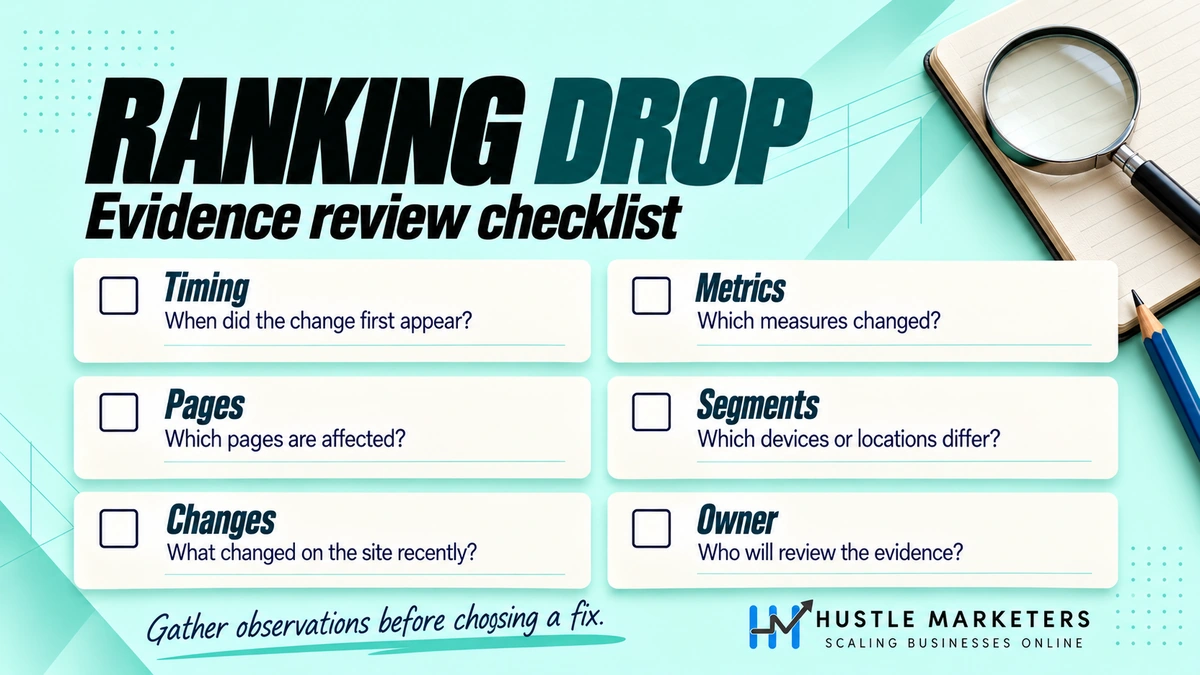
Our team follows the same order every time: confirm the drop, read the pattern, check Google’s update history, then run technical, content, link and manual action checks. We write down what we ruled out, so the client sees the evidence and not just a guess. If you want to know what an SEO partner should do day to day, read what an SEO company does.
Our SEO agency work starts from $500 a month. We are based in Zirakpur, India, and work with clients worldwide.
Google ranking drop FAQs
Can rankings drop for no reason?
Rankings rarely drop for no reason, but not every drop is a problem you caused. Google runs smaller core updates it does not announce, competitors publish new pages, and SERP layouts change. Small moves of a few positions are normal. Investigate when the loss is large, lasts more than a week or hits many pages at once.
Should I contact Google when my rankings drop?
There is no way to ask Google to restore rankings, except through a reconsideration request after a manual action. If the Manual Actions report is clear, fix what you find and wait for Google to recrawl. You can also post your case in the Google Search Central Help Community for a second opinion.
Do rankings drop after updating content?
Rankings can move for a short time after a big content update while Google recrawls and reassesses the page. A lasting drop after an edit usually means you removed text that matched the query, changed the title, broke internal links or changed the URL without a redirect. Compare the old and new versions side by side.
Why are my rankings up but traffic down?
Rankings up with traffic down usually means fewer people click, not that you rank worse. AI Overviews, ads, video packs and forum blocks can take clicks from page one. Demand can also fall. Check impressions and CTR in Search Console, and compare with last year’s figures for the same months.
Why do my rankings change every day?
Rankings change daily because results depend on location, device, search history and the exact wording of the query. Google’s Search Console help notes that your position in a single search can differ from the reported average because of many variables (Search Console performance report help). Judge trends over weeks, not single rank checks.
How do I know if a page was removed from Google?
Run the URL through URL Inspection in Search Console to see whether it is indexed. Then open the Removals tool, which lists removal requests made by owners and others. A successful temporary removal lasts about six months (Google Removals tool help), so an old request can explain a page that vanished.
Want a second pair of eyes on your drop? We will check your Search Console data, indexing, update timing and links, and tell you what we find.