Google Local Inventory Ads: Setup, Feeds and What Changed in 2026

Ishant
Published : September 14, 2026 at 3:25 pm
Updated : October 18, 2026 at 1:07 am
Ishant

Summarize this article with:
If you run Shopping campaigns and your Merchant Center account has the local inventory ads add-on enabled, Google switched local ads on for you on 31 August 2026. You did not have to agree to it. The setting that used to turn it off no longer does anything.
That happened two weeks ago. I read the eighteen guides ranking for local inventory ads on 14 September 2026 and none of them mentioned it, including several updated after the announcement went out.
There is a second date coming. On 30 September 2026, two attributes become required for in-store pickup products across the UK and Europe, and Google’s own documentation disagrees with itself about which countries are covered and never states the deadline on the two pages a merchant would actually read.
This guide covers both, then everything else: the feed architecture, every attribute with its real required status, the error messages and what each one actually means, and how to turn the whole thing off cleanly if you do not have a shop.
Short answer: Google local inventory ads show what is in stock in your physical shops to shoppers nearby. They need two things joined together: your normal product data source, and a local inventory data source that carries store codes and per-store availability. The store code links to your Business Profile, the product id links to your primary feed, and most setup failures are one of those two joins breaking. Free local listings are the unpaid version, available in fewer countries. Since 31 August 2026 local ads run by default in Shopping campaigns, and you now separate local from online using the inventory filter rather than the old local products setting.
What changed on 31 August 2026, and why your Shopping campaigns may already be running local ads
Google announced this on 20 July 2026 on the Google Ads Developer Blog. The wording is direct: Google is aligning Shopping campaigns with Performance Max for Retail campaigns by enabling Local Inventory Ads by default.
What Google actually changed
| Before 31 August 2026 | From 31 August 2026 |
|---|---|
| Local products was a setting you opted into per Shopping campaign | Local is on by default and the old setting is overridden to true |
| The API field controlled it | The field no longer has any effect on Shopping campaigns |
| You separated budgets with the local products setting | You separate budgets with the inventory filter, set to Local stores or Online |
| Applied to whoever turned it on | Applies to every Shopping campaign in an account with the local add-on enabled |
Three details worth holding on to.
First, this is Shopping campaigns only. Google is explicit that the field continues to behave normally for other campaign types including Performance Max and Demand Gen.
Second, if you manage campaigns through the API or a third-party tool: from v25.1, setting the old field to false on a Shopping campaign returns an operation-not-permitted error. On versions before v25.1 the write is silently treated as true, which is the quieter problem, because nothing tells you your setting stopped applying.
Third, Google’s own Help Center still says to review your campaigns before August 2026, while the developer blog gives the effective date as 31 August 2026. The developer blog is the precise source. The Help Center wording was written before the date firmed up and has not been corrected.
How do I check whether local is on in my Shopping campaigns?
- Open the Shopping campaign and go to campaign settings.
- Look for the Inventory filter section rather than the old local products toggle.
- If no channel filter is set, the campaign is eligible to serve both online and local.
- Cross-check in your reporting: segment by channel and look for local traffic appearing in campaigns that never had it before.
How do I separate local and online budgets again?
Set an inventory filter with Channel set to Local stores on one campaign and Online on the other. A second dimension, Channel exclusivity, lets you restrict further to single-channel or multi-channel products. In the API, use the campaign’s listing scope to restrict it to the online channel. That is now the supported way to keep the two apart.
This matters more than it sounds. Local traffic and online traffic convert differently, carry different margins and often belong to different teams’ budgets. If you were relying on the old setting to keep them separate, that separation has quietly gone.
What are Google local inventory ads?
Google local inventory ads show a shopper that a product is in stock in one of your physical shops near them. Google describes them as helping you boost online and in-store sales by reaching customers from more places across Google.
Practically, the shopper sees the product, the price, and that it is available at a named shop with a distance. Depending on how you have set things up, they may also see a pickup option.
One caution, because several guides state this confidently and Google does not. Google’s own overview article does not enumerate which surfaces local inventory ads appear on. The Help Center FAQ confirms Maps and Shopping results. Anything beyond that is an assumption, so treat lists of four or five surfaces as unverified.
Local inventory ads vs free local listings: what is the difference?
| Local inventory ads | Free local listings | |
|---|---|---|
| Cost | Paid, runs through Google Ads | Free |
| Country availability | Roughly 90 countries | Roughly 47 countries |
| Pickup support | All supported LIA countries | A named subset only, and not most of the EEA |
| Feed requirement | Same two data sources | Same two data sources |
| Acceptance | Product Expert guidance says acceptance is not automatic. Google does not document this | Same |
| Campaign types | Shopping, Performance Max, Demand Gen with product feeds | Not a campaign, organic placement |
Note the last row on acceptance. A Product Expert put it plainly in a Merchant Center thread: a merchant must be accepted into whichever local programme they select, free or paid, and not all merchants are accepted. Google does not state this in the Help Center, so treat it as practitioner guidance rather than documented policy. It would explain a number of stuck setups.
Google also uses two names for the free programme, free local listings and free local product listings, interchangeably across different pages. They are the same thing.
If you are weighing the unpaid route more broadly, our guide to free listings in Merchant Center covers the online side of the same question.
Why run local inventory ads at all?
The standard answer is that they drive footfall. That is true but it is not the useful part, because footfall is the hardest thing on this list to measure.
| Reason | What it actually gets you | How measurable is it |
|---|---|---|
| You capture near-me intent | A shopper searching for a product nearby sees that you have it today, which online-only listings cannot answer | Impressions and clicks, directly |
| You compete on availability, not price | Against a cheaper online seller with a three-day delivery, in stock today is a different offer | Indirect, visible in conversion rate |
| You show stock you are not otherwise advertising | Shop-only lines, clearance and slow-moving stock get a channel | Direct, by filtering to those products |
| You get pickup as a conversion path | Buy online collect in store, which suits high-consideration and bulky items | Direct, as an online conversion |
| Store visits | The footfall argument | Modelled, not counted. Treat it as directional |
An honest caveat most guides skip: store visits are a modelled metric, not a count of people walking through your door. If the business case for local rests entirely on a store visit number, it rests on a model. Build the case on the first four rows instead, where you can see the data.
There is also a reason not to bother. If you have one shop, a small catalogue and no pickup offer, the feed work and the ongoing availability accuracy will likely cost more than the traffic is worth. Local rewards multi-location retailers with stock that actually moves.
How are local inventory ads different from standard Shopping ads?
| Standard Shopping ad | Local inventory ad | |
|---|---|---|
| What it advertises | A product you will ship | A product in stock in a named shop |
| Data needed | Primary product data only | Primary product data plus local inventory data |
| Extra joins | None | Store code to Business Profile, id to primary feed |
| Where the click goes | Your product page | Your product page, or a store-specific page, or a Google-hosted local page |
| Geography | Wherever you target | Near the shop that holds the stock |
| Campaign | Shopping, Performance Max, Demand Gen | The same campaigns, with local enabled |
| Since 31 August 2026 | Runs by default | Also runs by default in Shopping campaigns |
The last row is the one that matters now. Before 31 August these were two things you chose between. In Shopping campaigns they are now one thing by default, which is precisely why the inventory filter has become the control that matters.
Which countries support local inventory ads and free local listings?
Few competing guides carry a current country list. The numbers on the pages I read run from five countries to twenty, against a real list of several dozen, and one guide aimed at the US market omits the United States entirely.
Three separate lists matter here, and they are not the same list.
| List | Roughly how many | What it governs |
|---|---|---|
| Local inventory ads availability | About 90 countries | Whether you can run paid local ads at all |
| Free local listings availability | About 47 countries | Whether the unpaid version exists for you |
| Pickup support for free local listings | A named 30-country exclusion list | Where pickup cannot show on unpaid listings |
| The local inventory app | UK, Ireland, US, Canada only | Whether Google can add in-store products automatically |
Check the live list in Google’s overview article rather than any blog, including this one, because these lists move.
Why pickup availability is narrower than you think
Google’s pickup documentation states that pickup is not supported for free local listings in Austria, Belgium, Bulgaria, Croatia, Cyprus, Czech Republic, Denmark, Estonia, Finland, France, Germany, Greece, Hungary, Iceland, Ireland, Italy, Latvia, Liechtenstein, Lithuania, Luxembourg, Malta, Netherlands, Norway, Poland, Portugal, Romania, Slovakia, Slovenia, Spain and Sweden.
That is most of the EEA. It has a direct consequence for the September deadline below: the new pickup requirements land hardest on paid local inventory ads in those countries, because pickup largely cannot show on the free listings there in the first place.
What do you need before you can run local inventory ads?
| Requirement | Detail |
|---|---|
| Physical shops | Real locations selling the products, in a supported country |
| A Business Profile | Verified locations, each carrying a store code |
| Merchant Center account | With the local inventory ads or free local listings add-on enabled |
| Primary product data source | Your normal product data, meeting the product data specification |
| Local inventory data source | Per-store availability keyed on store code and product id |
| Google Ads account | Linked, for the paid version only |
| Product page experience | One of three options, chosen deliberately, see below |
| Impressum | Germany, Austria and Switzerland only |
The Impressum requirement is in Google’s own ten-step implementation article and is easy to miss.
Your primary data source still has to satisfy the ordinary rules. If it does not, fix that first, because local sits on top of it. Our guide to the Google product data specification covers every attribute, and Merchant Center requirements covers the policy side.
How does the feed architecture actually work?
This is where most setups fail, and where the competing guides disagree with each other. Some say two feeds, some say four. The answer is two data sources, joined by two different keys.
| Data source | What it carries | What it joins to |
|---|---|---|
| Primary product data source | Title, description, link, image, price, the usual product attributes | Nothing. This is the base |
| Local inventory data source | Store code, product id, availability, and the optional per-store fields | id joins to the primary source. store_code joins to your Business Profile |
Google’s local inventory data specification requires that the store code matches the store codes you submit in your Business Profile, and that the id attribute in your local inventory feed matches the id in your primary product data source. Two joins, two failure modes.
One useful simplification: you do not necessarily need a separate local product feed alongside your normal one. You need the local inventory data on top of the product data you already send.
Why does my feed say “offer does not exist”?
Because the id join is failing, and on hosted platforms it is almost always a prefix.
| Platform | What it does to your ids |
|---|---|
| Shopify | The app assigns its own ids, and a shopify_ZZ_ style prefix appears where a country code should be |
| WooCommerce | The Google plugin prepends gla_ to product ids |
| Feed tools generally | The primary and local feeds are built from different id rules inside the same tool |
The fix is to read the exact id value Google holds rather than the one you think you sent. Open the product under All products, look at Technical details for the primary feed and the final attributes, and copy the id from there.
A Google support answer relayed into the Community adds a counterintuitive instruction that some merchants report working: strip the local inventory feed back so it carries only the id and one other attribute while you debug, because that minimises the ways the join can break. Add the rest back once it matches.
Expect a delay even when it is right. Merchants commonly report around a day before products match across the two sources. Google does not publish a figure.
If you are on Shopify and seeing duplicates or products reappearing, the cause is usually more than one data source running at once. Our guide to Shopify Merchant Center data sources covers that specific failure.
What goes in the local inventory data source?
Here is the full local inventory data specification. The Required column is the part that matters, because several popular guides state it wrongly, and tend to omit the one attribute Google marks required beyond the obvious three.
| Attribute | Status | Format and limits |
|---|---|---|
[id] | Required | Max 50 characters. Must match the id in your primary data source |
[store_code] | Required | Max 64 characters, case sensitive, must match Business Profile |
[availability] | Required | in_stock, limited_availability, on_display_to_order, out_of_stock |
[pickup_sla] | Required where you offer store pickup | same day, next day, 2-day through 6-day, multi-week |
[price] | It depends | Numeric plus ISO 4217, for example 15.00 USD |
[sale_price] | Optional | Numeric plus ISO 4217 |
[sale_price_effective_date] | Optional | ISO 8601, max 51 characters |
[quantity] | Optional | Numeric |
[pickup_method] | Optional | buy, reserve, ship to store, not supported |
[pickup_cost] | Conditional, see the September 2026 section | Sub-attributes for flat rate and free threshold |
[loyalty_program] | Optional | Sub-attributes for label, tier, price, dates, shipping label |
[local_shipping_label] | Optional | Max 100 characters, drives same-day delivery costs |
Which attributes are actually required?
Id, store code and availability. That is the base set.
Several popular guides list price and quantity as required. Google’s specification marks quantity Optional and price It depends, not required. Those same guides tend to omit pickup SLA, which Google describes as required store-specific pickup information. It is worth checking your own feed against the specification, because a feed built from one of those guides will carry fields it does not need and miss one it does.
What values do pickup_method and pickup_SLA take?
| Attribute | Accepted values | Meaning |
|---|---|---|
pickup_method | buy | The full transaction happens online, collection in store |
reserve | Reserved online, paid in store | |
ship to store | Ordered online, shipped to the shop for collection | |
not supported | No pickup for this item | |
pickup_sla | same day, next day, 2-day to 6-day, multi-week | When the order will be ready, relative to order time |
One more inconsistency: Google’s dedicated pickup SLA page renders the same values with underscores rather than spaces. Follow the local inventory data specification.
Two details that trip people up. The values ship to store and not supported contain spaces, not underscores, unlike almost every other Google feed value. And pickup method is now optional, so guides telling you to populate it as a hard requirement are out of date.
What is changing on 30 September 2026?
Two attributes become required for in-store products enabled for pickup. Google announced it in its Merchant Center announcements changelog on 28 April 2026.
| Attribute | Required when | Sub-attributes |
|---|---|---|
[pickup_cost] | You charge a pickup cost on your website for in-store pickup | pickup_cost_flat_rate, optional pickup_cost_free_threshold |
[minimum_order_value] | Your website requires a minimum spend to buy or reserve for in-store pickup | country, price required; service, surface optional |
Both are conditional. If you do not charge for pickup and do not set a minimum spend, nothing changes for you. Several trade write-ups have framed this as a blanket requirement. It is not.
Which countries does the 30 September deadline cover?
Google says it two different ways on four different pages.
| Google page | Wording used |
|---|---|
| Merchant Center announcement, 28 April 2026 | United Kingdom, Switzerland and all EEA countries |
| Local inventory data specification | United Kingdom and EU and EFTA countries |
| Pickup cost attribute page | United Kingdom and EU and EFTA countries |
| Minimum order value attribute page | United Kingdom and EU and EFTA countries |
A third naming inconsistency sits alongside this one: Google’s pickup article calls the free threshold [free_pickup_threshold] while the attribute page calls it [pickup_cost_free_threshold].
The two phrasings resolve to nearly the same set. The EEA is the EU plus Iceland, Liechtenstein and Norway. EFTA is those three plus Switzerland. So the practical footprint is identical, but only the announcement names Switzerland explicitly and only the attribute pages name EFTA. If you are writing this into a client brief, use both phrasings so nobody argues about Switzerland.
Why you will not find the deadline on the pages you would naturally read
This is the part worth knowing. The two dedicated attribute pages, the ones a merchant lands on when they search for pickup cost or minimum order value, carry no date at all. They state the requirement as though it were already in force.
The 30 September 2026 date appears only in the specification page and in the announcement changelog. If your developer reads the attribute documentation and concludes the rule is already live, that is Google’s documentation doing that, not carelessness on their part.
The gap Google has not documented
Here is a problem Google has not addressed in its documentation.
The Merchant API local inventory resource has no dedicated field for either pickup_cost or minimum_order_value. Minimum order value is not in the local inventory data specification either; it lives in the product data specification as a shipping attribute.
So a merchant who submits local inventory through the Merchant API has no documented local-inventory path to supply either attribute. They have to go through product data instead. The Content API for Shopping was switched off on 18 August 2026, six weeks before this requirement bites, so anyone still on it had to migrate first and then work out this gap on their own.
If you are API-based and in scope, budget time for this rather than assuming there is a field waiting for you.
What happens if you miss the deadline?
Google’s announcement does not state the consequence. Trade coverage says affected products may be disapproved. Since Google has not published it, treat disapproval as the likely outcome and the safe planning assumption, not as a documented fact.
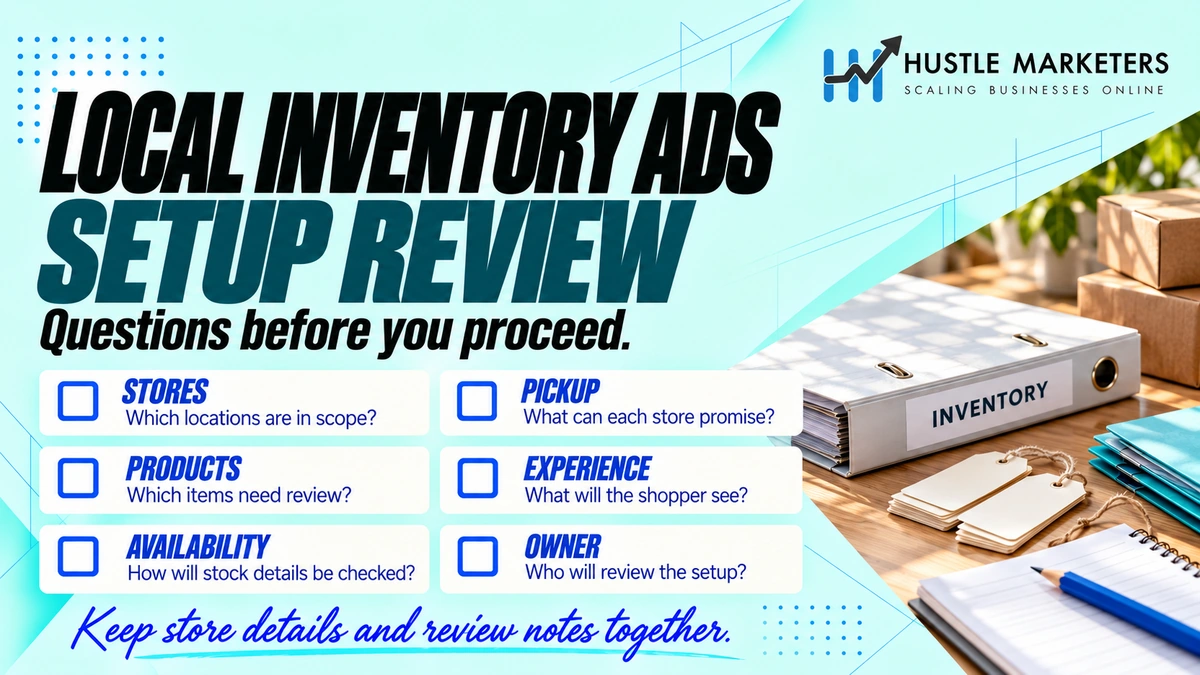
How do you set up local inventory ads step by step?
Google’s own implementation article runs to ten steps. Here they are with the parts that actually cause trouble flagged.
| Step | What to do | Where it goes wrong |
|---|---|---|
| 1 | Add the local inventory ads or free local listings add-on in Merchant Center | Turning it on with no shops is what creates most false error reports |
| 2 | Select your country of sale | Check it is on the right list, the two programmes differ |
| 3 | Add your shops and link your Business Profile | Add locations in bulk, not one at a time, see below |
| 4 | Provide in-store product availability | The local inventory data source |
| 5 | Configure the product page experience | Three options with very different obligations |
| 6 | Set pickup and display options | Pickup SLA is the required one. Pickup method is optional, but Google asks for both for buy online, collect in store |
| 7 | Add your inventory | Expect roughly a day for the two sources to join |
| 8 | Add an Impressum | Germany, Austria and Switzerland only |
| 9 | Verify inventory | Conditional, not always required, see below |
| 10 | Link your Google Ads account | Paid version only |
On step 3, one specific piece of advice from a resolved Community thread is worth knowing, though it is not in the documentation. A merchant who had completed every step still got invalid store code errors, and the fix was not in the feed. They were told to add the store information in bulk rather than using the Add another business option, then wait 24 hours and reprocess the Merchant Center account. That resolved it for them.
Which product page experience should you choose?
Google retired the old merchant hosted local storefront naming in the Help Center. Its current article on the product page experience gives three options, and the choice determines whether you get inspected.
| Option | What your product page must show | Inventory verification |
|---|---|---|
| Product pages with in-store availability | Whether the item is in stock in store | Not required |
| Store-specific product pages with availability and price | Per-store availability and price, using a link template with a store code parameter | Not required |
| Product pages without in-store availability | Nothing local. Google hosts the local experience | You may be asked to verify, and pickup today and pickup later features will not display |
The second option is rarely explained. It needs a link_template attribute carrying a {store_code} parameter, so Google can send the shopper to the right shop’s version of the page.
Worth knowing if you work through the API: the old merchant hosted local storefront naming is retired in the Help Center but still live in the Merchant API, which exposes basic and full variants alongside the Google-hosted option. The two layers use different vocabulary for the same choice.
When is inventory verification actually required?
Several popular guides present inventory verification as a mandatory step for everyone. It is not. Google requires it only where your product pages do not show what is in stock at your shops, which is the third option in the table above.
If you take either of the first two options, you are not verified.
What does inventory verification involve?
| Element | Detail |
|---|---|
| What it checks | That product information in your shops matches the inventory data you submit |
| Sample size | 100 products pulled from your data sources |
| Time per shop | About two hours |
| Deadline | Must be completed within the same business day |
| Request button | Activates within 48 hours |
| Review | Up to seven business days |
| Statuses | Verified, Under review, Ineligible |
Google publishes no accuracy threshold, so there is no documented pass mark. Anyone quoting one is guessing.
Set expectations on timing carefully. Google’s article gives up to seven business days for review. A Product Expert answering a merchant who had already waited two weeks put the real end-to-end figure at around a month. Plan for longer than the documented window.
Google’s own description is an in-store process taking about two hours per shop that must be finished the same business day, not a form you fill in from a desk.
How do you optimise local inventory ads once they are running?
Most guides give the same four tips: bid higher near your shops, bid higher during opening hours, turn on pickup, and keep the feed fresh. Those are correct and worth doing, so here they are with the detail that is usually missing, followed by the ones nobody lists.
The four everyone recommends
| Tactic | The detail usually left out |
|---|---|
| Bid up close to your shops | Radius targeting around each shop only works if you actually have separate campaigns or location adjustments per region. On Smart Bidding you are giving a signal, not setting a bid |
| Bid up during opening hours | Pointless on its own if your pickup SLA says next day. Align the schedule with what your SLA actually promises |
| Offer pickup | Pickup SLA is the attribute Google marks required for pickup items. Setting pickup method alone does not enable it |
| Keep the feed fresh | Availability accuracy is the thing being judged, not upload frequency. A feed that updates hourly and is wrong is worse than a daily one that is right |
The ones worth more
- Split local and online into separate campaigns on purpose. Since 31 August this is the single highest-value change available, because otherwise one budget and one target now covers two channels with different margins and different conversion behaviour. Use the inventory filter, Channel set to Local stores on one and Online on the other.
- Segment by store performance, not just by product. A product that sells in three shops and sits in twelve is not one performance line. Store code is in your data, so use it.
- Use custom labels for stock depth. Label thin stock differently from deep stock and treat them differently. Advertising hard against two remaining units is how you generate a wasted click and an unhappy visit.
- Fix availability accuracy before you touch bids. Every other lever is downstream of whether your in-stock flag is true. This is also what an inventory verification check would examine if you are ever asked for one.
- Choose the product page experience deliberately. Store-specific pages with availability and price are more work but avoid verification entirely, and they give the shopper the answer on your site rather than Google’s.
- Check the pickup SLA you advertise is one the shop can meet. Same day is a strong offer and a bad one to miss. This is an operations question more than a marketing one.
- Watch clearance and shop-only lines. These are usually absent from the online feed entirely, and local is the only channel that can sell them.
One thing deliberately not on this list: chasing impression share on local. Local impressions are constrained by how many people are physically near your shops searching for what you stock. Unlike online, you cannot buy your way past that ceiling, so a low local impression share is often a fact about your catchment rather than a problem with your account.
Why are my local inventory ads not showing?
The errors below are the ones merchants post most often, in the wording Merchant Center uses.
| Error | What it really means | Fix |
|---|---|---|
| Missing inventory data | A product in your primary source has no matching row in your local inventory data | Either supply the local row, or turn local off entirely if you have no shops |
| Offer does not exist | The id in your local inventory data does not match any id in the primary source | Read the exact id from Technical details and match it, prefixes included |
| Invalid store code | The store code does not match a verified Business Profile location | Check case first. Then re-add locations in bulk and wait 24 hours |
| Store not under linked Business Profile | The location exists but is not under the linked profile | Fix the profile link, not the feed |
| No physical stores found in countries of sale | Country of sale and shop locations disagree | Align the country setting with where the shops are |
| Unverified inventory | You chose the Google-hosted page option and have not completed verification | Either verify, or switch to a product page option that shows in-store availability |
| Available soon on products that are clearly in stock | The local data source has silently broken while the primary is fine | Rebuild the local source. Check the platform app first |
Why am I getting “missing inventory data” when I do not even have a shop?
This is the single most common local inventory complaint, and for most people it is not a local problem at all. It is what happens when the local add-on gets switched on by accident, usually by a feed app.
A Google Diamond Product Expert has answered this repeatedly across the Shopify and Merchant Center communities, and the substance is always the same: missing inventory data has nothing to do with product identifiers, it refers to local inventory data, meaning local advertising. If you have no physical shop, disable it in your feed app and remove the data source in Merchant Center.
Note that carefully, because it is the opposite of what the error sounds like. Merchants spend days checking GTINs and stock levels over an error that means “you told Google you have shops and then did not describe them”.
One merchant reported it affecting 90 percent of their catalogue. Another found that toggling local on and off had left orphan store records attached to every product, with no data source assigned, which could not be deleted manually.
How do you turn local inventory off properly?
If you do not sell in physical shops, this is the section you want. Doing it partially is what leaves the errors behind.
- In your ecommerce platform’s Google app, disable the local inventory or physical store option.
- In Merchant Center, go to settings and remove the free local listings and local inventory ads add-ons.
- In the primary data source setup, disable the setting that says the data is for physical stores.
- Remove the local inventory data source itself.
All four, in that order. Practitioners report the errors and warnings clear within about 24 hours once all four are done. Doing only the first or only the second is why the errors come back.
If your products are showing as active but still getting no traffic after this, the problem is elsewhere. Our guide to products showing Active but getting no free listing impressions works through that separately.
How do local inventory ads work in Performance Max?
Performance Max for Retail has had local enabled by default for some time. The August 2026 change was Google bringing Shopping campaigns into line with it, not the other way around.
Three campaign types support local inventory: Shopping, Performance Max, and Demand Gen with product feeds.
One thing to be clear about, because it produces a lot of confused searching: there is no local inventory ads campaign type. Local is a property of the products and the campaign settings, not a campaign you create. Google’s documentation only ever describes it as running inside Shopping, Performance Max and Demand Gen campaigns. Similarly, local store visits and promotions is an advertising objective, not a campaign type.
If you have physical stores, build local inventory ads into your peak-season plan. Our Black Friday marketing strategies for 2026 include a week-by-week calendar you can follow.
If you are running Performance Max on a retail feed, our guide to Performance Max and feed optimisation covers how feed quality drives that campaign type.
What replaced the Content API for local inventory?
The Content API for Shopping was switched off on 18 August 2026. If any part of your local setup still points at it, it is not working.
| Old, Content API | New, Merchant API |
|---|---|
localinventory | LocalInventory, in the inventories sub-API |
liasettings | Replaced by omnichannel settings, with LFP providers and Business Profile account handled separately |
| Single settings resource | Omnichannel settings now carry region, storefront type, in-stock, pickup, on display to order and verification state |
The restructuring of the old settings resource is the part that catches teams out on migration, because it is not a rename. Our Content API shutdown checklist covers the wider migration.
Does Google add in-store products automatically?
Yes, in four countries, and it is rarely mentioned.
Google’s local inventory ads and free local listings overview describes a local inventory app that checks your online shop and adds in-store inventory automatically where it finds in-store availability. It is available in the United Kingdom, Ireland, the United States and Canada.
For a small retailer in one of those four countries, that is a route into local listings without building a feed at all. It is worth trying before commissioning feed work.
What does your platform actually support?
| Platform | Local inventory support | Known issue |
|---|---|---|
| Shopify | Yes, through the Google and YouTube channel | Id prefixes break the join. Local feeds have been reported silently corrupting while the primary stays healthy |
| WooCommerce | Not supported by the official Google for WooCommerce plugin | Woo support confirmed this in September 2025. You need a third-party tool |
| Third-party feed tools | Yes | Primary and local feeds can be built with different id rules inside the same tool |
| Manual file upload | Yes | Multi-location feeds get large fast, one row per product per shop |
The WooCommerce answer surprises people, so to be precise: Woo’s own support team stated in September 2025 that Google for WooCommerce does not support the local inventory feed. If you are on Woo and need local, you need a separate tool.
If you are choosing a feed tool, our comparison of shopping feed apps covers which ones handle multiple data sources properly.
Frequently asked questions
What are Google local inventory ads?
Google local inventory ads are paid ads that show a product is in stock at one of your physical shops near the shopper. They run on your Merchant Center product data plus a local inventory data source that carries per-store availability.
What is the difference between local inventory ads and free local listings?
Local inventory ads are paid and run through Google Ads. Free local listings are unpaid. They use the same feed setup, but free local listings are available in roughly half as many countries, and pickup is not supported for free local listings across most of the EEA.
Do I need two feeds for local inventory ads?
You need two data sources: your primary product data and a local inventory data source. You usually do not need a separate local product feed on top of your normal one. You need the local inventory data alongside it.
What is a store code and where do I find it?
A store code is the unique identifier of one of your shops, up to 64 characters, and it must match the store code in your Business Profile exactly. It is case sensitive. You set it in Business Profile, not in Merchant Center.
Why do I keep getting an invalid store code error?
Check case first, because the match is case sensitive and that alone explains many failures. If the case is right, one fix reported in a resolved Community thread is to add store information in bulk in Business Profile rather than one location at a time, then wait 24 hours and reprocess the Merchant Center account.
Why am I getting “missing inventory data” when I have no physical store?
Because the local programme is switched on somewhere in your setup, usually by a feed app. The error is about local inventory data, not product identifiers. Turn local off in the app, remove the add-ons in Merchant Center, disable the physical stores setting on your primary data source, and remove the local data source.
What does “offer does not exist” mean?
The product id in your local inventory data does not match any id in your primary product data. On Shopify and WooCommerce this is usually a platform prefix on the id. Read the exact id from the product’s technical details in Merchant Center and match that.
Which attributes are required in the local inventory feed?
Id, store code and availability. Pickup SLA is required where you offer store pickup. Price and quantity are optional, despite several popular guides listing them as required.
Is quantity required for local inventory ads?
No. Google’s local inventory data specification marks quantity as optional. Several popular guides list it as required, which is where the confusion comes from.
Is pickup_method still required?
No, it is optional. Pickup SLA is the one Google marks as required store-specific pickup information. That said, Google’s pickup SLA page asks you to provide both attributes if you want customers to buy online and collect in store, so optional is not the same as unnecessary.
When do pickup cost and minimum order value become required?
30 September 2026, for in-store products enabled for pickup in the United Kingdom, Switzerland and the EEA, which Google also describes as the United Kingdom plus EU and EFTA countries. Both are conditional: pickup cost only if you charge for pickup, minimum order value only if your site sets a minimum spend for in-store pickup.
Does the 30 September change affect me if I do not charge for pickup?
No. The requirement only applies where you actually charge a pickup cost or require a minimum spend on your website. If neither is true, nothing changes.
Are local inventory ads now on by default?
In Shopping campaigns, yes, since 31 August 2026, for accounts with the local inventory ads add-on enabled. The old local products setting no longer controls it. Use the inventory filter with Channel set to Local stores or Online to separate the two. Performance Max and Demand Gen are unaffected.
How do I stop local ads running in my Shopping campaigns?
Set an inventory filter on the campaign with Channel set to Online. Through the API, use the campaign’s listing scope to restrict it to the online channel. The old setting will not do it any more.
Is there a local inventory ads campaign type?
No. Local inventory runs inside Shopping campaigns, Performance Max, or Demand Gen with product feeds. Google’s documentation never describes it as a campaign type, and there is nothing to create called a local inventory ads campaign.
Do I need inventory verification?
Only if your product pages do not show in-store availability. If you use product pages with in-store availability, or store-specific pages with availability and price, verification is not required. Many guides present it as mandatory for everyone, which is wrong.
How long does inventory verification take?
Google says the request button activates within 48 hours, the in-store survey takes about two hours per shop and must be finished the same business day, and review takes up to seven business days. A Product Expert answering a stuck merchant put the real end-to-end figure at around a month, so plan for longer than the documented window.
How long does it take for products to match across both feeds?
Merchants commonly report around a day. Google does not publish a figure. Treat it as normal rather than a fault, and do not start changing ids on day one.
Does WooCommerce support local inventory ads?
The official Google for WooCommerce plugin does not support the local inventory feed. Woo’s own support team confirmed this in September 2025. You need a third-party feed tool instead.
Can Google add my in-store products automatically?
In the United Kingdom, Ireland, the United States and Canada, yes. Google’s local inventory app checks your online shop and adds in-store inventory where it finds in-store availability, with no feed build required.
What does “on display to order” mean?
It is one of the four accepted availability values, for products displayed in your shop that are not available for immediate purchase. The specification lists the value without defining it; the definition sits on a separate page. Using it requires you to enable on display in store per country and submit a URL for a page detailing your delivery cost and delivery policy.
Do local inventory ads work on Bing?
Microsoft runs its own local product listings, separate from Google’s, with its own setup. Our guide to the Bing shopping feed covers the Microsoft side, and our feed attribute mapper maps Google attributes to their Microsoft equivalents.
Changelog
| Date | Change |
|---|---|
| 14 September 2026 | First published. Written against Google documentation checked on this date, including the 31 August 2026 default-on change and the 30 September 2026 pickup attribute requirement |
Google renumbers Merchant Center help articles regularly and announced a consolidation of the Shopping ads and free listings policies for September 2026, so some of the articles linked here may move. Where a link and this page disagree, Google is right.
Next steps
Two things are worth doing this week, in this order.
First, open your Shopping campaigns and check the inventory filter. If you did not deliberately want local traffic in them, it is in them now, and it has been since 31 August.
Second, if you sell in the UK or Europe and you charge for in-store pickup or set a minimum spend, get pickup cost and minimum order value into your data before 30 September. If you submit through the Merchant API, start earlier, because the local inventory resource has no field for either and you will be routing them through product data instead.
If you would like the feed, store codes and campaign structure behind all of this audited properly, that is work we do for retail clients every week. See our Google Shopping ads agency page, or start with our Merchant Center audit template.
Related reading: how to rank in Google Shopping, the Google product data specification, supplemental feeds in Google Shopping, the Google shopping score, Merchant Center suspension recovery, and GTINs and product identifiers.