White Label Microsoft Ads for Agencies: Access, Billing, Reporting and Setup

Ishant
Published : September 30, 2026 at 5:30 pm
Updated : October 7, 2026 at 5:17 am
Ishant
White label Microsoft Ads is when a specialist partner builds and manages Microsoft Advertising (formerly Bing Ads) campaigns for your clients while your agency keeps the brand, the pricing and the client relationship. Microsoft’s recommended setup has the client own the account and the agency link to it as a direct manager, with billing staying with the client or moving to the agency.
Several white label PPC pages we reviewed mention Bing in a single line or not at all. This guide covers the mechanics several providers we reviewed skip: account ownership, the 2026 Dual-ID linking rule, user roles, who pays Microsoft, Partner Program tiers, reporting limits and switching partners without losing data. Microsoft facts were checked against Microsoft’s own documentation on September 16, 2026.
Key Observations
- Have the client create its own account, then link to it as a direct manager. An account created under your agency’s manager account cannot be unlinked later.
- Each account allows up to five direct managers but only one bill-to customer.
- New link requests need two matching IDs under Dual-ID, with API enforcement from August 26 to September 22, 2026.
- There are four user roles, and only a Super Admin can send link, unlink or billing takeover requests.
- An agency that takes over billing inherits pending charges, and unlinking as bill-to on postpay threshold or monthly invoice can pause the account for up to 3 hours.
- No Partner Program badge is needed to white label. Tiers are partner, select and elite, and no spend threshold amount is published.
- Native scheduled reports only reach users with access, and Google offers no Google-built Looker Studio connector for Microsoft Ads.
What is white label Microsoft Ads (Bing Ads)?
White label Microsoft Ads is an outsourced fulfillment model. A partner plans, builds, optimizes and reports on Microsoft Advertising campaigns, and your agency sells the service under its own name and price. The client deals only with your agency. Done properly, the client still owns the ad account, and both your agency and the partner work through documented access.
Bing Ads is the older name for Microsoft Advertising, so white label Bing Ads and white label Microsoft Advertising mean the same thing. Your agency handles sales, pricing, contracts, client calls and the report template. A good partner handles audits, Google Import or native builds, keywords, Shopping feeds, UET conversion tracking, bidding and report data, and does not contact your client unless you ask.
Our white label PPC services follow that model across Google Ads and Microsoft Ads, and our white label digital marketing agency service suits agencies that want more channels under one partner. New to the platform? Start with our guide to advertising on Bing.
Is a Bing Ads reseller the same as a white label partner?
Not in Microsoft’s terms. Its API guide to account hierarchies describes an Agency model, where the client owns the accounts and is billed directly by Microsoft, and an Aggregator/Reseller model, where the reseller is billed by Microsoft and the advertiser does not sign up for its own credentials. Most agencies adding Microsoft Ads fit the Agency model, which matches our rule that clients always own their ad accounts.
Why are agencies adding Microsoft Ads for their clients?
Microsoft Ads extends a client’s search reach beyond Google with little new creative work. Microsoft Advertising reaches searchers on Bing and the wider Microsoft network, offers LinkedIn profile targeting that Google does not, and can reuse much of a client’s Google Ads structure through Google Import. For agencies, that makes it a natural add-on retainer.
Who does Microsoft Advertising reach?
Always quote the data date. Microsoft’s Search ads page cites Comscore data from March 2023, US desktop traffic only: 6.4 billion monthly PC searches, 109 million unique PC users and a 38.1% PC market share. The Microsoft media kit, using GWI Core data from Q4 2023 to Q3 2024, says its audience is 34% more likely than the average internet user to be in the highest income bracket.
Is Microsoft Ads cheaper than Google Ads?
It can be, but do not promise lower costs before you have data. Our comparison of Bing Ads vs Google Ads cost uses first-party CPC data, which is a better starting point than a generic claim.
Why do B2B clients and existing Google clients care?
Microsoft says it is the only ad platform other than LinkedIn that lets you target by LinkedIn profile information such as company, industry and job function. Its August 2026 product news announced job seniority targeting as generally available for Audience ads and Search campaigns. Clients already on Google Ads usually have the keywords, ads and landing pages Microsoft needs, which makes it an easier upsell than a brand new channel. See how SEO agencies add white label PPC.
Who should own the client’s Microsoft Ads account?
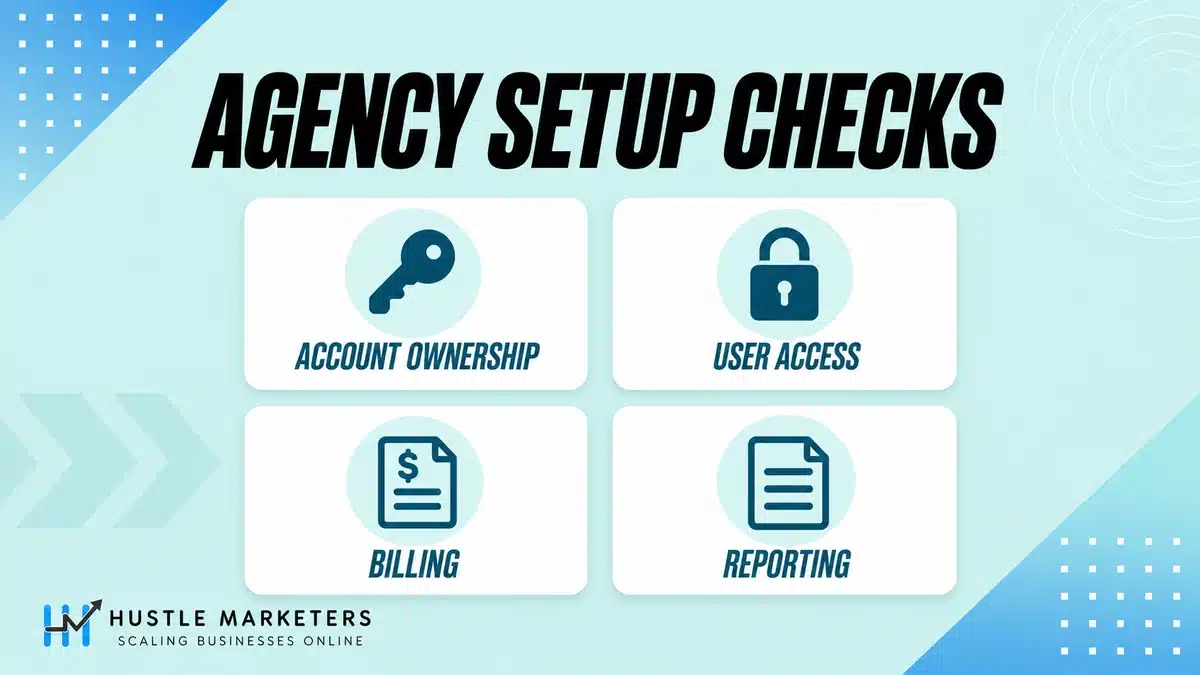
The client should own it. Microsoft recommends that the client create its own Microsoft Advertising account and accept a link request from the agency, which then manages it as a direct manager. The client keeps sign-in access and can remove the agency at any time. Hustle Marketers follows the same rule: clients always own their ad accounts.
What is Microsoft’s recommended setup for agencies?
Microsoft’s page on managing your clients as an agency sets out the sequence:
- Your agency signs up for Microsoft Advertising.
- Your client signs up for its own account.
- Your agency sends a link request.
- The client accepts it.
- Your agency manages the account as a direct manager: budgets, ads, bids and all campaign management.
Microsoft tells advertisers working with an agency: “You can still sign in at any time and view or edit your account and campaigns.” When an agency asked in a Microsoft Q&A thread whether it could build a “not very tech savvy” client’s account inside its own account, support recommended a separate client account plus a link instead.
What happens if your agency created the client’s account?
Microsoft warns that an account created under the agency’s manager account “will not be able to be unlinked from that agency” if the client later wants to manage it alone or move agencies. The client would have to re-create the account.
The escape route is an account transfer, requested through your account manager or support, which lists fixing client accounts created inside agency accounts as a use case. Microsoft promises “no data loss and no down time”, with simple transfers taking up to 20 minutes and complex ones up to 24 hours. Transfers are not possible for accounts with Lodging campaigns, Shopping campaigns, Search campaigns with shopping settings enabled, or flyer extensions with an associated store.
Paying Microsoft for a client is a billing choice, not an ownership choice. In a September 2026 thread, one advertiser complained that “agency-managed accounts give us very limited administrative permissions and no account ownership”. A Microsoft moderator replied that a company can unlink an agency at any time, provided the account was not created under the agency’s manager account.
| Setup | Owner | Who pays Microsoft | Client can remove agency? | Watch-outs |
|---|---|---|---|---|
| Client owns and pays; agency is direct manager | Client | Client | Yes, any time | Owner and all direct managers see billing documents |
| Client owns; agency takes over billing | Client | Agency (bill-to) | Yes; owner becomes bill-to | Agency inherits pending charges; unlink can pause postpay threshold or invoice accounts up to 3 hours |
| Created under agency manager account | Agency hierarchy | Agency or client | No, cannot be unlinked | Re-create the account or request a transfer |
| Aggregator/Reseller (API model) | Not stated; reseller manages | Reseller | Not applicable | Advertiser has no credentials of its own |
| Monthly invoice with consolidated billing | Client or agency | Bill-to customer | Depends on ownership | Same bill-to, currency, sold-to location, SAP ID and tax information; a Super Admin sets it up |
How does agency access work in Microsoft Advertising?
Agencies manage clients from a manager account, the Microsoft Advertising version of a Google Ads MCC. You link each client’s account to it, which makes your agency a direct manager, or link to a client’s whole manager account as a hierarchy. For a single person, such as a freelancer, you can invite a user with a role.
What is a Microsoft Ads manager account, and how many accounts can it hold?
Microsoft’s hierarchies page describes a manager account as a container that can share users, payment methods, UET tags and remarketing lists. It says “A standard manager account can have up to six accounts”, with more for advertisers who meet certain criteria and spend minimums. You cannot convert a regular account into a manager account.
When an agency with “about 800 Google Ad accounts” asked about account limits for an MCC, support said limits “may vary based on your spending history and account performance”. Microsoft’s agency help pages also say it has “temporarily placed a limit on the number of accounts you can link”, so contact support if you hit it.
Hierarchy vs multi-user access: which should a white label partner use?
Microsoft’s comparison page says a hierarchy gives management rights to a group of users, can share UET tags and remarketing lists, and unlinking removes the whole group. Multi-user access gives one person limited access with no resource sharing.
For a partner, two patterns work. Partner staff can be named users in your agency’s manager account, keeping one agency relationship on the client’s account. Or the partner can link its own manager account as another direct manager, which uses one of the five slots and shows up in the client’s Direct managers settings. Microsoft’s roles page recommends a formal agency relationship in Microsoft Advertising rather than creating a new user for the agency.
When you send a hierarchy link request, the hierarchies page has you choose Standard or Administrative permissions. Microsoft’s API guide says Super Admin permissions on linked customers are restricted through a Standard link and not restricted through an Administrative link. Give a partner the lower level unless it truly needs more.
How do you link a client’s Microsoft Ads account with Dual-ID in 2026?
Microsoft’s August 2026 product news introduced Dual-ID “to better protect advertisers from fraudulent linking and unauthorized access”. It applies only to new linking requests. These steps follow the account linking page:
- Agree the account, start date and who pays with the client.
- Get the client’s Manager account number and Account number, or the Manager account number and Manager account ID to link a whole manager account.
- As a Super Admin, go to Tools > All accounts > Accounts Summary > Requests.
- Choose “Link to one or multiple Microsoft Advertising accounts” or “Link to a Microsoft Advertising manager account and all its accounts”, and enter both IDs.
- Set the Start date, Who pays, How you pay and What you pay with, then send the request.
- Have the client’s Super Admin accept within 30 days, or the request is declined automatically.
API enforcement rolled out from August 26 through September 22, 2026. Microsoft is also previewing a new console design, which Search Engine Land reported on August 31, 2026, so follow option names if menus differ. If a link fails, check that the account was not created under another manager account, that your user is a Super Admin, that the account is active, that both IDs match, and that it has fewer than five direct managers.
| Access method | What it gives | How it is removed | Use when |
|---|---|---|---|
| Link to a client account (direct manager) | Full campaign management, optional billing takeover | Owner unlinks on a date or immediately | Default white label setup |
| Link to a client’s manager account (hierarchy) | All its accounts, with Standard or Administrative permissions | Unlinking removes the whole user group | Multi-brand clients |
| Partner as a second direct manager | Same as a direct manager | Owner or another direct manager unlinks | Partner needs its own view |
| Multi-user access | One person, one role, no shared resources | Remove the user | Freelancers, audits, Viewer access |
| Account transfer | Moves the account to a new manager account | Support request | Fixing agency-created accounts |
Which Microsoft Ads user roles should the client, agency and partner have?
Microsoft Advertising has four user roles: Super Admin, Standard User, Advertiser Campaign Manager and Viewer. In a white label setup, the client keeps a Super Admin on its own account, your agency admin is a Super Admin on your manager account, partner media buyers usually work as Advertiser Campaign Managers or Standard Users, and stakeholders get Viewer.
This table summarizes Microsoft’s user roles page, updated June 26, 2026.
| Task | Super Admin | Standard User | Advertiser Campaign Manager | Viewer |
|---|---|---|---|---|
| Manage campaigns | Yes | Yes | Yes | No, read-only |
| Billing | Yes | Many tasks, but cannot add, edit or delete payment methods | View payment methods and Billing page only | View payment methods and Billing page only |
| Send link, unlink or billing takeover requests | Yes | No | No | No |
| Approve a manager account link to an account | Yes | Yes | No | No |
| Invite or remove users | All roles | All except Super Admins | No | No |
| Be the Primary contact | Yes | Yes | No | No |
Can a Standard User add users in Microsoft Ads?
Yes, with limits. The roles page says “Standard Users can now manage some users in the accounts they have access to”, covering Standard Users, Advertiser Campaign Managers and Viewers but not Super Admins. A Standard User on a client account can also create insertion orders even when the agency is not bill-to, which suits a partner account lead.
Microsoft says most accounts can have up to 15 users. Its security best practices ask for one login per person, no shared credentials and two-step verification, which keeps change history accurate when partner staff change.
Who pays Microsoft? Billing options for agencies and resellers
Either the client or the agency can pay Microsoft. The payer is called the bill-to customer, and only one person can hold that role on an account. Clients can keep paying while the agency manages campaigns, or the agency can take over billing in its link request, which also makes it responsible for any pending charges.
Microsoft’s billing overview lists prepay (funds added first), postpay threshold (card only, charged on the billing date or at the threshold) and monthly invoice (you contact support to qualify). Microsoft’s linking page adds that a monthly invoice account needs an insertion order to serve ads, or it is paused. The billing date is the monthly anniversary of sign-up and cannot be changed.
What happens when your agency takes over billing?
Choose “I will take over billing for this account” in the link request, or use Change who pays later. You “assume responsibility for all advertising charges, including any pending charges when the link is established”, so have a valid payment method ready.
- A client prepay balance is refunded to the original payment method, or by check or wire if that fails, and checks can take up to 5 weeks.
- Only the owner and the paying direct manager then see billing documents.
- Only the bill-to customer can manage payment methods and redeem promotional offers.
- Microsoft’s agency page says you can fund up to 20 accounts with one credit card.
- Unlinking as bill-to from a postpay threshold or monthly invoice account pauses it for up to 3 hours.
Can invoices show your agency’s details, and can you consolidate them?
Partly. In an April 2026 thread on how to set up agency billing, a moderator said the payments profile sets the payer’s name and address, but the company ID comes from advertiser verification with “no option to override” it. Enhanced consolidated billing groups monthly invoice accounts with the same bill-to customer, currency, sold-to location, SAP ID and tax information into one invoice, set up by a Super Admin.
Do you need the Microsoft Advertising Partner Program to white label Bing Ads?
No. Any agency can manage and white label Microsoft Ads accounts without joining. The Microsoft Advertising Partner Program is an optional program with three tiers, partner, select and elite, that adds a badge, a directory listing, training and other benefits. Eligibility includes a minimum annual spend threshold, but Microsoft does not publish the amount.
The Partner Program FAQ, with benefits as of January 2026, sets these rules:
- All tiers: exclusive contests or offers, a yearly optimization session, the program badge and a directory listing. Other benefits, such as a prominent directory listing and speaking opportunities, are not offered on every tier, and Microsoft says benefits may vary by location and partner type.
- Eligibility: “All partners must pass fraud checks for the past three months and meet a spend threshold.” Direct advertisers are not eligible.
- Timing: an annual review in December, with tier updates in January. Agency and channel partners can join at partner tier year-round, while select and elite enrollment runs January 1 to March 31.
- Reach: 30 countries, including the US, UK, Canada, Australia and India.
The request access page also requires at least six months as a Microsoft Advertising customer. Both rules can apply at once.
Which certifications should a partner hold, and how do you check a badge?
Microsoft’s Learning Lab lists Search Advertising, Display & Video and Retail certifications and says to “Earn all three certifications to achieve Microsoft Advertising Certified Expert status.” To check a badge, search the partner directory or ask for a current portal screenshot. Tiers are reviewed every December, and a badge shows program status based on rules such as spend and fraud checks, not a review of the work on your client’s account.
How do you onboard a new white label Microsoft Ads client?
Onboard in three phases. First, agree ownership, billing, roles and service levels in writing. Second, get access right: the client creates or confirms its own account, shares its Dual-ID numbers and accepts your link request. Third, build tracking and campaigns: identity verification if Microsoft asks, UET and consent, Google Import or a native build, then reporting.
Microsoft tells agencies to agree the account, start date and billing responsibility before linking. Add commercial terms for data ownership, change approvals, the partner’s no-contact rule and offboarding. Our guide on how to start a white label PPC agency covers the contract side.
Should you import Google Ads or build natively?
Import is faster, but treat it as a starting point. Google Import can bring in up to 10 Google Ads accounts at once from a manager account, and Microsoft highly recommends one Google account per Microsoft account. Change history cannot undo an import, and scheduled imports can reactivate paused campaigns and reset settings, including budgets, to Google Ads values.
The white label twist: Microsoft’s import schedule page says “If the scheduled import was created by another agency linked to the account, you are unable to edit/delete it.” Log every schedule the partner creates. Our Bing Ads management guide covers costs, setup and ROI.
How do you handle UET, Shopping and identity verification?
Microsoft began enforcing UET consent for users in the EEA, UK and Switzerland on May 5, 2025, so consent is part of onboarding for those regions. For Shopping, a Google Merchant Center import needs matching store domains, and imported offers expire after 30 days. Our Bing Merchant Center guide covers the store setup.
On advertiser identity verification, Microsoft’s June 2026 page lets Super Admins and Standard Users “aligned to either the account owner or an authorized managing partner” apply. Most new accounts get 30 days, unverified accounts may stop showing ads in the EEA, and review takes 3 to 5 business days. The verification code goes to the business email address, so plan to work with the client to receive it. Never ask for the client’s email password.
| # | Onboarding step | Who | Microsoft detail to check |
|---|---|---|---|
| 1 | Sign scope: ownership, billing, roles, SLA, offboarding | Agency and client | Agree account, start date and who pays |
| 2 | Client creates or confirms its own account | Client | Not under any agency manager account |
| 3 | Client shares Dual-ID numbers | Client | Two IDs required for new links |
| 4 | Send link request and set Who pays | Agency Super Admin | Expires after 30 days |
| 5 | Set roles and Primary contact | Client and agency | Most accounts allow 15 users |
| 6 | Identity verification if notified | Client or managing partner | 30 days; 3 to 5 business days review |
| 7 | Payment method, or insertion order for invoice | Bill-to customer | No insertion order pauses invoice accounts |
| 8 | UET, consent and conversion goals | Partner and client developer | Consent enforced in EEA, UK, Switzerland |
| 9 | Google Import or native build | Partner | One Google account per Microsoft account is recommended |
| 10 | Merchant Center and Microsoft-only settings such as syndicated partner exclusions | Partner | Offers expire after 30 days |
| 11 | Reporting tool and first report | Agency | Native reports only reach users with access |
| 12 | Log authors of scripts and import schedules | Partner | Scripts are visible only to their author |
How do you report Microsoft Ads under your agency brand?
Microsoft’s built-in scheduled reports are not a white label tool: they only go to users with access to the account, and no branding options are documented. The practical options are a paid partner connector into Looker Studio, a white label dashboard tool, or exporting data with scripts or the API into your own template.
In Report Builder, the “Send report to” field only lets you share with “users that have access to the appropriate entity”. New scheduled reports must be set to run on one of the first 28 days of the month, and downloaded reports come as .zip (CSV), .zip (TSV) or .xlsx files.
Does Microsoft have a Looker Studio connector?
Not a Google-built one. Google’s page on Looker Studio data sources offers free connectors for Google products, while others come through partner Community Connectors that “may cost money to use”. In a 2023 thread titled “Does Microsoft have a Lookerstudio Connector”, support said it “is not compatible” and suggested Power BI. Third-party tools fill the gap: the Supermetrics Microsoft Advertising connector sends data to Looker Studio, Power BI, Google Sheets and BigQuery, and DashThis offers a Bing Ads dashboard with logo branding.
Can scripts, the API or the MCP server help?
Yes, with caveats. Microsoft warns that “only the author of a script will be able to see and run that script” on its scripts page, and a moderator confirmed in an August 2026 thread that scripts can call Google Sheets. Microsoft’s API overview says new features are REST-only from October 1, 2026, with SOAP scheduled for full deprecation on January 31, 2027, so check your connector’s plans. The MCP server is read-only in open flight, so keep it for internal analysis. For what clients should see, read our guide to white label PPC reporting.
| Reporting option | Branding | Who can receive it | Limits |
|---|---|---|---|
| Microsoft scheduled reports | None documented | Users with account access only | New schedules must use days 1 to 28 |
| Looker Studio plus partner connector | Your template | Anyone you share with | Connector subscription; no Google-built connector |
| White label dashboard tool | Logo and colors, per vendor | Client portal or email | Confirm Microsoft Ads metrics in a trial |
| Scripts to Google Sheets | Your sheet | Anyone with sheet access | Scripts visible only to their author |
| API into BI tools | Full control | Anyone you choose | REST migration dates in 2026 and 2027 |
| MCP server with an AI assistant | Internal only | Your team | Read-only in open flight |
How should you price white label Microsoft Ads as a Bing Ads reseller?
Price Microsoft Ads the way you price other white label PPC: the partner’s cost, your markup and a minimum fee that covers setup work. The common models are a flat monthly fee, a percentage of ad spend, a hybrid, or an add-on to a Google Ads retainer. Our white label PPC pricing guide has the full numbers.
For price tables and markup math, read what agencies charge for white label PPC and our breakdown of white label Google Ads margins. On top of the base fee, cover Microsoft-specific work: Google Import clean-up, UET and consent setup, Merchant Center feeds, identity verification delays, a reporting connector, and cash flow if you become the bill-to customer. Before quoting a performance fee, use our break-even ROAS calculator.
| Model | How it works | Pros | Cons |
|---|---|---|---|
| Flat monthly fee | Fixed partner fee plus your markup | Predictable margin | Scope creep as spend grows |
| Percentage of ad spend | Fee tied to Microsoft spend | Scales with the account | Smaller Microsoft budgets need a minimum fee |
| Hybrid | Base fee plus a bonus on agreed results | Aligns incentives | Needs reliable UET tracking |
| Add-on to Google Ads retainer | Extra line on an existing retainer | Easy upsell | Easy to under-price native build work |
| Agency pays Microsoft and rebills | Agency is bill-to and invoices spend plus fee | One client invoice | Cash flow, pending charges, pause risk on unlink |
White label vs in-house vs referral: which Microsoft Ads model fits your agency?
White label suits agencies that want to sell Microsoft Ads now without hiring. In-house suits agencies with enough Microsoft accounts to keep a specialist busy. Referral suits agencies that get the odd request and do not want the margin or the responsibility. The deciding factors are volume, margin goals, speed to launch and how much control you need.
| Factor | White label partner | In-house hire | Referral |
|---|---|---|---|
| Client relationship | Your agency keeps it | Your agency keeps it | Shared or lost |
| Revenue | Retainer minus partner cost | Fee minus salary and tools | Referral fee, if any |
| Speed to launch | Fast | Slower, hire and train first | Fast |
| Expertise | Partner’s, so check certifications | You build it | Other agency’s |
| Main risk | Partner quality, offboarding | Key person risk, idle capacity | Client poaching |
| Best when | Adding the channel without a team | Many Microsoft accounts | Rare requests |
Our comparison of white label vs in-house PPC works through the cost math. If you have an in-house marketer who needs expert support rather than full delivery, a Bing Ads consultant is a middle path. White label can scale too: one US agency scaled to 20+ client accounts through white label PPC with our dedicated media buyer.
What SLAs should a white label Microsoft Ads partner commit to?
Put response times, launch dates, reporting dates, change approval rules, client contact rules and offboarding steps in writing. Then check each promise against Microsoft’s own timelines, such as the 30-day link request window, the 3 to 5 business day identity verification review and new report schedules that must use days 1 to 28 of the month.
Provider SLAs vary. Clicks Geek’s white label PPC page, which covers Google Ads rather than Microsoft Ads, lists a campaign strategy “within 48 hours” and a “same-day response” by email. Whatever you agree, make sure Microsoft’s processes cannot make the partner miss it.
| SLA item | Agree in writing | Microsoft rule to plan around |
|---|---|---|
| Account access | Who shares IDs and accepts, by when | Link requests decline after 30 days |
| Identity verification | Who submits documents and gets the code | 3 to 5 business days review |
| Tracking and launch | UET, consent and goals tested; approval before import | Change history cannot undo an import |
| Shopping feed | Refresh schedule | Imported offers expire after 30 days |
| Monthly report | Delivery date and format | New schedules must use days 1 to 28 |
| Change approvals | Budget and bid strategy sign-off | Scheduled imports can reset budgets |
| Client contact | Partner never contacts your client | Contract only |
| Offboarding | Handover date, script copies, schedule list | Bill-to unlink pause up to 3 hours; transfers up to 24 hours |
How do you stop Microsoft’s emails from confusing your client?
Microsoft sends service messages and critical notices, such as paused campaigns, low prepay balances and expiring cards, to each account’s Primary contact, and only a Super Admin or Standard User can hold that role. Decide who that is during onboarding, cut back recommendation emails, and prepare your client for the messages that will still arrive.
In a July 2026 thread on how to disable “Action Recommended” emails, a moderator suggested dismissing recommendations or changing email preferences, but warned that “Primary Contacts may still receive critical notifications related to account security, billing, depleted budgets”. Tell clients plainly: they own the account, so Microsoft contacts them about billing and security, your team reviews recommendations, and anything about payments or suspensions should be forwarded straight away.
What compliance and security rules apply to white label Microsoft Ads?
The client, your agency and the partner all work under Microsoft’s advertising policies and agreement, so read the current versions rather than summaries. The practical rules to build into your process are identity verification, UET consent in the EEA, UK and Switzerland, Customer Match data limits, and one named login per person with two-step verification.
We do not paraphrase the Microsoft Advertising Agreement here because terms change, so have your lawyer review your client and partner contracts against the current version. For audiences, Microsoft’s Customer Match page requires accepting the Customer Match Terms and SHA-256 hashing, and says “Third-party user data cannot be used for customer match”. Put an NDA and data processing agreement in place before any list changes hands, and remove partner users on their last day.
How do you offboard a client or switch white label partners without losing data?
Offboarding is clean when the client owns the account. The old link is removed, billing moves before it ends, and the new manager links in. Plan for what does not move with a link: scripts that only their author can see, import schedules the client cannot edit, and a possible pause of up to 3 hours.
- Get copies of the partner’s scripts, automated rules and import schedules before access ends.
- Download performance, change history and search term reports.
- Confirm where UET tags, goals and remarketing lists live, and recreate anything shared only from the old manager account.
- Agree the new bill-to customer and ready its payment method.
- Unlink the old direct manager on a set date: the owner uses Settings > Direct managers > Unlink.
- Send the new Dual-ID link request and have the client’s Super Admin accept.
- Remove the old partner’s users.
Microsoft says direct managers can remove other direct managers but not the account owner or the owner’s users. If the account was created under the old agency’s manager account, ask support about an account transfer instead. Microsoft says a transfer moves campaign history, billing, linking relationships, scheduled tasks such as automated rules, scripts and scheduled reports, and user access, but accounts with Lodging or Shopping campaigns and certain other features cannot be transferred.
What changed in Microsoft Ads for agencies in 2026, and where do Microsoft’s docs disagree?
2026 brought Dual-ID account linking, a read-only MCP server, a dated move from SOAP to REST in the API and an opt-in console redesign, and the roles page now lets Standard Users manage some users. Microsoft’s help pages, Q&A answers and program pages do not all agree yet, so check the newest source.
| Date | Change | Agency action |
|---|---|---|
| May 5, 2025 | UET consent enforcement in the EEA, UK and Switzerland | Add consent to onboarding |
| January 2026 | Partner Program benefits listed as of January 2026 | Recheck tier benefits |
| By June 2026 | Roles page: Standard Users can manage some users | Review seat plans |
| August 2026 | Dual-ID linking; API enforcement Aug 26 to Sep 22 | Collect two IDs per client |
| August 2026 | Read-only MCP server in open flight | Use for internal analysis |
| August 31, 2026 | Opt-in console redesign preview, reported by Search Engine Land | Update SOP click paths |
| Oct 1, 2026 and Jan 31, 2027 | New API features REST-only; SOAP deprecation | Confirm connector updates |
Where do Microsoft’s own docs disagree?
| Topic | One source | Another source | What to do |
|---|---|---|---|
| Linking | Agency page (Jun 11, 2026) shows one account number | Linking page and August 2026 news require two IDs | Use Dual-ID |
| Who accepts links | Agency client page: Super Admin required | Roles table: Standard Users can approve | Have a Super Admin accept |
| Managing users | Agency Center FAQ: only Super Admins | Roles page: Standard Users can manage some | Follow the roles page |
| Verification | A 2023 support answer: agencies cannot verify for owners | June 2026 page: authorized managing partners can apply | Follow the 2026 page |
| Certified Expert | Learning Lab (Sep 2026): three certifications | A December 2025 moderator: four | Check Learning Lab |
| Agency-created accounts | Help pages: cannot be unlinked | Transfer page: fixable by transfer | Ask support about a transfer |
Several white label PPC provider pages we reviewed do not mention Microsoft Ads at all, or mention Bing only in a platform list or as a pricing add-on. When comparing partners, drop these assumptions: that six accounts per manager account is a permanent cap, that Microsoft has a native Looker Studio connector, that the agency should own the account, and that a badge proves account quality.
Agencies that add Microsoft Ads usually add organic within the same quarter, because both channels feed off the same keyword set. Our white label SEO services run on the unbranded reporting format described here.
Frequently asked questions
These are the questions agency owners ask most about white label Microsoft Ads, drawn from Microsoft Q&A threads and the wording agencies use when they compare white label partners. Each answer stands on its own, and the sections above give the detail and Microsoft sources behind it.
Can I white label Bing Ads for my clients?
Yes. Microsoft Advertising lets an agency manage client accounts as a direct manager, and a white label partner can run the campaigns while your agency sells and reports the service under its brand. Check the current Microsoft Advertising Agreement for terms that apply to your setup.
Will my clients know you’re involved?
Not through your reports or calls. However, the client owns the account and can see its users, direct managers and change history, so agree how you describe your delivery team and never promise a client it cannot see who has access.
Who owns the Microsoft Ads account in a white label setup?
The client should. Microsoft recommends that clients sign up for their own account and accept the agency’s link request. An account created under an agency’s manager account cannot be unlinked later.
How do I give a white label partner access to Microsoft Ads?
Either add the partner’s staff as named users in your agency’s manager account, or let the partner link its own manager account to the client account as another direct manager. Give each person the lowest role that does the job, usually Advertiser Campaign Manager or Standard User.
How many direct managers can a Microsoft Ads account have?
Five. Microsoft says only five direct managers can be linked to an account, and only one party can be the bill-to customer. The account owner can remove any direct manager at any time.
How many accounts can a Microsoft Ads manager account hold?
Microsoft says a standard manager account can have up to six accounts, with more for advertisers who meet certain criteria and spend minimums. Microsoft has also temporarily limited how many accounts you can link, so contact support if you hit a cap. Agencies normally link client-owned accounts rather than creating accounts under their own manager account.
What is Dual-ID account linking?
It is Microsoft’s 2026 requirement for new link requests, introduced to protect advertisers from fraudulent linking. Linking to a manager account needs the Manager Account Number and Manager Account ID, and linking to an account needs the Manager Account Number and Account Number.
Can my agency pay for a client’s Microsoft Ads spend?
Yes. Choose “I will take over billing for this account” in the link request, or use Change who pays later. Your agency then takes on all charges, including pending charges at the time of the link.
Do I need to be a Microsoft Advertising Partner to resell Bing Ads?
No. The Partner Program is optional, with partner, select and elite tiers. Eligibility includes six months as a customer, fraud checks and a spend threshold whose amount Microsoft does not publish.
Is there a Looker Studio connector for Microsoft Ads?
Google’s Looker Studio documentation lists no Google-built connector for Microsoft Advertising. Google points to partner Community Connectors, which may cost money, and tools such as Supermetrics send Microsoft Ads data to Looker Studio.
Can I send Microsoft Ads scheduled reports to clients without giving them access?
Not directly. Microsoft’s Report Builder only lets you send scheduled reports to users with access to the relevant account, and no branding options are documented. Use a connector, a dashboard tool or scripts to Google Sheets instead.
Can an agency complete identity verification for a client?
Yes, under Microsoft’s June 2026 help page. Super Admins and Standard Users aligned to the account owner or an authorized managing partner can apply, and review takes 3 to 5 business days. The verification code goes to the business email address, so it usually means working with the client. Schedule it early.
What happens to scripts when we switch white label partners?
Only a script’s author can see and run it, so scripts written by the old partner’s users are not visible to you. Ask for copies before access ends, along with a list of import schedules, because schedules created by a linked agency cannot be edited or deleted by the account user.
Can a Microsoft Ads account be moved to another manager account?
Yes, through an account transfer requested from your account manager or support. Microsoft says simple transfers take up to 20 minutes and complex ones up to 24 hours. Accounts with Lodging, Shopping or shopping-enabled Search campaigns, or flyer extensions with a store, cannot be transferred.
How much does white label Microsoft Ads cost?
It depends on ad spend, scope and the pricing model. See our white label PPC pricing guide for price tables, then add Microsoft-specific costs such as feeds, tracking and reporting connectors.
Why do agencies choose Hustle Marketers as their white label Microsoft Ads partner?
If you want to add Microsoft Ads without hiring, Hustle Marketers can run the channel behind your brand. Your clients keep ownership of their ad accounts, you keep the relationship and the pricing, and our team handles builds, tracking, optimization and report data on a month to month basis with no lock-in contract.
We already work behind the scenes for agencies on Google Ads and Microsoft Ads, so we know the job is to make your agency look good while the account performs. We run the same audit on client accounts that we ran on our own Microsoft Ads account in September 2026, covering audience spend, bot-like queries, conversion tracking and tracking templates.
Ishant Sharma has worked in paid search since 2013 and leads Hustle Marketers, a Microsoft Advertising Partner and Google Partner agency. The team holds six 2026 Clutch awards and a 4.9 out of 5 rating from 591 verified client reviews, and has helped 2,500+ brands.
What do agency partners get from our white label Microsoft Ads service?
- Unbranded reports and documentation you can send under your own brand
- Account work done through your manager account, with the client keeping ownership
- Native Microsoft builds rather than straight Google imports
- UET, enhanced conversions and call tracking set up and tested
- A named Microsoft Ads specialist your team can reach when a client question comes up
How do you start a white label Microsoft Ads partnership?
Start with our white label PPC services for agencies, or see our Microsoft Advertising agency page for the platform work. For proof, see our white label PPC case study for a US agency and our Microsoft Advertising case study for an epoxy flooring brand.
Request an audit for a client account you want to add. Our audit reviews ownership, access, billing setup, conversion tracking and campaign structure, and we look for the Microsoft-specific gaps covered in this guide.
About the author: Ishant Sharma is a Google Ads, Microsoft Ads and SEO specialist who has worked in digital marketing since 2013, and the founder of Hustle Marketers, a Google Partner agency. Over that time he has worked with marketing agencies that resell PPC under their own brand, along with ecommerce and B2B advertisers, and his agency has worked with more than 2,500 brands. He runs white label Google Ads and Microsoft Ads delivery for agency partners while their clients keep ownership of their ad accounts.